


Overview

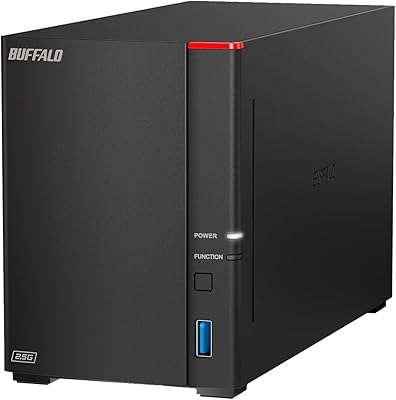
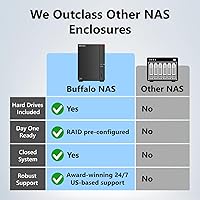
The Buffalo LinkStation 720 4TB NAS is a well-rounded, mid-range network storage device aimed at home users and small offices who want their own private cloud without paying monthly fees. It ships with two 2TB drives already installed — worth knowing upfront that the default RAID 1 configuration mirrors those drives for redundancy, leaving you with 2TB of usable space rather than the full 4TB. Switch to RAID 0 and you get the total capacity, but lose the safety net. The 2.5GbE network port puts it ahead of older 1GbE units at this price point, and a hexa-core processor with 2GB of RAM keeps multi-device access running without strain. Buffalo has been in the storage game for decades and backs this unit with US-based 24/7 support.

Features & Benefits

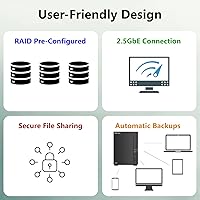
The biggest draw of this Buffalo NAS is that it functions as a personal cloud you actually own. No subscription, no data sitting on someone else's server — just your files, accessible remotely through Buffalo's app from any device. The included NovaBACKUP software covers up to five PCs, letting you schedule automated backups across the household without manual intervention. Security-minded users will appreciate the closed-system design, which locks out third-party apps to shrink the attack surface, backed by SSL encryption for transfers. You can also set individual folder permissions, so sharing a photo album with relatives doesn't mean handing over access to your entire drive. Windows, macOS, Linux, iOS, and Android are all supported.

Best For

The LinkStation 720 hits its sweet spot with non-technical home users who want reliable central storage without having to configure a Linux server or navigate complex software dashboards. If your household has multiple computers that need regular backups, or you want one place to store family videos and photos accessible from phones and tablets, this two-bay storage unit handles that well. Creative professionals working from home who need quick local file access across machines will also find the 2.5GbE connection a real improvement over standard network drives. That said, power users who want Docker containers, custom plugins, or deep integration with third-party services will hit the ceiling fast — Synology or QNAP are better fits there.

User Feedback

Across more than 3,100 ratings, the LinkStation 720 sits at 3.9 out of 5 stars — respectable, but worth unpacking. The most consistent praise is for straightforward setup and Buffalo's support team, which owners describe as genuinely helpful rather than just reading from a script. On the other side, a chunk of negative reviews trace back to the RAID 1 capacity confusion — buyers expecting 4TB usable out of the box and finding only 2TB. Real criticisms include a dated web interface that can lag when multiple users are active, and a thin app ecosystem that limits what the device can do long-term. Firmware updates have been infrequent, which matters for a device most people plan to run for years.

Pros

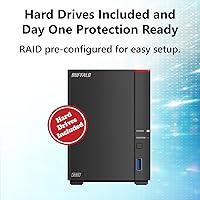
  • Drives are included in the box, eliminating separate compatibility research and extra purchases.
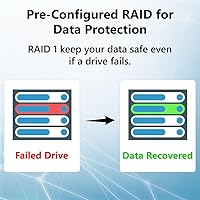
  • Default RAID 1 setup automatically mirrors data across both drives, protecting against a single drive failure.
  • The 2.5GbE network port delivers faster local transfers than most NAS units in this price range.
  • No monthly fees whatsoever — files stay on your own hardware, not a third-party server.
  • Bundled NovaBACKUP software covers up to five PCs with scheduled, fully automated backups.
  • Per-folder access controls let you share specific directories with others without exposing your entire drive.
  • Works across Windows, macOS, Linux, iOS, and Android, making it practical for mixed-device households.
  • US-based 24/7 phone support is a genuine advantage for buyers who want real help during setup.
  • The solid metal chassis is built for continuous 24/7 operation, not occasional desktop use.
  • SSL encryption and a closed-system architecture meaningfully reduce exposure to third-party app vulnerabilities.

Cons

  • Default RAID 1 mode means usable storage is 2TB, not the 4TB raw figure — a frequent and avoidable source of buyer frustration.
  • The web management interface feels dated and slows noticeably when multiple users are accessing the device at once.
  • The closed app ecosystem rules out Docker, Plex plugins, and virtually all meaningful third-party integrations.
  • Firmware updates have been released infrequently, which matters for a device most buyers run continuously for four to six years.
  • The included 5400 RPM mechanical drives are adequate but slow — read and write speeds will disappoint anyone used to SSD-based storage.
  • Switching to RAID 0 for full 4TB capacity removes all redundancy, leaving both drives unprotected from a single failure.
  • The LinkStation 720 supports only RAID 0 and RAID 1, with no option for RAID 5 or JBOD configurations.
  • Remote file access speed is capped by your home internet upload bandwidth, which the hardware itself cannot improve.
  • No front-panel display or detailed status indicators, making early hardware diagnostics harder without web interface access.
  • Users who outgrow 2TB of protected storage will need to replace the included drives, adding cost beyond the original purchase price.

Ratings

Our scores for the Buffalo LinkStation 720 4TB NAS were generated by AI after analyzing thousands of verified buyer reviews collected globally, with active filtering applied to remove suspected bot submissions, incentivized feedback, and reviews flagged as inauthentic. Every category score reflects the real spread of owner experience — not a curated highlight reel — so both the standout strengths and the legitimate frustrations that hold this device back are represented honestly. If a category scores below 65, that is not a rounding artifact; it reflects consistent, repeated friction that real owners encounter in daily use.

Ease of Setup
82%
18%
Most buyers report having the unit discoverable on their home network within 20 to 30 minutes, even without prior NAS experience. The NAS Navigator software walks users through each step clearly, and Buffalo's 24/7 phone team is a genuine safety net for anyone who gets stuck — a combination that earns consistent praise from first-time NAS owners.
A minority of Mac users reported initial discovery issues where NAS Navigator failed to detect the unit automatically, requiring manual IP entry. Linux users noted that out-of-box guidance is thin, and the web interface occasionally misbehaves during the initial configuration pass on less common network setups.
Transfer Speed
74%
26%
The 2.5GbE port is a genuine hardware advantage over most NAS units at this price, and buyers with capable routers report noticeably faster file transfers when moving large video libraries or design project folders across the network. Users upgrading from older 1GbE LinkStation models consistently describe the speed improvement as substantial.
The included 5400 RPM mechanical drives create a hard ceiling on read and write performance — sustained throughput will not impress anyone running creative workloads or large simultaneous file operations. The 2.5GbE benefit is also entirely contingent on router and switch support; buyers with standard gigabit routers see no speed improvement whatsoever.
Build Quality
79%
21%
The all-metal chassis feels robust and purposeful for a device intended to run continuously — owners consistently note it does not feel cheap or plasticky like some budget NAS enclosures. Several long-term users report no structural issues after multiple years of daily operation.
The unit offers almost no physical feedback beyond a couple of basic status LEDs — there is no front panel display or drive activity indicator granular enough to diagnose problems at a glance. Some buyers also noted that the ventilation slots collect dust noticeably over time in home environments.
Value for Money
71%
29%
Getting two 2TB drives pre-installed removes the extra cost and compatibility headaches of sourcing drives separately, and the permanent absence of subscription fees means total cost of ownership compares favorably to cloud storage over a two- to three-year window. Buyers who prioritize owning their data outright see clear long-term value here.
Competing platforms like Synology offer similarly priced two-bay units with substantially richer software ecosystems, making the value calculation complicated for buyers who might eventually want more than basic file storage. The limited RAID options and slow firmware update cycle also erode long-term value for buyers who plan to keep the device for five or more years.
Software & Interface
58%
42%
NAS Navigator makes initial device discovery and basic administration genuinely accessible to non-technical users, and the bundled NovaBACKUP software handles multi-PC scheduled backups without requiring any manual scripting. For straightforward file storage and backup tasks, the included software covers the fundamentals without overwhelming new users.
The browser-based management interface looks and behaves as if it has not had a meaningful redesign in years — navigation is clunky, and multiple reviewers report sluggish response times when more than a couple of users are active simultaneously. The closed platform means there are no third-party interface improvements or plugins available to fill the gap.
RAID Reliability
83%
RAID 1 mirroring works exactly as advertised — several buyers have documented successful drive failure scenarios where the second drive kept all data intact until a replacement was installed. The automatic array rebuild process after swapping a failed drive is smooth and requires minimal user intervention.
A persistent source of frustration is the RAID 1 usable capacity — buyers expecting the full 4TB frequently leave negative reviews that reflect unclear marketing rather than a hardware defect. The absence of RAID 5 or JBOD options also limits flexibility for users who need a different redundancy or capacity strategy.
Remote Access
68%
32%
Buffalo's WebAccess feature works without any subscription or port-forwarding expertise required — buyers report being able to retrieve files from their home NAS while traveling or working remotely, directly from a browser or the mobile app. For casual remote use, the experience is straightforward and functional.
Remote transfer speeds are entirely at the mercy of the home internet upload connection — buyers on slower broadband plans report frustrating delays when retrieving large files remotely. The mobile app also receives mixed reviews, with some users citing reliability issues and infrequent updates that leave it lagging behind the hardware's actual capabilities.
Security
77%
23%
The closed-system architecture is meaningful from a security standpoint — by blocking all third-party app installations, the attack surface is kept narrow in a way that more open platforms cannot match out of the box. SSL-encrypted transfers add a practical layer of protection for users sharing files with remote family members or colleagues.
Buffalo's firmware update cadence has been slower than many buyers expect from a security-conscious device — longer gaps between patches leave known vulnerabilities unaddressed for extended periods. For a NAS that many people connect directly to their home router and intend to run for four to six years, this track record is a legitimate concern.
App Ecosystem
41%
59%
For users who genuinely only need file storage, automated PC backup, and basic remote access, the built-in feature set covers that use case without requiring any additional apps. The simplicity of a closed system also means there is no risk of a poorly maintained third-party plugin causing instability or data loss.
This is where the LinkStation 720 genuinely struggles relative to the competition — there is no Plex, no Docker, no surveillance camera integration, no download manager, and no meaningful way to extend functionality beyond what Buffalo ships. Buyers who discover this limitation after purchase are among the most vocal sources of negative reviews in this product category.
Device Compatibility
86%
Windows, macOS, Linux, iOS, and Android compatibility means virtually no household is excluded — buyers with mixed ecosystems report this two-bay storage unit working reliably across all platforms without additional configuration steps. Cross-platform file sharing was a consistent high point raised across hundreds of positive reviews.
Advanced Linux users and power Mac users occasionally encounter limitations in the management interface that do not surface on Windows. SMB protocol compatibility is generally solid, but edge cases around folder permissions and older NFS configurations have generated occasional frustration in more technical buyer reviews.
Customer Support
81%
19%
US-based 24/7 phone support is a genuine differentiator in a category where most brands offer only forum help or email tickets — reviewers regularly single out Buffalo's support staff as knowledgeable, patient, and willing to walk through real setup scenarios rather than reading from a script. For less experienced buyers, this is a meaningful reassurance.
More complex technical issues — network configuration problems, firmware edge cases, or hardware faults — sometimes require escalation that adds wait time and creates friction. A handful of reviews also describe inconsistent experiences depending on which agent was reached, suggesting support quality is not entirely uniform across the team.
Noise Level
67%
33%
During idle periods, which represent the majority of a home NAS operating cycle, the unit is relatively quiet — the cooling fan produces a low, steady hum that most users in home office settings describe as easy to ignore. It is considerably quieter than a desktop computer running continuously in the same room.
During scheduled backup operations or large file transfers, the 5400 RPM drives spin up audibly and fan speed increases, producing enough noise to distract in a quiet bedroom — several buyers relocated the unit to a hallway closet after realizing nightly backup cycles ran through the early morning hours. Noise sensitivity varies significantly between individuals.
Long-Term Reliability
63%
37%
A meaningful portion of the user base reports running their LinkStation units continuously for three or more years without hardware failure, and RAID 1 mirroring provides a built-in layer of protection when individual drives eventually wear out. The metal chassis also holds up well physically through years of uninterrupted 24/7 operation.
The slow firmware update schedule is the main long-term reliability concern — for a device most buyers intend to operate for four to six years, infrequent security patches represent a growing exposure risk over time. Some users also report the web interface becoming increasingly sluggish over extended use, suggesting software optimization has not kept pace with hardware longevity.

Suitable for:

The Buffalo LinkStation 720 4TB NAS is an excellent fit for households and small offices that want centralized, private storage without committing to a monthly cloud subscription. If you have two or three computers at home that need automatic backups, or a family that wants a shared hub for photos, videos, and music, this two-bay storage unit delivers exactly that without demanding much technical knowledge. Non-technical buyers will particularly appreciate the plug-and-play setup and the fact that Buffalo provides real, US-based phone support around the clock — not just a help forum or a chatbot. Remote workers who need fast local network access across multiple devices will benefit from the 2.5GbE port, which provides noticeably better throughput than older 1GbE NAS devices when paired with a capable router. It also makes a strong case for anyone upgrading from an aging LinkStation 200-series device who wants a meaningful speed improvement without jumping to a more complex platform.

Not suitable for:

The Buffalo LinkStation 720 4TB NAS is not the right tool for power users who want a deeply customizable storage platform. If you are hoping to run Docker containers, install third-party packages, host a personal website, or use a NAS as a media transcoding server with Plex or Emby, the LinkStation's closed architecture will frustrate you quickly — Synology or QNAP offer far richer software ecosystems for those needs. Buyers who require more than 2TB of protected storage should also pause: in the default RAID 1 mode, usable capacity is 2TB, and upgrading the included drives later adds cost and effort. Anyone planning to rely on this device for five or more years should also factor in that Buffalo's firmware update cadence has been slower than several competitors, which can raise legitimate long-term security questions. In short, if extensibility and long-term software support matter as much as simplicity, this two-bay storage unit is likely not the right match.

Specifications

  • Total Capacity: The unit includes two 2TB hard drives pre-installed for 4TB of combined raw storage across both bays.
  • Usable Capacity: Default RAID 1 configuration provides 2TB of usable, protected storage; switching to RAID 0 unlocks the full 4TB with no drive redundancy.
  • Drive Bays: The enclosure houses two internal 3.5-inch drive bays, both populated with drives at the time of purchase.
  • Drive Type: Included drives are 3.5-inch mechanical hard disk drives running at 5400 RPM over a SATA-600 interface.
  • Network Port: A single 2.5GbE Ethernet port delivers faster local network throughput than the 1GbE ports standard on many competing NAS units in this price range.
  • Processor: A 1.3GHz hexa-core CPU manages simultaneous file requests from multiple users without the overhead of enterprise-grade hardware.
  • Memory: 2GB of onboard RAM supports smooth concurrent file transfers and responsive management interface performance under typical home or small-office loads.
  • RAID Support: Supports RAID 1 (drive mirroring for automatic data redundancy) and RAID 0 (combined capacity with no redundancy); no RAID 5 or JBOD options are available.
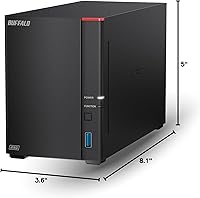
  • Dimensions: The unit measures 8.1″ deep by 3.6″ wide by 5″ tall, keeping it compact enough to sit on a desk or shelf alongside other equipment.
  • Weight: With both drives installed, the fully loaded unit weighs 4.64 pounds.
  • Chassis Material: The outer enclosure is constructed from metal, providing durable, heat-dissipating protection suited to continuous 24/7 operation.
  • OS Compatibility: Compatible with Windows, macOS, Linux, iOS, and Android, covering all common desktop and mobile operating systems.
  • Included Software: The package includes NAS Navigator for device management, a dedicated PC backup utility, and a 5-license edition of NovaBACKUP for scheduled automated computer backups.
  • Security: SSL encryption protects file transfers in transit, and the closed-system architecture limits third-party application access to reduce external vulnerability exposure.
  • Remote Access: Buffalo's WebAccess feature allows remote file retrieval from any browser or mobile device at no additional subscription cost.
  • Access Controls: Per-folder permission settings allow administrators to restrict or grant individual user access to specific directories independently of one another.
  • Customer Support: US-based support staff are available by phone 24 hours a day, 7 days a week, for setup walkthroughs and troubleshooting assistance.
  • Model Number: The official manufacturer model designation is LS720D0402, produced by BUFFALO Technology.

Related Reviews
Buffalo LinkStation 710 4TB NAS Storage
75%
83%
Ease of Setup
78%
Transfer Speed
81%
Reliability & Uptime
58%
Noise Level
86%
Data Security Features
More
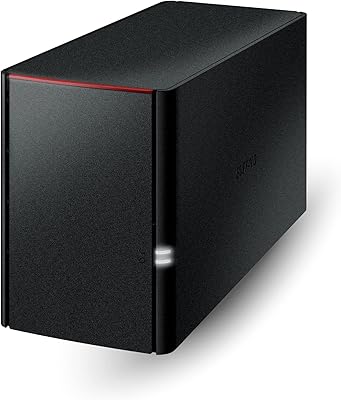
BUFFALO LinkStation 220 4TB 2-Bay NAS
68%
86%
Ease of Setup
58%
Transfer Speed
83%
Data Redundancy & RAID
71%
Software & Management
77%
Security Architecture
More
Buffalo LinkStation SoHo 720 8TB NAS
86%
88%
Performance
93%
Ease of Setup
90%
Data Security
85%
File Transfer Speed
87%
Reliability
More
BUFFALO LinkStation SoHo 720 16TB NAS
86%
89%
Value for Money
94%
Setup and Installation
85%
Performance
88%
Reliability
65%
Noise Under Load
More
BUFFALO LinkStation 710 8TB NAS
85%
91%
Value for Money
88%
Performance and Speed
85%
Ease of Setup
90%
Security Features
78%
Software Experience (NAS Navigator)
More
Buffalo LinkStation 210 6TB NAS Storage Device
64%
83%
Ease of Setup
47%
Transfer Speed
76%
Value for Money
54%
Long-Term Reliability
41%
macOS Compatibility
More
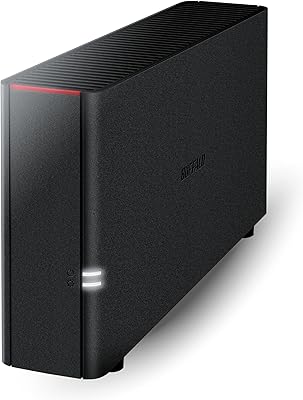
BUFFALO LinkStation 220 12TB NAS
84%
90%
Ease of Setup
88%
Reliability
92%
Value for Money
70%
Performance with Large Transfers
94%
RAID 1 Backup Functionality
More
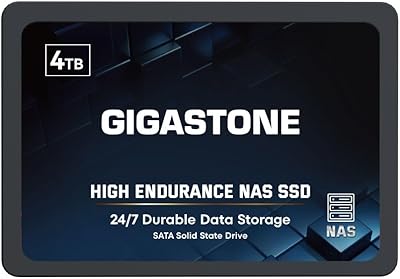
BUFFALO LinkStation 210 2TB 1-Bay NAS
63%
83%
Ease of Setup
47%
Transfer Speed
71%
Build Quality & Design
78%
Noise & Heat
44%
Software & Firmware
More
Gigastone 4TB NAS Internal SATA SSD
81%
88%
Endurance & Reliability
91%
NAS Compatibility
87%
Data Integrity Protection
68%
Write Performance
63%
Value for Money
More
BUFFALO TeraStation 3420D 16TB 4-Bay NAS
78%
88%
Ease of Setup
82%
Value for Money
86%
Data Security
74%
Transfer Speed
83%
Build Quality
More

FAQ

This is the most common point of confusion with this unit. It ships in RAID 1 mode by default, which means both drives are mirroring each other simultaneously — your data is written to both at once for protection. That safety net cuts the usable space in half, giving you 2TB. If you switch to RAID 0 through the management interface, you get the full 4TB, but you lose all redundancy — a single drive failure would wipe everything.

No ongoing fees at all. Once the LinkStation 720 is connected to your router, Buffalo's WebAccess feature lets you reach your files from a browser or the mobile app from anywhere in the world. Your files live on your hardware, and there is no subscription involved.

Setup is genuinely approachable for non-technical users. You connect the unit to your router with an Ethernet cable, install the NAS Navigator software on your computer, and follow guided prompts — most people are fully operational in under 30 minutes. Buffalo also offers 24/7 US-based phone support if you hit any snags, which is a real help for first-time NAS owners.

Not in any practical sense. The closed-system architecture deliberately blocks third-party app installation, which means no Plex, no Emby, no Docker, and no custom plugins. If media server software is part of your plan, you will be better served by a Synology or QNAP device, both of which support those apps natively.

Only if your router and client devices also support 2.5GbE. If your router tops out at standard gigabit, the bottleneck will be at the router, and you won't see faster speeds than a 1GbE NAS would deliver. That said, the port is future-proof — when you eventually upgrade your networking hardware, the faster port is already there.

As long as you are running the default RAID 1 configuration, losing one drive does not mean losing your data — the second drive holds an identical copy. You would replace the failed drive, the unit detects the new drive, and the array rebuilds itself. Buffalo's support team can walk you through that process if needed.

It depends on what you need. This unit gives you far more raw storage than most cloud plans at no monthly cost, and your files never leave your home network unless you choose to access them remotely. The trade-off is that there is no automatic offsite backup — if your home floods or burns, both drives go with it. Many people pair a device like this with a cloud backup service for offsite redundancy.

Yes. The hexa-core processor and 2GB of RAM are specifically designed to handle simultaneous connections from multiple users without grinding to a halt. You can also set up separate user accounts with individual folder permissions, so everyone in the household has their own space and can only see what you have authorized.

The 5400 RPM mechanical drives produce a low hum during active read and write operations, and the cooling fan adds a gentle background noise. In a typical home office setting it is easy to tune out, but in a very quiet bedroom at night, especially during a scheduled backup, some users find it noticeable. Tucking it inside a cabinet or closet with proper ventilation is a common solution.

Technically yes — the two-bay storage unit accepts standard 3.5-inch SATA drives, and you can replace the included drives with higher-capacity ones. However, this is not officially plug-and-play; you will need to reformat and reconfigure the array, and Buffalo's compatibility guidance should be checked before purchasing replacement drives. It is doable, but plan for some technical effort and data backup preparation beforehand.

Where to Buy