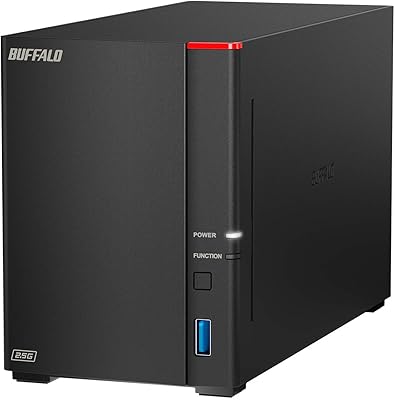
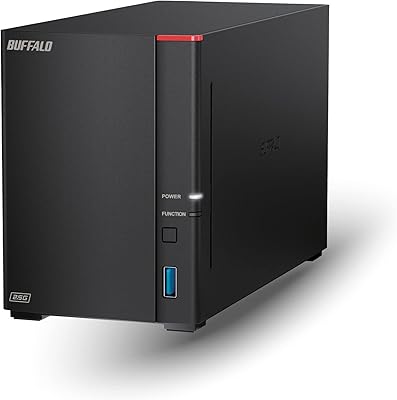
Overview

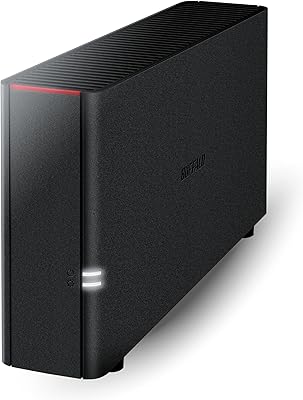
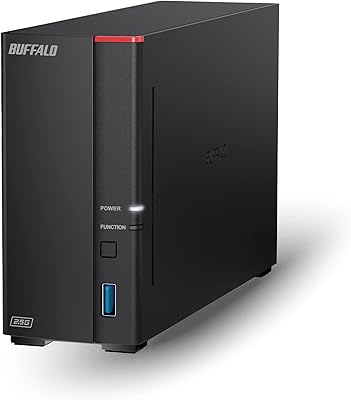
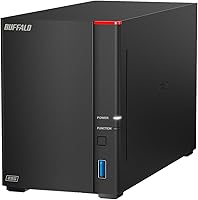
The Buffalo LinkStation SoHo 720 16TB NAS is Buffalo's answer to small offices that need dependable shared storage without hiring anyone to maintain it. It steps up noticeably from the older SoHo 220, bringing a faster hexa-core processor, more RAM, and a 2.5GbE network port that the previous model simply didn't offer. Out of the box it ships in RAID 1 configuration, giving you 8TB of mirrored, protected storage — the second drive is your safety net. Switch to RAID 0 and you reclaim the full 16TB, but redundancy disappears entirely. Buffalo's closed-system philosophy is a deliberate security choice, not an oversight, and for a mid-to-premium all-in-one purchase with drives already included, that trade-off is often a reasonable one.
Features & Benefits

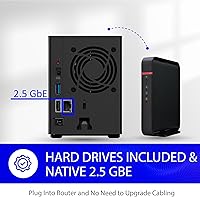
The most practical upgrade in the LinkStation SoHo 720 is its 2.5GbE Ethernet port. If your router or switch supports it, file transfers feel noticeably quicker — especially when moving large video projects or RAW photo archives across the network. The hexa-core processor paired with 2GB of DDR3 RAM handles multiple simultaneous users without grinding to a halt, which is more than entry-level NAS hardware can typically promise. There are no subscription fees to access files remotely, and SSL-encrypted transfers keep data secure in transit. The bundled NAS Navigator 2 software makes setting up automated backups straightforward for both Windows and macOS users, and Buffalo's round-the-clock US-based support means you won't be left troubleshooting a setup guide alone.

Best For

This 2-bay office NAS hits a practical sweet spot for teams of two to ten people who need centralized file sharing without standing up a full server. It's also a strong fit for photographers and video editors who regularly push large files across a local network — the 2.5GbE connection genuinely helps there. Home users graduating from a single external drive will appreciate the always-on availability and automated backup options. That said, IT-savvy buyers who want to run containers, virtual machines, or third-party applications will find this frustrating. The closed operating system is the defining characteristic: it keeps things secure and low-maintenance, but it puts a firm ceiling on what power users can do with the hardware.

User Feedback

Across 235 Amazon ratings, this Buffalo NAS holds a 4.2-star average — solid, but with patterns worth knowing before you buy. Most owners highlight how quickly it gets up and running, and Buffalo's support team earns specific, consistent praise for being genuinely responsive, which isn't something you see often. On the downside, a notable share of reviewers flag that the 5400 RPM drives can feel sluggish under heavy simultaneous access — acceptable for routine office sharing, but a friction point if you're streaming uncompressed footage to multiple users at once. Noise and heat come up occasionally, relevant if desk or closet placement is a concern. Buyers migrating from Synology or QNAP are split: some find the locked-down environment refreshingly simple; others miss the flexibility. That divide tells you a lot about who this is really for.

Pros

  • Ships with drives already installed — no separate hard drive purchase needed to get started.
  • The 2.5GbE network port delivers noticeably faster local transfers compared to standard 1GbE NAS units.
  • RAID 1 is enabled by default, so your data has a built-in mirror from the moment you power it on.
  • Subscription-free remote access means no ongoing cloud fees just to reach your own files.
  • The hexa-core processor and 2GB of RAM handle multi-user access without obvious performance hiccups.
  • Buffalo's 24/7 US-based support is genuinely responsive — a consistent highlight in owner feedback.
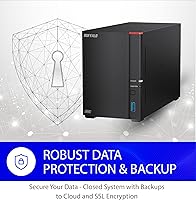
  • SSL-encrypted transfers and a closed OS make it a lower-risk option for businesses with basic security requirements.
  • NAS Navigator 2 and the bundled backup software make automated PC and Mac backups straightforward to configure.
  • Compact physical footprint fits easily on a desk or shelf without demanding dedicated rack space.
  • Ranks among the top NAS devices on Amazon by sales, reflecting broad real-world adoption and confidence.

Cons

  • No support for Docker, containers, or third-party applications — the closed system is a firm ceiling for advanced users.
  • The 5400 RPM drives can feel sluggish when multiple users access large files at the same time.
  • Usable capacity in the default RAID 1 setup is only 8TB, which surprises buyers expecting the full 16TB out of the box.
  • No iSCSI support, which rules it out for businesses that rely on block-level storage protocols.
  • Buyers migrating from Synology or QNAP will likely find the limited ecosystem a step backward in flexibility.
  • Drive noise and heat under sustained workloads have been noted by some owners — worth considering for open office placement.
  • Cloud backup support exists, but the feature set is narrower than what more open NAS platforms offer.
  • Only a single network port with no link aggregation option limits throughput scalability as team size grows.
  • The mechanical drives are not user-upgradeable to SSDs in any officially supported way, limiting future performance gains.
  • At this price tier, the absence of advanced monitoring or abnormal activity detection feels like a gap for security-conscious buyers.

Ratings

The scores below reflect AI-driven analysis of verified global buyer reviews for the Buffalo LinkStation SoHo 720 16TB NAS, with spam, incentivized, and bot-flagged submissions actively filtered out before scoring. Each category captures both the genuine strengths users repeatedly praised and the frustrations that surfaced consistently across independent feedback. Nothing here is softened — the ratings reflect real-world experience, not spec-sheet optimism.

Ease of Setup
88%
A large share of buyers — including those with no prior NAS experience — reported having the unit on their network and accessible within 30 minutes. NAS Navigator 2 handles device discovery automatically, and the guided setup walks through RAID configuration without requiring command-line knowledge.
A minority of users hit friction when configuring remote access for the first time, finding the network port-forwarding steps less clearly documented than the initial local setup. Windows users generally had a smoother first-run experience than macOS users in some reported cases.
Network Transfer Speed
81%
19%
Buyers who upgraded their switch or router to support 2.5GbE reported a genuinely noticeable improvement when moving large photo libraries or video project folders across the local network compared to their previous 1GbE NAS. For teams regularly shifting files in the multi-gigabyte range, the faster port pays off in daily workflow.
The speed gains only materialize if your existing network hardware supports 2.5GbE — users on standard gigabit infrastructure see no improvement over cheaper alternatives. Some reviewers also noted that sustained multi-user transfers occasionally dipped below expected throughput, likely due to the 5400 RPM drive speed rather than the network port.
Drive & Storage Performance
63%
37%
For routine small-office tasks — saving documents, accessing shared spreadsheets, running scheduled overnight backups — the 5400 RPM drives handle the workload without obvious interruption. Most users doing standard file sharing across a team of four to six people reported day-to-day reliability without complaint.
Under simultaneous heavy access, particularly when multiple users are reading or writing large files at the same time, the 5400 RPM spindle speed becomes a real bottleneck. Photographers or video editors streaming uncompressed footage directly off the NAS to multiple workstations have flagged this as a legitimate limitation that the hardware cannot overcome.
Data Protection & Security
89%
The default RAID 1 configuration means your data has a live mirror from the moment the device powers on, and SSL-encrypted transfers add a meaningful layer of protection for remote access. The closed operating system — often a point of debate — genuinely reduces the attack surface compared to open-platform NAS units that rely on users to patch third-party packages.
The closed system that makes it secure is also what prevents advanced users from layering additional security tools or custom monitoring software on top. There is no built-in abnormal login detection, which means unusual access patterns will not trigger automated alerts the way more sophisticated platforms can.
Software & App Ecosystem
44%
56%
For buyers whose needs are limited to file sharing, automated PC and Mac backups, and basic remote access, the included NAS Navigator 2 and backup utility cover the essentials without overwhelming a non-technical user. There is no bloat, no app store to navigate, and no risk of a poorly maintained third-party plugin destabilizing the system.
Anyone expecting the flexibility of Synology DSM or QNAP QTS will find the software experience deeply limiting. There is no support for Docker, media server applications, note-taking tools, or any of the dozens of productivity packages that competing platforms support — the software ceiling is low and fixed by design.
Remote Access
76%
24%
Remote access works without a subscription fee, which buyers consistently appreciate compared to cloud storage services that charge monthly just to access your own data. Once configured, most users reported stable connections for routine tasks like retrieving documents or checking on backup status while traveling.
Initial remote access configuration requires router-level setup that some less technical buyers found opaque, and Buffalo's documentation on this specific step is not as thorough as the general setup guide. Users on double-NAT networks or corporate routers reported difficulty getting remote access working reliably.
Build Quality & Design
77%
23%
The enclosure feels solid for its weight class — at 2.2 pounds with drives installed, it does not feel flimsy on a desk. The compact footprint fits naturally in a small office environment without demanding rack space or a dedicated equipment shelf.
The all-plastic exterior, while functional, does not project the premium durability that the price point might suggest. A few users noted minor flex in the drive bay cover, and the matte black finish shows fingerprints and dust more readily than brushed-metal alternatives from competing brands.
Noise & Heat
69%
31%
During light workloads and idle periods, the LinkStation SoHo 720 is quiet enough that most users in home office settings barely notice it. Heat dissipation under normal usage patterns is adequate, and thermal throttling has not been flagged as a recurring complaint among buyers.
Under sustained transfers or during scheduled backup windows, the drive activity noise and fan speed become noticeably audible — an open-plan office or quiet shared workspace will feel the difference. A small number of reviewers specifically cited noise as a reason they relocated the unit to a closet or equipment cabinet.
Customer Support
86%
Buffalo's 24/7 US-based support team earns specific, repeated praise in buyer feedback — a rarity for NAS hardware at any price tier. Multiple reviewers mentioned that support agents walked them through setup or troubleshooting steps patiently and without rushing them off the call.
Support quality for advanced configuration questions — particularly around network setup, remote access edge cases, or drive replacement — is less consistent, with some users reporting agents who were less knowledgeable about edge-case scenarios. Support is strongest for out-of-the-box setup and weakest when the question drifts into non-standard territory.
Value for Money
72%
28%
Buying a NAS with two quality drives already installed removes the friction and additional cost of sourcing compatible drives separately — for buyers who want a true all-in-one purchase, the bundled pricing makes sense and simplifies the decision. The inclusion of 24/7 support and subscription-free remote access adds further practical value.
Power users comparing this to a drive-free Synology or QNAP unit at a similar price point will find they get significantly less software flexibility per dollar. The 5400 RPM drives — while adequate — are not a premium choice, and some buyers feel the hardware ceiling does not fully justify the mid-to-premium price when faster open-platform alternatives exist nearby.
Mac & Windows Compatibility
83%
Mixed Mac and Windows environments are fully supported on the same network, which is a practical necessity for small creative teams that often run both platforms. NAS Navigator 2 works on macOS 10.13 and later, and most users in mixed-OS offices reported no protocol conflicts or discovery issues.
A handful of macOS users noted that certain SMB compatibility settings required manual adjustment on newer macOS versions to maintain stable connections. Windows users consistently reported a smoother plug-and-play experience with fewer edge cases during initial network discovery.
Reliability & Uptime
84%
Long-term owners frequently mention consistent uptime as one of the standout qualities of this Buffalo NAS — units running continuously for one to two years without a drive failure or firmware-related outage appear to be the norm rather than the exception in user feedback. The RAID 1 default also means a single drive issue does not result in downtime.
A small but notable percentage of reviews mention early drive failures within the first year, which — while partially attributable to drive variability rather than the enclosure itself — does suggest that not every unit ships with equally reliable drive pairs. Firmware update processes have occasionally caused temporary access disruptions for some users.
Backup Functionality
79%
21%
Automated PC and Mac backups are straightforward to configure using the bundled software, and most users running nightly or scheduled backups for two to six machines reported the process running reliably in the background without manual intervention. Cloud backup support adds a practical off-site layer for critical data.
The backup software is functional but not feature-rich — advanced scheduling options, granular versioning controls, and backup reporting are limited compared to what open-platform NAS units offer. Users wanting sophisticated backup policies across a larger team will likely outgrow the included tools.

Suitable for:

The Buffalo LinkStation SoHo 720 16TB NAS is a strong match for small teams — typically two to ten people — who need a central place to store, share, and back up files without managing complex server infrastructure. It suits creative freelancers and small studios where photographers or video editors are regularly moving large files across a local network, and the 2.5GbE port genuinely delivers faster throughput in those workflows. Home users who are tired of juggling external drives and want automated, always-on backup will find the setup approachable and the included software capable enough for their needs. It also makes sense for organizations with basic data security requirements: the closed operating system limits the attack surface in a way that open-platform alternatives simply cannot match. If you value reliable vendor support over tinkering, Buffalo's 24/7 US-based assistance is a real comfort, especially for buyers with no dedicated IT staff.

Not suitable for:

The Buffalo LinkStation SoHo 720 16TB NAS will frustrate any buyer who expects the flexibility of platforms like Synology or QNAP. There is no support for Docker containers, virtual machines, or a meaningful app ecosystem — the closed OS is a hard wall, not a soft limitation. Power users who need iSCSI support or want to run media server software directly on the device will need to look elsewhere. The bundled 5400 RPM mechanical drives are also a real constraint for high-concurrency environments: if several users are simultaneously reading and writing large files, the drives become the bottleneck faster than the network does. Anyone already invested in a competing NAS ecosystem who relies on specific third-party integrations should not expect a drop-in replacement here. And if ultra-quiet operation in a shared workspace is critical, it is worth knowing that some owners report audible drive and fan noise under sustained workloads.
Specifications

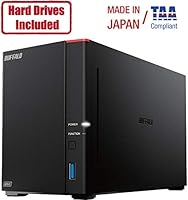
  • Total Capacity: The unit ships with two 8TB hard drives installed, providing 16TB of raw storage across both bays.
  • Usable Storage: In the default RAID 1 configuration, usable capacity is 8TB; switching to RAID 0 makes the full 16TB available at the cost of redundancy.
  • Drive Bays: Two internal 3.5-inch drive bays accept standard SATA hard drives for future replacement or capacity upgrades.
  • Included Drives: Two 3.5-inch mechanical hard drives running at 5400 RPM with a SATA-600 interface come pre-installed from the factory.
  • Processor: A 1.3 GHz hexa-core CPU handles file serving, background tasks, and multi-user access without significant performance degradation.
  • Memory: 2GB of DDR3 RAM supports concurrent connections and background processes such as scheduled backups and remote access sessions.
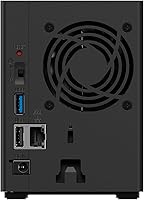
  • Network Port: One 2.5 Gigabit Ethernet port provides up to 2.5 times the local network throughput of a standard 1GbE NAS connection.
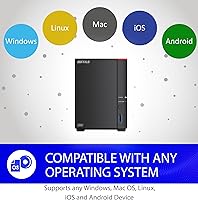
  • OS Support: Compatible with Windows and macOS 10.13 or later, including macOS 26, covering the majority of modern desktop environments.
  • Security: File transfers are protected with SSL encryption, and the closed operating system architecture limits exposure to third-party application vulnerabilities.
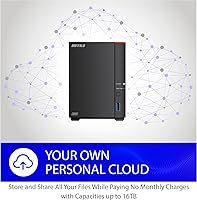
  • Remote Access: Remote file access is included at no extra cost, with no subscription or monthly fee required to connect from outside the local network.
  • Cloud Backup: The unit supports cloud backup services, allowing off-site copies of critical data in addition to local RAID protection.
  • Included Software: NAS Navigator 2 for device management and a PC backup utility for automated computer backups are both bundled in the box.
  • Customer Support: Buffalo provides 24/7 US-based phone and setup support at no additional charge for the lifetime of the product.
  • Dimensions: The enclosure measures 8.1 × 3.6 × 5 inches, making it compact enough for a desk shelf or small office cabinet.
  • Weight: With drives installed, the unit weighs 2.2 pounds, light enough to reposition easily during setup.
  • Color: The enclosure is finished in matte black, consistent with standard office and home office aesthetics.
  • RAID Modes: RAID 0 and RAID 1 are both supported; RAID 1 is the factory default for automatic drive mirroring and data protection.
  • Amazon Ranking: At the time of publication the device holds the number 19 position in the Network Attached Storage category on Amazon.

Related Reviews

Buffalo LinkStation SoHo 720 8TB NAS
75%
88%
Ease of Setup
91%
Data Redundancy
67%
Transfer Speed
74%
Value for Money
83%
Security
More
Buffalo LinkStation 720 4TB NAS
72%
82%
Ease of Setup
74%
Transfer Speed
79%
Build Quality
71%
Value for Money
58%
Software & Interface
More
BUFFALO LinkStation 220 4TB 2-Bay NAS
68%
86%
Ease of Setup
58%
Transfer Speed
83%
Data Redundancy & RAID
71%
Software & Management
77%
Security Architecture
More
Buffalo LinkStation 210 6TB NAS Storage Device
64%
83%
Ease of Setup
47%
Transfer Speed
76%
Value for Money
54%
Long-Term Reliability
41%
macOS Compatibility
More
Buffalo LinkStation 710 4TB NAS Storage
75%
83%
Ease of Setup
78%
Transfer Speed
81%
Reliability & Uptime
58%
Noise Level
86%
Data Security Features
More
BUFFALO TeraStation 3420D 16TB 4-Bay NAS
78%
88%
Ease of Setup
82%
Value for Money
86%
Data Security
74%
Transfer Speed
83%
Build Quality
More
BUFFALO LinkStation 210 2TB 1-Bay NAS
63%
83%
Ease of Setup
47%
Transfer Speed
71%
Build Quality & Design
78%
Noise & Heat
44%
Software & Firmware
More
BUFFALO LinkStation 710 8TB NAS
85%
91%
Value for Money
88%
Performance and Speed
85%
Ease of Setup
90%
Security Features
78%
Software Experience (NAS Navigator)
More
BUFFALO LinkStation 220 12TB NAS
84%
90%
Ease of Setup
88%
Reliability
92%
Value for Money
70%
Performance with Large Transfers
94%
RAID 1 Backup Functionality
More
BUFFALO TeraStation 3420DN 8TB Desktop NAS
78%
92%
Ease of Setup
88%
Build Quality
86%
Drive Reliability
74%
Network Performance
58%
Management Interface
More

FAQ

The unit ships in RAID 1 mode, which mirrors your data across both drives simultaneously — so one drive is always a live backup of the other. That protection costs you half the raw capacity, leaving 8TB available for your files. If you switch to RAID 0 in the settings, both drives combine into a single 16TB volume, but there is no longer any redundancy — a single drive failure would mean data loss. Most buyers in a small office setting are better off staying with RAID 1 and accepting the 8TB limit.

Yes, to get the full benefit you need at least one 2.5GbE port on your router or a separate network switch. If your existing hardware only supports standard 1GbE, the LinkStation SoHo 720 will negotiate down and operate at 1GbE speeds — it will still work, just without the speed upgrade. Many modern routers and managed switches now include 2.5GbE ports, so it may be worth checking your existing gear before assuming you need new equipment.

No. The Buffalo LinkStation SoHo 720 16TB NAS runs a closed, proprietary operating system and does not support third-party applications, Docker containers, or media server software installed directly on the device. If running a Plex server or self-hosted applications is a priority for you, an open-platform NAS from Synology or QNAP would be a better fit. This unit is intentionally designed for straightforward file sharing and backup, not as an application host.
At idle it is relatively quiet, but under sustained read and write activity the drives and cooling fan produce audible noise that some users find noticeable in quiet environments. Most owners describe it as comparable to a desktop computer under light load. If you plan to place it on an open desk in a shared, quiet workspace, it is worth keeping in mind. A closet, server cabinet, or dedicated equipment corner is a more comfortable long-term placement for noise-sensitive settings.

No. Remote access is included without any subscription charge. You can reach your files from outside the office or home network without paying an ongoing fee, which is a meaningful advantage over services that require a cloud storage subscription to enable the same feature.

The drive bays do accept standard 3.5-inch SATA hard drives, so physical replacement is possible. However, Buffalo's supported drive compatibility list should be checked before purchasing replacements, as not all drives are officially validated. Upgrading to SSDs is not officially supported by Buffalo, so while a drive swap may work in practice, it would fall outside the manufacturer's tested configuration.

For a typical small team of two to eight people doing standard file sharing — opening documents, saving spreadsheets, or accessing moderate-sized files — the hexa-core processor and 2GB of RAM handle concurrent connections reasonably well. Where it starts to feel constrained is when several users simultaneously access very large files, such as high-resolution video footage. The 5400 RPM drives are the limiting factor in those scenarios, not the processor or network.

Yes, this 2-bay office NAS supports both Windows and macOS 10.13 or later on the same network simultaneously. NAS Navigator 2 is available for macOS and handles device discovery and management. Mixed-OS offices are fully supported without needing separate configurations for each platform.

In RAID 1, if one drive fails, the NAS continues operating on the surviving drive without data loss — your files remain accessible. The unit should alert you to the failure so you can replace the faulty drive. Once a replacement drive is installed, the NAS rebuilds the mirror automatically. This is one of the core reasons Buffalo ships the device in RAID 1 by default: it provides a practical safety net for everyday use.

Based on owner feedback, Buffalo's US-based support team is one of the more consistently praised aspects of this device. Reviewers specifically mention helpful installation walkthroughs and responsive handling of setup issues — which stands out for a product at this price tier. That said, support for advanced configurations or third-party integrations is naturally limited by what the closed system allows. For straightforward setup and troubleshooting, the support experience appears to be genuinely above average.