Overview

The Brydge Stone CORE USB-C Docking Station is Brydge's attempt to pack serious desktop connectivity into a compact, affordable hub — and for the most part, it delivers. With 10 ports, 100W Power Delivery, and dual-monitor support, this USB-C dock punches above its weight at this price tier. That said, Mac users should know upfront: dual-display output is a Windows-only feature here, a detail that catches some buyers off guard. Think of this docking station as a capable everyday workhorse — genuinely useful for most setups, with a few practical trade-offs worth understanding before you commit.
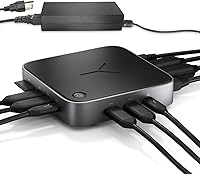
Features & Benefits

The port lineup is where this docking station earns its keep. The 100W Power Delivery port keeps your laptop charged while you run monitors, drives, and peripherals simultaneously — no separate charger needed. Windows users get dual 4K output at 60Hz through the DisplayPort 1.4 and HDMI 2.1 connections, provided the host device supports it. The SD 4.0 card reader hits up to 2.4Gbps, making pulling footage off a camera card noticeably faster than older USB-A readers. Gigabit Ethernet rounds things out for anyone who needs a rock-solid wired connection, and the polycarbonate shell stays compact and light enough to toss in a bag.

Best For

This USB-C dock is a smart pick for Windows laptop users who want dual 4K monitors without jumping to a much pricier Thunderbolt dock. Remote workers and students will appreciate going from a bare laptop to a fully connected desk with just one cable. It also suits photographers and video editors who move large files regularly — the fast SD card slot alone justifies the buy for that crowd. Hybrid workers splitting time between home and office will find the compact build easy to carry. If you are on macOS and need two external displays, this docking station is not the right fit for that workflow.

User Feedback

Across roughly 147 ratings, the Brydge Stone CORE sits at 3.9 out of 5 stars — solid, though not without its rough edges. Buyers consistently praise the plug-and-play setup and the broad port selection for the price, with many noting it replaced a tangle of individual adapters cleanly. Recurring complaints include inconsistent recognition of certain USB-A devices and the dock running noticeably warm when driving two displays under sustained load. The macOS single-display limit surfaces frequently in negative reviews from buyers who felt it was not clearly disclosed. Windows-focused users, however, are largely satisfied — several even compared it favorably to docks costing significantly more.

Pros

  • Single USB-C cable connects your laptop to dual monitors, Ethernet, peripherals, and power simultaneously on Windows.
  • 100W Power Delivery keeps demanding laptops fully charged even during heavy multitasking sessions.
  • Dual 4K output at 60Hz via DisplayPort and HDMI is rare and genuinely useful at this price point.
  • The SD 4.0 card reader transfers large photo and video files significantly faster than older USB-A readers.
  • Plug-and-play setup works on Windows 10 and 11 with no driver installation required.
  • Gigabit Ethernet delivers stable, low-latency wired connectivity for video calls and large uploads.
  • The compact polycarbonate build keeps desk footprint small while still offering 10 usable ports.
  • Windows users report broad compatibility across major laptop brands including Dell, HP, Lenovo, and ASUS.
  • Replaces multiple individual adapters and a separate charger, simplifying the overall desk setup considerably.

Cons

  • macOS dual-display support is simply not available — a limitation not clearly disclosed upfront by the listing.
  • Certain USB-A devices occasionally fail to register on first connection and require a re-plug to activate.
  • The dock runs noticeably warm under sustained dual-display and multi-peripheral loads, raising durability questions.
  • Only full-size SD cards are supported — no microSD slot, which limits utility for drone and action camera users.
  • One USB-C port is locked to host connection, leaving just one spare USB-C data port for other devices.
  • Ethernet sometimes requires a manual re-plug after the laptop wakes from sleep before the connection restores.
  • The polycarbonate shell feels noticeably budget-grade compared to metal-chassis docks in a slightly higher price tier.
  • Bandwidth is shared across active ports under heavy simultaneous use, which can slow USB-A transfer speeds.

Ratings

The Brydge Stone CORE USB-C Docking Station has been scored by our AI engine after analyzing verified global buyer reviews, with spam, incentivized, and bot-flagged submissions actively filtered out. The result is an honest composite picture that reflects both what this dock genuinely does well and where real users ran into friction. Strengths and pain points are weighted equally — no sugarcoating.

Value for Money
88%
For Windows users who want dual 4K monitor output and 100W charging without paying Thunderbolt dock prices, the value proposition here is hard to argue with. Buyers repeatedly noted that this dock replaced multiple individual adapters and a separate charger in one shot, which adds up fast.
Mac users who discover the single-display limitation after purchase feel the price-to-value equation shifts noticeably. If your workflow depends on dual monitors and you are on macOS, this dock does not deliver what the listing implies for your platform.
Port Selection & Variety
91%
Ten ports covering USB-A, USB-C, HDMI, DisplayPort, SD card, and Gigabit Ethernet is a genuinely well-rounded spread for a hub at this tier. Users connecting keyboards, external drives, cameras, and a wired network all at once found they rarely ran out of slots.
The two USB-C ports are not equal — one is dedicated to host connection and power input, which leaves less flexibility than the raw count suggests. A few power users noted they wanted more than one spare USB-C data port for modern peripherals.
Dual Monitor Support
74%
26%
Windows users running DisplayPort and HDMI simultaneously to two 4K displays at 60Hz reported crisp, stable output for both productivity work and light creative tasks. Getting a dual 4K setup at this price point impressed a significant portion of reviewers.
macOS users are largely locked out of this feature due to software and hardware limitations on Apple silicon and Intel machines alike. This is the single most common source of negative reviews and a critical caveat that was not prominently disclosed at purchase.
Power Delivery Performance
86%
Running a 15-inch laptop at full charge while simultaneously driving two displays and several USB peripherals worked reliably for most users. The 100W output is enough to keep demanding machines topped up rather than just trickling power during heavy use.
A handful of users with particularly power-hungry laptops noted the charging slowed somewhat under sustained multi-display loads. It is worth confirming your laptop's actual power draw before assuming 100W will cover everything at peak simultaneously.
Display Output Quality
83%
The HDMI 2.1 and DisplayPort 1.4 outputs delivered sharp, accurate visuals across 4K monitors tested by reviewers doing spreadsheet work, photo editing, and video conferencing. Colors looked consistent and there was no reported signal flickering under normal use.
The 8K@30Hz HDMI spec is largely theoretical for most buyers — practically no consumer monitors support it yet, and running two displays at the same time caps you at 4K@60Hz. Some users expecting more headroom for future displays found the ceiling lower than marketed.
Data Transfer Speed
81%
19%
The SD 4.0 slot is a genuine highlight for photographers and video editors — pulling RAW files or 4K footage off a card felt noticeably faster compared to older USB-A card readers. USB 3.1 ports also handled external SSD transfers at respectable speeds.
USB-A throughput, while rated at USB 3.1, was inconsistent in practice for a subset of users, with some peripherals dropping to lower speeds depending on what else was active. Heavy simultaneous data transfers across multiple ports showed some bandwidth sharing.
Setup & Plug-and-Play Experience
89%
The vast majority of buyers reported being up and running within minutes — no driver installation, no configuration headaches. Plugging the single USB-C cable into a Windows laptop and having monitors, Ethernet, and peripherals come alive instantly was the most commonly praised experience.
A small number of users reported that certain USB-A devices — particularly older external hard drives and some hubs — were not consistently recognized on first connection. Unplugging and reinserting typically resolved it, but it was annoying enough to surface repeatedly in reviews.
Ethernet Reliability
84%
Users who switched from Wi-Fi to the Gigabit Ethernet port specifically for video calls and large file uploads reported a tangible improvement in connection stability. Remote workers praised it for eliminating the dropout issues they experienced on wireless connections.
A few users noted the Ethernet port occasionally required a re-plug after the laptop woke from sleep before it would reconnect cleanly. This is a fairly common dock behavior but was frustrating for those who expected fully automatic reconnection every time.
Thermal Management
61%
39%
Under light to moderate workloads — one display, a few USB devices, and Ethernet — the dock stayed at a perfectly manageable temperature. Most everyday office users never noticed any heat-related issues during standard use.
Running dual 4K displays with active USB-A and SD card transfers simultaneously caused the unit to run noticeably warm. A handful of buyers expressed concern about long-term durability under sustained heavy loads, though no failures were reported in the review sample.
macOS Compatibility
53%
47%
Basic functionality — USB-A peripherals, Ethernet, single display output, and charging — works fine on macOS without any additional software. Mac users with a single external monitor setup found it functional and straightforward.
Dual-display support simply does not work on most macOS configurations, and this is a hard limitation tied to Apple's display streaming restrictions rather than a firmware fix Brydge can push. Mac users needing two monitors should look elsewhere, full stop.
Build Quality & Design
77%
23%
The polycarbonate shell feels more solid than typical cheap plastic hubs at this price point, and the compact footprint sits cleanly on a desk without dominating the space. The cable management is tidy and the port layout is logically organized.
It does not feel premium — there is no metal chassis, and the overall construction gives the impression of a budget accessory rather than a professional-grade dock. Long-term durability under daily travel conditions is an open question given the plastic build.
Portability
79%
21%
At under 3 pounds and with a reasonably compact footprint, this docking station is easy to slip into a laptop bag for hybrid workers moving between office and home. The single-cable connection to the laptop keeps packing and unpacking quick.
It is not the smallest dock on the market — dedicated travel dongles are significantly lighter and more compact. Users who prioritize minimalist carry over port count may find the size slightly more than they want for daily commuting.
Windows Compatibility
92%
On Windows 10 and 11 machines, the dock performed consistently across a wide range of laptop brands — Dell, HP, Lenovo, and ASUS users all reported smooth compatibility. Dual 4K output, USB-A recognition, and power delivery all worked as expected on the platform.
A small number of users with less common Windows laptops or older USB-C implementations encountered occasional handshake issues on first connection. These were edge cases rather than systemic problems, and most resolved after a system restart or port re-plug.
SD Card Reader Performance
82%
18%
The SD 4.0 slot is one of the standout features for content creators — real-world transfer speeds were consistently faster than the USB-A card readers bundled with most laptops. Wedding photographers and event videographers specifically called this out as a meaningful time-saver.
The slot only accommodates full-size SD cards, so users with microSD-only workflows need an adapter. There is also no dedicated microSD slot, which limits utility for drone operators and action camera users who work exclusively with smaller card formats.

Suitable for:

The Brydge Stone CORE USB-C Docking Station is built for Windows laptop users who want a capable, no-fuss desk hub without paying a premium for Thunderbolt technology. If your daily setup involves juggling two external monitors, a wired network connection, a keyboard, mouse, external drives, and a charging cable all at once, this dock consolidates that tangle into a single USB-C connection — and it handles that job well. Remote workers and students who split time between home and office will appreciate how quickly the whole desk comes alive and goes dormant with one plug. Content creators shooting on SD-card cameras will find the fast card reader a genuine time-saver when pulling large batches of RAW files or 4K footage. Anyone currently spending money on a separate USB hub, an SD reader, and a standalone power adapter for their laptop will likely find this dock replaces all three in one practical package.

Not suitable for:

The Brydge Stone CORE USB-C Docking Station is not the right choice for macOS users who need two external displays — this is a hard platform limitation, not a firmware issue, and no amount of adapter juggling will work around it on most Apple silicon or modern Intel Mac machines. Creative professionals running demanding rendering or video export workflows should also be aware that the dock runs noticeably warm under sustained heavy loads, which raises reasonable questions about long-term reliability in always-on setups. Users who exclusively work with microSD cards — drone pilots, action camera shooters — will find the full-size SD-only slot frustrating without a separate adapter. If you need a truly travel-light dongle that disappears into a jacket pocket, the physical size of this docking station is larger than the compact travel adapters designed for that purpose. Power users who need multiple USB-C data ports for modern peripherals will hit the ceiling quickly, since one of the two USB-C ports is committed to the host laptop connection.
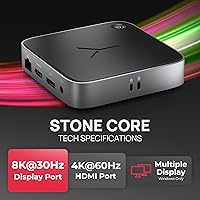
Specifications

  • Total Ports: The dock provides 10 ports in total, covering USB-C, USB-A, HDMI, DisplayPort, SD card, and Gigabit Ethernet in a single unit.
  • USB-C Ports: Two USB-C ports are included, with one dedicated to 100W Power Delivery for laptop charging and host connection.
  • USB-A Ports: Four USB-A ports running on USB 3.1 are available for connecting keyboards, mice, external drives, and other standard peripherals.
  • HDMI Output: One HDMI 2.1 port supports video output up to 8K at 30Hz or 4K at 60Hz, depending on the connected display and host device capabilities.
  • DisplayPort Output: One DisplayPort 1.4 port delivers up to 4K resolution at 60Hz for compatible external monitors on supported host devices.
  • Dual Display Support: Simultaneous dual 4K monitor output at 60Hz is supported on Windows 10 and 11 only; macOS devices are limited to a single external display in most configurations.
  • Power Delivery: The dock delivers up to 100W of Power Delivery through its USB-C host port, sufficient to charge most laptops while all other ports remain active.
  • SD Card Reader: An SD 4.0 card reader supports transfer speeds up to 2.4Gbps (approximately 300MB/s) and accepts full-size SD cards only.
  • Ethernet: A Gigabit Ethernet port provides wired network connectivity at speeds up to 1Gbps for stable, low-latency internet connections.
  • OS Compatibility: The dock is compatible with Windows 10, Windows 11, and macOS, though dual-display functionality is exclusive to Windows platforms.
  • Host Connection: The dock connects to the host laptop via a single USB-C cable, which simultaneously handles data, video output, and power delivery.
  • Build Material: The outer shell is constructed from polycarbonate plastic, offering a lightweight and compact form factor suited for desk use and travel.
  • Dimensions: The unit measures 12.56 x 11.65 x 6.97 inches in its packaged form, with a compact desktop footprint in actual use.
  • Item Weight: The dock weighs 2.97 pounds, making it portable enough for hybrid workers moving between home and office environments.
  • Thermal Design: The dock uses passive cooling with no internal fan; the polycarbonate housing dissipates heat during operation, though it runs warm under sustained heavy loads.
  • Model Number: The official model number is B2206A00A1INT0B, corresponding to the Brydge Stone CORE 10-in-1 docking station.
  • Market Ranking: The dock holds a Best Sellers Rank of approximately #375 in the Laptop Docking Stations category on Amazon as of its listing data.
  • Release Date: The product was first made available for purchase on September 20, 2022, making it a relatively recent entry in the mid-range dock segment.
  • Manufacturer: The dock is designed and sold by Brydge, a brand with a background in laptop and tablet accessories, particularly for Apple and Windows devices.

Related Reviews

Plugable UD-3900Z

Plugable UD-3900Z
74%
88%
Dual Monitor Performance
79%
macOS Compatibility
93%
Wired Ethernet Reliability
82%
USB Port Availability
74%
Setup & Ease of Use
More
WAVLINK WL-ST334UA Dual-Bay USB 3.0 Hard Drive Docking Station

72%
83%
Offline Cloning Reliability
74%
Transfer Speed
79%
Build Quality
91%
Ease of Setup
38%
Mac Compatibility
More
StarTech USB-C / USB-A Hybrid Docking Station for MacBook Pro/Air & Windows - Triple 4K 60Hz HDMI/DP, 85W Power Delivery
83%
94%
Multi-Display Performance
89%
Charging Efficiency
80%
Compatibility with OS
91%
Data Transfer Speed
88%
Ethernet Stability
More
4URPC USB C Docking Station DSC05
86%
95%
Setup and Installation
92%
Port Selection and Versatility
85%
HDMI Display Support
88%
USB Connectivity and Speed
77%
Power Delivery (65W)
More
Targus DOCK182USZ USB-C Docking Station
76%
88%
Plug-and-Play Setup
71%
Dual Monitor Performance
79%
Cross-Platform Compatibility
84%
Power Delivery
86%
Port Selection & Variety
More
LIONWEI Triple Monitor USB-C Docking Station
75%
83%
Multi-Monitor Display Performance
41%
macOS Compatibility
89%
Value for Money
81%
Power Delivery & Charging
92%
Plug-and-Play Setup
More
Plugable UD-MSTH2 USB-C Docking Station
77%
93%
Ease of Setup
88%
Dual Display Performance
67%
Charging Adequacy
78%
Port Selection
18%
macOS Compatibility
More
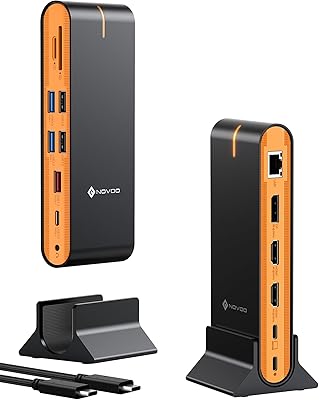
NOVOO 15-in-1 USB C Docking Station
82%
88%
Performance
92%
Display Support
85%
Ease of Setup
80%
Compatibility with MacBook
94%
Connectivity (Ports)
More
Sabrent DS-UNHC USB-C Docking Station
80%
91%
Drive Compatibility
67%
Offline Clone Reliability
84%
Transfer Speed
78%
Thermal Management
72%
Build Quality
More
Plugable UD-7400PD USB-C Docking Station
84%
91%
Performance with Multiple Displays
75%
Ease of Setup (Windows vs. macOS)
89%
Charging Power (Laptop and Device)
77%
Compatibility with macOS
85%
Ethernet Connectivity
More

FAQ

Unfortunately, no — and this is the most important thing Mac users need to know before buying. Due to how Apple silicon and most modern Intel Macs handle display streaming, the dock can only drive one external monitor on macOS. If dual monitors on a Mac is a requirement for you, this is not the right dock for your setup.

For the majority of laptops, yes. Most Windows laptops charge at 45W to 65W, so 100W gives comfortable headroom even when the dock is running displays and USB peripherals simultaneously. Very high-end gaming or workstation laptops that draw more than 100W under load may charge more slowly during peak use, but they will not drain.

No drivers are needed. Plug the USB-C cable into your laptop and Windows 10 or 11 will recognize the dock automatically within a few seconds. Most users are fully set up — monitors on, Ethernet active, peripherals connected — in under two minutes.

The dock connects via USB-C, so it will physically attach to tablets with a USB-C port, but functionality varies significantly by device. Display output and full 10-port hub behavior are optimized for Windows and macOS laptops. Tablets generally will not support video output through this dock, and power delivery behavior depends on the device.

Technically the HDMI 2.1 port is spec-rated for 8K at 30Hz, but practically speaking, consumer 8K monitors are extremely rare and expensive. In day-to-day use, you will be running 4K at 60Hz through HDMI, which is what most buyers actually need. The 8K spec is more of a future-proofing note than a current selling point.

Under light to moderate use — one display, a few USB devices, and Ethernet — it stays at a reasonable temperature. Running two 4K displays simultaneously with active SD card transfers will cause it to run noticeably warm to the touch. It has not caused reported failures in user reviews, but leaving it in an enclosed space with no airflow during heavy workloads is not advisable.

Not necessarily. A small number of users have reported that certain USB-A peripherals, particularly older external hard drives, do not register on the first connection attempt. Try unplugging the device and reinserting it, or connect it to a different USB-A port on the dock. If the issue persists across all ports with multiple devices, that would warrant a closer look at the unit.

Not simultaneously — the dock is designed for one host device at a time via a single USB-C connection. You can physically unplug from one laptop and plug into another, and it will work fine, but there is no built-in KVM switch functionality to toggle between two machines without manually swapping the cable.

The reader supports SD 4.0, which covers UHS-II cards at up to around 300MB/s. It does not support the newer SD Express standard, which uses a PCIe interface and requires a different type of reader. For most photographers and videographers using standard UHS-II cards, the SD 4.0 slot is fast enough to handle large RAW and 4K video files efficiently.

For typical Windows office and creative tasks — dual monitors, wired Ethernet, USB peripherals, and laptop charging — this dock handles the job at a fraction of the cost of a Thunderbolt 4 dock. Thunderbolt docks offer higher bandwidth ceilings, daisy-chaining, and broader Mac compatibility, but most Windows users never push workloads that expose those differences in practice. Several buyers explicitly noted they switched from or considered Thunderbolt options and found this docking station more than sufficient for their needs.

Where to Buy