BrosTrend 2.5G Linux PCIe Network Card



Overview
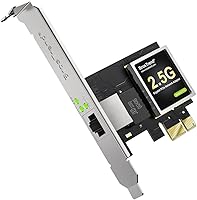
The BrosTrend 2.5G Linux PCIe Network Card addresses a frustration that Linux users know well: installing a new NIC and then spending an afternoon hunting down drivers, patching modules, or recompiling kernels just to get online. This one slots into a PCIe x1 port and works — no manual setup required, provided you're running kernel 5.9 or later. It ships with both a standard and a low-profile bracket, which matters if you're dropping it into a compact or mini-ITX case. Windows works too, so it's not strictly a Linux-only tool. Just know going in: this is a single wired Ethernet port, no wireless, no multi-port — a focused upgrade for those who need exactly that.
Features & Benefits
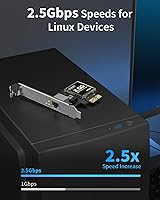
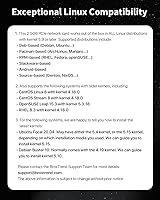
Where this Linux NIC earns its reputation is in the depth of its kernel integration. Rather than relying on out-of-tree drivers, it works natively with Linux 5.9 and above, covering Debian, Ubuntu, Arch, Fedora, RHEL, Gentoo, NixOS, and more — essentially the full spectrum of mainstream and enthusiast distros. The 2.5GBase-T standard pushes throughput to 2.5 Gbps over any Cat5e or better cabling, so no rewiring is needed. Metal shielding keeps electromagnetic interference in check, a real consideration in dense hardware environments. The card also supports QoS and Wake on LAN, useful for homelab or lightweight server setups where remote management and traffic prioritization actually get put to work day-to-day.
Best For
The clearest audience for this 2.5G network adapter is anyone running Linux on a desktop or workstation who has hit the ceiling of gigabit networking — think homelab builders doing large file transfers between machines, or media server operators pushing 4K content to multiple clients simultaneously. Arch or Fedora users upgrading an older system will likely install it and forget it ever needed configuration. Small form factor builders benefit directly from the included low-profile bracket, since not every compact case accommodates a full-height card. It also works without friction in mixed Linux-Windows environments, which makes it practical for IT folks managing more than one OS without juggling separate driver packages for each machine.
User Feedback
The BrosTrend PCIe card holds a 4.5-star average across 67 ratings — solid for a SKU that launched in mid-2023. The most consistent praise centers on genuine out-of-the-box behavior on Linux, with users reporting no surprises across a range of distros. The vendor has drawn favorable comments for helping customers on older LTS releases like Ubuntu 20.04 navigate to a compatible kernel version. On the critical side, a handful of reviewers flag the obvious but important caveat: your switch or router must also support 2.5G to see any real speed gain. No notable pattern of hardware failures, overheating, or system instability has surfaced in the review pool, which is a quiet but meaningful indicator of build reliability.
Pros
- Works out of the box on Linux kernel 5.9 and above — no driver downloads, no module building, no surprises.
- Covers an unusually wide range of distros, from mainstream Ubuntu and Fedora to Gentoo and NixOS.
- The 2.5GBase-T standard runs over existing Cat5e cabling, so no rewiring is needed to get the speed boost.
- Includes both standard and low-profile brackets, making it practical for compact and mini-ITX desktop builds.
- Metal shielding provides real EMI protection, a meaningful detail for dense hardware environments or server racks.
- Wake on LAN and QoS support give homelab and small server users genuinely useful remote management capabilities.
- PCIe x1 interface is compatible with virtually any modern desktop motherboard without occupying a high-bandwidth slot.
- Vendor actively assists customers on older LTS kernels, which is rare support behavior at this price tier.
- No significant pattern of overheating, system instability, or driver conflicts has emerged across user reviews.
- Windows compatibility means it remains useful even if your OS situation changes down the line.
Cons
- The chipset vendor is not publicly disclosed, which makes independent driver research or troubleshooting harder.
- Buyers on Ubuntu 20.04 or other pre-5.9 LTS releases need to manually upgrade their kernel before this NIC works.
- Only one Ethernet port — not useful for anyone needing link aggregation or a dedicated management interface.
- The 2.5Gbps rating is meaningless without a 2.5G-capable switch or router on the other end of the cable.
- No 10GbE option in this product line for users whose workloads will outgrow 2.5G relatively quickly.
- With only 67 ratings at time of writing, the long-term reliability picture is still somewhat limited in scope.
- No included Ethernet cable, which is a minor but real omission for a connectivity-focused product.
- Linux users on kernel versions between 5.0 and 5.8 are left without a supported path without a kernel upgrade.
Ratings
The scores below reflect an AI-driven analysis of verified global user reviews for the BrosTrend 2.5G Linux PCIe Network Card, with spam, bot-submitted, and incentivized feedback actively filtered out before scoring. Each category is rated on real-world performance signals drawn from buyers across homelab, workstation, NAS, and mixed-OS environments. Both the card's genuine strengths and its practical limitations are represented transparently — no category has been inflated to favor the product.
Linux Compatibility
Plug-and-Play Experience
Network Throughput
Build Quality
Value for Money
Bracket & Form Factor Flexibility
Driver Stability Over Time
Windows Compatibility
Vendor Support Quality
EMI Shielding & Signal Integrity
Wake on LAN Support
QoS Functionality
Physical Installation Experience
Review Pool Depth
Suitable for:
The BrosTrend 2.5G Linux PCIe Network Card is a strong fit for anyone who lives primarily in Linux and has grown tired of the driver lottery that comes with most generic NICs. Homelab operators who routinely move large files between machines — backups, VM disk images, media libraries — will feel the difference over gigabit right away, assuming their switch supports 2.5G. It suits Debian, Ubuntu, Fedora, Arch, and even more niche distros like NixOS or Gentoo users who want hardware that respects the kernel without any manual patching. Small form factor builders get an extra win here: the included low-profile bracket means it physically fits cases where a standard-height card simply will not. IT professionals managing mixed Linux-Windows environments also benefit, since the card works on both without maintaining separate driver packages or configurations for each OS.
Not suitable for:
The BrosTrend 2.5G Linux PCIe Network Card is not the right purchase if your kernel is older than 5.9 and you are not prepared to upgrade it — Ubuntu 20.04 LTS ships with an older kernel by default, and while vendor support exists to guide that upgrade, it adds friction some users would rather avoid. Anyone expecting Wi-Fi or wireless connectivity of any kind will need to look elsewhere entirely; this is a strictly wired adapter. If your home router or office switch tops out at gigabit, you will not see a single Mbps of improvement from the 2.5G rating — the bottleneck simply moves to the other end of the cable. Laptop users are also out of scope, as this requires an available PCIe x1 slot on a desktop or server motherboard. Finally, those who need multi-port Ethernet aggregation or 10GbE throughput for demanding enterprise workloads will find this card underpowered for those specific tasks.
Specifications
- Interface: Connects via a PCIe x1 slot, compatible with any standard PCIe motherboard regardless of available slot length.
- Data Rate: Supports a maximum wired throughput of 2.5 Gbps under the 2.5GBase-T (IEEE 802.3) standard.
- LAN Ports: Includes a single RJ45 Ethernet port; no multi-port or aggregation configuration is available on this card.
- Kernel Requirement: Requires Linux kernel 5.9 or later for native, driver-free operation across all supported distributions.
- Distro Support: Compatible with Debian, Ubuntu, Arch, Manjaro, Fedora, RHEL, openSUSE, Slackware, Gentoo, NixOS, and Android-based Linux systems.
- Windows Support: Also functions on Windows operating systems without requiring separate driver management or additional configuration steps.
- Brackets Included: Ships with both a full-height and an extra low-profile bracket to accommodate standard ATX and compact or mini-ITX cases.
- Dimensions: The card measures 4.7″ in length, 2.9″ in width, and 0.7″ in height.
- Weight: Weighs approximately 39.7 grams (about 1.4 oz), making it one of the lighter PCIe add-in cards in its category.
- EMI Shielding: Integrated metal shielding reduces electromagnetic interference, helping maintain signal integrity in dense or multi-device hardware environments.
- QoS Support: Quality of Service (QoS) is supported, allowing traffic prioritization useful in homelab and small server deployments.
- Wake on LAN: Wake on LAN functionality is supported, enabling remote power-on of the host system over the network.
- Cabling Required: Works over existing Cat5e, Cat6, or higher-rated cabling; no infrastructure rewiring is needed to achieve 2.5Gbps speeds.
- Chipset: The underlying chipset vendor has not been publicly disclosed by the manufacturer at the time of this review.
- BSR Ranking: Ranked #137 in Amazon's Internal Computer Networking Cards category, indicating strong market traction for a relatively recent product.
- Availability: First listed for sale in May 2023, making it a current-generation product with an actively maintained support channel.
Related Reviews
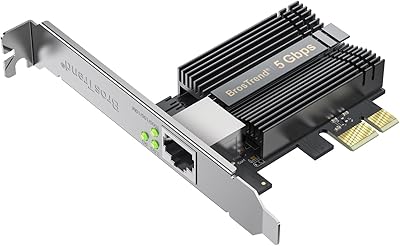
BrosTrend 5Gbps PCIe Network Card
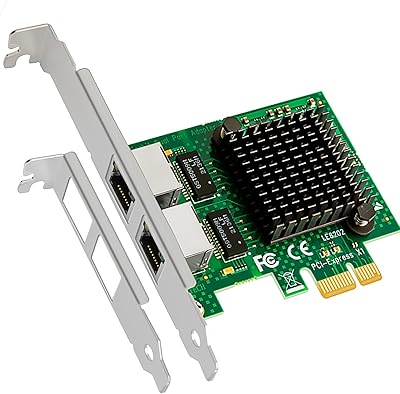
GLOTRENDS LE8202 2-Port Gigabit PCIe Network Card
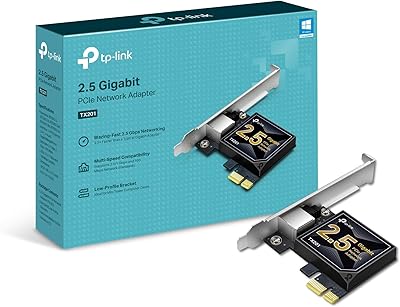
TP-Link TX201 2.5G PCIe Network Card
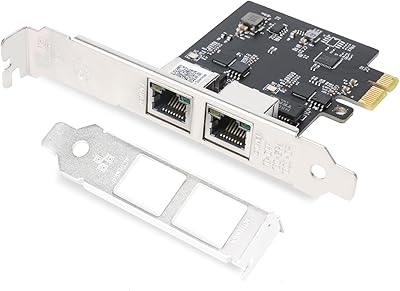
QINIYEK RTL8125B Dual-Port 2.5G PCIe NIC
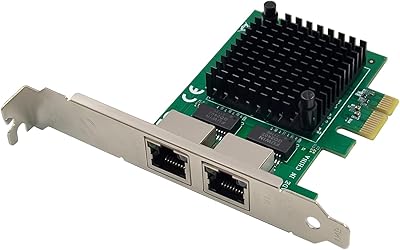
ULANSeN Dual I226-V 2.5GbE PCIe Network Card
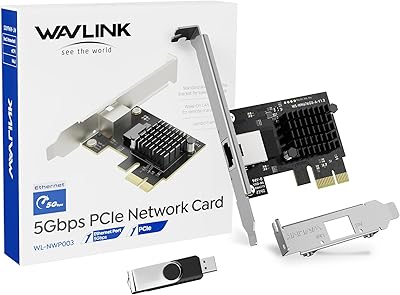
WAVLINK RTL8126 5Gbps PCIe Network Card
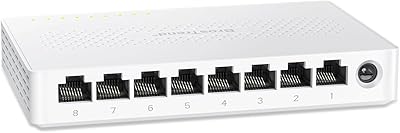
BrosTrend 8-Port 2.5G Unmanaged Switch
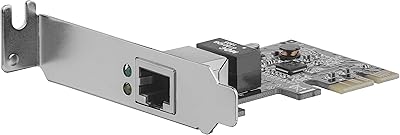
StarTech ST1000SPEX2L 1-Port PCIe Network Card
StarTech PEX2S1050 2-Port PCIe Serial Card