Overview

The BrosTrend 5Gbps PCIe Network Card sits in a practical sweet spot for desktop users who want a genuine speed upgrade without paying enterprise prices. If your ISP or local network has moved beyond standard gigabit, a 5GBASE-T adapter is the logical next step — and this one works with existing Cat5e or Cat6 runs, so there is no rewiring involved. It ships with both a standard and low-profile bracket, a thoughtful touch for compact builds. Worth noting upfront: this is a Windows-first card, officially supporting Windows 10, 11, and Server 2022. Linux users on kernel 6.9 or newer can get it working, but without any vendor support.
Features & Benefits

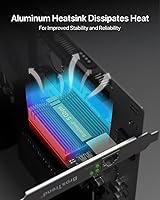
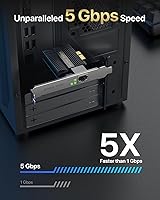
Slotting into any PCIe lane — x1 through x16 — the BrosTrend card delivers up to 5 Gbps over a standard RJ-45 connection using 5GBASE-T technology. Because it rides on existing twisted-pair cabling, you avoid the cost and hassle of running new lines. The passive aluminum heatsink keeps things cool without adding noise or requiring an extra power connector, which matters in already-cramped cases. Wake on LAN and QoS round out the feature set, making this 5Gbps NIC genuinely useful for home server setups or anyone who needs reliable remote wake capability. Driver setup on Windows is straightforward — install from the included disc or grab the latest from BrosTrend's site.

Best For

This PCIe Ethernet upgrade makes the most sense for Windows desktop users who have already invested in a multi-gig home network — think a 2.5G or 5G capable router and a NAS or switch that can handle the throughput. Gamers and heavy streamers will notice the lower latency on a stable wired link compared to any Wi-Fi setup. It is also a solid pick for home lab users who routinely move large files between machines locally. One important caveat: real-world speeds depend entirely on every link in the chain supporting 5G, including your switch, cables, and the receiving device. macOS users and Linux newcomers should look elsewhere.

User Feedback

Across well over 500 ratings, the BrosTrend card holds a 4.6 out of 5 average — a score that reflects genuine satisfaction rather than a handful of early reviews. Windows users consistently report smooth driver installation and a real, measurable jump in transfer speeds, with the lifetime warranty earning positive mentions too. On the critical side, buyers flag the strict OS limitations — no macOS, no out-of-the-box Linux — and some note the heatsink runs warm under sustained load, though not alarmingly so. Long-term reliability appears solid based on owner reports, with no widespread hardware failure complaints. Just set expectations carefully around your full network setup before buying.

Pros

  • Works in any PCIe slot — x1 through x16 — so motherboard compatibility is rarely a concern.
  • 5GBASE-T support means you can use existing Cat5e or Cat6 cables instead of rewiring.
  • Passive aluminum heatsink keeps it cool and quiet with no extra power connector needed.
  • Both standard and low-profile brackets are included, making it viable for compact and SFF builds.
  • Wake on LAN and QoS support add real utility for home server and remote-access workflows.
  • Driver setup on Windows is simple — disc included, or download direct from the manufacturer.
  • Lifetime warranty provides meaningful long-term peace of mind for a set-and-forget install.
  • Buyers consistently report noticeable, real-world speed improvements on local network transfers.
  • Ranked among the top 30 in its Amazon category, reflecting broad and sustained buyer confidence.
  • Lightweight and compact at just 61.3 grams, it adds negligible load to the PCIe slot.

Cons

  • No macOS support whatsoever — Apple users need to shop elsewhere.
  • Linux compatibility requires kernel 6.9 or newer, with zero vendor support if issues arise.
  • Real-world speeds are bottlenecked by every other device in the chain — a 5G NIC alone changes nothing.
  • Single port only — no link aggregation or failover for users who need network redundancy.
  • Windows Server support is limited to the 2022 version; older Server editions are not covered.
  • The heatsink can run noticeably warm under sustained heavy load, which may concern users in tight cases.
  • No USB or Thunderbolt option — this is a PCIe-only solution, so laptops are completely excluded.
  • Buyers without a multi-gig router or switch will see little to no practical benefit over standard gigabit cards.

Ratings

The BrosTrend 5Gbps PCIe Network Card has been evaluated by our AI system after analyzing hundreds of verified global buyer reviews, with spam, bot activity, and incentivized feedback actively filtered out. The scores below reflect the honest consensus of real desktop users — from home lab builders to everyday Windows upgraders — and do not gloss over the compatibility limitations that matter most at buying time. Both what this card does well and where it falls short are transparently represented in every category.
Installation Ease
91%
Windows users consistently describe the setup as one of the smoothest driver installs they have experienced for a PCIe add-in card. The included disc and clearly documented download page mean most buyers are up and running within ten minutes of slotting the card in.
The smooth experience is entirely Windows-specific. Linux users on older kernels face a more involved process, and anyone expecting automatic detection on macOS will find the card completely non-functional — a frustrating discovery if not researched beforehand.
Real-World Speed Gains
83%
Buyers transferring files locally between a NAS and their desktop report dramatic improvements — tasks that once saturated a gigabit connection now complete in a fraction of the time. For anyone with a compatible multi-gig switch and NAS, the throughput jump is immediately tangible.
The card cannot conjure speed from an infrastructure that does not support it. Users who installed this hoping to boost internet speeds on a standard gigabit ISP plan reported disappointment, which is not the card's fault but does reflect a real gap between expectation and outcome.
OS & Platform Compatibility
58%
42%
Within its supported scope — Windows 10, 11, and Server 2022 — the BrosTrend card performs without issue and covers a large portion of the desktop PC market. Linux users on kernel 6.9 or newer also get functional, driverless operation as a bonus.
The compatibility wall is steep outside Windows. No macOS support at all, no Linux vendor assistance, and Server support limited to the 2022 edition only. Buyers running mixed OS environments or older Windows Server versions will need to look elsewhere.
Build & Component Quality
84%
The aluminum heatsink feels substantial for a card in this price range, and the overall PCB construction gives a professional impression. Buyers who have owned the card for a year or more rarely report hardware failures, which aligns with the lifetime protection claim.
Under sustained heavy workloads — continuous large file transfers, for instance — the heatsink runs noticeably warm to the touch. It has not translated into widespread failure reports, but users in poorly ventilated cases may want to keep airflow in mind.
Value for Money
88%
At its price point, getting 5GBASE-T performance with a lifetime warranty and both bracket options included is genuinely hard to beat. Buyers regularly note that competing cards at similar or higher prices offer fewer features or worse Windows driver support.
The value calculation shifts if your network is not already multi-gig capable. Buying this card without a compatible router or switch means spending money without seeing any benefit, which has contributed to a small but vocal group of disappointed buyers.
Thermal Management
74%
26%
Passive cooling means zero fan noise added to the system, which matters in quiet home office and media PC builds. The dense-fin aluminum design does its job competently under normal desktop workloads and typical home networking usage.
The heatsink has no active component to fall back on during prolonged high-throughput sessions. In compact cases with limited airflow, thermal buildup is a real consideration, and a few buyers in SFF builds have noted the surrounding area getting warmer than expected.
PCIe Slot Compatibility
93%
The ability to seat this card in any PCIe slot — x1 through x16 — removes one of the most common friction points for add-in card purchases. Buyers with crowded or obstructed x1 slots can simply use a larger open lane without any performance trade-off.
There is nothing significant to criticize here for desktop users. The only edge case is that this remains a PCIe-only solution, so anyone wanting to add 5G connectivity to a laptop or an all-in-one PC is completely out of options with this card.
Form Factor Flexibility
87%
Including both standard and low-profile brackets in the box is a thoughtful decision that saves SFF and mini-ITX builders from having to source an adapter separately. The card's compact footprint means it clears most heatsinks and adjacent cards without issue.
While the low-profile bracket expands compatibility, buyers still need a free PCIe slot — which can be a limiting factor in tightly packed small form factor systems where the sole PCIe lane is often already occupied by a GPU.
Driver Stability
86%
Post-install driver behavior on Windows 10 and 11 is consistently described as stable, with no common reports of random disconnects, blue screens, or conflicts with other installed hardware. Updates from the manufacturer's site install cleanly.
A small number of buyers encountered initial detection issues that required downloading the latest driver from the website rather than relying on the disc, suggesting the bundled disc version can lag behind current releases.
Wake on LAN Reliability
79%
21%
Home server users who depend on Wake on LAN for remote access report it working correctly once properly configured in both the BIOS and Windows network settings. For its target use case, it functions as advertised.
WoL requires BIOS-level configuration that can trip up less experienced users, and setup instructions are not bundled in the box. A handful of buyers spent more time than expected troubleshooting WoL before realizing the issue was in their system settings, not the card.
QoS Support
76%
24%
Having QoS baked in at the NIC level is a genuine bonus for home lab and power users who want to prioritize specific traffic types — useful in households where gaming, streaming, and large uploads compete for bandwidth simultaneously.
QoS configuration is not guided or documented beyond a basic mention in the product listing. Buyers who are not already familiar with network traffic prioritization will likely never use this feature, which limits its practical value for the average home user.
Long-Term Durability
82%
18%
The lifetime warranty is not just marketing language — buyers who have owned the card for extended periods report no degradation in performance or connectivity. The passive design also removes the most common failure point seen in actively cooled hardware.
The sample of long-term owners in verified reviews is still relatively limited given the card launched in early 2024. The durability picture is encouraging but will be more definitively clear in another year or two of sustained field data.
Linux Usability
47%
53%
For technically proficient Linux users already running a distribution on kernel 6.9 or newer, the card works without manually installing any third-party driver. That is a meaningful improvement over previous generations that required patch compilation.
BrosTrend provides zero Linux support, and older kernel versions have no path to compatibility. Casual Linux users expecting the same plug-and-play experience as Windows will be left without recourse, and the lack of any troubleshooting documentation for Linux is a notable gap.
Packaging & Accessories
71%
29%
The box includes both bracket options and a driver disc, covering the essentials without unnecessary bulk. Buyers generally find everything they need to complete the installation without an additional shopping trip.
The printed documentation is minimal, and the driver disc may already be outdated relative to the version on the manufacturer's website. First-time NIC installers looking for step-by-step guidance will likely need to supplement with online resources.

Suitable for:

The BrosTrend 5Gbps PCIe Network Card is a strong fit for Windows desktop users who have already built out — or are actively building — a multi-gigabit home network. If you recently upgraded to a router with 2.5G or 5G ports, or your NAS supports fast local transfers, this NIC is the missing piece that lets your PC actually keep up. Home lab enthusiasts moving large files between workstations and storage devices will see genuine, measurable gains. Gamers and streamers who want a locked-down, low-latency wired connection over Wi-Fi will also appreciate the consistent throughput. It ships with both standard and low-profile brackets, so small form factor and mini-tower builders are covered without any adapter hunting. Anyone comfortable with a basic Windows driver install will find the setup process refreshingly straightforward.

Not suitable for:

If you are on macOS or need a plug-and-play Linux experience, the BrosTrend 5Gbps PCIe Network Card is not the right card to buy. Linux support exists only on kernel 6.9 or newer, and BrosTrend explicitly does not provide technical help for Linux users — so if something goes wrong, you are on your own. It is also worth being blunt about real-world speeds: unless your router, switch, cabling, and the device on the other end all support 5G throughput, you will not see anything close to the rated ceiling. Buyers on standard gigabit ISP plans with no multi-gig local infrastructure will get very little practical benefit over a basic gigabit card. This is a single-port consumer NIC, so anyone needing link aggregation, redundant ports, or enterprise-grade manageability should look at a different category of hardware entirely.
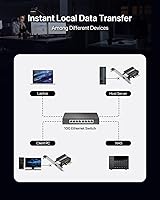
Specifications

  • Interface: Uses a PCI Express x1 lane but physically fits into x1, x4, x8, and x16 PCIe slots for broad motherboard compatibility.
  • LAN Speed: Delivers up to 5 Gbps wired throughput using the 5GBASE-T standard over standard twisted-pair cabling.
  • Port: Includes one RJ-45 Ethernet port — there is no secondary port or link aggregation capability.
  • Data Protocols: Compliant with IEEE 802.3, 802.3u, 802.3ab, 802.3az, and 802.3bz networking standards.
  • Cable Support: Compatible with Cat5e and Cat6 cabling, so most existing home and office network runs do not need to be replaced.
  • OS Support: Officially supported on Windows 10, Windows 11, and Windows Server 2022 only.
  • Linux Support: Functions on Linux distributions running kernel 6.9 or newer, though BrosTrend does not provide technical support for Linux users.
  • Cooling: Passive aluminum heatsink with a dense fin array dissipates heat without a fan or supplemental power connector.
  • Form Factor: Ships with both a standard full-height and a low-profile bracket, making it compatible with full tower, mid tower, mini tower, and SFF cases.
  • Dimensions: The card measures 4.72″ in length, 2.87″ in width, and 0.47″ in height.
  • Weight: Weighs 61.3 grams (approximately 2.16 oz), adding negligible load to the PCIe slot.
  • Extra Features: Supports Wake on LAN (WoL) and Quality of Service (QoS) for home server and prioritized traffic use cases.
  • Driver Install: Driver can be installed from the included disc or downloaded directly from BrosTrend's manufacturer website.
  • Warranty: Covered by BrosTrend's lifetime protection policy against manufacturing defects.
  • Manufacturer: Designed and sold by BrosTrend Technology LLC.

Related Reviews
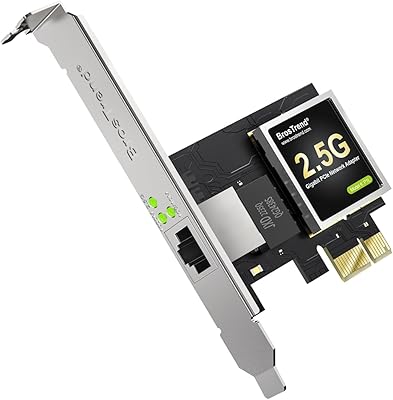
BrosTrend 2.5G Linux PCIe Network Card
80%
94%
Linux Compatibility
91%
Plug-and-Play Experience
82%
Network Throughput
78%
Build Quality
88%
Value for Money
More
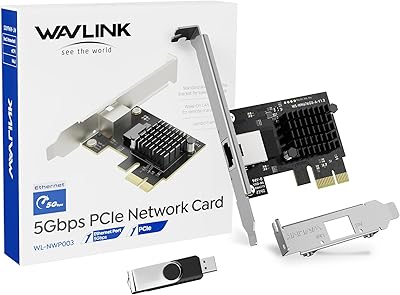
WAVLINK 5GB PCIe Network Card
87%
89%
Installation Ease
91%
Performance (Speed)
90%
Value for Money
88%
Compatibility with OS
85%
Build Quality
More
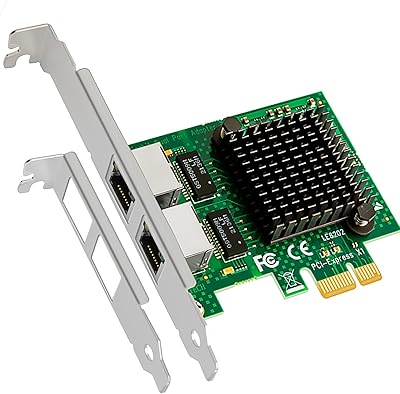
GLOTRENDS LE8202 2-Port Gigabit PCIe Network Card
82%
88%
Driver Compatibility
91%
Ease of Installation
94%
Value for Money
86%
OS & Platform Coverage
79%
Build Quality
More
TEROW ROW076 WiFi 6 PCIe Network Card
85%
87%
Performance
90%
Installation Ease
89%
WiFi Speed & Reliability
85%
Bluetooth Connectivity
91%
Gaming Experience
More
TP-Link TX401 10GbE PCIe Network Card
80%
91%
Installation Ease
88%
Data Transfer Performance
63%
Linux Compatibility
86%
Value for Money
82%
Build Quality
More
WAVLINK WL-WN675X3 WiFi 6E PCIe Network Card
78%
83%
WiFi Performance
67%
6GHz Band Usability
74%
Installation Ease
78%
Bluetooth 5.3 Performance
86%
Antenna Design & Placement
More
StarTech ST1000SPEX2L 1-Port PCIe Network Card
82%
91%
Ease of Installation
88%
Connection Stability
93%
Low-Profile Compatibility
82%
OS & Driver Compatibility
94%
Value for Money
More
ULANSeN Intel 82576 Dual-Port Gigabit Network Card
81%
91%
Driver Compatibility
84%
Virtualization Support
88%
Value for Money
79%
Throughput Performance
63%
Build Quality
More
VIMIN X520-DA1 10GbE SFP+ PCIe Network Card
83%
93%
Value for Money
91%
Driver Compatibility — Linux & VMware
67%
Driver Compatibility — Windows & Windows Server
63%
SFP+ Transceiver Compatibility
82%
Build Quality
More
TP-Link TX201 2.5G PCIe Network Card
84%
93%
Installation Ease
88%
Transfer Speed Performance
79%
Driver & Software Support
96%
Value for Money
82%
Build & Hardware Quality
More

FAQ

It is designed for a PCIe x1 slot but will physically and electrically work in any larger slot — x4, x8, or x16. So even if your x1 slots are occupied or blocked, you can drop it into a larger open slot without any issue.

Cat5e is sufficient for 5GBASE-T up to around 100 meters, so in most home and small office runs you will be fine with what you already have. Cat6 offers a bit more headroom and less crosstalk over longer distances, but for typical desktop setups, Cat5e works well.

Not necessarily just by installing the card. Every link in the chain needs to support 5G: your router or switch port, the cabling, this NIC, and the device on the other end. If your ISP plan is still gigabit, you will not see 5 Gbps to the internet regardless — where you will notice the difference most is in local network transfers, such as copying files to a compatible NAS.

No. There is no macOS driver available, and the manufacturer does not list it as a supported platform. If you need a 5G NIC for a Mac, you will need to look at a Thunderbolt or USB-C adapter from a different brand.

It can work, but with caveats. The card is supported natively in Linux kernel 6.9 and newer, so if your distribution ships with or has been updated to that kernel version, it should be recognized without extra steps. That said, BrosTrend does not offer Linux technical support, so if you run into issues, you are relying on community resources.

Yes, provided you have an available PCIe slot. The package includes a low-profile bracket in addition to the standard one, so you can swap it before installation to suit a compact or SFF case. Just confirm your case has an accessible PCIe lane before ordering.

It uses a passive aluminum heatsink — no fan, no supplemental power connector required. It draws power entirely from the PCIe slot, which keeps the installation clean. Under sustained heavy load some users note the heatsink gets noticeably warm, but not at a level that has caused reported failures.

On Windows 10 or 11 it is about as simple as it gets. The card comes with an installation disc, or you can download the latest driver from BrosTrend's website. Install the driver, slot the card in, reboot, and it should be ready to go. Most buyers report the whole process taking just a few minutes.

Yes, Wake on LAN is a supported feature and buyers who use it for home server and remote-access setups report it functioning as expected. You will need to enable WoL in your BIOS or UEFI settings in addition to configuring it in Windows, which is standard practice for any NIC with this feature.

BrosTrend's lifetime protection covers manufacturing defects for the life of the product. It does not cover physical damage, misuse, or failures caused by incompatible hardware. It is a meaningful commitment for a set-and-forget component like a NIC, and buyer feedback suggests the company has been responsive to valid warranty claims.