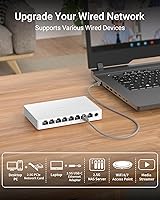
Overview

The BrosTrend 8-Port 2.5G Unmanaged Switch arrived in late 2024 into a market where multi-gig switches either cost a premium or compromised on port count. This one lands differently — eight full-speed ports, a fanless chassis small enough to tuck behind a monitor, and zero configuration required. It shot to a top-15 ranking in its category within months, which says something for a brand that isn't Netgear or TP-Link. Just be clear on what you're buying: there's no VLAN support, no web interface, no SFP slot. Plug it in, connect your devices, and it works. That simplicity is the whole point.

Features & Benefits

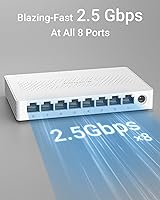
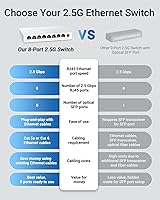
Where this 2.5G switch earns its keep is in the port spec: every single one of the eight RJ45 connections runs at a full 2.5 Gbps, with no slower ports mixed in to cut costs. The underlying 40 Gbps switching fabric means all eight devices can transfer data simultaneously without stepping on each other — useful when you're pushing a large video library to a NAS while a workstation runs a backup in parallel. Under the hood sits a MaxLinear chip, a solid choice in multi-gig hardware that helps explain the stable link behavior users report. The fanless design keeps things quiet, and at just 12 watts of draw, leaving it on around the clock costs next to nothing.

Best For

This multi-gig switch is a natural fit for anyone who has already invested in 2.5G hardware — a router with a multi-gig WAN port, a NAS with a 2.5G NIC, or a motherboard with a built-in 2.5G port — but still running everything through a bottlenecked 1G switch. Home lab builders, in particular, will appreciate having eight full-speed ports without paying managed-switch prices. Gamers running a dedicated wired LAN also benefit, especially where latency and bandwidth matter. The compact body and wall-mount option make it practical for cramped setups. That said, if you need VLANs, link aggregation, or any traffic management, this isn't the right tool — look at managed alternatives instead.

User Feedback

With a 4.6-star average across more than 650 ratings for a product barely six months old at writing, the reception has been notably positive. Most buyers highlight the reliable link speeds and the fact that it simply works out of the box — no drivers, no fuss. The plastic housing draws some criticism; a few reviewers note it feels less substantial than metal-cased competitors, which is fair. Heat doesn't appear to be a widespread concern under normal home use, though the switch does get warm. A handful of technically experienced users mention missing VLAN or LAG support, but that's expected for an unmanaged device. BrosTrend's lifetime warranty also earns mentions as a genuine confidence booster, particularly for a lesser-known brand.

Pros

  • All eight ports run at full 2.5 Gbps with no slower mixed-speed ports cutting corners.
  • The MaxLinear chipset provides stable, reliable link negotiation that holds up under sustained multi-device loads.
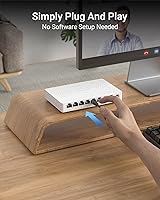
  • Setup takes minutes — no software, no account, no configuration required at any point.
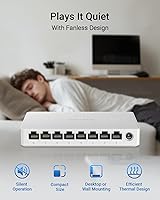
  • Fanless design means truly zero noise, even under demanding transfer workloads.
  • Eight ports in a 5.6″ × 3.5″ body is impressively compact for a multi-gig switch.
  • Wall-mount support adds real placement flexibility for tight or unconventional spaces.
  • Running at just 12 watts max, it costs almost nothing to leave on around the clock.
  • The lifetime warranty is a genuine commitment, especially uncommon at this price tier.
  • Auto-negotiation handles mixed-speed devices, so legacy 1G hardware works alongside newer 2.5G gear without issues.
  • A top-15 category ranking within months of launch signals strong and sustained buyer confidence.

Cons

  • The plastic housing feels noticeably less substantial than metal-cased rivals in the same price range.
  • No speed indicator on the LEDs makes it impossible to quickly confirm whether a port has negotiated 2.5G or 1G.
  • Older or lower-quality patch cables can cause 1G fallback, requiring cable upgrades to unlock full performance.
  • No 10G uplink port limits scalability for users who want to connect to a faster backbone switch.
  • The chassis gets warm under heavy sustained load, with limited thermal headroom in poorly ventilated cabinets.
  • BrosTrend lacks the long-established support infrastructure of major networking brands, which may concern some buyers.
  • No EEE or per-port power reporting is available, leaving power-conscious users without visibility into idle port states.
  • Eight ports may not be enough for larger home labs or offices without adding a second switch.

Ratings

The BrosTrend 8-Port 2.5G Unmanaged Switch has been scored by our AI engine after parsing verified global buyer reviews, actively filtering out incentivized, repeated, and bot-generated submissions to surface what real users actually experienced. The result reflects a balanced picture — where this multi-gig switch genuinely impresses and where it falls short of expectations. Both sides are represented transparently in each category below.

Port Speed Consistency
93%
Buyers consistently report all eight ports negotiating and holding 2.5 Gbps links without dropping to 1G or lower, which has been a frustrating issue on some competing budget switches. Users transferring large media libraries to a NAS or running simultaneous backups across multiple machines note stable throughput with no unexplained slowdowns.
A small number of users encountered 1G fallback on older Cat5e cable runs, which is a cable-quality issue rather than a switch defect — but it does catch some buyers off guard who expected 2.5G to work on any existing ethernet wiring.
Ease of Setup
96%
The unboxing-to-working time is genuinely minutes for the vast majority of buyers. Plug the power adapter in, connect devices, and the LEDs confirm link status immediately — no drivers, no app, no account required. This is repeatedly cited as a strong point by users who just want their network upgrade done without fuss.
There is essentially nothing to configure, which is a feature for most buyers but a frustration for the handful who purchased without realizing there is no web interface, no CLI, and no way to set up VLANs or monitor traffic. A clearer product title would save those buyers a return.
Build Quality
61%
39%
The switch is compact and lightweight, which works in its favor for desk or wall-mount placement. The port connectors feel solid with no wobble on RJ45 insertion, and the unit stays firmly positioned whether desktop or wall-mounted.
The plastic housing is the most common criticism from experienced buyers who have handled metal-cased alternatives. It flexes slightly under hand pressure and gives an impression of fragility that undercuts confidence, even if real-world durability complaints remain rare in reviews to date.
Thermal Performance
74%
26%
Under typical home office or home lab loads — a NAS, two or three workstations, an access point — the chassis stays warm but never uncomfortably hot. The fanless design means zero acoustic footprint, which buyers in bedroom setups or quiet home offices particularly value.
Under sustained high-throughput load across all eight ports simultaneously, the unit does get noticeably warm to the touch. No buyer has reported throttling or failure from heat, but the lack of any active cooling means thermal headroom is limited if the switch is enclosed in a cabinet with poor airflow.
Value for Money
91%
At its price point, getting eight full 2.5 Gbps ports with a recognized chipset and a lifetime warranty is hard to argue with. Buyers upgrading from 1G switches frequently note how much the cost-per-port math works out compared to alternatives from larger brands.
A small segment of reviewers feel the plastic build doesn't match the asking price and that paying a bit more for a metal-cased rival would be worthwhile for long-term confidence. Whether that trade-off makes sense depends heavily on the buyer's use environment.
Noise Level
98%
Fanless operation means this switch produces absolutely no audible noise under any load condition. Buyers who have placed it in living rooms beside AV equipment, on nightstands near sleeping areas, or in open-plan home offices all report zero noise complaints — a real, practical advantage over fan-cooled alternatives.
There is genuinely little to criticize here. The only indirect downside is that the passive cooling strategy is what limits the thermal ceiling, so buyers in very warm or poorly ventilated environments are essentially trading silence for a slightly tighter thermal margin.
Port Count & Density
88%
Eight 2.5 Gbps ports in a chassis measuring just 5.6″ × 3.5″ is a solid density for a home or small office switch. Most buyers find eight ports sufficient to connect a router, NAS, two or three workstations, a gaming console, and an access point in one go.
For larger home labs or offices with more than eight wired devices needing multi-gig speeds, this switch requires daisy-chaining or an additional unit. There is no 10G uplink port for connecting to a higher-speed backbone, which limits scalability for more advanced setups.
Power Efficiency
89%
Pulling no more than 12 watts at full load, this multi-gig switch costs very little to run continuously. Buyers running 24/7 NAS setups appreciate that the switch doesn't meaningfully add to their electricity bill compared to older fan-cooled units they replaced.
There is no power-saving or EEE (Energy Efficient Ethernet) reporting visible to users since the switch is unmanaged, so buyers cannot confirm power-down states on idle ports. It is a minor point, but worth noting for users running power-conscious home servers.
Compatibility
87%
The switch works with any device carrying an RJ45 port and auto-negotiates down to 1G or 100M for legacy hardware, which means users can mix older and newer devices on the same switch without issues. Compatibility reports across gaming consoles, NAS units, and access points are uniformly positive.
A handful of users report that some older or lower-quality patch cables cause the switch to fall back to 1G rather than holding 2.5G, requiring cable upgrades to hit the advertised speeds. This is not unique to this switch, but buyers with existing cabling should factor it in.
Indicator LEDs
71%
29%
Each port has a link and activity LED that gives a quick read on connection status and throughput. For basic monitoring — checking whether a device is connected and active — the LEDs do the job cleanly without requiring any software.
The LEDs only indicate link status, not speed tier, so there is no quick visual way to confirm whether a port has negotiated 2.5G versus 1G. Several technically minded buyers flag this as a missed opportunity, especially during initial setup when confirming cable and NIC compatibility.
Warranty & Brand Support
79%
21%
BrosTrend includes a lifetime protection warranty, which is an unusually strong commitment for a budget-to-mid-range networking brand. Buyers who have contacted support for DOA or defective units generally report a straightforward replacement process without excessive friction.
BrosTrend does not carry the same service infrastructure as Netgear or TP-Link, and a subset of users express mild concern about long-term parts availability or support consistency if the brand's market position changes. The warranty is strong on paper; longevity of that promise is harder to verify for a newer product.
Physical Footprint & Mounting
84%
The compact body and included wall-mount option give real flexibility for tight spaces — behind a desk, inside a media cabinet, or on a wall near a patch panel. Buyers in small apartments or constrained server nooks frequently praise how little space this multi-gig switch demands.
The wall-mount hardware is basic and requires the buyer to source appropriate screws for their wall type, which some find fiddly. The plastic body also means wall-mounted units feel less permanently secured compared to heavier metal-cased switches.
Cable & NIC Requirements
67%
33%
For buyers who have already invested in Cat6 or Cat6a cabling and 2.5G NICs, the switch integrates without any friction and delivers the full bandwidth upgrade immediately. This makes it a clean final piece for a multi-gig network already partially built.
Buyers on older Cat5e runs or those using cheap unbranded patch cables may find they cannot consistently hit 2.5G link speeds, requiring additional investment in cabling before the switch's full value is realized. This is a real hidden cost that some buyers discover only after purchase.

Suitable for:

The BrosTrend 8-Port 2.5G Unmanaged Switch is the right call for anyone who has already invested in multi-gig hardware — a 2.5G-capable router, a NAS with a fast NIC, or a workstation motherboard with a built-in 2.5G port — but is still bottlenecked by an old 1G switch in the middle. Home lab enthusiasts who regularly push large files between local machines will feel the difference immediately, particularly when running NAS backups or transferring video projects across the network. Gamers building a dedicated wired LAN will also find it a clean fit, getting low-latency, high-bandwidth links across all connected machines without paying for managed features they will never use. Small home offices connecting a handful of workstations, a network-attached printer, and a wireless access point sit comfortably within its eight-port limit. The fanless, compact body makes it a natural choice for anyone who needs the switch in a bedroom, living room cabinet, or quiet shared workspace where a fan-cooled unit would be an annoyance.

Not suitable for:

The BrosTrend 8-Port 2.5G Unmanaged Switch is the wrong tool the moment your network requirements go beyond basic plug-and-play connectivity. If you need VLANs to segment guest traffic from internal devices, link aggregation to bond ports for higher throughput, or any form of traffic prioritization for VoIP or video streaming, this switch simply cannot deliver — there is no management interface of any kind, and that is not something a firmware update will fix. IT administrators managing even a modest business network will find it too limited for professional deployment. Buyers who need a 10G uplink to connect to a faster backbone switch or server will also hit a wall, as every port tops out at 2.5G with no SFP slot available. Anyone currently running older Cat5e cabling throughout their home should also factor in the potential need for cable upgrades before the switch performs at its rated speed. If build quality and long-term hardware confidence are top priorities and you prefer the reassurance of a metal chassis, there are alternatives worth the extra spend.

Specifications

  • Ports: Eight RJ45 ports each running at 2.5 Gbps, with no slower mixed-speed ports in the lineup.
  • Switching Capacity: Non-blocking switching fabric rated at 40 Gbps, allowing all eight ports to transfer simultaneously without congestion.
  • Chipset: Powered by a MaxLinear chip, a well-regarded silicon choice in the multi-gigabit networking segment.
  • Cooling: Fully passive fanless design with no moving parts, relying on the plastic chassis to dissipate heat quietly.
  • Power Draw: Maximum power consumption is 12 watts, supplied via a 12V DC adapter included in the box.
  • Dimensions: The unit measures 5.6″ long by 3.5″ wide by 0.9″ tall, making it one of the more compact 8-port multi-gig switches available.
  • Weight: Weighs 200 grams (approximately 7.1 oz), light enough to wall-mount without heavy-duty fixings.
  • Casing Material: Outer shell is plastic throughout, keeping weight low but offering less physical rigidity than metal-cased alternatives.
  • Operating Temperature: Rated for use between 32°F and 104°F (0°C and 40°C), covering typical indoor environments.
  • Interface Type: All ports use the RJ45 standard connector; there are no SFP or optical fiber ports of any kind.
  • Data Transfer Rate: Each port supports speeds of 100 Mbps, 1 Gbps, and 2.5 Gbps, auto-negotiating to the highest speed both ends support.
  • Management: Fully unmanaged with no web interface, CLI, VLAN support, link aggregation, or traffic monitoring capabilities.
  • Mounting Options: Supports both flat desktop placement and wall mounting, with mounting hardware included for flexible installation.
  • Power Input: Accepts 12V DC at 1 amp via the included external power adapter; no PoE output on any port.
  • Warranty: Covered by BrosTrend's lifetime protection warranty against manufacturing defects.
  • Included Items: Package contains the switch unit, one power adapter, and a printed quick installation guide.
  • Compatibility: Works with any device carrying a standard RJ45 Ethernet port, including PCs, NAS units, gaming consoles, access points, and smart TVs.
  • Launch Date: First made available in October 2024, reaching a top-15 best-seller rank in its Amazon category within months of release.

Related Reviews
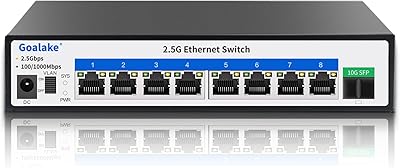
Goalake 8-Port 2.5G Ethernet Switch
84%
87%
Performance
94%
Ease of Setup
92%
Noise Level
80%
Build Quality
89%
Value for Money
More
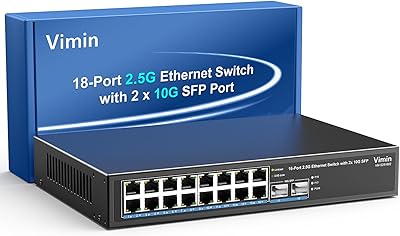
VIMIN 18-Port 2.5G Unmanaged Switch
87%
86%
Performance
92%
Ease of Setup
88%
Build Quality
94%
Fanless Design
85%
Compatibility with Devices
More
VIMIN 6-Port 2.5G Unmanaged Network Switch
86%
92%
Value for Money
95%
Setup Ease
90%
Noise Level
88%
Performance
87%
Build Quality
More
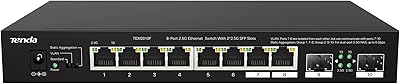
Tenda TEM2010F 8-Port 2.5G Ethernet Switch

86%
88%
Performance
90%
Build Quality & Durability
93%
Ease of Setup
94%
Noise Level (Fanless Design)
85%
Connectivity & Compatibility
More
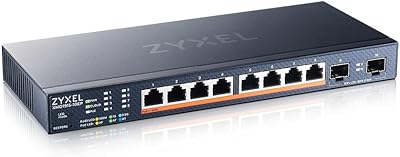
Zyxel XMG1915-10EP 8-Port 2.5G PoE++ Switch
88%
91%
Performance and Speed
89%
PoE Power Delivery
84%
Ease of Setup and Installation
90%
Cloud Management via Nebula
92%
Fanless Design and Quiet Operation
More
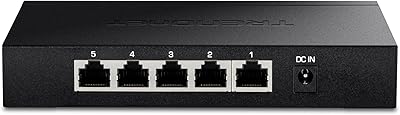
TRENDnet TEG-S350 5-Port Unmanaged 2.5G Switch
88%
89%
Performance
91%
Setup & Installation
92%
Value for Money
87%
Build Quality
80%
Compatibility with Older Devices
More
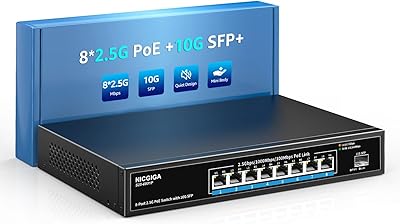
NICGIGA 8-Port 2.5G PoE Switch with 10G SFP Uplink
86%
89%
Performance
93%
Ease of Setup
88%
Power Delivery
85%
Reliability
87%
Build Quality
More
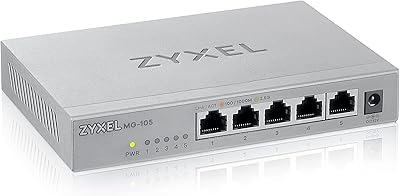
Zyxel MG-105 5-Port 2.5G Multi-Gigabit Unmanaged Switch
85%
88%
Performance
94%
Setup & Installation
80%
Build Quality
90%
Speed & Throughput
92%
Noise Level
More
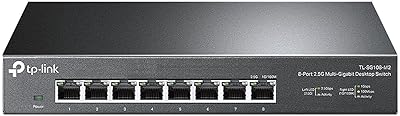
TP-Link TL-SG108-M2 8-Port 2.5G Multi-Gigabit Network Switch
89%
93%
Ease of Setup
89%
Network Performance
91%
Build Quality
96%
Noise Level (Fanless Design)
87%
Compatibility with Cat5e Cables
More
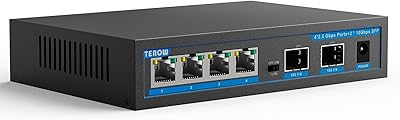
TEROW 2.5G 4-Port Switch with 2 x 10G SFP+
86%
95%
Ease of Setup
90%
Performance (Speed and Reliability)
88%
Build Quality
93%
Noise Level (Fanless Design)
86%
Compatibility with Devices
More

FAQ

All eight ports on this multi-gig switch are full 2.5 Gbps — there are no downgraded ports hidden in the mix to cut costs. Each one also auto-negotiates, so if you connect an older 1G device it will simply link at 1G without any manual adjustment needed.

It depends on the quality and length of your runs. Short, high-quality Cat5e cables can often handle 2.5G, but longer or cheaper cables may fall back to 1G. For reliable 2.5G performance, Cat6 or Cat6a is the safer choice, especially for runs over around 30 meters.

No — the BrosTrend 8-Port 2.5G Unmanaged Switch has no management features whatsoever. There is no web GUI, no app, no VLAN configuration, and no way to prioritize traffic. If you need any of those capabilities, you will need a managed switch instead.

It does run warm under sustained load, which is normal for a fanless design. Under typical home use — a NAS, a couple of workstations, an access point — temperatures stay manageable. If you plan to push all eight ports hard in an enclosed cabinet, make sure there is some passive airflow around it.

It produces zero noise. There are no fans or moving parts of any kind, so you can place it on a nightstand, inside a media cabinet, or in a quiet home office without any acoustic impact at all.

A standard RJ45 Ethernet cable is all you need — Cat6 recommended for full 2.5G speed. Plug one end into your router's LAN port and the other into any port on the switch, then connect your other devices to the remaining ports. That is genuinely the entire setup process.

No, this switch does not supply PoE on any port. If you need to power wireless access points, IP cameras, or VoIP phones through the cable, you will need a separate PoE switch or PoE injector.

You will still get 1G to that NAS, since the switch auto-negotiates. The benefit is that your other devices — workstations, a gaming PC, a 2.5G-capable access point — can all communicate with each other at full 2.5G speed. When your NAS gets upgraded, the switch is already ready for it.

The chassis has mounting slots that align with standard screw spacing on a wall. Basic mounting hardware is included, though depending on your wall type you may need to source appropriate anchors yourself. The unit is light enough that a simple wall installation is straightforward.

The warranty covers manufacturing defects for the lifetime of the product, which is a notably generous commitment for a brand at this price level. User reports on support responsiveness are generally positive for straightforward replacement requests, though BrosTrend does not have the deep service infrastructure of larger networking brands — something to weigh if long-term support consistency matters to you.