Overview

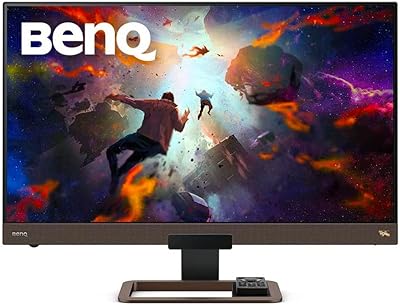
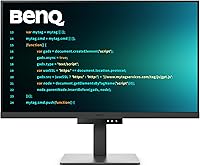
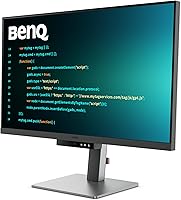
The BenQ RD320U 32-inch 4K Programming Monitor is one of the few displays on the market built explicitly around the needs of developers rather than designers or gamers. At 32 inches with full 4K resolution, you get enough screen real estate to keep two editor panes open side by side without text ever feeling cramped or pixelated. Most monitors at this price point are general-purpose panels dressed up with marketing claims — this one actually makes deliberate choices around font clarity, eye protection, and ergonomics. That specificity comes at a cost, and if you are a casual home user or someone who codes a few hours a week, the premium may be harder to justify.
Features & Benefits

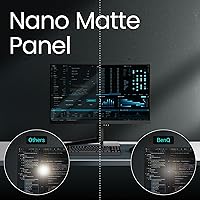
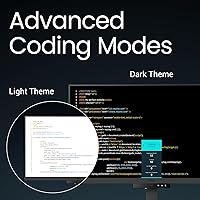
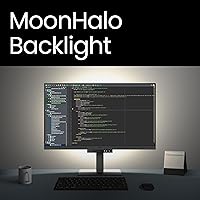
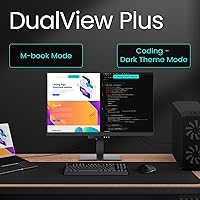
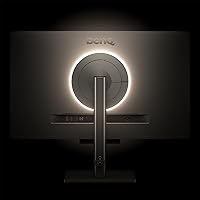
The Nano Matte panel is the starting point worth understanding. Unlike glossy 4K displays that look stunning in a dim showroom but become frustrating mirrors in a sunny office, this coating cuts reflections without stripping out the contrast that makes dark-themed code readable. BenQ's dedicated coding modes tune the display's color response and font rendering specifically for IDE environments — dark and light presets that actually look different from a standard picture mode adjustment. The MoonHalo backlight adds ambient bias lighting behind the panel with adjustable color temperature, which genuinely helps during long night sessions. Topping it off, 90W USB-C delivery means a single cable handles power, video, and data for most laptops.

Best For

This developer-focused display makes the most sense for software engineers and backend developers who treat their monitor as a daily work tool, not a weekend hobby purchase. If you regularly pull 8-hour sessions in a terminal or IDE, the combination of anti-glare coating, coded presets, and eye-care features adds up to a noticeably more comfortable experience than a standard 4K panel. MacBook and ThinkPad users will especially appreciate the single-cable USB-C setup — plug in and you are docked. It is also worth calling out what this monitor is not: graphic designers and video editors who rely on wide color gamut accuracy for DCI-P3 or AdobeRGB work should look elsewhere. This is a text-first display.

User Feedback

With a 4.5-star average across roughly 144 ratings, the BenQ RD320U earns its reputation without much controversy, though the sample size is still relatively modest for a fully definitive consensus. Buyers consistently mention out-of-box sharpness and text clarity as standout qualities — the kind of thing you notice immediately when opening an IDE for the first time. Build quality and the MoonHalo backlight also draw repeated praise. On the other side, some users flag the on-screen display menu as unintuitive to navigate, and a few note the limited refresh rate makes it a poor fit for gaming. Value perception is mixed: developers who use it daily tend to feel the price is justified; occasional users less so.

Pros

  • Nano Matte coating cuts glare in bright offices without the washed-out look of cheap anti-glare filters.
  • Dedicated dark and light coding presets genuinely improve font readability in popular IDEs out of the box.
  • The MoonHalo backlight is a practical eye-care feature, not just a marketing checkbox — it makes late sessions more comfortable.
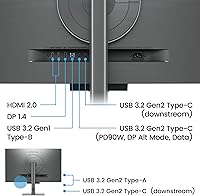
  • 90W USB-C delivery means a single cable connects and charges most modern laptops simultaneously.
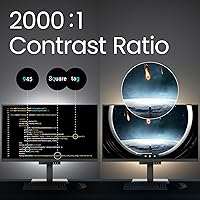
  • Contrast performance is stronger than typical IPS panels, making dark-themed code look noticeably crisper.
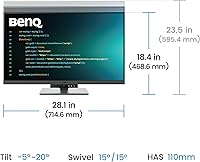
  • Ergonomic stand offers solid adjustability, reducing neck and posture strain during long work days.
  • 4K resolution at 32 inches hits a sweet spot for reading dense code without needing aggressive OS scaling.
  • Night Hours Protection provides a reliable minimum brightness floor that does not flicker at low settings.
  • Build quality is consistently praised by buyers — the metal grey chassis feels appropriately premium for the price tier.
  • At a 4.5-star average, real-world satisfaction among verified buyers is high relative to the monitor category.

Cons

  • The on-screen display menu is reported by multiple users as unintuitive and slow to navigate.
  • Refresh rate is not competitive with gaming or high-motion displays at a comparable price.
  • Color gamut coverage is limited, making it a poor secondary monitor for any color-sensitive creative work.
  • At over 34 pounds, this developer-focused display is heavy and not easy to reposition once set up.
  • The premium pricing is harder to justify for developers who work part-time or split usage across non-coding tasks.
  • 144 total ratings is a relatively thin sample size, so edge-case reliability issues may not yet be well-documented.
  • USB-C compatibility with certain older or non-standard laptops may require additional testing before purchase.
  • No high-refresh or adaptive sync support limits its usefulness if your workflow extends to gaming after hours.
  • The specialized coding features add cost that buyers who prefer manual monitor calibration may not fully use.

Ratings

The scores below for the BenQ RD320U 32-inch 4K Programming Monitor were generated by our AI rating engine after analyzing verified global buyer reviews, actively filtering out incentivized, bot-submitted, and duplicate feedback to reflect genuine ownership experiences. Each category score weighs both enthusiastic praise and recurring frustrations in equal measure, so you get an honest picture of where this developer-focused display truly excels and where it falls short of expectations.
Text & Font Clarity
94%
This is the category where the BenQ RD320U earns its premium positioning most convincingly. Developers switching from general-purpose 4K monitors consistently report that text rendering feels noticeably crisper out of the box, particularly in dark-themed editors like VS Code or JetBrains IDEs where sub-pixel sharpness directly affects reading comfort over long sessions.
A small number of users on Windows noted that ClearType tuning still required manual adjustment after initial setup to reach optimal sharpness, suggesting the factory calibration is not perfectly universal. Those using non-standard display scaling settings on Linux also reported occasional font hinting inconsistencies.
Eye Comfort & Fatigue
91%
The combination of Night Hours Protection, the MoonHalo ambient backlight, and a low-flicker panel design creates a noticeably more comfortable extended-use experience than most competing monitors at this price tier. Developers who regularly work past midnight specifically call out the minimum brightness floor as one of the most practical features they did not know they needed.
A handful of users with heightened light sensitivity found the MoonHalo backlight colors distracting in certain modes and preferred to disable it entirely, which partially negates one of the monitor's key differentiators. The eye-care benefits are also most pronounced in darker environments — bright open-plan offices reduce their practical impact.
Anti-Glare Performance
88%
The Nano Matte coating performs well above average in mixed office lighting conditions, suppressing reflections from overhead fluorescents and nearby windows without the heavy grain haze that plagues cheaper anti-glare treatments. Users positioned near windows report a clear, usable image during daytime hours where glossy alternatives would produce distracting mirror-like reflections.
Under very intense direct sunlight, even this coating reaches its limits and some image washout is reported. A few buyers also noted that the matte texture slightly softens perceived sharpness on photographic content, though this is largely irrelevant for a coding-focused use case.
Coding Mode Usefulness
83%
The dedicated dark and light coding presets are more thoughtfully implemented than typical picture mode shortcuts found on general-purpose monitors. Syntax highlighting colors appear more differentiated and less muddied, and buyers who spend their day switching between a dark terminal and a light documentation window appreciate having purpose-tuned presets for each.
Users who prefer manual calibration or have already invested time in custom ICC profiles may find the coding modes redundant or interfering with their existing setup. Some developers using highly customized editor color schemes also reported that the presets occasionally shifted hues in ways that clashed with their personal theme choices.
USB-C Connectivity
86%
The 90W USB-C implementation is a genuine quality-of-life upgrade for laptop developers who want a clean, minimal desk setup. Connecting a MacBook Pro or a modern ThinkPad with a single cable that simultaneously charges, transmits 4K video, and passes USB data is a practical convenience that buyers mention repeatedly as a day-to-day highlight.
Compatibility edge cases do exist — a few users with older USB-C laptops or certain Windows ultrabooks reported that full 4K resolution was not achieved over USB-C without verifying DisplayPort Alt Mode support first. The monitor does not appear to include a USB-C to USB-A adapter, which can catch buyers off guard during initial setup.
Build Quality
89%
The metal grey chassis and stand feel appropriately premium for the price tier, and buyers rarely report any structural issues like wobble, flexing, or cheap plastic creaking. The overall construction inspires confidence that this is a monitor built to sit on a professional desk for several years without deteriorating in appearance or stability.
At over 34 pounds, the physical weight can make desk repositioning genuinely awkward, particularly for solo setup without assistance. Some users also noted that the stand base has a larger footprint than expected, which can be a problem on smaller desks.
Ergonomics & Adjustability
81%
19%
Height, tilt, and swivel adjustments are all present and functional, covering the most important ergonomic needs for developers who spend long sessions at a fixed workstation. Buyers with non-standard desk heights or standing desk setups appreciate having enough range to find a comfortable viewing angle without resorting to monitor arms immediately.
The pivot or portrait rotation capability is not prominently confirmed by multiple users, which matters to developers who prefer vertical monitor orientation for reading long code files. The large stand footprint also limits desk layout flexibility compared to a VESA-mounted alternative.
Contrast & Black Depth
79%
21%
The elevated contrast ratio delivers a visible improvement over standard IPS panels when viewing dark-themed code, making black backgrounds in terminals look genuinely deep rather than the milky grey typical of budget IPS displays. This translates to a more polished, premium feel when working in low-light conditions at night.
IPS glow is still present in dark scenes viewed at an angle, which is expected for the panel technology but worth noting for buyers hoping for OLED-level black depth. The contrast advantage over competing monitors in the same price range is real but incremental rather than dramatic.
OSD & Menu Navigation
58%
42%
The on-screen display does offer a reasonably complete set of controls, and once initial configuration is complete, most developers rarely need to return to it during daily use. Access to coding mode switching and brightness adjustment is available without too many menu layers once you learn the layout.
This is one of the most consistently criticized aspects of the BenQ RD320U. Multiple buyers describe the OSD navigation as counterintuitive and slow, with input source switching and mode toggling requiring more button presses than competitors at this price point. First-time setup can be frustrating, particularly for users who like to fine-tune their display settings regularly.
Value for Money
73%
27%
For a full-time professional developer who uses this programming monitor as their primary daily driver, the specialized feature set — coding modes, eye-care stack, Nano Matte panel, and 90W USB-C — justifies the premium over a generic 4K display that simply happens to be large. Buyers in this profile report strong long-term satisfaction with the purchase decision.
For anyone who codes part-time or uses their monitor for a broader mix of tasks, the value proposition weakens considerably. Several buyers acknowledged that a well-specced general-purpose 4K monitor at a lower price would have served their mixed workload better, and the coding-specific features added a premium they did not fully utilize.
Color Accuracy
61%
39%
For its intended purpose — rendering text, syntax highlighting, and UI elements in developer tools — color accuracy is entirely adequate and the factory calibration produces a pleasant, neutral image that does not require immediate adjustment for coding use.
Buyers who expected this display to double as a color-critical creative monitor were disappointed. Wide color gamut coverage is not a priority for this panel, and anyone doing photo editing, video grading, or design work alongside coding will find the color reproduction falls well short of dedicated creative displays at comparable price points.
Refresh Rate & Motion
52%
48%
For the core coding use case, the standard refresh rate is entirely sufficient — reading and writing code does not require high frame rates, and day-to-day desktop interactions feel smooth and responsive at this resolution.
The limited refresh rate is a real drawback for developers who also game or work with motion-heavy content. At this price tier, competing monitors offer significantly higher refresh rates, and buyers who expected to use this developer-focused display for gaming after hours were frequently let down by the motion performance.
Setup & Out-of-Box Experience
77%
23%
Physical assembly is straightforward and most buyers report having the monitor up and running within minutes of unboxing. The default picture settings are usable immediately without requiring extensive calibration, which is especially appreciated by developers who prefer to start working rather than configure display settings.
The OSD complexity introduces friction for buyers who want to switch inputs or activate coding modes during initial configuration. Cable management options on the stand are also reported as limited, which can result in a messier desk setup than expected given the premium build quality.
MoonHalo Backlight Quality
82%
18%
Buyers who work in dim or dark environments consistently rate the MoonHalo backlight as a genuinely useful feature rather than a novelty. The ability to adjust both color temperature and brightness of the bias light means it can be tuned to complement different ambient conditions across seasons and time zones.
The backlight color uniformity at the lower brightness settings is not perfect across all units, with some users noting subtle variation in the glow intensity along the edges. Users in bright offices also reported that the backlight effect is largely invisible during daytime hours, making it a feature that primarily benefits night-shift or dim-environment workers.

Suitable for:

The BenQ RD320U 32-inch 4K Programming Monitor was built with a very specific professional in mind, and if you fit that profile, it is hard to argue against it. Software engineers and backend developers who spend the majority of their workday inside an IDE or terminal will notice the difference this display makes — the anti-glare coating, dedicated coding presets, and elevated contrast all address problems that generic 4K panels simply ignore. Professionals who work late hours or in dim environments will particularly appreciate the low-brightness floor and MoonHalo ambient backlight, which reduce the eye fatigue that accumulates over weeks and months of long sessions. MacBook, ThinkPad, or other USB-C laptop users also get a practical bonus: a single cable handles charging, video output, and data, cutting desk clutter significantly. If your productivity lives and dies by how clearly you can read code for hours at a stretch, this developer-focused display earns its place on the desk.
Not suitable for:

The BenQ RD320U 32-inch 4K Programming Monitor is a poor match for anyone whose work depends on color accuracy beyond what text-focused panels are designed to deliver. Graphic designers, photo editors, and video professionals who need reliable DCI-P3 or AdobeRGB coverage should look at displays purpose-built for color-critical work — this programming monitor was not engineered for that use case. Gamers will also find the refresh rate underwhelming compared to what dedicated gaming monitors offer at a similar price point. Buyers who only code occasionally or use their monitor for a broad mix of tasks including media production may struggle to justify the premium over a well-specced general-purpose 4K alternative. If budget is a primary concern, there are capable 4K displays available at a noticeably lower price that cover everyday developer needs without the specialized feature set.
Specifications

  • Screen Size: The display measures 32 inches diagonally, providing ample space to view multiple code files or split-pane layouts without aggressive scaling.
  • Resolution: Native resolution is 3840x2160 (4K UHD), delivering sharp, sub-pixel text rendering that reduces eye strain when reading dense code for extended periods.
  • Panel Type: The Nano Matte panel uses a low-reflection surface treatment that suppresses glare from ambient light sources while preserving contrast integrity.
  • Contrast Ratio: Rated at 2000:1 contrast ratio, which exceeds the typical IPS baseline and produces deeper blacks useful for dark-themed IDE and terminal environments.
  • Aspect Ratio: Standard 16:9 widescreen aspect ratio, compatible with the majority of application layouts, window managers, and remote desktop configurations used in development.
  • USB-C Power: The USB-C port delivers up to 90W of power delivery, sufficient to charge most modern laptops — including MacBook Pro and ThinkPad models — through a single cable.
  • Backlight System: MoonHalo is a rear-facing ambient backlight with adjustable color temperature and brightness modes designed to reduce contrast fatigue between the panel and surrounding environment.
  • Coding Modes: Two dedicated coding presets — Dark Theme and Light Theme — optimize font rendering and color differentiation specifically for IDE and code editor interfaces.
  • Night Protection: Night Hours Protection technology enforces a minimum brightness floor to prevent excessively harsh display output during dark-room or low-light working conditions.
  • USB 2.0 Ports: Two USB 2.0 downstream ports are included for connecting peripherals such as keyboards, mice, or USB hubs directly to the monitor.
  • Dimensions: The monitor with stand measures 28 x 23 x 10.2 inches (LxWxH), requiring a reasonably deep desk surface to accommodate the full ergonomic stand footprint.
  • Weight: Total weight with stand is approximately 34.2 pounds, making desk repositioning cumbersome — plan your setup location carefully before mounting.
  • Color Finish: Available in Metal Grey, a neutral matte finish that integrates well into professional office environments without drawing visual attention away from the screen.
  • Model Number: The official model designation is RD320U, part of BenQ's RD (Resident Designer / developer-focused) monitor series.
  • Brand & Series: Manufactured by BenQ, a display brand with an established track record in professional and eye-care monitor segments under its dedicated developer product line.
  • Availability Date: This model became available in late August 2024, making it a relatively recent release with an actively maintained firmware and support lifecycle.

Related Reviews
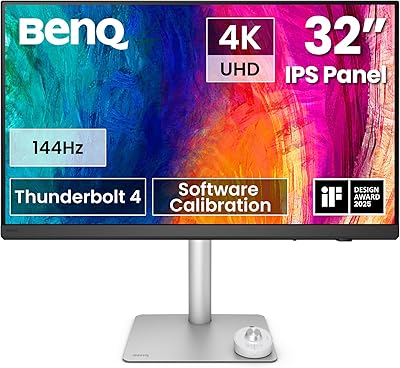
BenQ PD3226G 32-inch 4K Designer Monitor
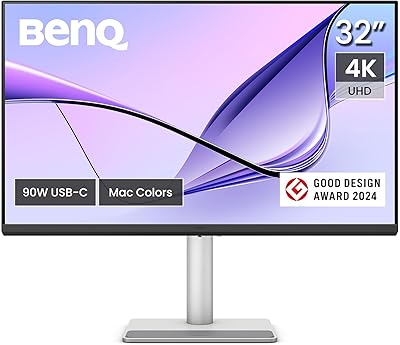
81%
93%
Color Accuracy
91%
Connectivity
88%
Anti-Glare Performance
79%
Refresh Rate Utility
82%
KVM Switch
More
BenQ MA320U 32-inch 4K Monitor
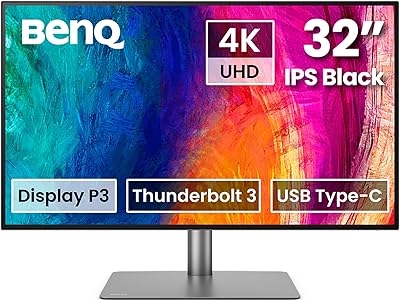
81%
94%
Mac Ecosystem Integration
91%
Color Accuracy
88%
Connectivity & USB Hub
83%
Stand Ergonomics
92%
Display Sharpness
More
BenQ PD3225U 32-inch 4K Monitor
88%
94%
Color Accuracy
90%
Ergonomics & Comfort
89%
Thunderbolt 3 Connectivity
88%
Setup & Installation
87%
Build Quality
More
BenQ EW3280U 32-inch 4K UHD Monitor
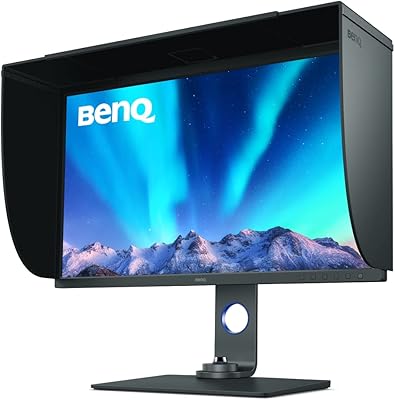
80%
93%
Image Quality
89%
Color Accuracy
91%
USB-C Connectivity
88%
Eye-Care Performance
74%
HDRi Technology
More
BenQ SW321C 32-inch Photo Editing Monitor
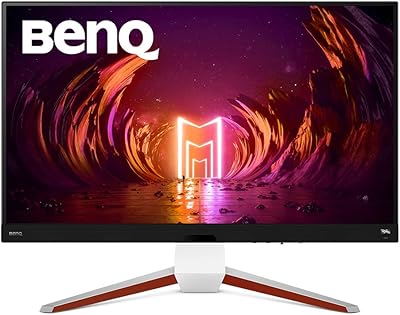
82%
94%
Color Accuracy
91%
Factory Calibration
93%
Color Gamut Coverage
88%
Build Quality
86%
Ergonomics
More
BenQ EX3210U 32-inch 4K Gaming Monitor

78%
93%
Image Quality
89%
Color Accuracy
88%
Gaming Performance
67%
HDR Performance
86%
Build Quality
More
ViewSonic VP3256-4K 32-inch 4K IPS Monitor

80%
93%
Color Accuracy
89%
Panel Clarity & Sharpness
88%
Build Quality & Stand
79%
USB-C Connectivity
86%
Ergonomics & Comfort
More
ViewSonic VX3267U-4K 32-inch 4K IPS Monitor

74%
91%
Image Sharpness
83%
USB-C Functionality
76%
Color Accuracy
54%
HDR Performance
47%
Stand & Ergonomics
More
ViewSonic VP3268A-4K 32-inch 4K Monitor
79%
93%
Color Accuracy
91%
Out-of-Box Calibration
88%
Build Quality
86%
Ergonomics & Stand
89%
Connectivity
More
ViewSonic VX3276-4K-MHD 32-inch 4K Monitor

76%
91%
Image Clarity & Sharpness
74%
Color Accuracy
86%
Contrast & Black Levels
61%
HDR Performance
58%
Refresh Rate & Motion Handling
More

FAQ

Yes, and this is one of its strongest practical advantages. The USB-C port supports up to 90W power delivery alongside video and data transmission simultaneously, which covers most MacBook Pro models without needing a separate charger or dock. Just confirm your laptop supports DisplayPort Alt Mode over USB-C before assuming it will work at full 4K resolution.

The Nano Matte panel is meaningfully better than standard matte coatings in high-ambient-light conditions. It suppresses reflections without the heavy grain texture that makes some anti-glare panels look hazy. That said, no matte coating fully eliminates reflections from a window directly behind you — positioning still matters.

The Dark Theme and Light Theme coding presets adjust the monitor's color temperature, gamma curve, and contrast response to optimize how fonts and syntax highlighting appear in code editors. The idea is that text looks sharper and color-coded tokens are easier to distinguish without manually calibrating your display settings. They work noticeably better than simply reducing brightness on a standard picture mode.

You can, but it is not well-suited for it. The refresh rate is standard for a productivity monitor and falls short of what dedicated gaming displays offer at this price tier. If you primarily game and code in equal measure, a gaming-focused 4K monitor with a higher refresh rate might serve you better overall.

Based on consistent buyer feedback, it is genuinely useful rather than decorative. The bias lighting behind the panel reduces the perceived contrast between a bright screen and a dark room, which helps with eye fatigue during long evening sessions. The color temperature adjustment means you can shift it warmer at night to match a lower-blue-light environment.

The ergonomic stand offers height, tilt, and swivel adjustments to accommodate different desk heights and seating positions. For VESA compatibility, check the official BenQ product page for confirmed mounting specifications before purchasing a third-party arm, as mounting dimensions can vary between models in this series.

It is more deliberate than a simple brightness slider. Night Hours Protection enforces a calibrated minimum brightness floor specifically designed for dark-room use, and BenQ has engineered it to minimize PWM-related flicker at low brightness levels, which is a common source of eye strain on cheaper displays. It is a meaningful feature for anyone who regularly codes in a dim environment.

Not really. The Nano Matte panel and contrast tuning are optimized for text legibility, not color accuracy. If your work requires reliable DCI-P3 or AdobeRGB coverage for photo or video output, this monitor does not prioritize that and you would be better served by a display built explicitly for color-critical work.

This is one area where the BenQ RD320U draws occasional criticism. Several buyers report that the OSD navigation feels unintuitive compared to competing monitors, particularly when switching between input sources or adjusting picture modes. It is not a dealbreaker, but plan on spending a bit of time in the menus during initial setup to get your preferred configuration dialed in.

The extra screen area at the same resolution means you can run a larger font size without sacrificing visible code lines, or keep the same font size and gain noticeably more working space. Most developers who switch from a 27-inch 4K to this programming monitor report that the larger canvas reduces the need for constant window switching. At standard desk distances, text remains sharp and pixel density is more than adequate.

Where to Buy