Overview

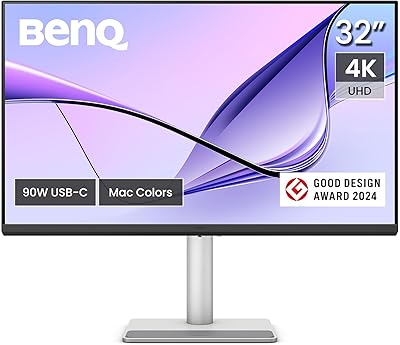
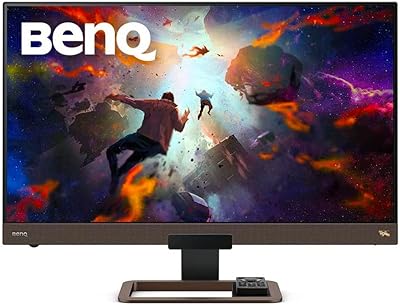
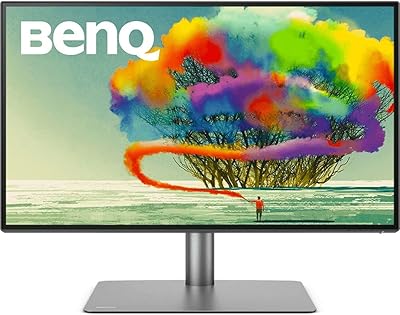
The BenQ RD280U 28.2” 4K Programmer Monitor is designed specifically for developers who require a high-quality display for coding. This monitor boasts a 28.2-inch screen with a 3:2 aspect ratio, making it ideal for reading and writing code with more vertical space than traditional 16:9 monitors. The Nano matte panel ensures minimal glare, allowing for long, comfortable work sessions. With 90W USB-C power delivery, this monitor simplifies your desk setup by combining video, data, and power into a single cable, reducing clutter and improving productivity.

Features & Benefits

The BenQ RD280U features a number of advanced tools to enhance your coding experience. The MoonHalo backlight offers customizable lighting to reduce eye strain, especially during long coding sessions. It also supports advanced coding modes, which help with text clarity and differentiate code elements for better readability. Additionally, Brightness Intelligence Gen2 adjusts the screen’s brightness based on ambient light, improving visual comfort. This monitor is designed with ergonomics in mind, providing adjustable tilt and height for better posture and less strain during extended work hours.

Best For

This 4K programmer monitor is best suited for developers, programmers, and anyone who spends long hours in front of a screen. Its unique 3:2 aspect ratio and high resolution make it an excellent choice for those who need to view large amounts of text and code at once. Eye-care technology makes it perfect for users sensitive to screen brightness and flicker. Professionals who require USB-C connectivity for quick setup and reduced cable clutter will also find this monitor highly efficient. Its ergonomic design makes it a great option for people seeking comfort during long workdays.

User Feedback

Users generally appreciate the sharpness and clarity of the 4K resolution, which provides crisp text and vibrant images. Many have highlighted the 3:2 aspect ratio as a major selling point, offering a more comfortable coding environment compared to the standard 16:9. The monitor’s eye-care features, like Night Hours Protection, are especially praised for reducing eye fatigue. However, a few users have noted that while the backlight is a nice touch for focus, it might not be bright enough for users working in very well-lit rooms. Overall, most reviewers find this monitor an excellent tool for productivity.

Pros

  • The 3:2 aspect ratio is perfect for coding, providing extra vertical space for reading and writing code.
  • The 28.2-inch 4K resolution delivers exceptional sharpness and clarity, making text and graphics easy to read.
  • Night Hours Protection and Brightness Intelligence Gen2 help reduce eye strain during long work sessions.
  • MoonHalo backlight is a unique feature that adds customizable lighting, ideal for focusing in darker environments.
  • The ergonomic design ensures comfort during long hours of use, reducing neck and eye strain.
  • The monitor supports 90W USB-C power delivery, allowing for a clean, single-cable setup for both power and data.

Cons

  • The 3:2 aspect ratio may not be ideal for media consumption, as it can feel less immersive for watching videos.
  • At 16.8 pounds, this monitor is quite heavy, making it less portable for users who need a lightweight setup.
  • Some users have mentioned that the nano matte finish can result in colors appearing less vibrant under bright light.
  • While the advanced coding modes are useful, some users feel they could be more customizable for specific workflows.
  • Not everyone finds the MoonHalo backlight necessary, with some feeling it’s more of a novelty than a practical feature.
  • The monitor may be overkill for casual users or those who only need a display for basic tasks like web browsing.

Ratings

The scores for the BenQ RD280U 28.2” 4K Programmer Monitor reflect insights from verified user feedback across multiple global platforms, including reviews in various languages. Spam, bot-generated, and exaggerated reviews were filtered out to ensure that only authentic, high-quality feedback contributed to the results. The review highlights both strengths and areas where this monitor may not fully meet all user expectations, providing a balanced overview of its performance and features.

Display Quality
95%
Users consistently rave about the sharpness and vivid colors of the 4K display. The high resolution offers exceptional clarity for both coding and multimedia, making it an excellent choice for professionals who require precise detail in their work. The display’s nano matte finish also helps reduce reflections, contributing to a more comfortable viewing experience during long hours of use.
A few users have mentioned that while the 4K resolution is impressive, it can sometimes feel overly sharp when viewing smaller text, especially at the default scaling settings. Some have also noted that the brightness could be slightly higher for use in brighter rooms or with multiple light sources around.
Eye Care Features
91%
Many reviewers highlight the advanced eye-care technology, particularly the Night Hours Protection and Brightness Intelligence Gen2, which significantly reduces eye strain during extended use. The combination of these features ensures a comfortable and productive experience, even during late-night coding sessions. The ability to adjust the screen’s brightness dynamically based on ambient light is also appreciated by users working in different environments.
Some users feel that while the eye-care features are helpful, they may not be as effective for individuals who spend exceptionally long hours in front of the screen. A few reviewers have also commented that the night mode could be more customizable for different lighting preferences.
Ergonomics and Comfort
89%
The ergonomic design is frequently praised for supporting long coding sessions without causing discomfort. The height, tilt, and swivel adjustments make it easy to find a comfortable viewing angle, ensuring that users can maintain good posture. This flexibility helps to reduce strain on the neck and shoulders, particularly during extended work sessions.
Some users have expressed that the monitor is quite heavy, which could make it less ideal for those who frequently move or reposition their workstation. A few reviewers also mentioned that the stand’s adjustments could feel a bit stiff at times, requiring more effort to adjust the height or tilt.
Connectivity and Setup
90%
Users appreciate the simplicity of the 90W USB-C power delivery, which allows for a cleaner, single-cable setup. This feature makes it incredibly convenient for users with limited desk space or those who frequently connect and disconnect their devices. The monitor also supports multiple display setups and works seamlessly with other devices, adding to its versatility.
While the USB-C connection is generally well-received, a few users have mentioned issues with compatibility when trying to use it with certain older devices or non-USB-C setups. Additionally, some buyers have found the initial setup slightly confusing, particularly when configuring the monitor for specific coding modes or display preferences.
Build Quality
88%
The BenQ RD280U is solidly built with a premium feel, thanks to its durable construction. The nano matte panel not only reduces glare but also ensures a high-quality display experience with minimal visual distractions. The monitor’s sleek design and sturdy stand contribute to its overall professional appearance, making it suitable for both office environments and home workspaces.
Despite its sturdy build, some users report that the monitor’s weight and size may make it less portable than other options. Additionally, while the design is appreciated, the stand can be somewhat bulky and may not suit all desk configurations, especially in tighter spaces.
Coding Efficiency
92%
The unique 3:2 aspect ratio is one of the standout features, providing more vertical screen real estate that is particularly beneficial for reading and writing code. This aspect ratio allows for better multitasking without constant scrolling, making it easier to keep multiple windows open simultaneously. Many developers find this feature incredibly efficient for their workflow.
A small number of users have mentioned that it may take some time to adjust to the 3:2 aspect ratio, especially if they’re used to more traditional 16:9 displays. Some users have noted that certain applications or websites do not scale perfectly with the 3:2 aspect ratio, causing minor issues with layout.
Brightness and Backlight
86%
The MoonHalo backlight is frequently highlighted as an innovative feature that adds a personal touch to the monitor. This customizable backlight can enhance focus and immersion during work, especially when programming or writing code. It also helps reduce eye strain in low-light environments, adding to the monitor’s overall eye-care design.
A few users feel that the MoonHalo backlight, while unique, could be brighter or more adjustable for better visibility in brightly lit environments. Some have also commented that the backlight could be more effective in terms of providing a balanced ambient lighting experience, as it can sometimes feel too subtle.
Value for Money
87%
Most users agree that this monitor offers solid value for its price, especially considering the 4K resolution and specialized features tailored for developers. The combination of eye-care technology, ergonomic design, and high-quality display makes it a strong contender in the market. Many feel that the price is justified for a monitor built specifically with coding and programming in mind.
A few buyers feel that the monitor’s price is slightly high compared to other options with similar features. Some users have pointed out that although the display quality is excellent, certain features like the backlight and coding modes could be improved further to justify the premium cost.
Design and Aesthetics
85%
The sleek and minimalist design of this monitor makes it an attractive addition to any workspace. The slim bezel and modern stand provide a professional look, fitting seamlessly into most office or home environments. Many users appreciate the attention to detail in the monitor's design, making it feel stylish without being overly flashy.
While the design is generally appreciated, some users feel that it could be more customizable in terms of color options or stand configurations. A few reviewers also mentioned that the monitor’s larger size and matte finish may not be ideal for those who prioritize a more vibrant or glossy screen for non-coding tasks like entertainment or media consumption.
Customer Support
82%
18%
Several users have mentioned that BenQ’s customer support is responsive and helpful, particularly when it comes to resolving issues with setup or troubleshooting. The online resources and manuals are also clear and easy to follow, making the setup process smoother for many buyers.
Some users have expressed frustration with the response times for support requests, particularly in cases where they experienced issues that required troubleshooting. A few have found the warranty process somewhat tedious and difficult to navigate, leading to delays in resolving problems.
Long-Term Use
80%
20%
Many users report that this monitor is built to last and performs reliably over extended periods of use. The sturdy construction and consistent performance make it a good option for professionals who need a dependable workhorse. Buyers have also mentioned that the screen’s clarity and brightness hold up well even after long hours of use.
A few users have voiced concerns about potential long-term wear, particularly with the matte coating and potential discoloration over time. Others have mentioned that after several months of use, the performance may slightly degrade in terms of brightness or color accuracy.
Compatibility with External Devices
84%
The monitor offers excellent compatibility with a range of external devices, including laptops, desktops, and even some gaming consoles. Its USB-C port simplifies connectivity, allowing for seamless integration with modern devices. Users find it easy to connect and disconnect different peripherals without hassle.
Some users have found that older devices with non-USB-C ports may require additional adapters or cables, which could complicate the setup. A few have noted compatibility issues with certain graphics cards or external hubs, requiring more time to troubleshoot or reconfigure.

Suitable for:

The BenQ RD280U 28.2” 4K Programmer Monitor is an excellent choice for programmers, developers, and professionals who spend long hours in front of their computers. Its 3:2 aspect ratio is ideal for coding, offering more vertical space that enhances productivity by reducing the need to scroll constantly. This monitor’s ergonomic design ensures comfort during extended sessions, and the eye-care features, including Night Hours Protection and Brightness Intelligence Gen2, help reduce eye strain. It’s particularly beneficial for users who need a high-resolution screen with a unique aspect ratio for multitasking. Developers working on long-term projects will also appreciate the single-cable convenience of USB-C power delivery, simplifying their workspace and reducing clutter.

Not suitable for:

However, the BenQ RD280U may not be the best fit for casual users or those who primarily need a monitor for entertainment purposes. The 3:2 aspect ratio, while excellent for coding, can be less ideal for media consumption, such as watching movies or playing games, as it may feel less immersive than traditional 16:9 displays. Additionally, users who need a lightweight and portable monitor might find this model bulky, as it weighs 16.8 pounds and may not be easy to move around. Those who prefer a glossy display for vibrant colors may also be disappointed by the nano matte finish, which, although great for reducing glare, can sometimes result in less vivid visuals in bright lighting environments.

Specifications

  • Screen Size: The monitor features a 28.2-inch display, providing a large, clear workspace for coding and productivity tasks.
  • Resolution: The monitor offers a 3840 x 2560 4K UHD resolution, delivering crisp and detailed visuals for precise work.
  • Aspect Ratio: The unique 3:2 aspect ratio enhances vertical screen space, ideal for reading and writing code.
  • Panel Type: It uses a nano matte panel to reduce glare and reflections, providing better clarity in bright environments.
  • Brightness Intelligence Gen2: The monitor features Brightness Intelligence Gen2 technology to automatically adjust brightness based on ambient lighting for optimal viewing.
  • MoonHalo Backlight: The MoonHalo backlight provides customizable ambient lighting to enhance focus and reduce eye strain.
  • USB-C Power Delivery: Supports 90W USB-C power delivery, allowing you to charge your device and transmit data with a single cable.
  • Coding Modes: Advanced coding modes are available to optimize text readability and enhance focus during long coding sessions.
  • Eye-Care Features: Night Hours Protection technology reduces blue light exposure, while the monitor adjusts for comfortable use in low-light environments.
  • VESA Mount Compatibility: The monitor is compatible with VESA mounts, allowing for flexible positioning and space-saving setups.
  • Ergonomic Design: The monitor is ergonomically designed to support extended use, reducing strain during long work sessions.
  • Weight: The monitor weighs 16.8 pounds, offering a stable base but may require additional support for more dynamic setups.
  • Connectivity: In addition to USB-C, the monitor includes HDMI and DisplayPort inputs for versatile connectivity with different devices.
  • Color Accuracy: The monitor is designed to deliver accurate color reproduction, which is essential for tasks like coding and design work.
  • Screen Coating: The nano matte coating helps reduce reflections, making it easier to work in bright environments or under direct light.
  • Power Consumption: The monitor is energy-efficient, drawing minimal power while delivering high-performance display capabilities.
  • Warranty: The monitor includes a standard warranty, ensuring reliable customer support and coverage for any manufacturing defects.

FAQ

This monitor's 3:2 aspect ratio provides extra vertical screen space, making it easier to view code without scrolling. The 28.2-inch 4K resolution offers crisp, clear text and images, and the nano matte panel reduces glare, making it more comfortable for extended coding sessions.

Setting up this monitor is straightforward. Simply connect your laptop or PC to the monitor using the included USB-C cable, which provides both power and data transmission up to 90W. The monitor also supports VESA mounting if you prefer a custom setup.

The BenQ RD280U offers an ergonomic design with tilt adjustments to enhance comfort. However, it does not have a height-adjustment feature, so if you need that flexibility, you may want to pair it with a separate adjustable stand or VESA mount.

The MoonHalo backlight provides customizable ambient lighting around the monitor. It helps improve focus and immersion, especially in darker environments. Users can adjust the backlight to suit their preferences, and it can be a great feature for reducing eye strain during long coding sessions.

While the monitor excels in coding and productivity tasks, the 3:2 aspect ratio may not provide the best experience for gaming or watching videos, as most content is designed for a 16:9 aspect ratio. However, the 4K resolution and sharp visuals still make it suitable for casual media viewing.

The BenQ RD280U is equipped with Night Hours Protection and Brightness Intelligence Gen2, which reduce blue light and adjust brightness automatically based on ambient lighting. These features help minimize eye strain during extended use, especially in low-light environments.

The 90W USB-C power delivery allows you to power your laptop or device directly through the monitor, eliminating the need for a separate power adapter. This feature streamlines your workspace with a single cable for both data and power transmission.

Yes, this monitor is fully compatible with macOS, Windows, and Linux systems. It works well for developers, designers, and coders across various platforms, ensuring broad compatibility without the need for additional drivers.

The nano matte panel helps reduce glare and reflections, making it suitable for bright environments. However, some users may find that colors appear less vibrant in very bright rooms, as the matte finish can slightly dull the contrast compared to glossy panels.

Some users feel that the 3:2 aspect ratio is less ideal for entertainment and media consumption. Additionally, the monitor's weight (16.8 lbs) may be a concern for those who need a more portable solution, and not everyone finds the MoonHalo backlight necessary for their setup.