Overview
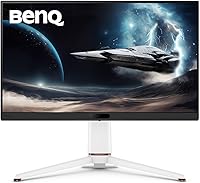
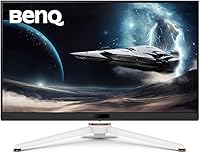
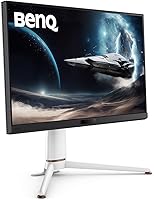
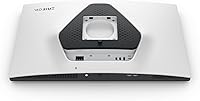
The BenQ MOBIUZ EX271Q 27-inch Gaming Monitor sits in a competitive mid-range bracket where features-per-dollar actually matter, and it makes a reasonable case for itself. BenQ's MOBIUZ line has always leaned into color fidelity and visual immersion rather than just chasing raw refresh numbers, and the EX271Q reflects that philosophy. The white colorway and matte panel give it a cleaner look than most black-slab gaming monitors. What catches your attention early is the inclusion of a physical remote controller — not a common sight at this price point — which lets you switch inputs and adjust settings without wrestling with monitor buttons.
Features & Benefits
At 2560x1440 with a 180Hz refresh rate, the EX271Q handles both competitive shooters and story-driven games without compromise. The 1ms response keeps motion clean in fast scenes — ghosting isn't something you'll notice here. The real productivity angle comes from 65W USB-C Power Delivery: plug in a laptop and you get display output and charging from a single cable, which genuinely cleans up a desk setup. The built-in KVM switch is equally practical, letting you share one keyboard and mouse between two connected devices without a separate switcher. Color-wise, 95% DCI-P3 coverage is strong for this price tier, and the game-specific Color Shuttle presets can add useful punch to certain titles.
Best For
This 27-inch QHD gaming display works best for users who want one monitor to cover both work and gaming without buying two separate panels. If you use a laptop as your primary machine, the single-cable USB-C setup alone justifies serious consideration — charging and display over one port is a real convenience. The KVM functionality suits anyone running a desktop and laptop side by side, particularly in a home office or dual-role setup. Console players can connect via HDMI 2.0 while a PC handles DisplayPort, keeping both sources active. Color-focused creatives doing light editing work will also find the wide-gamut panel useful, though dedicated photo editors may want something more calibrated.
User Feedback
Most owners consistently praise the color accuracy out of the box — many note they barely touched the settings before it looked great. The remote controller draws genuine appreciation rather than being dismissed as a gimmick; people actually use it to swap inputs quickly. The USB-C and KVM combination earns repeated mentions as a standout for dual-device workflows. On the critical side, HDR400 won't satisfy anyone expecting a true HDR experience — it adds a modest brightness boost at best. A few users also flag the stand ergonomics as limited, lacking the height adjustment depth you'd expect from a desktop workhorse. The Pixsoul presets get mixed reviews — useful for some genres, forgettable for others.
Pros
- Sharp QHD resolution at 180Hz means the image is both detailed and fluid, covering fast-paced and visually rich games equally well.
- The 65W USB-C port charges a laptop while displaying its output, cutting cable clutter to a single connection.
- Built-in KVM switch is genuinely useful for dual-device desks — no separate hardware required.
- Color vibrancy out of the box is a consistent highlight in user reviews, requiring little to no manual calibration.
- The physical remote controller makes input switching and settings adjustments quick and painless in everyday use.
- 95% DCI-P3 coverage is strong for this price tier, giving colors noticeably more depth than standard sRGB monitors.
- AMD FreeSync support reduces screen tearing across a wide range of GPUs without needing a premium graphics card.
- The matte panel surface keeps reflections under control in typical office or gaming room lighting conditions.
- White colorway stands out from the sea of all-black gaming monitors and suits cleaner, minimal desk setups.
- Having DP 1.4 and HDMI 2.0 available simultaneously makes it easy to keep a PC and console connected without swapping cables.
Cons
- DisplayHDR 400 is entry-level HDR — do not expect dramatic contrast improvements or deep blacks from it.
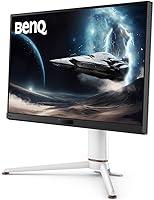
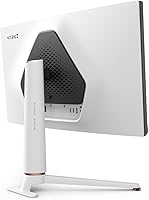
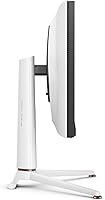
- The stand offers limited ergonomic range, which can be frustrating if you need precise height or tilt adjustments for long work sessions.
- Only one USB 3.0 downstream port is included, which feels restrictive for a monitor marketed partly as a productivity hub.
- The Pixsoul game presets are hit-or-miss — some users find them useful for specific genres, while others ignore them entirely after the first week.
- At 23.4 lbs, the EX271Q is on the heavier side for a 27-inch panel, making repositioning or mounting slightly more cumbersome.
- HDMI 2.0 caps console output at lower refresh rates compared to DisplayPort, so console gamers won't access the full 180Hz potential.
- The USB-C port covers charging and video, but it does not add a meaningful hub expansion for users who need multiple peripherals connected through the monitor.
Ratings
The BenQ MOBIUZ EX271Q 27-inch Gaming Monitor scores below are generated by AI after analyzing thousands of verified user reviews from global markets, with spam, bot-submitted, and incentivized feedback actively filtered out. Each category reflects the genuine consensus of real buyers — the praise and the frustrations alike — so you can make an informed decision without sifting through noise. Where this 27-inch QHD gaming display earns strong marks, you'll understand why; where it falls short, the scores reflect that honestly too.
Color Accuracy
Refresh Rate & Motion
Connectivity & Versatility
KVM Functionality
HDR Performance
Value for Money
Build Quality
Stand Ergonomics
Remote Controller
Display Uniformity
Pixsoul Presets
OSD & Menu Navigation
Gaming Performance
Suitable for:
The BenQ MOBIUZ EX271Q 27-inch Gaming Monitor is a strong fit for anyone who wants a single display that handles both serious gaming and daily productivity without making too many compromises on either front. Laptop users will get the most immediate value here — the 65W USB-C Power Delivery means you can dock a MacBook or Windows laptop with one cable and walk away with a charged device and a sharp QHD display. If you run two machines at your desk, whether a gaming PC alongside a work laptop or a desktop paired with a console, the built-in KVM switch removes the need for any extra hardware to share your keyboard and mouse. The 95% DCI-P3 color coverage also makes it a reasonable choice for light creative work like photo editing or digital illustration, where color accuracy matters but a fully calibrated professional panel isn't strictly necessary. PC gamers who play a mix of competitive titles and visually rich single-player games will find 180Hz and 1ms more than adequate, and the wide color gamut makes open-world environments look noticeably richer than on a standard sRGB panel.
Not suitable for:
Buyers chasing a true HDR experience should look elsewhere — the DisplayHDR 400 certification on the BenQ MOBIUZ EX271Q 27-inch Gaming Monitor represents the entry tier of HDR support, and in practice it delivers a mild brightness bump rather than the deep blacks and vivid highlights you'd see on an OLED or a higher-tier HDR panel. Hardcore competitive players who prioritize raw speed above everything else might also find the feature set excessive for their needs, especially if they'd rather put that budget toward a higher refresh rate or a monitor with a more adjustable stand. Speaking of the stand, users who rely on extensive ergonomic customization — particularly height adjustment range — may find the included stand limiting for extended work sessions, which is a genuine trade-off for a monitor that pitches itself as a productivity option. Professional photographers and color-critical designers who need factory-calibrated accuracy and full sRGB or AdobeRGB coverage for client deliverables would be better served by a dedicated content creation display. Finally, if your desk space or viewing distance calls for something larger than 27 inches, the EX271Q won't satisfy that need regardless of its other strengths.
Specifications
- Screen Size: The panel measures 27 inches diagonally, offering a comfortable viewing area for both gaming and productivity tasks at typical desk distances.
- Resolution: Native resolution is 2560x1440 QHD, delivering noticeably sharper text and image detail compared to a standard 1080p display at the same screen size.
- Refresh Rate: The panel runs at up to 180Hz, allowing fast-moving scenes to appear smoother and more responsive during gameplay.
- Response Time: Rated at 1ms, the panel minimizes motion blur and ghosting in fast-paced titles where rapid on-screen movement is frequent.
- Color Gamut: Covers 95% of the DCI-P3 color space, producing richer and more saturated colors than monitors limited to the standard sRGB gamut.
- HDR Support: Certified DisplayHDR 400, which represents entry-level HDR performance and provides a modest increase in peak brightness rather than a transformative HDR experience.
- Panel Surface: The screen uses a matte anti-glare coating that reduces reflections in lit environments, helping maintain image clarity without requiring a darkened room.
- Aspect Ratio: Standard 16:9 widescreen aspect ratio, compatible with virtually all gaming, streaming, and productivity content without letterboxing or stretching.
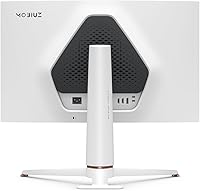
- Connectivity: Inputs include DisplayPort 1.4, HDMI 2.0, and USB-C with 65W Power Delivery, supporting a wide range of PCs, laptops, and consoles from a single monitor.
- USB Ports: One USB 3.0 downstream port is available for connecting peripherals directly to the monitor, though this single port limits hub-style multi-device use.
- KVM Switch: A built-in KVM switch allows one keyboard and mouse set to control two connected devices, eliminating the need for a separate external KVM unit.
- Adaptive Sync: AMD FreeSync is supported, dynamically matching the monitor refresh rate to GPU output to reduce screen tearing across compatible graphics cards.
- Dimensions: The monitor with stand measures approximately 32 x 18.89 x 7.4 inches (L x W x H), requiring a moderately deep desk surface for stable placement.
- Weight: The unit weighs 23.4 lbs including the stand, which is on the heavier end for a 27-inch panel and worth considering for VESA mounting or repositioning needs.
- VESA Compatibility: The monitor supports VESA mounting, allowing users to attach it to a third-party arm or wall mount for improved ergonomic positioning beyond the stock stand.
- Remote Controller: A physical remote controller is included in the box, enabling input switching, brightness adjustment, and preset changes without reaching for the monitor buttons.
- Pixsoul Engine: BenQ's Pixsoul Engine provides AI-assisted image processing and Color Shuttle game presets that apply genre-specific color tuning for a range of popular game titles.
- Color: The monitor ships in a white colorway, distinguishing it visually from the majority of black-finished gaming displays in its category.
- Voltage: The unit operates at 220V, and buyers in regions using different voltage standards should verify compatibility with their local power infrastructure before purchase.
- Warranty: BenQ typically provides a three-year limited warranty on MOBIUZ monitors; buyers should confirm current warranty terms directly with BenQ for their region.
Related Reviews
BenQ MOBIUZ EX270M 27-inch Gaming Monitor
BenQ EX2710 27-inch Gaming Monitor
BenQ EX3210U 32-inch 4K Gaming Monitor

Skytech Gaming Moonshadow 27-inch Curved Gaming Monitor

Raywego Z270B13 27-inch Gaming Monitor
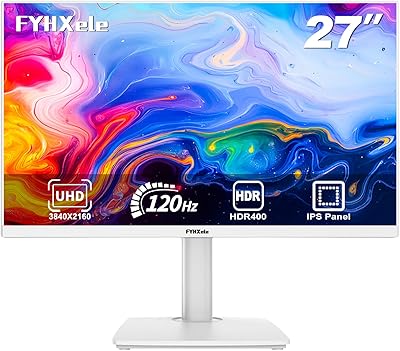
FYHXele 27-inch 4K 120Hz Gaming Monitor
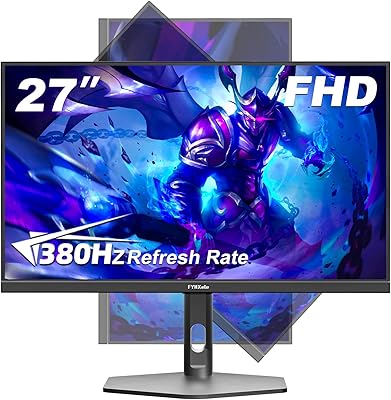
FYHXele 27-inch 380Hz FHD Gaming Monitor
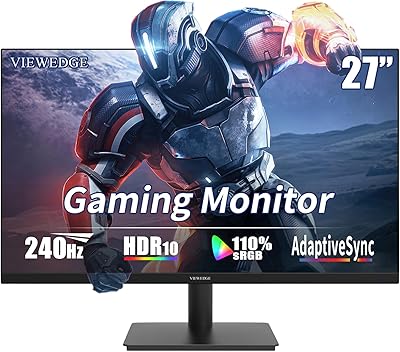
Viewedge CS27FM 27-inch Gaming Monitor
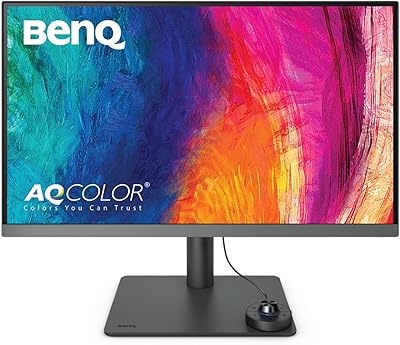
BenQ PD2706U 27-inch 4K Monitor