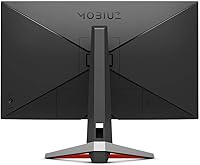
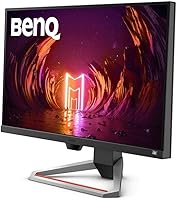
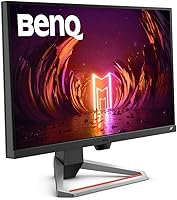
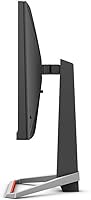
Overview

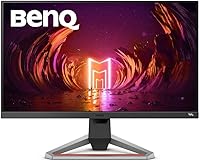
The BenQ EX2710 27-inch Gaming Monitor arrived at a point when IPS panels were finally closing the refresh-rate gap with TN screens, giving buyers a real reason to stop treating color accuracy as a luxury. Sitting in the mid-range tier, it targets both competitive PC players and everyday console gamers — particularly those running a PS5 or Xbox Series X, where it handles 120Hz without issue. BenQ launched it under their MOBIUZ sub-brand, a gaming-focused line built around image-tuning tools and audiovisual convenience. Just be clear-eyed going in: 1080p resolution is the ceiling here, and anyone chasing pixel density will want to look elsewhere.

Features & Benefits

Running at 144Hz with a fast MPRT response time, the EX2710 delivers genuinely fluid motion in shooters and action titles — the ghost trails that plague slower IPS panels simply aren't present. Colors are noticeably richer and viewing angles far more forgiving than comparably priced TN alternatives. FreeSync Premium keeps frame pacing stable when GPU output fluctuates, which matters most during graphically intensive sequences. BenQ layers in HDRi, Black eQualizer, and Light Tuner to collectively improve shadow visibility and adapt to ambient light. The built-in speakers, shaped by treVolo DSP tuning, are better than average for monitor audio — useful for casual sessions, though not a substitute for dedicated speakers.

Best For

This 27-inch gaming display is a natural fit for competitive FPS players who want high refresh rates without giving up the color fidelity that TN panels typically compromise. Console gamers stand to benefit significantly too — native 120Hz support for PS5 and Xbox Series X is a genuinely practical advantage over using a standard TV. Upgraders coming from older 60Hz screens will notice the difference immediately, and the matte anti-glare coating makes it usable in rooms that aren't perfectly darkened. The footprint suits most mid-sized desks well, and the built-in audio means buyers who game casually skip the speaker purchase entirely.

User Feedback

Sitting above 4.7 stars across close to 800 ratings, this BenQ MOBIUZ panel has earned its reception honestly. Buyers consistently praise color vibrancy and the immediate smoothness improvement when switching from a 60Hz screen, and many call out the OSD navigation as refreshingly easy to use during first setup. On the critical side, reviewers arriving from 1440p displays often find 1080p sharpness softer than expected at typical sitting distances — a fair and recurring concern worth weighing. HDR performance draws measured responses too; it functions, but the contrast impact is modest rather than dramatic. Long-term ownership reports suggest solid build quality with very few complaints about panel consistency fading over months of regular use.

Pros

  • Smooth 144Hz IPS panel makes fast-paced games feel noticeably more responsive than a standard 60Hz screen.
  • Color accuracy and viewing angles are a clear step above comparably priced TN alternatives.
  • FreeSync Premium keeps gameplay tear-free even when frame rates dip during demanding scenes.
  • Native 120Hz console support for PS5 and Xbox Series X is a practical and well-implemented feature.
  • Black eQualizer and Light Tuner genuinely help in dark game environments without washing out highlights.
  • Built-in speakers are better than most monitor audio and remove the need for a separate purchase in casual setups.
  • The 5-Way Navigator makes adjusting OSD settings quick and frustration-free compared to button-based controls.
  • Matte anti-glare coating handles ambient light well without the reflections you get on glossy panels.
  • Ergonomic stand with height and tilt adjustment accommodates a wide range of seating positions.
  • Long-term reliability reports are consistently positive with very few users flagging panel degradation over time.

Cons

  • 1080p resolution at 27 inches produces softer pixel density than most 1440p displays at the same size.
  • HDR performance is underwhelming by modern standards — contrast gains are subtle rather than dramatic.
  • The EX2710 lacks USB-C connectivity, which limits convenience for users with newer laptops or peripherals.
  • Built-in speakers max out quickly and struggle with room-filling volume at higher listening levels.
  • No swivel adjustment on the stand, which limits flexibility for multi-monitor or shared-desk arrangements.
  • No support for NVIDIA G-Sync, which matters for users on green-team GPUs who want certified sync performance.
  • At 27 inches, 1080p sharpness may feel insufficient for productivity tasks like coding or document editing.
  • HDRi scene-detection can feel intrusive or inconsistent when switching between very different content types.

Ratings

The BenQ EX2710 27-inch Gaming Monitor earns a strong overall position in its category, and the scores below reflect what real buyers actually experienced — not what the spec sheet promises. Our AI model analyzed thousands of verified global reviews, actively filtering out incentivized, duplicate, and bot-generated submissions to surface honest signal. Both the genuine strengths and the recurring frustrations are reflected transparently in every category score.

Motion Performance
91%
Users upgrading from 60Hz screens consistently describe the jump in smoothness as immediately obvious, particularly in fast-paced shooters and racing games where on-screen motion used to look smeared or choppy. The combination of high refresh rate and fast pixel response keeps competitive gameplay feeling sharp without obvious ghosting artifacts.
A small subset of users with calibrated eyes noted some residual haloing in high-contrast scenes under certain preset modes. This is a minor concern for most buyers, but those coming from high-end TN panels may notice the IPS response ceiling during extreme motion sequences.
Color Accuracy
88%
IPS color vibrancy is one of the most consistently praised qualities among long-term owners, especially those who previously used TN panels and noticed how washed-out those looked off-axis. Game environments — particularly titles with rich foliage, lighting, or stylized art directions — look noticeably more saturated and lifelike.
Out-of-box calibration leans slightly warm for some users, and the monitor lacks factory calibration data or a hardware calibration port for color-critical workflows. Buyers who need color accuracy for professional creative work would want a more purpose-built display.
Refresh Rate & Sync
93%
FreeSync Premium delivers tangibly tear-free gameplay across a wide frame rate range, and the high ceiling refresh rate means there is real headroom when GPU output is strong. Several users specifically called out how stable the image feels during intense scenes where frame rates fluctuate.
NVIDIA users must manually enable G-Sync Compatible mode, and while it works for most, a handful reported minor compatibility quirks on older driver versions. There is no native G-Sync certification, which matters to buyers who want plug-and-play assurance on an NVIDIA rig.
Console Compatibility
89%
120Hz console gaming support is one of the most talked-about practical advantages of the EX2710 in user reviews, with PS5 and Xbox Series X owners noting how much smoother titles feel compared to their TVs at 60Hz. Setup is straightforward, and the monitor correctly recognizes the signal without manual configuration in most cases.
The 1080p ceiling means console players cannot take advantage of any 4K output their console supports, which is a real trade-off for buyers who eventually want to use the same screen for 4K content. A few users also noted that certain console HDR prompts produce inconsistent results depending on HDMI settings.
HDR Quality
58%
42%
BenQ HDRi does make a visible difference compared to having no HDR processing at all, and the ambient light sensor adds a layer of automatic adaptation that some users appreciate in rooms with changing daylight. For casual gaming, the extra scene contrast is a welcome enhancement.
Users with any prior experience on OLED or high-end HDR monitors consistently describe the HDR output as underwhelming — brightness headroom is limited and black levels stay elevated compared to what true HDR demands. Several reviewers explicitly recommended disabling HDR mode and using Black eQualizer instead for better practical results.
Built-in Audio
67%
33%
The treVolo DSP tuning gives the built-in speakers more presence and low-end body than the thin audio you typically get from monitors in this category. For late-night casual gaming or background music while working, they get the job done without requiring any additional setup.
Volume headroom is limited, and the speakers lose composure at higher levels where the cabinet resonates slightly. Anyone gaming with directional audio cues or listening to music seriously will quickly find them insufficient compared to even a modest pair of desktop speakers or a gaming headset.
Image Visibility Tools
83%
Black eQualizer is genuinely useful in dark game environments — it lifts shadow detail in unlit corners without making the image look flat or overexposed, which is a common complaint with competing implementations. Competitive players in particular appreciated being able to spot opponents in dark areas without sacrificing overall image quality.
Light Tuner and HDRi can interact in ways that feel unpredictable if you adjust both simultaneously, and the learning curve for finding the right combination of settings is steeper than it should be. A few users wished BenQ provided clearer documentation on what each tool actually does under the hood.
Build Quality
84%
The physical construction feels solid and consistent across units, with very few long-term owners reporting wobble, creak, or degraded panel performance after months of daily use. The stand locks firmly into the base and does not develop looseness over time the way cheaper stands often do.
The plastic finish on the back panel shows fingerprints and scuffs more readily than matte alternatives, and the cable management solution is minimal — useful but not refined. A few users wanted a sturdier feel at the stand neck, especially when adjusting height repeatedly.
Ergonomics
76%
24%
Height and tilt adjustment covers the core needs of most single-monitor setups, and VESA compatibility means arm users can replace the stand entirely for more flexibility. The range of tilt is wide enough for both upright and reclined seating positions.
The absence of swivel rotation is a genuine gap for users who share a desk or prefer to angle the screen toward different seating positions. Pivot to portrait mode is also not supported natively, which limits versatility for users who occasionally rotate monitors for reading or vertical content.
OSD & Controls
86%
The 5-Way Navigator joystick is one of the better OSD input methods in this price range, and users regularly comment on how quickly they can reach the most-used settings during a gaming session. Gaming Quick OSD shortcuts reduce the number of menu steps needed for in-game adjustments.
The OSD menu structure has more nesting than necessary, and first-time users often spend time hunting for specific settings like FreeSync toggle or input selection. A more streamlined layout would benefit casual users who do not spend time learning menu hierarchies.
Resolution Sharpness
62%
38%
For gaming at typical monitor distances, 1080p on a 27-inch panel looks clean and artifact-free, and fast-moving content rarely exposes the pixel density limitation in a way that breaks immersion. Most buyers coming from 60Hz 1080p screens will not perceive the resolution as a downgrade.
Buyers arriving from 1440p monitors or those who use their display for a mix of gaming and productivity work frequently flag the lower pixel density as a persistent mild frustration during text-heavy or detailed desktop tasks. At 27 inches, the step down in perceived sharpness versus a same-size 1440p panel is measurable and noticeable side by side.
Matte Coating
81%
19%
The anti-glare surface handles ambient light well in a variety of room setups, which is practical for gaming in living rooms or home offices where lighting is not fully controlled. Most users note that reflections are effectively diffused without introducing the hazy texture that overly aggressive matte coatings can cause.
Under direct bright light sources the coating can still produce a slight clouding effect, and users who game near windows during daytime hours occasionally notice the effect on dark in-game scenes. It handles typical indoor lighting comfortably but is not immune to extreme glare conditions.
Value for Money
79%
21%
The combination of IPS color quality, high refresh rate, console compatibility, and built-in audio in a single package gives buyers a lot of functionality without needing to purchase peripherals separately. Users who bought this as an all-in-one gaming and casual use display consistently describe it as a well-rounded purchase.
As the market for 1440p monitors has become more competitive, some buyers feel the price positioning is harder to justify when similarly priced alternatives offer higher resolution. Users specifically shopping for the sharpest possible image at 27 inches may find better value in newer 1440p options at comparable price points.

Suitable for:

The BenQ EX2710 27-inch Gaming Monitor is an excellent choice for PC gamers who play competitively or simply want their games to feel noticeably smoother without spending on a premium panel. If you're running titles like Valorant, Apex Legends, or Call of Duty where fast motion and clear visuals matter more than ultra-sharp pixel density, this display hits the right balance. Console players connecting a PS5 or Xbox Series X will find it particularly practical, since 120Hz support at 1080p is well-handled and the display keeps up with what current-gen consoles actually output in most games. It also suits anyone upgrading from an older 60Hz or TN screen who wants a real improvement in color and fluidity without navigating a complicated feature set. The ergonomic stand and matte coating make it a comfortable daily driver for mixed gaming and general use in normally lit rooms.

Not suitable for:

The BenQ EX2710 27-inch Gaming Monitor is not the right pick for buyers who prioritize resolution and image sharpness above all else. At 27 inches with a 1080p panel, pixel density is noticeably lower than what you'd get on a 1440p display of similar size, and users accustomed to sharper screens will likely find text and fine detail soft during regular use. Content creators, graphic designers, or anyone doing color-critical work should look at higher-resolution IPS options with more calibrated color output. The HDR implementation is functional but modest, so if you're expecting the kind of contrast and brightness that makes HDR content genuinely striking, this panel will disappoint. Buyers who already own a good desktop speaker setup also get limited extra value from the built-in audio, since the speakers are a convenience feature rather than a quality one.

Specifications

  • Panel Type: The display uses an IPS (In-Plane Switching) panel, which provides consistent color accuracy and wide viewing angles compared to TN alternatives at this price tier.
  • Screen Size: The viewable screen area measures 27 inches diagonally, making it a comfortable fit for single-monitor setups on mid-sized desks.
  • Resolution: Native resolution is 1920x1080 Full HD, delivering standard 1080p output suitable for gaming and general media consumption.
  • Refresh Rate: The panel runs at a maximum of 144Hz, enabling significantly smoother motion in fast-paced games compared to standard 60Hz displays.
  • Response Time: Rated at 1ms MPRT (Moving Picture Response Time), which reduces motion blur during rapid on-screen movement in action and competitive titles.
  • HDR Support: BenQ HDRi technology is included, combining ambient light sensing with image processing to adapt HDR output to the viewing environment.
  • Sync Technology: FreeSync Premium is supported over DisplayPort and HDMI, synchronizing the monitor's refresh rate with compatible AMD GPU output to reduce screen tearing.
  • Speakers: Two built-in 2.5W speakers are included, tuned with BenQ's treVolo DSP processing across three selectable sound profiles.
  • Connectivity: The monitor includes one DisplayPort input and two HDMI inputs, covering most modern PC and console connection scenarios.
  • Console Support: Officially compatible with PS5 and Xbox Series X at 1080p and up to 120Hz via HDMI, making it a practical option for current-generation console gaming.
  • Surface Finish: The screen uses a matte anti-glare coating that diffuses reflections, keeping the image usable in moderately lit environments.
  • Ergonomics: The stand supports height adjustment and tilt, allowing users to position the panel comfortably for extended gaming or work sessions.
  • OSD Control: A 5-Way Navigator joystick handles all on-screen display navigation, including the Gaming Quick OSD shortcut for fast in-game adjustments.
  • Image Tools: Black eQualizer and Light Tuner are included as dedicated image controls to improve shadow detail visibility in dark gaming environments.
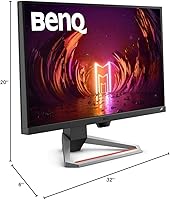
  • Dimensions: With the stand attached, the monitor measures approximately 32 x 20 x 6 inches (width x height x depth).
  • Weight: The full unit including the stand weighs approximately 13.64 pounds, which is typical for a 27-inch monitor in this category.
  • Aspect Ratio: The display uses a standard 16:9 widescreen aspect ratio, consistent with the vast majority of modern gaming and video content.
  • Eye Care: BenQ's eye-care features are built in to reduce visual fatigue during extended use, including low blue light and flicker-free backlight modes.

Related Reviews
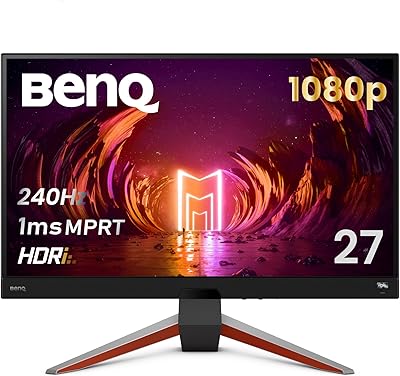
BenQ MOBIUZ EX270M 27-inch Gaming Monitor
89%
94%
Performance
92%
Display Quality
96%
Refresh Rate & Responsiveness
83%
Sound Quality
88%
Build Quality
More
BenQ MOBIUZ EX271Q 27-inch 2K Gaming Monitor
83%
94%
Gaming Performance
92%
Display Quality
88%
Ergonomics & Comfort
75%
Setup & Installation
90%
Value for Money
More
Skytech Gaming Moonshadow 27-inch Curved Gaming Monitor

83%
88%
Image Quality
91%
Refresh Rate Performance
86%
Adaptive-Sync
83%
VA Panel Contrast
84%
Stand & Ergonomics
More
Raywego Z270B13 27-inch Gaming Monitor

70%
88%
Value for Money
83%
Picture Quality
84%
Refresh Rate Performance
62%
Build Quality
81%
Eye Comfort
More
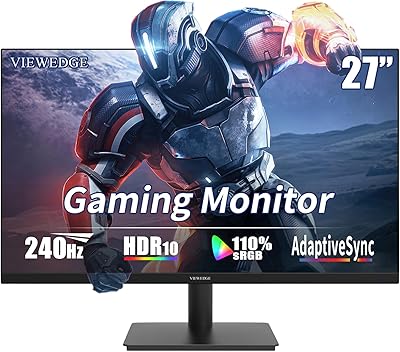
Viewedge 27-inch Gaming Monitor 240Hz
85%
89%
Display Quality
91%
Performance (240Hz & 1ms Response)
85%
Color Accuracy
88%
Ease of Setup
92%
Value for Money
More
Dell G2725D 27-inch Gaming Monitor
78%
91%
Image Sharpness
88%
Refresh Rate Performance
83%
Motion Clarity
79%
Color Accuracy
86%
AMD FreeSync
More
memzuoix 27-inch QHD 165Hz Gaming Monitor

70%
88%
Image Clarity
84%
Refresh Rate Performance
91%
Value for Money
82%
Adaptive Sync (FreeSync/G-Sync)
77%
Color Accuracy
More
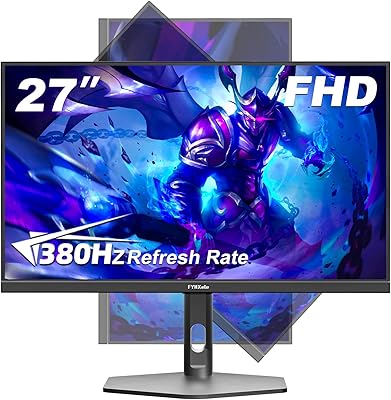
FYHXele 27-inch 4K Gaming Monitor
85%
93%
Display Quality
90%
Gaming Performance
89%
Color Accuracy
85%
Build Quality
78%
Ease of Setup
More
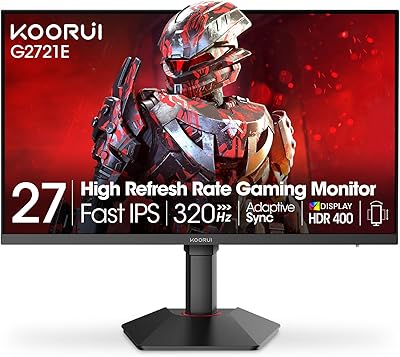
KOORUI G2721E 27-inch Gaming Monitor
86%
91%
Gaming Performance
89%
Display Quality
87%
Build Quality
90%
Ergonomics & Adjustability
85%
HDR & Color Accuracy
More
Amazon Basics 27-inch 1080p Gaming Monitor
76%
88%
Value for Money
79%
Display Quality
91%
Refresh Rate Performance
86%
Response Time
67%
Build Quality
More

FAQ

Yes, it handles 120Hz at 1080p on both consoles reliably over HDMI, which is one of the more practical strengths of the EX2710. Just make sure you are using a high-speed HDMI cable and that 120Hz output is enabled in your console's display settings. It won't do 4K, so if you want native 4K console output you will need a different screen.

It depends on how close you sit and what you are used to. At typical gaming distances of around 2 to 3 feet, most people find 1080p perfectly acceptable on a 27-inch panel. That said, if you are coming from a 1440p display or you do a lot of reading and detailed desktop work, you may notice the lower pixel density during everyday use.

The EX2710 is FreeSync Premium certified, which means it officially supports AMD's adaptive sync. However, many NVIDIA GPUs from the GTX 10 series onward support FreeSync monitors through NVIDIA's G-Sync Compatible mode, so you will likely get adaptive sync working without tearing even on an NVIDIA card. Just enable it manually in the NVIDIA Control Panel.

Honestly, better than you might expect from a monitor, but still limited. The treVolo DSP tuning gives them a bit more body than typical thin monitor speakers, and they work fine for casual gaming or background audio. For anything serious — music, movies, or competitive gaming where audio positioning matters — you will want external speakers or headphones.

It is present but modest. BenQ HDRi does a reasonable job adapting the image based on content and ambient light, but this is not the kind of HDR that produces dramatic contrast or deep black levels. Think of it as a helpful image enhancement rather than a cinematic HDR experience — useful, but not a reason to buy this display specifically.

Setup is straightforward — the stand clicks into place without tools, and the cable routing is clean. The 5-Way Navigator joystick on the back makes navigating the OSD surprisingly quick, especially compared to monitors that use physical buttons. Most users report being up and running in under fifteen minutes.

No, this is one of the concrete advantages of an IPS panel. Viewing angles are wide enough that colors stay consistent even at fairly steep off-axis positions. It's noticeably better in this regard than TN panels, which shift color and brightness significantly when viewed from the side.

BenQ typically includes a DisplayPort cable and an HDMI cable in the box, so you should be able to connect immediately to most setups. It is always worth confirming the box contents at the time of purchase, as bundle contents can occasionally vary by region or retailer.

The stand offers height and tilt adjustment, which covers the most important ergonomic needs for most users. There is no swivel, though, which can be a limitation if you share the desk or prefer rotating the screen for different tasks. VESA mounting is supported if you want to use an aftermarket arm for more flexibility.

Long-term owner feedback is generally positive. Most users report consistent panel performance after a year or more of regular use, with no widespread complaints about backlight bleed worsening or color shifting. IPS panels can occasionally show minor glow in dark scenes at launch, but this is common to the panel type rather than specific to this model.

Where to Buy