
Overview

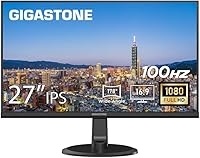
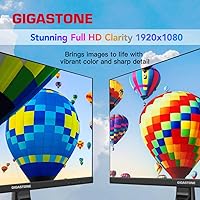
The Gigastone LM-27FF51 27-Inch IPS Monitor enters a crowded field of budget FHD displays with a few practical advantages worth examining. Made by BOEVT, a Hong Kong-based manufacturer behind the Gigastone brand, it may not carry a household name — but a 4.5-star rating from early buyers suggests it delivers on its core promises. The pitch is straightforward: a large frameless screen with dual connectivity and built-in speakers, no premium-brand budget required. This is a productivity and multimedia panel first and foremost. If you are expecting color-grading precision or serious gaming performance, you will want to look elsewhere.

Features & Benefits

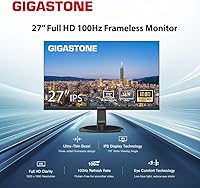
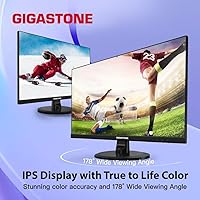
The 178-degree viewing angle is genuinely useful — colors stay consistent whether you are sitting directly in front or glancing from the side, which matters in shared workspaces and wide desk setups. The 100Hz refresh rate and MPRT 1ms response time are a real step up from a standard 60Hz office screen; scrolling feels noticeably crisper and fast-moving content does not smear. The three-sided frameless bezel makes this Gigastone monitor a natural fit for a dual-monitor arrangement, and the built-in speakers handle video calls or background audio without adding desk clutter. VESA compatibility and tilt adjustment round out a practical, well-considered feature set.

Best For

This budget-friendly display hits a sweet spot for several specific buyers. Home office workers who want more screen real estate without splurging on a well-known brand will find the 27-inch size and clean bezel design genuinely practical. Students building a dual-monitor workstation on a tight budget also get strong value here, as do casual gamers stepping up from a 60Hz screen who want smoother motion without paying for a dedicated gaming panel. The included VGA port is a welcome touch for anyone connecting an older PC or laptop, and wide-angle color consistency makes it a solid pick for streaming and video content.

User Feedback

Buyers consistently call out image clarity and the slim bezel as top positives, with many noting the setup is refreshingly quick right out of the box. The three-year warranty also comes up often — it is a genuine confidence builder at this price tier that not every competitor can match. On the downside, the 250 nit brightness ceiling is a real limitation; in a sunlit room or near a window, the screen can look washed out. The built-in speakers are adequate for casual use but will not replace a proper audio setup. A handful of users also noted the stand feels less rigid than expected under desk vibration.

Pros

  • The 27-inch IPS panel delivers consistent, accurate colors across an impressively wide viewing angle — great for side-by-side screen sharing or couch viewing.
  • A 100Hz refresh rate makes everyday scrolling and video playback noticeably smoother than a standard office display.
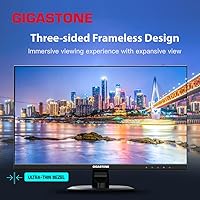
  • The three-sided frameless bezel creates a near-gapless look in dual-monitor configurations without extra cost.
  • Built-in speakers handle video calls and casual media without requiring a separate audio device.
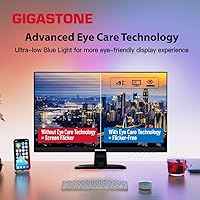
  • Low blue light and anti-flicker technology make long work or study sessions noticeably less taxing on the eyes.
  • VESA 100x100mm compatibility gives users the freedom to mount this budget-friendly display on any standard arm or wall bracket.
  • Dual inputs — HDMI and VGA — cover both modern and legacy devices, removing the need for adapters.
  • The 3-year manufacturer warranty is a genuine differentiator at this price point, offering meaningful peace of mind.
  • Setup is straightforward and fast, with minimal assembly required right out of the box.
  • Early buyer ratings skew strongly positive, suggesting real-world quality control is reasonably consistent.

Cons

  • At 250 nits, the screen washes out noticeably in bright or sunlit rooms — not a great fit for window-facing desks.
  • The glossy panel surface picks up reflections easily, compounding the brightness limitation in well-lit environments.
  • The stand only tilts, with no height adjustment or pivot — ergonomic flexibility is minimal for its size.
  • Built-in speakers are functional at best; anything beyond casual use will leave audio-focused users underwhelmed.
  • Some users report the stand base feels less stable than expected, particularly on surfaces prone to minor vibration.
  • Cable management options are limited, which can make the back of the monitor look cluttered in a tidy workspace setup.
  • The Gigastone and BOEVT brand names are relatively unfamiliar, which may give pause to buyers who prioritize established after-sales support networks.
  • Only one HDMI port and one VGA port means users with multiple modern source devices will need a switch or hub.
  • The 1920x1080 resolution starts to show its limits on a 27-inch panel — pixel density is lower than on a smaller 1080p screen, and text can look slightly soft up close.

Ratings

The Gigastone LM-27FF51 27-Inch IPS Monitor has been scored across key performance and usability categories using AI analysis of verified global buyer reviews, with spam, bot-generated, and incentivized feedback actively filtered out before scoring. These ratings reflect the honest consensus of real-world users — home office workers, students, casual gamers, and everyday multitaskers — who have lived with this budget-friendly display long enough to form genuine opinions. Both the standout strengths and the recurring frustrations are transparently baked into every score you see below.

Image Clarity
82%
18%
For a budget IPS panel, buyers consistently report that text looks sharp and colors appear well-balanced during everyday document work and video streaming. The 178-degree viewing angle means the image holds up whether you are sitting directly in front or leaning across your desk.
At 27 inches with a 1080p resolution, pixel density is lower than on a smaller FHD screen, and some users notice that text can look marginally soft when sitting very close. It is a trade-off inherent to this screen size and resolution combination.
Brightness & Glare
54%
46%
In a controlled or dimly lit indoor environment, the 250 nit output is workable for most productivity tasks and casual video watching. Users in darker home office setups or evening work sessions tend to report no major complaints about the overall visibility.
This is one of the most consistently flagged pain points in buyer feedback. In rooms with overhead lighting, windows, or any direct light source, the glossy panel produces noticeable reflections and the 250 nit ceiling simply cannot compete. Buyers who work near windows frequently describe the experience as frustrating.
Color Accuracy
76%
24%
The IPS technology delivers a respectable color experience for general use — streaming content looks vibrant, and presentations or photo browsing feel natural to the eye. Wide-angle color consistency is a genuine strength here, keeping hues stable as you shift your viewing position.
This is not a panel calibrated for professional color work. Designers, photographers, or video editors who depend on precise color grading will quickly outgrow what this 27-inch IPS panel can offer, and the glossy surface can subtly distort perceived color in brighter rooms.
Refresh Rate & Motion
78%
22%
Stepping up from a 60Hz monitor to this 100Hz panel produces a tangible difference in everyday use — scrolling through long documents feels smoother, and fast-moving video content is noticeably less choppy. Casual gamers making this same jump report a meaningful improvement in visual comfort.
The 100Hz ceiling leaves dedicated gamers wanting more. Fast-paced titles that benefit from 144Hz or higher will expose the panel's limits, and without adaptive sync support, screen tearing can still appear under fluctuating frame rates.
Build Quality
71%
29%
The monitor feels reasonably solid for its price category, and the frameless bezel design gives it a cleaner, more premium appearance than its cost might suggest. Assembly is reported to be intuitive, with most buyers getting the unit standing and connected in under 15 minutes.
The stand has been a recurring concern — several users describe it as feeling less rigid than expected, with minor wobble noticeable when bumped or when typing heavily nearby. Cable management options at the back are also minimal, which bothers buyers who prioritize a tidy setup.
Stand & Ergonomics
52%
48%
The tilt adjustment works smoothly and is sufficient for small angle corrections at a fixed desk height. For buyers who plan to use a VESA arm from day one, the stand becomes irrelevant and the ergonomic picture improves significantly.
Tilt-only adjustment is a genuine limitation for a 27-inch panel. There is no height raise, no swivel, and no portrait pivot — which means users of varying heights or those who share the monitor will likely find themselves working in a suboptimal posture without an aftermarket arm.
Built-in Speakers
58%
42%
The integrated speakers handle video calls and casual background audio without requiring any additional hardware, which is a convenient default for a home office or student desk setup. For meetings on Zoom or Teams, they get the job done adequately.
Beyond basic utility, the speaker quality falls flat. Users who stream music, watch films, or care at all about sound reproduction find the built-in audio thin and lacking in both bass and clarity. An inexpensive external speaker makes a noticeable difference immediately.
Connectivity
74%
26%
The combination of HDMI and VGA inputs is genuinely practical, covering a wide range of devices including newer laptops via HDMI and older desktops or equipment that still rely on VGA. No adapters needed for the vast majority of common setups.
There is only one of each port, so users with multiple source devices — a desktop and a laptop, for example — will need a switch or hub to avoid constantly swapping cables. The absence of DisplayPort or USB-C inputs also limits forward compatibility.
Eye Care & Comfort
81%
19%
The low blue light filtering and anti-flicker technology are not just marketing labels here — buyers who work long shifts in front of screens report meaningfully less eye fatigue compared to older monitors without these features. For students and remote workers, this is a practical daily benefit.
The eye care features help, but they are not a substitute for proper ambient lighting. Users in overly bright environments or those who disable the blue light filter for color accuracy will lose much of the benefit, and the glossy screen can still cause strain through reflection.
Bezel & Aesthetics
83%
The three-sided frameless design is one of the more visually appealing aspects of this budget display — it looks noticeably cleaner and more modern than similarly priced monitors with thick plastic borders. For dual-monitor setups, the narrow edge gap creates a near-continuous viewing surface.
The bottom chin — the one remaining bezel — is thicker than the other three sides and is more noticeable than the product photography might suggest. It does not affect performance but can be a minor visual disappointment for buyers expecting a fully borderless look.
Value for Money
86%
When measured against what buyers actually get — a large IPS panel, 100Hz refresh rate, frameless design, built-in speakers, and a 3-year warranty — the price point represents strong overall value for the target audience. Few competing displays in this bracket offer the same combination of features.
The value equation wobbles for buyers who need more than basic functionality. If brightness, stand ergonomics, or audio quality are priorities, paying a little more for a competing panel from a more established brand starts to make financial sense fairly quickly.
Setup & Installation
88%
Almost universally praised in buyer reviews — the stand clips in without tools, the on-screen menu is straightforward, and the display is typically recognized immediately by Windows and macOS without any driver installation. Most buyers are up and running in under 15 minutes.
A few users noted that the stand attachment mechanism feels flimsier than expected during initial assembly, creating momentary concern about durability. An HDMI cable is also not included in the box, which catches some buyers off guard.
Warranty & Support
84%
The 3-year manufacturer warranty is a standout differentiator at this price level — most competitors in the same bracket offer one year, and the 24/7 worldwide customer service claim adds additional reassurance for international buyers.
Since Gigastone and its parent manufacturer BOEVT are not household names in the monitor space, some buyers remain uncertain about how smoothly warranty claims actually process in practice. The brand does not yet have a long track record in this product category to draw on.

Suitable for:

The Gigastone LM-27FF51 27-Inch IPS Monitor is a strong fit for anyone who needs a large, comfortable screen for daily work or study without stretching into premium-brand pricing. Home office professionals who spend hours reading documents, joining video calls, or toggling between applications will appreciate the wide IPS viewing angle and the eye care features that reduce fatigue over long sessions. Students building a first dual-monitor workstation get particular value here — the frameless bezel keeps the setup looking clean, and the built-in speakers mean one fewer cable or accessory to budget for. Casual gamers stepping up from an older 60Hz display will notice a genuine improvement in smoothness, even if this is not a panel built around competitive gaming. Anyone still running a machine with only a VGA output will also find the dual-input design a practical bridge to a modern display size.

Not suitable for:

Buyers with demanding or specialized display needs should think carefully before choosing this Gigastone monitor. At 250 nits of peak brightness, the panel struggles in well-lit rooms or near windows — if your workspace gets significant natural light, you may find yourself constantly squinting or repositioning. Color professionals, photographers, and video editors need far more color accuracy and calibration depth than this IPS panel is designed to offer. Dedicated gamers chasing high frame rates will also want to look elsewhere; 100Hz is a step up from office-grade screens, but it falls well short of the 144Hz and above that fast-paced titles genuinely benefit from. The stand offers tilt only, with no height adjustment or pivot, which is a real ergonomic limitation for users with specific posture or accessibility needs. Finally, buyers who prefer a matte screen to cut glare will find the glossy surface a persistent annoyance in anything but a controlled lighting environment.

Specifications

  • Screen Size: The panel measures 27 inches diagonally, offering a comfortable amount of screen real estate for productivity and multimedia use.
  • Panel Type: Uses an IPS LED backlight panel, which provides more consistent color and wider viewing angles compared to TN alternatives.
  • Resolution: Native resolution is 1920x1080 pixels (Full HD), displayed in a 16:9 aspect ratio.
  • Refresh Rate: Runs at 100Hz, which delivers noticeably smoother motion than a standard 60Hz office display.
  • Response Time: Rated at 1ms MPRT, reducing visible motion blur during fast-moving content.
  • Brightness: Peak brightness is 250 cd/m2, which is adequate for dimmer indoor environments but may fall short in bright or sunlit rooms.
  • Viewing Angle: Supports 178 degrees of viewing angle both horizontally and vertically, keeping colors accurate from almost any position.
  • Screen Surface: The panel has a glossy surface finish, which can produce reflections in high-ambient-light settings.
  • Connectivity: Includes one HDMI port and one VGA port, supporting both modern and legacy devices without an adapter.
  • Audio: Features built-in stereo speakers suitable for casual listening, video calls, and background audio.
  • Bezel Design: Three-sided frameless construction minimizes the visible border on the top and sides, making it well-suited for dual-monitor setups.
  • VESA Compatibility: Supports standard 100x100mm VESA mounting, compatible with most third-party monitor arms and wall brackets.
  • Stand Adjustment: The included stand supports tilt adjustment only; height, swivel, and pivot are not available.
  • Eye Care: Incorporates low blue light filtering and anti-flicker technology to help reduce eye strain during extended use.
  • Dimensions: The monitor measures 24.09 inches wide, 18.76 inches tall, and 9.44 inches deep with the stand attached.
  • Weight: Total unit weight with stand is 9.9 pounds, making it manageable to reposition or mount without assistance.
  • Aspect Ratio: Standard 16:9 widescreen aspect ratio, compatible with virtually all modern content formats and operating systems.
  • Warranty: Covered by a 3-year manufacturer warranty with 24/7 worldwide customer service support included.

Related Reviews
Gigastone LM-32FA51 32-inch FHD Monitor
77%
77%
Image Quality
83%
Eye Comfort
88%
Value for Money
51%
Stand & Ergonomics
62%
Build Quality
More
Gigastone LM-24FF2 24-inch IPS LED Monitor

84%
91%
Display Quality
87%
Ease of Setup
89%
Color Accuracy
85%
Ergonomics
92%
Value for Money
More
Dell P2714H 27-inch IPS Monitor
70%
78%
Color Accuracy
47%
Text Sharpness
87%
Ergonomic Range
74%
Build Quality
83%
Viewing Angles
More
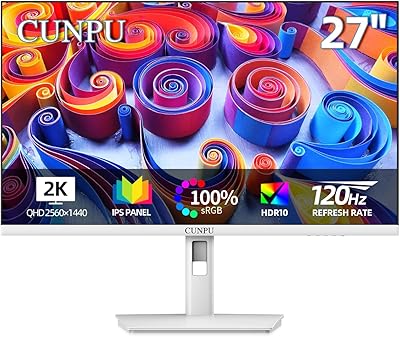
CUNPU S027 27-inch QHD Gaming Monitor
74%
88%
Image Clarity
79%
Color Accuracy
76%
Gaming Performance
71%
Build Quality
52%
Stand & Ergonomics
More
BenQ GW2791 27-inch FHD IPS Monitor
80%
83%
Image Quality
91%
Eye-Care Performance
88%
Value for Money
62%
Display Sharpness
47%
Stand & Ergonomics
More
Acer SB272 27-inch FHD IPS Monitor
74%
91%
Value for Money
83%
Image Quality
54%
Brightness
78%
Refresh Rate & Smoothness
43%
Stand & Ergonomics
More
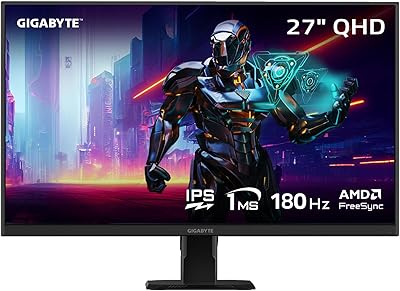
GIGABYTE GS27QA 27-inch QHD Gaming Monitor
78%
88%
Gaming Performance
91%
Image Clarity
79%
Color Accuracy
54%
HDR Experience
89%
Refresh Rate & Smoothness
More
LG 27MS550-B 27-inch IPS Monitor
76%
83%
Display Clarity
79%
Color Accuracy
91%
Ergonomics & Stand
77%
Refresh Rate & Smoothness
72%
Response Time
More
LG 27MP450 27-inch FHD IPS Monitor
77%
78%
Image Quality
71%
Color Accuracy
67%
Gaming Performance
84%
Ergonomics & Stand
83%
Eye Comfort
More
ViewSonic VA2756A-MHD 27-inch IPS Monitor
77%
91%
Value for Money
84%
Image & Color Quality
63%
Sharpness & Pixel Density
82%
Refresh Rate Performance
88%
Eye Comfort
More

FAQ

It holds up well for long work sessions. The low blue light and anti-flicker features genuinely help reduce eye fatigue over hours of use, and the 27-inch IPS panel gives you enough room to have multiple windows open comfortably. Just make sure your desk is not directly facing a window, since the 250 nit brightness can struggle against strong natural light.

Yes, the monitor includes both an HDMI and a VGA port, so you can connect a legacy device directly without needing a separate adapter. That dual-input setup is one of the more practical features on this display for buyers transitioning from older hardware.

It is a reasonable option for casual gaming, especially if you are coming from a 60Hz screen. The 100Hz refresh rate and 1ms MPRT response time do reduce motion blur noticeably. That said, it is not built for competitive or fast-paced gaming — serious players will want to look at panels with higher refresh rates and dedicated gaming features like adaptive sync.

They are functional for everyday use — video calls, YouTube, background music — but they are not going to impress anyone who cares about audio quality. If you watch a lot of movies or listen to music seriously at your desk, a basic speaker set or headphones will be a noticeable improvement.

Absolutely. The frameless bezel on three sides was clearly designed with dual-monitor setups in mind, and the narrow border keeps the visual gap between screens minimal. It will work alongside any monitor regardless of brand, as long as your computer or laptop has a spare HDMI or VGA output.

Yes, the display is VESA 100x100mm compatible, which is the most common standard. Any monitor arm or wall bracket that supports that pattern will work. Removing the stand and using an arm is actually a great way to compensate for the limited tilt-only adjustment on the included stand.

It can be, depending on your setup. A glossy panel will reflect light sources behind you, and at only 250 nits of brightness, the monitor cannot always overpower those reflections. If your workspace has strong overhead lighting or a window behind your chair, you may want to reposition your desk or consider a matte-screen alternative.

Very straightforward. Most buyers report having the monitor up and running in under 15 minutes. The stand attaches without tools, and the on-screen menu for adjusting brightness and input is simple to navigate. HDMI cable is typically not included, so have one ready if your device needs it.

Gigastone is better known for USB drives and memory products, so some buyers reasonably want reassurance before buying a monitor from them. The encouraging signs here are the 3-year warranty — which is longer than many competitors offer at this price level — and the early buyer ratings that trend positive. The actual manufacturer is BOEVT, a Hong Kong-based OEM producer. It is not a flagship brand, but the warranty coverage provides a reasonable safety net.

Unfortunately, no. The stand only tilts, which is a real limitation if you need precise ergonomic positioning or want to rotate the panel for portrait-mode reading or coding. If height or pivot matters to you, the VESA mount option paired with an aftermarket arm is the practical workaround.