


Overview
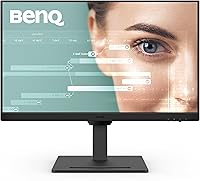
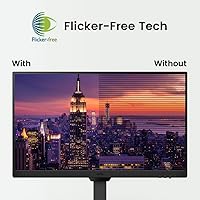
The BenQ GW2790T 27-inch Monitor sits in a crowded mid-range productivity segment, but BenQ has made a clear bet: keeping your eyes comfortable during long work sessions. It features a 27-inch FHD IPS panel with a matte finish that handles ambient glare better than glossy alternatives. Released in early 2024, it is a current option rather than a clearance holdover. Its rank of #126 in Computer Monitors on Amazon reflects real, sustained demand — not a flash sale bump. BenQ leans hard into its eye-care credentials here, and to be fair, Brightness Intelligence Gen2 and low blue light filtering are not just marketing badges — they make a measurable difference after six or seven hours of use.
Features & Benefits
The 100Hz refresh rate is a subtle but genuine upgrade — scrolling through documents and spreadsheets feels noticeably smoother than on a typical 60Hz office display. The GW2790T also ships with an ePaper mode that desaturates the image to mimic the softer look of printed text, which sounds gimmicky but actually helps during extended reading sessions. The ergonomic stand is one of the best at this price: 110mm of height travel, tilt, swivel, and a full 90-degree pivot for vertical orientation. Connectivity is handled well too — two HDMI ports, one DisplayPort, a single USB 3.0, and built-in stereo speakers that help keep your desk tidy without requiring extra peripherals.
Best For
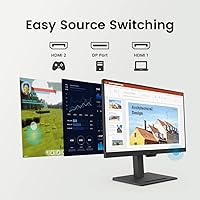
This 27-inch productivity display is a natural fit for anyone who spends most of their workday in front of a screen and wants it to feel less punishing over time. Developers and students working with long documents will find the vertical pivot mode genuinely practical — flipping the screen upright gives you far more readable space than any sidebar view. It is also a smart pick for multi-device home offices, since two HDMI inputs and a DisplayPort let you switch sources without a separate switch box. If you are coming from a flat, non-adjustable monitor, the stand's ergonomic range alone makes this BenQ office monitor worth a serious look.
User Feedback
Across nearly 20,000 Amazon ratings at 4.6 stars, the GW2790T earns its reception fairly — the praise and the gripes land in predictable places. The ergonomic stand quality gets called out regularly as a genuine differentiator versus cheaper rivals, and IPS color accuracy draws consistent praise from people doing document and text-heavy work. The most common criticism, though, is worth taking seriously: 1080p on a 27-inch screen can look noticeably soft when you are sitting close, and if pixel density matters to you, it is a real consideration. The built-in speakers work in a pinch but are not a reason to buy. Long-term owners frequently mention reduced eye fatigue as a lasting benefit, which keeps overall satisfaction high.
Pros
- The ergonomic stand covers height, tilt, swivel, and a full 90-degree pivot — rare value at this price point.
- Brightness Intelligence Gen2 adjusts screen luminance automatically, cutting down on constant manual tweaking throughout the day.
- The 100Hz refresh rate makes everyday scrolling and window management feel noticeably smoother than standard 60Hz displays.
- A matte IPS surface handles overhead office glare well without washing out colors or creating distracting reflections.
- Dual HDMI inputs and a DisplayPort let you connect multiple devices cleanly without a separate switching box.
- ePaper mode shifts image tones for extended document reading without requiring any third-party software installation.
- Nearly 20,000 buyer ratings at 4.6 stars reflects sustained real-world satisfaction, not a short-term promotional spike.
- VESA 100x100 compatibility means upgrading to a monitor arm later requires no adapter and minimal effort.
- The GW2790T covers 99% sRGB, which is solid for productivity tasks, document work, and casual photo browsing.
- Long-term users consistently report reduced eye fatigue over weeks of daily use, lending credibility to the eye-care feature set.
Cons
- 1080p on a 27-inch panel can look noticeably soft for users who sit closer than arm's length to their screen.
- Only one USB 3.0 port is included, which feels limiting if you regularly connect more than one peripheral to the display.
- Built-in 2W speakers are passable for the occasional notification but underwhelming for music, media, or longer video calls.
- No HDR support means high-contrast content looks comparatively flat next to HDR-capable panels in the same price range.
- HDMI ports are version 1.4 rather than 2.0, which limits compatibility with certain higher-bandwidth source devices.
- No USB-C input is a meaningful gap for users with modern laptops that favor a single-cable desk connection.
- At just under 20 pounds, this 27-inch productivity display runs heavier than several competitors, making repositioning more cumbersome.
- The sRGB color gamut ceiling makes it unsuitable for professional photo editing, print pre-press, or video color work.
Ratings
The BenQ GW2790T 27-inch Monitor earned these scores after our AI analyzed thousands of verified global buyer reviews, actively filtering out incentivized, bot-generated, and unverified feedback to surface what genuine long-term users actually experienced day to day. The scorecard below reflects both where this display reliably over-delivers for its target audience and the specific friction points that surfaced repeatedly — nothing softened, nothing overstated.
Ergonomics & Stand
Eye-Care Performance
Image Sharpness
Color Accuracy
Brightness & Glare Control
Refresh Rate & Smoothness
Connectivity
Build Quality
Value for Money
Built-in Audio
Setup & Assembly
OSD & Controls
Long-Term Comfort
Suitable for:
The BenQ GW2790T 27-inch Monitor is built squarely for people who treat their desk as a workplace first and everything else second. Remote workers who log six or more hours a day in front of a screen will notice the difference that automatic brightness adjustment and low blue light filtering make over weeks of use — it is the kind of thing that is hard to quantify until you compare it to not having it. Students and developers will find the 90-degree pivot mode genuinely practical, turning the screen into a tall vertical canvas for reading PDFs, scrolling through code, or comparing long documents side by side. If you are running a two-device setup — a laptop alongside a desktop, for instance — the dual HDMI inputs and DisplayPort let you manage both sources without a separate switch or unplugging cables each time. It is also an especially strong upgrade for anyone moving off an older flat, fixed-stand monitor, where the ergonomic stand alone justifies serious consideration.
Not suitable for:
The BenQ GW2790T 27-inch Monitor is a harder sell the moment your priorities shift away from comfort and toward sharpness or performance. At this screen size, a 1080p resolution spreads pixels across more real estate than many close-sitting users find acceptable — text and fine UI elements can look softer than expected, and if you sit within 50 to 60 centimeters of your display, it becomes a noticeable daily irritant rather than a minor spec-sheet footnote. Gamers who care about variable refresh rate sync, HDR, or refresh rates well above 100Hz should look elsewhere. Creative professionals doing photo retouching, print pre-press, or video color grading will quickly hit the ceiling of an sRGB-only panel. The single USB 3.0 port will frustrate anyone with more than one peripheral to plug in, and the absence of USB-C is a real inconvenience for users with modern ultrabooks that prefer a single-cable desk connection.
Specifications
- Screen Size: The display measures 27 inches diagonally with an edge-to-edge IPS panel housed in a slim bezel frame.
- Resolution: Native resolution is 1920x1080 Full HD, delivering a pixel density suited to typical arm-length desk-to-screen viewing distances.
- Panel Type: Uses an IPS (In-Plane Switching) panel, providing consistent color accuracy and brightness across wide horizontal and vertical viewing angles.
- Refresh Rate: Supports a maximum refresh rate of 100Hz, offering smoother motion than standard 60Hz productivity monitors for scrolling and general use.
- Contrast Ratio: Native contrast ratio is rated at 1300:1, which is above average for IPS panels and helps distinguish shadow detail in darker on-screen content.
- Color Gamut: Covers 99% of the sRGB color space, appropriate for everyday productivity, web use, document work, and casual photo viewing.
- Surface Finish: The matte anti-glare screen coating reduces ambient light reflections without significantly softening perceived image clarity.
- Stand Range: The included stand supports 110mm of height travel, forward and backward tilt, left and right swivel, and a full 90-degree pivot for vertical orientation.
- Video Inputs: Connectivity includes two HDMI 1.4 ports and one DisplayPort 1.2 input, enabling simultaneous physical connection of multiple source devices.
- USB Port: One USB 3.0 downstream port is built into the monitor body, suitable for connecting a single peripheral or charging a device.
- Speakers: Integrated stereo speakers deliver 2 watts per channel, covering basic audio for notifications, calls, and low-demand media playback.
- VESA Mount: The display is VESA-compatible with a standard 100x100mm bolt pattern, allowing direct mounting on most third-party monitor arms without an adapter.
- Eye-Care Tech: Eye-care features include Brightness Intelligence Gen2 for automatic luminance adjustment, a hardware-level low blue light filter, and an ePaper display mode.
- Dimensions: With the stand attached, the monitor measures 24 x 17 x 9.5 inches (L x H x D).
- Weight: Total unit weight including the stand is 19.31 pounds, consistent with other fully adjustable 27-inch displays in this category.
Related Reviews
BenQ EW2790Q 27-inch QHD Monitor
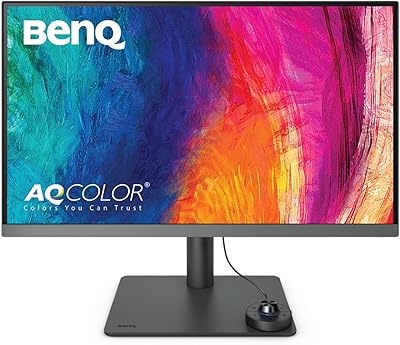
BenQ PD2706U 27-inch 4K Monitor
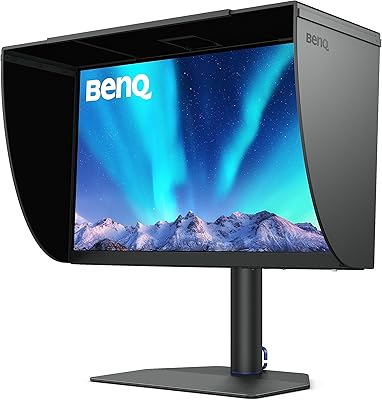
BenQ SW272Q 27-inch 2K Photographer Monitor
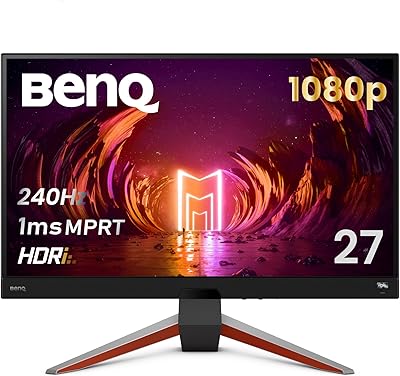
BenQ MOBIUZ EX270M 27-inch Gaming Monitor
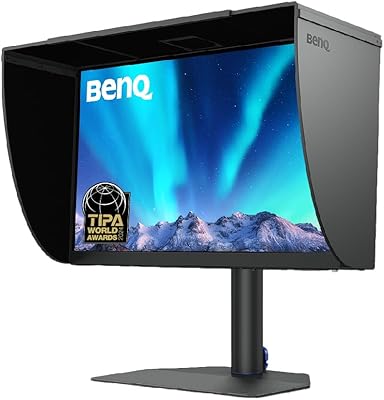
BenQ SW272U 27-Inch 4K Photo Editing Monitor
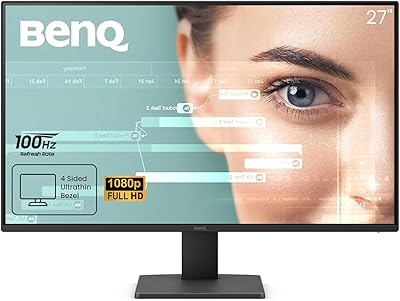
BenQ GW2791 27-inch FHD IPS Monitor
BenQ MOBIUZ EX271Q 27-inch Gaming Monitor
BenQ PD2725U 27″ 4K Monitor
BenQ EX2710 27-inch Gaming Monitor
