BenQ GW2486TC 24-inch USB-C Monitor


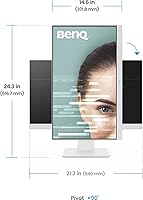




Overview
The BenQ GW2486TC 24″ USB-C Office Monitor sits squarely in the mid-range sweet spot for professionals who want a reliable daily driver without overspending. The white finish looks sharp on a modern desk — understated but intentional, not an afterthought. What really sets this BenQ office monitor apart at this price is the single USB-C cable workflow: plug in your laptop and you get display, data, and 60W charging through one connection. With nearly 20,000 ratings and a top-200 ranking among computer monitors, it has clearly found its audience. Just be clear about what it is — a productivity panel, not something you’d reach for color grading or competitive gaming.
Features & Benefits
The IPS panel delivers consistent color and wide viewing angles — practical when you’re sharing your screen with a colleague leaning over your shoulder. At 1920×1080 on a 24-inch display, sharpness is solid for documents, terminals, and spreadsheets. The 60W USB-C power delivery is the standout here: MacBook users especially appreciate plugging in a single cable and walking away with a fully charged laptop by end of day. The built-in noise-cancelling microphone is genuinely useful for video calls, though it only activates over USB-C — keep that in mind if you rely on HDMI. The USB hub and daisy-chain output round out a connectivity setup that punches well above its weight.
Best For
This USB-C hub display is built for a specific kind of worker: someone with a modern laptop, a cluttered desk they want to tame, and back-to-back video calls on the calendar. Developers will appreciate the dedicated Coding Mode, which sharpens text rendering for long hours in the terminal. If you’re coming from a laptop-only setup, the height-adjustable stand and ergonomic flexibility make an immediate difference. Eye-care shoppers — those who genuinely feel the strain after a full workday — tend to notice the flicker-free, low blue-light combination more than casual users do. It’s less suited for designers needing accurate color or anyone chasing high refresh rates.
User Feedback
Across nearly 20,000 reviews, the GW2486TC earns its 4.6-star rating mostly on the strength of two things: cable simplicity and genuine eye comfort — buyers consistently say they stopped reaching for eye drops after switching to this panel. That said, a meaningful number of users mention that 1080p starts to feel soft when sitting close to a 24-inch screen all day. The built-in microphone draws mixed opinions — adequate for calls, but it won’t replace a dedicated desk mic for anyone who presents frequently. Build quality feedback is largely positive, with the stand praised for stability and adjustability. A small share of users flagged minor USB-C compatibility quirks during initial setup.
Pros
- Single USB-C cable handles video, data, and up to 60W of laptop charging
- Built-in USB hub keeps peripherals organized and off the laptop's limited ports
- Eye-care tech and brightness intelligence genuinely help during long workdays
- IPS panel offers wide, accurate viewing angles for sharing the screen with others
- Noise-cancelling microphone is a nice bonus for calls once connected via USB-C
- Daisy-chain support makes adding a second monitor simple for bigger workspaces
- Clean white finish and edge-to-edge design suit a minimal desk aesthetic
- Build quality and stand adjustability feel solid for the price tier
- Users consistently call the cable management a genuine time-saver day to day
Cons
- Microphone only works over USB-C, confusing buyers who connect via HDMI or DisplayPort
- 1080p resolution feels limiting to anyone upgrading from a 1440p or 4K display
- Not built for fast-paced gaming, so high refresh rate seekers will be disappointed
- No webcam or built-in speakers, so extra accessories may still be needed
- Glossy screen surface can pick up glare in bright or sunlit rooms
- Only one USB 3.0 port may feel limiting for heavier peripheral setups
- Some new users need time to realize certain features depend on USB-C specifically
Ratings
These scores for the BenQ GW2486TC 24-inch USB-C Monitor were generated by AI after analyzing thousands of verified buyer reviews from around the world, with spam, bot activity, and incentivized feedback actively filtered out. The result is a transparent snapshot of what real owners love and what genuinely frustrates them, not a polished marketing summary. Use these category breakdowns to see exactly where this office monitor shines and where it falls short for your specific needs.
Image Clarity
USB-C Charging & Connectivity
USB Hub Functionality
Eye Comfort & Brightness Tech
Build Quality & Stand
Built-In Microphone
Daisy-Chain & Multi-Monitor Support
Gaming Performance
Value for Money
Design & Desk Aesthetics
Cable Management
Setup Ease
Suitable for:
The BenQ GW2486TC 24-inch USB-C Monitor is a smart match for remote and hybrid workers who want their laptop to charge, display video, and connect peripherals through a single cable. It also suits anyone whose desk has become a tangle of cords, since the built-in USB hub lets a mouse, keyboard, and other accessories plug straight into the monitor instead of the laptop. Writers, coders, and analysts who spend long hours staring at text will likely appreciate the eye-care features and the comfortable, glare-friendly IPS panel more than they would chase a higher refresh rate. People who frequently take video calls from a home office can also lean on the built-in microphone, as long as they connect over USB-C. And for anyone setting up a tidy, minimal workspace, the white finish and slim profile fit right in.
Not suitable for:
Gamers chasing high frame rates or fast-paced competitive play should look elsewhere, since the 1080p resolution and standard panel were never built for that kind of performance. Creative professionals working in photo or video editing who need 1440p or 4K sharpness will likely find the resolution limiting for detailed work. Buyers expecting the microphone to work over HDMI or DisplayPort will be disappointed, since it only activates through a USB-C connection, a detail that has caught people off guard. Anyone hoping for a built-in webcam or speakers should also temper expectations, as neither is part of the package. Overall, the BenQ GW2486TC 24-inch USB-C Monitor leans hard into productivity, so buyers chasing flashy specs or multimedia extras may want a different display.
Specifications
- Screen Size: The display measures 24 inches diagonally, suited to standard desk setups.
- Resolution: The panel runs at a native 1920x1080 Full HD resolution.
- Panel Type: It uses an IPS panel for wide viewing angles and consistent color accuracy.
- Aspect Ratio: The screen has a standard 16:9 aspect ratio.
- Screen Surface: The display features a glossy screen surface finish.
- USB-C Port: A single USB-C port handles video, data transfer, and up to 60W of power delivery.
- USB Hub: A built-in USB hub allows peripherals to connect directly to the monitor.
- USB 3.0 Ports: The monitor includes 1 USB 3.0 port for connecting accessories.
- Microphone: A built-in noise-cancelling microphone is included and functions only when connected via USB-C.
- Daisy Chain: The monitor supports daisy-chaining to link with a second display for extended setups.
- Stand Adjustability: The included stand offers height adjustment for ergonomic positioning.
- Eye-Care Technology: Built-in eye-care tech and brightness intelligence work to reduce eye strain during extended use.
- Color: The monitor is finished in white.
- Weight: The monitor weighs 13.64 pounds.
- Dimensions: The unit measures 2.4 x 13.5 x 21.3 inches.
- Release Year: This model launched in 2024 as part of BenQ's GW productivity series.
Related Reviews
BenQ GW2490 24-inch IPS Monitor
Dell S2722QC 27-inch 4K USB-C Monitor
BenQ Zowie XL2566X+ 24-inch Gaming Monitor
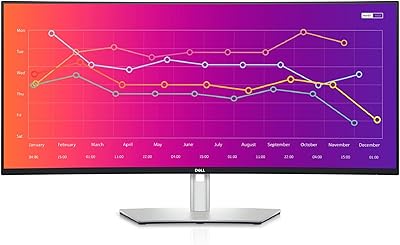
Dell UltraSharp U3821DW 38-inch Curved USB-C Hub Monitor

Dell S2725QC 27-inch 4K USB-C Monitor
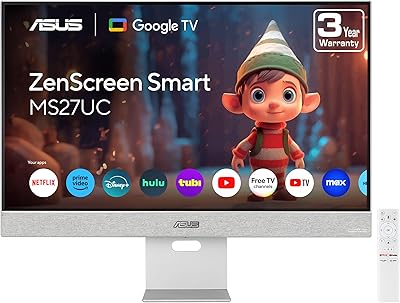
ASUS ZenScreen MS27UC 27-inch 4K Smart Monitor
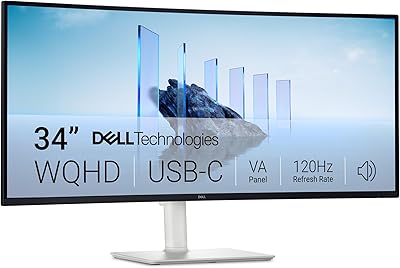
Dell S3425DW 34-inch Curved Ultrawide Monitor
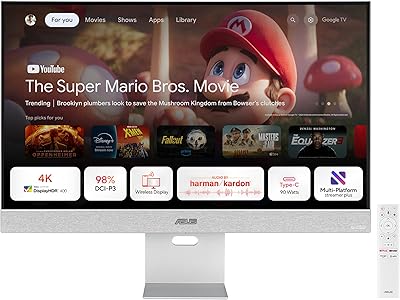
ASUS ZenScreen MS32UC 32-inch 4K Smart Monitor
TobenONE UDS041W USB-C Triple Monitor Docking Station
