Overview

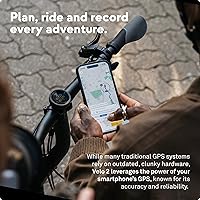
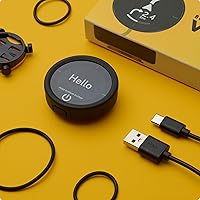
The Beeline Velo 2 Cycling GPS Computer takes a deliberately stripped-back approach to on-bike navigation — and that is precisely the point. Where devices like the Garmin Edge stack screen after screen of metrics, this Beeline navigator fits in the palm of your hand, weighing under an ounce and sitting flush on your handlebar without drawing attention. It is weatherproof, compact, and built around a simple idea: point you where you need to go without burying you in data. Route planning requires the companion smartphone app, so this is not a fully standalone device, but for recreational riders and commuters, that trade-off is usually manageable.
Features & Benefits

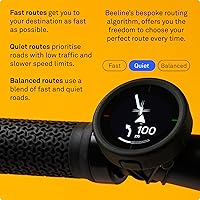
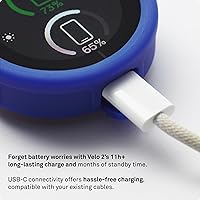
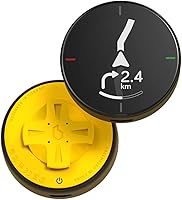
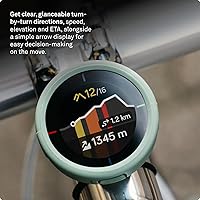
The navigation approach here is the Velo 2's defining characteristic. Instead of scrolling through map tiles, a simple directional arrow keeps you oriented — clean enough to read at a glance, even in gloves, thanks to the glove-friendly touchpad. Behind that minimal display sits sensor fusion technology, which blends GPS with other data sources to hold a reliable position fix even where phone signal gets patchy. Offline routing means you can keep riding through dead zones without losing your line. Battery life consistently hits or exceeds 11 hours in practice, and USB charging keeps things straightforward. Strava syncing happens through the free app after each ride, which works well for most users.

Best For

This cycling GPS punches above its weight for certain types of riders. Commuters who need quick directional cues without fiddling with a phone mount will find it genuinely practical. Gravel and trail riders heading into areas with poor connectivity benefit from the offline guidance — no signal anxiety mid-ride. If you are already on Strava and just want a dedicated handlebar device without spending on a full-featured computer, the Velo 2 makes a reasonable case for itself. That said, riders who live by power data, heart rate zones, or detailed mapping will likely find it too bare-bones. It suits people who want low-fuss navigation, not comprehensive performance tracking.

User Feedback

Owners of this Beeline navigator tend to split pretty predictably based on what they expected going in. Setup and day-to-day usability earn consistently good marks — people appreciate how quickly it pairs and how unobtrusive it feels on the bar. Battery life in real-world use tends to match or beat the advertised figure, which is a welcome surprise for a device this compact. On the other side, some Android users have encountered Bluetooth pairing hiccups with the app, and the limited data display frustrates riders comparing it against similarly priced Garmin units. The compass-style navigation is genuinely loved by minimalists but can feel underpowered for anyone accustomed to full map navigation.

Pros

  • Incredibly lightweight at under an ounce — barely noticeable on the handlebar.
  • Offline navigation keeps working in dead zones where phone signal fails completely.
  • Battery life holds up well in real-world use, often matching or beating the stated 11-hour figure.
  • Setup is fast and approachable, even for riders with little tech experience.
  • The compass-mode interface is genuinely readable at speed and in poor weather.
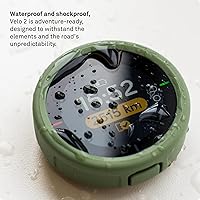
  • Weatherproof construction handles rain and trail grime without any fuss.
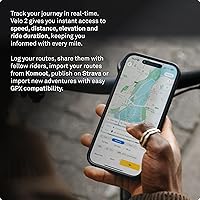
  • Strava syncing via the free app works reliably for riders who track their activities.
  • The included strap mount gets you on the road without hunting for accessories.
  • Glove-friendly touchpad means you are not pulling over to interact with the device in winter.

Cons

  • No on-device route planning — a smartphone and the companion app are always required.
  • Data display is extremely limited compared to similarly priced dedicated cycling computers.
  • Some Android users have reported recurring Bluetooth pairing issues with the companion app.
  • The compass-style navigation frustrates riders who prefer a full moving map view.
  • No support for external sensors like heart rate monitors, cadence, or power meters.
  • The small 32mm display can feel cramped if you want even basic ride stats visible simultaneously.
  • Buyers cross-shopping entry-level Garmin units will find significantly more features at a comparable price.
  • No built-in mapping means you are always navigating by arrow rather than visual route context.

Ratings

The scores below reflect an AI-driven analysis of verified global buyer reviews for the Beeline Velo 2 Cycling GPS Computer, with spam, bot-submitted, and incentivized feedback actively filtered out before scoring. Each category captures both what real riders genuinely appreciated and where the device fell short in day-to-day use. Nothing has been softened — the pain points are reflected as clearly as the strengths.

Ease of Setup
88%
Most riders had the Velo 2 paired to their phone and mounted on the handlebar within minutes of unboxing. The companion app walks you through the process clearly, and commuters especially appreciated being able to load a route and head out without a lengthy configuration ritual.
A subset of Android users hit Bluetooth pairing walls during initial setup that required app reinstalls or phone restarts to resolve. For a device marketed on simplicity, these friction points felt out of place and dampened early impressions.
Navigation Accuracy
79%
21%
Sensor fusion helps the Velo 2 hold a usable position fix in urban canyons and tree-covered trails where phone GPS typically struggles. Gravel riders venturing into patchy signal areas reported that the offline routing kept them on course without constant reconnection anxiety.
The compass-arrow interface occasionally lags when recalculating direction after a missed turn, and the lack of a visual map means riders cannot easily assess whether a reroute makes practical sense. A few users noted the arrow felt ambiguous at complex junctions.
Battery Life
86%
Real-world battery performance was a consistent highlight — many riders reported the device outlasting its 11-hour rating on long weekend rides, which is genuinely rare for GPS devices where advertised figures tend to be optimistic. USB charging also means any power bank in a jersey pocket can top it up mid-tour.
There is no on-screen battery percentage indicator, which means riders have to check the companion app to gauge remaining charge — not ideal mid-ride. A small number of users also reported faster-than-expected drain when Bluetooth connectivity was unstable.
Build Quality & Durability
83%
The device feels solid and purposeful for its size — riders regularly reported taking it through heavy rain, muddy trails, and cold morning commutes without any degradation in performance. Its compact, sealed form factor inspires confidence in adverse conditions.
The plastic casing, while weatherproof, does attract fine scratches quickly, and the strap mount shows wear after extended use on rough road surfaces. A few long-term users questioned how the device would hold up beyond 18 months of heavy daily riding.
Display Readability
74%
26%
For its intended purpose — a quick glance at a directional arrow — the 32mm screen performs reasonably well, and the interface remains legible in bright sunlight without needing manual brightness adjustment. Gloved riders found the display easy enough to interpret at cycling speed.
The small screen size becomes a real limitation when riders want to monitor even basic stats like speed or distance alongside navigation. In low-light or dusk conditions, some users found contrast weaker than expected without a stronger backlight option.
App Experience
69%
31%
Route importing, Strava syncing, and ride history all work through the free app, which keeps costs down and the device itself simple. iOS users generally reported a stable, reliable experience with consistent syncing after each ride.
Android users bore the brunt of connectivity issues, including failed syncs and occasional app crashes that wiped in-progress route data. The app also requires an active internet connection for route planning, which limits true pre-trip offline preparation.
Value for Money
66%
34%
For commuters and casual riders who want a clean, dedicated navigation device without smartphone dependency on the bar, the Velo 2 fills a niche that cheaper phone mounts cannot match in terms of glanceability and weatherproofing. The included mount and free app avoid hidden accessory costs.
At this price tier, entry-level Garmin cycling computers offer considerably more data fields, sensor compatibility, and mapping depth — a comparison that is hard to ignore. Data-focused riders will feel the feature gap acutely, and the minimalist design alone does not fully justify the cost against those alternatives.
Navigation Interface
71%
29%
The compass-arrow approach is genuinely well-executed for its target audience — recreational riders and commuters found it less intimidating than map-based systems, and the turn-by-turn prompts were clear enough for unfamiliar city routes. Simplicity is the point, and it lands for the right rider.
Anyone accustomed to a full moving map will find the arrow-only interface disorienting, particularly on multi-route trails or complex urban intersections. There is no way to preview what is coming up on the route, which can lead to missed turns that require a frustrating reroute wait.
Portability & Form Factor
91%
At under an ounce, the Velo 2 is practically weightless on the bar, and its near-square footprint sits unobtrusively without blocking sightlines. Riders who swap between multiple bikes appreciated how fast the strap mount transfers compared to proprietary bracket systems on rival units.
The compact size is a double-edged trait — while it keeps the profile low, it also limits the screen real estate available for interface elements. Riders with larger hands occasionally found precise touchpad interactions slightly fiddly, especially mid-ride.
Offline Capability
77%
23%
The offline routing works meaningfully well for pre-loaded routes — adventure and gravel riders in low-signal zones reported the device maintaining directional guidance long after phone signal dropped entirely. This is a genuine advantage over phone-based navigation solutions.
Offline functionality is route-dependent: without a pre-loaded path, the device cannot generate new routes on the fly without signal. The route must also be created and synced via the app while online, which requires some advance planning discipline before heading into remote areas.
Weatherproofing
84%
Year-round commuters and wet-weather riders consistently praised the Velo 2 for shrugging off rain, spray, and condensation without any noticeable performance dip. The touchpad remains responsive even with wet fingertips, which is a detail that matters on a rainy morning ride.
The device is not rated for submersion, so riders who regularly cross shallow streams or ride in flooding conditions should be cautious. A few users in particularly humid climates also reported occasional display fogging over extended periods, though this resolved without permanent damage.
Strava Integration
80%
20%
For Strava-centric riders, the post-ride sync is straightforward — open the app, tap sync, and the ride appears in your Strava feed within seconds. It removes the need to run Strava on your phone during a ride, which saves battery on longer outings.
The integration is entirely app-dependent and does not support live segment alerts or real-time Strava features during the ride itself. Riders who rely on Strava Live Segments for motivation or pacing will need to keep their phone running regardless.
Mounting System
78%
22%
The included strap mount is quick to install and fits a broad range of handlebar diameters, including drop bars and flat bars, without requiring adapters. Riders appreciated not having to purchase additional accessories out of the box.
After sustained use on vibration-heavy surfaces — cobblestones, gravel tracks — some riders noticed the strap loosening slightly and requiring periodic re-tightening. The mount also lacks fine positional adjustment, which can be limiting for riders with very specific bar setups.
Data Fields & Metrics
48%
52%
For the minimalist-minded rider, the limited data display is a feature, not a flaw — there is a real audience who just wants an arrow and a distance-to-destination figure without cognitive overload during a commute or relaxed weekend ride.
Performance-oriented riders will find the data offering genuinely inadequate. There is no support for speed, cadence, heart rate, power, gradient, or lap data — categories that even budget GPS computers handle as standard. At this price, that gap is difficult to overlook.

Suitable for:

The Beeline Velo 2 Cycling GPS Computer is a strong fit for riders who genuinely do not need — or want — a dashboard full of metrics on every pedal stroke. Commuters who navigate changing city routes will appreciate the at-a-glance directional arrow that keeps eyes up and attention on traffic, not a cluttered screen. Weekend recreational cyclists and casual tourers also land squarely in the sweet spot: the device is light enough to forget it is there, durable enough to shrug off rain, and the battery holds up across a full day of riding without anxiety. Gravel and adventure riders heading into areas with spotty mobile coverage will find the offline routing genuinely useful rather than a marketing footnote. If you are already logging rides on Strava and simply want a dedicated handlebar device to replace your phone mount without paying for a professional-grade cycling computer, this Beeline navigator makes a practical, no-fuss case for itself.

Not suitable for:

Riders who rely on detailed performance data — power output, heart rate zones, gradient, cadence — will likely find the Velo 2 too bare for serious training. The Beeline Velo 2 Cycling GPS Computer is built around simplicity, and that is a genuine limitation if you are the kind of cyclist who debriefs every ride with split data and elevation profiles. At this price point, entry-level Garmin units offer considerably richer data fields and more mature mapping, which makes the comparison uncomfortable for performance-focused buyers. Route planning also cannot happen on the device itself — it requires a paired smartphone and the companion app, meaning true off-grid preparation needs to happen before you leave home. Android users in particular should be aware that some have experienced Bluetooth pairing inconsistencies with the app, which can disrupt the pre-ride setup experience.
Specifications

  • Weight: The device weighs approximately 0.88 oz (around 25g), making it one of the lightest handlebar GPS units available.
  • Dimensions: It measures 1.83″ long by 1.83″ wide by 0.68″ deep, giving it a compact, near-square footprint on the bar.
  • Display Size: The screen measures 32mm across, sized for quick glances rather than detailed map reading.
  • Battery Life: Rated at 11+ hours of active use on a full charge under typical navigation conditions.
  • Battery Type: Powered by an internal Lithium Polymer cell that is recharged via a standard USB connection.
  • Charging: USB charging is used to recharge the internal battery, compatible with most standard USB power adapters and power banks.
  • Navigation Modes: Supports both compass-mode (directional arrow) and turn-by-turn navigation, with worldwide map coverage.
  • Offline Navigation: The device can continue guiding riders along a pre-loaded route even when cellular or GPS signal is lost.
  • Connectivity: Connects to smartphones via Bluetooth for app pairing, route syncing, and ride data transfer.
  • App Compatibility: Works with the free Beeline companion app, available on both iOS and Android platforms.
  • Strava Integration: Ride data logged via the companion app can be shared directly to Strava after each ride.
  • Weatherproofing: The unit is built to withstand wet and adverse weather conditions, suitable for year-round outdoor cycling.
  • Input Method: Navigation and settings are controlled via a glove-friendly touchpad, operable without removing hand protection.
  • Mounting: Attaches to handlebars using the included strap mount, which fits a wide range of standard handlebar diameters.
  • Sensor Fusion: Combines GPS data with additional sensor inputs to improve location accuracy and reduce dependence on phone signal.
  • Map Coverage: Navigation functionality covers worldwide mapping, accessible through the companion app for route planning before a ride.
  • Manufacturer: Designed and produced by Beeline, a UK-based navigation technology company focused on minimal, intuitive devices.

Related Reviews
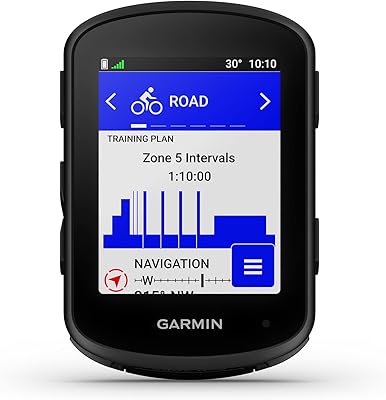
Garmin Edge 540 GPS Cycling Computer
81%
93%
GPS Accuracy
89%
Battery Life
86%
Navigation & Mapping
91%
ClimbPro Functionality
74%
Adaptive Coaching & Training Tools
More
Garmin Edge 1050 GPS Cycling Computer
79%
88%
Touchscreen Quality
91%
Battery Life
86%
Navigation Accuracy
82%
Built-in Speaker
78%
Group Ride Features
More
Garmin Edge 840 GPS Cycling Computer
79%
93%
GPS Accuracy
88%
Battery Life
91%
ClimbPro Feature
62%
Touchscreen Performance
74%
Adaptive Training Tools
More
Bryton Rider 420e GPS Cycling Computer
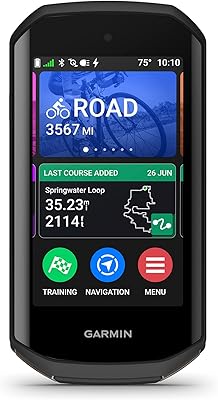
78%
88%
Display Clarity
91%
Battery Life
79%
GPS Accuracy
72%
Navigation & Routing
86%
Sensor Connectivity
More
SUIDEK SJW-KM202B Dual Monitor KVM Switch
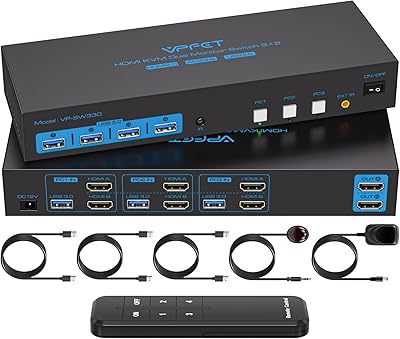
73%
83%
Ease of Setup
71%
Switching Reliability
79%
Display Quality
91%
Desktop Controller Usability
77%
USB Peripheral Sharing
More
CMSTEDCD SW330 Dual Monitor KVM Switch
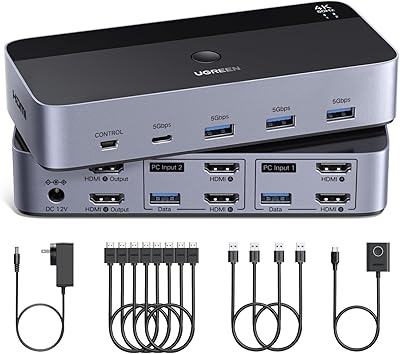
77%
91%
EDID & Window Layout Preservation
88%
4K Display Quality
84%
Switching Speed & Responsiveness
79%
USB 3.0 Peripheral Sharing
61%
Setup & Initial Configuration
More
ANGEET HDMI KVM Switch 2 Monitors 2 Computers 4K@60Hz
85%
91%
Display Quality
88%
Ease of Setup
85%
USB Performance
93%
Compatibility with Systems
87%
Build Quality
More
UGREEN AK500 Dual Monitor KVM Switch
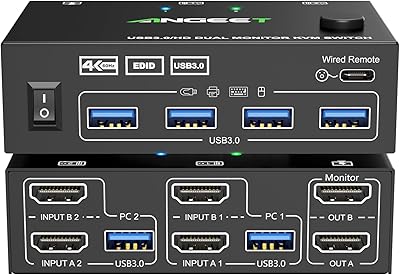
77%
91%
Ease of Setup
88%
Switching Reliability
86%
Video & Display Quality
78%
USB Peripheral Sharing
83%
Build Quality & Materials
More
TJCXELE 4K@144Hz Dual-Monitor DisplayPort KVM Switch
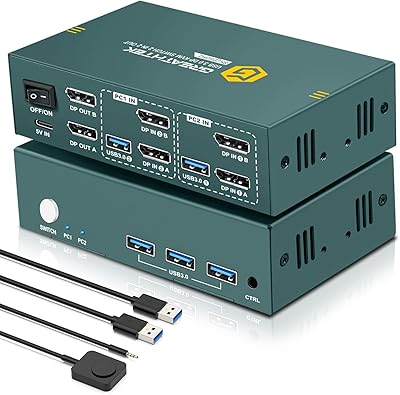
75%
88%
Video Output Quality
63%
Setup & Installation
82%
Switching Reliability
84%
Desktop Controller Usability
67%
USB Device Recognition
More
EVATEK 8K@60Hz DisplayPort KVM Switch 2 Monitors 2 Computers USB 3.0
84%
88%
Performance
91%
Value for Money
78%
Setup & Installation
94%
Display & Visuals
89%
Ease of Use
More

FAQ

Not once you are on the move. You do need the smartphone app to plan and load a route before you set off, but once the route is synced to the device, you can leave your phone in your pocket or bag. The Velo 2 navigates independently after that, including through areas with no signal.

No, on-device route planning is not supported. All route creation and importing happens through the Beeline companion app on your phone. If you are heading somewhere remote and want to pre-load a route, make sure you do that before losing connectivity.

Instead of showing a scrolling map, the screen displays a simple directional arrow pointing toward your next waypoint or destination. It updates as you move, so you always know which way to turn without staring at a screen. Most riders find it intuitive within the first few minutes, though it does take a small adjustment if you are used to full map navigation.

Yes, it is built to handle wet conditions reliably. Riding through rain showers or splashing through puddles is not a concern. That said, it is not rated for full submersion, so avoid dunking it or leaving it sitting in pooled water.

The companion app is available for both Android and iOS. That said, a portion of Android users have reported occasional Bluetooth pairing issues, particularly during initial setup or after app updates. It works well for most people, but it is worth knowing that the experience on iOS tends to be slightly more consistent.

No, this cycling GPS does not support external sensors of any kind. There are no ANT+ or additional Bluetooth sensor profiles built in. If tracking heart rate, cadence, or power is important to your riding, you will need a different device.

Beeline does not publish an exact charge time officially, but based on the battery capacity, most users report a full charge takes around 1.5 to 2 hours from a standard USB source. It uses a standard USB connection, so any phone charger or power bank will work.

The included strap mount holds the device firmly against the handlebar and is designed to resist vibration on uneven surfaces. Most gravel and trail riders report no movement issues. If you are doing very aggressive off-road riding, you might want to check the strap tension periodically, but general rattling is not a common complaint.

Ride data is stored and managed through the companion app rather than on the device itself. After each ride, you sync via Bluetooth and the app handles logging, history, and Strava sharing. The device does not function as a standalone data archive.

That is an honest and common question. Entry-level Garmin units at a similar price generally offer more data fields, richer mapping, and support for external sensors, which matters a lot for training-focused riders. The Velo 2 wins on simplicity, weight, and ease of use — it is a better fit if you want clean navigation without a steep learning curve. If you care about performance metrics or detailed maps, the Garmin is likely the stronger choice at this price tier.

Where to Buy