Overview

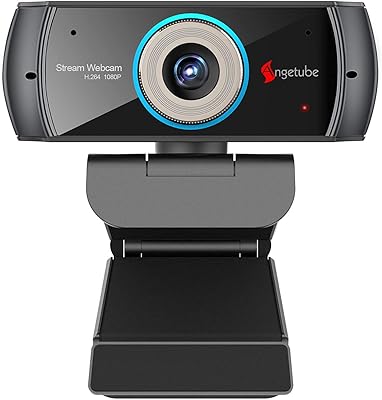
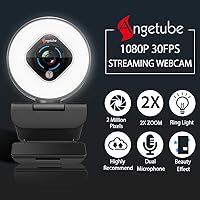
The Angetube 962 1080P Webcam with Ring Light sits in a crowded sub-$50 market, but it brings something most competitors skip at this price: a built-in ring light that actually works. Plug it into a USB port and it's ready — no software, no driver hunting, no setup headaches. The clip-on design fits comfortably on a monitor or laptop lid without taking up desk space. For a camera that launched in early 2021, holding a spot in Amazon's top 1,100 webcams is a decent signal that it's earning its keep among real buyers.

Features & Benefits

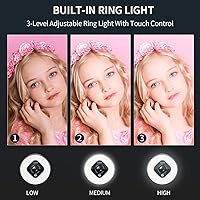
The six-layer glass lens is a genuine step up from the plastic optics you'll find on cheaper cameras — 1080P footage at 30FPS looks noticeably crisper on screen. The autofocus is responsive enough for most home setups, and the 2x digital zoom, broken into five steps, gives you some flexibility without things getting blurry. The ring light's three brightness levels are adjustable via a simple touch control, which is useful when your room lighting shifts throughout the day. A 72-degree field of view keeps the frame tight around you rather than broadcasting your entire room, while the facial enhancement chip quietly nudges color temperature toward natural skin tones.

Best For

This webcam hits a sweet spot for people who spend long hours on Zoom or Teams and are tired of looking underlit and grainy on screen. It's particularly well-suited to home office workers who want better lighting without cluttering their desk with a separate lamp. Students dealing with inconsistent room lighting will also appreciate the adjustable ring — dorm lighting is notoriously unforgiving. Beginner streamers on Twitch or YouTube get a functional all-in-one starting point. If you're upgrading from a built-in laptop camera, the clarity jump is immediately noticeable. This streaming camera won't compete with a Logitech C920, but it holds its own in the budget-friendly tier.

User Feedback

Buyers consistently point to the ring light convenience as the standout selling point — being able to touch-adjust brightness mid-call without fiddling with separate gear is the kind of small detail that genuinely improves daily workflow. Setup earns consistent praise too, especially from less tech-savvy buyers. On the downside, the 30FPS ceiling draws real criticism from users who compared it against similarly priced options offering 60FPS. The dual microphones handle quiet environments reasonably well, but background noise is an obvious weak point. A few reviewers flagged the clip mechanism as feeling flimsy on wider monitors. Overall, the Angetube 962 is treated as a capable first step up, not a long-haul professional tool.

Pros

  • The built-in ring light with touch-adjustable brightness is a genuine convenience that most competitors skip at this price.
  • Plug-and-play USB setup works immediately with no driver installation or companion software needed.
  • The six-layer glass lens delivers sharper, cleaner 1080P footage compared to plastic-lens webcams in the same category.
  • Autofocus keeps your face in clear focus without requiring manual adjustment during calls or streams.
  • The 72-degree field of view frames you well for solo use without pulling in too much distracting background.
  • Facial enhancement processing quietly improves color accuracy, making skin tones look more natural on screen.
  • At its price tier, the Angetube 962 offers a rare combination of lighting, autofocus, and HD video in a single compact unit.
  • The clip-on design is stable on most monitors and laptop screens, and the footprint is small enough not to get in the way.
  • 2x digital zoom with five discrete steps gives you basic framing flexibility without a noticeable quality drop.

Cons

  • The 30FPS limit is a real disadvantage for streamers who want smoother motion compared to 60FPS alternatives at similar prices.
  • Microphone performance drops off quickly in noisy environments — background sounds bleed through more than most buyers expect.
  • The clip mechanism feels lightweight and can feel insecure on thicker or wider monitor bezels.
  • The ring light is useful but not powerful enough to replace a proper lighting setup for serious content creators.
  • Cable quality has drawn criticism from longer-term users, with some reporting wear or connectivity issues over time.
  • Digital zoom is a software-level feature — image quality softens noticeably when pushed toward the 2x limit.
  • Autofocus can struggle in low-light situations, occasionally hunting for focus rather than locking on quickly.
  • The facial enhancement processing, while helpful for some, can produce an overly smoothed or slightly artificial look on certain skin tones.
  • No privacy shutter or lens cap is included, which is a small but notable omission for privacy-conscious users.

Ratings

The scores below for the Angetube 962 1080P Webcam with Ring Light were generated by our AI system after analyzing thousands of verified global user reviews, with spam, bot activity, and incentivized feedback actively filtered out before scoring. Every category reflects a realistic synthesis of what real buyers praised and where they ran into frustration — nothing is softened or inflated. Both the standout strengths and the genuine weak points are reflected transparently so you can make a well-informed call.

Video Quality
78%
22%
For a camera in this price bracket, the six-layer glass lens delivers a noticeably cleaner 1080P image than most plastic-lens competitors. Users upgrading from built-in laptop cameras consistently report a meaningful jump in sharpness and color accuracy on their first call.
The 30FPS cap is a recurring complaint, especially from users who compared it side by side with similarly priced cameras that now offer 60FPS. Fast motion — even just a hand gesture during a presentation — can look slightly choppy compared to higher frame-rate alternatives.
Ring Light
84%
The built-in ring light is the feature buyers mention most positively, and for good reason — being able to touch-adjust brightness mid-call without fiddling with a separate lamp is a practical daily convenience. Remote workers dealing with dim home offices or inconsistent window lighting find it genuinely solves a real problem.
It is a small ring mounted close to the lens, so the illumination radius is limited. In larger rooms or for users sitting further from the screen, the light struggles to compensate adequately, and it cannot replace a proper key light for anyone doing serious content production.
Autofocus Performance
71%
29%
In well-lit environments the autofocus locks on reliably and tracks minor head movements without visible hunting. For standard video calls where the subject is largely stationary, it performs well enough that most users never think about it.
Low-light autofocus is a weak point — the camera visibly hunts for focus when ambient lighting drops, which can be distracting on the other end of a call. Users doing tutorials or demo streams where hands move in and out of frame also report occasional lag before the lens refocuses cleanly.
Microphone Quality
62%
38%
In quiet, controlled home office settings the dual omnidirectional microphones capture voice clearly enough for casual video calls and beginner-level streaming. Call recipients in low-noise conditions rarely raise audio complaints, which is a reasonable baseline for this price tier.
The noise reduction processing struggles when real background sounds are present — fans, keyboard clicks, and ambient room noise bleed through more than buyers expect. Users in shared spaces or noisier environments consistently recommend pairing this streaming camera with a dedicated USB microphone for anything beyond casual calls.
Ease of Setup
93%
Plug-and-play USB operation means the camera is recognized immediately on Windows and macOS without any driver installation or software setup. Buyers with limited technical confidence specifically highlight this as a reason they chose this webcam over alternatives that require companion apps.
Because there is no companion software at all, users who want granular control over exposure, white balance, or focus mode have no way to access those settings. What you see out of the box is essentially what you get, which is limiting for more experienced users.
Value for Money
81%
19%
Combining 1080P video, autofocus, a built-in ring light, and dual microphones into a single unit at this price point represents genuine value — buying those components separately would cost considerably more. Budget-conscious buyers and first-time webcam upgraders consistently rate the overall package as punching above its weight.
The value perception shifts if you compare it specifically against cameras that offer 60FPS at a similar or only slightly higher price. Users who later upgraded to a Logitech C920 or similar often noted they wished they had invested a bit more upfront rather than returning to the market within a year.
Build Quality
63%
37%
The camera body itself feels solid enough for everyday desk use, and the matte black finish handles fingerprints reasonably well. Most users report no issues during the initial months of daily use, which is an acceptable baseline for a budget-tier peripheral.
The clip mechanism is the most frequently cited durability concern — it feels noticeably lightweight and several users report it loosening or feeling unstable on wider monitor bezels over time. Cable quality has also drawn criticism from longer-term owners, with wear and intermittent connectivity issues appearing in reviews from users past the six-month mark.
Low-Light Performance
67%
33%
The onboard low-light enhancement processing does meaningfully improve visibility in dim conditions compared to webcams with no such processing. When combined with even the lowest ring light setting, the camera holds a usable image in environments where basic laptop cameras would produce near-unusable noise.
The enhancement has a ceiling — in genuinely dark rooms the image softens, noise increases, and the facial enhancement chip sometimes overcorrects skin tones in an attempt to compensate. Users expecting clean footage in poorly lit spaces without supplemental lighting will be disappointed.
Compatibility
91%
The webcam works across Windows 10, Windows 11, and macOS without any additional setup, and is recognized automatically by Zoom, Teams, Google Meet, OBS, and Streamlabs. This broad compatibility is consistently praised by buyers who switch between platforms or use multiple machines.
There is no confirmed support documentation for Linux distributions, and a small number of users running older operating systems reported recognition issues that required workarounds. Chromebook compatibility is also inconsistent based on user reports.
Field of View
76%
24%
The 72-degree angle frames a single person sitting at a desk cleanly, without pulling in distracting background clutter that wider-angle cameras often expose. For solo home office or streaming setups this framing choice is practical and well-calibrated.
Users who wanted to include a second person in frame, or capture a wider desk setup for a tutorial, found the 72-degree angle too narrow for their needs. Cameras with 90-degree or wider fields of view exist in the same price range, so buyers with those specific needs may find this limiting.
Facial Enhancement
73%
27%
The automatic color optimization chip does a reasonable job of producing natural-looking skin tones under mixed lighting conditions, which is noticeable and appreciated compared to webcams with no processing at all. Most users in standard home lighting report a flattering and fairly accurate representation.
Because the enhancement runs automatically with no software override, users with certain skin tones report occasional overcorrection that produces a slightly washed-out or artificially smoothed look. There is no way to dial back the processing if the result does not suit your appearance or content style.
Digital Zoom
58%
42%
Having five discrete zoom steps rather than a single jump to 2x is a thoughtful detail that lets users find a framing they are comfortable with. For static setups where the camera is positioned further from the subject than ideal, even a modest zoom step helps.
Digital zoom is a software crop of the sensor image rather than true optical magnification, so sharpness degrades meaningfully as you zoom in. At the full 2x setting, fine detail softens enough that most users would prefer to physically reposition the camera instead.
Clip Mount Stability
59%
41%
For monitors with standard bezel thicknesses, the clip holds the camera in a stable upright position through normal desk use. Users with typical 24-inch to 27-inch monitors in home office configurations report no movement issues during daily calls.
The clip is one of the most commonly flagged pain points in user reviews — on gaming monitors with thinner bezels, curved screens, or unusually shaped frames, it frequently feels insecure. Long-term users report the clip tension loosening over months of repeated attachment and removal.
Zoom and Teams Integration
87%
The webcam is recognized instantly by Zoom, Microsoft Teams, and Google Meet, and requires no configuration changes within those platforms. Users report that the camera feed appears immediately in video settings after plugging in, even mid-meeting.
Without companion software there is no way to adjust camera-side settings like exposure or color temperature from within those platforms. Users who rely on Teams or Zoom video filters to compensate for image quality issues may find the lack of native controls limiting compared to webcams that ship with their own apps.

Suitable for:

The Angetube 962 1080P Webcam with Ring Light is a practical pick for anyone who spends significant time on video calls and wants noticeably better results without a complex or expensive setup. Home office workers who deal with dim rooms or overhead lighting that makes them look washed out will find the built-in ring light genuinely useful on a daily basis — it's not a studio-grade solution, but it removes the need for a separate lamp on the desk. Students navigating online classes from dorm rooms or shared apartments benefit from the same lighting flexibility, since room conditions tend to vary a lot throughout the day. Beginner streamers looking for an all-in-one starting point rather than piecing together separate gear will appreciate the combined value here. And for anyone still relying on a built-in laptop webcam, the jump in image sharpness and color accuracy is immediately obvious from the first call.

Not suitable for:

The Angetube 962 1080P Webcam with Ring Light has real limitations that matter depending on what you need. The 30FPS cap is a meaningful drawback for streamers who want smooth, fluid motion capture — at this price point, some competing cameras now offer 60FPS, which is a tangible difference in fast-paced content. Content creators who need professional-grade audio should look elsewhere; the dual microphones are adequate for quiet home environments but struggle noticeably when background noise enters the picture. Anyone working in a controlled studio setup with dedicated lighting already in place will get little value from the ring light, which means they'd be paying for a feature they won't use. Users who need a webcam for fast-moving subjects — product demos, hands-on tutorials, anything with quick physical movement — may also find the autofocus occasionally lags behind. If your budget can stretch toward a Logitech C920 or a Razer Kiyo Pro, those cameras offer a more polished and reliable long-term experience.

Specifications

  • Video Resolution: Records and streams at 1080P full HD at 30 frames per second for clear, stable footage.
  • Field of View: Features a 72-degree wide-angle lens that frames a single person well without capturing excessive background.
  • Lens Type: Uses a 6-layer double-sided glass lens, which produces sharper images than the plastic optics common in this price range.
  • Autofocus: Equipped with continuous autofocus that automatically adjusts to keep the subject sharp as they move.
  • Digital Zoom: Offers 2x digital zoom divided into 5 discrete steps, allowing gradual magnification adjustments during use.
  • Microphones: Built with dual omnidirectional microphones featuring noise reduction to capture clearer audio from multiple directions.
  • Ring Light: Integrated ring light offers 3 brightness levels controlled via a touch-sensitive button on the camera body.
  • Connectivity: Connects via USB and operates as a plug-and-play device requiring no driver installation or companion software.
  • Image Sensor: Uses a CMOS sensor with a built-in facial enhancement chip that automatically optimizes color balance.
  • Special Feature: Includes low-light enhancement processing to maintain usable image quality in dimly lit environments.
  • Item Weight: Weighs 12.3 ounces, making it lightweight enough for easy repositioning on a monitor or laptop screen.
  • Dimensions: Packaged dimensions measure 5.71 x 4.49 x 2.72 inches, reflecting a compact and space-efficient form factor.
  • Mount Type: Attaches via an integrated clip-on mount compatible with standard monitor bezels and laptop lids.
  • Model Number: Manufactured under model number 962 by the Angetube brand.
  • Sensor Technology: CMOS sensor technology provides adequate low-light sensitivity and color accuracy at this resolution tier.
  • Color Option: Available in black as the standard color finish for the camera housing.

Related Reviews
Angetube 967Pro 1080p Webcam
76%
78%
Video Quality
86%
Ring Light Performance
71%
HDR Mode
81%
Frame Rate (60fps)
62%
Microphone Quality
More
ToLuLu Webcam with Ring Light
76%
88%
Value for Money
83%
Ring Light Performance
72%
Image Quality
93%
Ease of Setup
61%
Microphone Quality
More
Vitade 960A 1080P Webcam with Ring Light
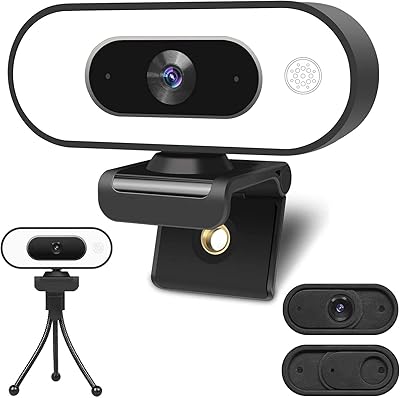
77%
83%
Image Quality
88%
Ring Light Performance
74%
Autofocus Accuracy
62%
Microphone Quality
79%
Low-Light Performance
More
Angetube PC 1080P Webcam
85%
88%
Video Quality
90%
Audio Quality
95%
Ease of Setup
84%
Low Light Performance
87%
Wide-Angle Lens
More
NUROUM V32AFL 4K Webcam with Ring Light

85%
92%
Video Quality
88%
Lighting Performance
85%
Microphone Quality
81%
Ease of Setup
75%
Software Experience
More
HuddleCamHD HC-WEBCAM-94
77%
83%
Video Quality (Daylight)
51%
Low-Light Performance
91%
Field of View
94%
Ease of Setup
57%
Audio Quality
More
EOTO LIGHT 19-inch LED Ring Light
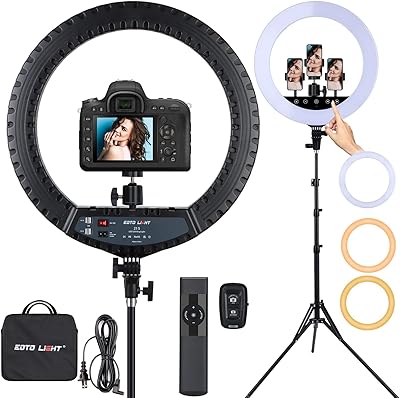
76%
88%
Brightness Output
91%
Color Accuracy
86%
Color Temperature Range
67%
Build Quality
74%
Touch Screen Usability
More
Acetaken 8-inch USB Clamp Ring Light
76%
91%
Ease of Setup
88%
Arm Flexibility & Reach
74%
Brightness Range
67%
Clamp Strength & Fit
82%
Light Quality & Evenness
More
EOTO LIGHT 21-Inch LED Ring Light
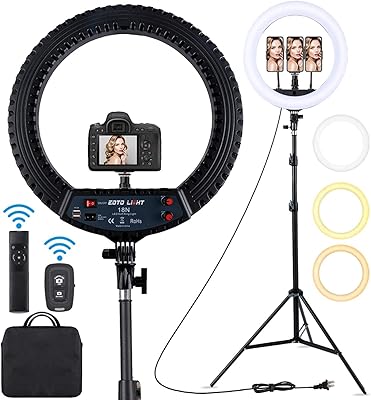
79%
93%
Light Output & Brightness
91%
Color Accuracy (CRI)
88%
Touch Panel Usability
86%
Tripod Build & Stability
84%
Value for Money
More
EOTO LIGHT HQ-18N 18-inch LED Ring Light
80%
91%
Brightness Output
88%
Color Temperature Range
86%
Color Accuracy (CRI)
78%
Tripod Build & Stability
71%
Remote Controls
More

FAQ

Yes, it's fully plug-and-play over USB. Just connect it and your operating system should recognize it automatically — Windows 10, Windows 11, and macOS all handle it without needing any drivers or companion apps.

It's genuinely useful for everyday situations — particularly if your desk light is behind you or your room has inconsistent lighting throughout the day. That said, it's a small ring mounted close to the lens, so it won't replicate what a proper studio lighting panel does. Think of it as a solid convenience feature, not a replacement for dedicated lighting.

Yes, it works with all the major video conferencing platforms. Since it's a standard USB webcam, any software that supports external cameras will pick it up automatically.

There's a touch-sensitive button on the camera body that cycles through the three brightness levels. It's quick to adjust mid-call without needing to open any app or setting.

It depends on what you're streaming. For talking-head content, podcast-style streams, or online classes, 30FPS is perfectly fine. If you're playing fast-paced games and want your camera feed to look fluid, some competing cameras in a similar price range now offer 60FPS, which is noticeably smoother.

They're adequate in quiet environments — most people on the other end of a call won't complain. In noisier settings, like a room with a fan running or background activity, the mics do pick up unwanted sound. If audio quality is a priority for streaming or recording, a separate USB microphone will give you a significant improvement.

The clip works well on standard-depth monitor bezels, but a few users have noted it feels less secure on thicker or unusually shaped frames. It's worth checking the bezel depth on your specific monitor if you have a large ultrawide display.

It handles typical home office lighting reasonably well, but in genuinely dim conditions it can hunt for focus rather than locking on cleanly. The ring light helps compensate for this in practice, which is one of the reasons the two features work well together as a package.

The facial enhancement is handled by an onboard chip and there's no software toggle to disable it, since this webcam doesn't ship with a companion app. For most people it produces a natural enough result, but if you prefer full control over color processing you'd need a camera with dedicated software settings.

Yes, it works on macOS as a standard USB camera. No drivers are needed, and it shows up as an available camera source in FaceTime, Zoom, and other Mac-compatible apps right after plugging it in.