

Overview

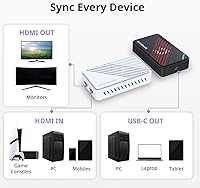
The AVerMedia GC553Pro 4K USB Video Capture Card landed in late 2024 as a serious option for creators who've outgrown budget dongles but don't want the hassle of cracking open a PC for a PCIe card. The USB-C plug-and-play setup is a genuine advantage here — laptop users and console streamers can just connect and go, no motherboard slot required. It sits comfortably in the mid-to-premium tier, competing against both cheaper sticks and pricier internal solutions. Compatibility spans PS5/Pro, Xbox Series, Nintendo Switch 2, and both Windows and Mac, which is a broader net than most cards at this level cast.

Features & Benefits

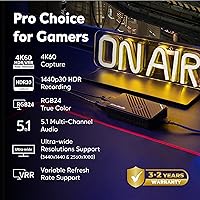
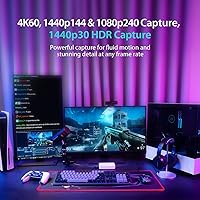
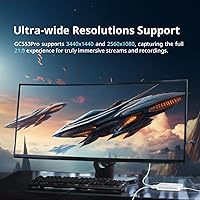
What stands out about the GC553Pro is how much it packs in without forcing you to compromise. The 4K60 HDR passthrough is the headline feature — your TV displays exactly what the console outputs, HDR and all, while the card quietly captures in the background. Push it toward PC gaming and you unlock 1440p at 144Hz or 1080p at 240Hz capture, which matters if you're recording fast-paced competitive games where every frame counts. VRR passthrough support is genuinely uncommon at this price point — not unheard of, but far from standard — and ultrawide resolutions like 3440x1440 work natively, saving PC creators from constant workarounds. OBS integration is handled through AVerMedia's dedicated plugin, keeping the setup fairly straightforward.

Best For

AVerMedia's latest USB capture card makes the most sense for console streamers who want full-quality passthrough without a secondary monitor hack. If you've been capturing at 1080p60 and feel like you're leaving quality on the table, this is a natural next step. Mac users in particular will appreciate that software support is explicitly included — a lot of competing cards still treat macOS as an afterthought. Nintendo Switch 2 owners hunting for a compatible capture solution at launch will find this a safe bet. And if you run an ultrawide monitor for PC gaming, this card handles those non-standard resolutions where most alternatives simply give up.

User Feedback

With only 56 ratings at the time of writing, it's too early to draw firm conclusions — that's a small sample, and sentiment can shift noticeably as more buyers weigh in. The current 4.3-star average is encouraging and suggests early adopters are largely satisfied, but the critical reviews are worth watching closely. A recurring concern with AVerMedia products historically has been software reliability, and it's reasonable to monitor whether that surfaces here over time. A handful of buyers have flagged questions around heat during long sessions, worth noting for anyone planning marathon streams. PS5 Pro and Switch 2 compatibility claims appear to hold up in practice, though real-world reports are still accumulating.

Pros

  • 4K60 HDR passthrough keeps your TV display looking exactly as the console intended, with no compromise.
  • VRR passthrough support is included, which remains uncommon among USB capture cards at this price level.
  • Captures up to 1080p at 240fps, giving competitive gaming creators smooth, high-frame footage to work with.
  • Ultrawide resolution support (3440x1440 and 2560x1080) works natively, no workarounds needed.
  • USB-C connection means no PC required — works directly with laptops and even iPads running iPadOS 17.
  • OBS integration is handled through a dedicated plugin, reducing setup friction considerably.
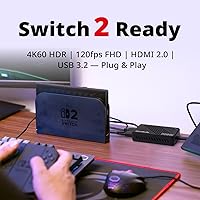
  • Confirmed compatible with Nintendo Switch 2 at launch, which is not guaranteed across all competing cards.
  • Works on both Windows and macOS with proper software support, not just a basic driver install.
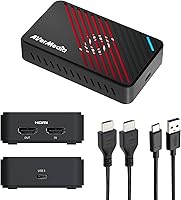
  • Ships with both an HDMI 2.0 cable and a USB-C to USB-A cable, so you can plug in and start immediately.
  • Early user ratings skew positive, suggesting the core capture and passthrough performance holds up in real setups.

Cons

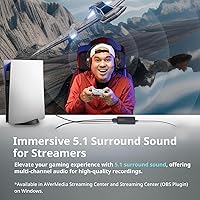
  • Audio capture is limited to stereo LPCM only — no multi-channel support, which frustrates some advanced setups.
  • AVerMedia's companion software has historically drawn complaints for stability; it's worth monitoring for this model.
  • The review base is still very small, making it hard to judge long-term reliability with confidence.
  • VRR recording (not just passthrough) requires using AVerMedia's own software, not just OBS alone.
  • At nearly 14 ounces and 9 inches wide, this is not a compact or travel-friendly unit.
  • HDR capture is limited to 1440p30 or 1080p60 — not full 4K HDR recording, only 4K HDR passthrough.
  • Some buyers have raised concerns about heat buildup during extended streaming sessions.
  • No internal PCIe option means shared USB bandwidth could become a bottleneck on heavily loaded systems.
  • Mac users are supported, but the AVerMedia Streaming Center software is Windows-only, limiting software options on macOS.
  • Being a late-2024 launch, firmware updates and driver maturity are still catching up to the hardware's potential.

Ratings

Our AI rating system analyzed verified global user reviews for the AVerMedia GC553Pro 4K USB Video Capture Card, actively filtering out incentivized, bot-generated, and unverified feedback to surface what real buyers actually experience. With a still-growing review base since its late 2024 launch, scores reflect early adopter sentiment and are weighted accordingly — both the genuine strengths and the friction points are represented without sugarcoating.

Capture Quality
88%
Users consistently praise the sharpness and color accuracy of captured footage, particularly at 1440p and 1080p high-refresh settings. Console streamers recording PS5 gameplay report that fast-motion scenes hold up well without obvious compression artifacts, which matters enormously for competitive game content.
A handful of users noted that 4K HDR recording is not actually available — only passthrough — which catches some buyers off guard expecting full 4K HDR capture. Those coming from marketing language rather than spec sheets sometimes feel misled once they dig into the actual recording ceiling.
Passthrough Performance
91%
The lag-free 4K HDR passthrough is where this card genuinely earns its keep for console players. PS5 Pro and Xbox Series users report that VRR signals pass cleanly to their displays with no flickering or handshake delays, letting them play at full quality while the capture runs quietly in the background.
A small number of users report occasional signal handshake delays when switching between passthrough and capture modes, usually requiring a cable reseat to resolve. This is an intermittent issue rather than a widespread complaint, but it surfaces often enough in critical reviews to be worth flagging.
Software Experience
67%
33%
The OBS plugin integration works well for most users, and those who stick to a straightforward OBS workflow report very little friction getting up and running. Initial device recognition on both Windows 11 and macOS 14 is generally reliable, with most buyers able to start capturing within minutes of plugging in.
AVerMedia's companion software has a long-standing reputation for instability, and early GC553Pro users are not entirely immune to this history. Some buyers report that the Streaming Center software crashes or fails to update firmware cleanly, and Mac users in particular are left with fewer software options since Streaming Center is Windows-only.
Setup & Ease of Use
82%
18%
The USB-C plug-and-play approach is genuinely appreciated, especially by laptop users and console streamers who have no interest in opening a PC case. Most buyers report that the basic capture workflow — plug in, open OBS, start streaming — works without any driver headaches on Windows 11.
VRR recording requires switching to AVerMedia's own software rather than using OBS, which trips up users who assumed OBS handles everything. The documentation in the box is minimal, so anyone who wants to unlock the more advanced features typically has to find answers through online forums rather than the quick start guide.
Console Compatibility
86%
Confirmed compatibility with PS5 Pro, Xbox Series X/S, and Nintendo Switch 2 at launch gives buyers real confidence, especially Switch 2 early adopters who struggled to find compatible capture options quickly after the console released. Real-world reports from PS5 Pro users largely validate the VRR and HDR passthrough claims.
A few users noted that getting the best results on PS5 Pro required manually adjusting console output settings, which is not immediately obvious to first-time capture card buyers. Xbox users have reported fewer compatibility quirks overall, but Switch 2 support, while functional, is still accumulating long-term reliability data.
High-Refresh Capture
83%
Content creators recording fast-paced PC games at 1440p144 or 1080p240 are impressed by how smooth the resulting footage looks, particularly for slow-motion editing in post-production. Competitive gaming creators appreciate having a genuine 240fps ceiling rather than being capped at the 1080p60 standard most rival cards enforce.
Achieving high-refresh capture at the top settings puts real demand on the host PC, and users with older mid-range systems report dropped frames or encoding strain. The 1080p240 ceiling is also only useful for recorded content — no live streaming platform comes close to supporting that frame rate, so its value is entirely in post-production workflows.
Mac Compatibility
74%
26%
Mac users are genuinely pleased to find a capture card that officially supports macOS rather than leaving them with an afterthought driver. Basic capture and OBS plugin functionality work reliably on macOS 13 and 14, and the USB-C connection is naturally at home in a MacBook workflow.
The full AVerMedia Streaming Center software is Windows-exclusive, which narrows the software toolkit available to Mac users considerably. Advanced features like VRR recording are effectively off the table on macOS, making this card somewhat less capable in that environment than its spec sheet suggests.
Ultrawide Resolution Support
89%
PC gamers running 3440x1440 ultrawide monitors consistently call out native support as a standout feature, since most competing cards simply reject or letterbox non-standard input signals. For ultrawide users, this alone justifies choosing the GC553Pro over otherwise comparable alternatives.
Ultrawide capture resolution support, while functional, is less discussed in early reviews, making it harder to assess reliability across many different monitor configurations. Users with 5120x1440 super-ultrawide displays are outside the supported range and have noted the card does not handle those inputs.
Build Quality
76%
24%
Most buyers describe the unit as solid and well-constructed for its class, with a finish that feels more premium than budget capture boxes. The connectors seat firmly without any noticeable wobble, and the overall physical design suggests it is built to sit on a desk permanently rather than be packed away constantly.
Some early reviewers flagged that the unit runs noticeably warm during extended streaming sessions, which raises mild questions about long-term thermal management. At nearly 14 oz and 9 inches wide, it is also bulkier than users who assumed it would be a compact device sometimes expect.
Audio Capture
61%
39%
For users whose audio workflow runs entirely through stereo LPCM, the capture card handles audio cleanly and in sync with video without audible drift during long sessions. Streamers who mix their audio externally through a dedicated interface find the stereo output more than adequate as a video-only capture chain.
The hard limit of stereo LPCM 2.0ch is a genuine frustration for users expecting multi-channel audio support, particularly those capturing home theater setups or using surround sound headsets. This is not an obscure limitation — it directly affects a meaningful segment of buyers who did not catch it before purchasing.
Value for Money
78%
22%
For buyers who actually use the 4K passthrough, VRR support, and high-refresh capture ceiling, the price feels justified against similarly specced alternatives that cost noticeably more. The included cables mean there are no immediate additional purchases required to get started, which matters when totaling up the real cost of a streaming setup.
Buyers who primarily stream at 1080p60 and do not need HDR passthrough or ultrawide support are paying a significant premium for features they will never use, and cheaper cards handle that basic workflow just as well. The software limitations on Mac also soften the value proposition for that audience specifically.
iPadOS Support
69%
31%
The confirmed iPadOS 17 compatibility is a differentiator that appeals to mobile creators who want a lightweight setup for on-location capture without carrying a full laptop. Users who have tested it with iPad report that basic capture functionality works as a direct input device.
iPadOS support is the most underdocumented aspect of this card, and real-world user reports on this specific use case are thin given the early stage of the review base. App availability and workflow depth on iPadOS are more limited than desktop environments, narrowing the practical use case considerably.
OBS Integration
84%
The dedicated AVerMedia Streaming Center Plug for OBS is well-regarded among users who rely on OBS as their primary streaming tool, with most reporting stable device recognition and clean source setup. Streamers who run multi-scene OBS layouts find the plugin slots in without conflicting with other capture sources.
VRR recording being locked to the proprietary Streaming Center software rather than OBS is a recurring frustration among users who prefer to keep their entire workflow inside OBS. A subset of reviewers also note that the Streaming Center Plug occasionally loses device connection after a system wake, requiring an OBS restart.

Suitable for:

The AVerMedia GC553Pro 4K USB Video Capture Card is a strong fit for console streamers who've hit the ceiling of what a basic capture dongle can do and are ready to step into proper 4K HDR workflows without committing to a desktop-only PCIe setup. The USB-C connection means it works cleanly with laptops, which is a bigger deal than it sounds for creators who stream from a couch setup or travel to events. PS5 Pro and Xbox Series owners benefit specifically from the VRR passthrough support — your TV still gets the full variable refresh signal while the card handles capture in the background, which isn't something you can take for granted at this price tier. Mac users are also well-served here, since dedicated software support for macOS is explicitly included, unlike many competing cards that quietly drop Mac users after the driver install screen. If you run an ultrawide monitor for PC gaming, this card handles 3440x1440 input natively, which alone makes it worth considering over alternatives that simply ignore non-standard resolutions.

Not suitable for:

Buyers looking for a true budget option should look elsewhere — the GC553Pro sits at a price point that only makes sense if you're genuinely going to use the higher-resolution capture capabilities it offers. Casual streamers who are happy with 1080p60 and don't need VRR or HDR passthrough are paying for headroom they'll never use, and cheaper cards will serve them just as well. The audio setup is worth flagging: LPCM output is stereo only, so anyone expecting multi-channel audio capture will be disappointed. It's also worth being honest that the AVerMedia GC553Pro 4K USB Video Capture Card launched in December 2024 and has fewer than 60 ratings at the time of writing, meaning the long-term reliability picture — especially around software updates and firmware support — is still unproven. Streamers who need a mature, battle-tested product with years of community troubleshooting resources may prefer a card with a longer track record.

Specifications

  • Interface: Connects to the host computer via USB 3.2 Type-C, with a USB-C to USB-A adapter cable included in the box.
  • Video Input: Accepts video signal through a single HDMI 2.0 port, supporting input resolutions from 480p up to 2160p (4K).
  • Video Output: Delivers lag-free passthrough via HDMI 2.0, allowing simultaneous display output to a TV or monitor at full quality.
  • Max Capture Res.: Captures up to 2160p at 60fps, 1440p at 144fps, and 1080p at 240fps depending on the selected workflow.
  • HDR Capture: HDR recording is supported at 1440p30 and 1080p60; full 4K HDR is available through passthrough only, not direct recording.
  • Passthrough: Passthrough supports 4K60 HDR/VRR, 1440p144 HDR/VRR, and 1080p240 HDR/VRR, preserving variable refresh rate signals through to the display.
  • VRR Recording: VRR content can be recorded at up to 1440p60 or 1080p120, but requires AVerMedia Streaming Center software rather than third-party tools.
  • Ultrawide Support: Natively handles ultrawide input resolutions including 3440x1440 and 2560x1080, which most competing cards in this category do not support.
  • Audio: Audio is captured in LPCM stereo format (2.0ch only); multi-channel audio capture is not supported.
  • OS Compatibility: Officially supported on Windows 10 x64, Windows 11 x64, macOS 13, macOS 14, and iPadOS 17 or later.
  • Console Support: Compatible with PS5, PS5 Pro, Xbox Series X/S, and Nintendo Switch 2 as confirmed supported consoles.
  • Video Formats: Outputs captured video in YUY2, NV12, RGB24, P010 (for HDR content), and MJPEG formats.
  • Software: Supported by AVerMedia Assist Central Pro, AVerMedia Streaming Center (Windows only), and an OBS plugin called Streaming Center Plug.
  • Dimensions: The unit measures 9 x 8 x 3 inches (length x width x height), making it a mid-sized desktop device rather than a portable dongle.
  • Weight: Weighs 13.7 oz, which is heavier than compact capture sticks but typical for a full-featured external capture box.
  • In the Box: Package includes the GC553Pro unit, one HDMI 2.0 cable, one USB-C to USB-A cable, and a printed quick start guide.
  • Launch Date: The product was first made available in December 2024, making it one of the newer entries in the USB capture card market.

Related Reviews
AVerMedia EZMaker 7 USB Video Capture Card
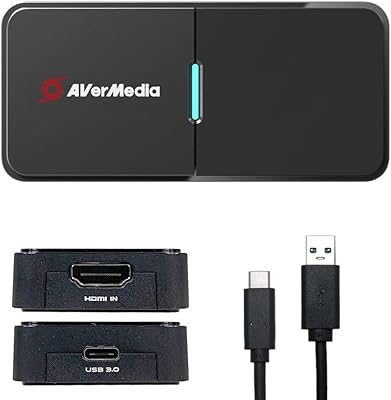
81%
88%
Ease of Use
91%
Value for Money
75%
Video Quality
90%
Setup & Installation
82%
Software Experience
More
AVerMedia BU113 Live Streamer Cap 4K
87%
94%
Video Fidelity
91%
Build Quality
87%
Plug-and-Play Stability
92%
Latency Performance
78%
Software Utility
More
HeavenBird 4K HDMI Video Capture Card
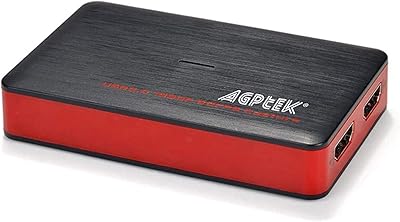
75%
91%
Ease of Setup
78%
Video Output Quality
74%
4K Passthrough Performance
69%
Audio Functionality
82%
Build Quality
More
August VGB350 USB Video Capture Card
67%
83%
Ease of Setup
58%
Video Capture Quality
54%
Software Quality
72%
Compatibility Range
69%
Value for Money
More
AGPTEK VG0061 HDMI Capture Card
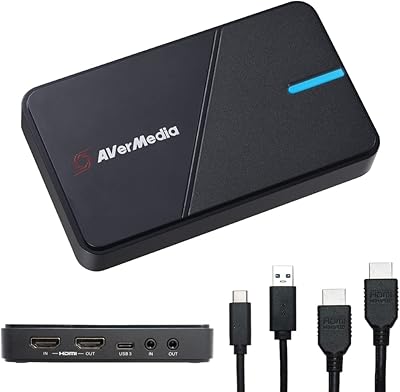
71%
88%
Ease of Setup
83%
1080p Capture Quality
47%
4K Capture Performance
79%
Value for Money
38%
Software Experience
More
AVerMedia Live Gamer Extreme 3 GC551G2
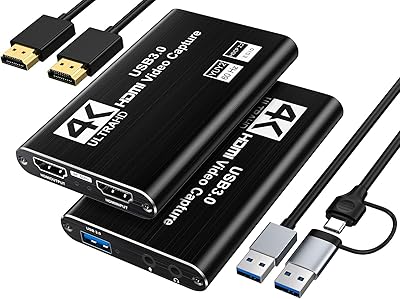
84%
94%
Ease of Setup
91%
Pass-Through Quality
72%
Capture Resolution & Quality
93%
Input Lag (Pass-Through)
88%
Build Quality & Portability
More
XIIXMASK MS2131 Video Capture Card
85%
92%
Chassis Build Quality
88%
Thermal Management
87%
1080p Stream Stability
93%
Value for Money
84%
Plug-and-Play Simplicity
More
Bytebridges 4K HDMI Capture Card (affd05f3)
88%
94%
Ease of Setup
88%
Build Quality
91%
Video Fluidity
87%
Input Latency
83%
Audio Versatility
More
VIXLW Video Capture Card Pro+
77%
91%
Ease of Setup
72%
Video Capture Quality
58%
Audio Sync Reliability
88%
Software Compatibility
84%
Signal Format Detection
More
August VGB400 Video Capture Card
75%
88%
Ease of Setup
52%
Video Output Quality
81%
Compatibility
61%
Value for Money
67%
Build Quality
More
ORIVISION U923 4K HDMI Video Capture Card
76%
93%
Ease of Setup
74%
Video Capture Quality
81%
HDMI Loopout Performance
67%
Audio Functionality
76%
Latency
More

FAQ

Yes, the GC553Pro was confirmed compatible with the Switch 2 at launch, which is worth noting because not every capture card on the market has caught up to that console yet. You connect the Switch 2 dock to the card's HDMI input, run the USB-C to your PC or Mac, and you should be up and running. Early user reports back this up, though it's still early days for the Switch 2 itself.

You can absolutely use OBS — AVerMedia provides a dedicated OBS plugin called Streaming Center Plug specifically for this. That said, if you want to record VRR content, you'll need to use AVerMedia's Streaming Center software instead of OBS, which is a limitation worth knowing upfront.

Passthrough means the card sends the full 4K HDR signal directly to your TV or monitor with no processing delay — your display looks exactly as it would without the card in the chain. Capture is what actually gets recorded or streamed to your PC. The GC553Pro passes through 4K60 HDR but captures at a maximum of 4K60 without HDR; HDR recording tops out at 1440p30 or 1080p60. For most streamers, that's a perfectly acceptable trade-off.

No — VRR passthrough is specifically supported, so your TV will still receive and process the variable refresh rate signal as intended. This is one of the more practical features of the AVerMedia GC553Pro 4K USB Video Capture Card, and it's not something you can assume with every competitor at this price point.

It does work on macOS 13 and 14, and AVerMedia officially supports it there, which is more than many competing cards offer. The main caveat is that the Streaming Center desktop software is Windows-only, so Mac users are working with AVerMedia's other tools and OBS plugin rather than the full software suite. For most streaming and recording workflows, that's manageable.

Yes, and this is actually one of the standout features of the GC553Pro for PC gamers. It natively supports 3440x1440 and 2560x1080 input, so you won't hit the frustrating letterboxing or signal refusal issues that come up with many other cards when you plug in a non-standard resolution source.

You'll need a reasonably capable machine, particularly for 4K capture workflows. AVerMedia lists Windows 10/11 x64 or macOS 13/14 as the minimum OS requirements, but raw processing power matters too — capturing 4K60 or 1440p144 while simultaneously streaming puts real load on your CPU and GPU. On a modern mid-range laptop you should be fine for 1080p and 1440p work; 4K capture typically benefits from a more powerful desktop setup.

It means if you're recording a fast game like a shooter or fighting game at 1080p, you're capturing 240 individual frames every second, which produces incredibly smooth slow-motion footage in post-production. For a live stream it's less relevant since platforms cap out far below that, but for edited highlight videos where you want slow-mo replays, it's a genuinely useful ceiling to have.

A small number of early buyers have mentioned heat as something to keep an eye on during extended use. It's not a widespread complaint in the current review base, but the sample size is still small — only around 56 ratings at the time of writing. It's worth making sure the card has decent airflow around it during marathon sessions rather than tucking it under other equipment.

Yes — iPadOS 17 is officially listed as a supported platform, which is a genuinely useful feature if you want a lighter mobile setup for capturing and monitoring footage. You'd be working within the constraints of what capture apps on iPadOS support, but the hardware connection itself is confirmed to work, which puts this capture card ahead of most desktop-focused competitors in that regard.