Overview

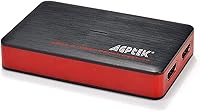
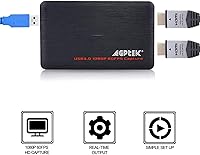
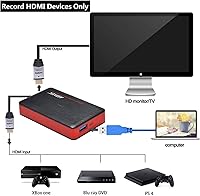
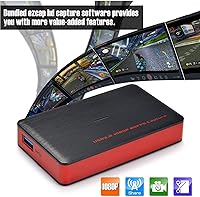
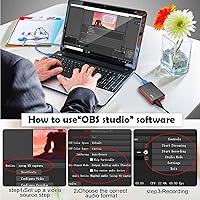
The AGPTEK VG0061 HDMI Capture Card is a compact, bus-powered device built for streamers, content creators, and remote presenters who want capable hardware without a steep price tag. It connects via USB 3.0 and handles input resolutions up to 4K@30fps, along with 1440p@60 and 1080p@120 capture modes. Plug it into a Windows or Linux machine and it is ready to go — no drivers required, no external power brick. Compatible with PS5, PS4, Xbox One, Nintendo Switch, DSLRs, and most HDMI-output devices, it covers a wide range of use cases in a body under four inches long. It ships with ezcaplink software on a CD, though most users will gravitate toward OBS Studio as the more practical go-to.

Features & Benefits

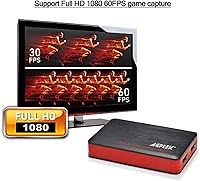
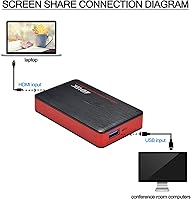
What makes this capture card practical day-to-day is how little fuss it creates. Powered entirely through the USB connection, there is no wall adapter to carry around — useful if you are setting up in different spots or traveling. The 3.5mm mic input lets you plug in a headset or standalone microphone and record commentary in real time without routing audio through a mixer. For meetings or classroom presentations, connecting a laptop via HDMI shares your screen instantly with no software required. The spec sheet advertises 4K capture at 30fps, but in practice, 1080p at 120fps is where this card performs most consistently — better suited to fast-paced gaming capture than ambitious 4K recording.

Best For

This streaming dongle makes the most sense for console gamers just getting started on Twitch or YouTube who are not ready to spend serious money on a dedicated capture solution. It is equally handy for remote workers and educators who need reliable, hassle-free screen sharing during video calls — no software to install, just plug in and go. Photographers and videographers shooting with DSLRs or mirrorless cameras will appreciate the direct HDMI input for live capture. Linux users in particular will find it refreshing, since driver-free hardware that genuinely works on Linux without tinkering is rarer than it should be. Think of it as an entry-level card that punches its weight before you outgrow it.

User Feedback

Among the 364 ratings averaging 3.9 stars, the most consistent praise is for how quickly the AGPTEK card gets up and running — buyers with zero capture experience report being live within minutes of unboxing. The drop-off in enthusiasm tends to come from two places: the bundled ezcaplink software, which most users end up ignoring in favor of OBS, and the 4K claims, which do not hold up as cleanly in real-world use as the spec sheet implies. A few buyers flagged occasional audio sync drift when using the microphone input. Build quality earns mixed marks too — the plastic housing is light, which some read as portable and others as cheap. Used as a secondary card, it draws far fewer complaints.

Pros

  • True plug-and-play setup — no drivers to install on Windows or Linux, works right out of the box.
  • Powered entirely through USB, so there is no external adapter to carry or forget.
  • Compatible with a wide range of devices including PS5, Xbox One, Switch, DSLRs, and camcorders.
  • Built-in 3.5mm mic input lets you add live commentary without buying a separate audio interface.
  • Solid 1080p capture quality that holds up well for casual streaming and screen recording.
  • Compact enough to toss in a laptop bag without adding noticeable weight or bulk.
  • No HDMI splitter needed — the card captures the source signal directly for a cleaner cable setup.
  • Works reliably as a secondary or backup card in a multi-source streaming setup.
  • OBS Studio and VLC compatibility means you are not locked into the bundled software.
  • A practical entry point for Linux users who often struggle to find driver-free capture options.

Cons

  • Advertised 4K capture is inconsistent in practice; 1080p is the realistic performance ceiling for most users.
  • The included ezcaplink software feels dated and ships on a CD, which many modern laptops cannot even read.
  • Occasional audio sync drift reported when using the 3.5mm mic input during longer recording sessions.
  • The plastic housing feels light in hand, raising some questions about durability over heavy daily use.
  • No Mac support listed, cutting out a significant portion of potential buyers.
  • Lacks passthrough monitoring, so you cannot watch your source on a connected display while capturing.
  • Customer support experience appears inconsistent based on user reports, with slow or unhelpful responses noted.
  • Not a strong choice if you need to record and present simultaneously in a professional broadcast setup.

Ratings

Our AI rating system analyzed verified global user reviews for the AGPTEK VG0061 HDMI Capture Card, actively filtering out incentivized, bot-generated, and duplicate feedback to surface what real buyers actually experience. The scores below reflect both where this card genuinely delivers and where it falls short — no spin, no padding. If a category scores low, you will see exactly why.

Ease of Setup
88%
For a first-time streamer or someone who has never touched capture hardware before, the plug-and-play experience is a genuine relief. Multiple buyers described going from unboxing to a live OBS session in under ten minutes on both Windows and Linux, with zero driver drama.
A small but vocal group of users hit snags when using certain USB 3.0 hubs or older motherboard ports, where the card was not consistently recognized. On those machines, setup went from simple to frustrating in a hurry.
1080p Capture Quality
83%
At 1080p, most users describe the output as clean, sharp, and more than adequate for Twitch or YouTube content. Gamers streaming Switch or PS4 footage at 1080p@60 or even 1080p@120 noted the picture held up well without obvious compression artifacts under normal streaming conditions.
Color accuracy and sharpness can vary depending on the source device and USB port quality, so results are not perfectly consistent across all setups. A handful of reviewers found the 1080p output softer than expected when compared side-by-side with pricier cards.
4K Capture Performance
47%
53%
On paper, the card handles 4K@30fps input and capture, and buyers with high-end PCs and fast USB 3.0 controllers have reported getting usable 4K footage in controlled conditions. It is a legitimate selling point for occasional 4K recording rather than sustained high-demand workflows.
This is where real-world experience diverges most sharply from the spec sheet. The majority of users who attempted 4K capture reported stuttering, dropped frames, or unstable output — enough that the broader community consensus is to treat 4K as a bonus feature rather than a reliable capability.
Value for Money
79%
21%
For beginners who need a functional capture card without spending heavily, this streaming dongle delivers a reasonable return. The combination of 1080p capture, mic input, and driver-free operation at its price point is genuinely competitive, especially for buyers who just want to start streaming rather than produce broadcast-quality content.
Buyers who push the card toward its advertised limits — particularly 4K or heavy daily use — tend to feel the value proposition weaken quickly. If your needs grow beyond casual streaming within a few months, you may find yourself shopping for a replacement sooner than expected.
Software Experience
38%
62%
The card itself is compatible with OBS Studio and VLC, which are both free, well-maintained, and far more powerful than anything bundled in the box. For users already familiar with OBS, there is essentially no software friction at all.
The included ezcaplink software ships on a CD, which many modern laptops cannot read, and users who do manage to install it often describe it as clunky and outdated. It feels like an afterthought rather than a product designed to complement the hardware, and AGPTEK has shown no signs of updating it.
Audio & Mic Input
62%
38%
Having a 3.5mm mic input built directly into the card is a practical differentiator at this price. Commentators who plug in a basic headset or lavalier mic and record game footage with live voice-over appreciate not needing a separate audio interface to get started.
Audio sync drift during longer sessions is a documented issue, with several reviewers noting that voice commentary gradually falls out of step with video after 30 minutes or more. That is a meaningful problem for anyone producing polished content rather than casual clips.
Device Compatibility
84%
The range of supported source devices is genuinely broad — PS5, Xbox One, Switch, DSLRs, camcorders, Blu-ray players, and set-top boxes all work via standard HDMI. Users who own multiple consoles or content sources particularly appreciate not needing different hardware for each device.
There is no official Mac support, which cuts out a substantial segment of creative professionals who work on Apple hardware. Some users have tried it on macOS with mixed results, but without official support, any success is essentially a lucky accident.
Build Quality
54%
46%
The card is small and light, which makes it easy to tuck into a laptop bag or camera kit without adding noticeable bulk. For users who move it from desk to desk or travel with it occasionally, the compact form factor is a practical advantage.
The plastic shell feels noticeably lightweight to the point where some buyers question its long-term durability under regular use. It does not inspire confidence in the way that metal-bodied competitors do, and a few users reported minor connectivity issues after extended daily use.
Linux Compatibility
81%
19%
Being recognized as a standard UVC device means most Linux distributions detect the card automatically, which is a bigger deal than it sounds for a budget product. Linux streamers and educators using Ubuntu or Debian-based systems reported smooth, hassle-free operation without any terminal workarounds.
Testing and support documentation for Linux-specific scenarios is essentially nonexistent from the manufacturer. Users who hit edge cases — unusual desktop environments or older kernel versions — are entirely on their own with community forums as their only resource.
Latency Performance
67%
33%
For screen sharing in meetings or recording pre-recorded content, the latency is low enough to be a non-issue. Remote workers using it to mirror a laptop display into a video call described it as snappy and reliable for that particular use case.
For competitive gaming or scenarios where real-time monitoring through the capture card matters, latency is noticeable. Without HDMI passthrough, gamers cannot use a TV simultaneously, which compounds the issue for anyone who wants to play and record at the same time.
Portability
86%
At just over 3.8 inches long and 7 ounces, this card genuinely fits in a shirt pocket. Educators who move between classrooms and presenters who carry it to conference rooms mentioned that it disappears into their kit without adding any meaningful weight or bulk.
The lack of a protective carry case or pouch in the box means the card rattles around loose in bags, and the exposed USB connector could take damage over time without some kind of sleeve. It is a minor gripe but noticeable for frequent travelers.
Streaming Reliability
71%
29%
For 1080p streaming to Twitch or YouTube via OBS, the majority of users describe sessions as stable without unexpected drops or crashes attributable to the card itself. Streamers running regular two-to-three hour sessions at 1080p generally came away satisfied.
Reliability at higher resolutions and frame rates is inconsistent enough that it becomes a concern for streamers who cannot afford technical interruptions mid-broadcast. USB controller quality on the host machine plays a big role in stability, which introduces a variable the card itself cannot control.
Screen Sharing for Meetings
77%
23%
The zero-software screen sharing mode is a clever feature for conference room setups where you do not control the installed software on a presentation PC. Educators and corporate trainers who tested it with Zoom and Teams reported clean, reliable display output for slides and demos.
Without passthrough output, the presenter cannot simultaneously see their content on a local monitor while sharing, which creates an awkward workflow in some room setups. It is a functional limitation that a secondary HDMI splitter could solve, but that defeats the simplicity the card is supposed to offer.

Suitable for:

The AGPTEK VG0061 HDMI Capture Card is a solid fit for anyone taking their first real steps into content creation or streaming without wanting to commit serious money upfront. Console gamers running a PS5, PS4, Xbox One, or Nintendo Switch will find the plug-and-play setup genuinely refreshing — no driver hunting, no compatibility headaches, just connect and open OBS. It also works well for remote workers and educators who need to share a laptop or tablet screen over HDMI during video calls or presentations, since no software installation is required on the receiving end. Linux users specifically will appreciate that it operates driver-free across both major desktop platforms, which is still not a given for budget capture hardware. Photographers and videographers who shoot with DSLRs or camcorders and want a straightforward way to pull live HDMI footage into a PC will get reliable results at 1080p. If your goal is a clean, low-clutter setup — no splitters, no wall adapters — this card delivers that.

Not suitable for:

If you are serious about 4K recording as a primary workflow, this capture card is likely to disappoint you. The 4K@30fps spec is real on paper, but real-world feedback consistently points to 1080p as the reliable ceiling for stable, consistent output — a gap worth understanding before you buy. Competitive streamers or professional video producers who depend on airtight audio sync will also run into frustration, as the 3.5mm microphone input has drawn complaints about occasional drift. The bundled ezcaplink software on a CD is essentially a footnote at this point; anyone expecting a polished, ready-to-use recording suite out of the box will need to set up OBS themselves. The lightweight plastic build is functional, but buyers who associate physical sturdiness with long-term reliability may find it underwhelming next to pricier metal-bodied alternatives. If you are already an experienced creator outgrowing entry-level gear, this is probably not the card that moves you forward.

Specifications

  • Interface: Connects to a host computer via USB 3.0, which provides enough bandwidth for high-frame-rate capture without requiring an external power supply.
  • Max Input Resolution: Accepts HDMI input signals up to 4K (2160p) at 30 frames per second from compatible source devices.
  • Capture Resolutions: Supports capture at 4K@30fps, 1440p@60fps, 1080p@120fps, and 1080p@30fps in RGB color format.
  • Video Format: Outputs RGB real-color video up to 1080p@30fps for recording and streaming workflows.
  • Audio Input: Features a 3.5mm audio input jack compatible with both 3-pole line-in cables and 4-pole headsets for live microphone commentary.
  • Device Compatibility: Works with PS5, PS4, Xbox One, Nintendo Switch, DSLRs, camcorders, Blu-ray players, and most other devices with a standard HDMI output.
  • OS Support: Compatible with Windows and Linux operating systems; macOS is not listed as a supported platform.
  • Driver Requirement: Operates as a plug-and-play device with no additional drivers required on supported operating systems.
  • Power Supply: Bus-powered entirely through the USB connection, eliminating the need for a separate power adapter.
  • Bundled Software: Ships with proprietary ezcaplink software on a CD; also compatible with third-party tools including OBS Studio and VLC.
  • Dimensions: Measures 3.86 x 2.28 x 0.71 inches, making it compact enough to carry in a laptop bag or small kit case.
  • Weight: Weighs 7 ounces, keeping the overall kit light for portable or travel setups.
  • Housing Color: Available in red, with a plastic housing construction.
  • Brand & Manufacturer: Sold under the AGPTEK brand and manufactured by MYPIN.
  • Model Number: Identified by the model number VG0061 for warranty and support reference purposes.
  • HDMI Splitter: Does not require an HDMI splitter; the card captures the source signal directly from a single HDMI connection.
  • Amazon Rating: Holds a 3.9 out of 5 star rating across 364 customer reviews, ranked #255 in Internal TV Tuner & Video Capture Cards.

Related Reviews
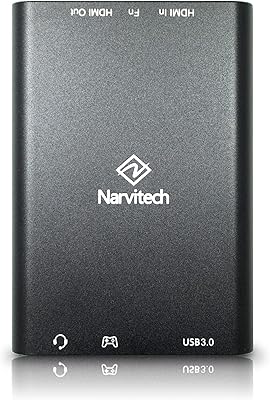
Narvitech NJ300
Narvitech NJ300
85%
94%
Initial Setup Ease
88%
Recording Stability
92%
Passthrough Latency
86%
Party Chat Integration
67%
Thermal Management
More
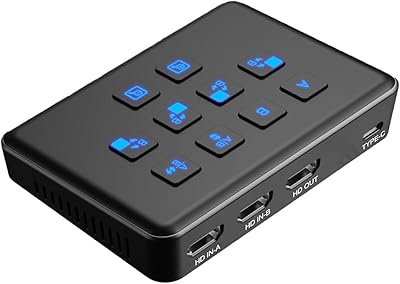
Qonakism Dual HDMI Capture Card with Switcher

76%
88%
Ease of Setup
83%
Dual-Source Switching
76%
Video Quality
71%
Layout Modes
84%
Latency Performance
More
Bytebridges 4K HDMI Capture Card (affd05f3)
88%
94%
Ease of Setup
88%
Build Quality
91%
Video Fluidity
87%
Input Latency
83%
Audio Versatility
More
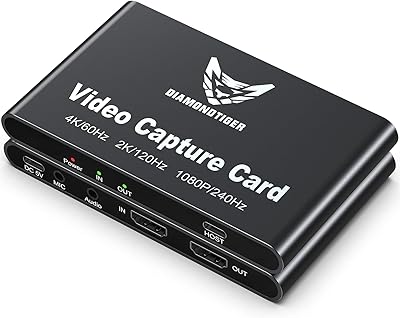
DiamondTiger YZ-F019 HDMI Capture Card
88%
94%
Video Quality
90%
Low Latency Performance
92%
Ease of Setup
85%
Device Compatibility
88%
Build Quality
More
Cenmate 7324HVC-4K60 Capture Card
88%
93%
Build Quality
89%
Pass-Through Performance
84%
Capture Image Quality
91%
Thermal Management
94%
Setup & Ease of Use
More
PACOXI Capture Card
PACOXI Capture Card
82%
93%
Ease of Setup
74%
Video Capture Quality
88%
HDMI Passthrough
79%
Audio Functionality
86%
Device Compatibility
More
NearStream CCD10 HDMI Capture Card
89%
96%
Setup Simplicity
92%
Passthrough Performance
89%
Input Latency
93%
Value for Money
84%
Audio Integration
More
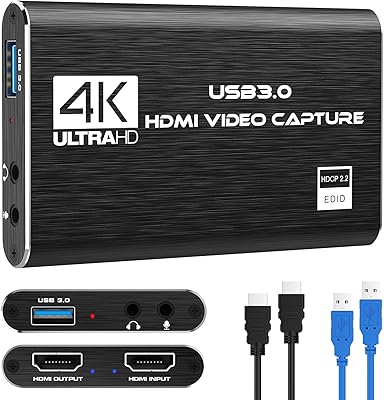
Swudloe C7-01 HDMI Video Capture Card
78%
93%
Ease of Setup
78%
Capture Quality
74%
4K Passthrough
61%
Audio Capture
88%
Platform Compatibility
More
HeavenBird 4K HDMI Video Capture Card
75%
91%
Ease of Setup
78%
Video Output Quality
74%
4K Passthrough Performance
69%
Audio Functionality
82%
Build Quality
More
Rybozen V316B-FR Capture Card
84%
88%
Build Durability
93%
Setup Simplicity
84%
Video Capture Fidelity
89%
Passthrough Performance
81%
Thermal Management
More

FAQ

Yes, it is compatible with the PS5 via HDMI. You plug the PS5 into the card's HDMI input and connect the card to your PC via USB, then open OBS or your preferred software. No drivers are needed, so the setup takes only a few minutes.

Technically yes, the AGPTEK VG0061 HDMI Capture Card supports 4K input and capture at 30fps. That said, real-world user feedback suggests 4K performance can be inconsistent depending on your PC hardware and USB controller. If smooth, reliable capture is your priority, 1080p is the safer target resolution — and at 120fps, it looks great for gaming content.

Not at all. The bundled ezcaplink software is optional, and honestly most users skip it entirely. The card works out of the box with OBS Studio, which is free, far more capable, and widely supported. If your laptop does not have a CD drive, that is not a problem.

Yes, this is one of the more Linux-friendly options in its price range. It is recognized as a standard UVC device, which means most modern Linux distributions will detect it automatically without any manual driver installation.

Yes, connecting a laptop or tablet via HDMI lets you share its display through the capture card into a meeting. No software needs to be installed on the source device, which makes it handy for presenting in conference rooms or classrooms with a mixed bag of devices.

The input supports both 3-pole line-in cables and 4-pole TRRS headsets, so most standard gaming headsets or desktop microphones with a 3.5mm plug will work. Keep in mind that a handful of users have reported occasional audio sync drift during longer sessions, so it is worth monitoring that if commentary audio precision matters to you.

Yes, the Switch outputs video over HDMI when docked, and this streaming dongle captures that signal without any issue. It is a popular pairing for Switch streamers who want a simple, affordable path to recording gameplay.

No, this card does not include HDMI passthrough. Once the source device is connected to the card, the video signal routes to your PC — you would not see it on a separate TV or monitor simultaneously without an HDMI splitter upstream.

macOS is not listed as a supported operating system for this card. Some users have reported mixed results trying it on Mac, but there is no official support, so it is a risk. If you are on a Mac, you would be better served by a card that explicitly lists macOS compatibility.

The housing is plastic and fairly lightweight, which is typical for capture cards in this price range. Most buyers find it perfectly functional for regular desk use, though if you are constantly packing and unpacking it for travel, treat it carefully — it does not have the reassuring heft of more expensive metal-bodied alternatives.