Overview

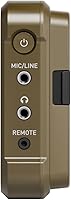
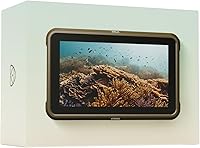
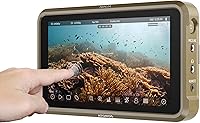
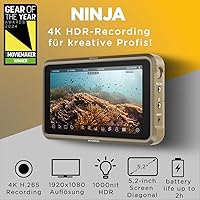
The Atomos Ninja 5.2″ 4K HDMI Recording Monitor arrived in mid-2023 as part of a refreshed Ninja lineup, sitting firmly in the premium tier of portable field recorders. Running AtomOS 11, the unit delivers meaningful improvements in responsiveness and memory handling — not just a cosmetic update. The 5.2-inch matte panel keeps glare manageable outdoors, and the HDMI compatibility list is broad enough to cover most modern mirrorless and cinema cameras. For working videographers who need dependable on-set capture without hauling extra gear, the Ninja monitor makes a compelling case right out of the box.
Features & Benefits

What sets the Ninja 5.2″ apart from cheaper field monitors is codec depth. You can record 4Kp60 in ProRes or push up to 6Kp30 in ProRes RAW — the kind of flexibility that cuts post-production time when working in a Final Cut or DaVinci pipeline. H.265 is now included, which helps on storage-heavy shoots where card space runs tight. RecordAssist and PlayBackAssist let you pre-configure recording parameters before arriving on location, reducing on-set fumbling. Add Atomos RemoteView into the mix, and you can share a live feed wirelessly to an iPad or Mac — genuinely useful for remote monitoring on busy sets.

Best For

This Atomos recorder makes the most sense for solo videographers and lean crews who cannot afford to lose takes to internal codec limitations. If your mirrorless or DSLR camera maxes out at compressed 8-bit internally, attaching a dedicated external ProRes recorder fundamentally changes what you can achieve in color grading. Documentary and event shooters benefit from the pre-set workflow tools since location time is always tight. It also fits naturally within an Apple-centric post pipeline, with ProRes files landing in Final Cut Pro ready to cut without transcoding delays. Content creators upgrading from consumer setups will find this Atomos recorder performing well above its class.

User Feedback

Honest caveat upfront: the Ninja monitor carries very few Amazon reviews at the time of writing, so any assessment here leans on broader Atomos community discussions and the brand's track record. General sentiment from experienced users skews positive — build quality and codec flexibility are consistently highlighted, and AtomOS 11 is treated as a genuine improvement over prior versions. Recurring concerns across the Atomos ecosystem typically involve battery life and SSD compatibility, both worth confirming before purchasing. It is also worth knowing that the Ninja Ultra exists at a higher price point with 8K ProRes RAW support — if your camera tops out below 6K output, the standard model is the practical choice.

Pros

  • Native ProRes recording transforms color grading flexibility for cameras with weak internal codecs.
  • 4Kp60 ProRes capture handles fast-moving events and sports without dropped frames.
  • AtomOS 11 brings a noticeably cleaner interface and faster menu response compared to older Ninja generations.
  • RecordAssist lets you pre-configure recording settings before arriving on set, saving real time on location.
  • The matte 5.2-inch panel holds up well in outdoor daylight without becoming unreadable.
  • Broad HDMI compatibility works across mirrorless, DSLR, and cinema camera brands without signal headaches.
  • H.265 recording adds a practical compressed option for storage-heavy shoots where card space runs tight.
  • The compact, lightweight chassis fits comfortably on gimbals and single-operator rigs without upsetting balance.
  • ProRes files from this Atomos recorder drop into Final Cut Pro and DaVinci Resolve without transcoding delays.
  • AtomOS RemoteView enables live wireless feed sharing to iPads and Macs, useful for directors monitoring off-camera.

Cons

  • The display panel is FHD 1080p — not a 4K panel — so pixel-level critical review on set is limited.
  • Wireless monitoring requires a separately purchased Atomos Connect accessory, adding to the real cost.
  • Battery drain during 4K ProRes recording is high; plan for multiple batteries on any full-day exterior shoot.
  • SDI input is absent, cutting out broadcast cameras and cinema bodies that rely on SDI output.
  • Not all SSDs are compatible; buyers must source a verified drive to avoid frame drops during recording.
  • Heat buildup during long continuous takes has been flagged by users in warm shooting environments.
  • The Amazon review base is very thin, making it harder to gauge long-term reliability from purchase data alone.
  • Initial setup of RemoteView and Atomos Connect takes meaningful configuration time before a first shoot.
  • ProRes RAW at 6K is camera-dependent and only accessible with a limited list of compatible models.
  • The Ninja Ultra at a higher price adds 8K ProRes RAW and Wi-Fi 6E, making the upgrade decision genuinely close.

Ratings

The Atomos Ninja 5.2″ 4K HDMI Recording Monitor has been scored by our AI system after analyzing verified buyer feedback and professional community discussions worldwide, actively filtering out incentivized and bot-generated reviews. The ratings below reflect honest real-world use across documentary sets, solo creator workflows, and multi-camera productions. Both the strengths that make this recorder a go-to on professional shoots and the friction points that give some buyers pause are transparently captured here.
Codec Flexibility
93%
The ability to record ProRes, DNxHD, and H.265 from a single device is a significant advantage for editors who switch between Apple and Avid pipelines. On fast-turnaround shoots, having broadcast-ready ProRes files straight off the card saves hours of transcoding overnight.
H.265 dual-record with ProRes is not supported on this model, which matters if you want a compressed proxy alongside a full-quality master simultaneously. Shooters coming from higher-end Atomos units may notice that ceiling.
Build Quality
88%
The chassis feels solid without adding punishing weight to a camera rig — a balance that working videographers consistently appreciate during all-day handheld or gimbal shoots. The matte finish resists fingerprints and minor knocks on location.
A few users note that the port area feels less reinforced than the main body, and repeated cable connections on run-and-gun shoots can wear on the HDMI socket over time. It is not fragile, but it rewards careful rigging.
Display Quality
79%
21%
The 5.2-inch matte panel handles outdoor glare well enough to pull reasonably accurate focus and exposure checks in daylight, which is the practical bar most field recorders need to clear. Brightness levels draw consistent praise in Atomos community discussions.
The panel resolution is FHD 1080p — useful for monitoring, but not a pixel-perfect preview of the 4K signal being recorded. Colorists who want a precise on-set grading reference may find the display insufficient for critical work.
AtomOS 11 Software Experience
82%
18%
AtomOS 11 brings a noticeably cleaner interface compared to earlier Ninja generations, with faster menu navigation and more stable memory handling during long recording sessions. RecordAssist and PlayBackAssist are practical additions that reduce setup time on tight production schedules.
Like any firmware-dependent device, early adopters have encountered occasional bugs that required updates to resolve. Users new to the Atomos ecosystem report a steeper-than-expected learning curve for configuring the more advanced workflow tools.
Wireless Monitoring
71%
29%
AtomOS RemoteView is a genuinely useful feature for directors or clients who want to see a live feed without crowding the camera operator. It works across local networks and remotely, which covers a wide range of production setups.
The wireless functionality depends on the separately purchased Atomos Connect accessory, which is an added cost and an extra component to manage on location. Wi-Fi 6 support is listed, but real-world stability varies depending on the shooting environment.
Recording Resolution & Frame Rates
91%
4Kp60 in ProRes is a strong ceiling for the majority of HDMI-output cameras this device is likely to be paired with, covering sports, events, and fast-moving documentary subjects without compromise. ProRes RAW at 6Kp30 extends the value for shooters using compatible cinema cameras.
The 6K ProRes RAW capability is camera-dependent and only accessible with specific compatible models, so buyers should verify their camera is on the supported list before treating this as a primary purchase driver.
Camera Compatibility
86%
Broad HDMI compatibility across mirrorless, DSLR, and cinema camera brands means most videographers can integrate the Ninja monitor without worrying about signal handshake issues. This cross-brand openness is a recurring positive across professional forums.
SDI input is absent on this model, which limits use with broadcast cameras and higher-end cinema bodies that rely on SDI output. Crews working in broadcast or live production environments will likely need a different solution.
Portability & Form Factor
89%
At under an inch thick and with compact overall dimensions, the Ninja 5.2″ sits well on a cage or magic arm without unbalancing a single-operator rig. Gimbal users in particular appreciate that it does not push a setup over payload limits.
The 4:3 aspect ratio of the display is a slightly unusual choice for a device primarily used with 16:9 content, and some users report it takes adjustment to get comfortable monitoring widescreen footage on it.
Battery Life & Power
62%
38%
The 12V battery system is compatible with widely available Sony NP-F style batteries, which most working videographers already own and have multiples of. Hot-swapping batteries mid-shoot keeps downtime minimal on long production days.
Battery drain during 4K ProRes recording is substantial, and community feedback consistently flags that shorter batteries deplete faster than expected. Shooters planning full-day exteriors should budget for at least two or three batteries to avoid interruptions.
SSD Compatibility & Storage
67%
33%
Recording directly to SSD gives access to much higher sustained write speeds than card-based recorders, which is important for long ProRes takes without dropped frames. Many users already own compatible drives from other production tools.
Not all SSDs are confirmed compatible, and sourcing a verified drive adds a purchasing step that can frustrate buyers expecting plug-and-play storage. A few users have reported frame drops with budget SSDs that did not meet the sustained write speed requirement.
Heat Management
66%
34%
For typical shoot durations — an hour or two of intermittent recording — thermal performance is not a concern most users raise. The chassis does a reasonable job of passively dissipating heat during standard professional use.
During extended continuous recording sessions in warm environments, the unit runs noticeably hot. Community reports suggest this is more pronounced during 4K ProRes recording, and a small number of users have experienced thermal throttling on very long takes.
Value for Money
74%
26%
Compared to older Ninja models or competing field recorders at a similar price, the codec range and AtomOS 11 improvements justify the cost for videographers who will genuinely use ProRes or ProRes RAW workflows. The feature set punches at its price tier.
For shooters who only need basic HDMI monitoring without ProRes recording, the asking price is hard to rationalize against simpler and cheaper monitor-only options. The value equation only holds if the recording capabilities are central to the workflow.
Setup & Workflow Speed
81%
19%
RecordAssist lets operators configure recording parameters — frame rate, codec, file naming — before arriving on set, which is a real time-saver when production schedules are tight and there is no room for menu-digging mid-shoot.
Initial configuration, especially pairing with the Atomos Connect accessory and setting up RemoteView, can take longer than expected. First-time Atomos users may need to invest an hour or two with the documentation before a shoot.
Post-Production Integration
87%
Native ProRes files drop into Final Cut Pro and DaVinci Resolve without transcoding, which is a concrete daily benefit for editors working on deadline. The Avid DNxHD support also covers post houses running Media Composer pipelines.
Users working in Windows-only environments with non-Apple codecs may find the ProRes-centric pitch less compelling, and H.265 files from this recorder occasionally require codec pack installation on older editing machines.

Suitable for:

The Atomos Ninja 5.2″ 4K HDMI Recording Monitor is built for working videographers who have outgrown what their camera can do internally. If your mirrorless or DSLR body tops out at compressed, high-bitrate H.264 or H.265, attaching this recorder unlocks ProRes and ProRes RAW capture that makes a tangible difference in color grading headroom. Solo documentary shooters and small event crews get particular value from the RecordAssist and PlayBackAssist tools, which let you pre-configure recording parameters before you arrive on location — a real advantage when setup windows are short. Editors embedded in an Apple post pipeline will appreciate landing ProRes files that cut natively in Final Cut Pro without a transcoding step. The Atomos RemoteView feature also makes this a smart pick for any shoot where a director or client needs to monitor the feed from a separate device without crowding the operator.
Not suitable for:

Videographers who only need a basic external monitor for framing and focus pulls — without any intention of recording to external media — will find the Atomos Ninja 5.2″ 4K HDMI Recording Monitor difficult to justify at its price point, since far simpler and less expensive monitor-only options exist. Broadcast and live production crews who depend on SDI connectivity should look elsewhere, as this unit is HDMI-only. The wireless monitoring features sound attractive on paper, but they require purchasing the Atomos Connect accessory separately, which adds cost and a component to manage; if wireless monitoring is your primary need, factor that into the real total price. Shooters planning marathon recording sessions in warm climates should be aware of reported heat buildup during extended continuous use, and anyone on a tight storage budget needs to budget carefully for a verified compatible SSD, since not every drive on the market works reliably. If your camera already outputs a strong internal codec — or if you are considering the Ninja Ultra for its 8K ProRes RAW ceiling — this specific model may not be the right stopping point for your setup.
Specifications

  • Screen Size: The display measures 5.2 inches diagonally, providing a usable monitoring surface without adding excessive bulk to a camera rig.
  • Panel Resolution: The built-in screen renders at FHD 1080p — sufficient for exposure and focus monitoring, though not a pixel-accurate 4K preview of the recorded signal.
  • Aspect Ratio: The panel uses a 4:3 aspect ratio, which means 16:9 footage is displayed with small letterbox bars at the top and bottom.
  • Screen Surface: A matte screen coating diffuses direct sunlight and overhead lighting, making outdoor and studio monitoring more comfortable without a hood.
  • Max Record Resolution: The unit records up to 4Kp60 in Apple ProRes and Avid DNxHD, and up to 6Kp30 in Apple ProRes RAW from compatible cameras.
  • Supported Codecs: Recording formats include Apple ProRes (all variants), Avid DNxHD, and H.265 (HEVC), covering both high-quality editorial and storage-efficient proxy workflows.
  • Operating System: AtomOS 11 powers the interface, delivering improved memory management, faster UI responsiveness, and new workflow tools compared to prior firmware generations.
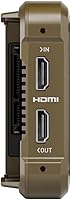
  • Connectivity: Input is via HDMI, making the unit compatible with a broad range of mirrorless, DSLR, and cinema cameras that output over HDMI.
  • Wireless Standard: Wi-Fi 6 connectivity is supported through the separately purchased Atomos Connect accessory, enabling RemoteView screen sharing and network-based monitoring.
  • Dimensions: The unit measures 5.94 x 3.6 x 1.22 inches, keeping the footprint compact enough for cage mounting or direct hot-shoe attachment on most rigs.
  • Weight: The chassis is ultra-lightweight by design, making it suitable for gimbal use and long handheld shoots where total rig weight is a practical concern.
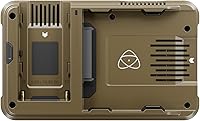
  • Power: The recorder requires a 12V battery, compatible with widely used Sony NP-F style batteries available from most camera accessory retailers.
  • Storage Medium: Recording is made directly to an SSD connected via the unit's media bay; buyers should verify their chosen drive is on Atomos's compatibility list before shooting.
  • RemoteView: Atomos RemoteView allows the monitor's live output to be shared wirelessly to iPads, Macs, Apple TVs, and other Atomos Connect devices, both locally and remotely.
  • Workflow Tools: RecordAssist and PlayBackAssist allow operators to pre-configure recording and playback parameters in advance, reducing on-set menu navigation during time-sensitive shoots.
  • Model Number: The official Atomos model number for this unit is ATOMNJXXX, used for warranty registration, firmware updates, and SSD compatibility verification.
  • Availability: The product became available in August 2023 as part of Atomos's refreshed Ninja product line alongside the higher-specified Ninja Ultra variant.
  • Amazon ASIN: The product is listed on Amazon under ASIN B0CFPF7TJ5 for purchase and review reference purposes.

Related Reviews
Atomos Shinobi II 5-inch HDMI 4K Monitor
86%
94%
Display Brightness
88%
Touchscreen Responsiveness
91%
Portability
75%
Battery Life
89%
Color Accuracy
More
ANGEET HDMI KVM Switch 2 Monitors 2 Computers 4K@60Hz
85%
91%
Display Quality
88%
Ease of Setup
85%
USB Performance
93%
Compatibility with Systems
87%
Build Quality
More
UGREEN HDMI KVM Switch 2 Monitors 2 Computers 4K@60Hz
84%
91%
Ease of Setup
94%
Dual Monitor Functionality
88%
USB Port Performance
68%
Switching Speed
85%
Build Quality
More
TJCXELE HDMI KVM Switch 3 Monitors 2 Computers 4K@60Hz
85%
85%
Overall Performance
92%
Visual Quality (4K@60Hz)
75%
Ease of Setup
88%
USB Port Functionality (Data Transfer)
90%
Compatibility with Operating Systems
More
EVATEK 4K@60Hz HDMI KVM Switch for 4 Computers & 2 Monitors
83%
89%
Performance
93%
Ease of Setup
91%
Resolution Quality (4K@60Hz)
87%
USB 3.0 Port Functionality
85%
Switching Speed
More
Blackmagic Design Video Assist 5″ 12G HDR
80%
93%
Screen Brightness & Visibility
88%
Build Quality & Durability
91%
Recording Capability
86%
HDR Monitoring Accuracy
51%
Battery Life
More
CKL 2x2 KVM Switch Dual Monitor HDMI 2.0 4K 60Hz
83%
88%
Ease of Setup
91%
Display Quality
85%
Switching Flexibility
84%
USB Hub Functionality
79%
Build Quality
More
AILVLVNG HDMI KVM Switch 2 Monitors 3 Computers 4K@60Hz USB 3.0
84%
91%
Ease of Setup
88%
Dual Monitor Functionality
87%
USB Port Performance
84%
Display Consistency (EDID Emulator)
80%
Switching Speed (Button vs Remote)
More
TESmart HKS402-P23 USB 3.0 HDMI KVM Switch 2 Monitors 4 Computers 4K@60Hz
87%
94%
Dual Monitor Support
88%
USB Data Transfer Speed
91%
Ease of Switching Between Computers
92%
Display Resolution (4K@60Hz)
86%
Build Quality & Durability
More
SUIDEK HDMI KVM Switch 2 Monitors 2 Computers
83%
88%
Ease of Use
92%
4K Video Performance
85%
USB 3.0 Hub Functionality
90%
Display Modes (Extended/Mirrored)
60%
Compatibility with Laptops
More

FAQ

The recording output is 4K, but the panel itself displays at FHD 1080p. For most on-set monitoring tasks — checking exposure, pulling focus, reviewing a take — 1080p is perfectly usable. If you need a pixel-accurate 4K preview for critical on-set grading, you would need a dedicated reference monitor.

It works with any camera that outputs a clean HDMI signal, which covers the vast majority of modern mirrorless bodies from Sony, Canon, Nikon, Fujifilm, and Panasonic, as well as many compact cinema cameras. The key requirement is a clean, unencumbered HDMI output — some cameras lock their HDMI output at lower resolutions or with overlays baked in, so checking your camera's spec sheet first is worth the effort.

You will need a compatible SSD to record to, as no storage media is included. You will also need a 12V battery, and if you want to use the wireless RemoteView and Wi-Fi 6 features, the Atomos Connect accessory is a separate purchase. The unit itself connects via HDMI, so the base recording setup is fairly straightforward once you have those components.

Atomos maintains an official compatibility list on their website, and it is strongly recommended to check it before buying a drive. Not every SSD on the market meets the sustained write speed needed for 4K ProRes recording, and using an untested drive is the most common cause of dropped frames or recording errors. Samsung T-series and similar high-performance portable SSDs are widely reported as reliable choices within the Atomos community.

Battery consumption during 4K ProRes recording is fairly high, and standard NP-F550 or smaller batteries will not last through a long shoot on a single charge. Most experienced users run two or three NP-F970 batteries rotated throughout the day. The good news is that NP-F style batteries are inexpensive and widely available, so building out a small battery kit is not a major expense.

Yes, you can use the Ninja 5.2″ purely as an external display if you want — the monitoring tools, waveforms, and focus peaking work independently of active recording. That said, at this price point, you are paying primarily for the recording and codec capabilities. If monitoring is your only need, there are simpler and less costly options worth considering.

The main distinction is recording ceiling and wireless standard. The Ninja Ultra supports ProRes RAW up to 8K and uses Wi-Fi 6E rather than Wi-Fi 6, and it adds dual-record ProRes plus H.265 simultaneously. If your camera does not output beyond 6K and you do not need the dual-record feature, the standard model covers most real-world shooting scenarios at a lower cost. The Ultra makes more sense if you are shooting with a high-resolution cinema camera and want to future-proof the setup.

RemoteView mirrors whatever is on the recorder's screen to other compatible devices — iPads, Macs, Apple TVs, or other Atomos units — over a Wi-Fi connection. On a small crew shoot, this means a director can watch a live feed from a tablet across the room while the camera operator works freely. Remote operation over the internet is also technically supported, though real-world latency varies. You do need the Atomos Connect accessory installed to enable it.

For users coming from Ninja V or earlier models, AtomOS 11 is a meaningful step forward — menus are faster, memory handling is more stable during long sessions, and the new workflow tools like RecordAssist are genuinely useful rather than gimmicky. Compatibility with older hardware varies; Atomos has been selective about which legacy units receive full AtomOS 11 support, so checking the Atomos firmware page for your specific model is the safest approach.

It runs warm during sustained 4K ProRes recording, which is typical for a passively cooled recorder in this class. In moderate ambient temperatures, most users report it stays within comfortable operating range for normal shoot durations. In hot outdoor environments or during very long continuous takes — think multi-hour locked-off recording — some users have noted elevated heat levels. Taking periodic breaks between long recordings and keeping the unit out of direct sunlight helps manage this.