Overview

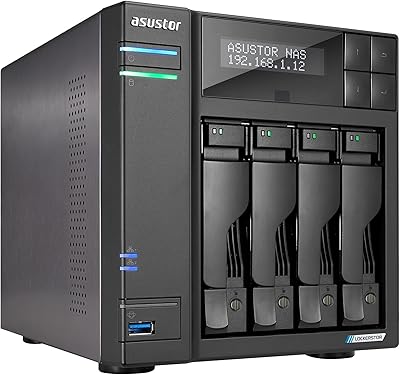
The Asustor Lockerstor 10 Pro AS7110T NAS sits firmly at the upper end of the prosumer market, where serious storage demands meet workstation-class hardware. This is not a unit you pick up because it happened to be on sale — it is built for people who genuinely need the muscle. The combination of a Xeon processor and 10-Gigabit Ethernet is rare at this form factor, and it shows in real throughput numbers. Physically, it is a substantial piece of kit: a full metal chassis that commands desk or rack space. If you are coming from a consumer-grade box, the jump in both capability and complexity is real.
Features & Benefits

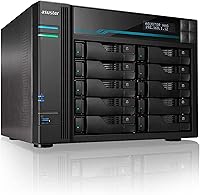
At the heart of this 10-bay NAS is an Intel Xeon E-2224, a processor class typically found in entry-level workstations rather than storage boxes. That distinction matters: unlike Atom or Celeron chips, the Xeon handles heavy parallel workloads — multiple simultaneous Docker containers, active surveillance streams, and file serving — without falling behind. The 8GB of DDR4 RAM is adequate out of the box but scales to 64GB, which opens the door to serious VM hosting. Two M.2 NVMe slots enable SSD caching that noticeably accelerates frequently accessed data. With one 10GbE port alongside three 2.5GbE connections, the Lockerstor 10 Pro is built for high-throughput environments, and the three-year warranty adds meaningful reassurance for business deployments.

Best For

This Asustor unit makes the most sense for people who have already hit the ceiling of what a 4- or 6-bay consumer NAS can offer. Small creative studios handling 4K or RAW video workflows will appreciate the raw throughput and caching options. IT administrators building on-premise backup infrastructure — especially in environments with existing 10GbE switching — will find it a natural fit. Home lab power users running VMs or containerized services will also get genuine value here. Who should skip it? Anyone buying their first NAS, anyone on a tight budget, or anyone who simply needs light home backup storage. The complexity is only justified when the workload actually demands it.

User Feedback

Across buyer reviews, the picture is largely positive but not without caveats. Build quality and network throughput draw consistent praise — users running 10GbE setups report that performance lives up to expectations. ASUSTOR ADM, the operating system, gets mixed marks: it is capable and improving with updates, but newcomers often find the interface less polished than Synology DSM, and the learning curve is real. Fan noise under sustained load is a recurring complaint, particularly in quieter home office settings. A few buyers also flag accessory costs and drive compatibility research as friction points. Against QNAP equivalents, sentiment is roughly split — some prefer Asustor's value-per-feature ratio, while others miss a broader app ecosystem.

Pros

  • The Xeon E-2224 processor handles heavy parallel workloads that would stall lesser NAS chips.
  • Ten drive bays allow raw capacity to scale up to 180TB, leaving serious room for growth.
  • A dedicated 10GbE port delivers real-world throughput that matches enterprise file-sharing demands.
  • Dual M.2 NVMe SSD caching slots measurably accelerate access to frequently used data.
  • RAM is expandable to 64GB, making VM hosting and containerized workloads genuinely viable.
  • Three 2.5GbE ports alongside the 10GbE connection offer flexible multi-client network configurations.
  • Solid all-metal chassis feels durable and is built to run continuously in a business environment.
  • Three-year warranty provides meaningful coverage that consumer-grade NAS units rarely match.
  • The Lockerstor 10 Pro holds a strong ranking among NAS devices with hundreds of verified buyer ratings.
  • USB 3.2 ports add convenient external storage or direct backup flexibility.

Cons

  • Fan noise under sustained load is noticeable enough to be disruptive in quiet office or home settings.
  • ASUSTOR ADM has a steeper learning curve compared to Synology DSM, especially for newcomers.
  • The app ecosystem is narrower than QNAP or Synology, limiting third-party software options.
  • Drive compatibility research is required before purchase, adding friction to the setup process.
  • The physical footprint is substantial — plan carefully for rack space or desk placement.
  • Total cost rises sharply once drives, additional RAM, and accessories are factored in.
  • Firmware updates have occasionally introduced short-term instability according to some long-term users.
  • No built-in display or front-panel diagnostics, making quick status checks less convenient.
  • Overkill processing power means buyers with light workloads are effectively paying for unused hardware.
  • Customer support response times have drawn criticism from some business users expecting faster turnaround.

Ratings

The scores below reflect an AI-driven analysis of verified global buyer reviews for the Asustor Lockerstor 10 Pro AS7110T NAS, with spam, bot-generated, and incentivized feedback actively filtered out to ensure accuracy. Ratings are drawn from real-world usage patterns spanning small business deployments, creative studio workflows, home lab setups, and IT infrastructure environments. Both the standout strengths and the recurring frustrations are transparently reflected — nothing is smoothed over.

Raw Throughput Performance
91%
Users running 10GbE networks consistently report that this Asustor unit delivers throughput numbers that genuinely justify the hardware investment. Sequential read and write speeds with NVMe caching enabled are among the highest reported in this NAS class, drawing praise from video editors and IT admins handling large backup windows.
Peak performance is heavily dependent on drive selection and RAID configuration, so buyers using budget or mismatched drives often report results well below expectations. The unit cannot fully express its potential without a capable 10GbE switch, which adds to the overall deployment cost.
Processor & Compute Power
88%
The Intel Xeon E-2224 is genuinely in a different league compared to the Atom or Celeron chips found in most competing NAS units at lower price points. Power users running Docker containers, lightweight virtual machines, and active surveillance streams simultaneously report that the CPU holds up without throttling under sustained load.
A handful of users note that for purely file-serving workloads without virtualization, the Xeon is substantial overkill and does not translate to a perceptibly better experience than a capable Celeron-based unit. The higher thermal output also means the cooling system works harder, contributing to noise.
Build Quality
86%
The all-metal chassis is one of the most consistently praised aspects across buyer reviews — it feels substantial and purpose-built rather than consumer-grade plastic. Users who have deployed it in always-on business environments report no structural issues or drive bay flex even with ten drives fully populated.
The unit is large and heavy, which a few buyers underestimated before purchase, leading to desk or rack space complications. Some users also note that drive tray latches feel slightly less refined than those found on equivalent Synology or QNAP enclosures at this price tier.
Network Flexibility
89%
Having a dedicated 10GbE port alongside three 2.5GbE ports in a single NAS is genuinely uncommon, and users with mixed-speed network environments praise how it allows simultaneous high-bandwidth and standard client connections without additional switching complexity. Link aggregation across the 2.5GbE ports adds further versatility.
The 10GbE port uses a standard RJ45 connector, which limits cable runs compared to fiber alternatives, and a few enterprise-leaning users have noted they would prefer dual 10GbE ports rather than the current asymmetric layout. SFP+ support is absent, which matters in some existing infrastructure setups.
NVMe SSD Caching
83%
The two M.2 NVMe PCIe Gen2 slots deliver a real-world improvement for workloads involving repeated access to the same data sets — video project files, database reads, and active surveillance footage are common examples where users notice the difference. Setup through ASUSTOR ADM is relatively straightforward once you are past the initial learning curve.
The slots operate at PCIe Gen2 speeds rather than Gen3 or Gen4, which limits the ceiling of the cache tier compared to what newer platforms offer. Some users also note that the caching benefit is minimal for purely sequential write-heavy workflows like initial large file transfers.
RAM & Expandability
84%
The ability to scale from 8GB up to 64GB DDR4 is a genuine advantage for users planning to grow their workloads over time, particularly those interested in adding more Docker containers or VM instances as their needs evolve. Several IT professionals note that the expandability alone made this a safer long-term investment than competing units with soldered RAM.
The stock 8GB configuration feels limiting for anyone planning to run multiple VMs right out of the box, and the cost of quality DDR4 SO-DIMM modules adds to the total investment. A few users report compatibility issues with unverified third-party RAM, so sticking to tested modules is essential.
ASUSTOR ADM Software
67%
33%
ADM has matured noticeably over the past few years and now offers solid Docker support, a functional app ecosystem, and reliable snapshot and backup tools that hold up well in business environments. Users who invest time in learning the platform generally report satisfaction once past the initial setup phase.
The honest consensus is that ADM still lags behind Synology DSM in interface polish and community resources, making troubleshooting more time-consuming for newcomers. Firmware updates have occasionally introduced temporary bugs, and the app library — while growing — remains narrower than what QNAP or Synology offer.
Fan Noise
52%
48%
Under light or idle workloads, the fans operate at acceptable levels that most users in dedicated server rooms or utility closets do not find problematic. The active cooling does its job effectively, and thermal performance under sustained load is generally considered adequate by users focused purely on reliability.
Under sustained heavy workloads, the fan noise is loud enough that multiple buyers specifically flag it as a dealbreaker for home office or bedroom deployments. Unlike some competing units that offer customizable fan curves by default, noise management on this unit requires more manual configuration through ADM settings.
Drive Bay Capacity
93%
Ten bays with support for up to 180TB raw capacity is a genuinely substantial headroom figure that small businesses and data-heavy creative studios appreciate, as it removes the need to think about storage expansion for years. Mixed 3.5-inch and 2.5-inch compatibility adds flexibility for hybrid drive configurations.
With ten bays to fill, the cost of drives alone can dwarf the enclosure price, which some buyers underestimate at purchase time. Drive compatibility research is non-trivial — not every high-capacity drive from major vendors is validated, and using unverified drives occasionally leads to stability warnings in ADM.
Value for Money
71%
29%
For buyers who actually need 10GbE, a Xeon processor, and ten-bay capacity in a single unit, the Lockerstor 10 Pro represents reasonable value relative to building an equivalent setup from server components. Users who fully utilize the hardware report feeling the price was justified after six or more months of deployment.
For anyone using less than 60 to 70 percent of the hardware capability, the value proposition weakens considerably — you are effectively paying a premium for headroom you may never use. Competing QNAP units at a similar price tier offer a broader software ecosystem, which makes the cost comparison less clear-cut for software-dependent workloads.
Setup & Initial Configuration
63%
37%
The physical hardware setup — inserting drives, connecting cables, and powering on — is straightforward and well-documented. Users with prior NAS experience generally get the system operational within a couple of hours, and ASUSTOR provides online guides that cover the major initial configuration steps.
First-time NAS buyers consistently report a steeper-than-expected learning curve, particularly around network configuration, RAID setup, and ADM application management. The initial firmware update process has tripped up several users who were not prepared for the setup sequence, leading to frustration in early reviews.
Virtualization Support
81%
19%
The combination of the Xeon processor and expandable RAM makes this one of the more credible NAS platforms for lightweight VM hosting, and users running two to four concurrent virtual machines report stable performance when the RAM has been upgraded appropriately. ASUSTOR ADM's Virtual Machine Manager covers the basics competently.
Compared to dedicated hypervisor hardware, the VM management tools in ADM are functional but not feature-rich, and advanced users often hit limitations around guest OS support and resource allocation granularity. The lack of a dedicated GPU means any VM requiring display output or transcoding acceleration faces bottlenecks.
Warranty & Support
74%
26%
A three-year warranty is competitive for prosumer NAS hardware and gives business buyers meaningful coverage against hardware defects during a typical deployment lifecycle. Asustor has improved its support documentation and firmware update cadence noticeably over recent product generations.
Customer support response times have drawn criticism from several business users who expected faster turnaround given the premium price point and business-oriented positioning. Community forums, while helpful, are less active than those surrounding Synology or QNAP, which can slow down troubleshooting for niche configuration issues.
Thermal Management
76%
24%
The unit maintains stable operating temperatures across extended workloads, and buyers running it continuously in ventilated server rooms report no thermal throttling issues even with all ten bays populated. The metal chassis contributes meaningfully to heat dissipation under load.
In poorly ventilated spaces or when ambient temperatures are elevated, the system compensates by ramping up fan speeds aggressively, which directly compounds the noise concerns. A few users in warmer climates note that drive temperatures run higher than they would prefer during summer months without additional airflow.
Ecosystem & App Library
61%
39%
ASUSTOR App Central covers the core use cases well — Plex, Docker, surveillance, cloud sync, and backup applications are all available and generally functional. Users who stick to mainstream applications tend to find everything they need without going outside the native ecosystem.
The app library is meaningfully smaller than what Synology or QNAP offer, and several niche or enterprise-grade third-party applications simply have no ADM equivalent. Users with specific software requirements should verify app availability before committing, as this is one of the most common post-purchase disappointments flagged in reviews.

Suitable for:

The Asustor Lockerstor 10 Pro AS7110T NAS is purpose-built for buyers who have real, demanding workloads and the network infrastructure to match. Small business owners and creative studios dealing with continuous 4K or RAW video editing will find the Xeon processor and NVMe caching make a tangible difference in day-to-day throughput. IT professionals tasked with building reliable on-premise backup systems will appreciate the ten-bay capacity, redundancy options, and the reassurance of a three-year warranty. Power users running multiple Docker containers, virtual machines, or self-hosted applications simultaneously will benefit from the generous RAM ceiling of 64GB. If your office or lab already has 10-Gigabit switching in place, this Asustor unit is one of the few NAS options at this form factor that can actually saturate that pipe consistently.
Not suitable for:

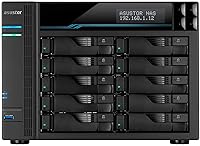
The Asustor Lockerstor 10 Pro AS7110T NAS is genuinely the wrong tool for a large portion of shoppers who might encounter it. If your primary use case is storing family photos, streaming media to a TV, or backing up a couple of laptops at home, this level of hardware is significant overkill — and the price reflects that. First-time NAS buyers will find ASUSTOR ADM less intuitive than competing platforms, and the learning curve can be frustrating without prior networking experience. Buyers on a constrained budget should also consider whether the total cost of ownership — factoring in drives, accessories, and potential upgrades — aligns with their actual storage needs. Anyone expecting plug-and-play simplicity out of the box will likely be disappointed; this is a platform that rewards technical confidence, not one that holds your hand.
Specifications

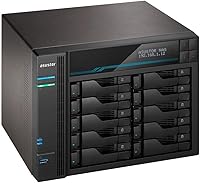
  • Processor: The unit runs on an Intel Xeon E-2224 quad-core CPU clocked at 3.4GHz, with turbo boost reaching up to 4.6GHz under peak demand.
  • RAM: 8GB of DDR4 SDRAM is included as standard, with expansion support up to 64GB for virtualization-heavy or enterprise workloads.
  • Drive Bays: Ten SATA3 6Gb/s bays accept both 3.5-inch and 2.5-inch hard drives or SSDs in any combination.
  • Max Capacity: With ten bays populated by 18TB drives, the unit supports up to 180TB of raw storage before RAID overhead.
  • NVMe Cache: Two M.2 NVMe PCIe Gen2 slots are dedicated to SSD caching, accelerating read and write performance for frequently accessed data.
  • Network Ports: Connectivity includes one 10-Gigabit Ethernet port and three 2.5-Gigabit Ethernet ports for flexible, high-throughput network configurations.
  • USB Ports: Multiple USB 3.2 ports are provided for direct-attached storage, external backup drives, or peripheral expansion.
  • Operating System: The unit ships with ASUSTOR ADM (ASUSTOR Data Master), Asustor's proprietary NAS operating system with support for apps, Docker, and virtual machines.
  • Dimensions: The chassis measures 15.75-inch depth by 14.57-inch width by 13.78-inch height, requiring dedicated rack or desk space planning.
  • Build Material: The enclosure is constructed from metal, contributing to structural rigidity and suitability for always-on business environments.
  • Warranty: Asustor covers the unit with a three-year manufacturer warranty, which is competitive for prosumer and SMB-class NAS hardware.
  • Amazon Rating: The unit holds a 4.2 out of 5 star rating across 428 verified buyer ratings on Amazon as of the time of this review.
  • BSR Ranking: It ranks at number 32 in the Network Attached Storage Devices category on Amazon, reflecting strong sustained sales volume.
  • Model Number: The official model identifier is AS7110T, part of Asustor's Lockerstor Pro series targeting power users and small businesses.
  • ASIN: The Amazon Standard Identification Number for this unit is B087LV48J6, first listed on the platform in June 2020.

Related Reviews
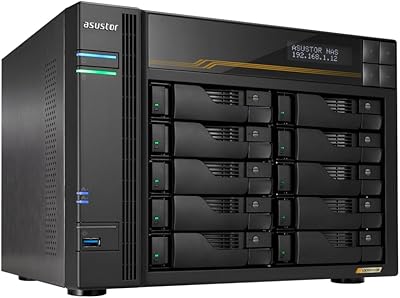
Asustor Lockerstor 10 Gen3 AS6810T 10-Bay NAS
87%
95%
Network Performance
92%
Drive Flexibility
93%
CPU & Processing Speed
90%
Memory Reliability
78%
Setup & Installation
More
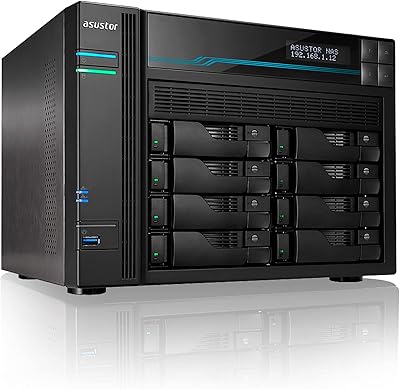
Asustor Lockerstor 8 AS6508T 8-Bay NAS
77%
91%
Network Performance
84%
Value for Money
88%
Build Quality
62%
Software (ADM)
83%
SSD Caching
More
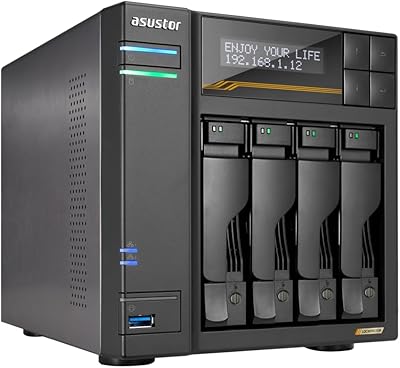
Asustor Lockerstor 4 Gen3 AS6804T NAS

78%
93%
Raw Performance
91%
Network Throughput
89%
Memory & Data Integrity
87%
NVMe Cache Flexibility
88%
Build Quality
More
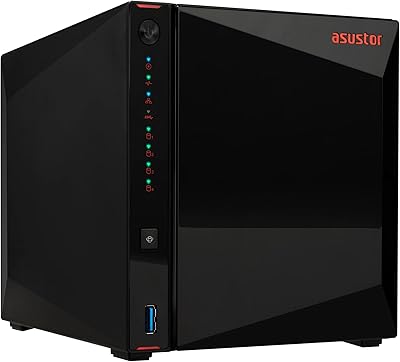
Asustor Drivestor 4 Pro AS3304T 4-Bay NAS
78%
88%
Network Performance
83%
Software & ADM Interface
74%
Media Playback & Transcoding
76%
App Ecosystem
57%
RAM & Multitasking
More
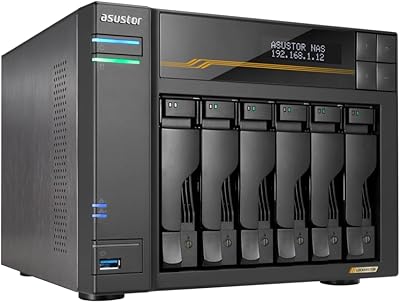
Asustor Lockerstor 6 Gen3 AS6806T 6-Bay NAS
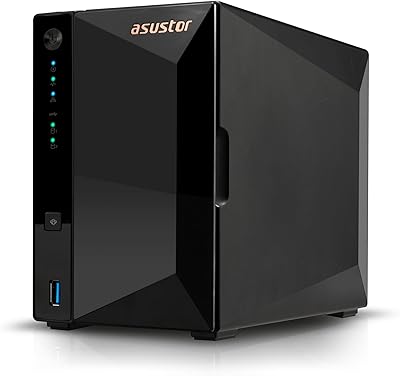
79%
93%
Raw Throughput Performance
91%
NVMe Cache Flexibility
89%
Network Connectivity
88%
CPU & Processing Headroom
86%
Build Quality & Chassis
More
Asustor Drivestor 2 Pro Gen2 2-Bay NAS
76%
83%
Setup & Initial Configuration
89%
Network Performance (2.5GbE)
71%
4K Transcoding Performance
67%
Software & ADM Ecosystem
86%
Build Quality & Physical Design
More
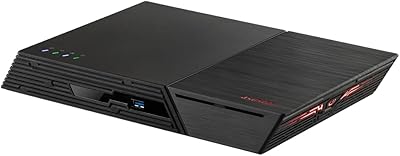
Asustor Flashstor 12 Pro Gen2 NAS
76%
93%
Read/Write Performance
61%
SSD Compatibility
89%
Noise & Thermal Management
47%
USB4 / Thunderbolt Connectivity
84%
Build Quality & Design
More
DS18 PRO-ZXI10MBASS 10-inch Mid-Bass Loudspeaker
82%
91%
Build Quality
88%
Sound Performance
93%
Sensitivity & Efficiency
86%
Power Handling
89%
Value for Money
More
Asustor AS5402T 2-Bay NAS Enclosure
78%
88%
Hardware Value
82%
Processing Performance
86%
Network Throughput
84%
Thermal Management
63%
Software & OS Experience
More
Asustor Lockerstor 4 Gen2 4-Bay NAS
76%
83%
Processing Performance
88%
NVMe Cache & M.2 Flexibility
81%
Network Throughput
91%
Build Quality & Chassis
62%
Fan Noise & Thermal Management
More

FAQ

Yes, it works with most NAS-rated drives including Seagate IronWolf, WD Red, and WD Red Pro. Asustor maintains an official compatibility list on their website, and it is worth cross-referencing your specific drive model before purchasing, especially for newer high-capacity options.

On this unit, the two M.2 NVMe slots are designed primarily for SSD caching rather than standalone storage volumes. They work alongside your SATA drives to accelerate read and write operations for frequently accessed files, which is where they have the most practical impact.

It is not a quiet unit, especially under sustained workloads. The cooling fans are audible in a normal room, and several buyers specifically note that fan noise is a real consideration if the NAS will sit in a home office or bedroom. In a dedicated server room or utility closet, it is a non-issue.

Yes, ASUSTOR ADM supports virtualization through its Virtual Machine Manager application, and with the Xeon processor and up to 64GB of RAM, the hardware is genuinely capable of hosting lightweight VMs. For serious VM workloads, plan to upgrade the RAM beyond the stock 8GB configuration.

ADM is a capable platform with a growing app library and solid Docker support, but it has a less polished interface than Synology DSM and a smaller community knowledge base. If you are coming from Synology, expect a learning adjustment period of a few weeks before things feel intuitive.

With fast NAS-rated drives in a RAID configuration — or NVMe caching enabled — the Lockerstor 10 Pro can approach 10GbE saturation in sequential read scenarios. Real-world performance depends heavily on your drive selection, RAID type, and client-side network hardware, so results will vary.

It supports standard RAID modes including RAID 0, 1, 5, 6, 10, and JBOD through ASUSTOR ADM. For business environments, RAID 6 is a popular choice since it tolerates two simultaneous drive failures without data loss.

Yes, the RAM is user-upgradeable. The unit accepts standard DDR4 SO-DIMM modules, and Asustor supports expansion up to 64GB. Stick to tested, brand-name modules and check Asustor's compatibility list to avoid instability — third-party RAM that is not validated can occasionally cause issues.

Plex is available through the ASUSTOR App Central, and the Xeon processor handles transcoding better than most NAS chips on the market. That said, Plex hardware transcoding requires a valid Plex Pass subscription, and the unit does not have a dedicated GPU, so very high simultaneous 4K transcoding streams may still hit limits.

This is a power-hungry unit compared to smaller consumer NAS boxes — expect meaningfully higher electricity draw with ten drives spinning. ASUSTOR ADM includes UPS support via USB, so you can connect a compatible uninterruptible power supply for graceful shutdowns during outages, which is strongly recommended for any business deployment.

Where to Buy

NAS Headquarters
In stock $6,286.00