Overview

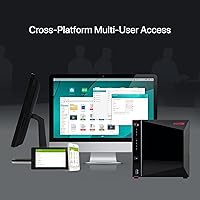
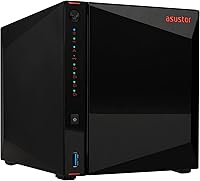
The Asustor AS5404T 4-Bay NAS Enclosure sits comfortably in the mid-to-high range of the NAS market, designed for power users who want the flexibility of both NVMe SSD caching and traditional hard drive storage under one roof. Built from metal rather than the plastic you'll find on budget units, it feels solid and handles heat thoughtfully with dedicated thermal vents. One important thing to know upfront: it ships diskless, meaning the enclosure price doesn't include any drives. Factor that into your budget before you buy, because the true cost of ownership depends heavily on which drives you pair it with.
Features & Benefits

What makes the AS5404T genuinely interesting is how it bridges two storage worlds. The Intel Celeron N5105 processor handles 4K transcoding and multi-user file access without breaking a sweat under moderate loads — though if you're planning to run several heavy virtual machines simultaneously, you'll hit its limits. Four M.2 NVMe slots are a rare luxury at this size, letting you either build an all-flash array or use SSDs as a high-speed cache tier. The dual 2.5GbE ports can be bonded for serious throughput, and three USB 3.2 Gen 2 ports make connecting external backup drives fast and straightforward. RAM starts at 4GB but can reach 16GB.

Best For

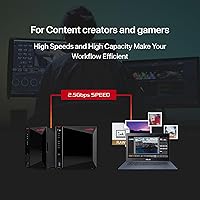
This four-bay enclosure hits its stride with a specific kind of buyer. Home lab tinkerers who want to run Docker containers or experiment with lightweight VMs will appreciate the expandable RAM and capable processor. Content creators dealing with large video files benefit from the NVMe caching options, which can meaningfully cut down on wait times. Gamers looking to self-host libraries or keep personal backups off the cloud will find it practical. Small offices and freelancers sharing files across a fast local network are also a natural fit. If you need five or more bays, or require enterprise-grade redundancy, look elsewhere — this isn't built for that scale.

User Feedback

Across roughly 89 ratings, this Asustor NAS holds a 4.4-star average — respectable, though the relatively modest review count means a few outliers can sway the score noticeably. Buyers consistently praise the build quality and the flexibility of Asustor's ADM operating system, which offers a reasonably polished interface for managing apps and storage pools. The NVMe slot availability draws repeated compliments. On the downside, first-time NAS owners frequently mention a steeper-than-expected setup learning curve. A handful of users have noted the fan can get audible under sustained load. Some also feel the diskless price is harder to justify once the cost of quality drives is added in.

Pros

  • Four M.2 NVMe slots in a compact enclosure is genuinely rare and opens up fast caching or all-flash configurations.
  • The metal chassis feels solid and purposeful compared to budget plastic-bodied competitors.
  • Dual 2.5GbE ports allow link aggregation for noticeably faster local network transfers when paired with a compatible switch.
  • RAM is expandable up to 16GB, giving this Asustor NAS real longevity as workloads grow over time.
  • Three fast USB ports make external backup drives and direct-attached storage quick and practical.
  • An HDMI output lets you skip the separate media client and connect directly to a display for local playback.
  • Wake on LAN and Wake on WAN support means it doesn't need to run continuously, saving power in always-on home setups.
  • The processor handles moderate multi-user workloads and Plex transcoding reliably for typical household or small office demands.
  • ADM's app ecosystem covers the most common NAS use cases without needing third-party workarounds.
  • The compact footprint fits neatly in a home office or network closet without demanding rack space.

Cons

  • Ships without drives, so total ownership cost is significantly higher than the enclosure price alone suggests.
  • First-time NAS buyers consistently report a steeper-than-expected setup and configuration learning curve.
  • Fan noise becomes noticeable under sustained heavy workloads, which is a real issue in quiet living spaces.
  • Heat can accumulate in enclosed cabinets, requiring careful placement that not all buyers anticipate.
  • The processor hits its ceiling under multiple simultaneous heavy workloads like several concurrent 4K transcodes.
  • ADM software feels less intuitive than Synology's DSM for everyday app management and permission settings.
  • No USB-C ports among the three USB connections, creating minor friction with newer external drives.
  • Getting full value from the 2.5GbE ports requires a compatible switch most buyers may not already own.
  • NVMe drive compatibility is not universal, and some combinations have shown stability issues requiring research before purchasing.
  • The base 4GB RAM configuration can feel limiting when running multiple apps and containers simultaneously without an immediate upgrade.

Ratings

The Asustor AS5404T 4-Bay NAS Enclosure earned its scores through AI-driven analysis of verified global buyer reviews, with spam, bot activity, and incentivized feedback actively filtered out before scoring. The ratings below reflect a balanced picture — real strengths are credited, and recurring frustrations are not glossed over. If this four-bay enclosure falls short in any area that matters to your workflow, you'll find it called out plainly here.
Build Quality
88%
Buyers consistently note that the metal chassis feels noticeably more substantial than competing plastic-bodied units in this price range. The thermal vents along the M.2 area show real engineering intent, and the overall fit and finish rarely draws complaints even from detail-oriented home lab users.
A few reviewers mention that while the exterior is solid, the internal drive trays feel slightly less premium than the enclosure itself. At this tier, some buyers expect tool-free drive installation as standard, and the AS5404T doesn't fully deliver on that expectation.
Processing Performance
82%
18%
The Intel Celeron N5105 handles the workloads most buyers actually run — Plex transcoding for a household, simultaneous file transfers, and a handful of Docker containers — without obvious strain. For home media servers and small office file sharing, it performs reliably day to day.
Push it harder with multiple concurrent 4K transcodes or several active virtual machines and the processor starts to show its limits. Users coming from higher-end NAS platforms sometimes find the headroom tighter than expected under genuinely demanding workloads.
NVMe Storage Flexibility
93%
Four M.2 NVMe slots is a genuine differentiator at this enclosure size, and buyers who understand what that means tend to be vocal about it. Whether used for SSD caching to accelerate spinning disk arrays or configured as an all-flash pool, the flexibility here is hard to match among competitors.
The NVMe slots require additional investment beyond the already diskless purchase price, which catches budget-conscious buyers off guard. A couple of users also note that not all M.2 drive brands have been equally stable, suggesting some compatibility testing is worth doing before committing.
Network Throughput
87%
Dual 2.5GbE ports are a meaningful step up from the single gigabit connections found on older or cheaper NAS units. When bonded on a compatible switch, the combined throughput makes a real difference for teams or households moving large files across a local network regularly.
Getting full benefit from the 2.5GbE ports requires a compatible router or switch, which not every buyer already owns. A few users on older home network hardware report that the networking advantage felt wasted until they upgraded their switching infrastructure.
Software Ecosystem (ADM OS)
76%
24%
Asustor's ADM operating system is generally regarded as polished and functional, with a reasonable app library covering the most common use cases like media serving, cloud sync, and backup. Experienced NAS users tend to settle in comfortably after an initial orientation period.
First-time NAS buyers frequently describe ADM as harder to navigate than expected, and the documentation doesn't always bridge that gap well. Compared to Synology's DSM, which many shoppers use as a benchmark, ADM occasionally feels less intuitive in its app management and notification settings.
Setup & Initial Configuration
67%
33%
Hardware installation is fairly straightforward — drives slot in without excessive complexity, and network detection during first boot generally works without drama. Buyers with any prior NAS experience report getting up and running within an hour.
For true newcomers, the learning curve is steep enough that several reviewers recommend watching third-party tutorial videos rather than relying on Asustor's own guides. RAID configuration terminology and network share permissions trip up first-time users more than they should at this price point.
RAM & Expandability
83%
Starting with 4GB of DDR4 RAM is adequate for light multi-app setups, and the ability to expand to 16GB gives this enclosure meaningful longevity as workloads grow. Buyers running Docker containers alongside media services appreciate having that headroom available.
The base 4GB configuration can feel limiting if you want to run several apps and a lightweight VM out of the box without upgrading immediately. RAM upgrades add cost on top of an already diskless purchase, contributing to a total ownership cost that climbs quickly.
Fan Noise & Acoustics
69%
31%
Under light to moderate loads — basic file serving, overnight backups, low-traffic Plex streaming — the fan stays quiet enough that most users in a home office setting don't find it distracting. Idle noise levels are generally considered acceptable for an always-on device.
Sustained heavy workloads trigger noticeable fan spin-up, and a handful of buyers in quieter environments flag this as a real annoyance. Those placing this enclosure in a living room or bedroom report that the fan behavior under load is not as discreet as they hoped.
Thermal Management
78%
22%
The dedicated thermal vents above the M.2 slots show that Asustor thought about heat dissipation for flash storage specifically, which matters when NVMe drives run warm under sustained reads and writes. Most users report stable drive temperatures in open-rack or ventilated shelf setups.
In enclosed cabinets or tight media console spaces, some buyers report higher-than-comfortable drive temperatures over extended periods. The enclosure relies on adequate ambient airflow, so placement matters more here than with units that use more aggressive internal fan configurations.
USB Connectivity
84%
Three USB 3.2 Gen 2 ports at 10Gbps each is generous, and buyers who use external drives for local backup or direct media import find them genuinely fast. Running Time Machine backups or direct-attached USB storage alongside network shares works without bottleneck complaints.
There is no USB-C among the three ports, which is a minor friction point for users whose newer external drives ship with USB-C cables. It's not a dealbreaker, but it's a small sign the port selection reflects a slightly older design decision.
Value for Money
71%
29%
The hardware specification relative to the asking price is competitive within the NAS enclosure category, particularly given the four NVMe slots and dual 2.5GbE networking. Buyers who planned for the diskless format and budgeted for drives accordingly tend to feel the enclosure itself is fairly priced.
The diskless pricing model means sticker shock is common for buyers who didn't account for the cost of quality drives on top. When total system cost is calculated — enclosure plus four drives plus potential RAM upgrade — several reviewers feel the value equation becomes tighter than the enclosure price alone suggests.
HDMI Output & Local Playback
73%
27%
Having an HDMI 2.0b port is a feature many competing enclosures skip entirely, and buyers who connect the AS5404T directly to a TV for local Plex or media playback find it a convenient alternative to maintaining a separate client device.
The local playback experience depends heavily on ADM app support, and a few users find the media player options available through ADM less polished than a dedicated streaming device. It works, but buyers expecting a Kodi-level experience may be underwhelmed.
Wake on LAN & Power Management
81%
19%
Wake on LAN and Wake on WAN support means the enclosure doesn't need to run 24/7, which matters both for electricity costs and for buyers in shared living spaces who don't want a constantly spinning device. Remote wake functionality works reliably according to most reports.
Configuring Wake on WAN requires router-level port forwarding knowledge that casual users often lack, and Asustor's guidance on this feature is thin. A small number of users report inconsistent wake behavior on certain network configurations, requiring occasional manual power cycling.
Physical Footprint
86%
At just under five pounds with a compact footprint, this four-bay enclosure fits neatly on a desk shelf or inside a network closet without demanding significant space. The form factor is well-suited to home offices where rack-mounted hardware isn't practical.
The depth of just over nine inches means it doesn't fit in all shelf configurations without protruding noticeably. Buyers with very shallow shelving sometimes note the enclosure sticks out further than they anticipated based on the listed dimensions alone.

Suitable for:

The Asustor AS5404T 4-Bay NAS Enclosure is a strong match for technically confident buyers who want more from a NAS than basic file storage. Home lab enthusiasts will appreciate the ability to run Docker containers and experiment with lightweight virtual machines without needing a separate server. Content creators working with large video files — think freelance editors or YouTubers managing raw footage — will find that the NVMe caching options meaningfully reduce the friction of working off a network share. Gamers who want a private, self-hosted library or a reliable backup destination for save data will get solid mileage here too. Small offices and freelancers sharing files across a team are well-served by the dual 2.5GbE networking, especially on an upgraded switch. If you already own NVMe drives or plan to invest in an all-flash setup, this four-bay enclosure gives you the hardware foundation to actually use them in a NAS context — something most competitors at this size simply don't offer.
Not suitable for:

The Asustor AS5404T 4-Bay NAS Enclosure is a harder sell for buyers who are new to NAS hardware and expect a plug-and-play experience out of the box. The setup process and ADM software have a learning curve that regularly trips up first-timers, and the documentation doesn't always compensate for that gap. It's also not the right choice for anyone who needs five or more drive bays for large-scale storage, or for environments that demand enterprise-grade redundancy and failover capabilities. Buyers on a tight total budget should think carefully before committing — the enclosure ships without drives, and when you add the cost of quality HDDs or SSDs, plus a potential RAM upgrade, the overall spend climbs quickly. Those planning to place it in a quiet bedroom or enclosed cabinet should also be cautious, since fan noise under sustained load and heat buildup in confined spaces are recurring complaints. If Synology's DSM is your software benchmark, be aware that ADM, while capable, may feel less polished in day-to-day use.

Specifications

  • Processor: The unit runs on an Intel Celeron N5105 quad-core CPU clocked at 2.0GHz with a burst speed of up to 2.9GHz, built on a 10nm process for efficient performance under sustained loads.
  • RAM: 4GB of DDR4-2933 SO-DIMM RAM is installed by default, with the system supporting expansion up to 16GB via two SO-DIMM slots.
  • Drive Bays: Four SATA3 6Gb/s bays accommodate both 3.5-inch and 2.5-inch hard drives or SSDs simultaneously.
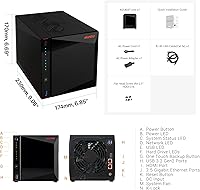
  • M.2 Slots: Four dedicated M.2 slots support NVMe SSDs and can be used for SSD caching, tiered storage, or an all-flash storage pool.
  • Network Ports: Two 2.5 Gigabit Ethernet ports support speeds of 2.5G, 1G, and 100M, and can be configured for link aggregation on compatible network switches.
  • USB Ports: Three USB 3.2 Gen 2 ports each deliver up to 10Gbps transfer speeds, suitable for fast external drives or direct backup devices.
  • Video Output: One HDMI 2.0b port supports direct display connection for local media playback at up to 4K resolution.
  • Dimensions: The enclosure measures 9.06″ deep by 6.85″ wide by 6.69″ tall, making it compact enough for a desk shelf or network closet.
  • Weight: The unit weighs 4.97 pounds without drives installed, reflecting its all-metal chassis construction.
  • Chassis Material: The outer enclosure is constructed from metal, providing better heat dissipation and structural rigidity compared to plastic alternatives at this tier.
  • Storage Config: This is a diskless enclosure — no hard drives or SSDs are included and must be purchased separately before the unit can store data.
  • Thermal Design: Dedicated thermal vents are positioned above the M.2 SSD slots to manage heat generated by NVMe drives under sustained read and write operations.
  • Power Features: Wake on LAN and Wake on WAN are both supported, allowing the unit to be powered on remotely without keeping it running continuously.
  • Operating System: The unit ships with Asustor Data Master (ADM) OS, which provides a browser-based interface for managing storage, apps, users, and network settings.
  • RAID Support: ADM supports standard RAID configurations including JBOD, RAID 0, RAID 1, RAID 5, RAID 6, and RAID 10 across the four drive bays.
  • App Ecosystem: ADM includes access to App Central, Asustor's software repository, which offers applications for media serving, cloud sync, backup, and container management.
  • Docker Support: The platform supports Docker container deployment through ADM, enabling users to run self-hosted applications and services on the same hardware.
  • Market Ranking: The enclosure holds a top-35 position in the Amazon NAS Enclosures category, reflecting consistent buyer interest in the mid-to-high range segment.

Related Reviews
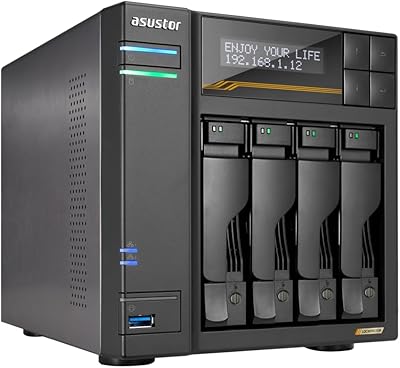
Asustor Lockerstor 4 Gen3 AS6804T 4-Bay NAS
84%
91%
Performance
88%
Build Quality
94%
Network Speed
87%
Storage Expandability
89%
Ease of Setup
More
Asustor Drivestor 4 Pro AS3304T 4-Bay NAS
78%
88%
Network Performance
83%
Software & ADM Interface
74%
Media Playback & Transcoding
76%
App Ecosystem
57%
RAM & Multitasking
More
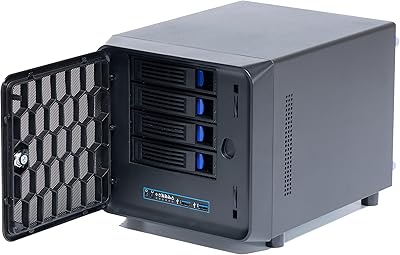
KCMconmey NAS-411 4+1 Bay DIY NAS Case
84%
85%
Ease of Setup
80%
Build Quality
70%
Cooling Performance
90%
Customization Options
88%
Drive Compatibility
More
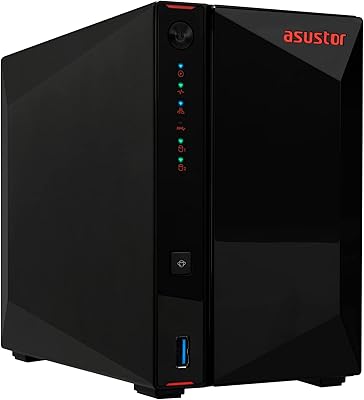
Asustor AS5402T 2-Bay NAS Enclosure
78%
88%
Hardware Value
82%
Processing Performance
86%
Network Throughput
84%
Thermal Management
63%
Software & OS Experience
More
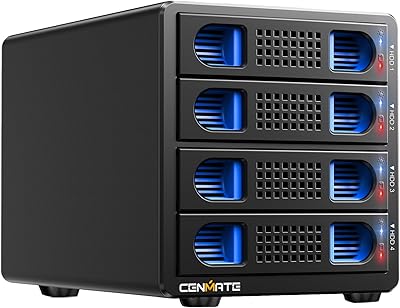
Cenmate 4-Bay RAID Enclosure 80TB
73%
83%
Build Quality
78%
RAID Functionality
71%
Cooling & Thermal Management
47%
Mac Compatibility
89%
Windows Compatibility
More
TerraMaster F4-212 4-Bay NAS Enclosure
70%
76%
Value for Money
83%
Setup & Initial Configuration
61%
Software & OS Experience
67%
Performance & Responsiveness
42%
RAM & Expandability
More
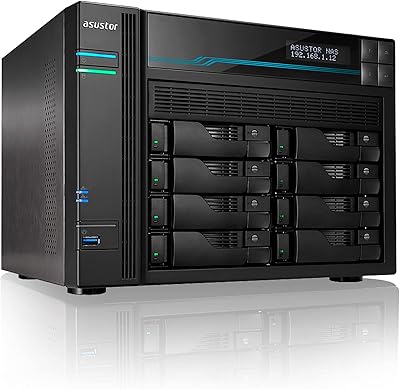
Asustor Lockerstor 8 AS6508T 8-Bay NAS
77%
91%
Network Performance
84%
Value for Money
88%
Build Quality
62%
Software (ADM)
83%
SSD Caching
More
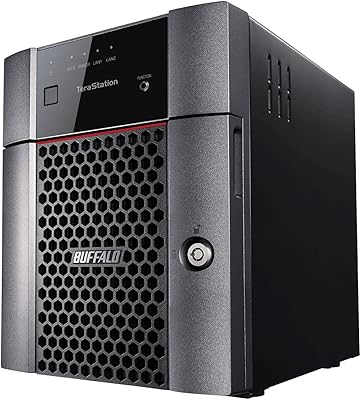
BUFFALO TeraStation Essentials 8TB 4-Bay NAS
73%
91%
Ease of Setup
83%
Build Quality & Hardware
76%
Network Performance (2.5GbE)
88%
Data Security & Encryption
82%
RAID Flexibility
More
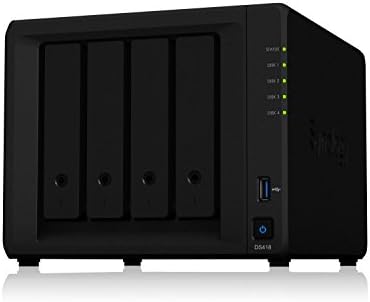
Synology DS418 4-Bay NAS Enclosure
84%
93%
Software Experience
81%
Build Quality
88%
Performance for File Sharing
62%
CPU and Processing Power
78%
Value for Money
More
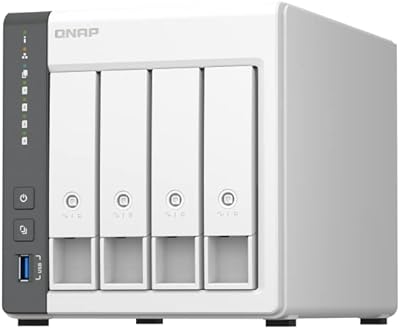
QNAP TS-433-4G 4-Bay NAS
83%
87%
Value for Money
82%
Performance
91%
Ease of Setup
85%
Build Quality
88%
Connectivity
More

FAQ

No, it does not. The enclosure ships completely diskless, meaning you will need to purchase hard drives or SSDs separately before you can store anything on it. Make sure to factor that into your total budget, because quality drives add a meaningful cost on top of the enclosure itself.

Yes, absolutely. The four M.2 NVMe slots operate independently from the four SATA bays, so you can run spinning hard drives in the bays while using NVMe drives as a high-speed cache layer — or configure them as a completely separate storage pool. This hybrid flexibility is one of the main reasons enthusiasts are drawn to this unit.

For most home setups it handles Plex well. The Intel Celeron N5105 can manage hardware-accelerated transcoding for a few simultaneous streams without struggling. If you are planning to serve multiple 4K streams to several users at the same time, you may hit the processor's ceiling, but for a household or small group it performs reliably.

The stock 4GB is workable for basic file sharing, a Plex server, and a few lightweight apps running at the same time. If you want to run Docker containers alongside active media serving or experiment with virtual machines, upgrading to 8GB or 16GB will noticeably improve responsiveness and give you more room to multitask.

Yes, to get full 2.5Gbps speeds you need a network switch or router that also supports 2.5GbE — a standard gigabit switch will negotiate down to 1Gbps instead. Many home users end up needing to upgrade their switching hardware to actually benefit from this feature, so it is worth checking your existing setup before assuming you will get faster transfers immediately.

Honestly, it is manageable but not effortless if this is your first NAS. The hardware installation is straightforward, but configuring RAID, setting up user permissions, and navigating ADM for the first time takes some patience. First-time NAS buyers consistently recommend spending time with third-party video tutorials rather than relying solely on the included documentation.

Under light workloads like basic file serving or idle operation, the fan is quiet enough that most people do not notice it in a home office environment. When the unit is under sustained heavy load — large file transfers or intensive background tasks — the fan spins up to a level that some users in quiet rooms find distracting. If you are placing it in a bedroom or a very quiet space, this is worth considering.

Most standard M.2 NVMe SSDs in 2280 form factor work, but not every brand and model has been equally stable in practice. A handful of users have reported compatibility quirks with certain drives, so it is worth checking Asustor's official compatibility list before purchasing NVMe drives for this enclosure.

Yes. The unit functions entirely as a local network storage device without requiring internet access. Cloud features, remote access, and app updates need connectivity, but file sharing, local backups, and media serving all work fine on an isolated local network.

It depends on your growth rate and RAID preferences. With four bays you can use large-capacity drives — up to the maximum supported drive size — and RAID 5 gives you three bays worth of usable space with one drive for redundancy. For most home users and small teams, four bays is sufficient for several years. If you are already managing large media archives or plan significant expansion, you may eventually outgrow it.

Where to Buy