Asustor Flashstor 12 Pro Gen2 NAS





Overview
The Asustor Flashstor 12 Pro Gen2 NAS represents Asustor's most deliberate push into all-flash network storage, built for content creators and prosumers rather than casual home users. Unlike conventional NAS devices built around spinning hard drives, this 12-bay all-flash NAS is engineered entirely around pure M.2 NVMe — a choice that prioritizes low latency and sustained throughput over raw capacity. The AMD Ryzen V3C14 is a genuine step up from the Intel Celeron chips that have long dominated this category. It ships diskless, so factor drive costs into your total budget. Think of it as the grown-up successor to the original Flashstor 12 Pro — more memory, faster networking, and a more capable processor.
Features & Benefits
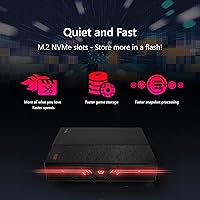
Twelve M.2 slots running PCIe 4.0 x4 each means this M.2 NVMe network storage device can sustain the kind of sequential throughput that makes editing uncompressed 4K footage over a network actually practical. Dual 10GbE ports with SMB Multichannel let you bond both connections for combined bandwidth — useful when multiple users hit the device simultaneously. The 16GB of ECC DDR5-4800 RAM is a meaningful inclusion; error-correcting memory quietly catches single-bit errors, which matters when this box runs around the clock. The dual USB 4.0 ports look enticing, but stop here: due to limitations in AMD's V3000 CPU series, direct host-to-host connections via USB4 or Thunderbolt are not supported. Do not assume you can cable this directly to your Mac.
Best For
The Flashstor 12 Pro Gen2 is a strong match for video editors, colorists, and motion designers who need fast shared storage without the noise and latency of spinning drives. Small creative studios operating over a 10GbE switch will appreciate how well this device handles concurrent read-heavy workloads across multiple seats. Enthusiasts migrating from an older HDD-based NAS will notice the difference immediately — NVMe response times operate in a different league entirely. Power users wanting to run virtual machines or Docker containers alongside file sharing will benefit from the expandable RAM headroom. That said, if your priority is archival footage at the lowest cost per gigabyte, HDD-based NAS still wins that argument — these devices serve fundamentally different purposes.
User Feedback
With a 4.0-star average across over 300 ratings, the reception is positive but not without caveats worth understanding. Buyers consistently praise the near-silent operation and raw speed numbers, which hold up even under sustained workloads. The compact chassis gets frequent mentions too — people are genuinely surprised by how small this thing is for what it does. On the critical side, SSD compatibility is the most common frustration: not all NVMe drives play nicely, and Asustor's verified compatibility list should be your first stop before buying drives separately. The ADM software is capable, but users familiar with Synology's DSM occasionally find it less polished. Setup also assumes real technical confidence — this is not a device for someone who has never configured a NAS before.
Pros
- Sustained NVMe read and write speeds make 4K editing over a network feel genuinely responsive, not just theoretically fast.
- Near-silent operation under normal workloads — no spinning drives means no constant low-frequency hum in your workspace.
- Dual 10GbE with SMB Multichannel supports multiple simultaneous high-bandwidth users without contention.
- 16GB of ECC DDR5 RAM protects data integrity around the clock and is expandable to 64GB for demanding workloads.
- The compact chassis fits comfortably on a desk or in a rack without dominating the space.
- AMD Ryzen V3C14 handles Docker containers and light VMs alongside file sharing without breaking a sweat.
- PCIe 4.0 x4 per M.2 slot means the interface itself is rarely the performance ceiling.
- Tabletop and rack-mount flexibility makes this device practical across different deployment environments.
- ADM covers backup, multimedia serving, and container management reliably once configured correctly.
Cons
- SSD compatibility is stricter than expected — drives not on Asustor's verified list can cause instability or detection failures.
- The USB4 host-to-host limitation catches buyers off guard; you cannot cable this directly to a Mac or PC via Thunderbolt.
- Total cost of ownership is significantly higher than the device price alone once 12 NVMe drives are factored in.
- ADM software lags behind Synology DSM in polish, particularly for users relying on third-party app integrations.
- Setup complexity is real — proper 10GbE and RAID configuration requires genuine technical confidence before the device is operational.
- Sustained heavy workloads spin up cooling fans noticeably, especially in warm or enclosed rack environments.
- Rack-mounting hardware is not included in the box and must be purchased separately.
- Customer support response times are inconsistent, with some firmware-level issues taking longer to resolve than buyers expect.
- The verified SSD compatibility list, while maintained, is narrower than buyers of a 12-bay premium device might reasonably anticipate.
Ratings
The Asustor Flashstor 12 Pro Gen2 NAS earns a solid 4.0-star consensus across more than 300 verified global ratings, and our AI-driven analysis — built to filter out incentivized, spam, and bot-generated feedback — reflects that nuanced reality. Strengths in raw throughput, silent operation, and hardware specs are genuine, but real pain points around SSD compatibility, software maturity, and a misleading USB4 implementation are equally represented here. What follows is an honest breakdown of where this device excels and where buyers have hit friction.
Read/Write Performance
SSD Compatibility
Noise & Thermal Management
USB4 / Thunderbolt Connectivity
Build Quality & Design
ADM Software & Ecosystem
Initial Setup & Configuration
RAM & Memory Expandability
10GbE Networking
Value for Money
Virtualisation & Container Support
Documentation & Support
Form Factor & Portability
Suitable for:
The Asustor Flashstor 12 Pro Gen2 NAS is purpose-built for content creators and prosumers who have outgrown the performance ceiling of traditional HDD-based storage. Video editors cutting 4K or multi-stream timelines will find the all-NVMe architecture genuinely changes how storage feels during a live editing session — latency drops noticeably and sustained throughput holds up under real workloads. Small creative studios running a 10GbE switch can support multiple collaborators pulling large media assets simultaneously without the network becoming the bottleneck. Power users who want to consolidate file sharing, Docker containers, and lightweight virtual machines onto a single capable box will appreciate both the Ryzen CPU headroom and the expandable ECC RAM. Enthusiasts migrating from an older spinning-drive NAS who value silence, speed, and a compact footprint will also find this device a meaningful upgrade — provided they go in with realistic expectations about setup complexity and total drive costs.
Not suitable for:
The Asustor Flashstor 12 Pro Gen2 NAS is a poor match for anyone primarily concerned with maximizing raw storage capacity at the lowest cost per terabyte. High-capacity NVMe SSDs remain significantly more expensive than equivalent HDDs, and filling all 12 bays with meaningful storage represents a substantial investment on top of an already premium device price — HDD-based NAS options simply serve that archival use case better and more economically. First-time NAS buyers should also think carefully before committing: this device assumes a working knowledge of network configuration, RAID selection, and SMB Multichannel setup, and there is no shortcut around that learning curve. Anyone hoping to use the USB 4.0 ports for direct Thunderbolt or USB4 host-to-host connection to a Mac or PC will be disappointed — that functionality is not supported due to AMD V3000 CPU architecture constraints, and this limitation is not prominently communicated at the point of sale. Finally, buyers who expect a Synology-level software experience out of the box may find ADM capable but noticeably less polished, particularly when it comes to third-party app support and interface refinement.
Specifications
- Processor: AMD Ryzen Embedded V3C14 Quad-Core running at 2.3GHz base with burst speeds up to 3.8GHz, built on a 6nm process node.
- RAM: 16GB DDR5-4800 ECC SO-DIMM installed, with a single slot supporting expansion up to 64GB total.
- Drive Bays: Twelve M.2 2280 NVMe slots, each supporting PCIe 4.0 x4 — no 2.5-inch or 3.5-inch drive bays are present.
- Drive Interface: Each of the 12 M.2 slots operates at PCIe 4.0 x4, providing up to approximately 7,000 MB/s theoretical per-slot bandwidth ceiling.
- Networking: Two independent 10 Gigabit Ethernet ports supporting auto-negotiation at 10G, 2.5G, 1G, and 100M, with SMB Multichannel for link bonding.
- USB Ports: Two USB 4.0 Type-C ports (40Gbps) and three USB 3.2 Gen 2 Type-A ports (10Gbps) are included; USB4 host-to-host networking is not supported.
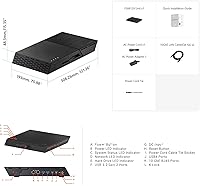
- Dimensions: The enclosure measures 13.78 × 9.84 × 12.01 inches (L × W × H), suitable for tabletop placement or standard rack mounting.
- Weight: The unit weighs approximately 785g (1.73 lbs) diskless, making it unusually lightweight for a 12-bay NAS enclosure.
- Mounting Options: Supports both tabletop and rack-mount deployment; rack-mounting hardware is not included in the standard box contents.
- Operating System: Ships with Asustor Data Master (ADM), Asustor's proprietary NAS operating system covering file sharing, backup, containers, multimedia, and surveillance apps.
- Drive Inclusion: Sold diskless — no M.2 NVMe SSDs are included, and drives must be purchased separately before the unit is operational.
- Memory Speed: Installed RAM operates at DDR5-4800 MHz with error-correcting code (ECC) support, providing passive protection against single-bit memory errors.
- Amazon Ranking: Ranked #30 in the Network Attached Storage Enclosures category on Amazon at time of publication, with a 4.0-star average across 323 ratings.
- Launch Date: The product was first made available in October 2024, positioning it as a current-generation device within Asustor's Flashstor lineup.
- Compatibility Note: Asustor maintains an official verified SSD compatibility list; using drives not on this list may result in instability, reduced performance, or detection failures.
Related Reviews
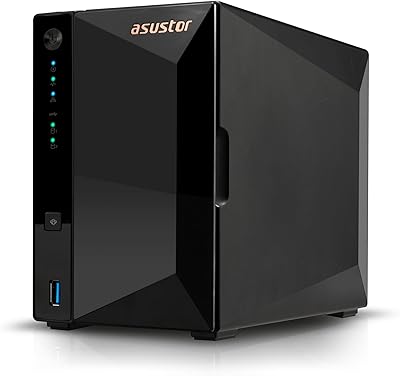
Asustor Drivestor 2 Pro Gen2 2-Bay NAS
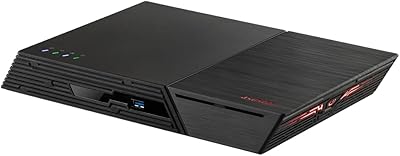
Asustor Flashstor 6 Gen2 NAS
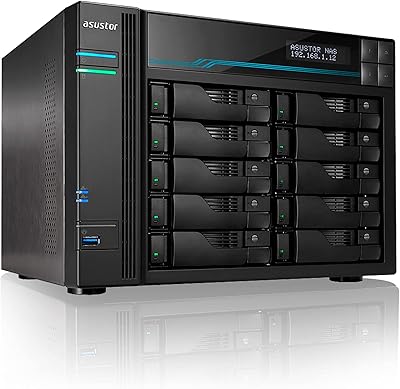
Asustor Lockerstor 10 Pro AS7110T NAS

Asustor Drivestor 4 Pro AS3304T 4-Bay NAS
Asustor Flashstor 6 FS6706T All-SSD NAS
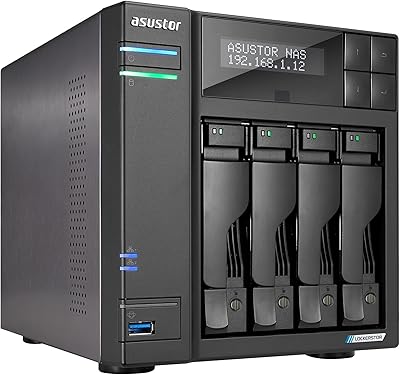
Asustor Lockerstor 4 Gen2 4-Bay NAS
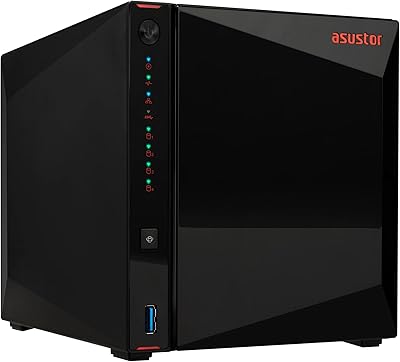
Asustor AS5404T 4-Bay NAS Enclosure
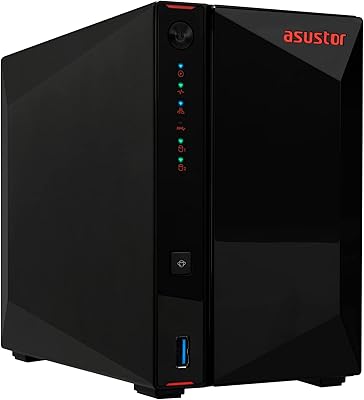
Asustor AS5402T 2-Bay NAS Enclosure
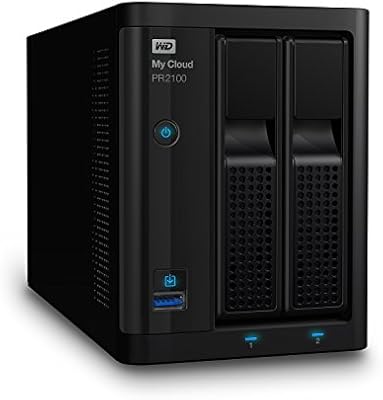
WD My Cloud Pro PR2100 20TB NAS