Overview

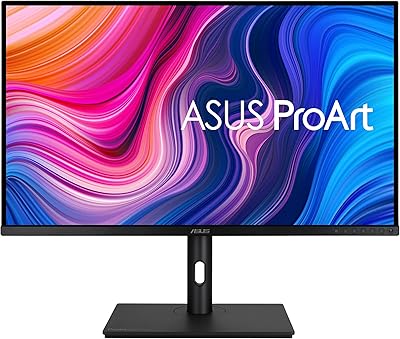
The ASUS ProArt PA329CV 32-inch 4K Monitor is built for one purpose: accurate color reproduction in professional creative workflows. This isn't a display you buy to watch movies or gain a competitive edge in fast-paced games. It's a precision instrument aimed at photographers, video editors, and designers who need to trust what they see on screen. What separates it from most monitors in its class is the factory Calman verification — an independent calibration check that confirms the panel meets strict color standards before it ships. Pair that with a 32-inch 4K IPS panel and a versatile connectivity suite, and you have a serious workstation display.
Features & Benefits

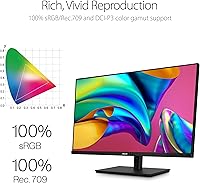
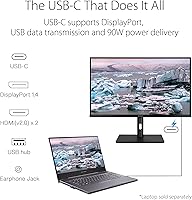
Color accuracy is the centerpiece here. The PA329CV covers 100% sRGB and Rec.709, the standard color spaces for web, print, and broadcast video work. More practically, the Delta E rating stays below 2 — meaning the gap between what you see on screen and your final exported result is tight enough to work with confidently. The USB-C port handles both data and power delivery simultaneously, so a single cable connects and charges a laptop at the same time. Four USB 3.1 ports built into the monitor keep peripherals organized without adding a separate hub. The IPS panel holds consistent color even at sharp angles, which matters when sharing your screen during a collaborative review session.

Best For

This color-accurate monitor is the right call for photographers who deliver color-critical work to clients, video editors cutting within Rec.709 broadcast standards, and graphic designers who need sRGB output to translate reliably to print or the web. It also suits freelancers and small studio setups where a clean one-cable desk arrangement saves time and space. If you are moving up from a budget display and want factory-calibrated accuracy without hiring someone to do it externally, this ProArt display makes that upgrade straightforward. That said, if your priority is high refresh rates or fast pixel response for gaming, this monitor is not designed for that use case and you would be better served elsewhere.

User Feedback

Among buyers, out-of-box color accuracy is the most consistent point of praise — many report the display performs reliably straight from the box without needing manual calibration adjustments. The single-cable USB-C setup draws repeated positive mentions from laptop users who appreciate the cleaner desk it enables. On the critical side, some users find the OSD navigation slightly cumbersome, and a few note that the HDR implementation, while present, does not match the impact of panels with significantly higher peak brightness. Long-term reliability reports are broadly positive, though some buyers have noted mixed experiences with ASUS customer support when issues arose. Overall, it earns its rating as a dependable professional tool with a handful of ergonomic quirks worth knowing about.

Pros

  • Factory Calman verification means the display is professionally confirmed for color accuracy before it ships to you.
  • Delta E below 2 out of the box reduces the need to hire an external calibrator or buy calibration hardware.
  • Full 100% sRGB and Rec.709 coverage makes this a reliable tool for both web-focused design and broadcast video work.
  • USB-C Power Delivery lets laptop users connect a single cable for both display output and device charging.
  • The built-in 4-port USB 3.1 hub keeps peripherals tidy without requiring a separate desktop hub.
  • A matte anti-glare screen surface makes the PA329CV comfortable for long editing sessions in mixed lighting conditions.
  • The 32-inch 4K IPS panel delivers enough screen real estate to work across multiple application windows without feeling cramped.
  • Wide 178-degree viewing angles allow others to review work on screen without noticeable color shift.
  • Height-adjustable stand and included C-clamp mounting option offer solid ergonomic flexibility for different desk setups.
  • Buyers consistently rate this color-accurate monitor favorably against similarly priced prosumer alternatives in real-world color work.

Cons

  • The OSD menu navigation feels dated and can be frustrating to use for adjusting settings.
  • HDR performance is limited at 400 nits and does not deliver a visually impactful HDR experience compared to higher-brightness panels.
  • DCI-P3 coverage is not a focus here, which is a gap for cinema colorists or commercial print professionals who need it.
  • At nearly 28 pounds, this is a heavy display that is not practical to reposition or transport frequently.
  • Some buyers have reported inconsistent experiences with ASUS customer support when hardware issues arose post-purchase.
  • The display does not include a built-in colorimeter or calibration software, so maintaining long-term accuracy requires separate tools.
  • Refresh rate and response time specs are not competitive, which rules it out entirely for gaming or fast-motion content.
  • The stand, while height-adjustable, has drawn occasional criticism for feeling less premium than the panel it supports.

Ratings

The scores below reflect an AI-driven analysis of verified global buyer reviews for the ASUS ProArt PA329CV 32-inch 4K Monitor, with spam, bot activity, and incentivized feedback actively filtered out before scoring. Each category is evaluated on real-world usage patterns reported by working photographers, video editors, designers, and studio professionals. Both the strengths and the genuine frustrations are represented transparently — nothing has been smoothed over.

Color Accuracy
94%
This is where the PA329CV genuinely earns its reputation. Photographers and colorists consistently report that skin tones, gradients, and neutral grays hold up accurately from the moment the monitor is powered on — no warm-up period adjustments needed. The Calman-verified factory calibration gives users a measurable starting point that holds up in real client-delivery workflows.
A small number of users noted minor panel uniformity variance toward the edges, which is largely unavoidable at this size and price tier. Those with extremely critical color uniformity requirements across the full 32-inch surface may still want to budget for a professional re-calibration after extended use.
Out-of-Box Calibration
91%
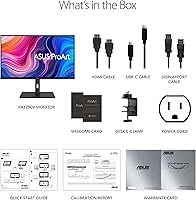
Buyers frequently mention the included calibration report as a genuine confidence boost — not a marketing gimmick. For creatives who previously had to pay separately for hardware calibration or rely on guesswork, having a Calman-verified result ready on day one removes a significant friction point from their setup process.
The calibration covers the factory default color mode, and some users found that switching to alternate picture presets reset or bypassed the calibrated accuracy. Keeping the display locked to the right profile requires a bit of initial configuration that is not always intuitive through the OSD.
Connectivity & USB-C
89%
The single-cable USB-C setup draws consistent praise from MacBook and Windows laptop users alike. Plugging in one cable to get display output, device charging, and access to the four-port USB hub in a single step genuinely simplifies desk setups that previously required multiple adapters and cable runs.
Some users noted that the USB-C Power Delivery wattage, while sufficient for most laptops, may not fully keep pace with high-performance laptops under sustained heavy loads like rendering or encoding. A small number also reported occasional handshake issues when connecting certain USB-C sources.
Panel Uniformity
76%
24%
For a 32-inch IPS panel, the majority of users report a clean, even image across most of the screen surface during typical editing and design tasks. Solid-color backgrounds and light gray tones — the most revealing test for uniformity — hold up well for everyday professional use without obvious clouding or banding.
IPS glow in the corners is noticeable under dark viewing conditions, which is common for IPS technology at this size but still draws complaints from users who do night-mode editing or grade dark footage. A handful of buyers reported more pronounced backlight bleed on their specific units, suggesting some unit-to-unit variation.
HDR Performance
58%
42%
The display handles HDR-flagged content and does produce a visible step up in contrast and highlight detail compared to standard SDR output, which casual users appreciate for photo review and mixed-use work. For creators who need a rough HDR preview without a dedicated reference monitor, it provides a usable baseline.
At 400 nits of peak brightness, this is not a true HDR display by modern standards, and experienced colorists and filmmakers will feel that limitation quickly. Dark scenes lack the shadow depth and highlight punch that proper HDR monitoring requires, making this unsuitable as a dedicated HDR grading reference tool.
OSD & Menu Navigation
61%
39%
The physical controls are accessible and the menu covers all the expected adjustments including color modes, brightness, input switching, and USB-C configuration. For users who set the display once and rarely revisit settings, the OSD is functional enough to get through initial setup without serious difficulty.
Multiple users describe the OSD navigation as clunky and unintuitive, particularly when switching between color presets or configuring the USB-C input priority. The button layout and menu depth make what should be a quick adjustment feel unnecessarily time-consuming, especially compared to competitors with joystick-based controls.
Build Quality
79%
21%
The monitor body has a professional, understated aesthetic with a thin bezel that works well in multi-monitor arrangements. The panel housing feels solid, and the matte finish on the chassis resists fingerprints and minor desk contact well over time.
The stand is the weak point — several users describe it as functional but feeling less substantial than the panel it supports, with a slight wobble on softer desk surfaces. For a monitor positioned at this professional price tier, the stand quality does not quite match the premium feel of the display itself.
Ergonomics & Adjustability
82%
18%
Height adjustment, tilt, swivel, and pivot all work as expected, giving users enough flexibility to position the display comfortably for long editing sessions. The inclusion of a C-clamp base is a practical touch for workstations where monitor arm mounting is the preferred setup.
The height adjustment range, while adequate for most seated desk positions, falls short for users who prefer a significantly elevated or lowered monitor position. Pivot into portrait mode works mechanically but the 32-inch size makes portrait orientation less practical than on smaller panels.
Value for Money
83%
Within the prosumer color-accurate monitor segment, buyers consistently position the PA329CV favorably when compared against alternatives at similar price points. The combination of factory calibration, full sRGB and Rec.709 coverage, and USB-C Power Delivery in one package represents a genuinely strong value proposition for working creatives.
Buyers who do not specifically need calibrated color accuracy can find capable 32-inch 4K IPS monitors for considerably less, which makes the value calculation very audience-dependent. For general office or entertainment use, the premium paid for the ProArt-level color specs delivers little practical return.
Viewing Angles
88%
The wide 178-degree IPS viewing angles hold up well in real collaborative scenarios — colleagues reviewing work on a turned screen, or a photographer showing a client color grades from the side, will see consistent color without the shift that VA or TN panels exhibit. This is a genuine advantage in any shared-review environment.
While the horizontal angles are strong, some users note that extreme vertical angles do introduce a minor color temperature shift on very bright or very dark content. This is a characteristic of IPS technology broadly and is unlikely to affect normal seated use, but it is worth noting for unusual desk configurations.
Matte Screen Coating
84%
The anti-glare matte coating performs well in real office environments with mixed lighting — overhead fluorescents and nearby windows that would create distracting reflections on a glossy panel are effectively neutralized. Long editing sessions feel less visually fatiguing as a result.
Compared to a glossy panel in a controlled dark environment, the matte coating does reduce perceived contrast and color saturation slightly, particularly in deep blacks. Users transitioning from high-quality glossy displays may notice a softening of perceived depth that takes some adjustment.
Resolution & Sharpness
92%
At 4K on a 32-inch panel, the pixel density hits a practical sweet spot for creative work — fine detail in high-resolution photos, vector paths in design applications, and text rendering all benefit from the extra pixels without requiring display scaling that can disrupt professional application layouts.
At native 4K on a 32-inch panel, UI scaling in some older creative applications can require manual adjustment to keep interface elements at a comfortable working size. This is largely a software ecosystem issue rather than a flaw with the monitor itself, but it is a common initial friction point for new users.
Long-Term Reliability
74%
26%
The majority of long-term owners report stable panel performance over one to three years of daily professional use, with no significant degradation in color accuracy or backlight consistency. The monitor's build has proven durable enough for the demands of a working creative studio environment.
A segment of users has reported mixed experiences with ASUS customer support when hardware issues arose outside of straightforward cases, citing slow response times or unclear warranty resolution paths. While outright failure rates appear low, the post-purchase support experience adds some uncertainty for buyers who prioritize service reliability.
Setup & Initial Configuration
77%
23%
Physical setup is straightforward — the stand assembles without tools, and the cable management routing is sensible for keeping the desk tidy. Most users connected their source, selected the input, and were working within a few minutes of unboxing without consulting the manual.
The initial color profile and USB-C input configuration steps require more menu navigation than they should, and the documentation does not guide users clearly through the recommended first-use settings for professional workflows. New owners unfamiliar with monitor calibration terminology may feel uncertain about which preset to trust.

Suitable for:

The ASUS ProArt PA329CV 32-inch 4K Monitor was clearly designed with working creatives in mind, and it shows in every practical detail. Photographers and retouchers who deliver color-sensitive work to clients will appreciate that the display arrives already calibrated to a Delta E below 2 — meaning what they see on screen closely reflects real-world output without requiring a separate calibration session. Video editors and colorists operating within Rec.709 broadcast standards will find the full color space coverage genuinely useful rather than just a spec on paper. Graphic designers who need reliable sRGB consistency between screen and print proofing will also be well served. Freelancers and home-office creatives who connect a laptop to their monitor will benefit from the USB-C single-cable setup that handles both display and charging simultaneously, cutting desktop clutter without sacrificing capability. It is also a strong option for anyone upgrading from an uncalibrated consumer display who wants factory-verified accuracy at a prosumer price point.

Not suitable for:

Despite its strengths in the color accuracy space, the ASUS ProArt PA329CV 32-inch 4K Monitor has clear limitations that make it a poor fit for certain buyers. Competitive or casual gamers should look elsewhere — the panel prioritizes color precision over fast pixel response times and high refresh rates, neither of which is optimized here. Anyone expecting a true HDR experience will likely be disappointed; 400 nits of peak brightness is enough for HDR-flagged content but does not deliver the punchy highlight contrast that dedicated HDR displays produce. Buyers on a tight budget who do not specifically need calibrated color accuracy may find comparable general-use monitors at meaningfully lower prices. Those who rely heavily on wide color gamut spaces like DCI-P3 for cinema or high-end print work should also note that this ProArt display covers sRGB and Rec.709 but does not target DCI-P3 coverage as a primary specification. Finally, buyers who move their monitor frequently or need an ultra-lightweight setup should factor in the nearly 28-pound weight before committing.

Specifications

  • Panel Type: The display uses an IPS (In-Plane Switching) panel, which maintains consistent color and contrast across wide viewing angles.
  • Screen Size: The viewable screen area measures 32 inches diagonally, providing ample workspace for multi-window creative applications.
  • Resolution: Native resolution is 3840 x 2160 pixels (4K UHD), delivering sharp detail for high-resolution photo and video editing.
  • Aspect Ratio: The panel uses a standard 16:9 widescreen aspect ratio, compatible with virtually all professional creative and productivity software.
  • Color Gamut: The display covers 100% sRGB and 100% Rec.709, meeting the full range of standard color spaces used in web, print, and broadcast video production.
  • Color Accuracy: Factory-measured Delta E is below 2, meaning on-screen colors closely match the intended output values across the panel.
  • Calibration: Each unit is Calman Verified at the factory, confirming that color accuracy meets the stated Delta E threshold before the monitor ships.
  • Brightness: Typical brightness is rated at 400 cd/m², sufficient for most indoor studio environments under controlled lighting conditions.
  • Viewing Angle: The IPS panel supports 178-degree horizontal and vertical viewing angles, maintaining color fidelity even when viewed well off-center.
  • Screen Surface: The display uses a matte anti-glare coating that reduces reflections from ambient light sources during extended editing sessions.
  • Connectivity: Input options include one USB-C port with Power Delivery, one DisplayPort, and two HDMI ports for flexible source connectivity.
  • USB Hub: A built-in USB 3.1 hub provides four downstream USB-A ports, allowing peripherals to connect directly through the monitor.
  • USB-C Power: The USB-C port supports Power Delivery, enabling the monitor to charge a connected laptop while simultaneously transmitting the display signal.
  • Mounting: The monitor ships with a C-clamp base and also supports VESA mounting for wall or arm installation.
  • Ergonomics: The stand supports height adjustment, tilt, swivel, and pivot, allowing flexible positioning for different desk setups and working postures.
  • HDR Support: The panel supports HDR content display, though peak brightness at 400 cd/m² means HDR impact is moderate rather than reference-grade.
  • Dimensions: With the stand attached, the monitor measures approximately 28.63 x 18.56 x 9.65 inches (width x height x depth).
  • Weight: The full unit including stand weighs 27.8 pounds, making it a substantial desk fixture rather than a portable display.
  • Model Number: The official model designation is PA329CV, part of the ASUS ProArt professional display lineup.
  • Screen Series: This monitor belongs to the ASUS ProArt series, which targets color-critical professional workflows in photography, video, and design.

Related Reviews

ASUS ProArt Display PA328CGV 32-inch Monitor
87%
94%
Color Accuracy
88%
Build Quality
90%
Refresh Rate Performance
92%
Connectivity Options
77%
Ergonomics and Adjustability
More
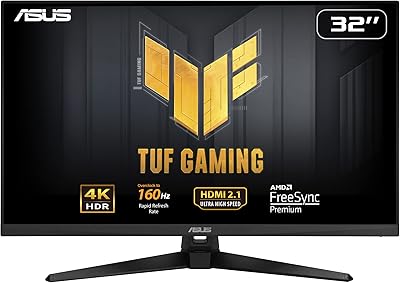
ASUS TUF Gaming VG32UQA1A 32-inch Gaming Monitor
74%
88%
Image Clarity
83%
Refresh Rate Performance
91%
Console Compatibility
54%
HDR Quality
84%
Motion Handling
More
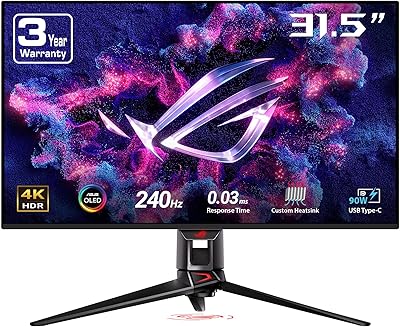
ASUS ROG Swift PG32UCDM 32-inch OLED Monitor
82%
96%
Image Quality
93%
Motion Performance
94%
Color Accuracy
78%
HDR Performance
74%
Burn-In Risk & Longevity
More
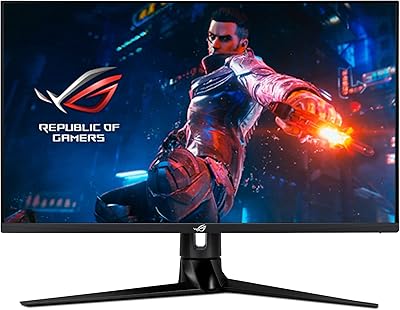
ASUS ROG Swift PG32UQ 32-inch 4K HDR Gaming Monitor
89%
93%
Display Quality
90%
Gaming Performance
88%
Build Quality
92%
Color Accuracy
86%
Ease of Use/Ergonomics
More
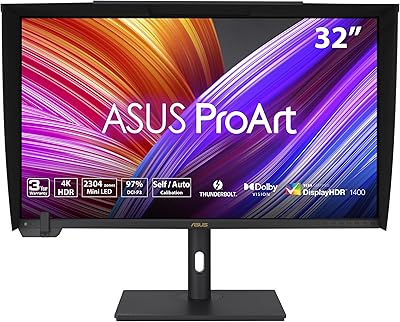
ASUS ProArt Display 32” 4K HDR Mini-LED Professional Monitor (PA32UCXR)
86%
94%
Color Accuracy
91%
HDR Performance
90%
Build Quality
88%
Ease of Calibration
87%
Connectivity
More
ViewSonic VX3267U-4K 32-inch 4K IPS Monitor
74%
91%
Image Sharpness
83%
USB-C Functionality
76%
Color Accuracy
54%
HDR Performance
47%
Stand & Ergonomics
More
ViewSonic VP3256-4K 32-Inch 4K UHD Monitor
88%
94%
Display Quality
92%
Color Accuracy
88%
Ergonomics & Comfort
86%
Build Quality
90%
Ease of Setup
More
ViewSonic VP3268A-4K 32-inch 4K UHD IPS Monitor
86%
94%
Color Accuracy
88%
Ergonomics/Comfort
91%
Build Quality
83%
HDR Performance
85%
Connectivity Options
More
ViewSonic VX3276-4K-MHD 32-inch 4K Monitor
76%
91%
Image Clarity & Sharpness
74%
Color Accuracy
86%
Contrast & Black Levels
61%
HDR Performance
58%
Refresh Rate & Motion Handling
More
BenQ PD3226G 32-inch 4K Designer Monitor
81%
93%
Color Accuracy
91%
Connectivity
88%
Anti-Glare Performance
79%
Refresh Rate Utility
82%
KVM Switch
More

FAQ

It comes genuinely pre-calibrated from the factory. Each unit goes through Calman verification — which is an independent color accuracy testing process — before it ships, and ASUS includes a calibration report in the box. Most users find the out-of-box accuracy reliable enough to start working immediately without touching any color settings.

Yes, and this is one of the more practical aspects of the PA329CV. The USB-C port handles both the display signal and Power Delivery simultaneously, so a single cable is all you need to connect, charge, and use the built-in USB hub. Just make sure your laptop supports USB-C video output, which all recent MacBook Pro and MacBook Air models do.

Honestly, it is strictly a creative work monitor. The refresh rate and pixel response time are not optimized for fast-paced gaming, so competitive gamers will notice the limitations immediately. If you do light gaming on the side, it will handle slower-paced titles fine, but do not buy this display expecting a gaming-capable panel.

It is worth being straightforward here: the HDR on this monitor is functional but not impressive. At 400 nits of peak brightness, you will see a modest improvement in contrast with HDR-flagged content, but it does not deliver the punchy, high-contrast look you get from displays with 600 nits or more. For color-grading HDR deliverables, this is better used as a reference-grade SDR monitor rather than a true HDR preview tool.

The key difference is verification. Many monitors claim high sRGB coverage based on the panel specification, but individual units can vary significantly from that number. The ASUS ProArt PA329CV 32-inch 4K Monitor goes a step further by having each unit individually tested and certified by Calman before it leaves the factory. That means the accuracy claim is backed by a measured result for your specific unit, not just a panel-level average.
Matte coatings always involve a minor trade-off — they scatter some light, which can slightly reduce the perception of deep blacks and peak vibrancy compared to a glossy panel in a dark room. In practice, most photographers and designers prefer matte because it eliminates glare from windows and overhead lighting, which causes far more distraction during editing than any subtle coating effect.

Yes, the display supports VESA mounting, which makes it compatible with most standard monitor arms on the market. The included C-clamp stand is functional, but many users prefer to free up desk space by mounting the panel on an arm, and the PA329CV accommodates that without any issues.

The USB 3.1 hub has four downstream USB-A ports on the monitor itself. Once your computer is connected via USB-C or another cable that carries USB data, those four ports become active and behave like a standard USB hub — you can connect external drives, keyboards, mice, card readers, or any other USB peripherals. It is a straightforward way to reduce the number of cables running directly to your computer.

The stand does its job in terms of height and tilt adjustment, and it holds the panel stable during normal use. Some users find it feels slightly less premium compared to the display itself, and a few have preferred swapping it for a third-party arm. It is not a dealbreaker, but if you have strong ergonomic preferences or a crowded desk, budgeting for an aftermarket arm is a reasonable consideration.

No, and this is an important limitation to understand before buying. This color-accurate monitor targets sRGB and Rec.709, which covers most photography, graphic design, and broadcast video workflows. It does not prioritize DCI-P3, which is the color space used in digital cinema and some high-end commercial print applications. If DCI-P3 coverage is a hard requirement for your work, you will need to look at a different display in the ProArt lineup or from another manufacturer.

Where to Buy