

Overview
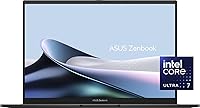
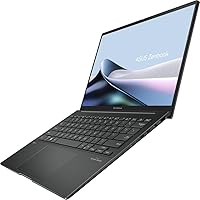
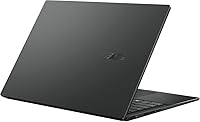
The ASUS Zenbook 14 OLED 2024 Laptop enters a crowded premium ultrabook market with a solid case for itself. At under three pounds and barely over half an inch thick, it's genuinely portable without feeling like a compromise. The Intel Core Ultra 7 155H gives it real processing headroom for multitasking and demanding productivity tasks. The 14-inch touchscreen covers the full DCI-P3 color space and hits 500 nits, so content looks punchy and color-accurate whether you're reviewing slides or editing photos. One thing to be clear about upfront: the integrated Intel ARC graphics means this is a productivity-first machine — gaming and GPU-heavy workloads aren't what it was designed for.
Features & Benefits
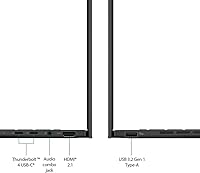
The 16-core processor handles everything from large spreadsheets and video calls to multi-tab browser sessions without breaking a sweat. Pair that with 16GB of fast LPDDR5 memory and a 1TB NVMe SSD — apps launch quickly and you're not waiting around. Connectivity is genuinely strong for a machine this thin: two Thunderbolt 4 ports, HDMI 2.1, and a USB-A port mean you're rarely hunting for an adapter. Wi-Fi 6E and Bluetooth 5.3 keep things running fast on modern networks. Battery endurance is decent — expect somewhere in the seven-to-nine-hour range under real mixed workloads, with the 12-hour figure representing ideal conditions. The 1080p webcam and privacy shutter are small but appreciated touches for daily video calls.
Best For
This ultrabook is a natural fit for remote workers and road warriors who need processing power that can handle serious multitasking but don't want to lug around a heavy machine. The wide color gamut display makes it useful for anyone doing presentation work, light photo editing, or client-facing design reviews where accuracy matters. Students in demanding courses — think engineering, business, or design — will appreciate the all-day battery potential and compact footprint. If you're coming from a machine with a 10th or 11th Gen Intel chip, the performance jump will feel substantial. Just know this isn't a machine for gaming or 3D rendering; the integrated graphics simply aren't built for that kind of workload.
User Feedback
Buyers consistently praise the display quality, noting that colors look vivid and accurate straight out of the box — a real differentiator at this price point. The build quality and keyboard feel also come up often as highlights, with the chassis feeling premium despite the light weight. The more common criticisms center on thermals and fan noise: under sustained CPU load, the fans spin up noticeably, which is a fair trade-off for a chassis this slim but worth knowing. Real-world battery life lands closer to seven or eight hours for most users, not twelve. A handful of buyers also noted that Intel ARC's driver maturity can occasionally cause minor compatibility hiccups with certain software.
Pros
- The 16-core Intel Core Ultra 7 processor handles demanding multitasking without slowing down during typical workday tasks.
- At under three pounds and barely over half an inch thick, this ultrabook is one of the easiest machines to carry daily.
- The 14-inch touchscreen delivers rich, accurate colors that make presentations and visual work genuinely enjoyable.
- A 1TB NVMe SSD means fast boot times and plenty of room for files, without needing an external drive for most users.
- Two Thunderbolt 4 ports plus HDMI 2.1 give this thin machine a surprisingly capable and flexible connectivity setup.
- Wi-Fi 6E ensures strong, stable wireless performance even in congested office buildings or busy public networks.
- The 1080p webcam with a physical privacy shutter is a practical, trust-building feature for daily video calls.
- The backlit keyboard and premium chassis feel punches well above what buyers typically expect at this price tier.
- A 65W charger is included in the box, and the Thunderbolt 4 ports support third-party USB-C charging as a backup.
Cons
- Real-world battery life under mixed workloads typically lands around seven to eight hours, not the advertised twelve.
- The fans become noticeably audible during sustained CPU load, which can be distracting in quiet environments.
- Intel ARC graphics driver maturity is still catching up, and minor compatibility issues with certain software have been reported.
- Only one USB-A port is included, so users with multiple legacy peripherals will need a hub or dock.
- There is no SD card slot, which limits the appeal for photographers or content creators who regularly offload media.
- The 60Hz display refresh rate may feel sluggish to users accustomed to 90Hz or 120Hz panels on competing machines.
- Thermal throttling under prolonged heavy workloads is a real trade-off of the ultra-slim chassis design.
- The 1920x1200 resolution, while sharp enough, falls short of the higher-resolution panels some rivals offer at this price point.
Ratings
The scores below are generated by AI after analyzing verified global buyer reviews of the ASUS Zenbook 14 OLED 2024 Laptop, with spam, bot-generated, and incentivized feedback actively identified and filtered out. Each category reflects the patterns that consistently emerged from real users after weeks and months of daily use — not just first-impression reactions. Both the standout strengths and the recurring frustrations are represented transparently, so the picture you get is honest rather than promotional.
Build Quality & Design
Display Quality
Performance
Battery Life
Value for Money
Portability
Keyboard & Trackpad
Connectivity & Ports
Thermal Management
Webcam & Audio
Wireless Performance
Software & OS Experience
Storage Performance
Fan Noise
Suitable for:
The ASUS Zenbook 14 OLED 2024 Laptop is built for people who spend their days moving between meetings, flights, and coffee shops without wanting to feel weighed down. If your typical workload involves juggling browser tabs, video calls, cloud apps, and the occasional spreadsheet marathon, this ultrabook handles all of it with headroom to spare. Business travelers will appreciate the combination of a sub-three-pound chassis and a display accurate enough to review client presentations or color-sensitive visuals with confidence. Students in engineering, design, or business programs get a machine that can survive a full day of classes on a single charge under reasonable use. Anyone upgrading from a mid-range laptop that is three or more years old will notice a meaningful jump in responsiveness, especially in boot times and app switching.
Not suitable for:
If gaming, video rendering, or any GPU-intensive creative pipeline is part of your workflow, this ultrabook is genuinely the wrong tool — the integrated Intel ARC graphics are not designed for that kind of sustained load, and no amount of settings tweaking will change that. Power users who run virtual machines, compile large codebases for extended periods, or work in 3D modeling software will likely bump into thermal limits sooner than they expect, given how slim the chassis is. Anyone who treats battery claims as gospel should calibrate expectations: real-world endurance under mixed workloads tends to fall noticeably short of the advertised ceiling. If you need more than two USB-A ports or want an SD card slot for photography work, the port selection will feel limiting without a hub. Buyers sensitive to fan noise in quiet environments should also know that the cooling system becomes audible under sustained pressure.
Specifications
- Processor: Intel Core Ultra 7 155H with 16 cores (6 performance, 10 efficient) and a maximum boost clock of 4.8GHz, designed for demanding multitasking and sustained productivity workloads.
- RAM: 16GB LPDDR5 memory running at 7467MHz, soldered to the motherboard, providing fast bandwidth for smooth app switching and multitasking.
- Storage: 1TB NVMe SSD using a PCIe x4 interface, delivering rapid read and write speeds for quick boot times and fast file access.
- Display: 14-inch touchscreen with 1920x1200 resolution, 500 nits peak brightness, 100% DCI-P3 color coverage, a 16:10 aspect ratio, and a 60Hz refresh rate.
- Graphics: Intel ARC integrated graphics share system memory and are suited to productivity, light creative tasks, and casual visual workloads — not discrete GPU-level performance.
- Battery: 75Whr 4-cell lithium-ion battery with a manufacturer-rated ceiling of up to 12 hours, though real-world mixed-use endurance typically falls in the seven-to-nine-hour range.
- Weight: 2.82 lbs (approximately 1.28 kg), placing it among the lighter options in the 14-inch premium ultrabook category.
- Dimensions: Measures 12.3 x 8.67 x 0.59 inches, thin enough to slide into most laptop sleeves and carry-on bags without issue.
- Ports: Includes 2x Thunderbolt 4 (supporting data, power delivery, and DisplayPort), 1x USB 3.2 Gen1 Type-A, 1x HDMI 2.1, and 1x headphone/microphone combo jack.
- Wireless: Intel Wi-Fi 6E (802.11ax, 2x2) and Bluetooth 5.3 provide fast, low-latency wireless connectivity on both legacy and modern network infrastructures.
- Webcam: 1080p FHD front-facing camera with an integrated digital microphone and a physical privacy shutter for blocking the lens when not in use.
- Operating System: Ships with Windows 11 Home pre-installed, ready for use out of the box with no additional OS setup required.
- Power Adapter: Includes a 65W AC adapter in the box; the Thunderbolt 4 ports also support USB-C power delivery from compatible third-party chargers.
- Color & Finish: Available in Jasper Grey, a muted, professional tone with a matte-style chassis finish that resists casual fingerprints better than glossy surfaces.
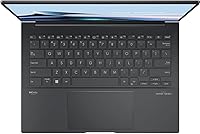
- Keyboard: Full-size backlit keyboard with adjustable lighting levels, designed for comfortable typing in low-light environments during travel or evening work sessions.
Related Reviews
ASUS ZenBook 14 Pro OLED Laptop
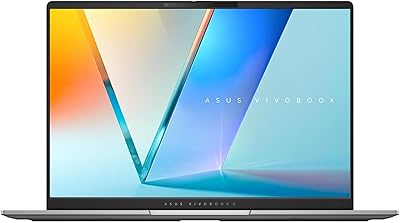
ASUS Vivobook S 14 OLED M5406WA
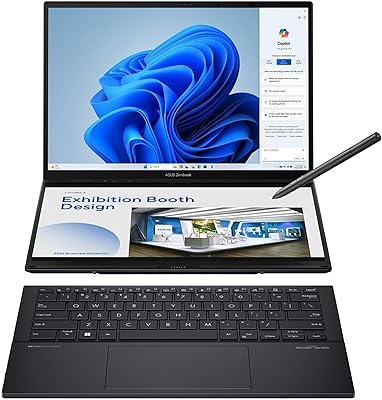
ASUS Zenbook DUO 14 Core Ultra 9 285H 32GB/1TB
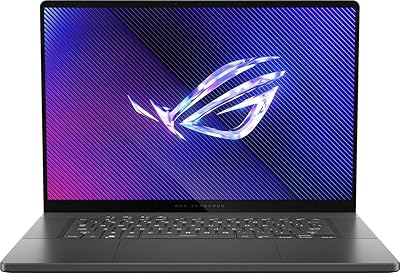
ASUS ROG Zephyrus 2024 16″ Gaming Laptop

ASUS Chromebook CM14 (CM1402CM2A-DS44)
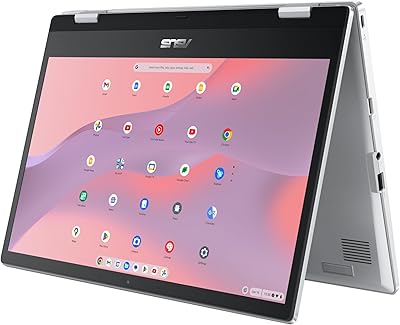
ASUS Chromebook Flip CX1 14″ 8GB/128GB
ASUS E410MA 14-Inch Celeron Laptop
ASUS Vivobook 14 i3-1215U 16GB/512GB
ASUS ZenScreen Duo OLED 14-inch Portable Monitor