Overview

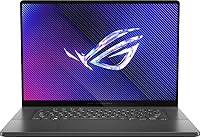
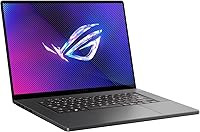
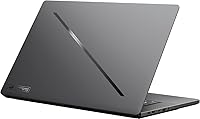
The ASUS ROG Zephyrus 2024 16″ Gaming Laptop is ASUS's most refined attempt yet to prove you don't have to sacrifice portability for real gaming muscle. The 2024 refresh brings a Meteor Lake CPU and a next-generation OLED panel into a chassis that competes directly with the Razer Blade 16 and MSI Stealth 16. At this premium price tier, expectations run high — and for the most part, this ROG Zephyrus delivers on build quality and display. A few things deserve honest scrutiny before you commit, though, particularly around thermals and memory. Out of the box, the grey chassis feels solid but not burdensome, boot times are impressively fast, and the screen demands your attention the moment it lights up.

Features & Benefits

The 16″ OLED panel at 240Hz with a 0.2ms response time is genuinely among the best laptop screens available right now — colors are accurate enough for serious video editing, and fast-paced gaming looks noticeably cleaner than on a typical IPS display. The Core Ultra 9 185H handles heavy multitasking without much hesitation, though sustained loads will push the fans audibly. The RTX 4070 with ROG Boost and Dynamic Boost headroom keeps 1440p gaming comfortable at high settings. The soldered 16GB RAM, however, is the spec that stings most at this tier — it works today but cannot be upgraded later, which is a legitimate long-term concern. The 1TB PCIe 4.0 SSD loads quickly and feels responsive throughout.

Best For

This ASUS gaming laptop hits a genuine sweet spot for people who use their machine for more than gaming alone. If you edit video, do color-sensitive design work, or frequently jump between demanding apps and game sessions, the OLED display and capable processor make a real, tangible difference. It also suits frequent travelers who need serious power under 5 lbs — the slim 0.65-inch profile makes it bag-friendly in a way most gaming laptops simply are not. Where it falls short of a universal recommendation is for anyone planning to run memory-heavy workloads years from now. The fixed 16GB ceiling is a genuine constraint, and buyers who know they'll want 32GB eventually should weigh that carefully before purchasing.

User Feedback

Owners consistently single out the OLED panel as the standout — it earns frequent praise for making everything from games to everyday browsing look noticeably better. Keyboard comfort and SSD responsiveness also receive positive mentions. On the critical side, fan noise during extended gaming sessions is a recurring complaint; it gets loud, and while Armoury Crate's performance modes and the MUX switch improve efficiency, they don't eliminate the noise entirely. Battery life holds up reasonably well during light productivity work but drops significantly during gaming — expected behavior, though worth stating plainly. A handful of early adopters also flagged driver and software inconsistencies at launch, which is fairly typical for new hardware and generally improves as updates roll out.

Pros

  • The 16″ OLED panel delivers exceptional color accuracy and contrast that makes both gaming and creative work genuinely better.
  • A 240Hz refresh rate with 0.2ms response time means fast-paced games look smooth and sharp with virtually no ghosting.
  • The Core Ultra 9 185H handles heavy multitasking — browser tabs, video exports, and background apps — without noticeable slowdown.
  • RTX 4070 with Dynamic Boost provides comfortable 1440p gaming performance at high to ultra settings in most modern titles.
  • At 4.1 lbs and 0.65 inches thin, the Zephyrus 16 is one of the most portable machines at this performance level.
  • The PCIe 4.0 NVMe SSD delivers fast load times that make the overall system feel snappy and responsive day to day.
  • Wi-Fi 6E support keeps wireless performance ahead of the curve for users on compatible routers.
  • Windows 11 Pro is included, adding value for professionals who need enterprise-grade security and remote desktop features.
  • Keyboard comfort receives consistent praise from users who spend long hours typing alongside their gaming sessions.
  • The chassis build quality feels premium and durable, consistent with what buyers at this tier reasonably expect.

Cons

  • 16GB of soldered RAM cannot be upgraded later, which is a significant long-term limitation at this price point.
  • Fan noise under sustained gaming loads is loud enough to be distracting without headphones.
  • The RTX 4070 is a strong mid-to-high GPU but trails behind higher-wattage configurations found in thicker competitor laptops.
  • Battery life during gaming sessions is short; users should expect to stay near an outlet for extended play.
  • Armoury Crate software has drawn criticism for being bloated and occasionally inconsistent in applying performance profiles.
  • Early buyers reported driver instability at launch, which required updates and troubleshooting before the system ran cleanly.
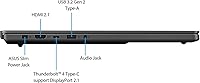
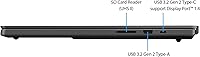
  • Only four USB ports are available, with no Thunderbolt 4 explicitly confirmed, which may frustrate power users with dense peripheral setups.
  • The 1-year ASUS USA warranty feels modest given the premium asking price compared to competitors offering longer coverage.
  • Thermal throttling can occur during extended, combined CPU and GPU workloads, slightly reducing peak sustained performance.

Ratings

The scores below reflect an AI-driven analysis of verified global user reviews for the ASUS ROG Zephyrus 2024 16″ Gaming Laptop, with spam, bot-generated, and incentivized feedback actively filtered out before scoring. Each category captures the full range of buyer sentiment — not just the highlights — so both genuine strengths and recurring frustrations are represented with equal honesty. Whether this machine fits your needs or falls short in a critical area, you will find a transparent, data-grounded answer in the ratings below.

Display Quality
94%
The OLED panel is consistently the most praised aspect across user feedback worldwide. Owners doing color-sensitive work — video editing, photo retouching, graphic design — specifically call out how accurate and vivid the screen looks compared to IPS alternatives they have used before. Gamers similarly note that the deep blacks and 240Hz smoothness make fast-paced titles look genuinely better.
A small subset of users expressed concern about long-term OLED burn-in risk, particularly those who leave static UI elements on screen for hours at a stretch. A few also noted that peak brightness, while adequate indoors, can feel limited when working near a bright window.
Build Quality
91%
The chassis earns consistent praise for feeling solid and premium in hand — flex is minimal on the lid and keyboard deck, which users appreciate after handling cheaper plastic-bodied competitors. The slim 0.65-inch profile does not feel fragile, and the hinge mechanism holds the display firmly at any angle without wobble.
Some users noted that the grey finish shows fingerprints and smudging more readily than they expected for a premium device, requiring regular wiping to keep it looking clean. A handful of buyers also felt the bottom panel felt slightly less refined than the top deck.
Gaming Performance
83%
The RTX 4070 with Dynamic Boost handles the native 2560x1600 resolution comfortably in most modern titles at high to ultra settings, and the MUX switch gives a meaningful frame rate boost when enabled. Gamers playing competitive shooters or mid-to-high-demand AAA titles report smooth, consistent performance without needing to dial settings down.
Users chasing maximum frame rates in the most demanding titles — or running GPU-intensive workloads at full tilt — find the 105W power envelope limiting compared to thicker laptops with higher TDP RTX 4070 or 4080 configurations. Sustained gaming sessions can also trigger thermal throttling, trimming performance slightly from peak numbers.
Thermal Management
67%
33%
Armoury Crate offers multiple thermal profiles, and the MUX switch does help improve GPU efficiency under load. Users running productivity workloads or light gaming report that the laptop stays cool and manageable, and the fan curves in balanced mode are reasonable for everyday use.
Under sustained combined CPU and GPU loads — long gaming sessions or heavy rendering tasks — the fans ramp up loudly and surface temperatures on the keyboard area can become noticeable. Several users flagged that even with Armoury Crate tuning, the cooling system struggles to maintain peak clock speeds consistently over extended periods.
RAM & Upgradeability
48%
52%
The LPDDR5X-7467 memory is genuinely fast, and for users whose workloads fit comfortably within 16GB today — gaming, web browsing, light creative work — performance is smooth and responsive. The high memory bandwidth does help the integrated GPU in tasks where it assists the discrete GPU.
The soldered 16GB configuration is the most polarizing aspect of this machine at its price point, and user frustration is well-documented. Buyers who later found themselves hitting memory limits in Premiere Pro, large browser sessions, or virtual machine use had no recourse — there is no upgrade path, and no workaround short of buying a different laptop.
Portability
89%
At 4.1 lbs and just over half an inch thick, this ASUS gaming laptop is one of the most carry-friendly machines at this performance tier. Commuters and frequent travelers specifically mention that it fits in standard laptop bags without the bulk or back strain associated with traditional gaming rigs.
The power brick adds meaningful weight to any travel setup, and users who need to carry the charger — as most will during gaming use — find the total bag weight less impressive. A few users also noted that the slimness, while great for portability, contributes directly to the thermal and noise trade-offs.
Battery Life
62%
38%
For productivity-focused days — documents, video calls, light coding, and browsing — many users report getting through most of a workday on a single charge. The Zephyrus 16 handles mixed-use scenarios reasonably well when the dGPU is not being pushed hard.
Switch to gaming and battery life drops sharply, often to two or three hours under load. Users who expected to game untethered were regularly disappointed, and the high-refresh OLED display accelerates drain noticeably at full brightness. Most users simply treat this as a plugged-in machine for anything demanding.
Keyboard & Trackpad
84%
The keyboard receives strong marks from users who type extensively — reviewers note satisfying key travel and a comfortable layout for both coding sessions and long writing tasks. The backlit keys are functional and readable in dim environments without being flashy.
A portion of users felt the trackpad, while functional, does not quite match the smoothness expected at this price point compared to competitors like Apple or Razer. Some also noted that the keyboard layout takes a brief adjustment period due to certain keys being slightly repositioned from conventional placements.
Software & Drivers
57%
43%
Once the system is fully updated and Armoury Crate is configured properly, most users report a stable and functional software experience. The performance mode switching and per-app GPU selection work as intended when the software is behaving.
Early adopters and a consistent thread of user reviews flag Armoury Crate as bloated and occasionally unreliable — profiles not sticking after reboots, fan curves resetting unexpectedly, and installation issues on fresh Windows setups. Driver conflicts at launch required multiple update cycles before the system ran cleanly for some buyers.
Connectivity
71%
29%
Wi-Fi 6E support is a genuine advantage for users with compatible routers, offering lower latency and more consistent wireless gaming performance. The four USB 3.0 ports cover most everyday peripheral needs without requiring a hub for typical setups.
Power users with dense peripheral configurations found the port selection limiting, particularly the absence of confirmed Thunderbolt 4 support, which restricts high-speed external display and storage options. Those hoping to connect multiple high-refresh monitors or fast eGPU enclosures may need a dedicated dock.
Value for Money
72%
28%
The combination of a premium OLED display, a capable GPU, a fast NVMe SSD, and a genuinely slim and well-built chassis does justify a premium price for buyers who will use all of those things. Users who bought it as a dual-purpose creative and gaming machine consistently felt it earned its cost.
For pure gaming buyers, the price-to-performance ratio is harder to defend when thicker competitors offer more GPU headroom at a similar or lower price. The soldered 16GB RAM is particularly difficult to justify at this tier, and it remains the most cited reason buyers felt they did not get full value for their money.
Display Refresh & Response
92%
The 240Hz refresh rate combined with the 0.2ms OLED response time produces motion clarity that users consistently describe as one of the smoothest experiences on any laptop they have used. Competitive gamers playing fast-paced titles note a real, perceptible difference compared to 144Hz or even 165Hz IPS screens.
To sustain high frame rates that actually take advantage of 240Hz, the GPU needs to be pushed hard, which amplifies the thermal and noise concerns. Users playing less demanding titles that cap at lower frame rates naturally get less benefit from the high refresh rate.
Audio Quality
68%
32%
The onboard speakers are adequate for casual media consumption and video calls, and users note they are louder and cleaner than what you typically find on ultra-slim laptops. Dialogue clarity in movies and podcasts is decent at moderate volume levels.
Bass response is predictably thin given the slim chassis, and users who game or watch films regularly will want external speakers or headphones for a fuller audio experience. The speaker output also competes with fan noise under load, making the built-in audio feel further diminished during intensive sessions.
Out-of-Box Experience
81%
19%
Most users describe an impressively fast initial setup — boot times are snappy, Windows 11 Pro activates cleanly, and the display immediately makes a strong first impression. The packaging is tidy and the included accessories cover basic needs without unnecessary extras cluttering the box.
Pre-installed software beyond Armoury Crate includes some bloatware that users typically remove during setup, which adds friction to the initial experience. A subset of buyers also noted they needed to install several driver updates before the system performed optimally, which is a minor but avoidable friction point.

Suitable for:

The ASUS ROG Zephyrus 2024 16″ Gaming Laptop is purpose-built for people who genuinely need one machine to do everything well. It makes the most sense for creative professionals and students who split their time between demanding applications — video editing, color grading, 3D rendering — and serious gaming sessions, since the OLED display's color accuracy and the CPU's multi-core headroom serve both workflows without compromise. Frequent travelers will appreciate the sub-5-lb chassis that slips into a bag without the bulk or back strain of a traditional gaming rig. If you care deeply about screen quality and are willing to accept that the GPU sits a step below the absolute top tier in exchange for a dramatically thinner and lighter form factor, the Zephyrus 16 is a rational choice. It also suits buyers who want Windows 11 Pro out of the box for professional or enterprise environments without paying a separate upgrade fee.

Not suitable for:

Buyers who expect to upgrade their system over time should think carefully before committing to this ASUS gaming laptop, because the 16GB of RAM is soldered directly to the motherboard and cannot be replaced or expanded under any circumstances — at this price point, that is a hard pill to swallow. If your workloads routinely involve large virtual machine environments, heavy sample libraries, or memory-intensive data tasks, that fixed ceiling will become a real limitation sooner than you'd like. Gamers chasing maximum frame rates at 1080p or pushing ultra settings at 4K will also find the RTX 4070, while capable, leaves performance headroom on the table compared to thicker laptops with higher TDP configurations. Anyone with a low tolerance for fan noise should know that sustained gaming loads push the cooling system hard and audibly — this is not a quiet machine under pressure. Finally, budget-conscious shoppers or those who primarily play less demanding titles will find far better value elsewhere.

Specifications

  • Display Size: The screen measures 16 inches diagonally with a 16:10 aspect ratio, providing more vertical space than a standard widescreen panel.
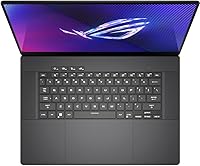
  • Display Type: The ROG Nebula OLED panel runs at 2560x1600 resolution with a 240Hz refresh rate, 0.2ms response time, and 100% DCI-P3 color coverage.
  • Processor: An Intel Core Ultra 9 185H (Meteor Lake) with 16 cores and a boost clock up to 5.1GHz powers the system, backed by 24MB Intel Smart Cache.
  • Graphics: The NVIDIA GeForce RTX 4070 carries 8GB of GDDR6 VRAM and boosts up to 2105MHz at 105W via ROG Boost with Dynamic Boost enabled.
  • RAM: 16GB of LPDDR5X-7467 memory is soldered directly to the motherboard and cannot be upgraded or replaced after purchase.
  • Storage: A 1TB PCIe 4.0 NVMe SSD serves as the primary drive, offering fast sequential read and write speeds for quick boot and load times.
  • Operating System: The system ships with Microsoft Windows 11 Pro pre-installed, which includes enterprise security features and remote desktop functionality.
  • Wireless: Wi-Fi 6E (802.11ax) is built in, supporting the 6GHz band for reduced congestion and improved throughput on compatible routers.
  • USB Ports: Four USB 3.0 ports are included for connecting peripherals, external drives, and other accessories.
  • Dimensions: The chassis measures 13.94 x 9.69 x 0.65 inches, making it one of the slimmer enclosures available for a 16″ gaming laptop.
  • Weight: The laptop weighs approximately 4.1 lbs (1.86 kg), which is notably light for a machine with this level of GPU and CPU performance.
  • Keyboard: The backlit keyboard spans the full deck width and has received positive user feedback for key travel and typing comfort during extended sessions.
  • Chassis Color: The laptop is offered in a grey colorway with ASUS ROG design accents consistent with the broader Zephyrus product family.
  • Warranty: ASUS provides a 1-year limited warranty covering manufacturing defects through ASUS USA, with standard terms applying to normal use conditions.
  • Color Accuracy: The display covers 100% of the DCI-P3 color space, which meets professional standards for video production and color-critical design work.
  • GPU Architecture: The RTX 4070 is built on NVIDIA's Ada Lovelace architecture, enabling hardware ray tracing, DLSS 3, and Frame Generation support.
  • CPU Cores: The Core Ultra 9 185H includes a mix of performance and efficiency cores totaling 16 cores, suited for parallel workloads and background task management.

Related Reviews
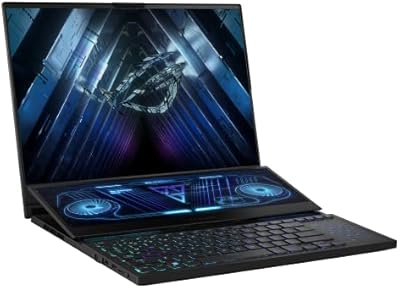
ASUS ROG Zephyrus Duo 16 Gaming Laptop
74%
94%
Display Quality
91%
Raw Performance
76%
Dual-Screen Workflow
78%
Thermal Management
58%
Fan Noise
More
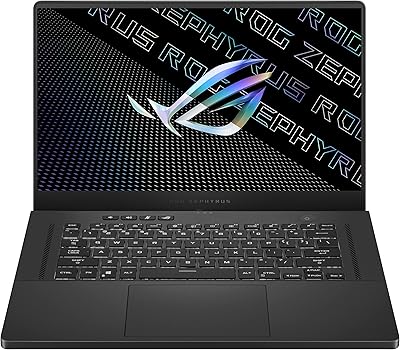
ASUS ROG Zephyrus G15 GA503QS Gaming Laptop
87%
95%
Gaming Performance
94%
Graphics Quality
92%
Display Quality
89%
Cooling System
90%
Build Quality
More
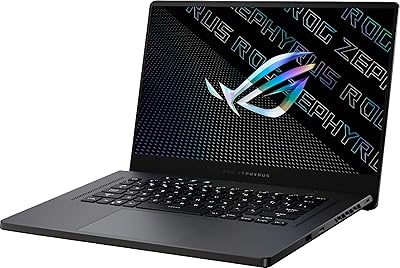
ASUS ROG Zephyrus G15 Gaming Laptop
73%
88%
Gaming Performance
91%
Display Quality
84%
Build Quality
63%
Thermal Management
54%
Fan Noise
More
ASUS ROG Strix G16 2023 Gaming Laptop
72%
93%
Gaming Performance
91%
Thermal Management
88%
Display Quality
84%
Build Quality
81%
Keyboard & Trackpad
More
ASUS ROG Strix G17 (2021) Gaming Laptop
84%
91%
Performance
89%
Cooling Efficiency
88%
Display Quality
70%
Battery Life
85%
Portability
More
ASUS ROG Strix SCAR 18 Gaming Laptop
76%
97%
Gaming Performance
94%
Display Quality
92%
CPU & Multitasking
83%
Thermal Management
61%
Fan Noise
More
ASUS ROG Flow Z13 2023 Gaming Tablet
74%
93%
Display Quality
74%
Gaming Performance
41%
Battery Life
88%
Build Quality
67%
Thermal Management
More
ASUS ROG Strix G16 Gaming Laptop
74%
91%
Gaming Performance
93%
Display Quality
88%
Thermal Management
53%
Fan Noise
47%
Battery Life
More
ASUS TUF A16 Gaming Laptop, Ryzen 7 7735HS, 64GB RAM, 2TB SSD, 16″ 165Hz
84%
94%
Performance
90%
Display Quality
75%
Battery Life
65%
Portability/Weight
88%
Build Quality
More
ASUS ROG Strix G17 17.3″ Gaming Laptop
74%
88%
Gaming Performance
84%
Display Quality
82%
Build Quality
76%
Thermal Management
58%
Fan Noise
More

FAQ

Unfortunately, no. The memory in this ROG Zephyrus is soldered directly onto the motherboard, which means 16GB is the permanent ceiling for this machine. There is no DIMM slot or upgrade path available, so what you buy is what you keep. If you expect to need 32GB down the road, this is a serious factor to weigh before purchasing.

Under sustained gaming loads, the fans on the Zephyrus 16 get noticeably loud — loud enough that most users will want headphones. This is a known trade-off for slim gaming laptops with high-performance components. Armoury Crate does offer performance mode settings that can reduce fan speeds at the cost of some thermal headroom, but there is no silent mode that keeps things quiet while gaming hard.

Yes, genuinely. The 100% DCI-P3 coverage and OLED contrast make this one of the more capable laptop displays for color-sensitive work. If you are grading footage or doing design work that requires accurate color representation, this screen holds its own against dedicated creator-focused laptops. Just be mindful of potential OLED burn-in with static elements left on screen for extended periods.

Unlike the RAM, the SSD is a standard NVMe M.2 module and can technically be replaced. Whether the chassis provides a second M.2 slot for expansion depends on the specific board revision, so it is worth confirming with ASUS support or checking teardown documentation before assuming you can add a second drive.

For productivity tasks — browsing, documents, light coding — battery life is reasonable and many users report getting through a solid workday on a charge. Switch to gaming and that changes quickly; demanding sessions will drain the battery in two to three hours or less. If you plan to game unplugged, manage your expectations and keep the charger nearby.

Yes, it includes a MUX switch, which bypasses the integrated GPU and routes the display directly through the RTX 4070. In practice, enabling the MUX switch can improve gaming frame rates by a meaningful margin — often 10 to 15 percent in GPU-bound titles — because it eliminates the overhead of passing frames through the iGPU. It requires a reboot to toggle, which is a minor inconvenience but worth it for serious gaming sessions.

The RTX 4070 at 105W with Dynamic Boost is well-suited for 1440p gaming at high to ultra settings in most modern titles. You can expect smooth frame rates in games like Cyberpunk 2077, Elden Ring, and competitive shooters at the native 2560x1600 resolution. Pushing to maximum settings in the most demanding titles may require some adjustments, but overall this GPU tier handles the display resolution it is paired with comfortably.

If you have a Wi-Fi 6E router, the 6GHz band support genuinely reduces interference and improves throughput in congested environments. For most home users, the practical difference over standard Wi-Fi 6 is modest day to day, but if you game or stream over wireless in a dense apartment building or office, the less-crowded 6GHz band can make a real difference in latency and stability.

User feedback on the keyboard is consistently positive — the key travel and layout are well-suited for extended typing, not just gaming. The 16:10 display aspect ratio also adds vertical screen real estate that makes working with documents, code editors, and browser windows noticeably more comfortable compared to standard 16:9 designs.

Some early buyers reported driver inconsistencies and Armoury Crate software behaving unpredictably at launch, including performance profiles not applying correctly. Most of these issues were addressed through ASUS and Windows updates. The practical advice is to run all available updates as soon as you set it up, and give Armoury Crate a fresh install if you encounter any unexpected behavior with fan control or GPU switching.