Overview

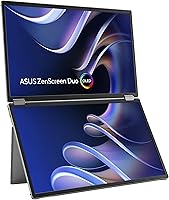
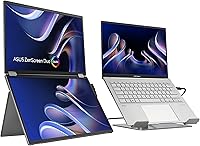
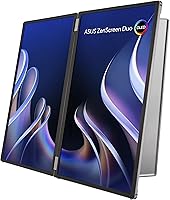
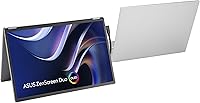
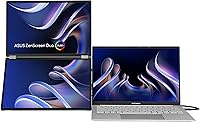
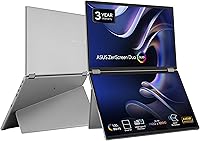
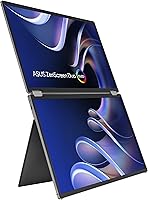
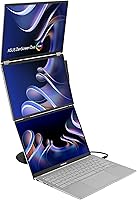
The ASUS ZenScreen Duo OLED 14-inch Portable Monitor is a genuinely unusual device — not a minor iteration on existing portable monitors, but a fundamentally different take on mobile productivity. Its 360° foldable hinge connects two 14-inch OLED panels that fold flat for travel and unfold into a dual-screen workspace roughly equivalent to a 21-inch display. Unlike most portable monitors, which sacrifice display quality for compactness, this one leads with OLED panel quality as a core selling point. At 1.07 kg, it is not ultralight — you are carrying two screens, after all — so it suits professionals who need dual-display capability on the road and are willing to trade some pack weight for it.
Features & Benefits

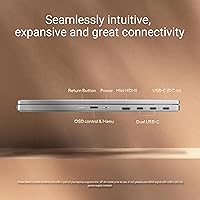
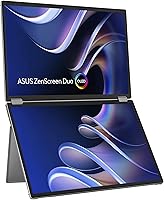
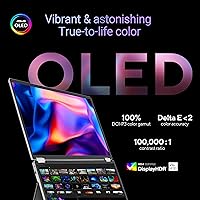
Each of the two 14-inch OLED panels delivers 1920×1200 resolution with a 16:10 aspect ratio — that extra vertical height compared to 16:9 is genuinely useful when you have code, documents, or a timeline open. Color performance is serious: 100% DCI-P3 coverage with Delta-E under 2 means the ZenScreen Duo OLED is not just claiming accuracy, it is delivering calibrated output that matters for photo editing or color grading on location. The DisplayHDR 400 True Black certification carries real weight on OLED because these panels cut to true black, not just a dimmed backlight. Connectivity is practical with dual USB-C plus Mini-HDMI, and the integrated kickstand handles both landscape and portrait orientations without requiring a separate accessory.

Best For

This foldable monitor is purpose-built for a fairly specific group of users. Creative professionals — photographers, video editors, and graphic designers who move between locations — are the obvious fit, given the color accuracy on offer. Remote workers who have grown dependent on a multi-screen desk setup but resent carrying two separate displays will also find real value here. Developers and writers who benefit from stacked screen real estate, whether for reference docs alongside an editor or a chat window alongside a draft, can use the space well too. What this is not: a casual upgrade for someone who mostly wants a larger screen at a coffee shop. The premium price tier only makes sense if the dual-screen setup solves a genuine, recurring problem for you.

User Feedback

With a 4.0-star average across nearly 650 ratings, the ZenScreen Duo OLED has earned a generally positive reception, though the breakdown tells a nuanced story. The most consistent praise centers on OLED image quality and the convenience of having two screens fold into one compact package; buyers in creative fields frequently cite color reproduction as a genuine strength. On the other side, the price-to-value question comes up repeatedly among those who found the software setup or hinge adjustment less intuitive than expected. A handful of reviewers noted minor USB-C compatibility quirks depending on their specific laptop. Kickstand stability on uneven surfaces draws mixed marks. Most buyers who travel regularly with it seem to accept the weight; occasional users are less convinced it justifies the investment.

Pros

  • Both OLED panels produce genuinely accurate color with 100% DCI-P3 coverage — credible for professional photo and video work.
  • The 16:10 aspect ratio on each screen gives noticeably more vertical workspace than standard 16:9 portable displays.
  • DisplayHDR 400 True Black delivers real contrast depth on OLED, not a softened approximation like LCD-based HDR claims.
  • Dual USB-C plus Mini-HDMI connectivity covers a wide range of laptops, tablets, and creative workstations without dongles.
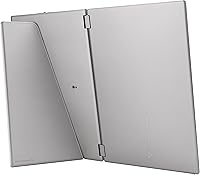
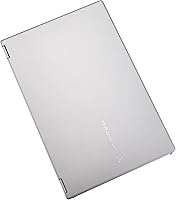
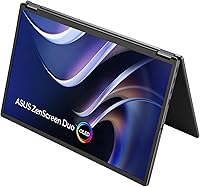
  • The 360° foldable hinge makes this dual-screen portable monitor genuinely packable — it closes flat and stores like a large notebook.
  • An integrated kickstand with tripod mount support means you are not hunting for a third-party stand or propping it against your laptop bag.
  • Auto screen rotation via DisplayWidget Center removes manual fiddling when switching between landscape and portrait orientations.
  • A 3-year manufacturer warranty is a meaningful commitment for a premium-tier device used heavily in travel conditions.
  • The matte screen surface reduces glare in mixed-lighting environments like airport lounges, open offices, or outdoor patios.

Cons

  • At 1.07 kg, this foldable monitor is noticeably heavier than single-panel alternatives — a real consideration for light packers.
  • The software setup and hinge calibration have a learning curve that some buyers find unexpectedly involved on first use.
  • A subset of users report USB-C compatibility quirks depending on their specific laptop model or power delivery configuration.
  • Kickstand stability on uneven or soft surfaces like laps or fabric gets mixed marks from real-world users.
  • The premium price tier means the value equation only works for buyers with a genuine, recurring dual-screen workflow need.
  • Mini-HDMI rather than full-size HDMI requires an adapter for older devices, which is a small but real inconvenience on the road.
  • DisplayWidget Center software adds a dependency — auto-rotation and some display management features do not function without it installed.
  • Early buyers noted the product launched in late 2024, meaning long-term durability data on the hinge mechanism is still limited.

Ratings

Our AI rating system analyzed verified global buyer reviews for the ASUS ZenScreen Duo OLED 14-inch Portable Monitor, actively filtering out incentivized, bot-generated, and outlier feedback to surface what real users consistently experience. The scores below reflect an honest synthesis of both the genuine strengths that earned this monitor its loyal following and the friction points that have frustrated a meaningful portion of buyers. Nothing here is sugarcoated — the ratings capture the full picture.

Display Quality
93%
The OLED panels draw consistent, enthusiastic praise from creative professionals who have compared them side-by-side against competing portable displays. Color depth, contrast, and the absolute blacks that only OLED can deliver make photo editing and video review on the road feel far less like a compromise than it used to.
The matte coating, while practical for glare reduction, takes a visible edge off the visual drama that glossy OLED panels are known for. A small number of users coming from high-end glossy OLED laptops found the matte finish slightly disappointing in dark-room viewing conditions.
Color Accuracy
91%
For photographers and video editors who rely on calibrated output, the Delta-E under 2 rating and full DCI-P3 coverage translate into real confidence when color-grading away from their studio monitors. Several users specifically called out that the panels matched their desktop reference display more closely than they expected from a portable unit.
Factory calibration quality can vary slightly unit to unit, and a small group of technically demanding users noted minor panel-to-panel consistency differences between the two screens when viewed together. For most buyers this is imperceptible, but exacting professionals may want to verify calibration on arrival.
Dual-Screen Concept
88%
The core idea — folding two screens into one portable package — resonates strongly with buyers who have structured their work around multi-monitor setups. Remote workers and developers consistently describe the setup as genuinely changing how they work on the road, not just a novelty.
The dual-screen experience requires some adjustment in how you position and interact with the device compared to a traditional single monitor. New users often spend the first day or two figuring out the optimal angle, height, and orientation before it starts to feel second nature.
Build & Hinge Quality
84%
The 360° hinge draws regular praise for feeling solid and deliberate rather than flimsy or loose. Buyers who handle it daily describe a satisfying, premium resistance when opening and closing the panels, and the overall chassis construction reads as a serious piece of hardware rather than a cost-cut peripheral.
Because the product launched in late 2024, there is limited long-term data on how the hinge holds up after 18 to 24 months of regular travel use. A handful of early adopters have flagged uncertainty about hinge durability over time, which is a fair concern for such a mechanically complex portable device.
Portability
71%
29%
For a device that replaces two separate portable monitors, 1.07 kg is a reasonable engineering achievement. Buyers who travel with a full creative kit — camera gear, a laptop, cables — generally accept the weight as a worthwhile trade-off once the workflow benefit becomes clear after a few trips.
Compared to a single-panel portable monitor, the weight difference is real and noticeable in a day bag over a long travel day. Users who were expecting something closer to ultralight territory have expressed disappointment, and those with back or shoulder sensitivity have flagged the cumulative load as a genuine concern.
Connectivity
76%
24%
Dual USB-C inputs plus Mini-HDMI cover the majority of modern laptops, tablets, and even some smartphones with video output. Most buyers in USB-C ecosystems report a straightforward plug-in experience that requires no adapters or extra steps.
The Mini-HDMI port requires a separate adapter for devices with full-size HDMI, which is a minor but real inconvenience when traveling light. A subset of users have also run into USB-C compatibility inconsistencies with specific laptop models, requiring cable swaps or troubleshooting that should not be necessary at this price point.
Software & Setup
62%
38%
Once DisplayWidget Center is installed and configured, the auto-rotation feature and display management tools work reliably for most users. Buyers who invest time in the initial setup generally report a smooth day-to-day experience afterward with little ongoing maintenance.
The out-of-box setup experience is a recurring pain point — the hinge calibration, software installation, and dual-display configuration are not as intuitive as buyers expect for a premium device. Several users describe spending more time than anticipated getting everything running correctly on first use, which erodes the first impression.
Kickstand Stability
67%
33%
On a flat desk surface, the integrated kickstand performs adequately for most use cases and eliminates the need to carry a separate stand. The addition of a standard tripod mount thread gives power users more flexibility with third-party support options.
On softer or uneven surfaces — a lap, a hotel bed, or a fabric couch — the kickstand's stability drops noticeably and becomes a genuine usability concern. This is one of the more consistent complaints in user reviews, and buyers who frequently work outside traditional desk setups should factor it in.
Value for Money
58%
42%
For the narrow group of users who travel constantly and genuinely need calibrated dual-screen output, the value proposition is defensible — there is simply no comparable product that packs this much display capability into this form factor. Those users tend to rate it highly and describe it as a justified investment.
For anyone outside that specific use case, the premium price is a hard pill to swallow, and the value debate is the single most common thread in critical reviews. Buyers who purchased it for occasional use or lighter workflows frequently conclude they could have spent significantly less for a result that was 80% as good.
Weight Distribution
69%
31%
When positioned correctly with the kickstand, the weight of the dual panels feels balanced enough that desk fatigue is not a common complaint. The folded form factor distributes the load evenly in a bag without awkward pressure points.
In hand, the weight feels less balanced than a conventional monitor because of the hinge mechanics and panel symmetry. Users who frequently reposition the monitor during a session — rotating, refolding, adjusting angles — find the handling less elegant than the design implies.
Panel Consistency
78%
22%
The vast majority of users report that both panels look visually matched under normal working conditions, which is essential for a dual-screen device where your eyes constantly move between the two. For everyday productivity and creative tasks, the panels feel like a unified workspace.
Under close technical scrutiny — side-by-side solid color comparisons or calibration tool testing — some users identify subtle brightness or white-point differences between the two panels. It is a minor issue for most, but worth noting for buyers whose work requires absolute cross-panel consistency.
Orientation Flexibility
82%
18%
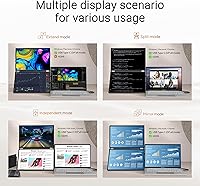
The ability to use each panel independently in either landscape or portrait orientation adds genuine versatility that goes beyond a fixed dual-screen setup. Developers and writers who want one panel vertical for long documents or code and one horizontal for reference material find this particularly useful.
Auto-rotation via DisplayWidget Center occasionally lags or requires a manual refresh when switching between orientations quickly. It is a software behavior rather than a hardware flaw, but it interrupts workflow in a way that feels out of place on a device pitched at productive professionals.
Warranty & Support
81%
19%
A 3-year manufacturer warranty is a meaningful commitment that exceeds the 1-year standard common at this product tier, and it gives buyers reasonable confidence in ASUS standing behind the hardware. For a device with a complex foldable hinge, that coverage window matters.
Warranty service experience varies by region, and some international buyers have noted that support response times and repair logistics are slower than expected for a premium product. The warranty terms are reassuring on paper but depend heavily on local service infrastructure.

Suitable for:

The ASUS ZenScreen Duo OLED 14-inch Portable Monitor was built for professionals who genuinely depend on multiple screens to do their best work and cannot afford to leave that setup behind when they travel. Photographers and video editors who need calibrated, color-accurate displays on location will find the DCI-P3 coverage and Delta-E under 2 performance far more credible than what most portable monitors offer. Remote workers who have structured their whole workflow around a dual-monitor desk setup — and who dread collapsing back to a single laptop screen in a hotel room or co-working space — get the closest portable approximation available in this form factor. Developers who keep documentation, a terminal, and an editor open simultaneously, as well as writers who research while drafting, will also make good use of the stacked screen real estate. If you travel regularly, already work in a USB-C ecosystem, and the dual-screen format solves a real, recurring bottleneck in your day, this foldable monitor is one of the very few products that actually delivers on that promise.
Not suitable for:

The ASUS ZenScreen Duo OLED 14-inch Portable Monitor is a hard sell for anyone who does not have a clear, specific need for dual screens while away from their desk. At 1.07 kg — roughly double the weight of a capable single-panel portable monitor — it is not the kind of display you toss into a bag as a casual upgrade for working at a coffee shop. Budget-conscious buyers will find the premium price difficult to justify unless the dual-OLED format directly addresses a workflow problem they face constantly, not occasionally. Users who primarily want a larger single screen for media consumption or light productivity are better served by a simpler, lighter, less expensive alternative. The software setup and hinge adjustment also have a learning curve that may frustrate buyers expecting a true plug-and-play experience out of the box. If USB-C compatibility with your specific device is uncertain, it is worth verifying before committing, as a subset of users have encountered connectivity edge cases.
Specifications

  • Panel Type: Both screens use OLED technology, which produces true blacks and high contrast without a backlight.
  • Screen Size: Each individual panel measures 14 inches diagonally, combining into roughly a 21-inch effective workspace when unfolded.
  • Resolution: Each panel runs at 1920×1200 pixels, delivering a UXGA Wide resolution with a 16:10 aspect ratio.
  • Color Gamut: Both panels cover 100% of the DCI-P3 color space, making them suitable for professional color-critical workflows.
  • Color Accuracy: Delta-E is rated under 2, which represents factory-calibrated accuracy appropriate for photo editing and video grading.
  • HDR Support: The display carries DisplayHDR 400 True Black certification, a meaningful standard on OLED panels that can reach true zero-light output.
  • Hinge Design: A 360° foldable hinge connects the two panels and allows the device to fold flat for transport or open fully for desk use.
  • Weight: The complete unit weighs 1.07 kg (approximately 2.4 lbs), which reflects the dual-panel construction.
  • Dimensions: When folded, the unit measures approximately 0.6 × 12.6 × 8.4 inches, allowing it to fit in most laptop bags.
  • Screen Surface: Both panels feature a matte surface finish that reduces glare and reflections in mixed or bright lighting environments.
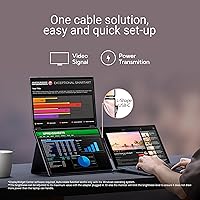
  • USB-C Ports: Two USB-C ports are included, supporting video input and power delivery for broad compatibility with modern laptops and tablets.
  • Video Input: A Mini-HDMI port provides an additional video input option for devices without USB-C video output capability.
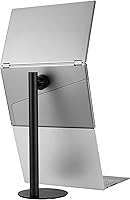
  • Kickstand: An integrated fold-out kickstand supports the monitor in both landscape and portrait orientations without requiring a separate accessory.
  • Tripod Mount: A standard tripod mount thread is built into the unit, enabling use with compatible third-party stands and mounts.
  • Auto Rotation: The DisplayWidget Center software enables automatic screen rotation when the physical orientation of the monitor changes.
  • Warranty: ASUS provides a 3-year manufacturer warranty covering this dual-screen portable monitor from the date of purchase.
  • Availability: The product first became available in December 2024, making it a recent-generation release with limited long-term durability data.

Related Reviews

ASUS ZenScreen 16-inch OLED Portable Monitor
76%
93%
Display Quality
91%
Color Accuracy
78%
Portability
84%
Build Quality
76%
Connectivity
More
ASUS ZenScreen MB14AC 14-inch Portable Monitor
82%
93%
Portability
91%
Setup & Compatibility
82%
Display Quality
61%
Brightness
88%
Build Quality
More
ASUS ZenScreen MB229CF 22-inch Portable Monitor
79%
88%
Display Quality
63%
Portability
91%
Mounting Versatility
84%
Connectivity
67%
Built-in Audio
More
ASUS ZenScreen Touch 16-inch Portable Monitor (MB16AMTR)
87%
94%
Portability & Weight
88%
Touchscreen Functionality
72%
Battery Life
85%
Display Quality
90%
Connectivity Options
More
InnoView 14-inch OLED Portable Monitor 4K UHD
85%
92%
Display Quality
88%
Portability
90%
Color Accuracy
94%
Response Time (Gaming)
85%
Build Quality
More
Dell P1424H 14-inch Portable Monitor
79%
93%
Portability
91%
Setup & Ease of Use
88%
Display Clarity
61%
Brightness & Visibility
58%
Stand & Adjustability
More
ViewSonic VP16-OLED 15.6-inch Portable OLED Monitor
80%
93%
Display Quality
91%
Color Accuracy
88%
Portability
74%
USB-C Connectivity
81%
Build Quality
More
ViewSonic VX1655-4K-OLED 15.6-inch Portable OLED Monitor
77%
93%
Display Quality
91%
Portability
84%
USB-C Connectivity
88%
Build Quality
67%
Stand Stability
More
KEEPTIME P142 14-inch Portable Monitor

75%
88%
Display Sharpness
83%
Color Accuracy
93%
Portability
86%
Connectivity
61%
Brightness & Glare
More
Magedok 14-Inch 4K Portable Monitor
85%
93%
Display Quality
88%
Portability
90%
Ease of Setup
91%
Color Accuracy
58%
Sound Quality
More

FAQ

They work independently by default — your operating system sees them as two separate displays, so you can run different windows or apps on each panel. You can also mirror them if you prefer, but the whole point of the dual-panel setup is extended screen real estate, not duplication.

Basic display functionality works without any additional software — just plug in and your device should recognize both screens. However, the DisplayWidget Center app is required if you want automatic screen rotation to work when you physically reorient the monitor. For most users, installing it is worth the minor setup step.

In most cases, yes — a single USB-C cable carrying both video and power delivery will work with MacBooks that support DisplayPort Alt Mode over USB-C. That said, a small number of users have reported compatibility quirks depending on the specific MacBook model and cable quality, so it is worth using a high-quality USB-C cable rated for video output.

On a flat, hard desk surface the integrated kickstand performs well for most users. On softer or uneven surfaces — including your lap — stability is more variable, and some buyers have found it less reliable in those situations. If you plan to use it frequently on your lap or on a bed, a small portable stand may help.

That depends heavily on your travel setup. For someone already carrying a laptop, charger, and other gear, adding just over a kilogram is noticeable but manageable in a backpack. If you travel with a very minimal kit or are sensitive to bag weight, it is worth considering — it is roughly double the weight of most single-panel portable monitors.

It can work with tablets that support video output over USB-C, which includes many recent iPad Pro and iPad Air models, as well as certain Android tablets. Compatibility is not universal across all tablet models, so checking whether your specific tablet supports DisplayPort or HDMI Alt Mode over USB-C before purchasing is a good idea.

OLED panels do carry some theoretical burn-in risk with static content displayed for very long periods, which is a known characteristic of the technology. In typical mixed-use scenarios — switching between applications, documents, and media — burn-in is unlikely to be a practical concern. ASUS does not specify a dedicated pixel refresh or burn-in prevention feature publicly for this model, so following general OLED care practices (varying content, not leaving a static image for hours) is sensible.

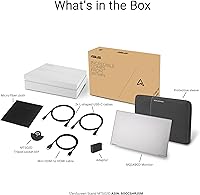
ASUS includes USB-C cables in the box, though the exact contents can vary slightly by region. The kickstand and tripod mount thread are built into the unit itself, so no external stand is required. It is always worth checking the current box contents listed on the product page for your region before assuming what is included.

The Mini-HDMI and USB-C ports are intended to provide flexible input options for different devices rather than simultaneous mixed inputs. In practice, you would connect one source device and choose the appropriate input. If your workflow requires connecting two separate source devices simultaneously, this foldable monitor is not designed for that use case.

Matte coatings on OLED panels do reduce peak perceived brightness and can slightly soften the extraordinary contrast that glossy OLED screens are known for. For office and travel use with mixed lighting, the anti-glare benefit is a practical trade-off most buyers appreciate. If you are in a controlled dark studio environment and want maximum visual punch, a glossy panel would look more dramatic — but for portable use, matte is usually the more sensible choice.