
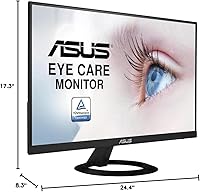
Overview
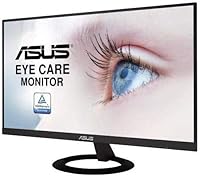
The ASUS VZ279HE 27-inch IPS Monitor has quietly held its ground since launching in 2019, and its sustained sales rank in a crowded category says a lot about what it gets right. This is a productivity-focused display built for home offices and everyday computing — not a panel chasing frame rates or color-critical accuracy. What draws people in is the ultra-slim, frameless body, which looks considerably more expensive than its price suggests. ASUS Eye Care, in practical terms, means flicker-free backlighting and a blue light filter — small touches that become genuinely noticeable during back-to-back work sessions.
Features & Benefits
The IPS panel is the real story here. With 178-degree viewing angles both ways, you can sit off-center or share your screen without colors shifting — something TN panels at this price simply cannot match. Connectivity includes dual HDMI and a VGA port, a practical touch for users still running older machines. The borderless design and 0.27-inch profile are not just cosmetic wins; they make tiling two or three displays side by side genuinely clean-looking. One honest caveat worth flagging: 1080p across 27 inches means pixel density is on the lower side, and text can look slightly soft if you sit very close.
Best For
This 27-inch IPS display makes the most sense for home office workers who spend the bulk of their day reading documents, writing, or browsing — people who care more about screen comfort than raw performance. Students picking up their first proper monitor will find the generous screen size and clean look a significant upgrade over a laptop display. Multi-monitor users will appreciate the near-borderless frame, which keeps gaps between screens minimal. If your PC or laptop still has a VGA output, the included port removes any compatibility headache. This is not the right call for photographers or video editors who need color accuracy beyond typical consumer standards.
User Feedback
Across nearly 2,000 ratings, this ASUS monitor holds a 4.5-star average — strong for any display at this price point. Buyers consistently praise how easy setup is, how the slim design looks on a desk, and how comfortable the screen feels during all-day use. The value-for-money angle comes up repeatedly; most owners feel they got more display than they paid for. That said, two criticisms are worth knowing upfront. The stand offers no height or pivot adjustment, which frustrates anyone building an ergonomic workspace — a monitor arm resolves it, but adds cost. A handful of reviewers also note that colors, while pleasant, fall short of what serious creative work demands.
Pros
- The IPS panel delivers consistent color and brightness from almost any angle, which matters when sharing your screen with someone beside you.
- Flicker-free backlighting and a built-in blue light filter make a real difference during back-to-back work sessions.
- The near-borderless bezel is genuinely slim, making multi-monitor setups look clean and intentional rather than patched together.
- Dual HDMI ports let you connect two devices at once, which is a practical convenience for switching between a laptop and a desktop.
- The VGA port is a quiet but useful inclusion for anyone with older hardware who wants to avoid adapter clutter.
- Setup is straightforward — most buyers report having it unpacked and running within minutes.
- At 27 inches, the screen real estate is generous enough to comfortably work with multiple windows side by side.
- The ultra-slim body looks noticeably more premium than comparable displays at this price tier.
- Nearly 2,000 ratings averaging 4.5 stars reflect consistently satisfied buyers over several years.
- Universal voltage support makes it a reliable option for international use or travel setups.
Cons
- The stock stand offers no height adjustment and very limited tilt, making ergonomic positioning difficult without a separate arm.
- Pixel density at 1080p across 27 inches is on the low side — text and fine detail can look slightly soft at close range.
- The 250 cd/m² brightness ceiling is adequate indoors but struggles in well-lit rooms or near bright windows.
- Color accuracy is decent for general tasks but falls short of what photo or video work demands.
- There is no USB hub built into the display, which is a missed convenience at this screen size.
- The VZ279HE lacks any built-in speakers, so audio output requires separate hardware.
- No DisplayPort connection is available, which may limit compatibility with certain modern graphics cards or docking stations.
- The stand feels plasticky and basic relative to the otherwise sleek monitor body.
- Response time specs are not competitive for gaming, and there is no adaptive sync support.
- Menu navigation through the on-screen display buttons is functional but not particularly intuitive.
Ratings
Our AI scoring system analyzed thousands of verified global purchase reviews for the ASUS VZ279HE 27-inch IPS Monitor, actively filtering out incentivized, bot-generated, and duplicate submissions to surface what real everyday buyers genuinely experienced. The scores below reflect both the genuine strengths that keep this display consistently popular and the honest trade-offs that matter depending on how you plan to use it. Nothing has been glossed over — the ratings capture the full picture, positive and critical alike.
Value for Money
Eye Comfort
Build Quality
Display Clarity
Color Accuracy
Viewing Angles
Ergonomics & Adjustability
Connectivity
Setup Experience
Brightness & Glare Handling
Design & Aesthetics
Multi-Monitor Compatibility
Gaming Performance
Long-Term Reliability
Suitable for:
The ASUS VZ279HE 27-inch IPS Monitor is a strong fit for anyone who spends the bulk of their working day in front of a screen and wants a large, comfortable display without paying a premium price. Home office workers who write, read, and handle spreadsheets all day will appreciate the eye care features — the flicker-free backlight and blue light filter are not marketing noise; they genuinely reduce fatigue during long sessions. Students setting up their first real desk will find the 27-inch size a dramatic upgrade from a laptop screen, and the borderless design means it looks far more polished than the price implies. People building a dual or triple monitor setup will also benefit from the near-invisible bezels, which keep the gap between screens tight and unobtrusive. If your existing machine still uses a VGA connection, this ASUS display is one of the few current monitors that still accommodates it without an adapter.
Not suitable for:
The ASUS VZ279HE 27-inch IPS Monitor is not the right choice for anyone who needs precise color reproduction — graphic designers, photo editors, and video colorists should look at displays with factory-calibrated, wide-gamut panels instead. The 1080p resolution spread across 27 inches produces a pixel density that can feel soft, particularly if you sit close or frequently work with fine text and detail; buyers who prioritize sharpness would be better served by a smaller screen or a higher-resolution panel. Competitive gamers will also want to look elsewhere, as this display lacks a high refresh rate and the response time specs that fast-paced gaming demands. The stock stand is a real limitation for anyone who needs ergonomic flexibility — it has no height adjustment, no tilt beyond the basics, and no pivot, so if a proper ergonomic setup is non-negotiable, budget for a monitor arm on top of the purchase. Finally, users working in bright rooms or near windows may find the 250 cd/m² brightness ceiling falls short in high-ambient-light conditions.
Specifications
- Screen Size: The display measures 27 inches diagonally, providing generous screen real estate suited to multitasking and everyday productivity.
- Panel Type: An IPS (In-Plane Switching) panel is used, delivering accurate color reproduction and wide viewing angles compared to TN alternatives.
- Resolution: Native resolution is 1920x1080 Full HD, which covers standard HD content and everyday computing tasks comfortably.
- Aspect Ratio: The screen uses a 16:9 widescreen aspect ratio, the standard format for modern video content and productivity software.
- Viewing Angle: Horizontal and vertical viewing angles both reach 178 degrees, meaning color and brightness remain consistent from nearly any seated position.
- Brightness: Typical brightness is rated at 250 cd/m², which is adequate for most indoor environments but may feel limiting in very bright rooms.
- Eye Care: ASUS Eye Care technology combines a flicker-free backlight with a built-in blue light filter to reduce visual fatigue during extended use.
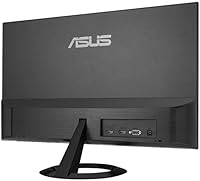
- Connectivity: The monitor includes two HDMI ports and one VGA port, accommodating both modern and older source devices without requiring adapters.
- Body Depth: The chassis measures just 0.27 inches at its slimmest point, giving the monitor a distinctly thin profile relative to its size class.
- Bezel Design: A frameless, borderless bezel surrounds the panel on three sides, making it particularly well-suited for side-by-side multi-monitor configurations.
- Dimensions: Overall product dimensions are 8.3 x 24.4 x 17.3 inches (depth x width x height) including the stand.
- Weight: The full unit including stand weighs 11.6 pounds, which is manageable for a single-person desk installation.
- Voltage: The power supply supports a universal 100–240V input range, making it compatible with electrical standards in most countries.
- Color Finish: The monitor is finished in matte black, which blends neutrally with most desk setups and reduces visible fingerprints on the casing.
- Stand Adjustments: The included stand supports tilt adjustment only; it does not offer height, swivel, or pivot adjustments out of the box.
- VESA Compatibility: The VZ279HE supports standard VESA wall-mount patterns, allowing users to replace the stock stand with a third-party monitor arm or wall bracket.
- Speakers: No built-in speakers are included; audio output must be handled by external speakers or a headset connected to the source device.
- Model Series: This display belongs to the ASUS VZ279 series, a line of slim, consumer-oriented IPS monitors designed for everyday home and office use.
Related Reviews
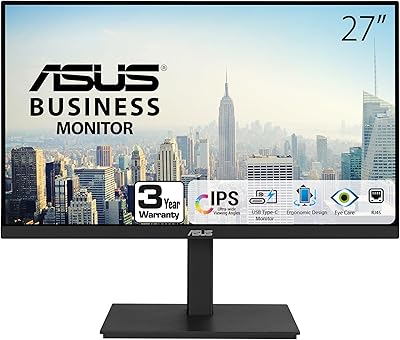
ASUS VA27ECPSN 27-inch Docking Monitor

Gigastone LM-27FF51 27-Inch IPS Monitor
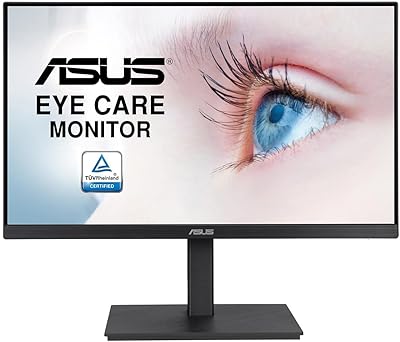
ASUS VA27EQSB 27-inch Monitor

Dell P2714H 27-inch IPS Monitor
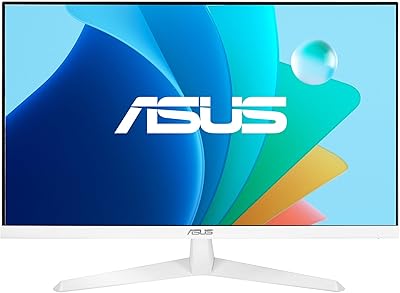
ASUS VY279HF-W 27″ FHD IPS Monitor
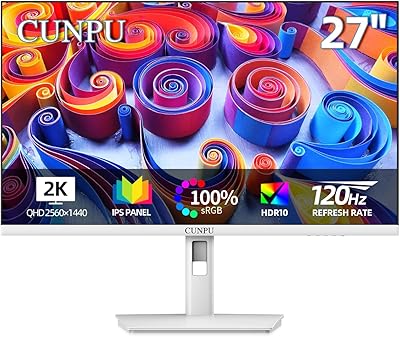
CUNPU S027 27-inch QHD Gaming Monitor
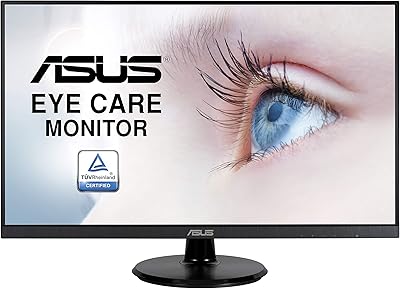
ASUS VA27DQ 27-inch IPS Monitor
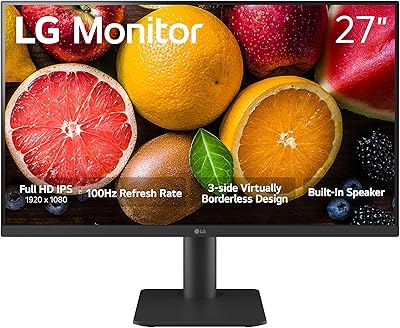
LG 27MS550-B 27-inch IPS Monitor
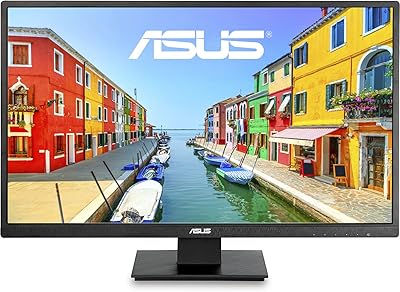
ASUS VA279HAE 27″ Full HD Monitor