Overview

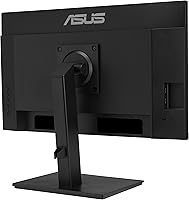
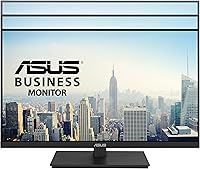
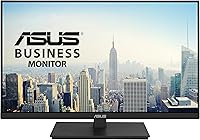
The ASUS VA27ECPSN 27-inch Docking Monitor is built squarely for hybrid workers and home office setups where desk simplicity matters. The core appeal is practical: one USB-C cable handles video, data, and up to 65W laptop charging simultaneously. ASUS opted for an IPS panel rather than VA, which means more consistent colors and wider viewing angles — a sensible trade for productivity use. The stand covers tilt, swivel, pivot, and height adjustment, which is genuinely uncommon at this price tier. One caveat worth addressing upfront: 1080p on a 27-inch screen yields lower pixel density than most modern laptop displays, so sharpness expectations should be set accordingly.
Features & Benefits

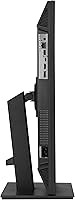
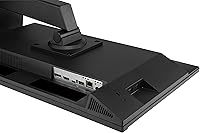
The standout feature is USB-C docking — one cable in and your laptop charges, sends video to the screen, and connects to the built-in USB hub without a separate dock. The rest of the connectivity lineup is equally thorough: HDMI, DisplayPort, three USB 3.0 ports, a headphone jack, and a built-in RJ45 LAN port. That ethernet port deserves specific mention; remote workers who lean on stable connections for video calls or VPN access will genuinely value it. The matte IPS panel holds color consistency at wide angles without glare. Adaptive-Sync at 75Hz is not a gaming pitch — it just makes everyday scrolling smoother. Eye care certification from TUV Rheinland is independently verified, not a self-applied label.

Best For

This docking monitor is best matched to laptop users who want a cleaner desk without buying a separate docking station. Home office workers logging long hours will find the ergonomic stand and certified eye-care features genuinely useful day-to-day. The built-in ethernet port is a real differentiator for anyone on frequent video calls or corporate VPNs, where wired reliability matters. Compact desk setups benefit from VESA mount compatibility, keeping the surface clear. Where this monitor is less suited: creative professionals or developers who work with dense text or fine detail all day may find the pixel density at 1080p on 27 inches a noticeable limitation compared to higher-resolution alternatives.

User Feedback

With over 1,400 ratings and a 4.3-star average, buyer sentiment skews positive, with praise concentrating on two areas: the USB-C convenience and the stand quality. A well-built ergonomic stand rarely draws compliments unless it earns them, so those mentions carry real weight. The most consistent criticism targets pixel density — users arriving from high-resolution laptop screens frequently describe the image as softer than expected. Built-in speakers get mixed reviews, serviceable as a backup but not something most buyers rely on. A portion of reviewers also noted that color calibration needed minor tweaking out of the box, though the majority found default settings acceptable for everyday office tasks.

Pros

  • Single USB-C cable docks your laptop, charges it at up to 65W, and connects peripherals all at once.
  • Built-in RJ45 ethernet port means no extra adapter needed for a stable wired connection.
  • IPS panel delivers consistent, accurate colors from wide viewing angles — a real plus for side-by-side work.
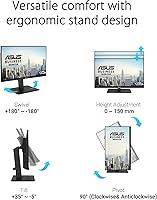
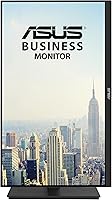
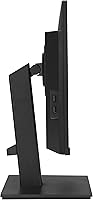
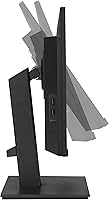
  • Full ergonomic stand with height, tilt, swivel, and 90-degree pivot is rare at this price point.
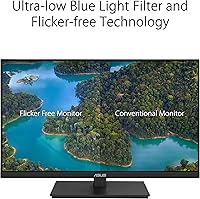
  • TUV Rheinland-certified eye-care features provide independently verified flicker-free and low blue light performance.
  • Connectivity is genuinely comprehensive: HDMI, DisplayPort, USB hub, and headphone jack alongside USB-C.
  • Matte anti-glare screen handles bright room conditions without heavy reflections.
  • VESA mount support gives small-desk users the option to wall-mount and reclaim surface space.
  • Adaptive-Sync works with both NVIDIA and AMD graphics cards, covering most laptop setups.
  • Over 1,400 buyer ratings averaging 4.3 stars reflects consistently solid real-world satisfaction.

Cons

  • 1080p on a 27-inch panel produces noticeably soft text for users accustomed to high-density laptop screens.
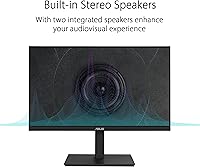
  • Built-in speakers are thin and low-volume — treat them as an emergency backup, not a daily audio solution.
  • 75Hz refresh rate falls short for anyone interested in fast-paced or competitive gaming.
  • Out-of-box color calibration may require manual adjustment before it looks accurate to a trained eye.
  • At 14.28 pounds, this 27-inch USB-C monitor is heavier than many rivals, making repositioning less effortless.
  • No USB-C video input beyond the docking port limits flexibility when connecting multiple source devices simultaneously.
  • The 65W power delivery may not fully charge larger or more power-hungry laptops during demanding workloads.
  • No built-in KVM switch, so switching the single-cable setup between two laptops requires manual reconnection.

Ratings

The scores below were generated by AI after analyzing thousands of verified global user reviews for the ASUS VA27ECPSN 27-inch Docking Monitor, with automated filtering applied to remove incentivized, bot-generated, and duplicate submissions. The result is an honest, data-driven breakdown that surfaces both the genuine strengths buyers praise and the recurring frustrations they report — nothing inflated, nothing buried.

USB-C Docking Performance
91%
The single-cable docking experience is the reason most buyers choose this monitor, and it consistently delivers. Connecting a laptop via USB-C and having video, USB hub access, and 65W charging all work immediately — without drivers or configuration — is something users across Windows and Mac setups highlight repeatedly.
A small number of users report that 65W is insufficient to keep certain high-performance laptops fully charged under heavy CPU or GPU loads, with the battery slowly draining during intensive tasks despite being plugged in. Compatibility with older USB-C laptops that lack DisplayPort Alternate Mode support is also an occasional point of confusion.
Connectivity Range
93%
The port selection on this docking monitor genuinely covers most real-world desk setups without needing a hub. Having HDMI, DisplayPort, USB-C, three USB 3.0 ports, RJ45, and a headphone jack on a single display means most users can connect everything they need through the monitor alone.
The USB hub ports are only active when the laptop is connected via USB-C, which catches some buyers off guard when they use HDMI or DisplayPort for video input. There is also no USB-C downstream port, which limits charging phones or newer peripherals directly from the monitor.
Wired LAN Integration
88%
Remote workers who rely on video calls and VPN connections consistently single out the built-in RJ45 as a meaningful convenience. Rather than carrying an ethernet dongle for a laptop, the wired connection routes through the USB-C cable automatically, keeping the desk clean and the network connection stable.
The LAN port is only active through the USB-C connection, so users connecting via HDMI or DisplayPort cannot benefit from it without an additional adapter. Gigabit speeds are supported, but a small number of users noted the connection occasionally required a driver update on first use with certain Windows configurations.
Display Sharpness
61%
39%
For general office work — email, spreadsheets, video calls, and web browsing — the 1080p resolution is functional and most users find it acceptable for day-to-day productivity. At a normal viewing distance of 60 to 80 centimeters, the image is clean enough for typical home office tasks.
This is the most divisive aspect of the monitor. Users transitioning from a modern high-resolution laptop screen frequently describe text and fine detail as noticeably soft, and the low pixel density at 27 inches is a legitimate trade-off that affects anyone doing text-heavy work or detailed content review for extended periods.
Ergonomic Stand
89%
The stand receives consistent praise for being a genuine differentiator at this price point. The combination of height adjustment, tilt, swivel, and 90-degree portrait pivot is uncommon among monitors in this tier, and buyers who share a workstation or adjust their posture throughout the day find it notably practical.
A handful of users note that the pivot mechanism requires some force to engage and that the hinge resistance can vary slightly between units. At 14.28 pounds the monitor is also on the heavier side, which makes repositioning on a desk less effortless than lighter competitors.
Eye Care & Comfort
84%
The TUV Rheinland certification for both flicker-free backlight and Low Blue Light carries real weight with buyers who spend six or more hours daily in front of the screen. Users report less eye fatigue compared to previous uncertified monitors, and the matte anti-glare coating further reduces strain in bright office environments.
Some users note that the Low Blue Light mode shifts the color temperature toward warm yellow tones, which affects color accuracy enough to be distracting during photo editing or color-sensitive work. A few buyers also mention that maximum brightness is not particularly high, which can be limiting in very bright rooms.
IPS Panel Quality
78%
22%
Colors remain consistent and accurate when viewed from an angle, which matters for shared screens or when a colleague glances at your display from the side. The IPS choice over a VA panel is appreciated by users who move around their desk or have multiple people viewing the screen.
Out-of-box color accuracy receives mixed feedback, with a noticeable portion of buyers recommending manual color temperature and brightness adjustments before the image feels neutral. IPS glow in dark scenes is also occasionally mentioned, though it is not a primary concern for the productivity-focused audience this monitor targets.
Refresh Rate & Smoothness
72%
28%
The step up to 75Hz from the 60Hz baseline is perceptible for users coming from standard monitors, particularly when scrolling through long documents or web pages. Adaptive-Sync functioning with both NVIDIA and AMD graphics cards is a practical touch that covers most laptop configurations without compatibility headaches.
For anyone with gaming ambitions beyond casual titles, 75Hz is a meaningful limitation and several reviewers explicitly note disappointment when comparing it to 144Hz or higher-refresh monitors available at similar price points. The refresh rate is best understood as a productivity smoothness upgrade rather than a gaming feature.
Built-in Speakers
43%
57%
The speakers handle basic system sounds, brief video clips, and the occasional video call in a quiet environment without requiring external audio hardware. For buyers who only need audio occasionally and keep the volume low, they serve as a convenient fallback.
Audio quality is consistently described as thin, low-volume, and lacking bass — exactly what buyers experience with most integrated monitor speakers at this price. Users who rely on audio for music, media consumption, or conference calls with any ambient noise report the speakers fall well short, and most end up using headphones or external speakers.
Build Quality & Materials
81%
19%
The chassis and stand feel solid rather than cheap, which buyers consistently contrast favorably against similarly priced competitors with wobbly or lightweight builds. The matte black finish resists fingerprints reasonably well and looks professional in home office settings.
Some users note minor flex in the panel bezel under pressure and describe the plastics as mid-grade rather than premium. The aesthetic is functional and clean but not especially refined, which is an acceptable trade for a workhorse monitor but may disappoint buyers prioritizing desk aesthetics.
Setup & Installation
86%
Stand assembly is described as straightforward by the vast majority of buyers, typically taking under ten minutes with no tools required. The USB-C docking connection is plug-and-play on compatible laptops, requiring no software installation for basic display and charging functionality.
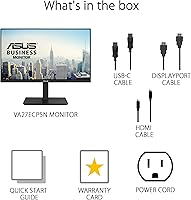
A minority of users report needing to manually select the correct input source during first-time setup, particularly when the monitor defaults to a different input than the one being used. The included cable selection in the box is also considered basic, with some buyers needing to source their own high-quality USB-C cable for full docking functionality.
VESA & Mounting Flexibility
83%
VESA compatibility opens up wall mounting and third-party monitor arm options, which compact desk users take advantage of to free up significant surface space. Buyers who switch from the included stand to a monitor arm consistently describe the transition as straightforward.
The VESA holes require removing the stand entirely, which means buyers cannot easily switch between the stand and a wall mount configuration without some disassembly. The monitor's above-average weight for its class should also be factored in when selecting a compatible arm or wall bracket.
Value for Money
84%
Buyers who understand what they are paying for — a docking monitor with broad connectivity rather than a premium display — rate the value highly. The combination of USB-C docking, built-in ethernet, a full ergonomic stand, and eye-care certification at this price point is difficult to match without spending more or buying separate accessories.
Users who prioritize display quality and compare it against similarly priced QHD monitors feel the value proposition is weaker. The pixel density trade-off is the central sticking point for buyers who later wish they had invested slightly more for a sharper resolution.

Suitable for:

The ASUS VA27ECPSN 27-inch Docking Monitor is an excellent fit for laptop users who want a tidier desk without the added cost and complexity of a separate docking station. If your daily workflow involves plugging in at a desk — charging your laptop, connecting peripherals, and jumping on video calls — the single USB-C cable setup removes real friction from that routine. Remote and hybrid workers who rely on stable internet connections will find the built-in RJ45 LAN port particularly practical, eliminating the need for a dongle or separate adapter. Those who log long hours at a screen will appreciate that the eye-care certifications are independently verified rather than manufacturer self-declared. The fully adjustable ergonomic stand is also a genuine asset for anyone who shares a workstation or simply wants to dial in their posture without buying an aftermarket arm.
Not suitable for:

Anyone who prioritizes screen sharpness above other factors should think carefully before committing to this monitor, as 1080p spread across 27 inches results in a noticeably lower pixel density than most modern laptops or QHD displays. Designers, photo editors, or developers who spend hours reading fine text or evaluating color-critical work will likely find the resolution a limiting factor day to day. The ASUS VA27ECPSN 27-inch Docking Monitor is also not a strong choice for dedicated gamers — 75Hz is adequate for casual use but well below what competitive or fast-paced gaming demands. The built-in speakers are serviceable in a quiet room but are not a substitute for even a basic external speaker setup, so audio-focused users should budget for that separately. Finally, buyers expecting out-of-box color accuracy comparable to a factory-calibrated display may need to invest time in manual calibration adjustments.
Specifications

  • Screen Size: The display measures 27 inches diagonally, offering a wide working area suited to multitasking and document work.
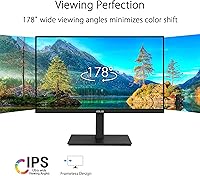
  • Panel Type: An IPS panel is used, providing 178-degree horizontal and vertical viewing angles with consistent color rendering across the screen.
  • Resolution: Native resolution is 1920x1080 (Full HD), which delivers standard 1080p clarity across the 27-inch surface.
  • Refresh Rate: The panel runs at up to 75Hz, providing smoother motion than a standard 60Hz display for everyday scrolling and light use.
  • Aspect Ratio: The screen uses a standard 16:9 widescreen aspect ratio, compatible with virtually all video, productivity, and conferencing software.
  • Screen Surface: A matte anti-glare coating reduces reflections from ambient light sources, making the display more comfortable in bright room conditions.
  • USB-C Power: The USB-C port supports up to 65W power delivery, allowing compatible laptops to charge while simultaneously transmitting video and data.
  • Connectivity: Ports include HDMI, DisplayPort, USB-C, RJ45 LAN, three USB 3.0 ports, and a 3.5mm headphone jack for broad peripheral compatibility.
  • Adaptive-Sync: Adaptive-Sync is supported for both NVIDIA GeForce (GTX 10 series and newer) and AMD Radeon graphics cards to reduce screen tearing.
  • Eye Care: The monitor carries TUV Rheinland certification for both flicker-free backlight and Low Blue Light output, independently verified for extended viewing comfort.
  • Ergonomics: The stand supports tilt, swivel, 90-degree pivot, and height adjustment, allowing a wide range of positioning for different users and desk configurations.
  • VESA Mount: Standard VESA mounting holes are included, enabling the display to be attached to compatible wall mounts or third-party monitor arms.
  • USB 3.0 Ports: Three USB 3.0 ports are built into the monitor, functioning as a hub to connect keyboards, mice, drives, and other peripherals through the display.
  • Dimensions: With the stand attached, the unit measures 24.1 x 8.9 x 14.7 inches (length x depth x height).
  • Weight: The monitor with stand weighs 14.28 pounds, placing it on the heavier side for a 27-inch display.
  • Built-in Audio: Integrated speakers are included for basic audio output, supplemented by a 3.5mm headphone jack for connecting external audio devices.
  • Color: The monitor is finished in black with a clean, minimal aesthetic designed to suit standard home office and professional environments.
  • Availability: The ASUS VA27ECPSN was first made available in January 2023 and remains an active product in the ASUS monitor lineup.

Related Reviews
ASUS VA27EQSB 27-inch Monitor
85%
85%
Overall Performance
90%
Display Quality
88%
Ergonomics & Comfort
83%
Connectivity Options
75%
Gaming Experience
More
ASUS VA27DQ 27-inch IPS Monitor

77%
83%
Image Quality
91%
Viewing Angles
47%
Ergonomics & Stand
71%
Refresh Rate & Gaming
88%
Eye Comfort
More
ASUS VZ279QG1R 27-inch Gaming Monitor
75%
83%
Color Accuracy
71%
Motion Performance
62%
Resolution & Sharpness
88%
Value for Money
79%
Build Quality
More
ASUS VA279HAE 27″ Full HD Monitor
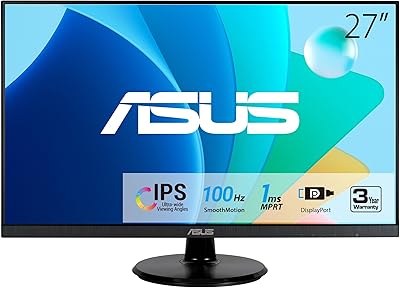
75%
88%
Value for Money
91%
Eye Comfort
83%
Image Contrast & Blacks
41%
Stand & Ergonomics
67%
Display Sharpness
More
ASUS VZ279HE 27-inch IPS Monitor
75%
91%
Value for Money
88%
Eye Comfort
74%
Build Quality
72%
Display Clarity
67%
Color Accuracy
More
ASUS VG27AQ3A 27-inch QHD Gaming Monitor
76%
91%
Image Sharpness & Clarity
88%
Refresh Rate Performance
86%
Motion Clarity & ELMB Sync
83%
Color Accuracy & Coverage
54%
HDR Performance
More
ASUS VA27DQF 27-inch IPS Monitor
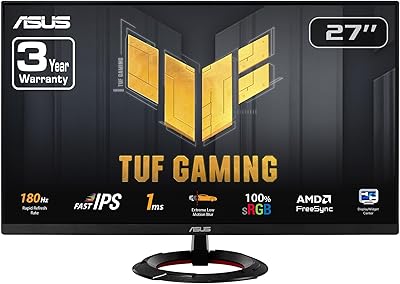
77%
83%
Image Quality
88%
Eye Comfort & Fatigue Reduction
79%
Refresh Rate & Motion Handling
51%
Ergonomics & Stand
76%
Connectivity
More
ASUS VG27VH1B 27-inch Curved Gaming Monitor
78%
93%
Refresh Rate Performance
88%
Motion Clarity & Response Time
91%
Adaptive Sync & Tear-Free Output
67%
Image Sharpness & Resolution
62%
Color Accuracy & Calibration
More
ASUS TUF Gaming VG279Q3R 27-inch 1080p Monitor
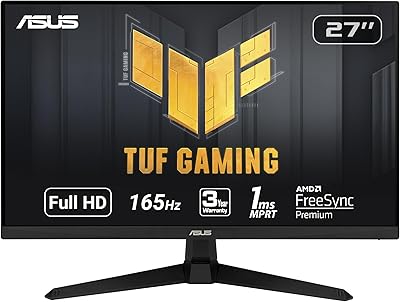
84%
91%
Gaming Performance
88%
Visual Quality
83%
Ergonomics & Comfort
87%
Color Accuracy
82%
Build Quality
More
ASUS TUF Gaming VG277Q1A 27″ Gaming Monitor

78%
93%
Refresh Rate Performance
88%
Motion Clarity & Response Time
91%
Adaptive Sync & Tear-Free Gaming
74%
Out-of-Box Color Quality
82%
Shadow Boost & Dark Scene Visibility
More

FAQ

Yes, as long as your laptop supports USB-C Power Delivery, the monitor will charge it at up to 65W through the same cable carrying your video signal. For most ultrabooks and mid-range laptops that is enough to maintain or slowly gain charge during normal use. Very power-hungry laptops under heavy load may charge slowly or hold steady rather than gaining charge, but the single-cable convenience still holds.

This is the most important trade-off to understand before buying. At 27 inches, 1080p works out to roughly 82 pixels per inch, which is noticeably softer than a modern laptop display or a QHD monitor. For most productivity tasks — spreadsheets, email, browsing, video calls — it is perfectly usable, but if you are coming from a high-resolution laptop screen you will likely notice the difference. Sitting a normal viewing distance away helps, but it is a real consideration for text-heavy work.

It is genuinely useful for a specific group of users. If you rely on video calls for work, access a corporate VPN, or simply find your Wi-Fi inconsistent, having a wired ethernet connection through the monitor means one less adapter on your desk. You plug your ethernet cable into the monitor, connect your laptop via USB-C, and your laptop gets both the network connection and the display signal through a single cable.

Switching between devices requires manually reconnecting the USB-C or input cable, since the monitor has no built-in KVM switch. Both Windows and Mac laptops with USB-C DisplayPort Alternate Mode will work fine with the docking features, but swapping between two machines means physically unplugging and replugging rather than pressing a button.

Honest answer: they are a backup option, not a primary audio solution. They are adequate for occasional system sounds or a quick video in a quiet room, but most buyers with any interest in audio quality connect external speakers or headphones through the 3.5mm jack. Do not factor the built-in speakers into your buying decision positively.

Most buyers find the default settings acceptable for general office work and casual use. A portion of reviewers note that whites can skew slightly cool and that spending a few minutes in the OSD adjusting color temperature and brightness improves the overall look meaningfully. It is not a monitor aimed at color-critical professional work, so factory-level calibration precision is not expected at this tier.

Yes, the monitor includes standard VESA mounting holes, so it is compatible with any VESA-compliant monitor arm or wall bracket. Removing the stand and using an arm is a popular choice for freeing up desk space, and the VESA support makes it straightforward.

The difference is real but modest. Scrolling through web pages and documents feels slightly smoother at 75Hz compared to 60Hz, and general cursor movement appears a touch more fluid. For productivity and everyday use, you will likely notice a subtle improvement. For gaming, 75Hz is on the low end and not a compelling selling point — frame it as a nice-to-have rather than a reason to buy.

The USB hub functionality is tied to the USB-C connection. When connected via HDMI or DisplayPort alone, the USB downstream ports on the monitor will not be active for your laptop. You would need a separate USB cable from your laptop to the monitor to use the hub independently of the video connection.

The stand covers height adjustment, tilt, swivel, and a full 90-degree pivot for portrait orientation — which is a notably complete range for a monitor at this price. Buyers consistently comment positively on stand quality in user reviews, calling it firm and easy to adjust without the display wobbling. For shared desks or users who frequently change their sitting position throughout the day, it holds up well.

Where to Buy