Overview

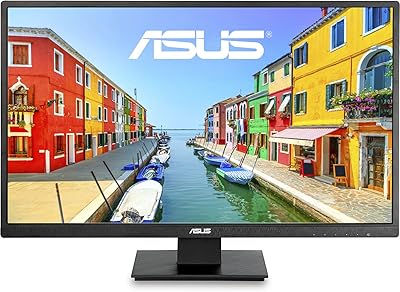
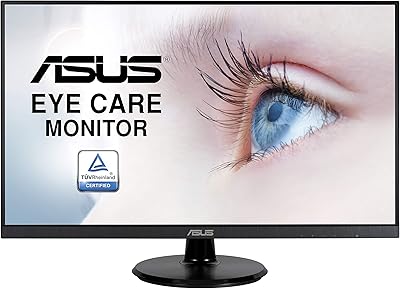
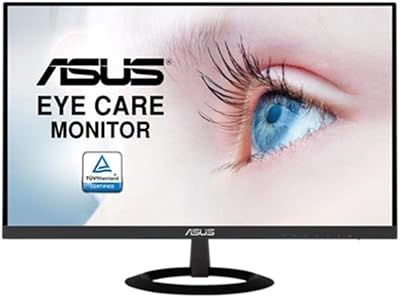
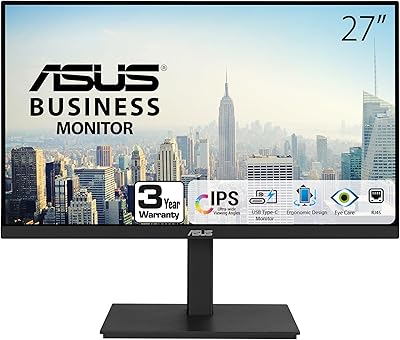
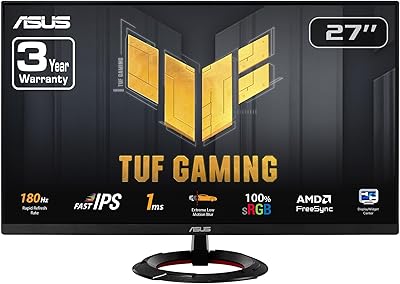
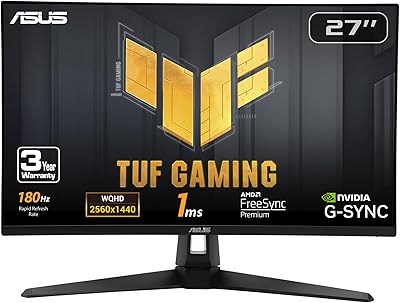
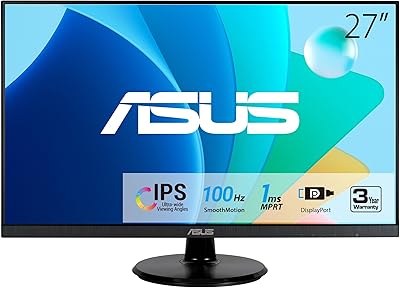
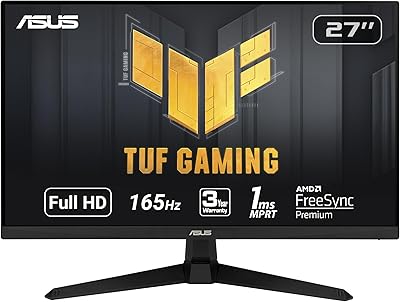
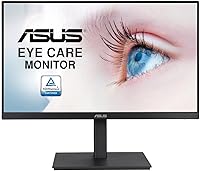
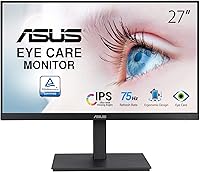
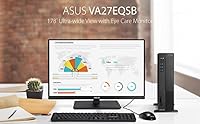
The ASUS VA27EQSB 27-inch Monitor offers a crisp Full HD display with IPS technology, ensuring vibrant colors and wide viewing angles. This frameless design gives it a sleek, modern look that blends well in both home and office environments. Ideal for work and casual gaming, it combines solid performance with an ergonomic setup. Whether you're working on spreadsheets or watching movies, this display provides a smooth experience with its stunning clarity and vibrant visuals.

Features & Benefits

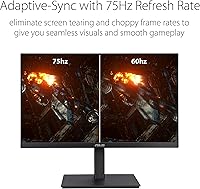
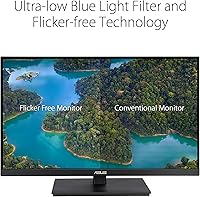
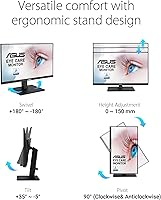
This ASUS monitor features a 75Hz refresh rate and Adaptive-Sync technology to reduce screen tearing and provide smoother visuals in action-packed scenes. Its eye care technologies, including Low Blue Light and Flicker-Free tech, make long hours of use more comfortable. Ergonomically designed, it offers height adjustment, tilt, and swivel options, making it easy to find your ideal viewing position. With multiple connectivity options like HDMI, DisplayPort, and USB hub, it easily integrates into any setup.

Best For

The VA27EQSB is an excellent choice for office workers who need a comfortable monitor for long hours of work and video conferencing. Its ergonomic adjustments and eye care features make it a solid pick for those seeking comfort during extended screen time. Casual gamers will appreciate the smooth refresh rate and vibrant display. Content creators, especially those working with visuals or media, will find the accurate color reproduction and wide viewing angles invaluable for detailed work.

User Feedback

Overall, users appreciate the clear image quality and the comfort features of this monitor. The ergonomic adjustments, especially the height adjustable stand, are often mentioned positively. However, some gamers have noted that the 75Hz refresh rate may not be fast enough for high-speed competitive gaming. While the monitor performs admirably for casual gaming and day-to-day tasks, those looking for ultra-smooth gameplay at higher frame rates may need to consider other options. Setup is easy, and the display is praised for its wide viewing angles.

Pros

  • This monitor delivers clear image quality with its Full HD resolution and vibrant colors thanks to the IPS panel.
  • Ergonomic features like tilt, swivel, and height adjustment provide excellent comfort for long work sessions.
  • The frameless design gives the monitor a sleek, modern look, ideal for multi-monitor setups.
  • Connectivity options, including HDMI, DisplayPort, D-Sub, and a USB hub, allow for versatile device connections.
  • Low Blue Light and Flicker-Free technology are appreciated by users who spend extended hours in front of the screen.
  • The 75Hz refresh rate and Adaptive-Sync technology provide smoother visuals for casual gaming.

Cons

  • Some users report that the 75Hz refresh rate is too low for competitive gaming, where higher refresh rates are preferred.
  • There are complaints about the monitor's color accuracy, especially for professional content creators who need precise hues.
  • This monitor lacks more modern connectivity options like USB-C, limiting compatibility with newer devices.
  • A few users mention that the stand could be sturdier, especially when adjusting height or angle.
  • Despite the ergonomic features, the monitor’s base is not as adjustable as some higher-end models.
  • The monitor may not perform as well in very bright rooms due to its lower peak brightness.

Ratings

After analyzing verified user feedback from multiple sources and languages, the scores for the ASUS VA27EQSB 27-inch Monitor reflect both its strengths and its potential pain points. We filtered out spam, bot, and incentivized reviews to ensure only authentic, high-quality feedback informed the results. Users generally appreciate its ergonomic features and image quality, although some have noted limitations for competitive gaming. This review considers a variety of experiences, offering a balanced perspective on what this device delivers in real-world use.

Overall Performance
85%
Users find the overall performance of this monitor to be quite satisfying, especially for day-to-day tasks and casual gaming. The 75Hz refresh rate combined with Adaptive-Sync results in a smooth visual experience, even during extended use. Many appreciate the balance between performance and affordability, making it a solid choice for both work and play.
However, some users have noted that it falls short for competitive gaming, where higher refresh rates and faster response times are crucial. Although the monitor delivers adequate performance for most uses, it may not meet the demands of professional gamers seeking high-end specs.
Display Quality
90%
The display quality is one of the standout features of this monitor. Buyers consistently highlight its sharp Full HD resolution and the color accuracy provided by the IPS panel. The wide viewing angles and consistent brightness make it a great choice for both office work and casual media consumption.
A few reviewers pointed out that while the display is good, it may not compare to higher-end models in terms of contrast ratios and color vibrancy. Some users in creative fields mentioned they needed a bit more color depth for professional image editing and design work.
Ergonomics & Comfort
88%
The ergonomic features are frequently praised, with many users appreciating the monitor's tilt, swivel, and height adjustments. This flexibility makes it easy to customize the viewing angle for comfort, which is especially important for people who spend long hours working or gaming. The frameless design also contributes to a cleaner and more comfortable workspace.
Despite these adjustments, a small number of users mentioned that the stand feels a bit flimsy and could use more stability. There were also some who felt the height adjustment range could have been slightly greater for optimal viewing comfort, particularly for taller users.
Connectivity Options
83%
The monitor offers a variety of connectivity options, including HDMI, DisplayPort, D-Sub, and a USB hub. This makes it easy to hook up multiple devices at once, whether you're using it for work, gaming, or multimedia. The inclusion of DisplayPort and HDMI allows for flexible connection with both older and newer devices.
While the connectivity options are adequate for most users, a few mentioned that the lack of USB-C might be a limitation for those with modern devices that rely on this port. Additionally, some users found the USB hub to be a bit slow for transferring large files, which could be a drawback for those who frequently use it for data management.
Gaming Experience
75%
25%
For casual gaming, this monitor offers a pleasant experience. The 75Hz refresh rate paired with Adaptive-Sync ensures smooth gameplay with minimal screen tearing. The IPS panel provides vibrant colors and wide viewing angles, making it enjoyable for relaxed gaming sessions.
For serious gamers, the 75Hz refresh rate may feel limiting, especially when compared to higher-refresh monitors designed for fast-paced competitive gaming. Some users noted that motion blur was noticeable during rapid gameplay, which could be a dealbreaker for those who need ultra-smooth performance.
Setup & Installation
92%
Setting up this monitor is straightforward and hassle-free. Many users have reported that the assembly was quick, with clear instructions that made the process simple. The monitor is plug-and-play with most devices, and no complicated software installation is required.
A few users found the initial configuration of the monitor's settings to be a bit tedious, especially adjusting the brightness and contrast to their liking. While not a major issue, some also experienced minor difficulty when trying to customize the color settings for specific tasks.
Build Quality
85%
The monitor has a sleek and modern design, with a slim profile that fits well into various setups. The frameless design is especially appreciated for multi-monitor configurations, allowing for a seamless display setup. It feels durable and well-constructed for its price point.
A small number of users expressed concerns about the build quality, mentioning that the stand could be sturdier. Some noted that while the display is robust, the plastic construction of the stand and back panel feels a little cheap compared to higher-end monitors.
Eye Care Technology
89%
The Eye Care features, particularly the Low Blue Light and Flicker-Free technology, have been praised for reducing eye strain during long working hours or extended gaming sessions. These features make it more comfortable to use for productivity tasks and provide a more enjoyable viewing experience for those sensitive to screen flicker.
A few users who were sensitive to certain screen settings noted that the blue light filter wasn't quite as effective as expected. Some also mentioned that the overall screen brightness might need to be adjusted manually for optimal comfort in different lighting environments.
Price vs. Features
91%
For the price, this monitor offers great value with a well-balanced mix of features like good display quality, ergonomic adjustments, and solid connectivity options. Users find it to be a worthwhile investment for both casual gamers and professionals looking for a budget-friendly yet capable monitor.
While most agree that it offers great value, a few users felt that the monitor could benefit from more premium features such as a higher refresh rate or more advanced color calibration. For users on the lookout for ultra-high-end specs, it may not be a perfect match.
Color Accuracy
87%
Many users are satisfied with the color accuracy provided by the IPS panel, particularly for general office use and casual media consumption. The colors appear vibrant and true-to-life, making it suitable for photo editing and content creation tasks that don’t require ultra-precise calibration.
However, some creative professionals mentioned that the color reproduction is not as accurate as higher-end models designed specifically for color-critical work. Users who rely on color consistency for design or video editing may want a more specialized monitor.
Energy Efficiency
80%
20%
The monitor performs well in terms of energy efficiency. It's not as power-hungry as some larger displays, making it a good option for those who are mindful of their energy consumption. Several users appreciate that it doesn't significantly impact their electricity bill during long hours of use.
Despite the positive energy efficiency, a few users noticed that the screen’s brightness settings can feel a bit too dim in well-lit rooms. This could lead to increased brightness adjustments, which may offset the energy-saving benefits for some.
Customer Support
78%
22%
Most users who contacted customer support for setup issues or minor queries found the experience to be generally positive. Support staff was responsive and provided helpful information in resolving basic concerns.
However, some users expressed dissatisfaction with the response time when dealing with more complex issues, such as faulty units or warranty claims. A few mentioned that the troubleshooting process could be quicker, with some delays in getting adequate solutions.

Suitable for:

The ASUS VA27EQSB 27-inch Monitor is ideal for office workers, students, and casual gamers who are looking for an affordable yet solid monitor. With its ergonomic features such as tilt, swivel, and height adjustments, it’s a great choice for those who spend long hours at a desk and need comfort and flexibility. The Full HD resolution and IPS panel ensure clear, vibrant images, making it suitable for both professional tasks and entertainment. It’s also a good option for those seeking a monitor with solid connectivity options (HDMI, DisplayPort, and USB hub) for connecting multiple devices, offering versatility for various use cases like content creation and multitasking in home offices.

Not suitable for:

This monitor may not be the best choice for competitive gamers or professionals in need of high-end visual performance. With a 75Hz refresh rate, it falls short for fast-paced gaming, where a higher refresh rate and faster response times are essential for a smooth experience. Similarly, content creators who require precise color accuracy for photo or video editing might find the color reproduction lacking compared to higher-end monitors. Additionally, users looking for more advanced connectivity options, such as USB-C, might find the available ports limiting for modern devices. Overall, those seeking premium gaming performance or top-tier color accuracy may want to explore other options.

Specifications

  • Screen Size: The monitor features a 27-inch display, providing ample screen space for both work and gaming.
  • Resolution: It offers a Full HD resolution of 1920 x 1080 pixels, delivering clear and sharp images.
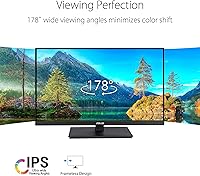
  • Panel Type: The monitor uses an IPS (In-Plane Switching) panel, known for its excellent color accuracy and wide viewing angles.
  • Refresh Rate: With a 75Hz refresh rate, this monitor offers smoother visuals compared to standard 60Hz displays.
  • Adaptive-Sync: Supports Adaptive-Sync technology to reduce screen tearing and ensure smoother gameplay.
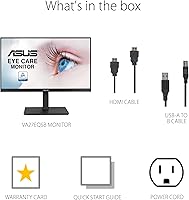
  • Connectivity Options: Includes multiple ports such as HDMI, DisplayPort, D-Sub, and a USB hub for versatile connectivity.
  • Ergonomic Adjustments: Offers full ergonomic adjustments including tilt, swivel, and height adjustment for a customizable viewing experience.
  • Design: Features a frameless design with a slim profile, contributing to a modern and clean aesthetic.
  • Eye Care Technology: Equipped with Low Blue Light and Flicker-Free technologies to reduce eye strain during prolonged use.
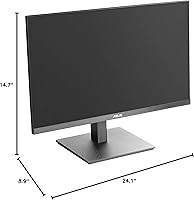
  • Dimensions: The monitor measures 8.9 x 24.1 x 14.7 inches (H x W x D), making it a compact option for most desks.
  • Weight: The monitor weighs approximately 13.23 pounds, making it relatively easy to move or mount.
  • Color: Comes in a sleek black color, which complements most office or gaming setups.
  • Power Consumption: The monitor has an average power consumption of 25W, which is typical for a 27-inch Full HD IPS model.
  • Aspect Ratio: The monitor has a 16:9 aspect ratio, providing an ideal balance between productivity and entertainment.
  • Warranty: The monitor comes with a 3-year warranty, covering defects in materials and workmanship.
  • VESA Compatibility: Supports VESA 100 x 100 mm mounting for easy attachment to compatible wall mounts or monitor arms.
  • Speakers: This monitor does not feature built-in speakers, requiring external audio devices for sound output.
  • Response Time: The monitor offers a 5ms response time, suitable for general gaming and everyday tasks.
  • Brightness: The monitor provides a peak brightness of 250 nits, which is adequate for typical indoor lighting conditions.

FAQ

The ASUS VA27EQSB is a 27-inch Full HD monitor with IPS technology. It offers a frameless design, ergonomic adjustments like tilt, swivel, and height adjustment, and features eye care technologies such as Low Blue Light and Flicker-Free. Additionally, it includes multiple connectivity options including HDMI, DisplayPort, D-Sub, and a USB hub.

Setting up this monitor is straightforward. Simply attach the stand to the monitor, connect the power cable, and plug in your chosen video cable (HDMI or DisplayPort) to your device. Once connected, adjust the monitor's height, tilt, and swivel for optimal viewing comfort. The monitor also has an on-screen display (OSD) menu for fine-tuning settings such as brightness, contrast, and color temperature.

Yes, this monitor is well-suited for casual gaming. It features a 75Hz refresh rate and Adaptive-Sync technology, which reduces screen tearing for a smoother visual experience. However, if you are into fast-paced competitive gaming, the 75Hz refresh rate may be on the lower side compared to higher-end gaming monitors.

While the monitor provides good color accuracy thanks to its IPS panel and wide viewing angles, it may not be the best choice for professional photo or video editing where precise color calibration is critical. For casual content creation and general office work, the color performance should suffice.

No, the ASUS VA27EQSB does not come with built-in speakers. You will need external speakers or headphones if you want audio output.

You can adjust the brightness and color settings through the on-screen display (OSD) menu. Use the physical buttons on the monitor to navigate the OSD, where you can tweak brightness, contrast, color temperature, and enable specific features like Low Blue Light and Flicker-Free technology to reduce eye strain.

The ASUS VA27EQSB comes with a standard 3-year warranty, which covers defects in materials or workmanship. For customer support, ASUS offers online resources and a dedicated support team available via phone or chat for troubleshooting and assistance.

Yes, the monitor is compatible with a MacBook or other Apple devices, as long as you use the appropriate adapter or cable (HDMI or DisplayPort). The monitor supports plug-and-play functionality with both Windows and macOS operating systems.

Users generally appreciate the ergonomic features of this monitor. The ability to adjust the height, tilt, and swivel makes it easy to find a comfortable viewing position. This is particularly beneficial for long hours of use, whether for work or casual gaming.

Some users have noted that the 75Hz refresh rate is lower than what competitive gamers might prefer. Additionally, while the color accuracy is good for everyday use, professionals in fields like photography or video editing might find it lacking in precision. The stand could also feel less sturdy compared to higher-end models.