Overview

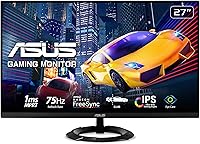
The ASUS VZ279QG1R 27-inch Gaming Monitor sits in a practical sweet spot for buyers who want a large IPS screen without stretching their budget into QHD territory. ASUS has a solid reputation in the monitor space, and this 27-inch IPS display reflects that with a slim bezel design and a reasonably clean build. One thing worth noting upfront: at 1080p on a 27-inch panel, pixel density is lower than on QHD alternatives. Text and fine detail can look slightly soft at normal desk distances. If maximum sharpness is the priority, that trade-off matters — but for most gaming use cases, it holds up just fine.

Features & Benefits

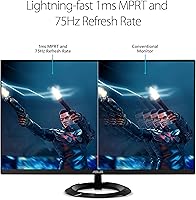
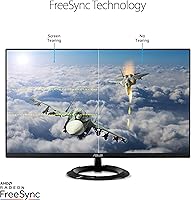
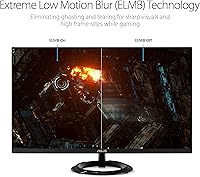
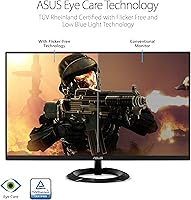
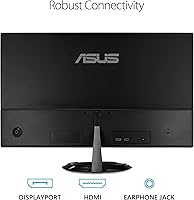
The 75Hz refresh rate pairs well with AMD FreeSync on this ASUS gaming monitor, and the difference is immediately noticeable in fast-paced titles — screen tearing essentially disappears once FreeSync kicks in. ASUS uses ELMB technology to achieve a 1ms response time, though it is worth clarifying this is MPRT, not GtG, which matters when comparing specs across monitors. The IPS panel brings wide viewing angles and better color consistency than TN panels at a comparable price. Practical touches like the GamePlus overlay — adding an in-game crosshair, FPS counter, and timer — round things out nicely. DisplayPort and HDMI ports cover most setups, and the flicker-free backlight eases eye strain during longer sessions.

Best For

This 27-inch IPS display makes a lot of sense for budget-conscious gamers who want a large screen with decent color accuracy and do not need 144Hz or QHD to enjoy their games. It is a natural step up for anyone coming from a TV or an older TN monitor — the IPS colors alone feel like a meaningful improvement. Console players connecting via HDMI will find the setup straightforward. The slim profile and minimal bezels work well in tighter desk arrangements or alongside a second display. If you mix gaming with light photo editing or general creative work, the IPS color consistency makes this a versatile everyday display, not just a dedicated gaming screen.

User Feedback

With over 1,100 ratings and a 4.5-star average, the VZ279QG1R earns its marks largely through out-of-box color quality and smooth FreeSync performance — two things buyers consistently highlight. The most common complaint is that 1080p can look soft on a 27-inch panel, particularly at close viewing distances. The stand is another recurring point: it tilts but offers no height adjustment or swivel, which limits flexibility for some desk setups. A handful of users reported backlight bleed on their units, which appears to be a quality control variable rather than a widespread flaw. Overall, the picture that emerges is a monitor that over-delivers within a realistic and well-understood set of expectations.

Pros

  • IPS panel delivers accurate colors and wide viewing angles straight out of the box, no calibration needed for most users.
  • FreeSync and 75Hz work together effectively to eliminate tearing in everyday gaming sessions.
  • The slim bezel design keeps the footprint clean and works well in tight or multi-monitor desk setups.
  • GamePlus overlay features like the in-game crosshair and FPS counter add real utility without needing third-party software.
  • Flicker-free backlight and low blue light mode make long gaming or work sessions noticeably easier on the eyes.
  • DisplayPort and HDMI connectivity covers most PC and console setups without needing adapters.
  • At its price point, this 27-inch IPS display punches above its weight for color quality compared to TN alternatives.
  • Over 1,100 user ratings averaging 4.5 stars reflects consistent satisfaction across a broad buyer base.

Cons

  • 1080p on a 27-inch panel produces lower pixel density than QHD alternatives, and softness is visible at normal viewing distances.
  • The stand supports tilt only — no height adjustment or swivel limits ergonomic flexibility.
  • The 1ms response time is MPRT, not GtG, which overstates real-world performance compared to how competitors typically advertise.
  • A subset of buyers have reported backlight bleed, suggesting some unit-to-unit quality variation worth factoring in.
  • 75Hz is adequate but falls short for competitive gamers who benefit from 144Hz or higher in fast-paced genres.
  • No USB hub or built-in audio output means additional accessories may be needed for a complete desk setup.
  • The matte coating, while reducing glare, slightly dulls color vibrancy compared to glossy IPS alternatives at higher price points.

Ratings

Our AI scoring system analyzed verified global buyer reviews for the ASUS VZ279QG1R 27-inch Gaming Monitor, actively filtering out incentivized, bot-generated, and low-quality feedback to surface what real users genuinely experience. The scores below reflect both the strengths that consistently earn praise and the friction points that show up repeatedly across different buyer profiles. Nothing has been smoothed over — if an area divides opinion, the score and commentary reflect that honestly.

Color Accuracy
83%
The IPS panel delivers noticeably better color consistency than TN monitors in this price range, and most buyers are genuinely impressed straight out of the box without touching any settings. For casual gaming and everyday content, skin tones and vibrant game environments look natural and well-saturated.
Colors are not factory-calibrated to a professional standard, so users doing serious photo or video editing will find some inaccuracies. The matte coating also slightly dulls saturation compared to glossy IPS alternatives at higher price points.
Motion Performance
71%
29%
With FreeSync active, screen tearing effectively disappears in most gaming scenarios, and the ELMB technology visibly reduces motion smearing in fast-action titles. Casual and mid-core gamers running games at 60 to 75fps report a smooth and responsive feel during everyday play sessions.
The 1ms spec is MPRT, not GtG, which can mislead buyers comparing it against monitors advertising true GtG response times. Competitive gamers or those used to 144Hz panels will immediately notice the ceiling at 75Hz, particularly in fast-paced shooters.
Resolution & Sharpness
62%
38%
For gaming at typical living room or mid-desk distances, 1080p holds up reasonably well in most game genres, and many buyers coming from older displays or televisions are satisfied with the clarity they get. Text in games and menus looks clean enough for casual use.
At 27 inches, the pixel density of 1080p is noticeably lower than QHD, and users who sit close to their screens report a soft or slightly blurry appearance on fine text and detailed textures. This is the single most common complaint across buyer feedback.
Value for Money
88%
For buyers prioritizing screen size and IPS color quality on a tight budget, this ASUS gaming monitor delivers a lot of usable monitor for the asking price. The combination of 27 inches, IPS panel, FreeSync, and ASUS build quality at this tier is genuinely hard to beat.
Buyers who stretch slightly further in budget can access QHD resolution or 144Hz refresh rates, which makes the value equation less clear-cut for anyone who games regularly and will feel the limitations over time. It is excellent value within its category, but the category itself has a ceiling.
Build Quality
79%
21%
The slim bezel and clean matte finish give this 27-inch IPS display a premium appearance that looks more expensive than it is. The panel feels solid with no flex or creaking, and assembly is quick with a stable base once set up.
The plastic construction is functional rather than premium, and a few users noted the stand base feels lightweight under the panel. It does the job without complaint, but it would not pass for a flagship-tier build on close inspection.
Stand & Ergonomics
48%
52%
The stand provides a stable base and the tilt adjustment covers the basic range most users need for a single-position desk setup. For buyers who place their monitor at a fixed height and never need to move it, the stand is perfectly adequate.
No height adjustment, no swivel, and no pivot rotation are real omissions at any price, and multiple reviewers flag this as a daily frustration. Users with ergonomic requirements or multi-monitor setups will almost certainly need to invest in a separate VESA arm.
Viewing Angles
84%
IPS technology genuinely shines here — colors stay consistent and contrast holds up whether you are viewing straight-on or from a significant angle. This makes the VZ279QG1R noticeably better than TN panels for shared viewing or setups where your seating position shifts.
Wide-angle performance is solid but not exceptional compared to higher-end IPS panels, and some slight color shift can be observed at extreme horizontal angles. For single-user desk setups, this is unlikely to ever be an issue.
Eye Comfort
81%
19%
The flicker-free backlight and low blue light filter are genuinely appreciated by buyers who spend long hours gaming or working at the display. Several users with eye strain sensitivities specifically credit these features for making extended sessions more comfortable than their previous monitors.
The low blue light mode does introduce a warm color cast that some users find distracting, particularly if color accuracy matters for their workflow. It works best as an evening or low-light setting rather than an all-day toggle.
Input Lag
82%
18%
Real-world input lag is consistently reported as low and non-intrusive by buyers playing action games and competitive titles. The combination of FreeSync and ELMB keeps the display feeling responsive enough that most users never notice any delay between input and on-screen action.
It is not a zero-compromise performance monitor, and highly competitive players with fast-twitch reflexes may perceive a difference compared to dedicated high-refresh gaming monitors. Input lag is good, but not class-leading.
Connectivity
74%
26%
Having both DisplayPort and HDMI covers the two most common connection types for PC and console users, making setup flexible without needing adapters for most configurations. Console players in particular find the HDMI port easy to use with PlayStation and Xbox systems.
There are only two ports total, so users who want to connect multiple devices simultaneously will need an external switch or will be swapping cables. The absence of a USB hub is also a limitation for buyers who use peripherals at their desk.
Setup & Installation
87%
Out-of-box setup is quick and well-documented — the stand attaches simply, the OSD menu is navigable without a manual, and the default picture settings are genuinely usable without adjustment. Most buyers report being up and running within ten minutes of opening the box.
The rear-mounted OSD buttons are a common minor annoyance, as they require reaching behind the panel and take a few uses to memorize. This is a common issue across slim monitors and not unique to this display, but it is worth knowing upfront.
Backlight Uniformity
61%
39%
The majority of buyers have no notable issues with backlight uniformity, and for standard gaming and desktop use, the panel appears consistent across most of the screen. Bright scenes and everyday content rarely expose any problems.
A meaningful subset of buyers have reported visible backlight bleed in dark scenes or when displaying black content, suggesting some unit-to-unit variation in panel consistency. This appears to be a quality control variable, and dark-room gaming can expose it on affected units.
GamePlus Features
76%
24%
The on-screen crosshair, FPS counter, and timer overlays are useful additions that work independently of any software or game support. Buyers who game in genres where a consistent crosshair is helpful find this a practical and welcome feature at this price point.
The GamePlus feature set is functional but not deep — advanced users may find the crosshair customization options limited compared to third-party software overlays. It adds value without being a standout differentiator on its own.

Suitable for:

The ASUS VZ279QG1R 27-inch Gaming Monitor is a strong fit for casual and mid-core gamers who want a large, color-accurate IPS display without paying a premium for higher refresh rates or QHD resolution. If you are stepping up from a television or an aging TN monitor, the improvement in color accuracy and viewing angles will feel genuinely meaningful right out of the box. Console players connecting over HDMI will find the setup plug-and-play simple, and the 75Hz FreeSync combination is more than capable for most popular game genres. People who split their screen time between gaming and light creative tasks — photo sorting, casual editing, content browsing — will appreciate the IPS panel holding its own in both contexts. The slim bezel and compact footprint also make it a practical choice for smaller desks or multi-monitor arrangements where physical space is a real constraint.

Not suitable for:

The ASUS VZ279QG1R 27-inch Gaming Monitor is not the right call for buyers who are serious about competitive gaming, where refresh rates of 144Hz or higher make a tangible difference in fast-paced titles. The 1080p resolution at 27 inches produces a lower pixel density than QHD panels, and if you sit close to your monitor, that softness in text and fine detail becomes genuinely noticeable over time. Enthusiast gamers who are used to 1440p or 4K displays will find the image quality a step backward. The stand offers tilt only — no height adjustment, no swivel — so users with specific ergonomic requirements or multi-display setups that demand precise positioning may find it frustrating. Anyone prone to backlight bleed sensitivity should also be aware that a portion of buyers have encountered this issue, and quality consistency is not guaranteed across every unit.

Specifications

  • Panel Type: This monitor uses an IPS (In-Plane Switching) panel, which provides consistent color accuracy and wide viewing angles compared to TN alternatives.
  • Screen Size: The display measures 27 inches diagonally, offering a large viewing area suited for both gaming and general desktop use.
  • Resolution: Native resolution is 1920x1080 (Full HD), delivering standard 1080p image quality across the 16:9 aspect ratio panel.
  • Refresh Rate: The panel supports a maximum refresh rate of 75Hz, providing smoother motion than standard 60Hz displays during gameplay.
  • Response Time: ASUS rates the response time at 1ms using MPRT (Moving Picture Response Time) measurement, which reflects perceived motion blur reduction rather than pixel transition speed.
  • Adaptive Sync: AMD FreeSync is supported, enabling variable refresh rates to reduce screen tearing and stuttering when paired with a compatible GPU.
  • Motion Blur Tech: ASUS Extreme Low Motion Blur (ELMB) technology works alongside FreeSync to sharpen fast-moving visuals during high-frame-rate gameplay.
  • Ports: Connectivity includes one DisplayPort and one HDMI port, covering the most common PC and console connection types.
  • Surface Finish: The screen uses a matte anti-glare coating, which reduces reflections in bright environments without requiring controlled lighting.
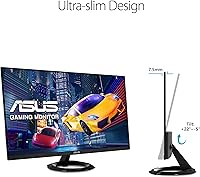
  • Stand Adjustment: The included stand supports tilt adjustment only, with no height, swivel, or pivot functionality built in.
  • VESA Compatibility: The monitor is VESA mount compatible, allowing users to attach it to third-party monitor arms or wall mounts for greater positional flexibility.
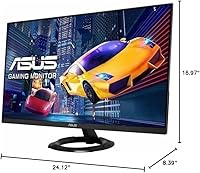
  • Dimensions: The monitor measures 24.12 x 8.39 x 16.97 inches (with stand), making it a reasonably compact footprint for a 27-inch panel.
  • Weight: Total weight with stand is 8.6 pounds, which is manageable for most desk setups and straightforward for a single-person installation.
  • Eye Care: The display includes a flicker-free backlight and a low blue light filter mode, both designed to reduce eye fatigue during extended use.
  • GamePlus Features: ASUS GamePlus provides an on-screen overlay with options including a customizable crosshair, FPS counter, and countdown timer activated directly from the monitor.
  • Aspect Ratio: The panel uses a standard 16:9 widescreen aspect ratio, compatible with virtually all modern games, applications, and video content.
  • Color: The monitor is finished in black with an ultra-slim bezel design on three sides, giving it a clean and minimal aesthetic.
  • Power: The monitor uses an external power adapter and is designed to meet standard energy efficiency requirements for desktop displays.

Related Reviews
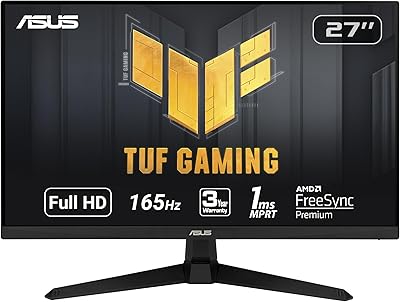
ASUS TUF Gaming VG277Q1A 27″ Gaming Monitor
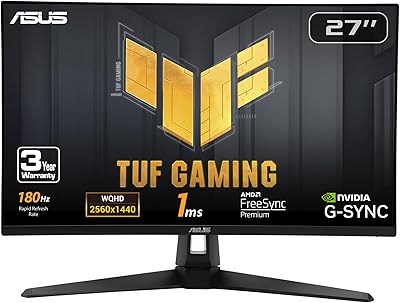
78%
93%
Refresh Rate Performance
88%
Motion Clarity & Response Time
91%
Adaptive Sync & Tear-Free Gaming
74%
Out-of-Box Color Quality
82%
Shadow Boost & Dark Scene Visibility
More
ASUS TUF Gaming VG279Q3R 27-inch 1080p Monitor
84%
91%
Gaming Performance
88%
Visual Quality
83%
Ergonomics & Comfort
87%
Color Accuracy
82%
Build Quality
More
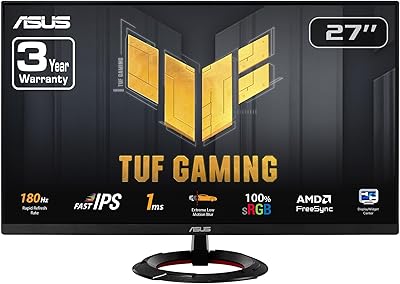
ASUS VG27AQ3A 27-inch QHD Gaming Monitor
76%
91%
Image Sharpness & Clarity
88%
Refresh Rate Performance
86%
Motion Clarity & ELMB Sync
83%
Color Accuracy & Coverage
54%
HDR Performance
More
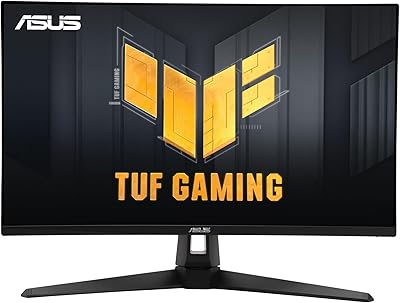
ASUS VG27VH1B 27-inch Curved Gaming Monitor
78%
93%
Refresh Rate Performance
88%
Motion Clarity & Response Time
91%
Adaptive Sync & Tear-Free Output
67%
Image Sharpness & Resolution
62%
Color Accuracy & Calibration
More
ASUS TUF Gaming VG27WQ3B 27-inch Gaming Monitor
80%
88%
Image Quality
93%
Refresh Rate & Smoothness
91%
Response Time & Motion Clarity
84%
Curved Panel Experience
82%
Color Accuracy & Vibrancy
More
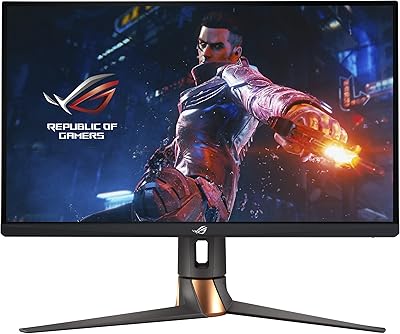
ASUS ROG Swift PG279QM 27-inch 1440p Gaming Monitor
86%
93%
Display Quality
95%
Performance for Gaming
89%
Build Quality
91%
Color Accuracy
72%
Ease of Setup
More
ASUS TUF Gaming VG279QM1A 27-inch 1080P HDR Monitor
86%
91%
Display Quality
94%
Refresh Rate Performance
89%
Color Accuracy
90%
G-SYNC/FreeSync Compatibility
84%
Build Quality
More
ASUS ROG Strix XG27ACS 27-inch Gaming Monitor
79%
91%
Image Clarity & Sharpness
89%
Motion Performance & Refresh Rate
86%
Color Accuracy & Vibrancy
47%
HDR Performance
88%
Adaptive Sync & G-Sync Compatibility
More
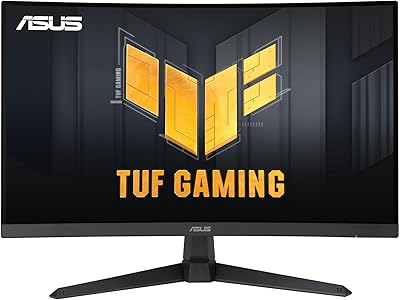
ASUS TUF Gaming VG27AQM1A 27-inch Gaming Monitor
78%
93%
Motion Clarity
89%
Refresh Rate Performance
91%
Image Sharpness
78%
Color Accuracy & Vibrancy
52%
HDR Quality
More
ASUS ROG Swift PG27AQDM-R 27-inch OLED Gaming Monitor
88%
94%
Display Quality
92%
Color Accuracy
91%
Refresh Rate and Response Time
88%
Build Quality
89%
Ease of Setup
More

FAQ

It depends on how close you sit and what you use it for. At a typical desk distance of around 2 to 3 feet, most casual users find 1080p perfectly acceptable for gaming and general use. That said, text and fine detail are noticeably softer compared to a QHD panel at the same size, so if sharp clarity is important to you — especially for productivity or reading — it is worth considering a 1440p alternative.

Yes, both current and previous generation PlayStation and Xbox consoles connect via HDMI, and the VZ279QG1R has an HDMI port ready to go. Keep in mind consoles typically output at 60Hz, so you will not be using the full 75Hz capability, but the picture quality will still be a noticeable step up from a television for close-up gaming.

GtG (Gray-to-Gray) measures how quickly a pixel transitions between shades, while MPRT (Moving Picture Response Time) measures perceived blur during motion using backlight strobing. This monitor's 1ms spec is MPRT, not GtG, which means it should not be compared directly to monitors advertising 1ms GtG. In practice, fast-paced games still look smooth, but the spec can be misleading without that context.

Yes, this 27-inch IPS display is VESA mount compatible, so you can attach it to any standard monitor arm or wall mount. This is actually a practical workaround for the stand's limited adjustability — a monitor arm gives you full height, tilt, and swivel control that the included stand does not offer.

Many Nvidia GPUs from the GTX 10 series onward support FreeSync monitors through Nvidia's adaptive sync compatibility, though results can vary. It is worth checking Nvidia's compatibility list for your specific card before assuming it will work. AMD GPU owners will have the most straightforward experience.

A small number of buyers have reported noticeable backlight bleed, particularly in dark scenes or when viewing dark content. It appears to be a quality control variable rather than a guaranteed flaw — many users have had no issues at all. If you receive a unit with significant bleed, most retailers will accept a return or exchange.

It is serviceable for casual photo editing and color work, but it is not a professional color-accurate display. The IPS panel offers decent out-of-box color consistency, which is better than a TN panel for this purpose. If accurate color grading is critical to your workflow, a monitor with factory calibration and a wider color gamut would be a better investment.

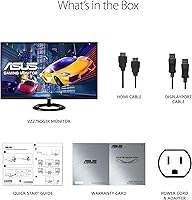
ASUS typically includes a power cable and may include one video cable, but it is best to verify what is included at the time of purchase. Many buyers find they need to supply their own DisplayPort or HDMI cable depending on their setup, so it is worth having one on hand before setting up.

Setup is straightforward — the stand attaches to the monitor with a simple clip or screw mechanism, and the whole process typically takes under ten minutes. The on-screen display menu is navigated via buttons on the rear edge of the monitor, which takes a little getting used to but is not complicated.

No, the included stand does not support pivot rotation into portrait mode. If you need portrait orientation — useful for coding, reading long documents, or vertical content — you would need to use a VESA-compatible monitor arm that includes a pivot function, since the built-in stand only tilts.