Overview

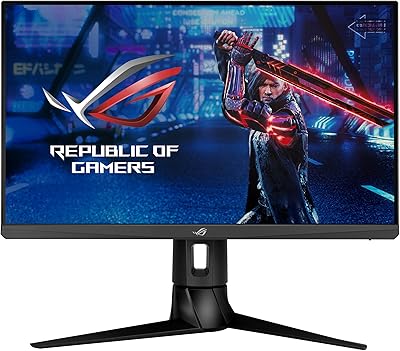
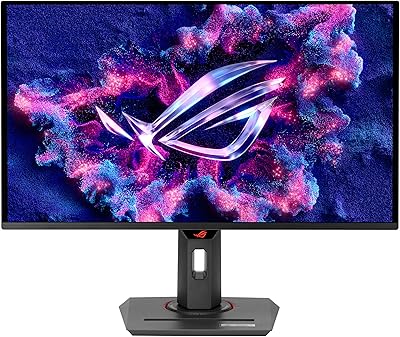
The ASUS ROG Strix XG259CMS 24.5-inch Gaming Monitor is built around one core idea: speed over everything else. At 24.5 inches, the screen size is no accident — competitive players have long favored this range because it keeps all the action within a tight visual field, reducing the time your eyes spend traveling across the display. The USB-C connection is a genuine step forward, something rarely seen on monitors in this category just a few years ago. ROG Strix carries real weight as a brand lineage — associated with solid construction and gamer-first engineering. Just be clear going in: this is not a monitor for color grading or cinematic viewing. It is a speed-first display, through and through.

Features & Benefits

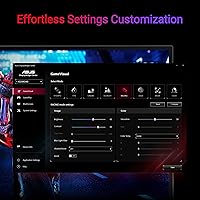
What separates this 310Hz display from the mid-range crowd starts with the panel itself. At 310Hz, the image refreshes more than three times faster than a standard 60Hz screen — in real gameplay, that means smoother motion tracking and a genuine reduction in input lag perception. The Fast IPS tech delivers a 1ms GTG response, a meaningful improvement over older IPS panels that struggled badly with ghosting during motion. ELMB Sync — the ability to combine blur reduction with variable refresh rate simultaneously — is genuinely uncommon at this price tier. Toss in USB-C with DisplayPort Alt Mode for clean single-cable setups, and DisplayWidget Center for software-based OSD control, and the feature set punches well above its weight.

Best For

This ROG Strix monitor is tailor-made for competitive FPS and battle royale players — the kind who would rather have fluid frame delivery than a higher pixel count. If you are pushing past 240fps in titles like Valorant or CS2, this display has the headroom to actually show it. Laptop users will appreciate the single-cable USB-C setup: one connection handles both video and power, keeping the desk clean. It is also a smart upgrade for anyone coming off a 144Hz or 240Hz panel who wants to feel a real difference. Space-conscious setups benefit too — 24.5 inches is compact enough to fit comfortably without dominating a desk.

User Feedback

Across more than 1,200 ratings sitting at a 4.2-star average, the XG259CMS earns its score fairly. Most buyers consistently highlight how sharp and responsive the display feels in motion, and build quality gets regular praise that fits the ROG Strix reputation. On the critical side, some users note that 1080p starts to feel limiting when paired with a higher-end GPU. HDR400 is the other honest caveat: it is entry-level HDR, not the rich contrast experience you get from a premium HDR panel. The stand draws occasional ergonomic complaints, though the tripod socket gives streamers and creators a clever workaround. The 3-year warranty and bundled Adobe Creative Cloud access add practical long-term value that buyers genuinely appreciate.

Pros

  • 310Hz refresh rate provides genuine motion fluidity for competitive players who can actually push those frame rates.
  • Fast IPS panel eliminates the ghosting problems that plagued earlier IPS gaming monitors.
  • ELMB Sync combines motion blur reduction and variable refresh rate simultaneously — uncommon at this price point.
  • USB-C with DisplayPort Alt Mode makes single-cable laptop setups clean and practical.
  • G-SYNC Compatible certification works across both AMD and NVIDIA graphics cards.
  • Matte anti-glare surface reduces eye fatigue during long gaming sessions.
  • DisplayWidget Center lets you adjust monitor settings via software without hunting for physical buttons.
  • The tripod socket is a genuinely useful touch for streamers who want flexible monitor positioning.
  • Three-year warranty provides solid long-term peace of mind for the investment.
  • Bundled three-month Adobe Creative Cloud access adds real supplementary value at no extra cost.

Cons

  • 1080p resolution starts to feel limiting when paired with a modern high-end GPU capable of much more.
  • HDR400 support is entry-level at best — do not expect the rich contrast of a proper HDR display.
  • The stock stand draws recurring complaints about limited ergonomic adjustability.
  • Reaching 310Hz requires a powerful PC; mid-range rigs will rarely hit that ceiling in demanding titles.
  • No built-in speakers, which matters if your setup does not already include external audio.
  • The included port selection is minimal — users needing multiple simultaneous connections may feel constrained.
  • At 12.3 pounds, this ROG Strix monitor is not especially light if you plan to reposition it frequently.
  • The 110% sRGB color gamut, while adequate for gaming, does not satisfy creative professionals needing DCI-P3 coverage.

Ratings

Our AI rating system analyzed thousands of verified buyer reviews for the ASUS ROG Strix XG259CMS 24.5-inch Gaming Monitor from global markets, actively filtering out incentivized submissions, bot activity, and outlier feedback to surface what real users consistently experienced. The scores below reflect both the strengths that earned this 310Hz display its loyal following and the genuine pain points that prospective buyers deserve to know about before committing.

Motion Clarity
93%
This is the category where the XG259CMS consistently draws the strongest praise. Competitive players moving from 144Hz or 240Hz panels describe the difference as immediately visible — enemy movement in fast FPS titles appears noticeably crisper, and tracking targets during rapid pans feels more controlled and predictable.
A small subset of users note that at lower frame rates, such as when a PC struggles to sustain high counts in more demanding titles, the motion advantage shrinks considerably. The panel's strengths are most apparent when your hardware can actually keep up.
Response Time
91%
The 1ms GTG Fast IPS response time is a real-world improvement over older IPS panels that plagued competitive gamers with visible smearing on moving objects. Users consistently report that ghosting is either absent or negligible during normal gameplay, which is a meaningful upgrade from previous-generation IPS gaming monitors.
A few technically attentive buyers point out that the 1ms figure reflects best-case GTG conditions, and that overdrive artifacts can appear at certain settings if pushed too aggressively. Keeping overdrive at the recommended level resolves this, but it requires some initial calibration effort.
Refresh Rate Value
84%
For players whose rigs can sustain high frame rates in competitive titles, the 310Hz refresh rate delivers a tangible competitive edge that buyers frequently describe as worth the upgrade cost. Esports-focused users in particular appreciate having hardware that does not create a bottleneck at the display level.
Buyers with mid-range GPUs that rarely exceed 200fps in their primary games report feeling like they are not fully utilizing what they paid for. The value proposition of 310Hz is genuinely hardware-dependent, and for some users a 240Hz panel would have served equally well at a lower cost.
Build Quality
83%
The ROG Strix lineage carries a reputation for solid construction, and the XG259CMS lives up to it in the areas that matter most — the panel itself feels rigid, the plastics are dense without feeling cheap, and there is no noticeable wobble during normal desk use. Multiple buyers specifically mention that it feels premium relative to its price tier.
The stand is the most commonly cited build criticism. Users describe it as functional but lacking the premium feel of the monitor itself, and its limited adjustability is a recurring frustration for those who need precise ergonomic positioning at their workstation.
Ergonomics & Stand
61%
39%
The included stand is stable enough for everyday gaming use, and the tripod socket gives users who want unconventional mounting options a genuine alternative. Streamers and content creators in particular appreciate the flexibility of being able to position this 310Hz display on a standard camera tripod.
Height adjustment and swivel range fall short of what many buyers expect at this price point, and the ergonomic complaints are consistent enough across reviews to be taken seriously. Users who have invested in monitor arms frequently recommend bypassing the stock stand entirely for a more comfortable long-session setup.
USB-C Connectivity
88%
Among laptop users, USB-C with DisplayPort Alt Mode is one of the most appreciated features on this ROG Strix monitor. A single cable handling both video output and desk connection keeps the workspace clean and dramatically simplifies the setup process for users who frequently connect and disconnect a laptop.
The benefit only materializes if your laptop actually supports DisplayPort over USB-C, which is not universal — and some buyers discover this incompatibility after purchase. The port selection beyond USB-C is also relatively sparse, which can be limiting in more complex multi-device setups.
Resolution & Sharpness
67%
33%
At 24.5 inches, 1080p delivers a pixel density that looks clean and sharp during gaming at standard desk distances. Competitive players who prioritize frame rate over visual fidelity find the resolution perfectly adequate and appreciate not needing to drive a demanding 1440p or 4K output.
Users who own higher-end GPUs increasingly find 1080p feels like a step backward, especially those coming from 1440p displays. For productivity tasks, content browsing, or anything beyond gaming, the relatively limited screen real estate becomes a tangible frustration over extended daily use.
HDR Performance
48%
52%
HDR400 support means the display is technically HDR-capable, and users who have not previously owned an HDR panel may notice a subtle improvement in dynamic range compared to standard SDR output in supported titles.
Buyers with prior HDR experience are consistently disappointed — peak brightness and contrast performance sit well below what genuine HDR viewing requires, and several reviewers describe the HDR mode as barely distinguishable from SDR in practice. This is a spec-sheet feature rather than a meaningful image quality upgrade.
Color Accuracy
71%
29%
The 110% sRGB coverage produces colors that are vibrant and visually engaging for gaming, with most users finding the out-of-box color presentation pleasing without requiring manual calibration. Casual content consumption looks natural and well-saturated on the matte panel.
Anyone approaching this display from a creative or professional angle will find the color accuracy insufficient for serious work. There is no DCI-P3 coverage data to speak of, and the factory calibration, while acceptable for gaming, does not meet the bar for photo editing or video grading.
Anti-Glare Coating
79%
21%
The matte anti-glare surface performs reliably in mixed-lighting environments, and users who game in rooms with windows or overhead lights appreciate not having to manage reflections constantly. Long sessions feel more comfortable as a result, with less eye strain reported compared to glossy alternatives.
A small number of users note that the matte coating introduces a slight texture to the image when viewing fine details at close range, which is a characteristic trade-off of matte panels rather than a defect specific to this model. In darker room conditions, a glossy panel would offer punchier blacks.
Software & OSD
76%
24%
DisplayWidget Center earns genuine appreciation from users who have dealt with clunky physical OSD navigation on other monitors. Being able to switch presets, adjust brightness, or toggle refresh rate modes from a mouse click is a quality-of-life improvement that regular users come to rely on quickly.
The software has drawn some criticism for occasional stability issues and a user interface that feels slightly dated compared to competitors. A portion of users report needing to reinstall or update the software after Windows updates disrupted it, which is a minor but real inconvenience.
G-SYNC & Adaptive Sync
86%
G-SYNC Compatible certification means AMD and NVIDIA users both benefit from adaptive sync without needing proprietary hardware. Users report that screen tearing is effectively eliminated during variable frame rate scenarios, and the combination with ELMB Sync for simultaneous blur reduction is flagged as a genuine differentiator by technically savvy buyers.
A handful of users note occasional compatibility quirks when enabling adaptive sync alongside ELMB Sync simultaneously, requiring driver-level troubleshooting. These are not widespread issues, but they surface often enough in reviews to be worth flagging for buyers who want a fully plug-and-play experience.
Setup & Cable Management
81%
19%
Initial setup is straightforward, and the included DisplayPort cable means buyers can connect immediately out of the box without hunting for accessories. Laptop users with USB-C particularly benefit from the simplified single-cable configuration that reduces desk clutter from day one.
The stand's cable management routing is minimal, and users with multiple peripherals connected find it difficult to keep wiring tidy behind the display. Those building cleaner setups typically end up investing in separate cable management solutions or switching to a monitor arm.
Warranty & Long-Term Value
87%
Three years of manufacturer coverage is above the industry standard for gaming monitors at this price tier, and buyers consistently cite it as a confidence-building factor in their purchase decision. The bundled Adobe Creative Cloud access adds tangible short-term value for buyers who can make use of it.
Some users report that ASUS warranty claim experiences vary by region, with response times and replacement processes being smoother in some markets than others. The Adobe Creative Cloud bonus is also time-limited by a fixed expiration date, reducing its value for buyers who purchase closer to that deadline.

Suitable for:

The ASUS ROG Strix XG259CMS 24.5-inch Gaming Monitor is purpose-built for competitive gamers who treat frame rate as a priority above all else. If you play titles where split-second reaction times decide outcomes — think Valorant, CS2, Apex Legends, or Rainbow Six Siege — this 310Hz display gives you the headroom to actually leverage high frame rates rather than bottleneck them at the monitor. The 24.5-inch size is a deliberate fit for players who keep their screens close and want every corner of the display within comfortable peripheral vision. Laptop gamers will find the USB-C with DisplayPort Alt Mode especially practical, since a single cable can handle video output and keep the desk tidy. Those upgrading from a 144Hz or 240Hz panel will notice a real difference in motion clarity, and the G-SYNC Compatible certification means both AMD and NVIDIA GPU owners are covered without needing a proprietary card.

Not suitable for:

Buyers who prioritize image quality, content creation, or cinematic viewing should look elsewhere before committing to the XG259CMS. The 1080p resolution, while perfectly sharp at 24.5 inches, will feel underwhelming if you own a mid-to-high-tier GPU that could comfortably push 1440p or 4K — you would essentially be leaving rendering headroom unused. HDR400 support is present in name, but anyone who has experienced proper HDR on a high-brightness panel will find it underwhelming; contrast and peak brightness do not come close to what premium HDR monitors deliver. Graphic designers, video editors, and photographers need better color accuracy and wider gamut coverage than this 310Hz display offers. The stand has also drawn enough ergonomic criticism that buyers with specific height or swivel requirements may find it limiting, and those without a compatible high-frame-rate GPU will not extract meaningful value from the headline refresh rate.

Specifications

  • Screen Size: The display measures 24.5 inches diagonally, a size deliberately chosen for competitive gaming where keeping all action within a tight visual field matters.
  • Resolution: Native resolution is 1920x1080 (Full HD), delivering a sharp image at this screen size without demanding excessive GPU resources.
  • Refresh Rate: The panel runs at up to 310Hz, meaning the image updates 310 times per second for exceptionally smooth motion during fast-paced gameplay.
  • Response Time: Fast IPS technology achieves a 1ms GTG (gray-to-gray) response time, significantly reducing ghosting and trailing on moving objects.
  • Panel Type: Uses a Fast IPS panel, which combines the wide viewing angles typical of IPS technology with the quicker pixel transitions previously associated only with TN panels.
  • HDR Support: Supports HDR400, which provides a degree of dynamic range improvement over standard displays, though it is entry-level HDR rather than a high-brightness premium implementation.
  • Color Gamut: Covers 110% of the sRGB color space, offering slightly expanded color reproduction suitable for gaming but not calibrated professional creative work.
  • Aspect Ratio: Standard 16:9 widescreen aspect ratio, compatible with all modern gaming resolutions and content formats without letterboxing.
  • Connectivity: Includes USB-C with DisplayPort Alt Mode and a standard DisplayPort input, enabling both modern single-cable laptop setups and traditional desktop connections.
  • Sync Technology: Certified G-SYNC Compatible and supports ASUS ELMB Sync, which allows simultaneous motion blur reduction and variable refresh rate operation.
  • Screen Surface: Matte anti-glare coating reduces reflections from ambient light sources, helping maintain image clarity in brighter room environments.
  • Weight: The monitor weighs 12.3 pounds with stand attached, which is typical for a 24.5-inch display but worth noting if repositioning is a frequent requirement.
  • Special Features: Includes a tripod socket for flexible mounting options and DisplayWidget Center software for on-screen display adjustments via mouse without using physical buttons.
  • In the Box: Ships with a DisplayPort cable, ROG pouch, ROG sticker, power cord and adapter, quick start guide, and warranty card.
  • Warranty: Covered by a 3-year manufacturer warranty from ASUS, providing solid protection against defects over the product's working lifespan.
  • Software Bonus: Includes a complimentary 3-month Adobe Creative Cloud subscription, valid through August 2026, bundled with purchase registration.
  • Dimensions: Product dimensions are listed as 21 x 38 x 49 inches including packaging, so plan desk and shelf space accordingly when ordering.
  • Availability Date: This product first became available in May 2024, representing a current-generation refresh of the ROG Strix gaming monitor lineup.

Related Reviews

ASUS ROG Strix XG259QNS 24.5-inch Gaming Monitor
80%
93%
Motion Clarity
91%
Input Responsiveness
78%
Refresh Rate Value
67%
Image Quality
88%
Build Quality
More
ASUS ROG Strix XG249CM 24-inch Gaming Monitor
78%
93%
Motion Clarity
91%
Refresh Rate Performance
78%
Panel Color Quality
47%
HDR Experience
89%
Response Time & Input Lag
More
ASUS ROG Strix XG27ACS 27-inch Gaming Monitor
79%
91%
Image Clarity & Sharpness
89%
Motion Performance & Refresh Rate
86%
Color Accuracy & Vibrancy
47%
HDR Performance
88%
Adaptive Sync & G-Sync Compatibility
More
ASUS ROG Swift PG259QN 24.5” 360Hz Gaming Monitor
88%
93%
Performance
91%
Visual Quality
88%
Build Quality
87%
Ergonomics & Adjustability
89%
Connectivity Options
More
ASUS ROG Strix XG27ACDNG 26.5-inch QD-OLED Gaming Monitor
82%
96%
Motion Clarity
94%
Color & Vibrancy
78%
Burn-in Protection
93%
Refresh Rate & Smoothness
88%
Anti-Flicker Performance
More
ASUS ROG Strix XG27UCG-W 27-inch Gaming Monitor
79%
91%
Display Clarity
88%
Dual Mode Versatility
89%
Response Time & Motion
87%
Color Accuracy
61%
HDR Performance
More
CRUA CR245ZB 24.5″ Gaming Monitor
78%
83%
Gaming Performance
86%
Refresh Rate & Smoothness
74%
Color Accuracy & Vibrancy
91%
Ergonomics & Adjustability
68%
Build Quality & Materials
More
Dell G2524H Gaming Monitor 24.5-inch
87%
92%
Performance
96%
Refresh Rate
88%
Build Quality
91%
Ergonomics
93%
Display Quality
More
ASUS TUF Gaming VG259QM 24.5″ Gaming Monitor
76%
93%
Refresh Rate Performance
88%
Response Time & Motion Clarity
81%
Color Accuracy & Image Quality
86%
Adaptive Sync & Compatibility
52%
Stand & Ergonomics
More
KOORUI G2511E 24.5-Inch 320Hz Gaming Monitor
78%
93%
Refresh Rate Performance
88%
Response Time
84%
Color Accuracy
51%
HDR Quality
67%
Panel Uniformity
More

FAQ

Honestly, it depends on what you play and how seriously you play it. If you are into competitive FPS titles and your PC regularly pushes above 200fps, you will notice the difference. For casual or single-player gaming, a 144Hz or 165Hz monitor would serve you just as well and cost less. The XG259CMS is built for players who want every competitive edge available at the hardware level.

Yes, and that is one of the more practical features of this 310Hz display. It supports USB-C with DisplayPort Alt Mode, so a compatible laptop can send video signal and receive power over a single cable. Just confirm your laptop's USB-C port actually supports DisplayPort Alt Mode, as not every USB-C port on every laptop does — check your laptop specs before assuming.

Not particularly, if HDR quality is something you value. HDR400 is the entry point for HDR certification, and while it is technically HDR-capable, the brightness ceiling and contrast performance do not come close to what a proper HDR600 or HDR1000 panel delivers. Treat HDR as a minor bonus here, not a reason to buy.

It works with both. The ASUS ROG Strix XG259CMS 24.5-inch Gaming Monitor is G-SYNC Compatible, which means it uses Adaptive Sync — the open standard that works with AMD FreeSync-supported cards as well as modern NVIDIA GPUs. You do not need a specific brand of graphics card to get tear-free variable refresh rate performance.

ELMB Sync stands for Extreme Low Motion Blur Sync, and what makes it notable is that it runs simultaneously with variable refresh rate — most monitors force you to choose one or the other. In practice, fast-moving objects appear sharper with less smearing, which is most visible during high-speed camera pans or rapid lateral movement in shooters. It is a real benefit, not just a marketing checkbox.

The stand offers basic ergonomic adjustments, but it has drawn recurring criticism from buyers who want more flexibility. If you are particular about monitor height or prefer swivel and pivot adjustments, you may find it limiting. A VESA-compatible arm is worth considering as an upgrade if ergonomics are a priority for your setup.

DisplayWidget Center is ASUS software that lets you adjust monitor settings — brightness, refresh rate, color modes, and so on — directly from your desktop using a mouse, instead of navigating physical buttons on the back of the monitor. It is optional but genuinely convenient, especially if you switch between different presets often.

No, not at typical viewing distances. At 24.5 inches, 1080p sits at a pixel density around 90ppi, which is sharp enough for gaming and general use when you are seated a normal distance from the desk. Where 1080p starts to feel limiting is not sharpness — it is the amount of screen real estate available for multitasking or productivity work outside of gaming.

It allows you to mount this ROG Strix monitor on a standard camera tripod instead of using the included stand. This is genuinely useful for streamers or content creators who want to position the screen at unusual angles, use it as a reference monitor away from a desk, or free up desk space entirely. It is a niche feature, but the people who need it really appreciate having it.

ASUS has a reasonably solid warranty reputation for its ROG line. Three years of coverage is above average for gaming monitors, and it covers manufacturing defects. The practical advice is to register the product promptly after purchase and keep your receipt — ASUS typically requires proof of purchase for warranty claims, and the process is smoother when that paperwork is in order.

Where to Buy