
Overview
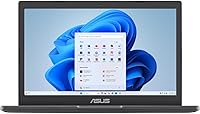
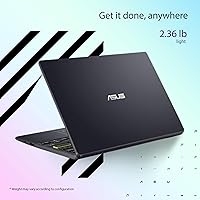
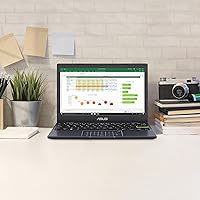
The ASUS Vivobook Go L210KA 11.6″ is exactly what it looks like — a bare-bones Windows laptop built for people who need portability without spending a lot. At under 2.4 pounds and barely two-thirds of an inch thick, this compact Windows machine slides into any bag without a second thought. It comes loaded with Windows 11 Home in S Mode, which keeps things secure but restricts you to Microsoft Store apps — easily switched off for free, though worth knowing upfront. There is no pretending this is a powerhouse. It is a practical, no-drama daily driver for light tasks, and within those boundaries, it holds up quite well.
Features & Benefits
The Celeron N4500 chip handles web browsing, word processing, and video calls without issue — just don't expect it to stay composed with fifteen browser tabs open simultaneously. The 128GB PCIe SSD is a genuine step above the eMMC storage you typically find at this price, resulting in noticeably faster boot and load times. Four gigabytes of RAM is functional for focused use but gets tight when multitasking gets heavier, which is the honest reality. The display reads fine indoors, though at 200 nits it washes out in bright light. Battery life is arguably the strongest card here — all-day endurance is realistic with normal use — and the ErgoSense keyboard types better than the price would suggest.
Best For
This budget ASUS laptop was practically made for students. Light enough for a kid to carry all day and simple enough that setup does not require technical expertise, it fits the K-12 classroom context well. Seniors and casual users who mainly browse, stream, or write emails will find it more than capable for their needs. It also makes a solid backup or secondary machine — something quick to grab when your main laptop is unavailable. One honest caveat: if your work involves photo editing, video, coding, or heavy multitasking, the Vivobook Go 11 will hold you back. Know what you need before you buy, and this machine will likely meet your expectations.
User Feedback
Owners of the Vivobook Go 11 consistently highlight the same wins: portability and battery life earn praise across the board, and many are pleasantly surprised by how comfortable the keyboard feels at this price point. On the downside, screen brightness is a real sticking point — outdoor use is genuinely awkward. Buyers also flag that RAM limitations become obvious quickly when Chrome is open with multiple tabs, and a few note that S Mode caused confusion before they figured out how to exit it. Long-term build durability is generally positive, though the all-plastic chassis does feel less premium over time. Buyers who calibrate their expectations to the price tend to walk away satisfied.
Pros
- Weighs under 2.4 pounds, making it one of the easiest laptops to carry all day without fatigue.
- Battery life is genuinely strong — most users make it through a full school day or workday on one charge.
- The PCIe SSD makes boot times and app launches feel snappier than the price suggests.
- ErgoSense keyboard has better key travel and typing comfort than most budget competitors.
- Windows 11 Home gives access to a full desktop OS, not a locked-down Chromebook experience.
- Setup is quick and beginner-friendly — seniors and younger students can get started without technical help.
- Compact footprint fits easily on small desks, tray tables, and crowded student workspaces.
- At this price tier, the overall package of portability, battery, and SSD storage is hard to beat.
- Fanless or near-silent operation makes it ideal for quiet classrooms, libraries, and shared spaces.
Cons
- 4GB of RAM creates noticeable slowdowns when more than a handful of applications are open simultaneously.
- The 200-nit display struggles badly in sunlit rooms or any outdoor setting.
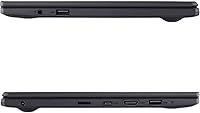
- No USB-C port and no HDMI out limit connectivity to older peripherals and prevent external monitor use.
- 128GB of storage fills up faster than expected once Windows updates and everyday files accumulate.
- Windows 11 S Mode catches unprepared buyers off guard, blocking standard app installs until manually disabled.
- The all-plastic chassis feels noticeably budget-grade and picks up scratches over sustained daily use.
- Webcam quality drops sharply in low-light conditions, which affects video call appearance in dim rooms.
- Speaker audio is thin and tinny at higher volumes — headphones are almost necessary for media use.
- Long-term hinge and chassis durability has drawn some concern from users past the one-year mark.
Ratings
The ASUS Vivobook Go L210KA 11.6″ has been evaluated by our AI system after analyzing thousands of verified global user reviews, with spam, bot-submitted, and incentivized feedback actively filtered out. The scores below reflect an honest, balanced synthesis of what real buyers experienced — covering everything from daily portability wins to the frustrations that surfaced after weeks of regular use. Both the strengths and the genuine pain points are represented here without sugarcoating.
Value for Money
Portability
Battery Life
Performance
Display Quality
Keyboard & Typing Experience
Build Quality & Design
Software & OS Experience
Audio Quality
Connectivity & Ports
Storage
Webcam & Video Calling
Thermal Management & Fan Noise
Setup & Ease of Use
Suitable for:
The ASUS Vivobook Go L210KA 11.6″ was designed with a specific type of buyer in mind, and for that buyer it genuinely delivers. Students in middle school or high school who need a lightweight machine for Google Classroom, note-taking, and research will find it more than capable — and at under 2.4 pounds, it is light enough that even younger kids carry it without issue. Seniors or first-time laptop owners who primarily browse the web, video call family, and use basic Office apps will appreciate how straightforward it is to set up and use day to day. Commuters and travelers who need something to toss in a bag for quick tasks between destinations will value the all-day battery life above almost anything else on the spec sheet. It also works extremely well as a secondary or backup machine — the kind you keep charged on the kitchen counter for quick lookups, recipe browsing, or when your main device is occupied or in for repair.
Not suitable for:
If your workflow depends on keeping many browser tabs open simultaneously, running video editing software, writing code, or using creative applications, the ASUS Vivobook Go L210KA 11.6″ will frustrate you quickly and consistently. The 4GB RAM ceiling is not a theoretical concern — it becomes a real, daily limitation the moment your usage goes beyond a handful of light tasks at once. Remote workers who participate in video calls while simultaneously managing documents and messaging apps will feel the slowdowns acutely. Anyone who works near windows or frequently uses their laptop outdoors will also struggle with the dim 200-nit display, which washes out in bright ambient light. The lack of USB-C and HDMI ports rules it out for anyone who needs to connect external monitors, modern peripherals, or charge via a universal cable. And if you are buying this expecting a machine that will grow with you over four or five years, the hardware will likely feel constraining well before that timeline.
Specifications
- Display Size: The screen measures 11.6″ diagonally with an HD resolution of 1366x768 pixels and a 60Hz refresh rate.
- Brightness: Peak display brightness is rated at 200 nits, which is adequate for indoor use but limited in bright or sunlit environments.
- Processor: Powered by an Intel Celeron N4500 dual-core processor running at up to 2.8 GHz with integrated Intel UHD graphics.
- RAM: Equipped with 4GB of DDR4 SDRAM, soldered to the motherboard and not user-upgradeable.
- Storage: Includes a 128GB PCIe SSD, which provides faster read and write speeds compared to eMMC storage common at this price tier.
- Operating System: Ships with Windows 11 Home in S Mode, which restricts app installs to the Microsoft Store until S Mode is manually disabled at no cost.
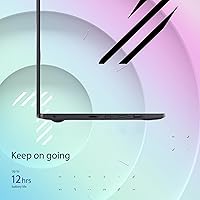
- Battery Life: ASUS rates battery life at up to 12 hours under typical usage conditions with a built-in lithium-ion battery.
- Weight: The laptop weighs 2.35 pounds, placing it among the lightest Windows laptops available in the entry-level segment.
- Dimensions: Physical dimensions are 10.98″ long by 7.52″ wide by 0.67″ thin, making it compact enough to fit in most slim bags and sleeves.
- USB Ports: Two USB 3.0 Type-A ports are included for connecting peripherals such as a mouse, USB drive, or external keyboard.
- Wireless: Supports Bluetooth connectivity for wireless peripherals; Wi-Fi capability is built in for standard network access.
- Graphics: Intel UHD integrated graphics handle basic display output, multimedia playback, and light visual tasks without a dedicated GPU.
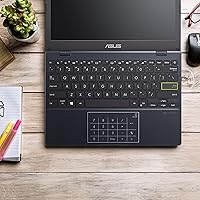
- Keyboard: Features ASUS ErgoSense keyboard design, which prioritizes comfortable key travel and layout for extended typing sessions.
- Audio: SonicMaster stereo speakers are built in, tuned for clearer voice reproduction and acceptable volume for solo media consumption.
- Webcam: A built-in webcam is included above the display for video conferencing via platforms such as Zoom, Teams, and Google Meet.
- Color: Available in Star Black, a matte dark finish across the lid and keyboard deck.
- Optical Drive: No optical drive is included; physical disc media is not supported without an external USB drive.
- Power: The laptop charges at 5 volts via its included adapter; no USB-C charging port is available on this model.
Related Reviews
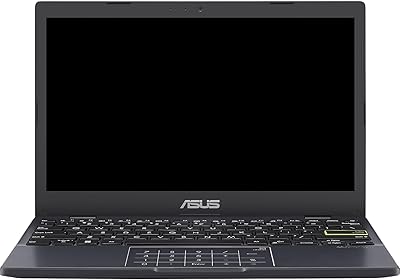
ASUS Vivobook L210 11.6-inch Laptop
ASUS Vivobook Go 15 E1504FA
ASUS VivoBook 15.6-inch Laptop
ASUS Chromebook CR11 11.6-inch Ruggedized Laptop
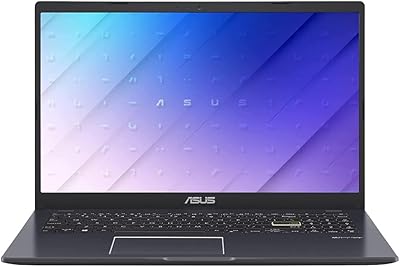
ASUS Vivobook Go 15 L510 Laptop
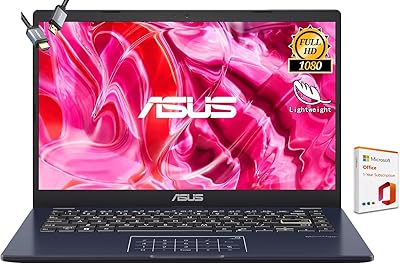
ASUS Vivobook Go 14-inch Laptop
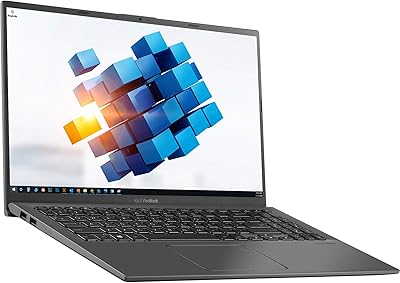
ASUS VivoBook 15.6″ Touchscreen Laptop

Lake & Skye 11 11 Eau de Parfum Discovery Set, 6 pcs
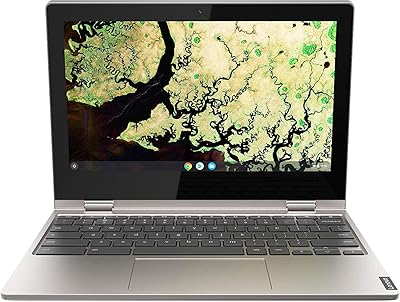
Lenovo Chromebook C340 11.6″ 2-in-1 Laptop