Overview

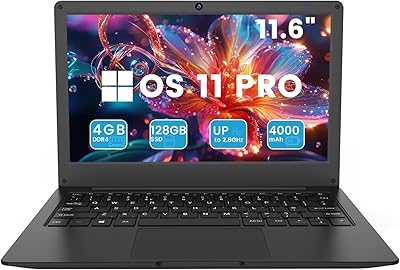
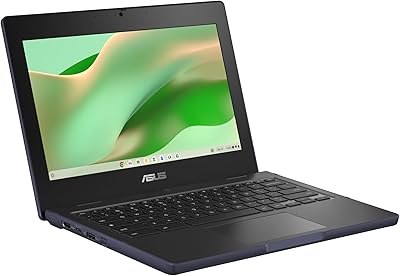
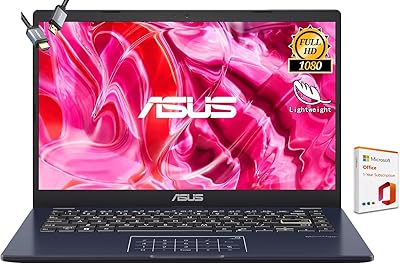
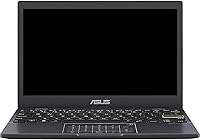
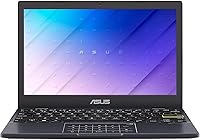
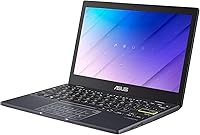
The ASUS Vivobook L210 11.6-inch Laptop is a no-frills ultraportable built for people who need a lightweight, affordable machine without any pretense of being something more. At just 0.7 inches thin and barely over two pounds, it slips into a bag without you noticing it's there. The Intel Celeron N4020 is honest about its place in the world — it handles emails, documents, and light browsing without complaint, but push it harder and your patience will wear thin. Windows 11 runs in S mode here, which keeps things tidy and secure while limiting app installs to the Microsoft Store. Think of this as a capable companion device, not a replacement for a full-powered laptop.

Features & Benefits

The 11.6-inch display is sharp enough for documents and video calls, though colors look flat and it can wash out in direct sunlight. Boot times are snappy thanks to the eMMC flash storage, but 64GB fills quickly — install Office, a few apps, and some files and you will be hunting for space within weeks, making an active OneDrive habit practically mandatory. Four gigabytes of RAM handles a handful of tasks at once, but open too many browser tabs and things start crawling noticeably. The 12-hour battery life is the real standout — a full day away from an outlet is genuinely achievable. Add USB-C, USB-A, and HDMI output and you have respectable connectivity for a machine this slim.

Best For

This ultraportable really shines when you match it to the right person. A student who needs to take notes in class and finish essays in the library will find it perfectly adequate — light enough to carry everywhere and lasting through a full school day without hunting for a plug. First-time computer users and seniors will appreciate how straightforward Windows 11 in S mode keeps things; there is very little chance of accidentally installing something problematic. It also works well as a household secondary machine that lives on the coffee table for quick browsing, streaming, or video calls. One year of Microsoft 365 is included, covering the most common everyday use cases right out of the box.

User Feedback

Buyers who come into this compact ASUS laptop with realistic expectations tend to walk away satisfied. The most consistent praise centers on how easy it is to set up and carry around — non-technical users especially appreciate that it just works without much fuss. Battery endurance earns consistent compliments across reviews. On the flip side, storage space is the top complaint; owners report it feeling cramped almost immediately without cloud backup in the habit loop. S mode trips up a fair number of users who expect to install standard desktop apps without realizing a quick settings change is needed first. Build quality earns mixed marks — the keyboard feels thin and the hinge is nothing special, though neither surprise at this price point.

Pros

  • Weighs just 2.31 lbs and slips into any bag without adding noticeable bulk.
  • Battery life regularly reaches the full-day mark, reducing outlet anxiety on long days out.
  • Boots quickly thanks to eMMC flash storage, so there is no waiting around at startup.
  • Windows 11 in S mode delivers a clean, secure environment well suited to less tech-savvy users.
  • The included year of Microsoft 365 Personal adds genuine practical value right out of the box.
  • USB-C, USB-A, and HDMI ports cover everyday connectivity needs without requiring an external hub.
  • The compact 11.6-inch form factor is comfortable on small desks, tray tables, and tight laps.
  • Wi-Fi 5 handles streaming and video calls reliably on standard home and campus networks.
  • Setup is straightforward and fast, making it accessible even for first-time Windows users.
  • At its price point, the Vivobook L210 delivers a capable, functional Windows experience that few direct rivals can match.

Cons

  • 64GB of storage fills up fast — a cloud backup strategy is essentially required from day one.
  • Four gigabytes of RAM starts to struggle the moment more than a handful of browser tabs are open.
  • The display washes out noticeably in bright environments or under direct sunlight.
  • S mode blocks standard app installs by default, which routinely catches buyers off guard after purchase.
  • The keyboard has no backlighting, making it genuinely awkward to use in dim or dark settings.
  • The Celeron N4020 processor hits its limits quickly with anything beyond light productivity tasks.
  • Build quality feels budget-level — keyboard flex and a soft hinge reflect the price tier honestly.
  • The 1366x768 resolution looks noticeably dated alongside modern Full HD screens at similar price points.
  • Color reproduction on the display is flat and underwhelming, making any photo or video review work frustrating.

Ratings

The scores below were generated by our AI system after analyzing thousands of verified buyer reviews for the ASUS Vivobook L210 11.6-inch Laptop from global marketplaces, with spam, bot-generated, and incentivized feedback actively filtered out. Each category reflects what real everyday users experienced — the things they genuinely appreciated and the frustrations they could not overlook. Both strengths and pain points are transparently represented in every score.

Portability & Weight
91%
Buyers consistently call out the carry weight as a genuine surprise — at just over two pounds, this ultraportable disappears in a backpack in a way most budget laptops simply do not. Commuters and students who haul it between classes or across train stations repeatedly mention that it never becomes a physical burden across a long day.
The trade-off for that featherweight build is a chassis that flexes more than users expect when pressed — the lid in particular bends noticeably. A number of buyers noted the hinge feels loose compared to laptops even slightly higher in price, raising durability questions for those who open and close it many times daily.
Battery Life
87%
In real-world use, the battery regularly delivers 8 to 11 hours of mixed activity — browsing, writing, and the occasional video call — which is unusually strong for a laptop at this price point. Travelers and students praise the freedom it gives them to work a full day without carrying a charger or hunting for an outlet.
Continuous high-brightness video streaming tends to pull the figure down to around 7 to 8 hours, which is still decent but noticeably below the 12-hour headline claim. A handful of users also noted that battery capacity degrades faster than expected after the first year of heavy daily charge cycling, though this pattern is common at this price tier.
Performance
48%
52%
For the narrow set of tasks this machine was designed for — drafting a document, browsing a handful of sites, or joining a video call — the Celeron N4020 gets the job done without crashing or freezing. Users who kept expectations calibrated and treated it as a focused single-purpose device were largely content with day-to-day responsiveness.
The moment a user opens more than five or six browser tabs alongside a video or a second app, slowdowns become obvious and frustrating. Several reviewers described it as feeling like the laptop is constantly catching its breath, and tasks that should take seconds can drag on noticeably whenever multiple demands hit the processor at once.
Value for Money
73%
27%
For buyers who enter knowing exactly what they are purchasing — a lightweight, basic Windows machine bundled with a year of Microsoft 365 — the value math works out reasonably well. The Office subscription alone offsets a meaningful chunk of the cost, and the all-day battery adds further practical value that few competitors deliver at the same price.
Buyers who expected a capable everyday laptop — even for modest multitasking — often felt the value proposition crumble once they hit the performance ceiling and storage constraints. The combination of 4GB of RAM and 64GB of storage means many users found themselves shopping for an external drive or a replacement machine sooner than anticipated.
Display Quality
56%
44%
For reading emails, writing documents, or following along with a lecture slide in a reasonably lit room, the 11.6-inch screen is perfectly functional and legible. The compact panel size actually suits the machine's portability-first identity well — it never feels oversized or awkward on a small desk, tray table, or cramped classroom seat.
Colors are noticeably flat and washed out, and the panel struggles in any environment brighter than standard indoor lighting — taking it outside on a sunny day makes the screen genuinely hard to read. At 1366x768, the resolution feels dated next to any modern Full HD display, and watching video content on it is a noticeably underwhelming experience.
Storage Capacity
43%
57%
The eMMC storage type does deliver noticeably quick boot and wake times — the machine is ready to use within seconds of opening the lid, which many users appreciate during busy mornings or between-class transitions. For users who live almost entirely in the cloud and store very little locally, the baseline capacity is technically survivable with discipline.
64GB is the single most complained-about aspect across user reviews — after Windows and Office are installed, many buyers report having fewer than 25GB of usable space remaining. This becomes a genuine daily frustration for anyone storing photos, downloading files, or simply forgetting to clear their downloads folder, leading many to immediately purchase an external drive.
Build Quality
61%
39%
For a machine priced well below the category average, the physical construction is consistent with expectations — it holds together without obvious gaps or creaks in normal use, and the matte black finish resists casual surface scratching reasonably well. Daily carry users who handled it with basic care generally did not report structural failures within the first year.
The lid flexes visibly when pressed, the keyboard deck has noticeable give during firm typing sessions, and the hinge stiffness is on the looser side — none of these are catastrophic, but they collectively signal a budget build. Users who carry it in a packed bag alongside books and other items report minor scuffs and corner wear appearing relatively quickly.
Keyboard & Typing
67%
33%
For short writing sessions — emails, quick notes, or a few paragraphs — the keyboard layout is comfortable enough and the key travel is acceptable for the machine's compact size. Students who used the Vivobook L210 primarily for in-class note-taking found it responsive and quiet enough not to disturb those sitting nearby.
The absence of backlighting is a genuine daily annoyance for anyone who types in a dim room, on a plane, or in a lecture hall with the lights turned down — a limitation cited frequently in critical reviews. Extended typing sessions also expose the keyboard deck flex more noticeably, which some users found distracting during longer writing stretches.
Connectivity & Ports
74%
26%
Having both a USB-C and a full-size USB-A port alongside a dedicated HDMI output covers the real-world needs of most light users without requiring a hub or adapter. Buyers who use it for classroom or meeting-room presentations particularly appreciated the direct HDMI connection to projectors and monitors with no conversion step needed.
With only two USB ports total, running a mouse and an external storage drive simultaneously leaves no spare connections — a recurring inconvenience for users who routinely plug in more than one peripheral. There is also no SD card reader, which frustrates students and casual photographers who want a quick and direct way to offload camera files.
Software & OS Experience
69%
31%
Windows 11 in S mode provides a genuinely clean and stable out-of-the-box experience that non-technical users consistently describe as simple and approachable. For parents setting up a machine for a child or an adult child configuring one for an elderly parent, the curated environment meaningfully reduces the risk of accidental installs or unwanted system changes.
S mode trips up a significant number of buyers who do not realize they cannot install Chrome, standard games, or other popular apps without first switching off a system setting. Several reviewers expressed real frustration at discovering this limitation only after unboxing, describing the lack of prominent upfront disclosure as the most misleading part of the purchase experience.
Setup & Ease of Use
84%
One of the most praised aspects across senior and first-time buyer reviews is how quickly this compact ASUS laptop gets up and running — out of the box, through Windows setup, and into working condition with minimal technical knowledge required. The ready-to-use Office subscription removes a setup step that commonly trips up new users on other machines.
The S mode app restriction is the single biggest setup stumbling block, with many users discovering mid-setup that their preferred browser or app cannot be installed without first changing a system setting that is not immediately visible. A small number of less technical buyers also found the mandatory Microsoft account requirement during initial setup unexpectedly confusing and off-putting.
Wi-Fi & Networking
79%
21%
802.11ac delivers consistent and reliable wireless performance for the tasks this machine is built for — streaming audio, video calls, and general browsing rarely stutter, and connection drops are not a common theme in user reports. Students and remote workers using it on campus networks or in coffee shops generally praised the wireless stability across different environments.
The lack of Wi-Fi 6 support is a growing limitation as newer routers become standard, and heavier simultaneous network tasks — such as a large download running alongside an active video call — can expose the ceiling of 802.11ac throughput. There is no Ethernet port either, meaning a wired fallback connection requires a USB adapter that does not come in the box.
Thermal & Noise
76%
24%
Because this ultraportable runs without an active cooling fan, it operates in complete silence during normal use — a detail that students using it in quiet classrooms and libraries consistently appreciate. Light workloads generate minimal heat, and the bottom of the chassis stays comfortable to the touch during extended browsing or writing sessions.
When pushed harder — running multiple apps or a sustained download alongside active browsing — the processor throttles its speed to manage heat, which produces the sluggishness some users mistake for a general performance defect. The fanless design means there is no active heat dissipation, so demanding workloads will always hit this thermal ceiling more quickly than in fan-cooled alternatives.

Suitable for:

The ASUS Vivobook L210 11.6-inch Laptop is genuinely well-matched to a narrow but real group of buyers who know exactly what they need from a machine. Students who spend their days typing notes, drafting essays, and bouncing between a few browser tabs will find it keeps up without issue, and the all-day battery means hunting for an outlet between classes is rarely necessary. Seniors and first-time laptop owners benefit from the locked-down simplicity of Windows 11 in S mode, which keeps the experience clean and dramatically reduces the risk of accidental downloads or unwanted software. It also fits naturally into households as a shared secondary machine parked on the coffee table for quick browsing, video calls, or light streaming. Frequent travelers and commuters who need something barely noticeable in a bag — and reliable for a full trip — will appreciate the combination of low weight and long battery life. If your checklist begins and ends with email, Office documents, and the occasional video call, this ultraportable covers all of it without asking you to spend more than necessary.

Not suitable for:

Anyone shopping for a primary, everyday laptop to handle real workloads should look past the ASUS Vivobook L210 11.6-inch Laptop without much deliberation. Developers, designers, and video editors will hit hard ceilings almost immediately — both in raw processing headroom and in the S mode restriction that blocks standard desktop app installs by default unless the user actively switches it off. Even for relatively modest multitasking, keeping more than five or six browser tabs open alongside a document will make the 4GB of RAM feel tight in a hurry. The 64GB of storage is genuinely constraining for a primary device; without disciplined cloud habits or an external drive, it fills up faster than most users anticipate. The 1366x768 display, while functional for text, is a noticeable step down for anyone accustomed to a modern Full HD screen and who cares about color accuracy or sharpness. If you need a machine that can handle a full professional workload day in and day out, this compact ASUS laptop simply is not built for that role.

Specifications

  • Processor: Powered by an Intel Celeron N4020 dual-core chip that boosts up to 2.8 GHz, designed for basic everyday computing rather than demanding workloads.
  • RAM: Comes with 4GB of LPDDR4 memory that is soldered to the motherboard and cannot be upgraded by the user after purchase.
  • Storage: Includes 64GB of eMMC flash storage, which delivers quick boot times but offers limited space for local files, apps, and media.
  • Display: Features an 11.6″ HD panel with a 1366x768 pixel resolution, suitable for documents and web browsing but not optimized for color-accurate or high-definition media work.
  • Operating System: Ships with Windows 11 Home in S mode, which limits app installs to the Microsoft Store by default until the user voluntarily switches out of S mode at no cost.
  • Battery Life: Rated for up to 12 hours of continuous use on a full charge under typical light-use conditions such as browsing and document editing.
  • Weight: Weighs 2.31 lbs with the battery included, placing it among the lightest options available in the budget ultraportable category.
  • Thickness: Measures just 0.7 inches thin, allowing it to slide easily into slim bags, sleeves, and standard laptop compartments.
  • Ports: Equipped with one USB 3.2 Gen 1 Type-C port, one USB 3.2 Gen 1 Type-A port, and one full-size HDMI output for external display connectivity.
  • Wireless: Supports 802.11ac (Wi-Fi 5) wireless networking, providing reliable speeds for streaming, video calls, and general web use on standard home or campus networks.
  • Graphics: Uses Intel HD Graphics integrated directly into the processor, sharing system memory and suitable for basic display output and light media playback only.
  • Keyboard: Full-size QWERTY keyboard layout without backlighting, meaning typed characters are not illuminated and visibility in low-light environments is limited.
  • Included Software: Comes bundled with a one-year subscription to Microsoft 365 Personal, which includes Word, Excel, PowerPoint, and 1TB of OneDrive cloud storage.
  • Color & Finish: Available exclusively in Star Black with a matte plastic chassis finish that resists minor smudging during everyday handling.
  • Optical Drive: Does not include an optical drive; accessing any disc-based media or software requires a separately purchased external USB drive.

Related Reviews
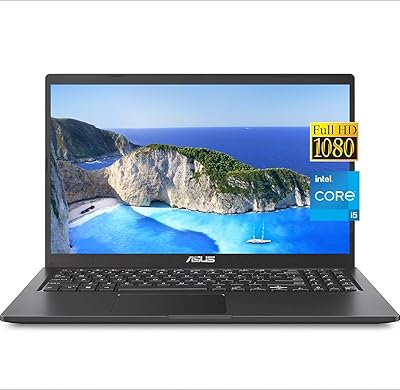
ASUS VivoBook 15.6-inch Laptop
72%
88%
Value for Money
76%
Performance
91%
RAM & Multitasking
87%
Storage Speed
67%
Display Quality
More
ASUS Vivobook Go L210KA 11.6″
73%
88%
Value for Money
93%
Portability
84%
Battery Life
58%
Performance
61%
Display Quality
More
Azeyou CG11Q6-US 11.6-inch Laptop
67%
83%
Value for Money
91%
Portability
54%
Performance
61%
Display Quality
67%
Battery Life
More
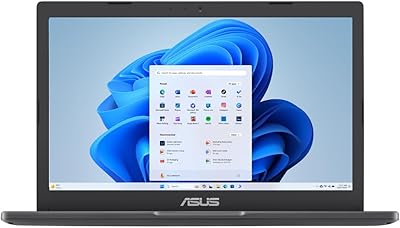
Samsung Chromebook 2 XE500C12-K01US 11.6-inch Laptop
81%
89%
Value for Money
85%
Battery Life
93%
Portability & Weight
80%
Build Quality
78%
Display Quality
More
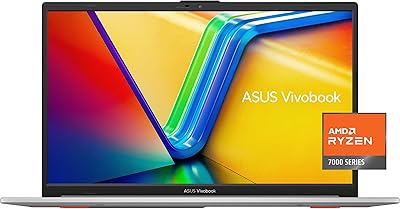
ASUS Vivobook Go 15 E1504FA
72%
88%
Value for Money
83%
Build Quality
74%
Performance
61%
Display Quality
69%
Battery Life
More
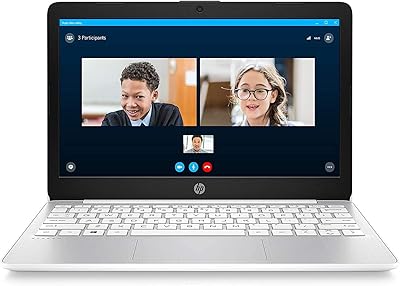
ASUS Chromebook CR11 11.6-inch Ruggedized Laptop
74%
88%
Build Quality
86%
Durability & Drop Resistance
67%
Performance
61%
Battery Life
63%
Display Quality
More
ASUS Vivobook Go 14-inch Laptop
67%
81%
Value for Money
47%
Performance
74%
Battery Life
88%
Portability
69%
Display Quality
More
HP Stream 11 11.6-Inch Laptop
66%
83%
Value for Money
91%
Portability
88%
Battery Life
79%
Display Quality
58%
Performance
More
HP Chromebook 11a 11.6-inch Laptop
73%
91%
Battery Life
83%
Value for Money
62%
Performance
49%
Storage Capacity
67%
Display Quality
More
ASUS Vivobook 16 1TB Laptop
72%
88%
Value for Money
84%
Multitasking Performance
86%
Storage Speed
67%
Display Quality
61%
Battery Life
More

FAQ

You can, but not straight out of the box. The laptop ships in S mode, which only allows app installs from the Microsoft Store by default. Switching out of S mode is completely free, takes about a minute through Windows Settings, and once done you can install Chrome, Firefox, Spotify, or any other standard Windows application. Keep in mind the switch is one-way — you cannot go back to S mode without fully resetting the device.

Unfortunately, no. The 4GB of memory is soldered directly to the motherboard with no available slot for additional modules. What the laptop ships with is what it will have for its entire lifespan. If you already know 4GB will feel too tight for your workflow, it is worth stepping up to a different model before buying.

S mode is a locked-down version of Windows where only apps from Microsoft's official store can be installed — think of it like how a smartphone works. It makes the machine more secure and harder to accidentally break, which is great for kids, seniors, or anyone who does not want to manage software carefully. The downside is that many popular programs such as Chrome, Steam, or VLC are not available through the Microsoft Store. Switching out of S mode is free and straightforward, but it is permanent unless you do a full factory reset.

Yes, it handles standard video calls well enough for one-on-one and small group meetings. The built-in camera and microphone are adequate for the basics. Where things get shaky is when you have several apps or browser tabs running at the same time as a call — closing anything you do not need beforehand makes a noticeable difference.

It is workable, but it requires some planning. After Windows and Office are installed, you may only have 20 to 30GB of usable space left, which fills up faster than most people expect. The good news is that the included Microsoft 365 subscription comes with 1TB of OneDrive cloud storage, so keeping documents, photos, and downloads there rather than locally goes a long way. A USB flash drive is also a cheap and practical safety net for larger files.

For schoolwork — writing essays, researching, video calls — it handles the job comfortably. Gaming is a different story. Simple browser games and older or very undemanding titles may run with patience, but anything modern or graphically intensive will struggle or refuse to run at all. The integrated graphics and entry-level processor were not designed with gaming in mind, so expectations need to be set accordingly.

It genuinely comes included — a one-year Microsoft 365 Personal subscription is bundled in the box. That covers Word, Excel, PowerPoint, OneNote, and 1TB of OneDrive storage. Once the year is up, you will need to renew the subscription or switch to the free browser-based versions of those same apps, which are a reasonable alternative for light use.

The ASUS Vivobook L210 11.6-inch Laptop is actually a strong fit for that exact use case. It is light enough to move from room to room without effort, and Windows in S mode keeps the experience simple and resistant to accidental installs or sketchy software. Setup is straightforward, and having Office ready to go from day one removes a common stumbling block for new users. The one thing to watch for is that if they want to install an app not found in the Microsoft Store, someone will need to walk them through switching out of S mode first.

In honest real-world light use — browsing, writing documents, the occasional video call — most users report landing between 8 and 11 hours, which is genuinely close to the claimed figure. Crank up the screen brightness and stream video continuously and you will likely see closer to 7 or 8 hours. For a budget laptop, the battery consistency is one of the things this ultraportable does better than most of its direct competitors.

Yes, the full-size HDMI port connects directly to any HDMI-compatible TV or monitor without needing an adapter. It works well for extending or mirroring the desktop, which is handy for presentations, watching something on a bigger screen, or simply getting more comfortable working space. Standard HD resolutions display without any issues through the integrated graphics.