Overview

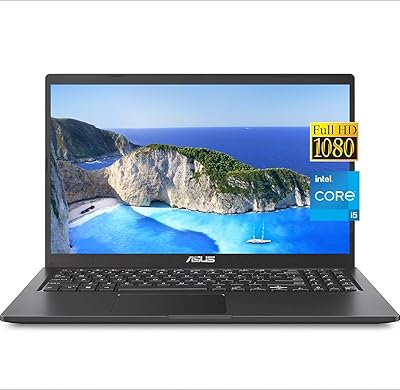
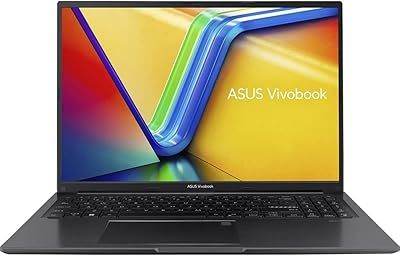
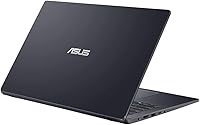
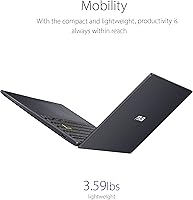
The ASUS Vivobook Go 15 L510 Laptop is exactly what it looks like: a lean, no-fuss machine built for students and home users who need a reliable computer without overspending. It runs Windows 11 Home in S mode, which means it only installs apps from the Microsoft Store by default — though switching out of S mode is free and takes about a minute. It is not built for heavy workloads, and that is fine. What stands out at this price is the 15.6-inch FHD display with slim bezels — noticeably more screen than most budget rivals offer. At 3.5 pounds with a fanless design, it carries and operates quietly enough to use just about anywhere.

Features & Benefits

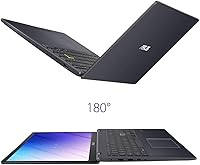
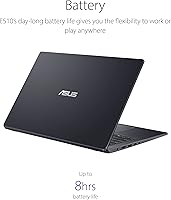
The Intel Celeron N4020 processor handles the basics well — web browsing, writing documents, video calls, and streaming without stuttering. Ask it to run several apps at once and it starts to slow, so keeping open tabs to a minimum matters. The 64GB eMMC storage boots fast but fills up surprisingly quickly; storing files on a USB drive or a cloud service like Google Drive is a practical workaround rather than an optional extra. One genuinely pleasant hardware detail is the 180-degree lay-flat hinge, making it easy to angle the screen toward someone else. Battery life is advertised at 8 hours — real-world use lands closer to 5 or 6 hours under mixed conditions, which still covers a full school day.

Best For

This budget laptop fits a fairly specific profile, and that is not a criticism — knowing exactly who it suits helps buyers make smarter decisions. Students who need something light for class notes, online research, and the occasional video call will get genuine value here. It works well as a first laptop for a younger child, and many seniors find it approachable precisely because it is simple and does not overwhelm. The cloud-first user — someone who lives in Google Docs and stores everything online — will barely notice the storage cap. Where it falls short is as a primary work machine; if your daily tasks involve heavy spreadsheets, photo editing, or multiple programs running at once, this ASUS Celeron laptop is not the right tool.

User Feedback

With over 1,300 ratings averaging near 3.9 out of 5, the Vivobook Go 15 earns broadly positive marks but with consistent caveats. Buyers frequently highlight the screen quality as a genuine bright spot — a sharp, full HD panel this size at this price is not something to take for granted. Quiet, fanless operation also draws steady praise. On the other side, storage is the top complaint: Windows updates alone can eat a significant chunk of 64GB, leaving little breathing room. S mode catches some buyers off guard, though once they realize the switch-out is free and straightforward, frustration fades quickly. A few reviewers find the keyboard feel underwhelming but functional. Buyers who went in with realistic expectations tend to walk away satisfied.

Pros

  • The 15.6-inch FHD thin-bezel display is genuinely impressive for the price — sharp and spacious.
  • At 3.5 pounds and under an inch thick, the Vivobook Go 15 is easy to carry all day without strain.
  • Fanless cooling means completely silent operation, ideal for classrooms, libraries, or quiet offices.
  • Boot times are snappy thanks to eMMC storage, so daily startup never feels like a chore.
  • The 180-degree lay-flat hinge is a practical, well-built feature that makes screen-sharing effortless.
  • A bundled one-year Microsoft 365 subscription adds real value for students and home users.
  • Wi-Fi 5 wireless performance is reliable and noticeably faster than older 802.11n connections.
  • The lightweight chassis holds up well in a backpack, with a slim profile that slides into most sleeves.
  • Real-world battery life of 5 to 6 hours is respectable enough to last a typical school or workday.

Cons

  • 64GB of storage fills up fast — Windows updates alone can consume a significant chunk of available space.
  • The Celeron N4020 struggles visibly when more than a few browser tabs or apps are open simultaneously.
  • 4GB of RAM cannot be upgraded, which limits the machine's long-term usability as software demands grow.
  • S mode restricts app installs to the Microsoft Store by default, which can catch first-time buyers off guard.
  • The keyboard feels functional but lacks the feedback and key travel that longer typing sessions deserve.
  • Advertised 8-hour battery life overstates real-world performance under typical mixed-use conditions.
  • No SD card slot is a missed opportunity given the storage constraints many users will quickly encounter.
  • The single USB 2.0 port is a bottleneck; transferring large files through it is noticeably slow.
  • Intel UHD Graphics 600 handles light media playback but cannot run modern games or GPU-accelerated software.

Ratings

The scores below for the ASUS Vivobook Go 15 L510 Laptop were generated by our AI engine after analyzing thousands of verified global buyer reviews, with spam, bot-submitted, and incentivized feedback actively filtered out. The results reflect a genuinely balanced picture — real strengths acknowledged alongside the recurring frustrations that show up consistently across independent purchasers. Whether this machine impresses or disappoints largely depends on what you are asking it to do.

Value for Money
81%
19%
For buyers who need a basic, functional laptop without stretching their budget, the Vivobook Go 15 delivers more usable machine than its price tag might suggest. The inclusion of a one-year Microsoft 365 subscription adds tangible day-one value that students and home users genuinely appreciate.
Buyers who push the hardware even slightly beyond light use quickly feel the limitations relative to what a modest additional spend could get them elsewhere. The non-upgradeable RAM means the value proposition erodes faster than competing budget laptops that allow future memory expansion.
Display Quality
78%
22%
The 15.6-inch FHD thin-bezel panel is a recurring highlight in user feedback — sharp enough for clear text and comfortable streaming, and noticeably more spacious than the smaller screens common at this price point. Colours hold up adequately for casual video watching and everyday document work.
Brightness levels are modest, which makes the screen harder to use comfortably in direct sunlight or bright outdoor settings. Viewing angles are acceptable straight-on but shift visibly when tilted, which matters in shared-screen scenarios despite the lay-flat hinge.
Performance
52%
48%
For single-task use — writing a document, streaming a video, or scrolling through a news site — the Celeron N4020 handles the job without hesitation. Users who use this ASUS Celeron laptop for simple classroom tasks or light web browsing rarely report any noticeable lag under those conditions.
The moment multitasking enters the picture — multiple browser tabs open alongside a video call, for instance — the processor and 4GB of RAM hit their ceiling quickly. Users attempting anything more demanding than basic productivity report sluggishness that becomes genuinely frustrating over time.
Storage Capacity
43%
57%
The eMMC storage delivers fast boot times that make the laptop feel snappier on startup than its specs might imply. For users disciplined about cloud storage habits, the base 64GB can be managed well enough for day-to-day light use.
This is the most complained-about aspect across verified reviews by a wide margin. Windows updates alone consume a significant portion of available space, and within months of regular use many buyers find themselves scrambling for an external drive or constantly managing what stays on-device.
Portability
89%
At 3.5 pounds and just 0.71 inches thick, the Vivobook Go 15 slips into a backpack without adding noticeable weight — a trait students and daily commuters flag repeatedly as a genuine selling point. The slim chassis fits most standard laptop sleeves designed for 15-inch machines.
The power adapter adds bulk that partially offsets the laptop's slim profile, and real-world battery life means many users end up packing it anyway for all-day trips. The lack of a USB-C charging option also limits on-the-go power flexibility.
Battery Life
67%
33%
Under light use — browsing, note-taking, or watching a single video stream — the battery holds up well enough to cover a typical school day without needing a top-up. Users who keep screen brightness moderate and avoid heavy multitasking report consistently better endurance.
The advertised 8-hour figure is rarely matched in practice; most verified buyers report 5 to 6 hours under mixed real-world conditions. Anyone expecting a full workday of productivity without access to a power outlet will likely find themselves hunting for a socket by mid-afternoon.
Build Quality
63%
37%
The chassis feels reasonably solid for a laptop at this price, and the Star Black matte finish resists smudges better than glossy alternatives. The 180-degree lay-flat hinge feels sturdy and smooth in practice, and users report it holding up without wobble after extended use.
The overall construction is predominantly plastic, and flex in the keyboard deck and display lid is noticeable when pressure is applied. It does not feel fragile, but it equally does not inspire confidence compared to metal-chassis competitors that sit only slightly higher in price.
Keyboard & Trackpad
58%
42%
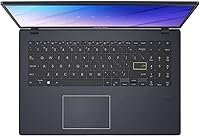
The keyboard layout is sensibly sized for a 15-inch machine, and casual typists — those writing occasional emails or short notes — find it perfectly usable for everyday tasks. Key spacing is comfortable enough that new users rarely report an adjustment period.
Key travel is shallow and feedback is soft, which becomes fatiguing during longer typing sessions like extended essay writing or report drafting. The trackpad is functional but lacks precision at its edges, and some users report inconsistent tap-to-click responsiveness over time.
Software Experience
61%
39%
Windows 11 runs cleanly on this hardware for basic tasks, and the Microsoft 365 bundle means most users are productive out of the box without extra purchases. For buyers who stick to cloud-based tools like Google Docs or Office Online, S mode creates very little friction.
S mode catches a meaningful portion of buyers off guard — particularly those who want to install Chrome, Zoom, or third-party tools immediately. While exiting S mode is free and straightforward, the process is not intuitive for first-time Windows users, and support requests around this topic appear frequently in verified feedback.
Thermal & Noise Management
84%
The fanless passive cooling design means this laptop is completely silent during typical use, which students in lecture halls and users in shared office spaces specifically call out as a meaningful real-world advantage. There are no distracting fan spin-up sounds even during light sustained tasks.
Extended use under even moderate load — such as a long video call while downloading files — can produce noticeable warmth on the bottom of the chassis. The passive cooling system cannot shed heat as efficiently as active cooling, which contributes to the processor throttling under sustained pressure.
Connectivity & Ports
55%
45%
Wi-Fi 5 wireless performance is reliable and consistently fast for video calls, streaming, and cloud syncing. Having two USB 3.0 ports covers the most common peripheral needs — plugging in a mouse and an external storage drive simultaneously without a hub.
The absence of USB-C and an SD card slot feels like a real missed opportunity, particularly given the storage constraints of this machine. The single USB 2.0 port is a noticeable bottleneck when transferring large files, and buyers who rely on modern accessories may find themselves needing a USB hub immediately after unboxing.
Setup & Ease of Use
76%
24%
Out-of-the-box setup is straightforward — Windows 11 guides new users through initial configuration clearly, and the Microsoft 365 activation process is simple enough for first-time laptop buyers. Seniors and younger students in verified reviews consistently describe the initial experience as approachable.
S mode creates a stumbling block for users who expect to install familiar apps immediately and do not know the switch-out process exists. A small but vocal segment of buyers also report confusion around Windows update prompts consuming storage without clear warnings during initial setup.
Webcam & Audio
57%
43%
The built-in webcam handles standard video calls adequately in well-lit environments, which covers the core use case for students attending virtual classes or families doing occasional video chats. Audio playback through the built-in speakers is acceptable for casual streaming at moderate volumes.
Webcam quality drops noticeably in low-light conditions, producing a grainy image that some users find embarrassing on professional or academic video calls. Speaker output lacks bass and clarity at higher volumes, which limits the enjoyment of music or movie audio without external speakers or headphones.

Suitable for:

The ASUS Vivobook Go 15 L510 Laptop is a strong fit for anyone whose computing needs are straightforward and whose budget is tight. Students who primarily need to write papers, attend virtual classes, and browse the web will find it more than capable for daily academic use. It also makes a lot of sense as a first laptop for a younger child — it is simple to set up, light enough to carry in a school bag, and S mode provides an added layer of app security that some parents appreciate. Seniors who want a no-clutter machine for email, video calls with family, and the occasional streaming session will feel right at home with it. If you already rely on Google Drive, OneDrive, or similar cloud storage for most of your files, the limited local storage becomes far less of a practical concern. This is also a reasonable secondary travel machine for a remote worker who needs something featherlight for flights and coffee shops, without worrying about damaging an expensive primary laptop.

Not suitable for:

The ASUS Vivobook Go 15 L510 Laptop is not the right choice for anyone expecting real performance headroom. The Celeron N4020 processor and 4GB of RAM will frustrate users who regularly run multiple applications at once — think spreadsheets open alongside video calls alongside a browser with a dozen tabs. Creative professionals who work with photo editing, video production, or design software should look elsewhere entirely; this machine simply lacks the processing power and graphics capability those tasks demand. The 64GB eMMC storage is a genuine dealbreaker for anyone who stores a large local library of files, games, or downloaded media. Power users who prefer installing third-party software freely will also find the default S mode friction annoying, even if the fix is straightforward. Students in engineering, computer science, or any field requiring specialized software installations should consider a more capable machine with a proper SSD and a modern processor.

Specifications

  • Processor: Powered by an Intel Celeron N4020 dual-core processor running at up to 2.8 GHz, designed for light everyday computing tasks.
  • RAM: Comes with 4GB of DDR4 system memory soldered to the motherboard, which is not user-upgradeable.
  • Storage: Includes 64GB of eMMC flash storage, which offers fast boot speeds but limited capacity compared to traditional SSDs.
  • Display: Features a 15.6-inch FHD (1920x1080) NanoEdge thin-bezel IPS-level panel that provides a wider usable screen area relative to the chassis size.
  • Graphics: Uses Intel UHD Graphics 600 integrated GPU, suitable for standard video playback and basic display tasks only.
  • Operating System: Ships with Windows 11 Home in S mode, which restricts app installs to the Microsoft Store unless the user opts to exit S mode for free.
  • Battery Life: ASUS rates battery endurance at up to 8 hours, though real-world mixed use typically yields closer to 5 to 6 hours on a single charge.
  • Weight: Weighs 3.5 pounds, making it one of the lighter options available in the 15-inch budget laptop category.
  • Dimensions: Measures 14.18 x 9.31 x 0.71 inches, giving it a slim, backpack-friendly profile despite the larger screen size.
  • Wireless: Supports Wi-Fi 5 (802.11ac) and Bluetooth 4.1 for wireless connectivity to networks and peripherals.
  • Ports: Equipped with one USB 2.0 port and two USB 3.0 ports, providing basic peripheral and storage expansion options.
  • Hinge Design: The 180-degree lay-flat hinge allows the display to fold completely flat on a surface, useful for collaborative viewing or screen sharing.
  • Cooling System: Uses a fanless passive cooling design that keeps the laptop completely silent during typical use and reduces moving-part failure risk.
  • Included Software: Bundled with a one-year Microsoft 365 Personal subscription, which includes Word, Excel, PowerPoint, and 1TB of OneDrive cloud storage.
  • Color: Available in Star Black, a matte dark finish that resists visible fingerprints better than glossy alternatives at this price tier.
  • Memory Type: Uses DDR4 SDRAM with a memory speed rated at 2.8 GHz, providing adequate bandwidth for the Celeron N4020 platform.
  • Optical Drive: No optical drive is included, which is standard for ultra-thin laptops in this size and price category.
  • Power Input: Runs on a 19-volt DC power adapter included in the box, with a lithium-ion battery pack that is not designed for user replacement.

Related Reviews
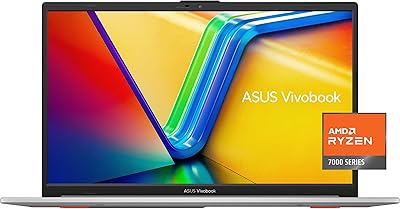
ASUS Vivobook Go 15 E1504FA
72%
88%
Value for Money
83%
Build Quality
74%
Performance
61%
Display Quality
69%
Battery Life
More
ASUS Vivobook S 15 Laptop
82%
93%
Display Quality
88%
Performance
91%
Portability
75%
Battery Life
85%
Build Quality
More
ASUS VivoBook 15.6-inch i5-1135G7 Laptop, 20GB RAM, 1TB SSD
83%
91%
Performance
87%
Value for Money
78%
Display Quality
92%
Multitasking Capability
75%
Battery Life
More
ASUS Vivobook Go 14-inch Laptop
67%
81%
Value for Money
47%
Performance
74%
Battery Life
88%
Portability
69%
Display Quality
More
ASUS Vivobook Go L210KA 11.6″
73%
88%
Value for Money
93%
Portability
84%
Battery Life
58%
Performance
61%
Display Quality
More
ASUS VivoBook 15.6″ Touchscreen Laptop
70%
74%
Everyday Performance
66%
Display Quality
82%
Touchscreen Responsiveness
88%
SSD Boot and Load Speed
47%
Battery Life
More
ASUS Vivobook Go 12 L210 11.6-inch Laptop, Intel Celeron N4020, 4GB RAM, 64GB eMMC
81%
91%
Value for Money
94%
Portability
89%
Battery Life
81%
Performance for Basic Tasks
60%
Storage Capacity
More
ASUS VivoBook 17 F712DA Laptop
77%
75%
Display Quality
82%
Performance for Everyday Tasks
87%
Storage Flexibility (SSD + HDD)
69%
Keyboard Comfort
78%
Fingerprint Sensor Functionality
More
ASUS Vivobook S 14 OLED M5406WA
76%
94%
Display Quality
88%
Portability & Build
86%
CPU Performance
61%
Thermal Management & Fan Noise
67%
Battery Life
More
ASUS VivoBook 16 M1605YA-ES74 Laptop
86%
88%
Performance
91%
Display Quality
86%
Portability & Weight
80%
Battery Life
82%
Build Quality
More

FAQ

Yes, but you will need to switch out of S mode first. It is a one-way, free process that takes about two minutes — just go to Settings, search for S mode, and follow the prompt. Once you switch out, you can install any Windows-compatible software normally and cannot go back to S mode, which is fine for most users.

It depends heavily on how you use it. If you store most of your files on Google Drive, OneDrive, or a USB drive, 64GB can work fine. The challenge is that Windows updates can consume 10 to 15GB over time, leaving less room than you might expect. Keeping a USB flash drive or external hard drive handy is a practical habit for anyone using this laptop.

Yes, one-on-one or small group video calls run without problems. The Celeron processor handles standard video calling apps comfortably, especially once you exit S mode to install your preferred app. Just avoid running heavy background tasks simultaneously, as that can cause minor slowdowns.

Unfortunately, no. The 4GB of DDR4 memory is soldered directly onto the motherboard, which means it cannot be expanded after purchase. This is a common design choice on budget thin-and-light laptops, so it is worth factoring into your decision upfront if you anticipate needing more memory down the line.

It handles streaming well. The 1920x1080 display is sharp enough to make HD content look good, and the Intel UHD Graphics 600 GPU is more than capable of smooth video playback at that resolution. Just make sure your Wi-Fi connection is stable, and you will have a perfectly pleasant streaming experience.

It is actually a pretty solid choice for that use case. The default S mode provides a layer of app security since only Microsoft Store apps can be installed without parental intervention, the build is light enough for a younger student to carry, and the large screen makes reading and writing assignments comfortable. It handles the basics a school-age child needs without being overly complicated.

Not noticeably. The fanless design means there is no active cooling, but the Celeron N4020 is a low-power processor that generates very little heat under typical loads like browsing, writing, or streaming. You may feel mild warmth on the bottom during extended use, but it rarely becomes uncomfortable.

Realistically, expect around 5 to 6 hours under mixed use — some web browsing, a document or two, and maybe a video in the background. If you keep the screen brightness low and stick to light tasks, you might stretch it closer to 7 hours. The advertised 8 hours is possible under very minimal use conditions but is not typical for most people.

No, the Vivobook Go 15 does not include a USB-C port. You get one USB 2.0 port and two USB 3.0 Type-A ports. If you rely heavily on USB-C accessories or monitors, you would either need an adapter or a different laptop model that includes USB-C connectivity.

It is adequate for occasional typing — emails, short documents, and assignments — but it is not what you would call a pleasure to type on for hours. The keys have a modest amount of travel and feel a bit shallow compared to mid-range or premium laptops. For light daily use it works fine, but if you type heavily for long periods, you may find it tiring after a while.