
Overview

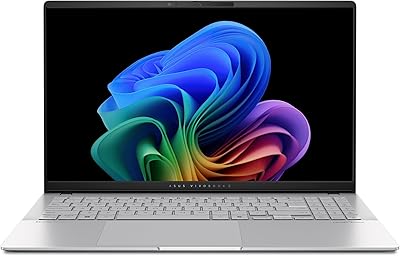
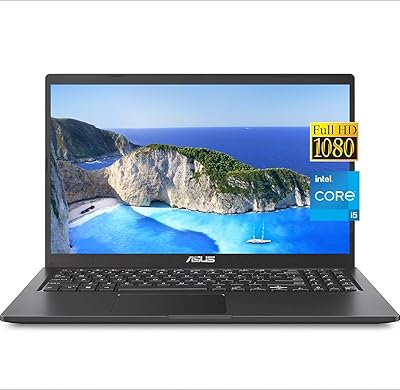
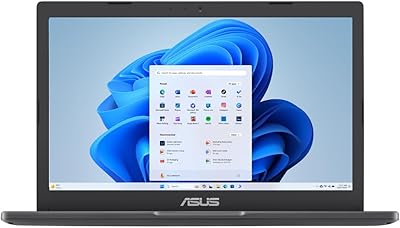
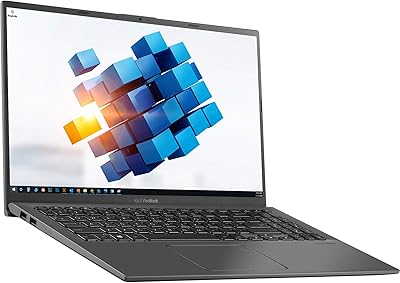
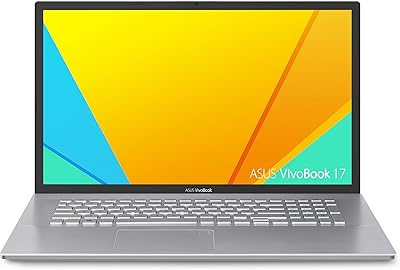
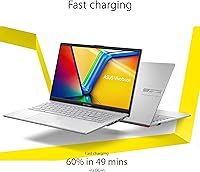
The ASUS Vivobook Go 15 E1504FA is a straightforward, no-nonsense budget laptop built for students and everyday users who need reliable performance without overspending. At 3.59 lbs with a slim 0.7-inch profile, it slips into a backpack without complaint. The MIL-STD-810H certification adds genuine peace of mind — the chassis has been tested against drops, humidity, and temperature extremes, not just branded with a catchy label. The Cool Silver finish and slim NanoEdge bezel give it a cleaner look than most machines in this price range. Just set expectations accordingly: this Vivobook Go handles productivity and browsing confidently, but it was never built for demanding workloads.

Features & Benefits

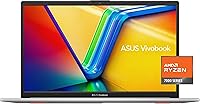
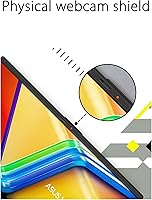
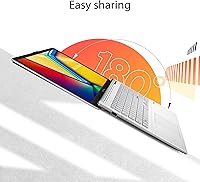
Powering this ASUS budget laptop is the AMD Ryzen 5 7520U, a processor designed specifically for thin, portable machines. It handles web browsing, document work, video calls, and light photo editing without hesitation. The 8GB of LPDDR5 RAM feels noticeably more responsive than older DDR4 machines at this price, and the 512GB SSD keeps boot times and app launches quick. The 15.6-inch FHD display looks sharp indoors, though at 250 nits of sustained brightness, it washes out in direct sunlight — worth knowing before you plan on working near a window. The privacy webcam shutter, 180-degree lay-flat hinge, and fast charging feel like thoughtful additions rather than box-ticking features.

Best For

The Vivobook Go 15 is a natural fit for college students who need something light and durable enough to survive a full semester of lectures, research sessions, and late-night study calls. Remote workers handling email, spreadsheets, and video meetings will find it completely adequate day-to-day. It also works well as a family first laptop or as a replacement for a slow, aging machine — the jump to modern LPDDR5 memory and SSD storage alone makes a noticeable difference. Anyone prioritizing gaming or video rendering should look elsewhere, but for straightforward daily productivity, this ASUS budget laptop consistently earns its place.

User Feedback

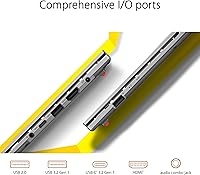
Owners consistently highlight the comfortable keyboard and snappy SSD responsiveness as standout qualities — two things that matter more in daily use than spec sheets suggest. Build quality also earns frequent praise, which isn't a given at this price point. The recurring frustrations center on connectivity: just one USB 2.0 and one USB 3.0 port leaves multi-device users reaching for a hub almost immediately. Real-world battery life tends to land around six to seven hours under moderate use, which is decent but falls short for heavier workloads. The webcam gets mixed reviews — functional for calls, but not sharp. The privacy shutter, however, is almost universally appreciated as a practical daily feature.

Pros

  • Military-grade MIL-STD-810H certification provides genuine durability that most budget laptops skip entirely.
  • The Ryzen 5 7520U keeps everyday multitasking, browsing, and video calls running smoothly without lag.
  • Fast SSD storage means Windows 11 boots quickly and apps open without the frustrating delays of older drives.
  • At 3.59 lbs and under 0.7 inches thin, the Vivobook Go 15 is easy to carry through a full day of classes or meetings.
  • 8GB of modern LPDDR5 memory handles multiple open browser tabs and office applications without slowdowns.
  • The privacy webcam shutter is a small but genuinely appreciated feature for users who care about security.
  • Fast charging support means a short break can meaningfully top up the battery before the next session.
  • The keyboard delivers comfortable key travel that holds up well during long typing sessions.
  • The slim NanoEdge bezel makes the 15.6-inch display feel spacious relative to the laptop's overall footprint.
  • The price-to-specification ratio stands out compared to older-generation budget laptops at the same tier.

Cons

  • The 250-nit display washes out quickly in sunlight or bright rooms, limiting where you can comfortably work.
  • Only two USB ports total — including one slow USB 2.0 — make it easy to run out of wired connectivity fast.
  • Real-world battery life under mixed use typically lands well below all-day claims, often around five to seven hours.
  • The fan ramps up audibly under sustained workloads, which can be distracting in quiet environments like libraries.
  • No keyboard backlighting makes typing in dim rooms or evening sessions noticeably less comfortable.
  • The 45% NTSC color gamut is too limited for photo editing, color grading, or any design-sensitive work.
  • Webcam image quality degrades sharply in low-light conditions, making evening video calls look grainy.
  • The plastic chassis shows cosmetic wear — scuffs and fingerprints accumulate around the wrist rest fairly quickly.
  • ASUS pre-installs several utilities and trial applications that require manual cleanup out of the box.
  • No USB-C charging means you are tied to the proprietary charger, with less flexibility for travel or shared cables.

Ratings

The ASUS Vivobook Go 15 E1504FA earns its place as one of the more honest budget laptops in its class — not by overpromising, but by consistently delivering where it counts for everyday users. These scores were generated by AI after analyzing thousands of verified global buyer reviews, with spam, incentivized, and bot-generated feedback actively filtered out. Both the genuine strengths and the real frustrations are reflected here, so you can make a fully informed decision.

Value for Money
88%
For the price, buyers consistently feel they are getting hardware that punches above its tier — modern LPDDR5 memory, a fast SSD, and a military-grade chassis are not features typically bundled together this affordably. Students and first-time buyers in particular feel the value strongly when comparing it to older budget alternatives.
A small but vocal segment of buyers feels the display quality and limited port count hold back the overall value proposition. When peers with slightly higher budgets point to competing machines with brighter screens or USB-C charging, the gap in perceived value tightens noticeably.
Build Quality
83%
The MIL-STD-810H certification is not just a marketing badge here — buyers report that the chassis handles the rigors of backpack commuting, accidental nudges, and daily drops onto desks with reassuring solidity. The lid flex is minimal and the overall structure feels more premium than the price suggests.
The plastic construction, while sturdy, does show fingerprints and minor scuffs over time, and some buyers note that the bottom panel creaks slightly under pressure. It is not fragile, but it does not feel as refined as aluminum-chassis competitors at slightly higher price points.
Performance
74%
26%
The Ryzen 5 7520U handles browser-heavy workflows, simultaneous video calls, and standard office applications without noticeable lag. Buyers upgrading from aging Core i3 or early Ryzen 3 machines are often pleasantly surprised by how quickly documents open and how smoothly multitasking feels day-to-day.
Sustained workloads — like extended video exports, large spreadsheet calculations, or running multiple heavy applications — expose the processor's thermal ceiling fairly quickly. The integrated Radeon graphics are adequate for casual use but fall short for anyone hoping to run modern games or do GPU-assisted creative work.
Display Quality
61%
39%
Indoors and in controlled lighting, the 15.6-inch FHD panel delivers reasonably sharp text and clean colors for productivity tasks and streaming. The slim NanoEdge bezels make the screen feel larger than the footprint implies, which buyers genuinely appreciate for extended reading or video watching sessions.
The 250-nit brightness ceiling is a real limitation — working near a sunlit window or outdoors makes the screen hard to read comfortably. The 45% NTSC color gamut is also below average for any color-sensitive work, and buyers doing photo editing or content creation will likely feel constrained by the muted color reproduction.
Battery Life
69%
31%
Under light use — browsing, note-taking, and video calls at moderate brightness — the Vivobook Go 15 realistically gets through a full class day or a standard remote workday without needing a charge. The fast charging feature is a genuine convenience, topping up the battery meaningfully in a short break.
Real-world battery life under mixed or heavier use tends to hover between five and seven hours, which falls noticeably short of the all-day claims some marketing materials imply. Users who run demanding tasks or keep brightness high will find themselves hunting for an outlet by mid-afternoon.
Keyboard & Typing Experience
82%
18%
The keyboard is one of the most consistently praised aspects across user feedback — key travel is comfortable, the layout is logically spaced, and extended typing sessions do not feel fatiguing. For a student typing lecture notes or a remote worker drafting emails all day, it genuinely holds up well.
A handful of buyers note that the key feel can seem slightly soft or mushy compared to higher-end laptop keyboards, and the lack of backlighting is a recurring frustration for users who frequently work in dim environments like lecture halls or evening coffee shops.
Portability
86%
At 3.59 lbs and under 0.7 inches thick, this ASUS budget laptop slips into a bag without adding noticeable weight to a commute. Students carrying it between classes alongside textbooks and a charger consistently report that it does not become a burden over a full day of movement.
The 15.6-inch footprint means it occupies a fair amount of desk or lap space, which can be awkward in cramped lecture seats or on small folding tray tables. Those who prioritize truly compact portability may find a 13-inch or 14-inch alternative more practical in tight spaces.
Storage & SSD Speed
81%
19%
The 512GB SSD keeps boot times fast and application launches snappy — buyers regularly note that Windows 11 loads quickly and daily-use apps open without waiting. For most users storing documents, photos, and a modest media library, 512GB covers several years of use without needing an external drive.
The SSD performs well for typical workloads, but sequential speeds are mid-range rather than exceptional, so large file transfers or heavy software installations take longer than on premium NVMe drives. Power users moving large video files frequently may find the pace frustrating.
Connectivity & Ports
47%
53%
Wi-Fi 5 and Bluetooth 5.1 handle wireless connectivity reliably for streaming, calls, and peripheral pairing. In everyday wireless-first use, most buyers do not experience dead zones or dropped connections during normal home or campus use.
With only one USB 2.0 and one USB 3.0 port on the entire machine, wired connectivity is a genuine pain point that comes up repeatedly in user feedback. Buyers who rely on an external mouse, a USB drive, and a monitor simultaneously almost always end up needing a hub — an extra cost that stings at this price tier.
Webcam Quality
58%
42%
For standard video calls on Zoom, Teams, or Google Meet, the built-in webcam produces an acceptable image in well-lit environments. The privacy shutter is widely praised as a practical, trust-building feature that users actually engage with daily rather than ignoring.
Low-light performance is noticeably poor — images turn grainy and washed out quickly in dim rooms, which is a problem for evening calls or cloudy-day video conferencing. Buyers who rely heavily on video calls for work or remote learning often wish the sensor was sharper or better at handling variable lighting.
Thermal Management & Fan Noise
63%
37%
During light tasks — browsing, streaming, and document work — the machine runs quietly and stays cool to the touch. The slim chassis manages everyday heat output without the fans becoming a constant background noise, which users in quiet environments like libraries genuinely appreciate.
Under sustained load, such as running multiple demanding applications or compiling large files, the fan ramps up audibly and the keyboard area warms noticeably. It is not alarming by budget laptop standards, but buyers expecting silent operation during heavier tasks will find the thermal behavior a limitation.
Software & Out-of-Box Experience
71%
29%
Windows 11 Home comes pre-installed and the setup process is clean and relatively quick. Most buyers report getting to a usable desktop within a few minutes of unboxing, with no major bloatware slowing down initial performance beyond the typical Microsoft pre-installs.
A number of users flag the presence of ASUS-specific utilities and third-party trial software that add clutter to the Start menu. While none of it is harmful, buyers who prefer a clean OS experience will spend time uninstalling applications before the machine feels truly their own.
Audio Quality
66%
34%
SonicMaster-tuned speakers produce clear mid-range audio that works well for video calls, online lectures, and casual music listening. Volume levels are adequate for a quiet room, and the sound does not distort at higher settings the way cheaper laptop speakers often do.
Bass is thin and the overall soundstage feels narrow, which makes longer movie-watching or music sessions somewhat flat. Users who care about audio quality consistently recommend pairing the Vivobook Go 15 with headphones or a Bluetooth speaker for any serious listening.
Durability Over Time
77%
23%
The MIL-STD certification gives longer-term owners confidence, and early feedback from buyers who have used the machine for six months or more reports no significant structural degradation or hinge loosening. The build holds up to backpack use and occasional rough handling better than most plastic-chassis competitors.
Surface scuffing and minor cosmetic wear appear relatively quickly on the silver finish, particularly around the trackpad edges and wrist rest area. It is a common trade-off with budget plastic builds, but buyers expecting the machine to look pristine after a semester of daily use may be mildly disappointed.

Suitable for:

The ASUS Vivobook Go 15 E1504FA is a strong match for college students who need a dependable, portable machine that can survive a full semester without becoming a liability — the MIL-STD-810H certification alone makes it more durable than most competitors at this price. Remote workers and home office users who spend their days in email, browser tabs, video calls, and cloud-based tools will find the Ryzen 5 processor and fast SSD more than adequate for those tasks. Families buying a first laptop for a teenager, or anyone replacing a sluggish older machine running spinning-disk storage, will notice a meaningful day-to-day improvement in responsiveness. The 180-degree lay-flat hinge and privacy webcam shutter are genuinely practical touches that students and professionals on video calls will appreciate immediately. Anyone who values a lightweight, slim build that slips easily into a bag over raw performance will feel well-served by this ASUS budget laptop.

Not suitable for:

The ASUS Vivobook Go 15 E1504FA is not the right choice for anyone planning to run demanding software — video editors, 3D modelers, game developers, or even serious photographers will quickly hit the ceiling of what the integrated Radeon graphics and the Ryzen 5 7520U can handle under sustained load. The 250-nit display is a real barrier for users who frequently work outdoors or near bright windows, and the 45% NTSC color gamut makes it poorly suited for any color-critical creative work. With only two USB ports total — one of which is a legacy USB 2.0 — buyers who rely on wired peripherals simultaneously will find themselves frustrated without an external hub, which adds hidden cost. Anyone hoping to game on this machine beyond very light, older titles should look elsewhere, and users who need keyboard backlighting for dim environments will find its absence a daily inconvenience. If your budget can stretch meaningfully higher, the trade-offs in display brightness, port selection, and processing headroom become harder to justify.

Specifications

  • Processor: AMD Ryzen 5 7520U quad-core processor clocked up to 4.3GHz, built on a 4nm architecture optimized for thin and light laptops.
  • RAM: 8GB LPDDR5 memory running across 4 channels, offering faster bandwidth than previous-generation DDR4 found in competing budget laptops.
  • Storage: 512GB solid-state drive provides fast read and write speeds for quick boot times and responsive application launches.
  • Display Size: 15.6-inch FHD IPS-level NanoEdge panel with a 1920x1080 pixel resolution and slim bezels on three sides.
  • Brightness: Sustained brightness is rated at 250 nits, suitable for indoor and low-ambient-light environments but limiting in direct sunlight.
  • Color Gamut: Display covers 45% of the NTSC color space, adequate for general media consumption but below the threshold for color-accurate creative work.
  • Graphics: AMD Radeon integrated graphics share system memory and handle everyday visual tasks, light photo editing, and casual gaming at low settings.
  • Operating System: Ships with Windows 11 Home pre-installed, ready to use out of the box with standard Microsoft applications and security features.
  • Wireless: Wi-Fi 5 (802.11ac) and Bluetooth 5.1 are built in, supporting reliable wireless connectivity for browsing, streaming, and peripheral pairing.
  • Ports: Physical connectivity includes one USB 3.0 Type-A port and one USB 2.0 Type-A port; no USB-C or Thunderbolt port is present.
  • Weight: The laptop weighs 3.59 lbs, keeping it manageable for daily commutes and backpack carry across a full school or workday.
  • Dimensions: Chassis measures 14.19 x 9.15 x 0.7 inches, maintaining a slim profile that fits comfortably in standard laptop sleeves and bags.
  • Battery: Built-in lithium-ion battery supports fast charging, allowing a meaningful top-up during short breaks without needing a full charge cycle.
  • Webcam: Built-in webcam includes a physical privacy shutter that mechanically blocks the lens, providing a hardware-level privacy option independent of software.
  • Hinge Design: 180-degree lay-flat hinge allows the display to open completely flat on a surface, useful for collaborative viewing or certain ergonomic setups.
  • Durability: Certified to MIL-STD-810H military standards, meaning the chassis has been tested against conditions including drops, humidity, vibration, and temperature extremes.
  • Audio: Stereo speakers are tuned with ASUS SonicMaster technology and paired with an array microphone for improved voice capture during calls and recordings.
  • Optical Drive: No optical drive is included, consistent with modern slim laptop design; external USB optical drives can be connected if needed.

Related Reviews
ASUS Vivobook Go 15 L510 Laptop, Intel Celeron N4020, 4GB RAM, 64GB Storage
82%
91%
Value for Money
96%
Portability
88%
Battery Life
78%
Performance for Everyday Tasks
85%
Display Quality
More
ASUS Vivobook S 15 Laptop
82%
93%
Display Quality
88%
Performance
91%
Portability
75%
Battery Life
85%
Build Quality
More
ASUS VivoBook 15.6-inch i5-1135G7 Laptop, 20GB RAM, 1TB SSD
83%
91%
Performance
87%
Value for Money
78%
Display Quality
92%
Multitasking Capability
75%
Battery Life
More
ASUS Vivobook Go L210KA 11.6″
73%
88%
Value for Money
93%
Portability
84%
Battery Life
58%
Performance
61%
Display Quality
More
ASUS Vivobook Go 14-inch Laptop, Intel Celeron N4500, 4GB RAM, 128GB Storage
80%
92%
Value for Money
85%
Battery Life
90%
Portability
80%
Performance for Basic Tasks
75%
Build Quality
More
ASUS VivoBook 15.6″ FHD Touchscreen Laptop - Intel Core i5-1035G1, 8GB RAM, 256GB SSD
81%
91%
Value for Money
88%
Display Quality
75%
Battery Life
86%
Performance
84%
Portability
More
ASUS Vivobook Go 12 L210 11.6-inch Laptop, Intel Celeron N4020, 4GB RAM, 64GB eMMC
81%
91%
Value for Money
94%
Portability
89%
Battery Life
81%
Performance for Basic Tasks
60%
Storage Capacity
More
ASUS RT-AX57 Go
ASUS RT-AX57 Go
86%
94%
Setup & Installation
91%
WiFi Performance
97%
Portability
89%
VPN & Security Features
88%
Connectivity Options
More
ASUS Vivobook 14 M1407KA-PS74
86%
93%
Performance
88%
Display Quality
85%
Battery Life
91%
Portability
82%
Build Quality
More
ASUS VivoBook 17 F712DA Laptop
77%
75%
Display Quality
82%
Performance for Everyday Tasks
87%
Storage Flexibility (SSD + HDD)
69%
Keyboard Comfort
78%
Fingerprint Sensor Functionality
More

FAQ

Yes, for the vast majority of college use cases it holds up well. The Ryzen 5 processor and fast SSD handle document editing, web research, video calls, and learning management platforms without issue. If your coursework involves video production, 3D modeling, or engineering simulation software, you will want something with more processing headroom.

Unfortunately, the RAM is soldered directly to the motherboard and cannot be upgraded after purchase. The SSD may be replaceable depending on the specific configuration, but ASUS does not officially advertise this model as user-upgradeable. If you anticipate needing more than 8GB of RAM down the line, it is worth factoring that into your decision now.

Under light use — browsing, note-taking, and occasional video calls at moderate brightness — you can realistically expect around six to seven hours. Heavier tasks like streaming at full brightness or running multiple applications simultaneously will drain it faster, so heavy users may not make it through a full workday without plugging in. The fast charging feature does help recover battery quickly during short breaks.

This is one of the more notable limitations of the Vivobook Go 15. At 250 nits of sustained brightness, the screen is fine in a dimly lit room or a standard indoor environment, but near a bright window or outdoors it becomes hard to read comfortably. If you regularly work in bright or outdoor settings, this is worth seriously considering before buying.

Light and older games can run on the integrated AMD Radeon graphics — think titles from several years ago, indie games, or casual browser-based games. Modern AAA titles or anything graphically demanding will either not run or will perform poorly. This is not a gaming laptop by any definition, and buyers hoping for a capable gaming experience should look at dedicated GPU options.

The MIL-STD-810H certification means the chassis has been tested against a standardized set of environmental stresses — including drops from specific heights, humidity exposure, temperature swings, and vibration. It does not mean the laptop is indestructible, but it does mean it is meaningfully more resilient than uncertified budget laptops. For students who carry their machine daily and occasionally bump or drop it, it is a genuine advantage.

For most users, two ports will feel limiting fairly quickly. If you use an external mouse, you have already used one port, leaving only the remaining slot for anything else — a USB drive, a wired headset, an external monitor adapter, or charging your phone. Most buyers who use more than one wired peripheral end up picking up a USB hub, which is worth budgeting for alongside the laptop itself.

During everyday tasks like browsing and document work, the fan is barely noticeable and the chassis stays cool. Under sustained loads — like a long video export or running several heavy applications simultaneously — the fan does spin up audibly, and the keyboard area warms up. It is not unusual behavior for a thin budget laptop, but if you plan to run demanding workloads regularly, be prepared for the fan noise.

It ships with Windows 11 Home and includes a trial or limited version of Microsoft 365, but not a full licensed copy of Office. You will need a Microsoft 365 subscription or a standalone Office license to use Word, Excel, and other Office apps beyond any trial period. Free alternatives like Google Docs or LibreOffice work perfectly well on this machine if you prefer not to subscribe.

Based on real user feedback, the privacy shutter is one of the more appreciated features on this ASUS budget laptop. It physically blocks the camera lens with a sliding cover, which means even if an application were to access the webcam without permission, nothing would be visible. Users who join a lot of video calls — especially students and remote workers — consistently mention it as a feature they use daily and wish more laptops included.