Overview

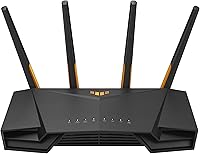
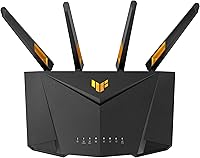
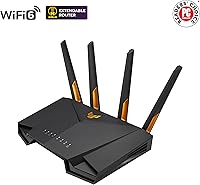
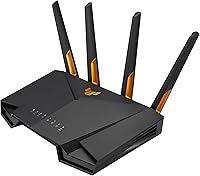
The ASUS TUF-AX4200 WiFi 6 Router sits in a sweet spot for gaming households that want real performance without jumping into premium territory. The TUF lineup has always been about durability over flash, and this router carries that same philosophy — it's built to run consistently rather than just look aggressive on a shelf. Dual-band WiFi 6 means noticeably better handling of multiple connected devices compared to older WiFi 5 hardware, thanks to more efficient spectrum use. Power users will appreciate the ASUSWRT firmware, which offers a level of customization most consumer routers don't come close to matching. This isn't an enterprise system, but for a gaming home setup, it covers the bases well.
Features & Benefits

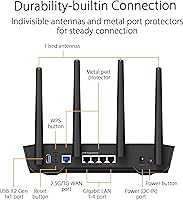
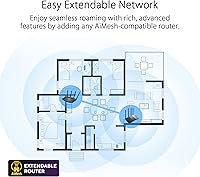
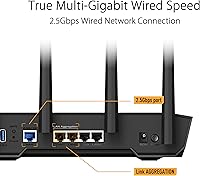
The standout here is the dedicated gaming LAN port, which prioritizes traffic from whatever device you plug into it — in practice, that means lower, more consistent latency for wired gaming sessions. The TUF-AX4200 also includes dual 2.5G ports, useful if you're on a multi-gig internet plan or connecting a NAS. Port forwarding is where this router genuinely solves a headache: getting an open NAT type on a console or PC usually involves navigating confusing menus, but the three-step process here strips that down considerably. AiMesh support means you can add compatible ASUS routers later to extend coverage. AiProtection Pro adds network-level security scanning with no recurring fees attached.

Best For

This gaming router makes the most sense for online gamers who want a wired connection that's properly prioritized without spending hours in router menus. It's also a solid upgrade path for anyone still running WiFi 5 hardware — the jump in network efficiency across a house full of phones, laptops, and smart devices is noticeable day-to-day. If your ISP offers multi-gigabit speeds, the 2.5G WAN port means you're not leaving that investment capped at a gigabit. Homeowners who might want to extend coverage down the line will appreciate that AiMesh expansion doesn't require replacing this router entirely. And for anyone who likes to dig into VPN configuration or granular traffic controls, ASUSWRT delivers.

User Feedback

Across its reviews, this ASUS WiFi 6 router holds a 4.0 out of 5 stars rating, which reflects a generally satisfied buyer base with some notable caveats. Setup gets frequent praise — most users report getting online quickly without needing to touch advanced settings. The build quality and the gaming port's real-world usefulness also earn consistent mentions. On the other side, a handful of buyers flag range limitations in larger homes, particularly on the 2.4GHz band, and some note the router runs warm under heavy load. A few comparisons to similarly priced TP-Link models come up, usually around wireless range. For buyers weighing AiMesh expansion potential, that feature appears to tip decisions in its favor more than once.

Pros

  • Dedicated gaming LAN port prioritizes wired gaming traffic with no complicated setup required.
  • Simplified three-step port forwarding makes open NAT achievable for console and PC gamers alike.
  • Dual 2.5G ports future-proof the router for multi-gigabit ISP plans and fast NAS connections.
  • WiFi 6 handles multiple simultaneous device connections noticeably better than older WiFi 5 hardware.
  • AiProtection Pro delivers ongoing network-level security scanning with no subscription fee attached.
  • AiMesh support lets you expand to a whole-home mesh setup later without replacing this router.
  • ASUSWRT firmware gives tech-savvy users deep control over VPN, traffic rules, and network behavior.
  • Solid build quality consistent with TUF-series hardware, designed for reliable long-term operation.
  • Straightforward initial setup means most users are online quickly without touching advanced settings.
  • Competitive value for a WiFi 6 router that includes a 2.5G WAN port and gaming-specific features.

Cons

  • Wireless range in larger homes can be limiting, especially through multiple walls on the 2.4GHz band.
  • The router runs noticeably warm under sustained heavy load, which may concern users in enclosed spaces.
  • ASUSWRT is powerful but has a learning curve that less technical buyers may find overwhelming.
  • No tri-band option means the 5GHz band is shared between all wireless clients simultaneously.
  • The mobile app experience is not as polished as the browser interface, which frustrates some users.
  • No dedicated wireless backhaul channel, which limits AiMesh performance compared to higher-end mesh systems.
  • Only dual-band coverage may not satisfy households with a very high density of wireless devices.
  • Some buyers report the router gets warm enough to warrant careful placement for long-term reliability.

Ratings

The ASUS TUF-AX4200 WiFi 6 Router earns a generally favorable reception across verified buyer reviews worldwide, and our AI-driven scoring reflects that nuanced picture — filtering out incentivized and bot-generated feedback to surface what real users actually experience day to day. Scores span from standout strengths like gaming-specific wired performance and value-to-feature ratio, down to honest weak points around wireless range and thermal management. Both sides of the ownership experience are represented transparently here.
Gaming Performance
88%
Gamers consistently highlight how the dedicated LAN port keeps their console or PC latency stable even when the rest of the household is streaming or downloading heavily. The real-world impact is most noticeable during peak evening hours when network congestion typically spikes.
Wireless gaming performance on the 5GHz band, while strong in close proximity, drops more noticeably with distance or obstructions than some competing routers at a similar price. Users in larger homes report occasional inconsistency during extended sessions.
Port Forwarding & NAT
91%
This is one of the most praised aspects across reviews — buyers who have struggled with strict NAT types on PlayStation and Xbox for years describe the three-step process as a genuine fix rather than a workaround. Setup that used to take an hour of forum-searching now takes minutes.
A small number of users with non-standard ISP configurations or double-NAT setups report that the guided process still requires manual intervention. It works reliably for the majority, but edge cases exist.
WiFi Speed & Throughput
83%
On the 5GHz band with a compatible WiFi 6 device nearby, throughput is noticeably faster and more consistent than WiFi 5 hardware, particularly when multiple devices are active simultaneously. The 160 MHz channel support pushes peak speeds higher when conditions allow.
Achieving top-end wireless speeds requires both a 160 MHz-capable client device and a relatively unobstructed environment — conditions most households cannot guarantee. Real-world speeds for average users land well below the theoretical ceiling.
Wired Connectivity
89%
The dual 2.5G ports are a standout feature for users on multi-gigabit ISP plans or running a NAS, letting them actually use the bandwidth they are paying for without upgrading to a much more expensive router. Wired connections are rock-solid and consistently fast.
Beyond the gaming port and the two 2.5G ports, the remaining LAN ports are standard gigabit, which may limit users who want multi-gig wired speeds across multiple devices simultaneously.
Wireless Range
63%
37%
Coverage in average-sized single-story homes and smaller two-story layouts is generally adequate, with the 2.4GHz band reaching into rooms that the 5GHz signal struggles with. Most buyers in compact living situations report satisfactory whole-home coverage.
Range is the most recurring complaint in user reviews. Larger homes, thick concrete walls, and multi-story layouts expose real limitations — particularly on 2.4GHz where walls cut signal more than expected. Several buyers ended up adding a mesh node to compensate.
Setup & Ease of Use
86%
Initial setup is quick and guided, with most users reporting they are online within ten to fifteen minutes of unboxing. The ASUSWRT interface is well-organized for first-time configuration, and the Quick Start Guide covers the basics without overwhelming new users.
Once you move beyond basic setup into advanced features like VPN configuration, custom QoS rules, or AiMesh node pairing, the learning curve steepens considerably. Less technical buyers sometimes find the breadth of options more confusing than helpful.
Build Quality & Durability
84%
The TUF branding carries genuine meaning here — the hardware feels solid and well-constructed compared to budget routers in the same price range. Multiple reviewers note that it has run continuously without resets or hardware failures over months of use.
The router runs warmer than some buyers expect under sustained load, and the plastic housing does not dissipate heat as efficiently as premium all-metal enclosures. Placement in an enclosed cabinet is not recommended.
Thermal Management
61%
39%
For most users running typical home workloads — streaming, browsing, moderate gaming — heat levels stay manageable and do not noticeably impact performance or stability during normal daily use.
Under heavy sustained load, the unit gets warm enough that several users flag it as a concern, particularly in warm climates or small rooms. There is no active cooling, so airflow around the router is important for long-term reliability.
Mobile App Experience
58%
42%
The ASUS Router app handles the basics competently — checking connected devices, running speed tests, and toggling parental controls remotely are all functional and reasonably intuitive for everyday use.
App reliability is a recurring sore point, with users reporting occasional sync issues, delayed status updates, and features that work more reliably through the browser-based interface. It feels secondary to the desktop experience rather than a true companion app.
AiMesh & Expandability
82%
18%
Buyers who purchased this router with future expansion in mind consistently report satisfaction with how AiMesh works in practice — adding a second compatible node is straightforward, and the unified network behavior holds up well across floors and distances.
Without a dedicated wireless backhaul channel, AiMesh performance between nodes depends on the shared wireless bands, which can introduce congestion in busy network environments. It works, but falls short of premium tri-band mesh systems in demanding setups.
Security Features
85%
AiProtection Pro providing meaningful network-level security at no ongoing cost is a genuine differentiator — real-time malicious site blocking and basic intrusion prevention run quietly in the background without requiring any manual configuration after activation.
Advanced users looking for enterprise-grade firewall controls or granular intrusion detection rules may find AiProtection Pro too simplified. It covers the common threat vectors well but is not a substitute for dedicated network security hardware.
VPN Functionality
77%
23%
Built-in support for both VPN server and client modes, including WireGuard, gives technically inclined users a router-level privacy and remote access setup without needing third-party hardware. WireGuard in particular performs noticeably better than OpenVPN for throughput.
VPN configuration is not beginner-friendly and requires some networking knowledge to set up correctly. Speeds under VPN load are respectable but not exceptional, and simultaneous VPN connections can introduce latency on the shared wireless bands.
Value for Money
87%
The combination of WiFi 6, dual 2.5G ports, a dedicated gaming LAN port, AiProtection Pro, and AiMesh support in this price range is difficult to match from competing brands. Most buyers feel the feature set justifies the cost without reservation.
A small segment of buyers feel the wireless range limitations make the value proposition weaker for larger homes, where the cost of adding a mesh node to compensate pushes total spend noticeably higher than anticipated.
Parental Controls
72%
28%
The built-in parental control tools through ASUSWRT cover time scheduling, site filtering, and per-device restrictions reasonably well for families managing children's internet access without a third-party service.
The filtering database is not as comprehensive or frequently updated as dedicated parental control platforms, and tech-savvy kids can sometimes find workarounds. It works for basic household management but is not a robust child safety solution on its own.

Suitable for:

The ASUS TUF-AX4200 WiFi 6 Router is a strong match for households where gaming is a priority and a wired connection to the console or PC is non-negotiable. The dedicated gaming LAN port means you can plug in your most latency-sensitive device and know it will get first priority without digging through advanced QoS settings. Gamers who have wrestled with strict or moderate NAT types on PlayStation or Xbox will find the simplified port forwarding process a genuine time-saver. It also makes practical sense for anyone whose ISP now delivers multi-gigabit speeds, since the 2.5G port means that investment isn't bottlenecked at the router. Households with several connected devices — phones, laptops, smart TVs — will notice the improved efficiency that WiFi 6 brings under load compared to older hardware. And if your home grows or your coverage needs change, the AiMesh support means you can expand without scrapping this router entirely.
Not suitable for:

Buyers expecting whole-home coverage in a large or multi-story property may find the TUF-AX4200 falls short on range, particularly on the 2.4GHz band where walls and distance take a real toll. This is not the right pick for anyone who needs tri-band performance or a dedicated backhaul channel for mesh nodes — the dual-band setup has limits in complex home layouts. Users who prefer a simple mobile app experience over a browser-based interface may find ASUSWRT's depth more intimidating than useful. The ASUS TUF-AX4200 WiFi 6 Router is also not designed for small business or office environments where you need VLAN management, enterprise-grade access controls, or centralized multi-site management. If you have no interest in wired connections and just need strong WiFi coverage across a large space, a tri-band mesh system from a competing brand would likely serve you better. Buyers who run hot hardware in enclosed spaces should also note that this router generates meaningful heat under sustained load.

Specifications

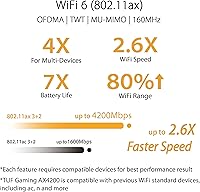
  • WiFi Standard: This router uses WiFi 6 (802.11ax), which offers improved efficiency and better handling of multiple connected devices compared to the previous WiFi 5 generation.
  • Frequency Bands: Dual-band operation covers both the 2.4GHz band for range and device compatibility, and the 5GHz band for higher-speed, lower-latency connections.
  • Max WiFi Speed: Combined wireless throughput reaches up to 4200 Mbps across both bands under ideal conditions.
  • 5GHz Throughput: The 5GHz band supports speeds up to 3603 Mbps with 160 MHz channel width enabled, delivering strong performance for nearby high-demand devices.
  • 2.4GHz Throughput: The 2.4GHz band supports speeds up to 574 Mbps, suitable for smart home devices, IoT gadgets, and longer-range wireless connections.
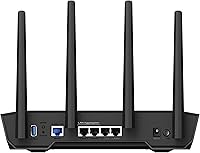
  • 2.5G Ports: Two 2.5 Gigabit ports are included — one for WAN and one for LAN — allowing multi-gigabit wired throughput for compatible ISP connections or network-attached storage.
  • Gaming LAN Port: A dedicated gaming LAN port is built in to prioritize wired traffic from a connected gaming device, reducing latency interference from other network activity.
  • Port Forwarding: An open NAT port forwarding process is achievable in three guided steps, removing the need for manual IP and port configuration in most common gaming scenarios.
  • Mesh Support: AiMesh technology allows this router to function as a node in a multi-router mesh network alongside other compatible ASUS routers, expanding whole-home coverage without replacing existing hardware.
  • Security Suite: AiProtection Pro is included at no additional subscription cost, providing real-time network scanning, malicious site blocking, and basic intrusion prevention.
  • VPN Support: Built-in VPN server and client functionality is supported through ASUSWRT, including OpenVPN and WireGuard protocol options.
  • Operating System: The router runs on ASUSWRT, ASUS's proprietary firmware platform, which offers a browser-based interface with advanced controls for traffic management, parental controls, and network monitoring.
  • Channel Width: The 5GHz band supports 160 MHz channel width, which is required to achieve peak wireless throughput on compatible client devices.
  • Dimensions: The unit measures 7.3 x 7.0 x 10.4 inches, designed for desktop or shelf placement with external antennas.
  • Weight: The router weighs 1.2 pounds without accessories, making it lightweight relative to its physical footprint.
  • In the Box: Package includes the router, a power adapter, one RJ-45 Ethernet cable, a Quick Start Guide, and a warranty card.
  • Release Date: The TUF-AX4200 was first made available in April 2024.
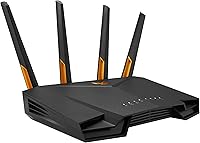
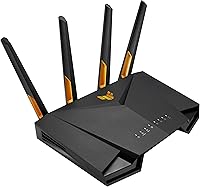
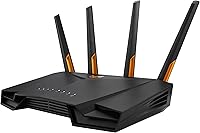
  • Color: Available in black, consistent with the TUF Gaming series aesthetic.

Related Reviews
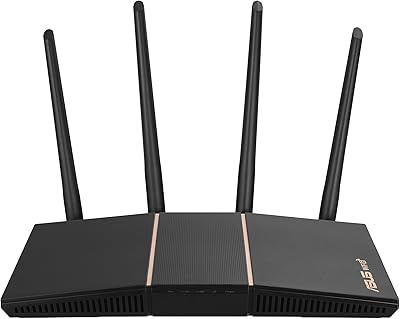
ASUS RT-AX86U WiFi 6 Gaming Router
84%
91%
Wireless Performance
88%
Gaming Latency
86%
Range & Coverage
79%
Setup & Ease of Use
74%
Value for Money
More
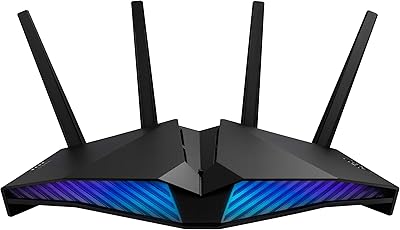
ASUS RT-AX57 WiFi 6 Router
86%
88%
WiFi Performance
91%
Setup & Installation
93%
Security Features
85%
Network Stability
75%
Coverage Range
More
ASUS RT-AX88U PRO WiFi 6 Router
77%
88%
Wireless Performance
84%
Range & Coverage
91%
Multi-Device Handling
57%
Setup Experience
79%
Build Quality
More
ASUS RT-AX82U
ASUS RT-AX82U
82%
88%
Wireless Performance
91%
Gaming Latency
93%
Setup & Ease of Use
71%
Range & Coverage
82%
Build Quality & Design
More
ASUS EBR63 AX3000 WiFi 6 Business Router
77%
88%
Ease of Setup
84%
App & Remote Management
86%
Guest Portal Customization
83%
Network Segmentation
74%
WiFi Speed & Performance
More
ASUS RT-AX1800S
ASUS RT-AX1800S
79%
88%
Value for Money
79%
WiFi Speed & Performance
74%
Coverage & Range
83%
Setup & Ease of Use
67%
Router App Experience
More
ASUS RT-AX5400 WiFi 6 Dual-Band Router
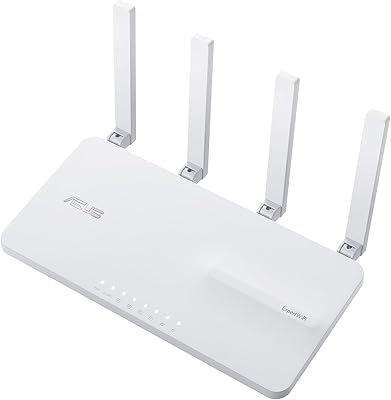
80%
84%
WiFi Speed & Throughput
71%
Coverage & Range
88%
Setup & Ease of Use
91%
Built-in Security (AiProtection)
83%
Parental Controls
More
ASUS ROG Rapture GT-AX6000 WiFi 6 Gaming Router
86%
94%
Gaming Performance
91%
Connection Stability
78%
Setup/Installation Ease
88%
Value for Money
85%
Build Quality
More
ASUS ROG Rapture GT-AX11000 Pro
77%
91%
Wireless Performance
93%
Wired Port Flexibility
82%
Gaming Features
61%
Setup & Configuration
89%
Network Security
More
ASUS ROG Rapture GT6 WiFi 6 Mesh Router
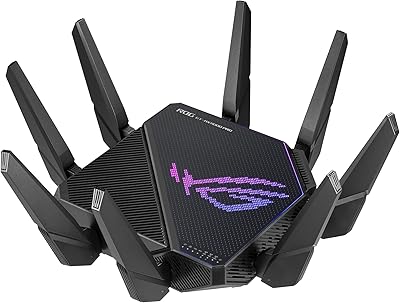
81%
91%
Wireless Performance
88%
Gaming Latency
84%
Coverage & Range
83%
Setup & App Experience
71%
Mesh Roaming
More

FAQ

Yes, particularly if you use the dedicated gaming LAN port for your console or PC. That port prioritizes your gaming device's traffic over everything else on the network, which means less jitter and more consistent ping during peak household usage. It is not magic, but the difference is real when others are streaming or downloading simultaneously.

For most common gaming scenarios — opening NAT on a PlayStation, Xbox, or PC — yes, the three-step process is genuinely simpler than what you typically deal with on other routers. You select your device, choose the game or application, and it handles the rest. Edge cases with unusual network setups may still require manual input, but the average gamer will find it straightforward.

If your ISP delivers speeds above 1 Gbps, the 2.5G WAN port means you can actually use that bandwidth rather than being capped at a gigabit. You will also need a 2.5G-compatible modem or gateway on the ISP side to take full advantage of it.

AiMesh is ASUS's system for linking multiple compatible routers into a single mesh network. You do not need it if your home is covered adequately by this router alone, but it is a useful option if you ever want to extend coverage to a garage, basement, or second floor without buying a completely new networking system.

No. AiProtection Pro is included at no ongoing cost on the TUF-AX4200 — there is no subscription or renewal fee required to keep it active, which is a genuine advantage over some competing routers that lock security features behind a paywall.

WiFi 6 handles congestion from many simultaneous connections better than older standards, so smart speakers, cameras, thermostats, and similar devices on the 2.4GHz band coexist more gracefully. That said, a very large smart home with dozens of devices may still benefit from a dedicated IoT VLAN setup, which ASUSWRT does support.

Basic setup is guided and most users are online within minutes without touching any advanced settings. Where ASUSWRT gets complex is when you start exploring QoS rules, VPN configurations, or custom firewall settings — that depth is there for people who want it, but you can ignore it entirely and the router works fine out of the box.

It does run warm under sustained heavy load, which is fairly typical for this category of router. Keep it in an open, ventilated spot — not in a closed cabinet or enclosed shelf — and it should operate without issues. Some users report it running warmer than expected, so airflow around the unit is worth paying attention to.

It depends on the layout and construction. Single-story homes and average-sized two-story houses generally get solid coverage, but thick concrete walls or longer distances can weaken the signal, especially on the 5GHz band. If coverage becomes an issue, adding an AiMesh node is a straightforward fix that avoids replacing the router entirely.

Yes, ASUS offers the ASUS Router app for iOS and Android, which lets you monitor connected devices, run speed tests, manage parental controls, and adjust basic settings remotely. The app works well for everyday tasks, though most users find the full browser-based ASUSWRT interface more reliable for anything beyond basic management.

Where to Buy