


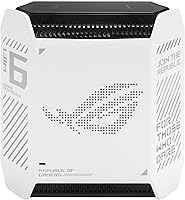
Overview

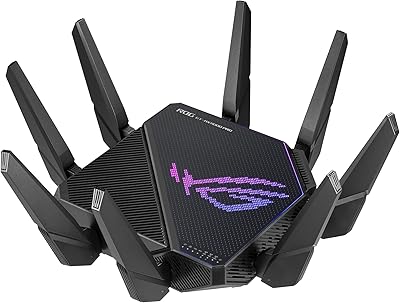
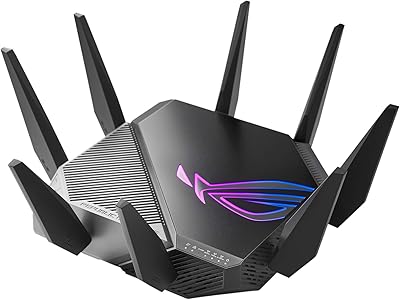
The ASUS ROG Rapture GT6 WiFi 6 Mesh Router is built with gamers at its core, but it is equally capable of handling the sprawling device loads of a connected household. Its tri-band WiFi 6 architecture operates on 160 MHz channels, which translates to noticeably less interference and higher real-world throughput compared to older or dual-band alternatives. A single node covers up to 2,900 sq ft, landing it squarely in competition with the Netgear Orbi and TP-Link Deco lines at a similar price tier. If you live in a small apartment and mostly browse and stream, though, this is simply more router than the situation calls for.

Features & Benefits

What separates this gaming mesh router from standard WiFi 6 options is how its features work together under load. The dedicated backhaul band keeps device-to-router traffic from competing with the backhaul link — a real problem with cheaper dual-band mesh systems that splits bandwidth in ways you will feel during a raid or a ranked match. The triple-level game acceleration handles QoS at the device, router, and server-path level, helping reduce jitter on congested connections. A 2.5 Gbps WAN port means multi-gig internet plans will not be bottlenecked at the hardware. Nine internal antennas push signal through walls with RangeBoost Plus, and the included lifetime AiProtection adds genuine ongoing value — no subscription renewal to forget.

Best For

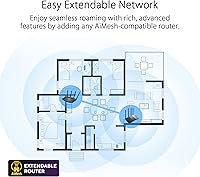
The ROG Rapture GT6 is a natural fit for gamers in medium-to-large homes who have moved beyond a single-router setup. If your house has dead zones near the back bedroom or a garage workshop that needs coverage, a second GT6 node can extend the mesh without requiring a whole new system. It is also well-suited for households running 20 or more connected devices simultaneously — smart TVs, consoles, laptops, and phones all competing for bandwidth. Multi-gig internet subscribers will get real use out of the 2.5 Gbps WAN port. Anyone currently paying for a third-party security suite will find the free lifetime protection a meaningful saving. Casual users in small apartments, though, should look elsewhere.

User Feedback

Across nearly 4,000 ratings, ASUS's WiFi 6 mesh system holds a 4.4-star average — and at that sample size, that consensus is hard to dismiss. Buyers consistently praise the quick app-based setup and noticeably stronger range compared to whatever they replaced. Gaming-specific improvements, especially reduced ping on consoles, come up regularly in positive reviews. The main sticking points: the unit is physically bulkier than competing mesh nodes, and advanced configuration can feel overwhelming for users who are not networking-savvy. A handful of single-pack owners also note their home genuinely needs a second node to cover every corner, which is worth factoring into the overall cost.

Pros

  • Tri-band WiFi 6 with a dedicated backhaul keeps gaming traffic fast even when the rest of the household is active.
  • Triple-level game acceleration visibly reduces ping and jitter on both consoles and PC during peak hours.
  • The 2.5 Gbps WAN port means owners of multi-gig internet plans actually get what they are paying their ISP for.
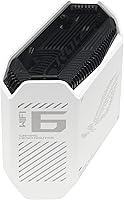
  • Nine internal antennas push reliable signal through walls and across floors better than most mesh competitors at this price.
  • Lifetime AiProtection by Trend Micro eliminates the ongoing cost of a third-party security subscription.
  • ASUS Instant Guard VPN is included at no extra cost, which is a practical bonus most routers do not offer.
  • The ASUS Router app makes initial setup genuinely fast, even for users who are not networking experts.
  • The mesh system is expandable node by node, so you are not locked into buying a full multi-pack upfront.
  • Parental controls and QoS settings are detailed enough to satisfy both parents and network tinkerers.
  • A 4.4-star average across nearly 4,000 real buyers is a trustworthy signal of consistent, broad satisfaction.

Cons

  • The physical unit is noticeably bulkier than competing mesh nodes, which can be awkward to place discreetly.
  • Advanced settings inside the admin panel can overwhelm users who are not comfortable with networking terminology.
  • Single-pack buyers with larger or multi-story homes often discover they need a second node to eliminate dead zones.
  • The ROG gaming aesthetic — while well-built — will look out of place in minimalist or professionally decorated spaces.
  • Firmware updates have been inconsistent for some users, with reported delays between releases.
  • Mesh roaming hand-off between nodes can occasionally be sluggish on devices that are slow to switch connections.
  • The premium price is hard to justify for anyone whose household does not actually stress-test the hardware.
  • No multi-pack option in the base kit means a higher upfront cost if you know from the start you need two nodes.

Ratings

The scores below were generated by AI after analyzing thousands of verified global user reviews for the ASUS ROG Rapture GT6 WiFi 6 Mesh Router, with algorithmic filtering applied to remove incentivized, bot-generated, and outlier feedback. The result is an honest, data-grounded snapshot that reflects both what this gaming mesh router genuinely excels at and where real buyers have run into frustration.

Wireless Performance
91%
Users running multiple gaming sessions alongside 4K streams report noticeably stable throughput with minimal buffering or lag spikes. The 160 MHz channels and tri-band design shine in households where a dozen or more devices are active at the same time, delivering on the WiFi 6 promise in real, measurable ways.
Peak speeds are rarely achieved outside of ideal conditions, and users in older homes with thick plaster walls note some signal degradation on the upper floors. Performance gaps between the advertised ceiling and real-world results are a recurring theme in critical feedback.
Gaming Latency
88%
Console and PC gamers consistently report lower ping variance during peak evening hours compared to their previous routers, particularly when the game acceleration QoS is properly configured. The prioritization feels tangible during competitive online matches where a few milliseconds of consistency actually matter.
The latency gains are most pronounced for users who were previously on older hardware — buyers upgrading from a recent mid-range WiFi 6 router may notice a smaller improvement than expected. A handful of users also note that the game acceleration settings require manual tuning to work optimally rather than delivering results out of the box.
Coverage & Range
84%
In open-plan homes and single-story spaces under 2,500 sq ft, the ROG Rapture GT6 delivers impressively consistent signal strength even in rooms far from the router. The nine internal antennas handle moderate wall penetration well, with users reporting usable speeds in garages and backyard areas within reasonable distance.
Multi-story homes and layouts with many interior walls push the single-node coverage to its limits, and buyers in those situations frequently mention needing a second node to eliminate weak spots. The 2,900 sq ft claim assumes near-ideal conditions that most real homes do not match.
Setup & App Experience
83%
The ASUS Router app guides first-time users through the initial configuration in a way that feels genuinely friendly — most reviewers report going from box to browsing in under ten minutes. Adding a mesh node is similarly straightforward, handled entirely within the app without needing a browser.
The app experience diverges significantly from the full web-based admin interface, which can be overwhelming with its volume of advanced settings. Users who venture beyond basic setup and try to configure VLANs or detailed QoS rules often report a steep learning curve that feels inconsistent with the approachable app onboarding.
Mesh Roaming
71%
29%
In stationary or semi-stationary device scenarios — smart TVs, desktop PCs, gaming consoles — the mesh hand-off is largely invisible and performs reliably. Users who primarily game in one room and stream in another report no noticeable disruptions during normal use.
Mobile devices like phones and laptops that roam between floors or across large spaces sometimes stick to the weaker node longer than they should before switching. This roaming lag, while not constant, has been flagged by enough reviewers to suggest the band-steering algorithm could be more aggressive.
Build Quality & Design
76%
24%
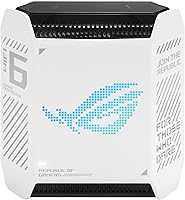
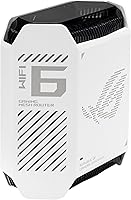
The hardware feels solid and well-constructed, with a premium matte finish that holds up to handling without showing fingerprints. The white colorway is a cleaner, less aggressive alternative to the typical black gaming router aesthetic, making it easier to place in living rooms without looking out of place.
The unit is physically larger than competing mesh nodes from TP-Link and Eero, making discrete placement on a shelf or bookcase more difficult. Buyers who expected a compact, near-invisible mesh node based on competitor sizing are consistently caught off guard by its footprint.
Wired Connectivity
89%
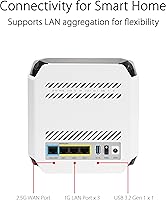
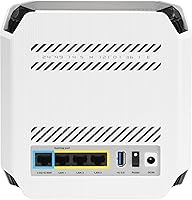
The 2.5 Gbps WAN port is a genuine advantage for anyone on a multi-gig fiber plan, eliminating a common bottleneck that standard 1 Gbps ports create. Wired gaming setups benefit from this headroom, and LAN aggregation support adds flexibility for users with network-attached storage or wired workstations.
The overall number of LAN ports is limited for users who rely heavily on wired connections across multiple devices. Power users with a full wired gaming den may find themselves reaching for an additional switch sooner than expected.
Network Security
93%
The lifetime AiProtection subscription by Trend Micro is one of the most genuinely valuable inclusions at this price tier — users who previously paid annually for third-party security software note the real-world saving adds up quickly. Malicious site blocking, intrusion detection, and the Instant Guard VPN work together as a cohesive layer rather than a disconnected checklist of features.
Some technically advanced users find the security dashboard less transparent than dedicated firewall solutions, with limited logging detail for deep traffic inspection. The Instant Guard VPN, while useful for travel and public Wi-Fi, is not a replacement for a full commercial VPN service for heavy privacy use.
Parental Controls
81%
19%
Per-device scheduling and content filtering are granular enough to satisfy parents managing multiple children with different age-appropriate restrictions. Profiles are easy to set up and adjust through the app, and temporary pause controls work reliably without requiring admin panel access.
The content filter categories are broad rather than precise, and tech-savvy teenagers have reported finding workarounds using DNS-over-HTTPS or mobile data. Parents expecting enterprise-grade content classification will find the filtering functional but not exhaustive.
Value for Money
78%
22%
When the lifetime security subscription and included VPN are factored into the total cost of ownership, the pricing looks more competitive than the sticker price alone suggests. For users who genuinely use the gaming features and have a multi-gig internet plan, the hardware justifies its tier.
For households that do not stress-test the network or game competitively, there is a real argument that a less expensive router would deliver a near-identical day-to-day experience. Single-pack buyers who later discover they need a second node face an unexpectedly higher total investment than initially planned.
Firmware & Updates
67%
33%
When firmware updates do arrive, they tend to address meaningful stability improvements and feature additions rather than purely cosmetic changes. Long-term owners note that the router's performance has generally improved over its lifecycle rather than stagnating after purchase.
Update cadence has been inconsistent, with some users waiting several months between releases and reporting unresolved bugs in the interim. The lack of automatic background updates means less attentive users may run outdated firmware without realizing it, which is a genuine security consideration.
Scalability
86%
The ability to start with one node and add more over time is a practical advantage for buyers who are uncertain about their coverage needs upfront. The mesh expansion process is handled cleanly in the app, and additional nodes integrate quickly without requiring a network reconfiguration.
The cost of adding nodes to reach whole-home coverage in a large space pushes the total system price significantly higher than the initial single-pack outlay. Buyers comparing the full two-node investment against dedicated two-pack competitors may find the value proposition narrower than it first appears.
Smart Home Integration
72%
28%
Alexa compatibility covers the most common voice-control use cases — checking connection status, pausing a device, or restarting the network — without requiring any additional hardware or third-party accounts. It is a functional convenience for households already embedded in the Amazon ecosystem.
Google Assistant and Apple HomeKit are not natively supported, which limits integration options for users on those platforms. The Alexa functionality itself is also fairly shallow, covering status checks and simple controls rather than deeper network management.

Suitable for:

The ASUS ROG Rapture GT6 WiFi 6 Mesh Router is a strong match for gamers and power users who live in medium-to-large homes and genuinely push their network hard every day. If you have a mix of consoles, gaming PCs, smart TVs, and a dozen or more other connected devices all competing for bandwidth, the tri-band architecture with a dedicated backhaul keeps things stable in ways a cheaper dual-band system simply cannot. Households that have already upgraded to a 1 Gbps or multi-gig internet plan will especially appreciate the 2.5 Gbps WAN port — it means the router is not the bottleneck. Parents who want robust network-wide security without paying an annual fee will find the lifetime AiProtection subscription a practical long-term saving. And if your coverage needs grow, you can add a second node later rather than replacing the whole system.

Not suitable for:

If you live in a one-bedroom apartment, browse casually, and stream Netflix on two devices, the ASUS ROG Rapture GT6 WiFi 6 Mesh Router is genuinely more hardware than your situation requires, and the price reflects features you will never use. Budget-conscious buyers who just need reliable basic coverage across a small home will find more value in simpler options from TP-Link or even a mid-range single ASUS router. Users who are not comfortable with networking concepts should also be aware that while the app makes setup approachable, the advanced configuration panel can be intimidating — it is not a set-it-and-forget-it device in the same way some consumer-friendly systems are. Additionally, buyers expecting the single-pack to blanket a very large or multi-story home without any signal compromise should budget for a second node from the start.

Specifications

  • WiFi Standard: The router uses the 802.11ax (WiFi 6) standard, which delivers improved throughput and better performance in device-dense environments compared to WiFi 5.
  • Band Configuration: Tri-band operation dedicates one band exclusively to backhaul traffic, leaving both other bands free for client devices.
  • Channel Width: Supports 160 MHz channels, which allows for significantly higher peak data rates than the more common 80 MHz configurations.
  • Max Speed: Combined theoretical throughput across all three bands reaches up to 10,000 Mbps under ideal conditions.
  • Coverage Area: A single node covers up to 2,900 sq ft, while a two-unit mesh setup extends that to approximately 5,800 sq ft.
  • WAN Port: A 2.5 Gbps WAN port supports multi-gigabit internet plans without creating a hardware bottleneck at the gateway.
  • Antennas: Nine internal antennas work alongside ASUS RangeBoost Plus technology to improve signal penetration through walls and across floors.
  • Security: A lifetime subscription to AiProtection by Trend Micro is included, providing real-time network threat detection and malicious site blocking at no ongoing cost.
  • VPN: ASUS Instant Guard is bundled in, offering a personal VPN that secures device connections when on external networks.
  • UNII-4 Support: The router supports the UNII-4 frequency band, which provides additional 5 GHz spectrum in regions where it is permitted.
  • Connectivity: Physical connectivity options include Ethernet, USB, and Wi-Fi, supporting both wired and wireless client and uplink configurations.
  • Operating Modes: The unit can function as a primary router or be switched to Access Point mode to integrate into an existing network infrastructure.
  • Smart Home: Alexa compatibility allows basic router controls and network status queries via voice commands through an Amazon Echo device.
  • App Control: The ASUS Router app on iOS and Android handles setup, device management, parental controls, and QoS configuration from a smartphone.
  • Dimensions: The unit measures 6.93 x 3.07 x 6.77 inches, making it more compact than traditional external-antenna gaming routers but still noticeably larger than minimalist mesh nodes.
  • Weight: Each node weighs 1.94 pounds, which is heavier than some competing mesh units but reflects the denser internal antenna array.
  • Power Input: The included power adapter operates at 110 Volts, suitable for standard North American electrical outlets.
  • In the Box: The single-pack includes the GT6 mesh router node, a power adapter, a Quick Start Guide, an RJ-45 Ethernet cable, and a warranty card.

Related Reviews
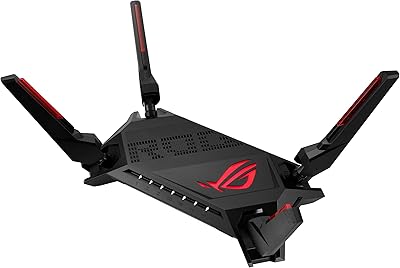
ASUS ROG Rapture GT-AX6000 WiFi 6 Gaming Router
86%
94%
Gaming Performance
91%
Connection Stability
78%
Setup/Installation Ease
88%
Value for Money
85%
Build Quality
More
ASUS ROG Rapture GT-AX11000 Pro
77%
91%
Wireless Performance
93%
Wired Port Flexibility
82%
Gaming Features
61%
Setup & Configuration
89%
Network Security
More
ASUS ROG GT-AXE16000 WiFi 6E Gaming Router
79%
93%
Wireless Performance
91%
Wired Connectivity
88%
Setup & Ease of Use
86%
Gaming-Specific Features
89%
Security & Privacy
More
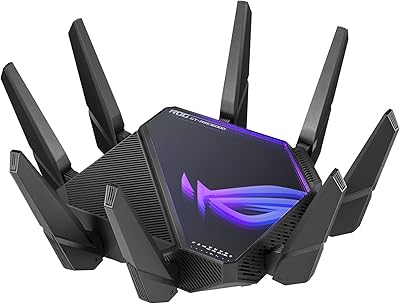
ASUS ROG GT-AXE11000 WiFi 6E Gaming Router
73%
88%
Wireless Performance
83%
Gaming Latency
54%
Setup & Ease of Use
76%
Range & Coverage
91%
Feature Depth
More
ASUS ROG Rapture GT-BE98 Pro
81%
93%
Wireless Performance
91%
Wired Connectivity
89%
Gaming Performance
78%
Setup & App Experience
86%
Build Quality & Design
More
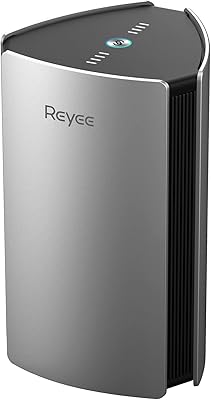
Reyee RG-R6 AX3200 Mesh WiFi 6 System (1-Pack)
71%
88%
Value for Money
91%
Setup & Ease of Use
76%
WiFi Coverage
79%
Network Speed & Throughput
82%
Multi-Device Performance
More
ASUS RT-AX57 WiFi 6 Router
86%
88%
WiFi Performance
91%
Setup & Installation
93%
Security Features
85%
Network Stability
75%
Coverage Range
More
Linksys AX2200 WiFi 6 Mesh Router
84%
88%
WiFi Speed & Performance
91%
Ease of Setup
85%
Coverage & Range
72%
Reliability in Large Homes
90%
App Functionality & Control
More
ASUS RT-AX86U WiFi 6 Gaming Router
84%
91%
Wireless Performance
88%
Gaming Latency
86%
Range & Coverage
79%
Setup & Ease of Use
74%
Value for Money
More
D-Link AX3000 M30 WiFi 6 Mesh Router
78%
74%
WiFi Coverage & Range
78%
WiFi Speed & Throughput
88%
Setup & Installation
71%
App Experience
83%
Parental Controls
More

FAQ

The ROG Rapture GT6 is completely ISP-agnostic and will work with any standard broadband connection — cable, fiber, or DSL — as long as you have a modem or gateway to connect it to. Just plug the Ethernet into the 2.5 Gbps WAN port and run through the app setup.

Yes, the mesh system is designed to expand. You can purchase additional GT6 nodes separately and pair them through the ASUS Router app without starting your network from scratch. It is one of the more practical aspects of this system for buyers who want to invest gradually.

The initial setup through the ASUS Router app is genuinely straightforward — most users report getting online within a few minutes. The app walks you through each step with plain-language prompts. Where things can get confusing is if you venture into the full web-based admin panel, which has a lot of advanced options. For basic use, though, you may never need to go there.

The triple-level game acceleration does make a measurable difference in some scenarios, particularly by prioritizing gaming traffic over background downloads or streaming on the same network. Results vary depending on your ISP and distance to game servers, but the QoS features are genuine and configurable, not just a label.

It is genuinely free for the life of the hardware — no credit card, no renewal, no trial period. ASUS has offered this through its Trend Micro partnership for several router generations, and it has remained no-cost. That said, if ASUS ever discontinues support for an older model, cloud-dependent features could eventually be affected.

Probably not comfortably. The single-node coverage claim of 2,900 sq ft tends to assume a relatively open floor plan on one level. A two-story home with interior walls will likely see weaker signal in far corners. Budgeting for a second node up front would give you more reliable whole-home coverage.

Absolutely. WiFi 6 is fully backward compatible, so your older laptops, phones, and smart home gadgets will connect without any issues. They just will not benefit from the WiFi 6 speed improvements — only WiFi 6 capable devices take full advantage of the upgraded protocol.

ASUS Instant Guard is designed primarily for securing your connection on public or untrusted networks, not for bypassing geo-restrictions or heavy streaming use. Performance will depend on server load and your base connection, but most users treat it as a travel or away-from-home security tool rather than a daily VPN for all traffic.

Through the ASUS Router app, you can create individual profiles for different devices or family members and apply separate time schedules, content filters, and site-blocking rules to each. It is more granular than many consumer routers offer at this price, and managing it all stays in the app rather than requiring browser-based admin access.

Yes, the LED behavior on this gaming mesh router can be adjusted or disabled entirely through the ASUS Router app or the admin panel. If you want to tuck it into a shelf without a glowing indicator drawing attention, you have the option to turn the light off without affecting network performance.

Where to Buy