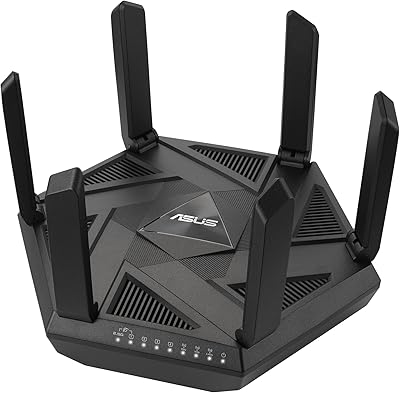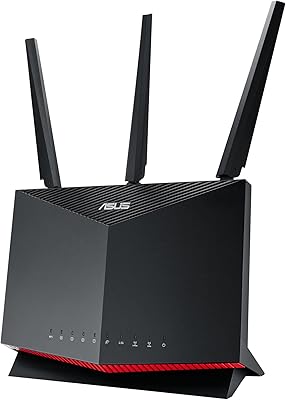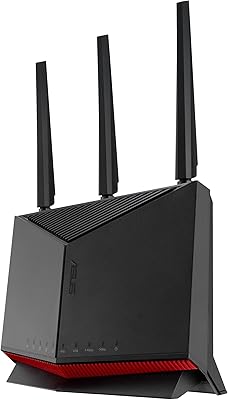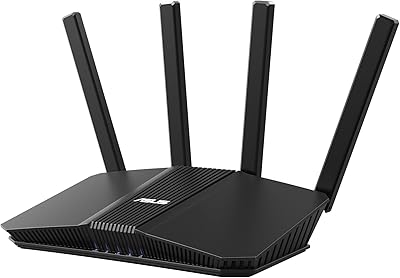

Overview

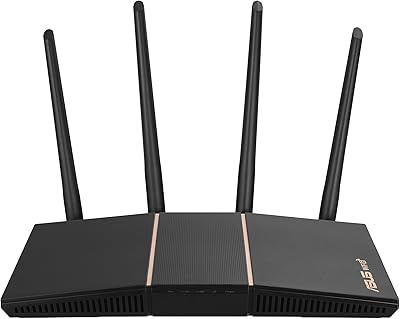
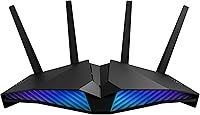
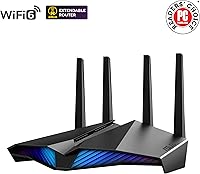
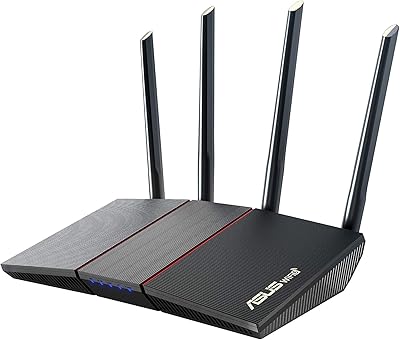
The ASUS RT-AX82U is a dual-band WiFi 6 router that launched in 2020 and has held its ground well in the mid-range market. Where most routers at this price point look like plastic spiders, this gaming router takes a different approach with Aura RGB lighting that actually looks decent on a desk rather than embarrassing. Beyond aesthetics, it ships with a full security suite built in — no monthly fee required — and supports AiMesh, so it can grow into a whole-home network if you add compatible nodes later. For households tired of juggling subscriptions and spotty coverage, the fundamentals here are genuinely solid.

Features & Benefits

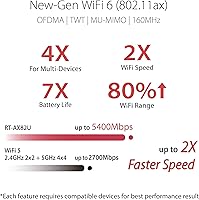
The RT-AX82U runs on WiFi 6 with 160MHz channel support, which in practical terms means less congestion when multiple devices are hammering the network at once — think four people streaming 4K while someone else is mid-match online. A 1.5 GHz tri-core processor keeps things moving without obvious slowdowns under heavy load. The Mobile Game Mode, accessible through the ASUS Router app, bumps mobile device traffic to the front of the queue with a single tap. AiProtection Pro, powered by Trend Micro, handles real-time threat blocking and parental controls — the kind of feature competing routers often lock behind a paid subscription. There is also a USB 3.0 port for attaching a drive or printer.

Best For

This WiFi 6 router punches above its weight for households running a lot simultaneously — multiple consoles, PCs, phones, and a few smart TVs all competing for bandwidth. It is also a smart pick for anyone coming off a WiFi 5 router who wants headroom for the next few years without paying flagship prices. Renters or people in smaller homes will get solid coverage from a single unit, and the AiMesh expansion option means you are not locked in if your situation changes. Anyone who wants low-latency gaming prioritization without wading through complicated QoS menus will appreciate how straightforward this router keeps things.

User Feedback

Owners consistently call out how painless the initial setup is — the ASUS Router app walks you through it quickly, and most people are up and running in under ten minutes. Gamers in particular mention a real drop in latency compared to their previous routers. On the flip side, a handful of buyers note that the unit runs noticeably warm during prolonged heavy use, so make sure it has decent airflow around it. Range in larger homes is occasionally flagged as a weak point, though adding an AiMesh node fixes that cleanly. Long-term owners tend to praise ASUS for consistent firmware updates, which is reassuring for a router you plan to keep for years.

Pros

  • WiFi 6 with 160MHz channels handles congested multi-device households far better than older WiFi 5 routers.
  • Built-in AiProtection Pro delivers real-time threat blocking and parental controls at no ongoing subscription cost.
  • Setup via the ASUS Router app is fast and approachable even for buyers with no networking background.
  • Gamers consistently report noticeable ping reductions compared to previous mid-range routers.
  • Mobile Game Mode prioritizes mobile device traffic with a single tap — no manual QoS configuration needed.
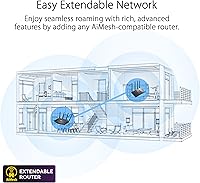
  • AiMesh support means the router can anchor a whole-home mesh network if coverage needs grow.
  • Firmware updates have continued reliably years after launch, which is genuinely uncommon in this product category.
  • The Aura RGB lighting is customizable and well-integrated for buyers who want the router visible on a desk.
  • Instant Guard VPN is accessible enough for non-technical users to actually use when traveling.
  • Four Gigabit LAN ports cover wired connections for consoles, PCs, and smart TVs without needing a separate switch.

Cons

  • Coverage drops off meaningfully in larger or multi-story homes, often requiring additional hardware to compensate.
  • The router runs noticeably warm under sustained heavy load and needs clear airflow to stay comfortable long-term.
  • VPN throughput is limited by the processor, making it unsuitable for fast encrypted remote work connections.
  • USB NAS performance is adequate for basic file sharing but too slow for media-heavy or large-file workflows.
  • The app can lose its connection to the router when switching between cellular and home WiFi on a mobile device.
  • Some advanced settings are only fully accessible through the browser-based dashboard, not the app.
  • Mobile Game Mode prioritizes traffic broadly rather than per device, which can reduce speeds for other users.
  • Content filtering in parental controls occasionally catches legitimate sites in overly broad category blocks.
  • The gaming aesthetic is polarizing and does not suit buyers who want a low-profile router for a living space.
  • Certain firmware updates have caused minor configuration resets for a subset of long-term users.

Ratings

The ASUS RT-AX82U earns strong marks across most categories based on AI analysis of thousands of verified global user reviews, with spam, bot activity, and incentivized feedback actively filtered out before scoring. This gaming router lands in a competitive mid-range position where it genuinely delivers on several fronts, though a few real-world limitations keep it from a clean sweep. Both its standout strengths and honest shortcomings are reflected in the scores below.

Wireless Performance
88%
Users consistently report a noticeable jump in throughput after switching from WiFi 5 routers, particularly when several devices are active at once. Multiplayer gaming sessions and simultaneous 4K streams coexist with far less interference than on older hardware, which is exactly what this router promises.
Peak speeds are achievable mainly when devices are close to the router and the 5 GHz band is uncrowded. At longer distances or through multiple walls, real-world throughput drops more than some buyers expect for a WiFi 6 device at this price tier.
Gaming Latency
91%
Gamers switching from budget or aging routers consistently call out a tangible drop in ping, particularly in fast-paced titles where a few milliseconds matter. The dedicated gaming port and traffic prioritization features mean console and PC players notice the difference without touching any advanced settings.
The latency advantage is most pronounced on wired connections and the prioritized wireless band. Users on the secondary 2.4 GHz band or at the edge of the router's range report a less dramatic improvement, and the Mobile Game Mode occasionally needs toggling off and back on after firmware updates.
Setup & Ease of Use
93%
The ASUS Router app is frequently cited as one of the better companion apps in this category, guiding new users through configuration in well under fifteen minutes. Even buyers with no prior networking experience report getting online quickly and locating key settings without frustration.
Advanced features like VPN configuration and AiMesh node addition require a bit more digging through menus, and a small number of users on older Android versions encountered app stability hiccups during initial setup. The web interface is powerful but can feel cluttered for those who just want simple controls.
Range & Coverage
71%
29%
For apartments, condos, and smaller single-story homes, coverage is generally solid with few dead zones. Users in these environments rarely feel the need for additional nodes, and the 5 GHz signal holds up reasonably well in open floor plans up to a medium-sized house.
In larger multi-story homes or properties with thick concrete walls, coverage falls short of what buyers at this price expect. This is the most common complaint in long-form reviews, and while AiMesh expansion fixes the problem, it adds cost that buyers should factor in upfront.
Build Quality & Design
82%
18%
The angular gaming aesthetic and Aura RGB lighting make it one of the more visually distinctive routers in its class, and owners who display it on a desk rather than hiding it in a closet genuinely appreciate the look. The chassis feels solid, with no flex or loose ports out of the box.
The router runs noticeably warm during extended heavy use, which a subset of buyers flag as a concern. It is not thermal throttling in most reported cases, but placing it in an enclosed cabinet or cramped space without airflow is not advisable and may affect long-term reliability.
Security Features
92%
AiProtection Pro is a standout inclusion because comparable routers typically charge a recurring fee for equivalent threat protection. Real-time malicious site blocking, intrusion prevention, and granular parental controls all work without any ongoing subscription, which long-term owners consistently highlight as a genuine value differentiator.
AiProtection Pro relies on Trend Micro signature updates, so protection quality depends on staying current with firmware. A small number of users have noted that overly aggressive filtering occasionally blocks legitimate traffic, requiring manual whitelisting that non-technical users may find unintuitive.
App & Software Experience
84%
The ASUS Router app covers the essentials well — traffic monitoring, device prioritization, guest network management, and Mobile Game Mode toggling are all accessible from the home screen. Long-term owners particularly appreciate the continued feature additions over the router's lifespan.
Occasional app disconnections from the router when switching between mobile data and home WiFi are a recurring minor irritant. The app can also lag behind firmware features, meaning some advanced settings still require logging into the browser-based dashboard to access fully.
Firmware & Update Reliability
86%
ASUS has maintained a consistent firmware update cadence for this model well beyond its 2020 launch, which is genuinely appreciated in a product category where support often dries up within a year or two. Security patches in particular arrive promptly relative to industry norms.
A small minority of users have experienced a configuration reset or minor setting loss after certain firmware updates, which is disruptive even if infrequent. Auto-update notifications could be clearer about what each update changes, as the release notes are sometimes sparse.
VPN Performance
74%
26%
Instant Guard makes setting up a personal VPN genuinely accessible to non-technical users — sharing access with a family member takes seconds, and the one-tap activation on the app is about as frictionless as it gets for a router-level VPN solution.
VPN throughput is noticeably throttled compared to raw WAN speeds, which is a hardware limitation at this processor tier rather than a software issue. Power users expecting full-speed encrypted tunneling will hit a ceiling that more expensive routers with dedicated VPN processors handle better.
AiMesh & Mesh Capability
83%
AiMesh compatibility is a real differentiator for buyers in smaller spaces who want the option to expand later without replacing their entire setup. Pairing with another compatible ASUS router is straightforward, and the unified network handles device roaming between nodes reliably.
Mesh performance is only as good as the backhaul connection between nodes, and this router lacks a dedicated wireless backhaul, meaning a wired Ethernet backhaul is strongly recommended for best results. Buyers in apartments may not have that option, limiting the practical upside of mesh expansion.
Value for Money
81%
19%
When the bundled AiProtection Pro subscription value is factored in alongside WiFi 6 capability and solid gaming-specific features, the overall package represents genuine mid-range value. Buyers who have owned it for two or more years consistently say it has held up well relative to its purchase price.
At its standard retail price, it competes against some very capable alternatives, and budget-conscious buyers can find WiFi 6 routers with comparable raw speeds for less. The RGB lighting and gaming branding add a small aesthetic premium that purely performance-focused buyers may not want to pay for.
USB & NAS Functionality
66%
34%
The single USB 3.0 port works reliably for basic network-attached storage, letting users share a drive across the home network without needing a dedicated NAS device. Printer sharing also functions as advertised for users with compatible hardware.
Transfer speeds over the USB port are adequate but not fast enough for media-heavy workflows or large file transfers where time matters. Users hoping to run a proper home media server off this port tend to find the throughput limiting compared to a dedicated NAS solution.
Mobile Game Mode
78%
22%
Mobile gamers on titles like competitive shooters and MOBAs report a perceptible reduction in lag spikes when Mobile Game Mode is active, and the one-tap toggle in the app makes it practical to use rather than something buried in settings nobody touches.
The feature prioritizes mobile traffic across the board rather than on a per-device or per-game basis, which can temporarily reduce speeds for other users on the network. It also occasionally needs to be toggled off and on again after the router reboots to register correctly.
Parental Controls
77%
23%
AiProtection Pro includes time scheduling, content filtering by category, and per-device blocking that covers the basics well for most family households. Parents who have used subscription-based parental control services will find the built-in toolset surprisingly capable at no extra cost.
The content category filtering can be blunt — some educational sites get caught in overly broad filters, and the granularity of scheduling options is not quite on par with dedicated parental control platforms. Tech-savvy teenagers with their own devices can sometimes route around it without much effort.

Suitable for:

The ASUS RT-AX82U is a strong fit for households where multiple people are competing for bandwidth at the same time — think two people gaming online while someone else is on a video call and another TV is streaming in 4K. It is particularly well-suited to anyone still running a WiFi 5 router who wants a meaningful performance upgrade without jumping to a tri-band flagship. Renters and people in apartments or smaller homes will get solid coverage from a single unit, and the AiMesh compatibility means upgrading to a multi-node setup later is straightforward if the need arises. Console and PC gamers who want lower latency without spending hours configuring QoS rules will appreciate how much the router handles automatically. Families who want built-in content filtering and threat protection without paying a separate monthly subscription to a security service will also find real value here that is easy to overlook at first glance.

Not suitable for:

Buyers with larger homes — multi-story houses, properties with thick walls, or layouts that stretch beyond what a single router can comfortably cover — may find the ASUS RT-AX82U frustrating unless they budget for additional AiMesh nodes from the start. Power users who need high-throughput VPN tunneling will hit a ceiling that this processor tier cannot overcome, making it a poor match for remote workers relying on fast encrypted connections to corporate networks. Anyone hoping to use the USB port as a proper home media server or high-speed NAS will find transfer rates underwhelming for that workload. The gaming aesthetic and RGB lighting, while well-executed, are not for everyone — buyers who prefer a discreet router that blends into a living room shelf will likely be put off. Finally, users in truly large or complex environments who need tri-band backhaul, dedicated wireless uplink channels, or enterprise-level traffic management should look at higher-tier hardware from the outset rather than trying to work around this router's limitations.

Specifications

  • WiFi Standard: Supports WiFi 6 (802.11ax) along with legacy 802.11a/b/g/n/ac devices for full backward compatibility.
  • Frequency Bands: Dual-band operation covers both the 2.4 GHz and 5 GHz bands simultaneously for flexible device distribution.
  • Max Throughput: Combined aggregate wireless speed reaches up to 5400 Mbps across both bands under optimal conditions.
  • 5 GHz Channel Width: Supports 160 MHz channel width on the 5 GHz band, enabling higher peak speeds for compatible client devices.
  • Processor: A 1.5 GHz tri-core processor manages routing, security processing, and traffic prioritization concurrently.
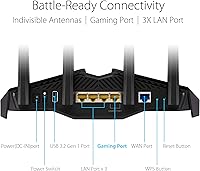
  • LAN Ports: Four Gigabit Ethernet LAN ports provide wired connectivity for consoles, PCs, smart TVs, and switches.
  • WAN Port: One Gigabit Ethernet WAN port connects to the incoming modem or ISP gateway.
  • USB Port: One USB 3.0 port supports external storage devices for basic network-attached storage and printer sharing.
  • Security Suite: AiProtection Pro, powered by Trend Micro, provides real-time malicious site blocking, intrusion prevention, and parental controls at no subscription cost.
  • VPN: Instant Guard creates a one-click personal VPN tunnel shareable with others, designed for use on public or untrusted networks.
  • Mesh Support: AiMesh compatible, allowing this router to pair with other supported ASUS routers to form a unified whole-home mesh network.
  • RGB Lighting: ASUS Aura RGB lighting is built into the chassis with multiple customizable effects controllable via the ASUS Router app.
  • App Control: The ASUS Router app on iOS and Android provides full remote management including Mobile Game Mode, traffic monitoring, and guest network control.
  • Mobile Game Mode: A single tap in the ASUS Router app activates Mobile Game Mode, which elevates mobile device traffic priority to reduce in-game latency.
  • Dimensions: The router measures 10.96 x 7.26 x 6.5 inches, making it a medium-to-large unit that needs adequate desk or shelf space.
  • Weight: Unit weighs 1.17 pounds without cabling or power adapter attached.
  • Power Input: Operates on 110 Volts AC via the included power adapter.
  • OS Compatibility: Management interfaces support Apple iOS, Android, Microsoft Windows, Mac OS, and Linux operating systems.
  • Color: Available in Black as the standard colorway for this model.
  • In the Box: Package includes the router, power adapter, RJ-45 Ethernet cable, Quick Start Guide, and warranty card.

Related Reviews
ASUS RT-AX55
ASUS RT-AX55
88%
91%
Wireless Speed
84%
Signal Coverage
88%
Device Handling Capacity
95%
Ease of Setup
90%
Security Features
More
ASUS RT-AX57 Go
ASUS RT-AX57 Go
86%
94%
Setup & Installation
91%
WiFi Performance
97%
Portability
89%
VPN & Security Features
88%
Connectivity Options
More
ASUS RT-BE58U WiFi 7 Router

80%
83%
Wireless Performance
81%
Range & Coverage
91%
Setup & Ease of Use
88%
Security Features
86%
Smart Home & IoT Management
More
ASUS AC1750 WiFi Router RT-ACRH18
83%
84%
WiFi Performance
92%
Setup & Installation
88%
Range Coverage
90%
Parental Controls
80%
Multi-Device Handling
More
ASUS RT-AX57 WiFi 6 Router
86%
88%
WiFi Performance
91%
Setup & Installation
93%
Security Features
85%
Network Stability
75%
Coverage Range
More
ASUS RT-AXE7800 WiFi 6E Router
85%
91%
Performance & Speed
89%
Ease of Setup
82%
WiFi Range
94%
Security Features
88%
Compatibility with Devices
More
ASUS RT-BE82U WiFi 7 Router
84%
92%
Wi-Fi Performance
89%
Speed & Connectivity
91%
Security Features
74%
Ease of Setup
88%
Build Quality
More
ASUS RT-BE86U WiFi 7 Router
85%
92%
WiFi Performance
89%
Speed & Throughput
91%
Security Features
85%
Ease of Setup
68%
Firmware Stability
More
ASUS RT-AX86U WiFi 6 Router
87%
94%
Performance
88%
Ease of Setup
93%
Gaming Experience
90%
WiFi Coverage
91%
Security Features
More
Asus RT-AC1200 Wireless Dual-Band Router
83%
85%
Wi-Fi Performance
91%
Ease of Setup
78%
Coverage Range
88%
Parental Controls
81%
Streaming & Gaming Performance
More

FAQ

No, AiProtection Pro is fully included at no ongoing cost. That covers real-time threat scanning, malicious site blocking, and parental controls — features that several competing routers charge a monthly or annual fee to unlock. You just need to activate it through the app or web dashboard.

It is genuinely one of the easier routers to set up in this category. The ASUS Router app walks you through the process step by step, and most users report being fully online in under fifteen minutes. You do not need to touch the web interface at all for a standard home setup.

It can struggle in larger multi-story homes, particularly if there are thick walls or the layout is spread out. For a smaller home or apartment it performs well as a single unit, but if you have a bigger space you should budget for at least one additional AiMesh-compatible node to fill in the gaps.

Mobile Game Mode bumps your mobile devices to a higher traffic priority so they get first access to bandwidth during busy periods. It is most noticeable in competitive mobile games where a spike in latency can cost you a match. It is easy to toggle on and off from the app, so it is worth trying and keeping enabled if you play mobile games regularly.

This router supports standard WiFi 6 (802.11ax) only and does not include a 6 GHz band, so it is not WiFi 6E. If the 6 GHz band is important for your setup, you would need to look at a newer model in ASUS's lineup.

It can function as either the primary router or as a node within a larger AiMesh system. This gives you flexibility if your networking needs change over time or if you already have other AiMesh-compatible hardware in your home.

It does run warm under sustained heavy use, which is worth knowing upfront. As long as you place it somewhere with reasonable airflow — not inside a closed cabinet or stacked under other equipment — most users find it operates without issues. Treating it like any other performance router and giving it breathing room is all it really needs.

The lighting is fully customizable through the ASUS Router app, and you can switch it off entirely if you prefer. For buyers who do not want a glowing router, disabling the lights completely takes about ten seconds in the app.

For light use — sharing a drive between a few household computers or backing up files occasionally — it works fine. Where it falls short is speed: transfers of large files like video libraries take considerably longer than they would on a dedicated NAS device. If network storage is a primary need rather than a secondary one, you may want a separate solution.

It works as a standard router with virtually any ISP and modem combination. You connect your modem to the WAN port and proceed with setup as normal. There are no ISP-specific restrictions, and it is compatible with cable, fiber, and DSL gateways that offer an Ethernet handoff.