Overview

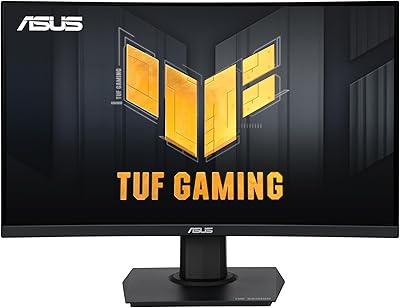
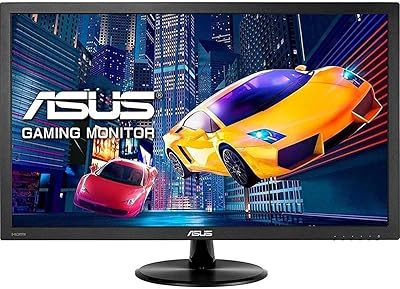
The ASUS VG249Q1A 23.8-inch Gaming Monitor sits comfortably in the sweet spot between budget and mid-range, offering an IPS panel at a price where most rivals default to TN. That matters — IPS brings noticeably better color accuracy and wider viewing angles than TN alternatives at this tier. The TUF Gaming sub-brand has built a reputation for reliable, no-nonsense hardware aimed at everyday players who want real performance without a premium markup. The 23.8-inch footprint fits most standard desks without dominating them. Launched in late 2020, this 165Hz IPS display has aged well and remains a credible pick in an increasingly competitive market.
Features & Benefits

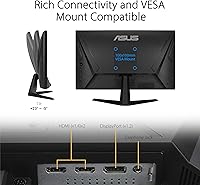
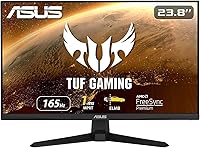
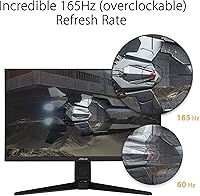
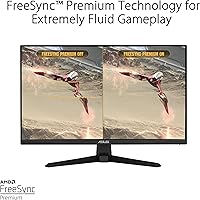
The VG249Q1A runs at 165Hz when overclocked — the native cap is 144Hz, so manage expectations accordingly. Both figures represent a dramatic improvement over 60Hz, though the jump from 144 to 165 is subtle. The advertised 1ms response time refers to MPRT, not GtG pixel switching speed. MPRT measures perceived motion blur, and critically, it cannot run simultaneously with FreeSync — you pick one or the other. On the sync side, FreeSync Premium also supports NVIDIA Adaptive-Sync, which is genuinely practical for a wide range of GPU owners. Shadow Boost helps reveal detail in darker game environments, and connectivity includes two HDMI 1.4 ports, DisplayPort 1.2, and VESA mount support for arm setups.

Best For

This ASUS TUF gaming monitor makes the most sense for competitive FPS players — CS2, Valorant, Apex — where high refresh rate and motion clarity outweigh the need for higher resolution. It is a particularly strong choice for anyone upgrading from a 60Hz panel for the first time; the smoothness difference is immediately obvious. Dual HDMI inputs make console-and-PC switching practical without constant cable swapping. It also fits naturally into multi-monitor setups where IPS color consistency across panels is a real advantage. The compact frame keeps desk clutter low. That said, buyers who need full ergonomic adjustability should budget for an aftermarket monitor arm, since the stock stand only tilts.

User Feedback

Across a large base of verified buyers, the VG249Q1A earns consistent praise for smooth, responsive gameplay and solid IPS color quality given its price tier. Setup is simple and quick, which buyers appreciate. The criticisms that surface repeatedly are worth knowing upfront: the stand only tilts, with no height or swivel adjustment, which frustrates users in longer sessions. Built-in speakers are widely considered underpowered and little more than a fallback. A recurring point of confusion involves ELMB and FreeSync running mutually exclusively, leaving some buyers feeling the spec sheet oversells the combination. Backlight bleed complaints appear occasionally but seem isolated. The strong overall rating reflects buyers who wanted a capable 1080p gaming panel and received exactly that.

Pros

  • IPS panel delivers noticeably better color accuracy than TN competitors at a similar price.
  • The 165Hz refresh rate makes fast-paced gameplay feel genuinely smooth and responsive.
  • FreeSync Premium works with both AMD and NVIDIA GPUs, covering almost every buyer.
  • Dual HDMI inputs make switching between a PC and console quick and cable-free.
  • Shadow Boost helps reveal hidden detail in dark game environments without washing out bright areas.
  • VESA 100x100mm compatibility lets you mount it on any standard monitor arm.
  • Setup is straightforward — most buyers report being up and running within minutes.
  • The 23.8-inch footprint fits comfortably on most standard desks without crowding the space.
  • Solid long-term reliability based on user feedback, with few reports of hardware failures over time.

Cons

  • The stand only tilts — no height adjustment or swivel, which is a real ergonomic compromise for longer sessions.
  • ELMB and FreeSync cannot run at the same time, so you have to choose one or the other.
  • The 165Hz figure requires overclocking; native refresh rate is 144Hz, which is worth knowing upfront.
  • HDMI ports are version 1.4 only, limiting bandwidth and ruling out high-refresh connections from newer devices.
  • No HDR support, which is increasingly common even on budget displays at this price level.
  • Built-in speakers are weak and barely serviceable — external audio is essentially required for any serious use.
  • 1080p resolution starts to show its limits on a screen this size if you sit close or do detail-heavy work.
  • Some units show mild backlight bleed in corners, particularly noticeable on dark scenes or loading screens.
  • The VG249Q1A includes no USB hub, which is a missed convenience given how many rivals offer it.

Ratings

The scores below for the ASUS VG249Q1A 23.8-inch Gaming Monitor were generated by AI after analyzing thousands of verified global buyer reviews, with spam, bot submissions, and incentivized feedback actively filtered out. Each category reflects the honest balance of real-world praise and recurring frustrations — nothing is smoothed over to look better than it is. Where buyers consistently disagreed, that tension is captured in the scores.
Refresh Rate Performance
88%
Buyers coming from 60Hz panels consistently describe the jump to this display as immediately transformative — fast-paced FPS titles like Valorant and CS2 feel noticeably sharper and more responsive. The 165Hz overclock holds stable for most users under normal gaming conditions.
It is worth noting that 165Hz here is an overclock from a 144Hz native panel, and a small number of users report occasional instability at the overclocked setting depending on their GPU and cable combination. The difference between 144 and 165Hz is subtle enough that many buyers would not miss it.
Image & Color Quality
83%
The IPS panel delivers a visible color accuracy advantage over the TN monitors that dominate this price bracket — colors look natural and consistent whether you are gaming or watching content. Viewing angles are wide enough that colors hold up even in multi-monitor arrangements where the display sits at a slight angle.
Out-of-the-box calibration is adequate but not particularly refined; some buyers find the default color temperature slightly cool and spend time dialing in settings. For creative or color-sensitive work, this panel is not a substitute for a purpose-built display.
Motion Clarity
79%
21%
With FreeSync Premium active, fast scenes in shooters and racing games track cleanly without obvious tearing or stuttering, even at mid-range frame rates. Most buyers find the overall motion experience clean and competitive for the price.
The 1ms spec refers to MPRT via ELMB — a backlight strobing technique — not the panel's actual GtG pixel response, which is slower. Critically, ELMB and FreeSync cannot run together, so buyers must choose one or the other, which is a limitation that frustrates users who expected both to work simultaneously.
Connectivity
76%
24%
Having two HDMI inputs is genuinely practical — it makes switching between a PC and a console straightforward without needing an external switch. The included DisplayPort cable is a useful touch that many competitors leave out of the box.
Both HDMI ports are version 1.4, which limits bandwidth and prevents higher refresh rates or resolutions over HDMI from newer devices. The absence of a USB hub is also a noticeable gap compared to similarly priced rivals that include at least a basic USB passthrough.
Adaptive Sync (FreeSync / G-Sync)
84%
Broad GPU compatibility is one of this monitor's genuine strengths — FreeSync Premium covers AMD hardware while Adaptive-Sync support extends variable refresh to NVIDIA GeForce cards as well, making it a practical choice regardless of which GPU brand a buyer owns. In everyday gaming this keeps frame delivery smooth across a wide range of hardware configurations.
NVIDIA Adaptive-Sync support requires a DisplayPort connection specifically, and some buyers are caught off guard when it does not activate over HDMI. The interaction between ELMB and FreeSync being mutually exclusive remains a recurring point of confusion and disappointment in user feedback.
Ergonomics & Stand
47%
53%
The stand is sturdy enough that the monitor does not wobble during desk use, and the tilt range covers the basics for a standard seated position. VESA compatibility means buyers are not locked into the stock stand if they want to upgrade.
Tilt-only adjustment is a genuine ergonomic shortcoming — there is no height, swivel, or pivot, which makes long work or gaming sessions uncomfortable for many users who cannot align the screen to eye level without propping it up manually. This is one of the most consistent pain points across buyer reviews and a real cost-cutting compromise at this tier.
Build Quality
74%
26%
The chassis feels solid for the price bracket — plastics are matte-finished and do not flex noticeably when the display is adjusted or transported. The overall construction aligns with what buyers typically expect from the ASUS TUF Gaming sub-brand: functional and durable rather than premium.
The rear panel has a modest gamer aesthetic that not everyone finds tasteful in a clean desk setup or office environment. There are isolated reports of backlight bleed along the corners, which appears to be a panel lottery issue rather than a systemic defect.
Audio (Built-in Speakers)
31%
69%
The built-in speakers do function and can handle system notification sounds or background audio at low volumes without issue. For buyers who simply need something to emit sound in a pinch, they are there.
Volume output is weak, bass is essentially absent, and audio clarity deteriorates noticeably at anything above minimal volume. The overwhelming consensus among buyers is that these speakers are not usable for gaming or media consumption — external audio is not optional, it is necessary.
Shadow Boost Effectiveness
69%
31%
Shadow Boost is a legitimately useful feature for dark-environment games — buyers who play titles with heavily shadowed environments report being able to spot enemies and navigate areas more easily with it active. It performs its intended role without dramatically altering the look of bright or mid-tone scenes.
The effect is subtle enough that some buyers do not notice a meaningful difference and end up leaving it off. It is also a purely digital post-processing enhancement rather than a true HDR or local dimming improvement, so it has natural limits.
Value for Money
86%
At its price point, the combination of an IPS panel, 165Hz refresh, and broad GPU sync compatibility is difficult to match without spending meaningfully more. Buyers who understand what they are getting — a fast, color-accurate 1080p gaming display — consistently rate the value proposition as strong.
Buyers who expected audiophile speakers, full ergonomic adjustability, or HDR support at this price tier tend to feel shortchanged. The value score holds up specifically for gaming-focused buyers; for anyone with broader display needs, the trade-offs accumulate.
Setup & Ease of Use
91%
Assembly takes under ten minutes for most buyers, and the OSD menu is straightforward to navigate for tasks like enabling 165Hz or adjusting Shadow Boost. The inclusion of a DisplayPort cable in the box removes one immediate friction point.
Enabling the 165Hz overclock requires manually creating a custom resolution in the GPU control panel on some systems, which catches less experienced buyers off guard. The OSD button placement on the rear-bottom edge can also feel slightly awkward to use in day-to-day adjustments.
HDR & Contrast
38%
62%
The IPS panel produces reasonably natural-looking midtones and handles standard dynamic range content well for its class. Buyers who do not actively seek HDR content are generally satisfied with how everyday games and video look.
There is no HDR support whatsoever on this display, and the contrast ratio is typical of IPS technology — blacks appear grey rather than deep, especially noticeable in dark scenes or cinematic content. Buyers who care about immersive, high-contrast visuals will find this a persistent limitation.
Long-term Reliability
81%
19%
The majority of long-term owners report no significant hardware issues over extended use, and ASUS TUF Gaming products generally have a reasonable track record for durability in the budget-to-mid-range category. Dead pixel complaints are present but appear infrequent relative to the review volume.
A subset of users report backlight bleed developing or worsening slightly over time, which is a known characteristic of IPS panels under sustained use. Warranty and after-sales support experiences vary by region, and a few buyers mention difficulty resolving panel quality issues through official channels.

Suitable for:

The ASUS VG249Q1A 23.8-inch Gaming Monitor is a strong fit for competitive PC gamers — particularly those playing fast-paced titles like first-person shooters or battle royale games — where a high refresh rate genuinely matters more than pixel density. Buyers stepping up from a 60Hz display for the first time will immediately feel the difference, and the IPS panel means colors look considerably better than what most TN-based rivals offer at this price point. The dual HDMI inputs make it a convenient choice for anyone switching between a PC and a console at the same desk. It also works well as a secondary or tertiary display in a multi-monitor productivity setup, where color consistency across screens is worth prioritizing. Anyone working with a monitor arm will appreciate the standard VESA mount built right in.
Not suitable for:

The ASUS VG249Q1A 23.8-inch Gaming Monitor is not the right call for buyers who care primarily about image sharpness or visual fidelity — at 1080p on a nearly 24-inch screen, pixel density is noticeably lower than 1440p alternatives, which matters for creative work, fine text, or cinematic gaming. There is no HDR support, so players who want vibrant, high-contrast visuals in newer titles will be left wanting. The tilt-only stand is a real ergonomic limitation for anyone who plans to use this display for long work sessions; without height or swivel adjustment, prolonged use can become uncomfortable unless you invest in a separate arm. The HDMI ports are version 1.4, which caps bandwidth and rules out higher refresh rates over HDMI from newer consoles or GPUs. Anyone expecting audiophile-quality sound from the built-in speakers will be disappointed — they are a last resort, not a listening solution.
Specifications

  • Panel Type: Uses an IPS (In-Plane Switching) panel, offering wider viewing angles and better color consistency than TN alternatives at this price tier.
  • Screen Size: The visible display area measures 23.8 inches diagonally, making it well-suited for standard single or multi-monitor desk setups.
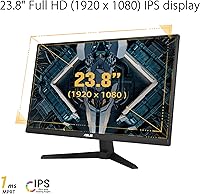
  • Resolution: Native resolution is 1920x1080 (Full HD), with a standard 16:9 aspect ratio and a flat, non-curved screen surface.
  • Refresh Rate: Runs at 144Hz natively and supports an overclocked mode of 165Hz, which must be enabled manually through the OSD or GPU display settings.
  • Response Time: Rated at 1ms MPRT (Moving Picture Response Time) when ELMB is active, which reduces perceived motion blur rather than measuring pixel-level GtG switching speed.
  • Adaptive Sync: Supports AMD FreeSync Premium and NVIDIA Adaptive-Sync (G-Sync Compatible), covering a broad range of discrete GPUs from both manufacturers.
  • Connectivity: Includes two HDMI 1.4 ports and one DisplayPort 1.2 port; no USB hub is present on this model.
  • VESA Mount: Compatible with standard 100x100mm VESA wall mounts and monitor arms, providing ergonomic flexibility beyond the included stand.
  • Stand Adjustment: The included stand supports tilt adjustment only; height, swivel, and pivot adjustments are not available without a third-party arm.
  • Built-in Audio: Two small built-in speakers are included for basic audio output; they are not designed for high-fidelity listening and function best as a fallback option.
  • HDR Support: This display does not carry an official HDR certification or support HDR content rendering.
  • Dimensions: Physical dimensions with the stand are approximately 21.3 x 15.49 x 6.85 inches (W x H x D).
  • Weight: The unit weighs approximately 7.65 pounds with the stand attached.
  • Shadow Boost: Shadow Boost is a proprietary image enhancement mode that selectively brightens dark scene areas to improve visibility without overexposing highlights.
  • Power Supply: Operates on up to 240V and ships with a power cord and adapter in the box.
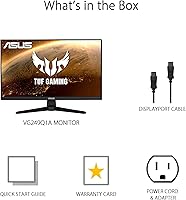
  • In the Box: Package includes a DisplayPort cable, power cord and adapter, warranty card, and a quick start guide; an HDMI cable is not included.
  • Surface Finish: The screen has a flat, anti-glare matte surface treatment to reduce reflections in typical office or gaming lighting conditions.

Related Reviews
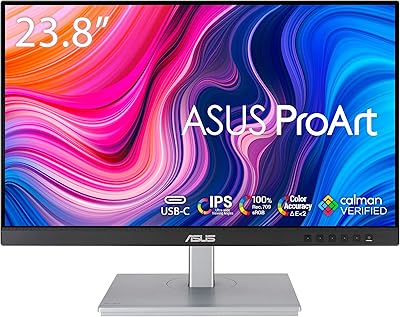
ASUS ProArt Display PA247CV 23.8-inch Monitor
86%
94%
Color Accuracy
89%
Display Quality
91%
Ergonomics and Comfort
87%
Connectivity Options
63%
Brightness in Well-Lit Environments
More
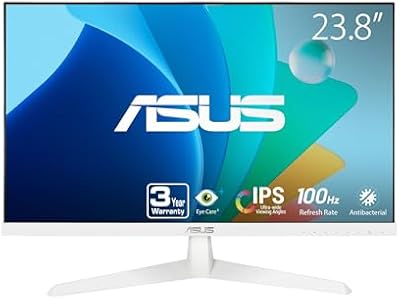
ASUS VY249HF-W 23.8-inch 1080p IPS Monitor
77%
83%
Image Quality
91%
Eye Comfort
78%
Color Accuracy
81%
Refresh Rate & Smoothness
46%
Connectivity
More
ASUS TUF Gaming VG24VQER 24-inch Curved Monitor
78%
91%
Motion Clarity
88%
Refresh Rate Value
83%
Panel Contrast & Blacks
67%
Color Accuracy
84%
Build Quality
More
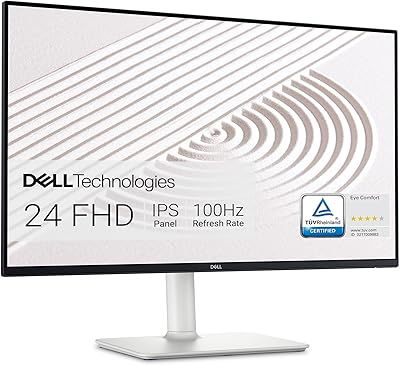
Dell S2425HS 23.8-inch FHD Monitor
84%
88%
Image & Color Accuracy
83%
Refresh Rate & Motion Smoothness
91%
Eye Comfort & Blue Light Reduction
93%
Ergonomics & Stand Adjustability
87%
Build Quality & Materials
More
ASUS BE24EQK 23.8-inch Business Monitor
76%
83%
Built-in Webcam Convenience
76%
Microphone Quality
78%
Display Image Quality
88%
Eye Comfort
81%
Value for Money
More
HP V241ib 23.8″ FHD Monitor
77%
81%
Image Quality
78%
Color Accuracy
84%
Eye Comfort
52%
Ergonomics
74%
Build Quality
More
ASUS VZ279QG1R 27-inch Gaming Monitor
75%
83%
Color Accuracy
71%
Motion Performance
62%
Resolution & Sharpness
88%
Value for Money
79%
Build Quality
More
ASUS VP228HE 21.5-inch Gaming Monitor
71%
83%
Value for Money
74%
Image Quality
71%
Gaming Performance
86%
Eye Care & Comfort
44%
Ergonomics & Stand
More
SKitphrati 23.8-inch Webcam Business Monitor
74%
73%
Webcam Quality
67%
Built-in Microphone
81%
Display Clarity
84%
Refresh Rate & Motion
58%
Built-in Speakers
More
HP 24mh 23.8-inch IPS Monitor
79%
83%
Image Clarity
81%
Color Accuracy
88%
Ergonomics & Stand
71%
Refresh Rate & Motion
63%
Brightness & Glare Handling
More

FAQ

The native refresh rate is 144Hz. To reach 165Hz, you need to enable the overclock manually — either through the monitor's OSD menu or by setting a custom resolution in your GPU control panel. It works, but it is worth knowing the distinction upfront rather than assuming 165Hz is the out-of-box default.

No — these two features are mutually exclusive on the VG249Q1A. ELMB (which enables the 1ms MPRT spec) and FreeSync Premium cannot be active simultaneously. You will need to decide which matters more to you based on how you play; most competitive gamers tend to prioritize FreeSync for tear-free framing over ELMB.

It works with NVIDIA as well. The monitor supports Adaptive-Sync over DisplayPort, which is compatible with NVIDIA GeForce GTX 10 series, GTX 16 series, RTX 20 series, and newer cards. Just make sure you are connecting via DisplayPort rather than HDMI to use variable refresh rate with NVIDIA hardware.

The box includes a DisplayPort cable, a power cord with adapter, a warranty card, and a quick start guide. An HDMI cable is not included, so if you plan to connect via HDMI, you will need to supply your own.

The included stand only supports tilt adjustment. There is no height, swivel, or pivot functionality built in. If ergonomics matter to you — particularly for longer work or gaming sessions — picking up a VESA monitor arm is a practical upgrade, since the display does support standard 100x100mm mounting.

It is a reasonable choice for console use, particularly because it has two HDMI inputs, making it easy to connect both a console and a PC without swapping cables. Keep in mind the HDMI ports are version 1.4, which caps bandwidth — consoles that output above 1080p or at high refresh rates over HDMI may not hit their maximum potential through this display.

Based on user feedback, backlight bleed is not a widespread or consistent issue — most buyers do not mention it at all. There are occasional reports of mild bleed in corners, which tends to show up on very dark scenes or during loading screens with black backgrounds. Panel-to-panel variation exists, as it does with almost any IPS display at this price level.

They work, but only just. The built-in speakers are fine for basic system audio or a background video, but they lack volume, bass, and clarity for any serious gaming or media use. Most people who buy this monitor already have headphones or external speakers, and that is the right approach — treat the built-in audio as an emergency fallback rather than a real feature.

No, the VG249Q1A does not carry any HDR certification and does not support HDR content rendering. If HDR is important for your gaming or media setup, you will need to look at a different display.

It depends on what you are doing and what GPU you have. For competitive gaming — where you want to push frame rates well above 100fps — 1080p is easier to drive and keeps the refresh rate advantage accessible on mid-range hardware. For slower-paced games, creative work, or if you sit close to your screen, the lower pixel density at 24 inches becomes noticeable, and a 1440p panel would serve you better. Know your priorities before deciding.

Where to Buy