ASUS BE24EQK 23.8-inch Business Monitor

Overview
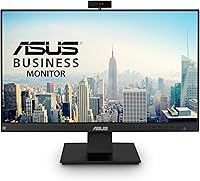
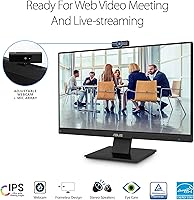
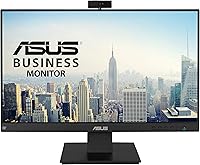
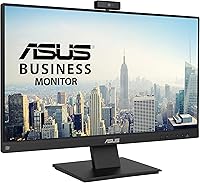
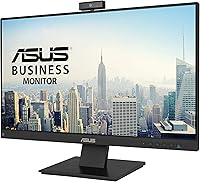
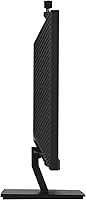
The ASUS BE24EQK 23.8-inch Business Monitor is built squarely around the demands of remote work and video conferencing, not gaming benchmarks or creative color accuracy. ASUS has a solid track record in the monitor space, and this all-in-one desk display reflects that practical, no-nonsense engineering approach. The 23.8-inch IPS panel delivers 1080p resolution with a frameless design that keeps your workspace tidy. What separates it from standard office screens is what is packed in: a webcam, mic array, and stereo speakers all in one unit. Just calibrate your expectations — this is a workhorse for professionals and students, not a tool for color-grading or high-refresh gaming.
Features & Benefits
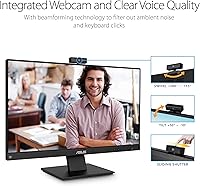
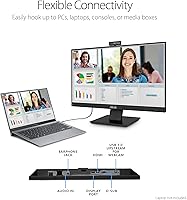
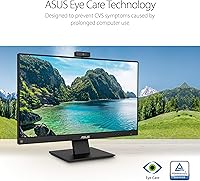
The built-in 2MP webcam is the headline feature here, and it does exactly what it promises — plug in, and you are on camera without hunting for a USB clip-on. The adjustable mount lets you angle it comfortably for most desk setups. The beamforming mic array is a genuine highlight for a built-in solution; it cuts through keyboard noise and ambient distractions noticeably well. The IPS panel covers 178-degree viewing angles with a matte coating that handles glare without fuss. DisplayPort and HDMI inputs give you connectivity flexibility, and the Eye Care technology — flicker-free with low blue light — is quietly appreciated across long workdays.
Best For
This business monitor is a natural fit for remote workers who spend most of their day on video calls and want a cleaner, less cable-dependent desk. Students navigating hybrid learning will appreciate the all-in-one convenience — no separate webcam budget required. Home office users upgrading from a laptop screen get conferencing tools included from day one. Where this all-in-one desk display starts to feel limited is with users demanding sharp pixel density for photo work or dense spreadsheets at a glance; 1080p at 24 inches is functional, but anyone coming from a higher-resolution screen will notice the step down.
User Feedback
With a 4.1-star rating across more than 600 reviews, this business monitor earns consistent praise for convenience and display clarity. Buyers regularly highlight how much they value having a camera and mic built in — fewer cables, fewer devices on the desk. The plug-and-play setup gets positive nods too, with most users reporting it works without driver headaches. The main criticism centers on webcam limitations: it handles routine video calls well, but buyers expecting broadcast-level sharpness will find 2MP underwhelming. Some reviewers also wish the stand offered a wider ergonomic adjustment range. Overall, it delivers solidly for the audience it was clearly designed for.
Pros
- Built-in 2MP webcam removes the need to buy, mount, or cable a separate camera.
- The beamforming mic array handles keyboard noise and ambient sound better than most built-in solutions.
- IPS panel delivers accurate, consistent colors across wide viewing angles — great for side-by-side collaboration.
- Matte anti-glare coating keeps the screen usable near windows without constant repositioning.
- Frameless bezels make it a clean fit in a multi-monitor arrangement.
- Eye care technology with flicker-free and low blue light genuinely reduces strain during marathon work sessions.
- Both DisplayPort and HDMI inputs give you real flexibility across different laptops and desktops.
- Plug-and-play setup means most users are up and running within minutes of unboxing.
- At its price point, consolidating display, webcam, mic, and speakers into one unit offers solid overall value.
- The 4.1-star rating across 600-plus buyers reflects consistent real-world satisfaction for its intended use case.
Cons
- 2MP webcam resolution is functional for calls but will disappoint anyone used to a dedicated HD or 4K webcam.
- 1080p resolution may feel noticeably soft for users coming from a QHD or higher-resolution display.
- Stand ergonomics are basic — height and pivot adjustability fall short of what dedicated office monitors offer.
- Built-in stereo speakers are adequate for calls but lack the depth for comfortable long-form audio or media.
- No USB hub functionality means no added convenience for connecting peripherals through the display.
- At 23.8 inches, screen real estate can feel tight when working with multiple windows or large spreadsheets.
- The design has been on the market since 2020, meaning newer competing displays offer more modern feature sets at similar prices.
- Cable management options on the stand are minimal, which partly offsets the clutter reduction from built-in peripherals.
Ratings
The scores below reflect an AI-driven analysis of verified global buyer reviews for the ASUS BE24EQK 23.8-inch Business Monitor, with spam, bot activity, and incentivized feedback actively filtered out to surface genuine user sentiment. This all-in-one desk display earns strong marks where it promises most — convenient conferencing and eye-friendly daily use — while the data also surfaces real frustrations that buyers should weigh before purchasing. Both sides of the experience are represented transparently here.
Built-in Webcam Convenience
Microphone Quality
Display Image Quality
Eye Comfort
Value for Money
Setup & Plug-and-Play
Build Quality
Stand Ergonomics
Speaker Performance
Connectivity Options
Webcam Video Quality
Frameless Design
Glare Handling
Long-session Comfort
Suitable for:
The ASUS BE24EQK 23.8-inch Business Monitor is a strong match for remote workers who spend the bulk of their day on video calls and want to simplify their desk setup without buying separate peripherals. If you are working from a spare bedroom or a compact home office, having the webcam, mic, and speakers integrated into a single display genuinely reduces cable clutter and saves real money compared to buying each component individually. Students in hybrid learning environments will find it particularly practical — it covers every communication tool a virtual classroom demands without requiring a large budget or technical setup. Small business owners outfitting a home office on a reasonable budget will appreciate the plug-and-play nature; there is no driver wrestling or compatibility guesswork. Anyone upgrading from a laptop screen who wants a larger display and conferencing tools in one shot will feel the immediate quality improvement in both screen real estate and call experience.
Not suitable for:
The ASUS BE24EQK 23.8-inch Business Monitor is not the right choice for users who demand high visual fidelity in their daily work. Photographers, video editors, and designers who rely on accurate color reproduction will find a 1080p IPS panel without professional color calibration too limiting for critical work. Gamers looking for high refresh rates or fast response times should look elsewhere entirely — this display was never designed for that audience. Power users who already own a quality standalone webcam may find the built-in 2MP camera redundant and underwhelming compared to what they are used to. If you frequently work with dense data, fine typography, or multiple windows side by side, the 1080p resolution at 24 inches can start to feel cramped compared to a QHD or 4K alternative. Users who need extensive ergonomic adjustment — particularly height range or pivot rotation — may also find the stand less accommodating than expected.
Specifications
- Screen Size: The display measures 23.8 inches diagonally, offering a comfortable working area suited to single or dual-monitor desk arrangements.
- Resolution: The panel renders at 1920x1080 Full HD, delivering clear text and images for everyday business and communication tasks.
- Panel Type: An IPS panel is used, providing consistent color accuracy and wide viewing angles compared to standard TN displays.
- Viewing Angle: Horizontal and vertical viewing angles both reach 178 degrees, meaning image quality holds up even when viewed from off-center positions.
- Brightness: Typical brightness is rated at 300 cd/m², which is adequate for well-lit indoor office and home environments.
- Display Surface: The screen uses a matte anti-glare coating that reduces reflections from overhead lighting and nearby windows during work hours.
- Built-in Webcam: An adjustable 2MP Full HD webcam is integrated into the top bezel, supporting video conferencing without a separate external camera.
- Microphone: A beamforming microphone array with echo cancellation technology is built in, designed to reduce ambient noise and improve call clarity.
- Speakers: Stereo speakers are integrated into the monitor chassis, handling call audio and basic media playback without external hardware.
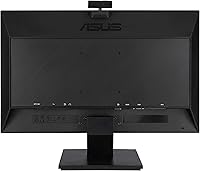
- Connectivity: The monitor includes one DisplayPort and one HDMI input, covering the most common connection types across laptops and desktop systems.
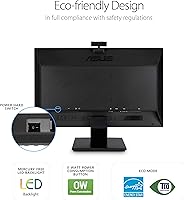
- Eye Care: ASUS Eye Care technology includes both flicker-free operation and low blue light output, with TUV Rheinland certification validating these claims.
- Aspect Ratio: The standard 16:9 widescreen aspect ratio is used, which aligns with most productivity software layouts and video call interfaces.
- Design: Frameless bezels on three sides give the monitor a clean, modern profile that suits side-by-side multi-monitor configurations.
- Color: The monitor is finished in black, with a build quality consistent with ASUS mid-range business product lines.
- Dimensions: The assembled unit measures approximately 6 x 24.02 x 19.5 inches including the stand, fitting comfortably on most standard desks.
- Release Date: This model was first made available in May 2020, positioning it as an established product within the business monitor category.
- User Rating: The monitor holds a 4.1 out of 5 star average rating based on more than 623 verified buyer reviews on Amazon.
Related Reviews
ASUS ProArt PA247CV 23.8-inch Monitor
ASUS VG249Q1A 23.8-inch Gaming Monitor
Dell S2425HS 23.8-inch FHD Monitor
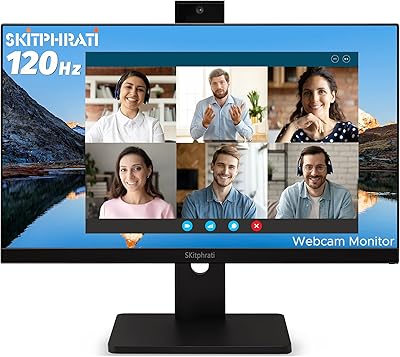
SKitphrati 23.8-inch Webcam Business Monitor
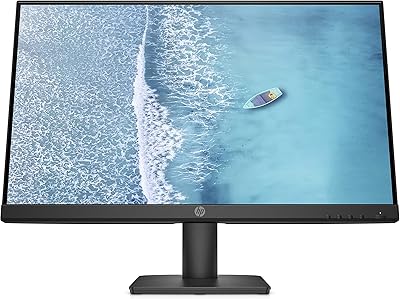
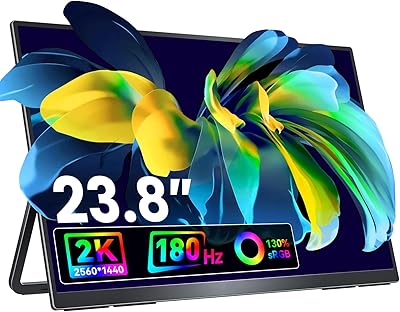
VisionOwl V-Y23QH 23.8-Inch Portable Monitor
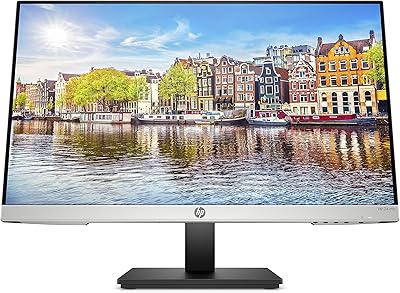
HP 24mh 23.8-inch IPS Monitor
HP Series 5 524sw 23.8-inch FHD Monitor
Futuzen 23.8-inch 1080p 100Hz IPS Monitor