Overview

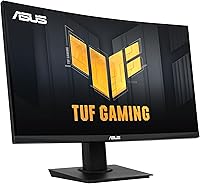
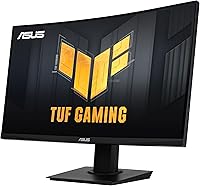
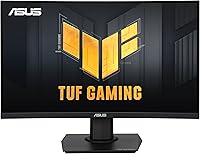
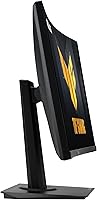
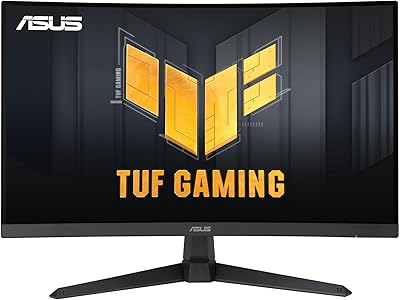
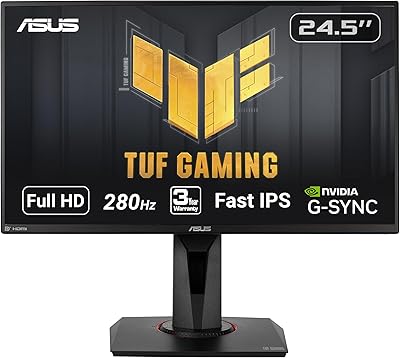
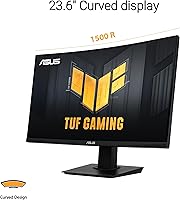
The ASUS TUF Gaming VG24VQER 24-inch Curved Monitor sits in a sweet spot for anyone stepping up from a basic flat panel without spending flagship money. The 1500R curve on a 23.6-inch screen works well at typical desk distances — you feel the wrap without it feeling overdone. ASUS built the TUF line around durability and consistent performance rather than flashy aesthetics, and that philosophy shows here. What you get is a capable, high-refresh gaming display that handles fast-paced action well. Just go in knowing it prioritizes motion clarity over color precision — it is not the pick for photo editing or color grading work.
Features & Benefits

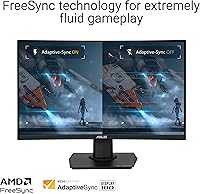
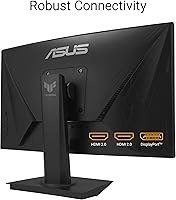
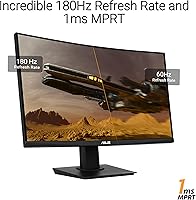
At 180Hz with 1ms MPRT, this curved gaming monitor delivers genuinely smooth motion — the kind that makes older 60Hz panels feel sluggish the moment you switch back. ELMB Sync pairs the motion blur reduction technology with FreeSync variable refresh, which helps, though it works best when your frame rate stays consistently high. Shadow Boost is a practical touch for games with heavy dark scenes; it lifts shadow detail without blowing out bright areas, so you can actually see what you are shooting at. The panel covers 90% of DCI-P3, which is solid for a VA at this price, though color accuracy falls short of what an IPS display would offer. Dual HDMI 2.0 and DisplayPort 1.2 cover most setups cleanly.

Best For

This TUF Gaming display makes a strong case for budget-conscious PC gamers who want 180Hz without reaching into premium territory. FPS players and racing game fans get the most out of it — fast motion stays crisp, and competitive play genuinely benefits from the high refresh rate. The 24-inch size is practical for smaller desks, and the curved panel adds some depth without dominating your field of view. It also works well as a dedicated gaming monitor paired alongside a larger main screen. If you are coming from a 60Hz or 75Hz display, the jump in smoothness will be immediately obvious and hard to go back from.

User Feedback

Buyers broadly praise the out-of-box image quality and how quickly the monitor gets up and running — setup is consistently described as straightforward. The smooth motion at 180Hz is the most frequently mentioned positive, with many noting the stand feels solid despite its plastic construction. Criticism tends to cluster around two areas: the VA panel delivers strong contrast but cannot match IPS for color uniformity, and the tilt-only stand frustrates those who want height or swivel adjustments. Some users have flagged minor backlight bleed in dark scenes. Given the mid-2024 release, long-term durability data is still building, but early feedback on build consistency looks reasonable.

Pros

  • 180Hz refresh rate delivers genuinely smooth, fluid motion that competitive gamers will notice immediately.
  • 1ms MPRT response time keeps fast-moving scenes sharp with minimal trailing or smearing.
  • FreeSync support eliminates screen tearing across a wide range of frame rates.
  • Shadow Boost makes dark in-game environments more readable without washing out brighter areas.
  • Dual HDMI 2.0 ports make it easy to connect a PC and console simultaneously.
  • 90% DCI-P3 color coverage produces vibrant, punchy visuals for a VA panel at this price.
  • The 1500R curve adds immersion at typical desk distances without feeling excessive.
  • Solid build quality consistent with ASUS TUF reliability standards and backed by a three-year warranty.
  • Matte anti-glare coating keeps the screen usable even in rooms with ambient lighting.
  • Out-of-box setup is straightforward, with a DisplayPort cable included so you are ready to go immediately.

Cons

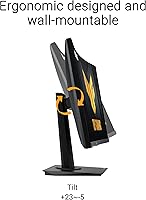
  • The tilt-only stand offers no height adjustment or swivel, limiting ergonomic flexibility for many desk setups.
  • VA panel color accuracy and uniformity fall noticeably short of IPS displays, especially toward panel edges.
  • Some users report backlight bleed visible in dark scenes or during full-screen black content.
  • 1080p resolution starts to feel limiting at 24 inches for desktop work or media consumption beyond gaming.
  • ELMB Sync motion blur reduction works best only when frame rates stay consistently high, reducing its reliability.
  • No USB hub or built-in audio output limits desk cable management options.
  • Long-term durability data is still limited given the relatively recent market release.
  • The curved form factor, while immersive for gaming, can distort straight lines in productivity or design applications.

Ratings

The scores below reflect an AI-driven analysis of verified global buyer reviews for the ASUS TUF Gaming VG24VQER 24-inch Curved Monitor, with spam, bot activity, and incentivized submissions actively filtered out to ensure the results represent genuine user experiences. Each category is scored based on patterns found across thousands of real-world ratings, capturing both the strengths that keep buyers satisfied and the friction points that consistently appear in critical feedback. Nothing is glossed over — the numbers reflect the full picture.

Motion Clarity
91%
Buyers who play fast-paced FPS and racing titles consistently highlight how clean on-screen movement feels at 180Hz compared to their previous 60Hz or 144Hz displays. The combination of 1ms MPRT and ELMB Sync keeps fast action readable and sharp in ways that make competitive play noticeably more responsive.
ELMB Sync’s effectiveness drops when frame rates fluctuate significantly, which some users noted during GPU-heavy scenes. A handful of buyers found that the motion blur reduction setting introduced slight brightness reduction, requiring manual compensation in the OSD.
Refresh Rate Value
88%
Getting 180Hz at this price tier is genuinely rare, and buyers upgrading from standard displays immediately recognize the difference. For the cost, the smoothness delivered during extended gaming sessions is widely considered one of the strongest selling points across user reviews.
The 180Hz ceiling is only fully usable by PC gamers with capable graphics cards; console users are capped at 120Hz over HDMI. Some buyers felt the jump from 144Hz to 180Hz was less dramatic than the jump from 60Hz, making it less compelling as an upgrade from a recent mid-range display.
Panel Contrast & Blacks
83%
The VA panel delivers noticeably deeper blacks and higher native contrast than IPS alternatives in this price range, which buyers who game in dark rooms particularly appreciated. Horror and stealth game players noted that dark scenes look more atmospheric and less washed out than on competing IPS panels.
Some users observed inconsistent black uniformity across the panel, with slight grayish tones visible in the corners during dark full-screen content. Backlight bleed appeared in a recurring subset of reviews, particularly noticeable during loading screens or cutscenes with dark backgrounds.
Color Accuracy
67%
33%
For gaming purposes, the 90% DCI-P3 coverage produces punchy, vibrant colors that look appealing in most game environments. Buyers who were not comparing it directly against an IPS monitor generally found the color output satisfying for their intended use.
Users with creative or design backgrounds consistently flagged that the VA panel falls short on color uniformity and accuracy compared to IPS displays, with noticeable shifts toward warmer or cooler tones depending on viewing angle. Those transitioning from an IPS panel found the color consistency a clear step down.
Build Quality
84%
The TUF branding carries genuine weight here — buyers broadly describe the chassis as sturdy and well-constructed for the price, with no notable flex or wobble in the panel itself. The plastic construction feels intentional rather than cheap, and the matte finish resists fingerprints reasonably well.
The stand base feels slightly lightweight relative to the panel, and a few users noted minor instability on desks that are not perfectly level. There are no premium material touches like brushed metal accents that some competing monitors at this tier include.
Ergonomics & Stand
53%
47%
The included stand is easy to assemble and stable enough for typical desk use, and the tilt range covers most standard sitting positions without requiring adjustment. For buyers who plan to add a VESA arm anyway, the lack of adjustability is a non-issue.
The tilt-only stand is a recurring pain point in user reviews, particularly among buyers who work or game for extended hours and need height or swivel adjustments to reduce neck strain. Multiple reviewers specifically mentioned purchasing a third-party arm shortly after unboxing as an almost necessary additional cost.
Connectivity
79%
21%
Having two HDMI 2.0 ports alongside a DisplayPort 1.2 input means most buyers can connect a PC and a console simultaneously without swapping cables. The included DisplayPort cable means the most performance-capable connection is ready out of the box.
There is no USB hub built into the monitor, which buyers with multi-device desk setups found limiting for cable management. The absence of a 3.5mm audio pass-through is also noted occasionally, requiring separate audio routing for headsets connected to a source device.
Setup Experience
86%
Assembly is consistently described as fast and intuitive, with buyers reporting the monitor is ready to use within minutes of unboxing. The included quick start guide is clear enough that most users never needed to consult online resources.
A small number of buyers noted that out-of-box color calibration required adjustments before they felt satisfied with the image, particularly brightness and gamma settings. The OSD button layout was described as slightly fiddly by users who prefer joystick navigation over discrete physical buttons.
Shadow Boost Utility
74%
26%
Buyers who spend significant time in tactical shooters or dark-environment games found Shadow Boost genuinely useful for improving visibility without cranking overall brightness to uncomfortable levels. The feature is easy to toggle via the OSD and does not introduce obvious color artifacting in most games.
Shadow Boost is less effective in games with HDR-like lighting engines, where its adjustments can appear redundant or slightly inconsistent with the game’s intended visual style. A few users noted it created a slightly unnatural look in outdoor or daytime game environments and preferred to leave it off.
Eye Comfort
77%
23%
The flicker-free backlight and blue light filter combination is appreciated by buyers who use the monitor for three to four hour sessions, reporting less end-of-day eye fatigue compared to older displays without these features. The matte coating also cuts glare effectively in office or living room lighting conditions.
The blue light filter mode introduces a noticeable warm color cast that some buyers found too aggressive for gaming use, leading them to rely on it only for browsing or late-night casual use. The Eye Care presets through DisplayWidget Center are not highly customizable compared to software tools from competing brands.
Value for Money
89%
Across a wide range of reviews, buyers consistently express that the VG24VQER delivers more than expected for its price bracket, particularly when weighing 180Hz performance, VA contrast, and the three-year warranty together. First-time high-refresh-rate monitor buyers in particular feel they got a fair deal.
Buyers who compared it directly against competing brands at similar prices occasionally found monitors with better stand adjustability or IPS panels at nearly equivalent cost, making the value proposition slightly less clear-cut for those prioritizing ergonomics over raw gaming performance.
Software & OSD
71%
29%
DisplayWidget Center provides a functional desktop interface for adjusting display settings without navigating physical buttons, which regular users found convenient after initial setup. Basic presets for gaming and productivity modes work adequately for buyers who do not want to dig into manual calibration.
The software feels unpolished compared to offerings from competing monitor brands, with occasional reports of it not launching reliably after Windows updates. The on-screen display itself, accessed via physical buttons, is navigable but lacks the responsiveness of joystick-based OSD controls found on competing models.
Glare Resistance
81%
19%
The matte anti-glare coating performs well in mixed lighting environments, keeping the image clear even with a window positioned to the side of the monitor. Buyers who work near windows or with overhead lighting specifically called this out as a practical strength.
In very bright rooms with direct overhead lighting, some users noticed a slight haze or milky quality from the matte coating that dulled fine image detail. This is a known trade-off with matte coatings compared to glossy panels, and it is more noticeable during static image viewing than during active gaming.
Long-Term Reliability
73%
27%
Early ownership feedback is largely positive, with buyers reporting consistent panel performance and no sudden failures in the months following purchase. The three-year ASUS warranty provides meaningful reassurance, and the brand’s service reputation is generally considered dependable among the gaming monitor community.
The monitor only launched in mid-2024, so multi-year reliability data is still limited and should be factored into buying decisions for those who hold displays for five or more years. A small number of reviews mention early-onset backlight unevenness, though it is not yet possible to determine whether this is a broad pattern or isolated variance.

Suitable for:

The ASUS TUF Gaming VG24VQER 24-inch Curved Monitor is built for PC and console gamers who want a meaningful performance upgrade without paying premium display prices. If you spend most of your time in fast-paced games — FPS titles, racing sims, action RPGs — the 180Hz refresh rate and 1ms MPRT response time will make a real, tangible difference in how fluid and responsive gameplay feels. The 24-inch size and 1500R curve hit a practical sweet spot for standard desk depths, giving you a sense of immersion that flat panels at this size simply do not match. It is also a smart pick for anyone building a dual-monitor setup who wants a dedicated gaming screen alongside a larger productivity display. Buyers upgrading from a 60Hz or 75Hz monitor will notice the smoothness immediately, and the three-year warranty gives reasonable peace of mind for the investment.
Not suitable for:

The ASUS TUF Gaming VG24VQER 24-inch Curved Monitor is not the right tool if color accuracy is a priority in your workflow. Graphic designers, photographers, video editors, or anyone doing color-critical work will find the VA panel limiting compared to a well-calibrated IPS display — the color uniformity simply is not there at this price point. The 1080p resolution, while fine for gaming on a 24-inch screen, will feel underwhelming to anyone accustomed to 1440p or higher, especially for desktop productivity or media consumption. Ergonomics-focused buyers should also take note: the stand supports tilt only, with no height adjustment or swivel, which can be genuinely frustrating during long sessions if your desk setup requires flexibility. And if you are hoping for a monitor that doubles as a serious content creation tool, the gap between this VA panel and a true wide-color-gamut IPS or OLED display is hard to overlook.
Specifications

  • Panel Type: This monitor uses a VA (Vertical Alignment) panel, which delivers strong contrast ratios and deep blacks compared to IPS alternatives at a similar price point.
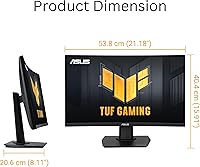
  • Screen Size: The viewable screen area measures 23.6 inches diagonally, housed in a chassis with overall dimensions of 21.2 x 15.9 x 8.11 inches including the stand.
  • Resolution: Native resolution is 1920x1080 (Full HD), displayed at a 16:9 aspect ratio across the curved panel surface.
  • Refresh Rate: The panel supports a maximum refresh rate of 180Hz, enabling significantly smoother motion compared to standard 60Hz or 144Hz displays.
  • Response Time: MPRT (Moving Picture Response Time) is rated at 1ms, reducing motion blur during fast-moving on-screen content.
  • Curvature: The screen uses a 1500R curvature radius, designed to match the natural curvature of human vision at typical desktop viewing distances.
  • Color Gamut: Coverage reaches 90% of the DCI-P3 color space, providing richer and more saturated colors than standard sRGB-only panels.
  • Surface Finish: The panel features a matte anti-glare coating that reduces reflections in environments with ambient or natural light.
  • Sync Technology: AMD FreeSync (variable refresh rate) is supported natively, helping eliminate screen tearing and stuttering during gameplay.
  • Motion Tech: ASUS Extreme Low Motion Blur Sync (ELMB Sync) can operate simultaneously with FreeSync to further reduce ghosting during fast gameplay.
  • Dark Enhancement: Shadow Boost technology selectively brightens shadowed areas in-game without overexposing already-lit portions of the scene.
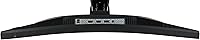
  • Connectivity: The monitor includes one DisplayPort 1.2 input and two HDMI 2.0 inputs, supporting connection to multiple devices simultaneously.
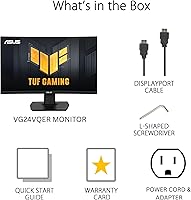
  • Included Cables: In the box you will find one DisplayPort cable, a power cord with adapter, an L-shaped screwdriver, a quick start guide, and a warranty card.
  • Software: DisplayWidget Center is ASUS’s companion software for adjusting monitor settings directly from the desktop without navigating on-screen menus.
  • Eye Care: The monitor includes ASUS Eye Care features such as flicker-free backlighting and a blue light filter to reduce eye strain during extended sessions.
  • Weight: The monitor with stand weighs 7.1 pounds, making it manageable for single-person setup and repositioning on a desk.
  • Warranty: ASUS includes a three-year manufacturer warranty covering this display against defects in materials and workmanship.
  • Stand Adjustment: The included stand supports tilt adjustment only; height, swivel, and pivot adjustments are not available without a third-party VESA mount.
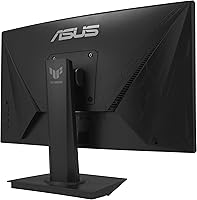
  • VESA Compatibility: The monitor supports VESA wall-mount patterns, allowing buyers to replace the stock stand with an aftermarket arm for greater ergonomic flexibility.
  • Release Date: This monitor was first made available in July 2024, placing it among the more recent VA-panel 180Hz displays at its price tier.

Related Reviews
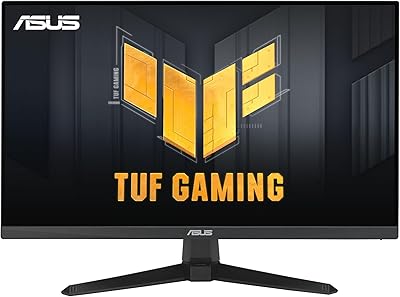
ASUS TUF VG34VQL1B 34-inch Curved Gaming Monitor
78%
83%
Image Quality
89%
Refresh Rate & Smoothness
78%
Response Time & Motion Clarity
81%
Adaptive Sync Performance
54%
HDR Performance
More
ASUS VG27VH1B 27-inch Curved Gaming Monitor
78%
93%
Refresh Rate Performance
88%
Motion Clarity & Response Time
91%
Adaptive Sync & Tear-Free Output
67%
Image Sharpness & Resolution
62%
Color Accuracy & Calibration
More
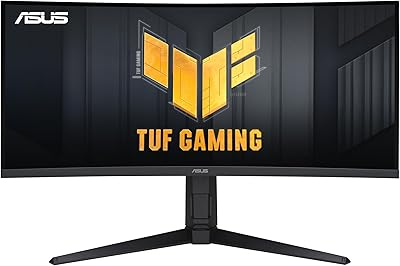
ASUS VG249QE5A 24-inch Gaming Monitor
76%
88%
Image Quality
91%
Refresh Rate Performance
86%
Motion Clarity
93%
Value for Money
47%
Ergonomics & Stand
More
ASUS TUF Gaming VG27WQ3B 27-inch Gaming Monitor

80%
88%
Image Quality
93%
Refresh Rate & Smoothness
91%
Response Time & Motion Clarity
84%
Curved Panel Experience
82%
Color Accuracy & Vibrancy
More
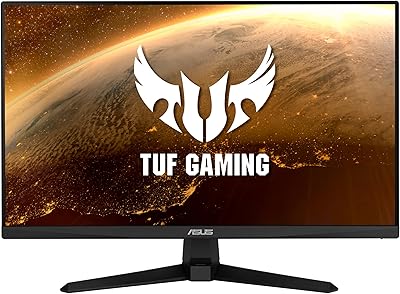
Sealan 24-Inch Curved Gaming Monitor
86%
92%
Gaming Performance
88%
Visual Quality
91%
Refresh Rate Smoothness
85%
Design & Build
87%
Eye Care Features
More
ASUS VG247Q1A 24-Inch Gaming Monitor
76%
91%
Gaming Performance
93%
Refresh Rate & Smoothness
88%
Response Time & Motion Clarity
89%
Adaptive-Sync & Compatibility
71%
Image Quality & Color
More
Samsung CRG5 24-Inch Curved Gaming Monitor
78%
88%
Value for Money
83%
Image Quality
81%
Gaming Performance
86%
Curvature & Immersion
84%
FreeSync Performance
More
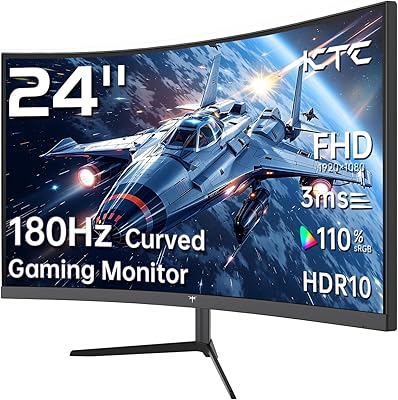
KTC 24-inch 1500R Curved Gaming Monitor

86%
94%
Gaming Performance
89%
Display Quality
92%
Value for Money
87%
Build Quality
83%
Ergonomics
More
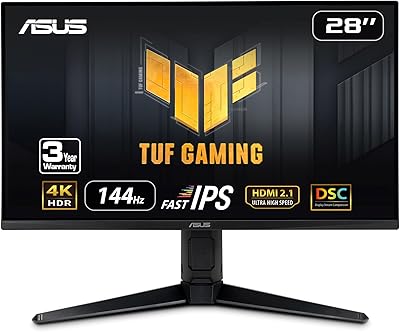
ASUS TUF Gaming VG259QM 24.5″ Gaming Monitor
76%
93%
Refresh Rate Performance
88%
Response Time & Motion Clarity
81%
Color Accuracy & Image Quality
86%
Adaptive Sync & Compatibility
52%
Stand & Ergonomics
More
ASUS TUF Gaming VG28UQL1A 28-inch Gaming Monitor
78%
91%
Image Clarity
88%
Motion Performance
93%
Console Compatibility
83%
Color Accuracy
58%
HDR Performance
More

FAQ

Yes, both consoles connect via HDMI 2.0, which the VG24VQER has two of. You will get up to 1080p at 120Hz from a PS5 or Xbox Series X, though the full 180Hz is only accessible via a PC with DisplayPort or a compatible graphics card outputting over HDMI at high frame rates.

Yes, that is actually one of the features ASUS highlights here. ELMB Sync is designed to work alongside FreeSync simultaneously, which is not always the case on competing monitors. That said, the motion blur reduction works most effectively when your frame rate stays consistently high within the FreeSync range.

The stock stand only tilts — there is no height adjustment, swivel, or pivot. If ergonomics matter to you, the monitor is VESA compatible, so swapping in an aftermarket monitor arm is straightforward and gives you full flexibility.

The VA panel gives you noticeably better contrast and deeper blacks than most IPS monitors at this price, which is great for gaming in dark environments. The trade-off is color accuracy and viewing angle consistency — IPS panels are generally better if you need precise, uniform color, or if multiple people are viewing the screen from different angles.

At 23.6 inches, 1080p sits at roughly 93 pixels per inch, which is perfectly acceptable for gaming and general desktop use at a normal sitting distance. It is not as crisp as 1440p, but most users gaming from about an arm’s length away will not find it distracting.

Shadow Boost is genuinely helpful in games with a lot of dark environments — think tactical shooters, horror games, or any title where enemy visibility in shadows matters. It selectively lifts darker areas of the image without washing out the brighter parts, so it does not ruin the overall look of the scene.

A DisplayPort cable is included in the box, so you can connect directly to a PC with a DisplayPort output without buying anything extra. If you are connecting via HDMI, you will need to supply your own cable, as only the DisplayPort cable is bundled.

ASUS built in flicker-free backlighting and a blue light filter as part of their Eye Care feature set, which helps reduce eye fatigue during extended play. The matte screen coating also cuts down on glare, which is a common contributor to eye strain in lit rooms.

Yes, ASUS includes DisplayWidget Center software that lets you control monitor settings like brightness, contrast, and input selection directly from your PC desktop. It is a minor convenience, but it does save time compared to navigating physical buttons repeatedly.

At 23.6 inches, the 1500R curve is noticeable but not dramatic. It adds a subtle sense of depth and wrap, especially when you are sitting close to the screen, but it is not the aggressive curve you might see on ultrawide monitors. Most users find it comfortable and natural-feeling after a short adjustment period.

Where to Buy