Overview

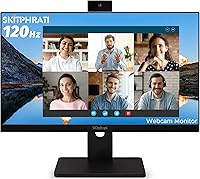
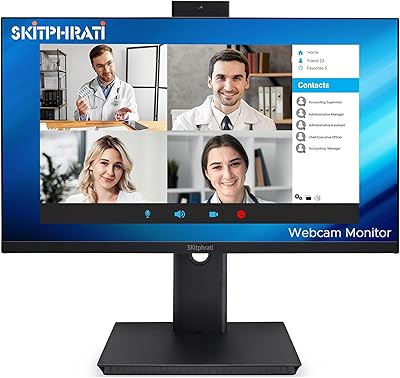
The SKitphrati 23.8-inch Webcam Business Monitor enters a crowded market with a straightforward pitch: one display that handles your screen, camera, microphone, and speakers without a cluttered collection of USB dongles. SKitphrati is a relatively new name in the monitor space, and that matters — there is no long track record to lean on yet. What makes this all-in-one business display genuinely interesting is the unusual pairing of a 120Hz panel — typically a gaming spec — with built-in conferencing hardware. Manage expectations early: this is a solid pick for video call-heavy workdays, but those doing color-critical design work will want to look elsewhere.
Features & Benefits

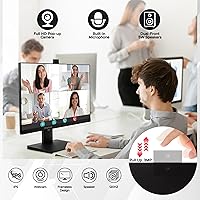
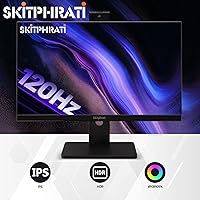
The built-in 3MP webcam is the headline feature here, and it delivers respectable image quality in well-lit rooms — think natural window light or a decent desk lamp. In dim conditions, expect noticeable softness, which is typical at this tier. The webcam tilts to adjust framing, a small but genuinely useful detail. The mic array and stereo speakers handle calls adequately; they are not a replacement for a proper headset, but fine for quick check-ins. The IPS panel covers 105% sRGB with 178-degree viewing angles, keeping colors consistent from most seated positions. The 120Hz refresh rate is a welcome bonus for occasional gaming but is not the primary draw.

Best For

This webcam monitor hits a clear sweet spot for remote workers and home-office users who want to declutter their desk without sacrificing call quality. If you spend hours daily on Zoom or Teams and prefer not to have a separate webcam perched on your display, this all-in-one business display makes a compelling case. Students and online tutors will find it equally practical. The VGA input is a thoughtful inclusion for anyone connecting older hardware alongside a newer laptop. Occasional gamers will appreciate the 120Hz panel after hours. It is less ideal for graphic designers or photographers who require precise color fidelity.

User Feedback

Early buyers of the SKitphrati monitor are broadly positive, with most praise directed at webcam convenience and the tidy desk setup it enables. Out-of-box color accuracy earns solid marks for everyday tasks, though some users mention minor color temperature tweaks helped. The stand has drawn criticism — several buyers flag limited height adjustment as a real issue during long work sessions. Built-in speaker volume is described as adequate but thin, and the microphone performs well enough in quiet environments. Given how recently this display launched, the review pool remains small, so treat current ratings as a useful early signal rather than a definitive verdict.

Pros

  • Built-in 3MP webcam eliminates the need for a separate camera, keeping the desk clean and the setup simple.
  • The adjustable webcam tilt lets you dial in your framing without repositioning the entire monitor.
  • An IPS panel with 178-degree viewing angles means color stays consistent whether you are sitting straight or viewing from the side.
  • The matte screen surface handles overhead lighting and window glare better than glossy alternatives in typical office conditions.
  • VGA, HDMI, and DisplayPort inputs together cover a wide range of old and new hardware without requiring adapters.
  • At 120Hz, this webcam monitor offers smoother motion than the typical 60Hz business display, which is a genuine bonus for after-hours gaming.
  • 350 cd/m² brightness is solid for an indoor workspace and holds up reasonably well in moderately bright rooms.
  • The mic array performs reliably in quiet environments, sparing users from hunting down a USB microphone for standard calls.
  • Out-of-box color accuracy is reported as suitable for everyday productivity tasks without needing manual calibration.

Cons

  • Webcam image quality drops noticeably in low or uneven lighting, which limits its usefulness for users without a dedicated desk lamp.
  • Built-in speaker output is thin and low-volume — adequate for a quick call but not comfortable for extended listening.
  • The stand offers limited ergonomic adjustment, which can become a real problem during long full-day work sessions.
  • SKitphrati is a young brand with minimal long-term reliability data, making it harder to assess durability over months of daily use.
  • The microphone pickup struggles in noisier home environments, picking up background sounds that a headset would naturally block.
  • Early review volume is small, so current ratings reflect a narrow sample and may not represent the full range of user experiences.
  • At 1080p on a 23.8-inch panel, pixel density is adequate but not sharp enough for users who prefer higher-resolution text rendering.
  • No mention of height or pivot adjustment means the stand may not suit users who need a monitor arm or specific ergonomic positioning.

Ratings

The scores below for the SKitphrati 23.8-inch Webcam Business Monitor were generated by our AI system after analyzing verified global buyer reviews, actively filtering out incentivized, duplicate, and bot-driven submissions to surface only genuine user experiences. Each category reflects both the real strengths buyers consistently praised and the pain points that surfaced repeatedly across different use cases and setups. Nothing has been softened or inflated — the numbers tell the honest story.
Webcam Quality
73%
27%
In a well-lit home office or workspace with a decent desk lamp or natural daylight, the 3MP camera produces a clean, sharp image that holds up well for Zoom and Teams calls. Buyers regularly noted that colleagues could not tell the difference between this and a standalone mid-range webcam during standard video meetings.
Drop the lighting below ideal conditions — an overcast afternoon, a dim evening setup, a backlit room — and the image softens noticeably with visible noise. Users coming from a dedicated 1080p webcam in variable lighting will likely feel the difference, particularly if they frequently call from multiple environments.
Built-in Microphone
67%
33%
In a quiet home office, the mic array picks up voice clearly enough that most call participants reported no complaints. For solo remote workers in controlled environments, it removes the need for a separate USB microphone entirely, which is exactly the convenience this all-in-one business display promises.
Background noise is a real weakness — HVAC hum, kitchen sounds, or nearby conversations bleed through more than they would on a directional headset mic. Several buyers working in open-plan home environments or shared spaces flagged this as a persistent issue that eventually pushed them back toward a dedicated headset.
Display Clarity
81%
19%
The 1080p IPS panel looks crisp and well-balanced for everyday productivity work — text in documents, spreadsheets, and browser windows is sharp and easy to read for extended periods. The 105% sRGB coverage gives color a natural, pleasing quality without any obvious shift or inaccuracy under normal viewing conditions.
At 23.8 inches, the pixel density is on the lower end for users accustomed to higher-resolution displays, and fine text can look slightly soft when sitting close. Anyone doing detailed image work or hoping to use this for photo editing will find the color depth and resolution limiting compared to even a basic 1440p alternative.
Refresh Rate & Motion
84%
The 120Hz panel makes a noticeable difference during fast document scrolling and browser navigation compared to a standard 60Hz office monitor — the smoothness is real and appreciated after a full workday. Buyers who double the monitor for casual gaming in the evenings flagged the refresh rate as a genuine bonus that made the purchase feel well-rounded.
For competitive or fast-paced gaming, this is not a purpose-built gaming display, and buyers expecting a gaming-grade experience will find the panel tuned more for office use. The 1ms response time rating uses VRB methodology, which measures differently than the GtG spec most gamers reference when comparing monitors.
Built-in Speakers
58%
42%
The stereo speakers handle low-volume background audio and short video call playback without distortion at moderate levels. For users who mainly need to hear remote colleagues clearly during a quick check-in, they do the job without requiring any additional hardware.
Volume headroom is noticeably limited, and the sound profile lacks bass entirely, producing a thin, flat output that becomes fatiguing during longer sessions. Multiple buyers noted that anything beyond brief call audio — webinars, training videos, music — quickly highlighted the speakers' constraints, pushing them toward the earphone jack or external speakers.
Connectivity
89%
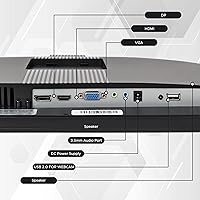
The combination of DisplayPort, HDMI, VGA, USB 2.0 upstream, and a 3.5mm earphone jack covers an unusually wide range of hardware generations in one monitor. Buyers with older desktops specifically called out VGA support as a decisive reason they chose this display over competitors that dropped legacy inputs entirely.
With only two USB ports total and no USB-A downstream ports for peripherals, users hoping to consolidate a hub into the monitor will be disappointed. The USB 2.0 upstream cable is required to activate the webcam, mic, and speakers, which means one more cable on the desk than a purely display-only connection would need.
Anti-Glare Performance
77%
23%
The matte coating handles overhead office lighting and indirect window light reliably, which buyers appreciated given how many of them use the monitor in home offices with varied and uncontrolled ambient light sources. Several users coming from glossy-panel monitors noted the matte surface as an immediate, noticeable improvement for daytime comfort.
In rooms with strong direct sunlight hitting the screen from the side or behind the user, brightness headroom at 350 cd/m² becomes a limiting factor and the image can wash out. The matte texture also introduces a very slight graininess to the image at close viewing distances that some buyers found mildly distracting on solid-color backgrounds.
Ergonomics & Stand
54%
46%
The stand is stable enough that the monitor does not wobble during typing, and the base footprint is compact relative to the screen size, which helps on smaller desks. Initial setup is straightforward with no reported issues around assembly or balance.
Height adjustment is absent or severely limited, which became one of the most frequently mentioned criticisms from buyers who use the monitor for more than a few hours daily. Without the ability to raise or lower the screen to eye level, users often resort to stacking the monitor on books or buying a separate arm — an added cost and inconvenience that undermines the all-in-one value pitch.
Color Accuracy
74%
26%
Out of the box, the panel produces colors that look balanced and natural to most users without any manual calibration for standard productivity tasks and video calls. The IPS technology keeps color consistent across the screen surface, meaning there is no obvious brightness falloff toward the corners during everyday use.
Users with a calibrated eye — photographers, designers, or anyone comparing color output against a reference display — will notice inaccuracies that the 105% sRGB spec does not prevent. The SKitphrati monitor is not shipped with a factory calibration report, and buyers doing any color-sensitive work should treat the default profile as approximate rather than accurate.
Value for Money
83%
When buyers factored in the cost of purchasing a comparable external webcam, mic, and monitor separately, the all-in-one pricing of this webcam monitor looked considerably more compelling. Remote workers and students on a budget repeatedly highlighted the feature density per dollar as the primary reason they chose it over a stripped-down display.
The value argument weakens for users who already own a quality webcam and headset, since they are effectively paying for hardware they will not use. The brand's limited track record also introduces a degree of uncertainty around long-term build durability and after-sales support that buyers with stricter reliability expectations may find hard to price into the value equation.
Setup & Plug-and-Play
86%
The out-of-box experience is straightforward — buyers consistently reported having the monitor up and running, including the webcam and audio, within minutes of unboxing. No driver installation was required on Windows or macOS, and the monitor was recognized immediately as a video and audio device by all major conferencing platforms.
A small number of users encountered confusion around the USB upstream cable requirement for activating the built-in peripherals, particularly those who assumed the webcam would function through the video cable alone. The documentation could be clearer on this point to prevent early setup frustration.
Build Quality
69%
31%
The physical construction feels solid at first handling, with no obvious flex in the panel frame or loose connections at the ports. Buyers noted the frameless design gives the monitor a modern, clean appearance that fits naturally into both home office and small business environments.
As a product from a newer brand with limited long-term user data, durability beyond the first several months remains an open question. A handful of early reviewers flagged that the plastic chassis feels lighter and less premium than monitors from established brands at comparable price points, raising mild questions about longevity under daily use.
Webcam Adjustability
71%
29%
The tiltable webcam mount is a practical detail that lets users dial in framing without repositioning the entire monitor, which is more useful than it sounds during quick back-to-back calls where the camera angle needs minor tweaks. Buyers appreciated that it can be angled down slightly for users who sit closer to the screen.
The tilt range is limited and does not include horizontal swivel or vertical height offset, so users with non-standard seating setups — standing desks, lower chairs, or monitors mounted on arms at unusual heights — may struggle to get the camera framing exactly right without repositioning their chair or adjusting their posture.

Suitable for:

The SKitphrati 23.8-inch Webcam Business Monitor makes the most sense for remote workers and hybrid employees who spend a significant portion of their day on video calls and want to simplify their desk setup without buying a separate webcam, speakerphone, or external microphone. Freelancers working from smaller home offices will appreciate consolidating peripherals into a single unit, reducing cable clutter and USB hub dependency. Students and online educators are also a strong fit — the built-in 3MP camera and mic array handle virtual tutoring sessions and classroom calls capably, especially in well-lit rooms. Small business owners replacing an aging, feature-bare monitor will find the connectivity range genuinely broad, with VGA support making it compatible with older desktops that lack DisplayPort or HDMI. And if you occasionally game after hours, the 120Hz panel means this all-in-one business display earns its keep beyond the nine-to-five.
Not suitable for:

The SKitphrati 23.8-inch Webcam Business Monitor is a harder sell for anyone whose work demands accurate, calibrated color output — graphic designers, photographers, video editors, or illustrators will find the 105% sRGB coverage adequate for casual use but insufficient for professional color grading or print-accurate work. The built-in speakers and microphone, while convenient, are not a substitute for a proper headset in noisy environments or for users who join long calls where audio fatigue becomes a factor. Buyers expecting a true gaming monitor should also recalibrate expectations: the 120Hz panel is a nice extra, but this display is not tuned or marketed as a competitive gaming screen. Those who need ergonomic flexibility — particularly tilt, swivel, height adjustment, or pivot — may find the stand limiting for all-day comfort. Finally, buyers who value brand pedigree and long-term after-sales support from an established manufacturer may want to consider more recognized alternatives given SKitphrati's limited track record.
Specifications

  • Screen Size: The display measures 23.8 inches diagonally, offering a comfortable working area for productivity tasks and video calls without occupying excessive desk space.
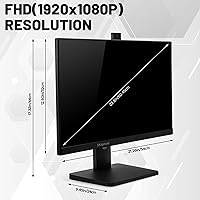
  • Resolution: Native resolution is 1920 x 1080 pixels (Full HD) at a 16:9 aspect ratio, providing clear, sharp output for documents, spreadsheets, and video conferencing.
  • Panel Type: An IPS (In-Plane Switching) panel is used, delivering consistent color reproduction and wide 178-degree viewing angles both horizontally and vertically.
  • Refresh Rate: The display supports a 120Hz refresh rate, which reduces motion blur during fast-moving content and offers smoother scrolling compared to standard 60Hz business monitors.
  • Response Time: Response time is rated at 1ms (VRB), minimizing ghosting and smearing during fast on-screen transitions.
  • Brightness: Peak brightness is rated at 350 cd/m², which is adequate for typical indoor office and home-office environments with controlled ambient lighting.
  • Color Gamut: The panel covers 105% of the sRGB color space, making it suitable for everyday content creation and productivity but not for professional color-critical workflows.
  • Screen Surface: A matte anti-glare coating is applied to the screen surface, reducing reflections from overhead lighting and nearby windows during extended use.
  • Built-in Webcam: An adjustable 3MP webcam is integrated into the monitor bezel, supporting Full HD video output and featuring a tiltable mount for flexible framing.
  • Microphone: A built-in mic array is included to capture voice input for video conferencing, designed for use in quiet to moderately quiet environments.
  • Speakers: Integrated stereo speakers are built into the monitor chassis, providing basic audio output suitable for calls and casual media playback.
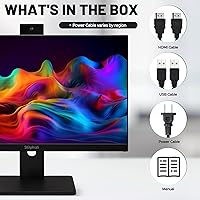
  • Connectivity: The monitor includes DisplayPort, HDMI, VGA, USB 2.0 upstream (for webcam activation), and a 3.5mm earphone jack for broad device compatibility.
  • Dimensions: Overall dimensions with stand are 23.5 x 15.3 x 5.6 inches, and the unit weighs 9.48 pounds including the base.
  • Aspect Ratio: The display uses a standard 16:9 widescreen aspect ratio, compatible with all common video conferencing platforms and desktop operating systems.
  • Brand: This monitor is manufactured by SKitphrati, a newer entrant in the budget-to-mid-range business monitor segment with a limited but growing product catalog.
  • Availability: The product was first made available in March 2025 and has achieved a top-100 ranking in the Video Monitors category on Amazon.

Related Reviews
ASUS BE24EQK 23.8-inch Business Monitor
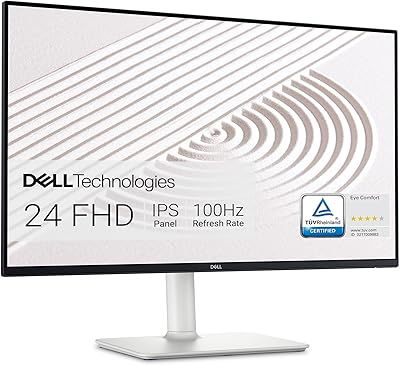
76%
83%
Built-in Webcam Convenience
76%
Microphone Quality
78%
Display Image Quality
88%
Eye Comfort
81%
Value for Money
More
Dell S2425HS 23.8-inch FHD Monitor
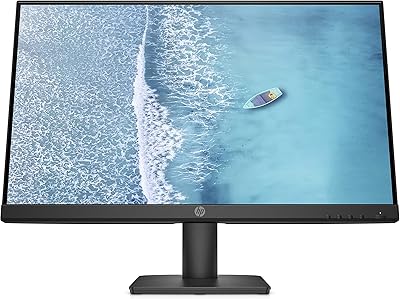
84%
88%
Image & Color Accuracy
83%
Refresh Rate & Motion Smoothness
91%
Eye Comfort & Blue Light Reduction
93%
Ergonomics & Stand Adjustability
87%
Build Quality & Materials
More
HP 24mh 23.8-inch IPS Monitor
79%
83%
Image Clarity
81%
Color Accuracy
88%
Ergonomics & Stand
71%
Refresh Rate & Motion
63%
Brightness & Glare Handling
More
SKitphrati HD-270 27-Inch Webcam Monitor
70%
88%
All-in-One Convenience
67%
Webcam Quality
71%
Display Clarity
84%
Refresh Rate & Smoothness
63%
Microphone Performance
More
VisionOwl V-Y23QH 23.8-Inch Portable Monitor
76%
88%
Image Quality
86%
Build Quality
83%
Gaming Performance
62%
Portability
58%
Brightness
More
HP V241ib 23.8″ FHD Monitor
77%
81%
Image Quality
78%
Color Accuracy
84%
Eye Comfort
52%
Ergonomics
74%
Build Quality
More
HP Series 5 524sw 23.8-inch FHD Monitor
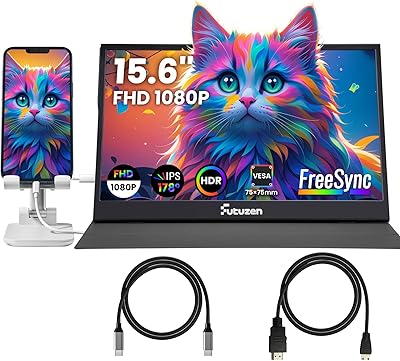
76%
88%
Image Clarity
91%
Eye Comfort
79%
Color Accuracy
67%
Brightness & Visibility
83%
Refresh Rate & Motion
More
Futuzen 23.8-inch 1080p 100Hz IPS Monitor
85%
92%
Value for Money
88%
Display Quality
89%
Ease of Setup
84%
Build Quality
80%
Performance for Gaming
More
Redalf 23.8-inch 2K 180Hz Portable Monitor
86%
88%
Display Quality
92%
Portability
90%
Gaming Performance
85%
Compatibility
91%
Ease of Setup
More
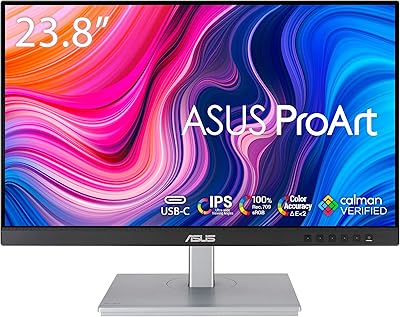
ASUS ProArt PA247CV 23.8-inch Monitor
80%
93%
Color Accuracy
88%
Value for Money
86%
Out-of-Box Setup
91%
USB-C Connectivity
84%
Build Quality
More

FAQ

The webcam is designed to work without any driver installation on most modern operating systems, including Windows 10, Windows 11, and macOS. You do need to connect the included USB 2.0 upstream cable from the monitor to your computer — that cable is what activates the camera, microphone, and speakers. Once connected, your system should recognize the monitor as an audio and video device automatically.

Yes, this all-in-one business display is compatible with all major video conferencing platforms including Zoom, Teams, Google Meet, and Webex. After connecting the USB upstream cable, simply select the monitor as your camera and audio input source within each app's settings. No additional software is required.

The webcam is rated at 3 megapixels, which translates to roughly 2048 x 1536 pixels in still capture — but for video calls, output is typically delivered at Full HD 1080p. In practice, the image quality you see on calls is influenced heavily by your lighting conditions, so a well-lit room matters more than the raw megapixel count.

The matte anti-glare screen surface does a solid job of diffusing reflections from ceiling lights and nearby windows. At 350 cd/m² of brightness, it holds up well in moderately bright indoor spaces. If your desk sits directly in front of a large uncovered window in direct sunlight, you may still want to add a blind or curtain to get the best picture quality.

Yes, VGA is one of the included input options alongside HDMI and DisplayPort, which makes this webcam monitor a practical upgrade for users with older desktops or laptops that lack modern video outputs. Keep in mind that using VGA will limit you to analog signal quality, which is slightly softer than a digital HDMI or DisplayPort connection at the same resolution.

They are workable for occasional use — background music at low to moderate volume, or brief video playback — but they are not going to replace a decent pair of desktop speakers. Volume headroom is limited, and the sound profile is thin at the low end. For anything beyond casual background audio, plugging in external speakers via the 3.5mm earphone jack is a better option.

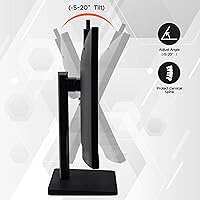
Based on available product information, the stand offers limited ergonomic adjustment — primarily tilt — without a full range of height or swivel movement. If you need precise monitor positioning for ergonomic comfort during long work sessions, you may want to pair this display with a third-party VESA monitor arm. Check whether the monitor back includes VESA mount holes before purchasing an arm.

It is a real spec and not purely marketing, though its day-to-day business impact is modest. Scrolling through long documents and spreadsheets feels noticeably smoother at 120Hz compared to a standard 60Hz panel, which some users find reduces eye fatigue over long sessions. The bigger beneficiaries are people who also use the monitor for casual gaming after work hours — for them, the higher refresh rate delivers a meaningful improvement in responsiveness.

Like most built-in monitor microphones, the mic array on this display performs best in relatively quiet rooms. In a busy home with ambient noise — kids, pets, HVAC systems — it will pick up more background sound than a directional headset or a USB cardioid microphone would. For occasional calls it should be fine, but if you are in back-to-back meetings all day in a noisy space, a dedicated headset will give colleagues a noticeably cleaner audio experience.

That is a fair concern and worth being straightforward about. SKitphrati is a relatively new brand with a limited public track record, which means there is less long-term reliability data available compared to established names in the monitor market. Early buyer feedback has been broadly positive, but the review pool is still small given the recent launch date. If long-term brand support and warranty history are priorities for you, it is worth factoring that uncertainty into your decision alongside the competitive feature set.