Overview

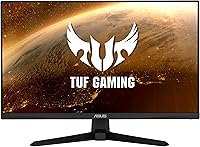
The ASUS VG247Q1A 24-Inch Gaming Monitor launched in 2021 as part of ASUS's TUF Gaming line, and it has held up surprisingly well as a value-for-money pick in a crowded market. It sits in a sweet spot — 1080p at 24 inches keeps GPU demands manageable while still delivering sharp, motion-ready visuals. The standout credentials are its 165Hz refresh rate, Extreme Low Motion Blur technology, and FreeSync Premium support. For a monitor at this price tier, it also includes a 3-month Adobe Creative Cloud subscription, which is a thoughtful bonus for users who occasionally dip into creative software alongside gaming.
Features & Benefits

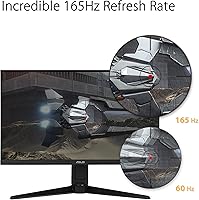
The 165Hz refresh rate is the headline here, and it genuinely shows during fast-paced gaming — movements feel fluid and target tracking becomes noticeably easier. Pair that with ASUS's Extreme Low Motion Blur technology pulling response time down to 1ms MPRT, and ghosting stays minimal even in rapid scenes. FreeSync Premium handles tearing reliably, and Adaptive-Sync extends that benefit to NVIDIA GPU owners too, so compatibility is broad. Shadow Boost quietly lifts detail out of dark environments without blowing out brighter areas — a small but practical edge in games with heavy shadow use. Built-in speakers are present and functional, nothing more. Eye care modes help reduce fatigue across longer sessions.

Best For

This TUF Gaming monitor is a natural fit for competitive FPS players who care far more about frame rate and response time than pixel count. Anyone upgrading from a 60Hz display will feel the difference almost immediately — that jump to 165Hz is one of those changes that is hard to ignore once you have experienced it. It also makes practical sense as a secondary screen in a dual-monitor build, keeping costs down without sacrificing performance. The wide Adaptive-Sync compatibility means both AMD and NVIDIA users are covered, and budget-focused builders will appreciate that this 24-inch ASUS panel delivers real gaming performance without the 1440p premium.

User Feedback

With over 7,000 ratings and a 4.7-star average, the VG247Q1A sits comfortably near the top of its category. Buyers frequently highlight how smooth gameplay feels at high refresh rates and how painless the initial setup is. The most consistent criticisms are reasonable: the glossy panel catches reflections in well-lit rooms, and the stand is tilt-only with no height adjustment — a genuine limitation for ergonomics-conscious users. Some reviewers flag minor backlight bleed or color accuracy that falls short for photo editing. That said, long-term owners report solid build reliability with few complaints about durability, which is reassuring for a monitor that has been on the market since 2021.

Pros

  • 165Hz refresh rate delivers noticeably smoother and more responsive gameplay compared to standard 60Hz monitors.
  • 1ms MPRT response time keeps motion blur and ghosting well controlled during fast-paced action.
  • FreeSync Premium and Adaptive-Sync support work across both AMD and NVIDIA graphics cards without fuss.
  • Shadow Boost helps reveal details in dark in-game environments without washing out brighter areas.
  • At its price tier, the VG247Q1A punches above its weight for competitive gaming performance.
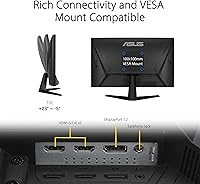
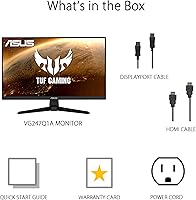
  • Setup is straightforward, with HDMI and DisplayPort connectivity covering most modern PC configurations.
  • Built-in speakers handle casual audio needs and reduce cable clutter for minimalist desk setups.
  • Eye care features make extended gaming sessions more comfortable over time.
  • Strong long-term reliability reported by owners, with few durability complaints after years of regular use.
  • A 4.7-star average across more than 7,000 ratings reflects consistently positive real-world satisfaction.

Cons

  • The stand only tilts — no height adjustment or swivel means ergonomic flexibility is limited out of the box.
  • The glossy panel surface picks up reflections easily in bright rooms or near windows.
  • Color accuracy falls short of what you would expect from a display used for photo or video work.
  • Some units show noticeable backlight bleed, particularly toward the edges of the screen.
  • 1080p resolution can feel restrictive when multitasking with multiple windows or working with detailed content.
  • No VESA mount compatibility confirmation in specs can complicate third-party arm upgrades.
  • The built-in speakers are thin and low-powered — they work in a pinch but are not a substitute for real audio.
  • Panel type details are not clearly disclosed, which makes it harder to evaluate color performance before buying.

Ratings

The scores below for the ASUS VG247Q1A 24-Inch Gaming Monitor were generated by AI after analyzing thousands of verified global user reviews, with spam, bot activity, and incentivized feedback actively filtered out. This TUF Gaming monitor earns strong marks in several key areas, but the analysis also surfaces real frustrations that budget buyers should factor into their decision. Both the highs and the genuine pain points are reflected transparently in every category score.

Gaming Performance
91%
Players consistently report that fast-paced sessions in FPS and battle royale titles feel noticeably sharper and more responsive compared to standard 60Hz displays. The combination of 165Hz and low motion blur makes tracking moving targets in competitive games feel genuinely easier and less fatiguing.
The performance ceiling is tied to 1080p, so users running high-end GPUs will likely be underutilizing their hardware. A small number of users also note that ELMB and Adaptive-Sync cannot be active simultaneously, which requires manually toggling modes depending on the game.
Refresh Rate & Smoothness
93%
The jump from 60Hz to 165Hz is one of the most immediate and tangible upgrades a gamer can make, and owners of this 24-inch ASUS panel say that transition feels dramatic in everyday use. Scrolling, menu navigation, and in-game movement all benefit from the higher cadence, not just combat.
To actually hit 165Hz consistently, your GPU needs to push high frame rates in the first place — users with mid-range or older cards may spend more time in the 90–120Hz range depending on the title. DisplayPort is recommended over HDMI to reliably unlock the full refresh rate.
Response Time & Motion Clarity
88%
Ghosting is well controlled during fast lateral movement and camera pans, which matters most in shooter and racing genres. Users who game for several hours at a stretch report that motion clarity holds up without obvious degradation over a long session.
The 1ms spec applies specifically to MPRT mode with ELMB active, not to the panel's native gray-to-gray response — a distinction that matters for purists. Some users notice a slight brightness reduction when ELMB is enabled, which can affect visual comfort in darker scenes.
Adaptive-Sync & Compatibility
89%
FreeSync Premium works reliably across AMD GPUs, and verified Adaptive-Sync compatibility with NVIDIA cards from the GTX 10 series onward makes the VG247Q1A a flexible choice regardless of which GPU brand a buyer prefers. Tear-free gaming at this price tier is not a given, and this monitor delivers it consistently.
The dynamic range of the FreeSync window could be wider — users with frame rates that dip below the sync range may still experience occasional tearing during GPU-intensive scenes. NVIDIA users should verify G-Sync Compatible mode is enabled in the driver settings, as it is not always automatic.
Image Quality & Color
71%
29%
For gaming at 1080p, most users describe the image as clean and punchy enough to enjoy visually rich titles. Shadow Boost genuinely helps in darker game environments, and the glossy panel gives colors a lively, saturated look that casual users tend to prefer.
Color accuracy is not a strength — reviewers with calibration tools note the factory preset leans cool and lacks the consistency expected for photo or video work. The panel type also limits viewing angles, with color shift becoming noticeable when seated off-center, which matters in shared viewing setups.
Build Quality
76%
24%
The physical construction feels appropriately solid for a budget-tier gaming monitor, with no obvious flex in the panel or creaking in the housing during daily use. Long-term owners frequently mention that the monitor holds up well after years of regular use without degradation in structural integrity.
The all-plastic construction does not inspire the same confidence as monitors in a higher price bracket, and the stand base takes up a fair amount of desk depth. A few users report that the cable management options on the stand are minimal, which can make the rear of the desk look cluttered.
Stand & Ergonomics
54%
46%
The stand ships assembled and is stable enough to avoid wobble during typing or accidental desk bumps, which is a basic but important requirement for a gaming monitor used over long sessions.
Tilt-only adjustment is a genuine frustration for users who need to raise or lower the panel height to match their seating position — and this comes up frequently in reviews. Those who want a more ergonomic setup will almost certainly need to invest in a third-party VESA arm, adding to the total cost.
Value for Money
92%
At its price point, the combination of 165Hz, FreeSync Premium, and broad GPU compatibility is difficult to match, and the monitor's sustained sales rank confirms it remains a competitive option years after launch. The included Adobe Creative Cloud trial adds a small but genuine bonus for new buyers.
The value case weakens slightly if ergonomics matter to you, since adding a monitor arm essentially raises the real cost of ownership. Competing options at a similar price have begun offering 1440p panels, which makes the 1080p resolution feel less dominant as a value argument than it was at launch.
Glare & Reflections
58%
42%
In a well-controlled room with overhead or side lighting, the glossy panel produces vivid, high-contrast visuals that some users actively prefer over matte alternatives for their visual pop during gaming.
In brighter rooms or setups near windows, reflections on the glossy surface become a persistent distraction that is hard to ignore during extended use. Several reviewers specifically mention that ambient light management became a necessity after purchasing this 24-inch ASUS panel, which adds friction to the daily setup.
Backlight Uniformity
63%
37%
Most units perform acceptably in mixed-content gaming scenarios where the entire screen is rarely displaying a uniform dark or light tone, which is the typical real-world use case for this monitor.
A recurring pattern in lower-rated reviews involves noticeable backlight bleed along the edges, particularly visible on dark loading screens or during cutscenes with large dark areas. This is not universal, but it appears frequently enough to be a realistic risk rather than an isolated defect.
Setup & Ease of Use
87%
Out-of-box setup is consistently praised as fast and hassle-free, with the stand attaching without tools and most GPU drivers automatically detecting the monitor at its correct resolution and refresh rate. The OSD menu is straightforward and navigable without consulting the manual.
Getting Adaptive-Sync working correctly on NVIDIA systems occasionally requires a manual step in the GPU control panel, which catches some less experienced users off guard. The physical OSD buttons on the rear of the panel are not the most intuitive to locate by feel alone.
Connectivity
78%
22%
HDMI and DisplayPort inputs cover the connection needs of most PC and console setups, and having both available simultaneously means users can switch between a gaming PC and a console without unplugging cables.
The port selection is minimal — there are no USB hub ports or audio passthrough features, which some users expect at this monitor class. Only one of each input type is available, limiting multi-device configurations without an external switch.
Eye Comfort
79%
21%
ASUS eye care modes do make a tangible difference for users who game for three or more hours in a single sitting, with several long-term owners noting reduced end-of-session eye strain compared to monitors without similar features.
The eye care modes involve trade-offs in color temperature and brightness that some users find visually unappealing, particularly those who have calibrated their display for accuracy. The glossy panel also does not help in this regard, as high-contrast reflections can counteract the benefit of low-blue-light settings.
Speaker Quality
41%
59%
The built-in speakers serve their basic purpose in quiet environments — system alerts, voice calls, and background music at low volume are manageable without any additional hardware, which is convenient for minimalist or space-constrained setups.
Output volume is limited and audio quality is thin, with almost no bass reproduction and noticeable distortion at higher volume levels. Most users with any investment in audio quality connect headphones or external speakers within the first few days of use.
Long-Term Reliability
84%
The VG247Q1A has been on the market since 2021, and the durability record across a large owner base is reassuringly positive — panel performance and structural integrity hold up well over years of regular use according to owners who have reported back after extended ownership.
A subset of users report issues with backlight consistency developing over time, and a few note that the OSD buttons can become stiff or less responsive after prolonged use. These are not widespread failures, but they are worth factoring in alongside the lack of a standout warranty offer.

Suitable for:

The ASUS VG247Q1A 24-Inch Gaming Monitor is a strong match for budget-conscious PC gamers who want a high-refresh-rate experience without paying a premium for 1440p. Competitive and esports-oriented players — particularly those who spend most of their time in fast-paced FPS or battle royale titles — will get the most out of the 165Hz panel and low motion blur. If you are currently on a 60Hz display and have been wondering whether upgrading makes a real difference, this TUF Gaming monitor will answer that question quickly and convincingly. It is equally practical as a secondary screen in a dual-monitor workstation setup, where keeping costs down on the second display is a smart compromise. Broad Adaptive-Sync support means it plays nicely with both AMD and NVIDIA graphics cards, which removes a common compatibility headache for budget builders.
Not suitable for:

The ASUS VG247Q1A 24-Inch Gaming Monitor is not the right tool for users who prioritize color-critical work such as photo editing, graphic design, or video production. The 1080p resolution, while perfectly adequate for gaming at this screen size, starts to feel limiting when you are working with detailed imagery or fine text across multiple application windows. The glossy panel surface is another practical drawback in rooms with strong ambient lighting or windows nearby, as reflections can become a genuine distraction during daily use. Buyers who expect flexible ergonomics will be disappointed — the stand only tilts, with no height or swivel adjustment out of the box. Those already on a 1440p or higher-resolution display will also find little reason to step down to this 24-inch ASUS panel, even at its competitive price point.

Specifications

  • Screen Size: The display measures 24 inches diagonally, providing a compact footprint well-suited to standard desk setups.
  • Resolution: Native resolution is 1920x1080 (Full HD), delivering clear and sharp visuals for gaming at this screen size.
  • Refresh Rate: The panel runs at up to 165Hz natively, with backward compatibility for 144Hz display configurations.
  • Response Time: ASUS rates the response time at 1ms MPRT when Extreme Low Motion Blur mode is active.
  • Aspect Ratio: The screen uses a standard 16:9 widescreen aspect ratio, compatible with virtually all modern game and video formats.
  • Panel Surface: The display surface is glossy, which can enhance color vibrancy but may reflect ambient light in bright environments.
  • Sync Technology: The monitor supports AMD FreeSync Premium and Adaptive-Sync, with confirmed compatibility for NVIDIA GeForce GTX 10 series and newer cards.
  • Motion Blur: ASUS Extreme Low Motion Blur (ELMB) technology works in tandem with Adaptive-Sync to reduce ghosting during high frame-rate gameplay.
  • Shadow Boost: Shadow Boost is a built-in image processing feature that brightens dark areas in a scene without overexposing lighter regions.
  • Connectivity: Input options include HDMI and DisplayPort, covering the standard connection needs for modern gaming PCs and consoles.
  • Built-in Audio: The monitor includes integrated speakers for basic audio output, useful for casual use where external speakers are not practical.
  • Eye Care: ASUS eye care technologies are included to help reduce eye fatigue during extended viewing or long gaming sessions.
  • Dimensions: The monitor measures 21.3 x 15.53 x 6.85 inches (W x H x D) with the stand attached.
  • Weight: The full unit with stand weighs 7.34 pounds, making it easy to reposition or move between setups.
  • Stand Adjustment: The included stand supports tilt adjustment only, with no built-in height, swivel, or pivot functionality.
  • Color: The monitor is finished in black, consistent with the TUF Gaming line aesthetic.
  • Voltage: The unit operates at 240 volts; buyers in North America should confirm power adapter compatibility.
  • BSR Ranking: At the time of review, the monitor holds the number 33 position in the Computer Monitors category on Amazon.
  • User Rating: The VG247Q1A holds a 4.7 out of 5 star average rating based on more than 7,070 verified customer ratings.
  • Bonus Software: Purchase includes a complimentary 3-month Adobe Creative Cloud subscription, valid through August 31, 2026.

Related Reviews
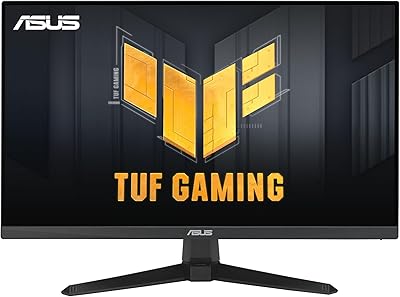
ASUS VG249QE5A 24-inch Gaming Monitor

76%
88%
Image Quality
91%
Refresh Rate Performance
86%
Motion Clarity
93%
Value for Money
47%
Ergonomics & Stand
More
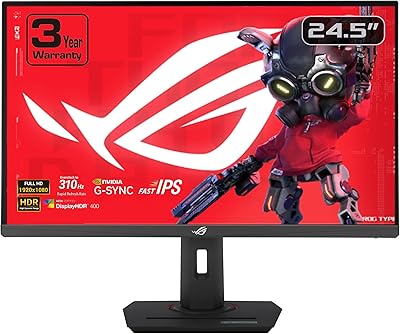
ASUS ROG Strix XG259QNS 24.5-inch Gaming Monitor
80%
93%
Motion Clarity
91%
Input Responsiveness
78%
Refresh Rate Value
67%
Image Quality
88%
Build Quality
More
ASUS ROG Strix XG259CMS 24.5-inch 310Hz Gaming Monitor
87%
94%
Gaming Performance
98%
Refresh Rate
91%
Color Accuracy
86%
Build Quality
85%
Ergonomics
More
ASUS VG248QG 24″ Gaming Monitor
85%
92%
Performance
89%
Display Quality
95%
Response Time
88%
Value for Money
91%
Eye Care Features
More
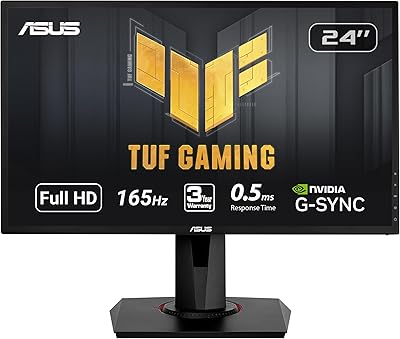
ASUS VA24DQSB 24-inch IPS Monitor
78%
93%
Ergonomic Adjustability
88%
IPS Panel Color Accuracy
61%
Brightness & Glare Handling
91%
Eye Comfort & Fatigue
84%
Build Quality & Stability
More
KTC 24-inch 190Hz Gaming Monitor
86%
92%
Performance
89%
Display Quality
85%
Ease of Setup
91%
Gaming Experience
87%
Color Accuracy
More
CRUA 24.5-Inch Gaming Monitor
84%
92%
Display Quality
89%
Gaming Performance
88%
Color Accuracy
84%
Ergonomics/Adjustability
90%
Setup Ease
More
Viewedge USC2412FDA-P 24-inch FHD 144Hz Gaming Monitor
71%
83%
Value for Money
79%
Gaming Performance
76%
Image Quality
81%
Eye Comfort
63%
Build Quality
More
AOC G2490VXS 24-inch Gaming Monitor
86%
92%
Value for Money
89%
Gaming Performance
87%
Display Quality
91%
Color Accuracy
85%
Design and Build
More
CUNPU 24-inch 240Hz Gaming Monitor
83%
88%
Gaming Performance
90%
Visual Quality
92%
Response Time
65%
Build Quality
89%
Color Accuracy
More

FAQ

Yes, the VG247Q1A supports Adaptive-Sync, which is compatible with NVIDIA GeForce GTX 10 series, GTX 16 series, RTX 20 series, and newer cards. You do not need an AMD GPU to benefit from tear-free sync on this display.

The panel is natively capable of 165Hz, so you can run it at the full refresh rate as long as your GPU and the cable you are using support the required bandwidth. Make sure you are connected via DisplayPort for the best chance of hitting 165Hz reliably.

It works fine with consoles via HDMI, though keep in mind that most current-gen consoles cap out at 120Hz, so you will not fully utilize the 165Hz capability. For PS5 or Xbox Series X users, it is still a solid 1080p option with low input lag.

Extreme Low Motion Blur essentially uses a strobing backlight to sharpen fast-moving objects on screen, reducing the smearing or trailing effect you might notice during quick camera movements or high-speed action. It works best when your frame rates are already high, which makes it a nice complement to the 165Hz refresh rate.

It depends on your environment. If you have a window or bright light source behind you, you will likely notice reflections on the glossy surface. In a more controlled lighting setup or a darker room, it is rarely an issue. If glare is a concern, a matte-finish monitor might suit you better.

ASUS does include VESA mount support on this model (100x100mm pattern), so you can remove the stand and attach it to a third-party monitor arm. This is a practical upgrade if the limited stand adjustability is a concern for your ergonomic setup.

They are adequate for system sounds, occasional voice chat, or background music, but do not expect much in terms of volume or audio quality. Most users who care about sound will want to pair this 24-inch ASUS panel with a headset or external speakers.

For games with lots of dark environments — think horror titles, tactical shooters, or anything with heavy shadow use — Shadow Boost does help you spot detail that might otherwise be lost. It is not a dramatic transformation, but it is a useful practical feature rather than a gimmick.

For everyday tasks, web browsing, and media consumption, the TUF Gaming monitor performs well. The 1080p resolution is clear enough at 24 inches for text and documents, though users who work with lots of spreadsheets or creative applications side by side may wish for a higher resolution over time.

Honestly, yes — for the price, the core specs still hold up. The 165Hz refresh rate and FreeSync Premium support remain relevant in the budget gaming monitor category, and the strong user rating after several years on the market is a good indicator of durability and satisfaction. It is not the newest option out there, but it continues to offer solid value for competitive gaming.

Where to Buy