Overview

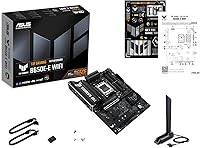
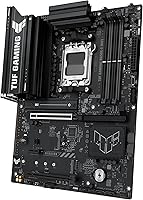
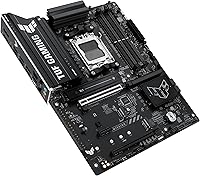
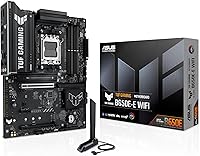
The ASUS TUF Gaming B650E-E WIFI Motherboard sits in an interesting spot — it's not trying to compete with flagship X670E boards, and it doesn't need to. Built around AMD's B650E chipset, it targets Ryzen 7000, 8000, and 9000 series builders who want a capable, durable ATX platform without overspending. The distinction between B650 and B650E matters here: the E variant adds PCIe 5.0 support across both the primary slot and M.2 storage, which standard B650 boards don't offer. Landing at #3 in Amazon's Computer Motherboards category shortly after its June 2025 release, this TUF Gaming motherboard has clearly found its audience among builders who value reliability and forward compatibility over bleeding-edge overclocking features.
Features & Benefits

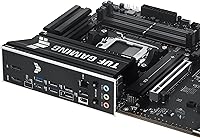
Where this ASUS AM5 board punches above its class is in the power delivery setup. The 8+2+1 stage 80A DrMOS configuration with an 8-layer PCB means your Ryzen processor gets stable, clean voltage under sustained loads — whether you're gaming for hours or running a lightly overclocked build. Storage flexibility is genuinely strong: one PCIe 5.0 M.2 slot for today's fastest drives, plus two PCIe 4.0 slots covering everything else. Wi-Fi 6E, 2.5Gb Ethernet, and a front-panel USB 20Gbps Type-C header round out a connectivity package that competes well above this price tier. Thoughtful extras like BIOS FlashBack, Q-Latch, and a pre-mounted I/O shield show ASUS paid real attention to the build experience.

Best For

The B650E board is a natural fit for builders stepping into the AM5 ecosystem for the first time and wanting room to grow. If you're pairing a Ryzen 7 or Ryzen 9 processor with DDR5 memory — potentially pushing toward the 6400 MHz ceiling — the power delivery handles it without issue. Builders who dread fiddly installs will appreciate the Q-Latch for screwless M.2 mounting and the pre-installed I/O shield. Integrated Wi-Fi 6E means one fewer card taking up a PCIe slot. And if you're already eyeing a PCIe 5.0 NVMe drive or plan to upgrade storage down the road, this ASUS AM5 board is ready without any additional adapter or compromise.

User Feedback

With nearly 2,000 ratings averaging 4.4 out of 5 stars, buyer sentiment around this TUF Gaming motherboard is consistently positive. The most common praise centers on BIOS usability — ASUS's interface has matured, and even first-time builders report navigating it without frustration. Build quality earns frequent mentions too, with the board feeling well-constructed for its market tier. On the flip side, some users flag occasional RAM compatibility hiccups when pushing high-speed kits past 6000 MHz, and a few mention fan header placement making certain cable runs awkward. Long-term durability reports are largely reassuring — boards running for months show no instability. The critical complaints are genuinely minor, and the overall consensus is that it delivers strong value.

Pros

  • The B650E chipset delivers PCIe 5.0 support for both the primary GPU slot and one M.2 slot, keeping storage genuinely future-proof.
  • The 8+2+1 stage power delivery setup handles Ryzen 9000 series chips under load without thermal throttling or voltage instability.
  • Wi-Fi 6E is included out of the box, saving the cost and slot space of a separate wireless card.
  • BIOS FlashBack lets you update firmware without installing a CPU first — a real time-saver when using a brand-new processor.
  • Three M.2 slots give you ample NVMe drive expansion for a board at this price point.
  • The pre-mounted I/O shield and Q-Latch screwless M.2 mounting make the physical build noticeably less fiddly.
  • BIOS interface is well-regarded by both newcomers and experienced builders for clarity and reliable XMP profile loading.
  • 2.5Gb Ethernet is a practical upgrade over standard 1Gb, especially noticeable for local network transfers and online gaming.
  • Fan Xpert 4 provides granular fan curve control without needing third-party software.
  • Long-term reliability reports from buyers are consistently positive, reflecting the TUF lineup's durability-first engineering.

Cons

  • High-speed DDR5 kits above 6000 MHz can require manual tuning to run stably — XMP does not always load cleanly on the first try.
  • Fan header placement has drawn complaints, with some positions making cable routing awkward in mid-tower cases.
  • The rear I/O USB port count is modest, which can feel restrictive for users with many peripherals.
  • No Thunderbolt support, which rules it out for creators relying on Thunderbolt docks or high-speed external storage.
  • Only one PCIe 5.0 M.2 slot is included — the other two run at PCIe 4.0 speeds, which may matter to storage enthusiasts.
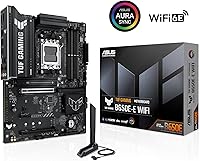
  • Aura Sync RGB is present but minimal compared to boards marketed specifically around lighting aesthetics.
  • BIOS updates occasionally introduce new compatibility quirks that require re-flashing or profile resets.
  • The board offers limited appeal for budget Ryzen 5 builds where most of its feature set goes unused.
  • No onboard power or reset buttons, making bench testing outside a case slightly inconvenient.
  • At ATX size, it requires a full-size case — compact or mATX builds are not an option here.

Ratings

The ASUS TUF Gaming B650E-E WIFI Motherboard scores below are generated by AI after analyzing thousands of verified global buyer reviews, with spam, bot activity, and incentivized feedback actively filtered out. The ratings reflect honest consensus across real builders — from first-time AM5 adopters to experienced enthusiasts — and do not shy away from the friction points that occasionally surface alongside the genuine strengths.
Value for Money
88%
Buyers consistently describe this as one of the strongest feature-to-price ratios in the B650E segment. Getting Wi-Fi 6E, PCIe 5.0 M.2, and a robust VRM setup without stepping up to X670E pricing is the single most cited reason people recommend it to others.
A small but vocal group feels that a few competitor boards at a similar price offer slightly better rear USB port density or more PCIe slots, which nudges the value perception downward for power users with complex peripheral setups.
Build Quality
91%
The board has a noticeably solid, well-finished feel that builders frequently comment on during installation. Heatsink mounting is tight with no flex, the PCB itself feels rigid, and the pre-mounted I/O shield reflects a level of attention to detail that buyers do not always expect at this price tier.
A handful of reviewers have noted that the VRM heatsink fins, while functional, feel slightly less premium compared to higher-end ASUS ROG boards — a cosmetic and tactile observation more than a performance concern, but worth noting for buyers who care about aesthetics.
Power Delivery
89%
Buyers running Ryzen 9 chips under extended gaming and rendering workloads report stable voltage delivery without throttling, which is the core expectation for the 8+2+1 stage setup. The dual 8+4 pin connector configuration gives the board headroom that cheaper alternatives in this class simply lack.
The board is not designed with extreme manual overclocking as its primary use case, and enthusiasts chasing the absolute ceiling of their CPU will hit limits that a flagship ROG Strix or X670E board would handle more comfortably. It is a stability-first design, not an overclock-first one.
BIOS Experience
86%
ASUS's BIOS interface receives consistent praise for being approachable enough for first-time builders while still offering sufficient depth for experienced users. BIOS FlashBack earns particular mentions from buyers who needed to update firmware before their new Ryzen 9000 chip was officially recognized — a process that went smoothly for the majority.
Some users report that certain BIOS updates introduced temporary XMP instability or reset fan curve configurations, requiring a re-setup after flashing. This is a recurring minor complaint rather than a systematic flaw, but it is frustrating enough that multiple buyers specifically flagged it.
DDR5 Memory Compatibility
74%
26%
Most buyers running mainstream DDR5 kits at 5600 MHz and 6000 MHz report clean, reliable XMP and EXPO profile loading from the first boot. The board handles the most commonly purchased DDR5 kits without requiring manual tuning, which is all most builders actually need.
High-speed kits pushing 6400 MHz and beyond are where compatibility becomes less predictable, particularly with modules not on ASUS's QVL list. Several buyers noted needing multiple BIOS cycles or manual sub-timing adjustments to achieve stability, which is a real friction point for memory enthusiasts.
Wireless Connectivity
92%
Wi-Fi 6E performance draws strong praise, with buyers noting reliable speeds and low latency on 6 GHz-capable routers. The Q-Antenna connector makes antenna attachment fast and secure, and buyers upgrading from older Wi-Fi 5 boards describe a noticeable improvement in connection stability during online gaming.
A small number of users in densely populated environments report occasional 6 GHz band dropouts, though this appears to be more related to router firmware compatibility than the board itself. Buyers without a Wi-Fi 6E router will also not gain any tangible benefit over Wi-Fi 6 for the time being.
Storage Expansion
87%
Three M.2 slots is a generous count at this price point, and having a PCIe 5.0 slot available for next-gen NVMe drives is genuinely useful for builders planning ahead. Each slot ships with a heatsink already attached, which removes one more step from the installation process.
Only one of the three M.2 slots runs at PCIe 5.0; the other two are PCIe 4.0, which may disappoint storage enthusiasts expecting broader PCIe 5.0 coverage. There is no SATA M.2 support for legacy drives, though this is standard for B650E-class boards and not a design oversight.
USB Connectivity
71%
29%
The front-panel USB 20Gbps Type-C header is a highlight — it means users with modern cases can access genuinely fast front USB transfer speeds, which is useful for photographers and video editors who regularly move large files. The rear USB 10Gbps Type-C adds a solid high-speed option without requiring a hub.
The total rear USB port count is the most common peripheral-related complaint, with content creators and users running multiple external drives, controllers, and audio interfaces frequently finding the rear I/O limiting. There is no Thunderbolt support, which is a hard dealbreaker for some professional workflows.
Thermal Management
83%
VRM temperatures under sustained Ryzen 9 workloads remain controlled in well-ventilated mid-tower cases, which buyers with demanding rendering tasks specifically appreciate. The M.2 heatsinks keep drive temperatures in check even when the PCIe 5.0 slot is occupied by a high-performance NVMe that runs hot under load.
In cases with restricted airflow, VRM temperatures can climb higher than expected, and a few buyers note that the PCH heatsink runs warm to the touch during sustained workloads. Adding a case fan directly aimed at the board helps, but it should not be a prerequisite in a well-designed system.
Installation Experience
90%
The pre-mounted I/O shield, Q-Latch screwless M.2 mounting, and PCIe Q-Release collectively make this one of the least frustrating boards to build with in this price range. First-time builders in particular mention these features as reducing the stress of their first AM5 build significantly.
Fan header placement receives recurring criticism for making cable runs awkward in certain case layouts, particularly for builders trying to maintain a clean interior. A few headers are positioned in spots that force cables to cross over other components, which is a minor but genuinely irritating ergonomic oversight.
Software & Fan Control
79%
21%
Fan Xpert 4 gives builders meaningful control over thermal behavior without requiring third-party utilities, which experienced users appreciate for keeping the software footprint lean. The hybrid headers that auto-detect PWM versus DC fans remove a common configuration headache.
ASUS Armoury Crate, which bundled alongside Fan Xpert 4, receives consistent criticism for being bloated and intrusive at startup. Many users end up running Fan Xpert 4 standalone or configuring fan curves in the BIOS directly just to avoid the Armoury Crate overhead.
RGB & Aesthetics
76%
24%
Aura Sync integration works reliably with other ASUS components and a wide range of compatible accessories, making lighting synchronization genuinely straightforward for buyers who build around an ASUS ecosystem. The board's overall visual design is clean and purposeful without being garish.
Buyers expecting elaborate onboard RGB will find the lighting implementation modest compared to more visually focused competing boards. Aura Sync itself occasionally requires a software update to recognize newly connected devices, which adds a small layer of friction to what should be a plug-and-play experience.
Long-Term Reliability
88%
Given the TUF Gaming lineup's reputation for durability, it is no surprise that buyers running this board for extended periods report stable, consistent performance. The alloy chokes and high-grade capacitors translate into a board that holds up well under daily workloads across months of continuous use.
The relatively recent June 2025 release date means long-term field data is still accumulating, and a small number of early adopters reported component anomalies in early production batches. Most were resolved through warranty replacement, but it is worth monitoring forum threads if you purchase an early unit.
Display Output
81%
19%
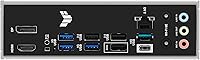
Having both DisplayPort and HDMI on the rear I/O is a practical advantage for builders temporarily running on integrated graphics while waiting for a GPU, or for those using Ryzen processors with integrated graphics permanently in a compact workstation setup.
Neither output supports the highest refresh rates available on modern monitors when running through integrated graphics, which limits its appeal for display-heavy workflows. Buyers using a discrete GPU will likely never touch these ports, making this a convenience feature rather than a genuine selling point for most.

Suitable for:

The ASUS TUF Gaming B650E-E WIFI Motherboard is a strong pick for anyone building a capable AMD AM5 system and wanting room to grow without committing to flagship-tier pricing. It makes particular sense for Ryzen 7 or Ryzen 9 owners who want a power delivery setup that won't bottleneck the CPU under sustained gaming or workstation loads. Builders stepping into DDR5 for the first time will appreciate the straightforward BIOS and the memory support that stretches up to 6400 MHz. The PCIe 5.0 M.2 slot future-proofs storage, so anyone planning to adopt next-gen NVMe drives won't need a board upgrade. Wi-Fi 6E onboard also makes this a practical choice for setups where running an Ethernet cable isn't realistic. If you value a smooth, frustration-free build experience — pre-mounted I/O shield, tool-free M.2 installation, BIOS FlashBack for updating without a CPU — this board is genuinely well-suited to first-time and experienced builders alike.
Not suitable for:

The ASUS TUF Gaming B650E-E WIFI Motherboard is not the right choice if your primary goal is aggressive manual overclocking or extreme memory tuning. The TUF lineup is built for durability and stability, not for pushing every last MHz out of your hardware the way a ROG Strix or high-end X670E board is designed to do. Enthusiasts who need more than one PCIe 5.0 x16 slot for multi-GPU setups or advanced expansion will hit the ceiling quickly. If you're running a Ryzen 5 on a tight budget, the feature set here is likely more than you'll ever use, and cheaper B650 options exist. Professionals who need Thunderbolt connectivity will find it missing, and the rear USB port count may feel limiting for content creators who regularly connect many high-speed peripherals. Anyone upgrading from a previous-gen platform expecting a direct drop-in experience should also be aware this is a full platform change — new CPU, new RAM, and potentially a new cooler mount.
Specifications

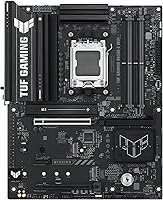
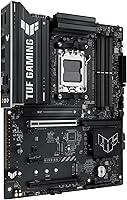
  • Form Factor: Standard ATX format, fitting full-size mid-tower and full-tower cases.
  • CPU Socket: AMD AM5 socket, compatible with Ryzen 7000, 8000, and 9000 series desktop processors.
  • Chipset: AMD B650E chipset, which enables PCIe 5.0 support on both the primary x16 slot and one M.2 slot.
  • Memory Type: DDR5 only, with support for speeds up to 6400 MHz via XMP or EXPO profiles.
  • Memory Slots: Four DIMM slots supporting dual-channel DDR5 configurations.
  • Power Delivery: 8+2+1 power stage design using 80A DrMOS components, fed by dual 8+4 pin ProCool connectors on an 8-layer PCB.
  • M.2 Storage: Three M.2 slots: one PCIe 5.0 and two PCIe 4.0, each with an individual heatsink for thermal management.
  • Primary PCIe: One PCIe 5.0 x16 slot for the primary graphics card, with Q-Release for tool-free removal.
  • Wireless: Wi-Fi 6E (802.11ax) with a Q-Antenna connector for easy external antenna attachment.
  • Ethernet: Realtek 2.5 Gigabit LAN port for wired network connectivity at up to 2.5 Gbps.
  • Front USB: One front-panel USB 20Gbps Type-C header for high-speed peripheral connectivity at the case front.
  • Rear USB: Rear I/O includes a USB 10Gbps Type-C port alongside standard Type-A USB ports.
  • Display Output: Rear I/O provides one DisplayPort and one HDMI port for use with AMD Ryzen processors featuring integrated graphics.
  • Fan Control: Hybrid fan headers throughout the board, managed via ASUS Fan Xpert 4 software for per-header curve tuning.
  • RGB Lighting: Onboard Aura Sync RGB headers allow lighting synchronization with compatible ASUS components and accessories.
  • BIOS Features: BIOS FlashBack allows firmware updates using only a USB drive and power connection, with no CPU or RAM installed.
  • Cooling: Enlarged VRM heatsink, individual M.2 heatsinks, and a PCH heatsink are all factory-installed.
  • Dimensions: Package measures 13.98 x 10.79 x 2.8 inches and the board weighs 3.95 pounds.
  • OS Support: Officially supported on Windows 10 and Windows 11 64-bit editions.
  • Release Date: First made available in June 2025 as part of ASUS's refreshed TUF Gaming AM5 lineup.

Related Reviews
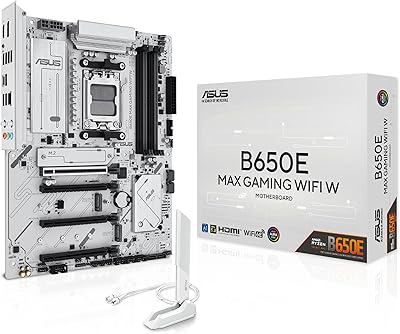
ASUS B650E MAX Gaming WiFi W
80%
91%
Aesthetic Design & PCB Quality
88%
Connectivity & I/O
84%
Wi-Fi Performance
76%
BIOS Experience & FlashBack
73%
VRM & Power Delivery
More
ASUS TUF Gaming A620M-PLUS WiFi Motherboard
77%
91%
Value for Money
84%
Build Quality
88%
Ease of Installation
86%
BIOS Experience
89%
Networking Performance
More
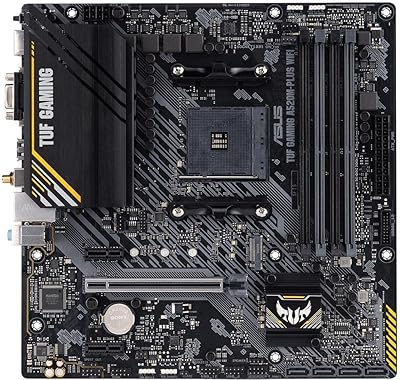
ASUS TUF Gaming A520M-PLUS WiFi Motherboard
77%
88%
Value for Money
83%
Build Quality
91%
CPU Compatibility
76%
Wireless Connectivity
89%
BIOS & Setup Experience
More
ASUS ROG Strix B650E-I Mini-ITX Motherboard
81%
91%
VRM & Power Delivery
94%
Feature Set for Form Factor
83%
BIOS & Software Experience
74%
DDR5 Memory Compatibility
88%
Wireless Connectivity
More
ASUS TUF Gaming B850M-PLUS WiFi mATX Motherboard
82%
88%
Value for Money
86%
Build Quality & Durability
84%
Power Delivery
83%
BIOS Experience
71%
DDR5 Memory Compatibility
More
ASUS TUF Gaming B760M-BTF WiFi Motherboard
80%
93%
BTF Design Execution
61%
BTF Case Compatibility
88%
VRM & Power Delivery
84%
DDR5 Memory Compatibility
86%
BIOS Experience
More
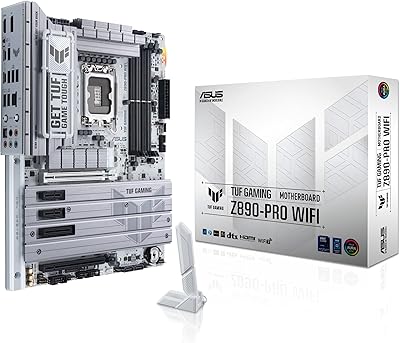
ASUS TUF Gaming Z890-PRO WiFi Motherboard
82%
91%
Build Quality
93%
Power Delivery
84%
BIOS Experience
87%
Memory Compatibility
82%
Thermal Management
More
ASUS ROG Strix X870E-E Gaming WiFi
88%
93%
Physical Build Quality
96%
Power Delivery Efficiency
94%
Storage Expansion Options
91%
Next-Gen Wireless Speed
92%
Tool-Free DIY Features
More
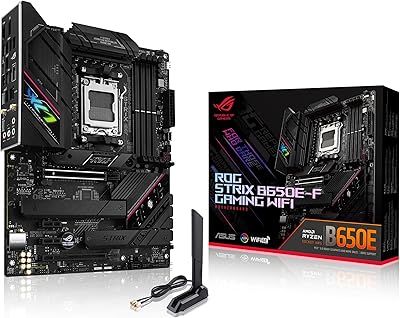
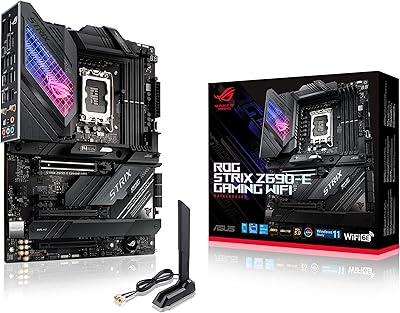
ASUS ROG Strix B650E-F Gaming WiFi Motherboard
85%
88%
Performance Under Load
91%
Ease of Setup
92%
WiFi and Networking
85%
Power Delivery Stability
78%
Cooling Requirements
More
ASUS TUF Gaming Z790-Plus WiFi
89%
93%
Build Quality
91%
VRM Thermal Performance
88%
Installation Experience
94%
BIOS User Interface
86%
Storage Expandability
More

FAQ

It works with the full range of AMD AM5 processors, including Ryzen 7000, 8000, and 9000 series chips. If you already own a Ryzen 7000 series CPU, you can drop it right in. Just check the ASUS support page to confirm your specific model is on the QVL list, and update the BIOS to the latest version if needed.

It is strictly DDR5 only. The AM5 platform as a whole does not support DDR4, so if you are upgrading from an older build, you will need new memory. The good news is that DDR5 kit prices have come down considerably, and the board supports speeds up to 6400 MHz.

Yes, and this is one of the most genuinely useful features on the B650E board. BIOS FlashBack lets you update the firmware using just a USB drive and a power connection — no CPU, no RAM, no display needed. It is a straightforward process: download the correct BIOS file, rename it as specified in the manual, plug it into the designated USB port, and hold the FlashBack button for a few seconds.

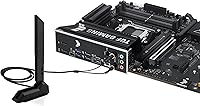
Wi-Fi 6E is fully integrated into this ASUS AM5 board — no adapter required. The package includes an antenna that connects via the Q-Antenna port on the rear I/O, making setup quick. Wi-Fi 6E supports the 6 GHz band, which means lower congestion and faster speeds on compatible routers.

You get three M.2 slots in total. The top slot runs at PCIe 5.0 speeds, which is ideal for the latest high-performance NVMe drives. The remaining two slots run at PCIe 4.0, which is still very fast by any practical measure and perfectly suited for current mainstream SSDs. Each slot has its own heatsink included.

The E in B650E indicates extended PCIe 5.0 support. A standard B650 board typically only offers PCIe 5.0 on the CPU-connected M.2 slot, while B650E extends that to the primary x16 graphics card slot as well. For most buyers today the practical difference is modest, but if you plan to use a PCIe 5.0 GPU in the future, the E variant keeps that door open.

It can be, and it is worth being aware of. Most DDR5 kits at 5600 MHz and 6000 MHz load XMP or EXPO profiles reliably on this TUF Gaming motherboard. Problems are more common when pushing 6400 MHz and above, particularly with kits not on ASUS's QVL list. Checking the compatibility list before buying your memory is the easiest way to avoid headaches.

Yes, the primary x16 slot is PCIe 5.0, so it is physically and electrically compatible with any PCIe 5.0 GPU. Current graphics cards are still largely PCIe 4.0, but they will work in a PCIe 5.0 slot without any issues — you are simply future-proofed for when PCIe 5.0 GPUs become more mainstream.

The board includes multiple hybrid fan headers spread across the PCB, covering both CPU and chassis fan connections. Each header can be controlled individually through ASUS Fan Xpert 4, which lets you set custom curves based on CPU or motherboard temperature sensors. The hybrid design means headers can drive both PWM and DC fans automatically.

It is actually quite flexible in this regard. Fan Xpert 4 gives you precise control over fan behavior, and the board will run quiet under light loads if you set conservative curves. The integrated Wi-Fi and 2.5Gb Ethernet also make it practical for a home workstation. The Aura Sync RGB can be turned off entirely if aesthetics are not a priority — nothing forces you to use it.

Where to Buy