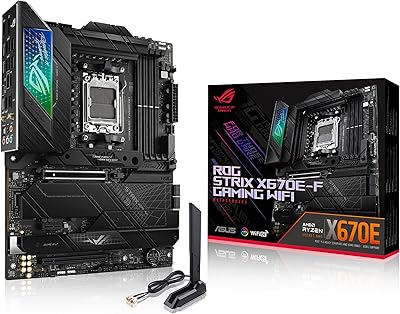
ASUS ROG Strix Z690-E Gaming WiFi Motherboard

Overview
The ASUS ROG Strix Z690-E Gaming WiFi Motherboard sits at the top of the Z690 stack — a board built for 12th Gen Intel builders who want DDR5 and PCIe 5.0 support without compromising on anything. The full ATX layout gives you real expansion headroom in a mid or full tower, with room for multiple GPUs, cards, and storage devices down the line. When this launched alongside Alder Lake, early DDR5 adoption meant accepting some memory kit compatibility quirks, and that context is worth keeping in mind. First impressions are strong — build quality is solid and the packaging is well-considered. This is a premium-tier board that earns its price when paired with a high-end CPU.
Features & Benefits
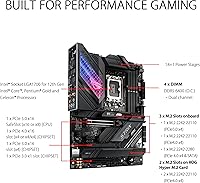
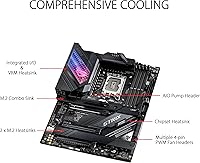
The 18+1 power stage setup — each rated at 90A — gives the Strix Z690-E real headroom when running sustained all-core workloads on a Core i9, where lesser boards thermal-throttle or voltage droop under pressure. Networking is a genuine strong point: Wi-Fi 6E covers 2.4, 5, and 6GHz bands, while Intel 2.5Gb Ethernet handles heavy file transfers and low-latency gaming without breaking a sweat. Storage options are unusually generous — five M.2 slots, one of which is PCIe 5.0, plus a bundled expansion card for even more drives. The thermal solution is thorough, with heatsink coverage on the VRM, PCH, and both sides of the M.2 slots. Builder-friendly touches like Q-LED diagnostics, BIOS FlashBack, and the Q-Latch tool-free M.2 mount make installation noticeably less frustrating.
Best For
This ROG Z690 board is the right choice if you're building around a Core i7 or i9 and plan to actually push overclocks — not just enable XMP and call it done. Competitive gamers who want both fast wireless and a wired 2.5Gb connection will appreciate having both on-board without needing an add-in card. Content creators cycling through large project files across multiple NVMe drives will genuinely grow into the storage expansion over time. The BIOS FlashBack feature and robust diagnostics are a real comfort during initial setup if something doesn't POST. Where it falls short: pairing this high-end Intel motherboard with a budget-tier chip like a Celeron or Pentium makes little financial sense — the platform overhead simply doesn't justify it.
User Feedback
Across 1,040+ ratings, the Strix Z690-E holds a 4.4-star average — a score that reflects genuine satisfaction rather than just early hype. The most consistent praise centers on BIOS stability and overall build quality, with many owners noting that DDR5 memory compatibility improved considerably after firmware updates. On the negative side, DDR5 training times at boot annoyed a number of early buyers, and first-time builders occasionally found the Q-Code readout cryptic without referencing documentation. The AI overclocking feature gets mixed reviews — it works as a reasonable starting point but rarely beats manual tuning for experienced users. Long-term owners, those past the one-year mark, report reliable daily use with few hardware failures surfacing in the feedback pool.
Pros
- The 18+1 power stage design handles sustained all-core loads on a Core i9 without throttling or voltage droop.
- Wi-Fi 6E tri-band support covers 6GHz band access — a real advantage in crowded wireless environments.
- Five M.2 slots, including one PCIe 5.0, give this ROG Z690 board exceptional storage scalability for heavy workloads.
- Intel 2.5Gb Ethernet with LANGuard provides fast, stable wired connectivity without needing a separate NIC.
- BIOS FlashBack allows firmware updates without a CPU installed — a lifesaver for compatibility issues.
- Double-sided M.2 heatsinks and thorough VRM coverage keep thermals under control during extended high-load sessions.
- Q-LED diagnostics and the Q-Code display make troubleshooting a failed POST significantly faster and less frustrating.
- DDR5 support up to 6400 MHz future-proofs the memory platform for high-bandwidth workloads.
- Tool-free M.2 Q-Latch installation is a small but genuinely appreciated quality-of-life improvement during builds.
- Long-term owners consistently report reliable daily operation well past the one-year mark.
Cons
- Early DDR5 kit compatibility was inconsistent at launch and required firmware updates to stabilize for many users.
- DDR5 memory training times at boot are noticeably longer than what DDR4 builders are used to.
- The AI overclocking tool works as a starting point but rarely outperforms careful manual tuning for experienced users.
- Q-Code readouts can confuse builders who have not kept the manual nearby during initial system setup.
- The premium price is difficult to justify if you are not running a high-end CPU or plan to overclock seriously.
- Full ATX size limits this board to mid-tower and full-tower cases only — no compact build options.
- The bundled ROG Hyper M.2 expansion card adds storage slots but occupies a PCIe lane that could otherwise go to another device.
- At launch, the 6GHz Wi-Fi 6E band required a router upgrade to take advantage of, adding to total system cost.
- Bluetooth 5.2 is solid but not the latest standard available on newer-generation boards.
- The Strix Z690-E is heavier than average at 6 pounds, which can make single-handed installation into a case awkward.
Ratings
The scores below were generated by AI after analyzing thousands of verified global reviews for the ASUS ROG Strix Z690-E Gaming WiFi Motherboard, with spam, bot activity, and incentivized feedback actively filtered out to ensure accuracy. Both the genuine strengths enthusiast builders praised and the recurring frustrations that shaped lower scores are transparently reflected here. The result is an honest, data-driven picture of where this high-end Intel motherboard delivers and where it asks for patience.
Build Quality
BIOS Experience
Power Delivery
DDR5 Compatibility
Wireless Networking
Wired Networking
Storage Expansion
Thermal Management
Setup & Installation
Diagnostics & Troubleshooting
AI Feature Usefulness
Long-Term Reliability
Value for Money
Aesthetics & RGB
Suitable for:
The ASUS ROG Strix Z690-E Gaming WiFi Motherboard is purpose-built for enthusiast PC builders who are pairing it with a 12th Gen Intel Core i7 or i9 and plan to actually use that unlocked multiplier — not just enable XMP and leave it. If you're a competitive gamer who wants both Wi-Fi 6E and a 2.5Gb wired connection without reaching for add-in cards, this board handles both cleanly out of the box. Content creators and streamers who churn through large files across multiple NVMe drives will appreciate having five M.2 slots to grow into over time. Builders who have been burned by frustrating first-boot experiences will find the Q-LED diagnostics, BIOS FlashBack, and pre-mounted I/O shield genuinely reduce setup headaches. Anyone investing in a long-term platform who wants DDR5 and PCIe 5.0 readiness baked in from day one is exactly the buyer this board was designed for.
Not suitable for:
If your budget is tight or your CPU of choice is a Celeron, Pentium Gold, or even a modest Core i5 used purely for everyday tasks, the ASUS ROG Strix Z690-E Gaming WiFi Motherboard is more board than you will ever realistically use — and you will pay a premium for features that stay dormant. Early DDR5 adopters should know that initial memory kit compatibility was inconsistent, and while firmware updates have improved the situation substantially, buyers who want a completely friction-free first boot still face a higher risk than with a mature DDR4 platform. The ATX form factor also means this board only fits mid-tower or full-tower cases, so compact or micro-ATX build plans are a non-starter. First-time builders who are unfamiliar with BIOS navigation or POST diagnostics may find the learning curve steeper than expected, particularly when interpreting Q-Code readouts without consulting documentation. If you are shopping purely on value-per-dollar with no interest in overclocking or high-speed networking, there are capable Z690 alternatives that cost considerably less.
Specifications
- CPU Socket: Uses the LGA 1700 socket, compatible with Intel 12th Gen Core, Pentium Gold, and Celeron processors.
- Chipset: Built on the Intel Z690 chipset, enabling full overclocking support and high-bandwidth connectivity options.
- Form Factor: Standard ATX layout measuring 14.4 x 12.2 x 4.5 inches, designed for mid-tower and full-tower cases.
- Memory Support: Supports DDR5 RAM across four DIMM slots with speeds up to 6400 MHz via overclocking profiles.
- Power Stages: Features an 18+1 power delivery configuration using 90A power stages paired with ProCool II connectors and alloy chokes.
- M.2 Storage: Provides five M.2 slots total — one PCIe 5.0 slot, additional PCIe 4.0 and 3.0 slots, plus the bundled ROG Hyper M.2 expansion card.
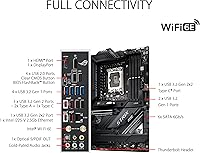
- Wireless: Integrated Wi-Fi 6E adapter supports 802.11a/b/g/n/ac/ax across 2.4 GHz, 5 GHz, and 6 GHz frequency bands in a 2x2 configuration.
- Bluetooth: Ships with Bluetooth 5.2 support for low-latency peripheral and audio device connections.
- Ethernet: Onboard Intel 2.5 Gigabit LAN port is protected by ASUS LANGuard surge and ESD protection circuitry.
- USB Ports: Includes 11 USB 2.0 ports total, plus front-panel USB 3.2 Gen 2x2 Type-C and Type-A headers for high-speed device connectivity.
- Display Output: Rear I/O carries one HDMI 2.0 and one DisplayPort 1.4 output for systems using integrated Intel graphics.
- Diagnostics: Equipped with Q-LED boot indicators, a two-digit Q-Code display, and BIOS FlashBack for firmware recovery without a CPU or RAM installed.
- Thermal Design: Cooling infrastructure includes a VRM heatsink, fanless PCH heatsink, double-sided M.2 heatsinks, and hybrid fan headers managed via Fan Xpert 4.
- PCIe Slots: Primary x16 slot operates at PCIe 5.0 speeds, with additional slots running PCIe 4.0 and 3.0 for expansion cards.
- Weight: The board weighs 6 pounds, which is on the heavier side for ATX motherboards due to its extensive heatsink coverage.
- OS Compatibility: Ships ready for Windows 11 out of the box with no additional driver preparation required for basic installation.
- Intel Optane: The board supports Intel Optane Memory for users who want to pair an Optane module with a traditional hard drive for caching acceleration.
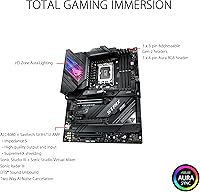
- AI Features: Includes ASUS AI Overclocking, AI Cooling, AI Networking via GameFirst VI, and AI Noise Cancellation as software-assisted utilities.
Related Reviews
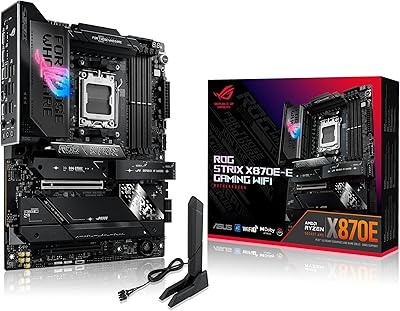
ASUS ROG Strix X870E-E Gaming WiFi
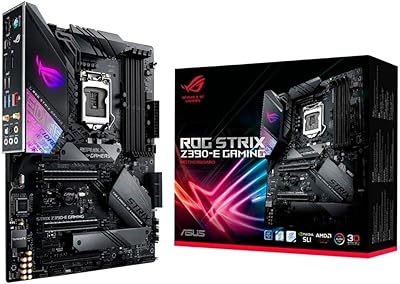
ASUS ROG Strix Z390-E Gaming Motherboard
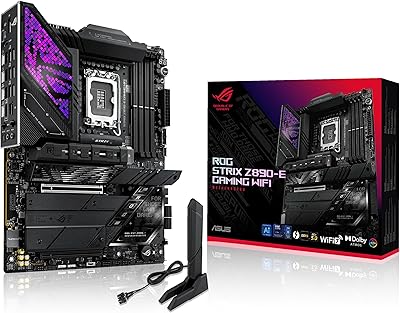
ASUS ROG Strix Z890-E ATX Motherboard

ASUS ROG Strix B650E-I Mini-ITX Motherboard
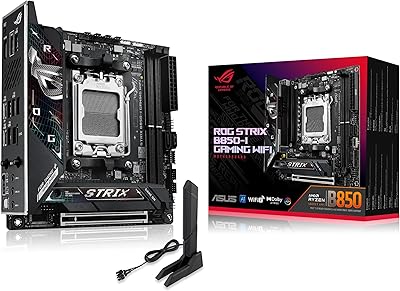
ASUS ROG Strix B850-I Mini-ITX Motherboard
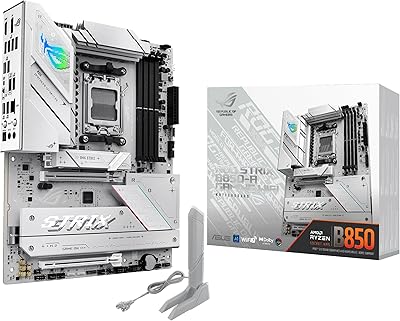
ASUS ROG Strix B850-A ATX Motherboard
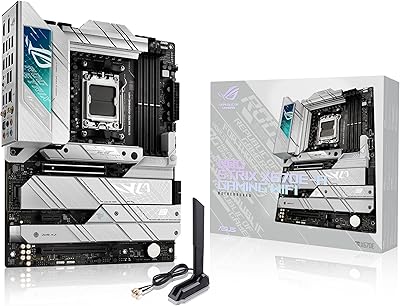
ASUS ROG Strix X670E-A Motherboard
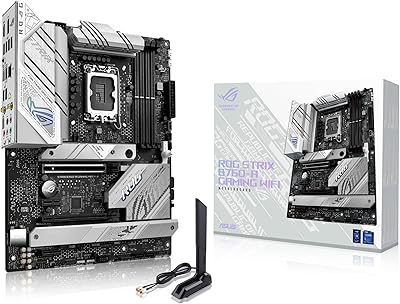
ASUS ROG Strix B760-A ATX Motherboard
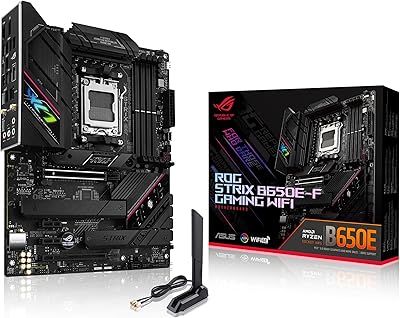
ASUS ROG Strix B650E-F Gaming WiFi Motherboard