Overview

The ASUS TUF Gaming Z690-Plus WiFi Motherboard lands in a competitive sweet spot — not quite entry-level, not quite enthusiast territory, but deliberately positioned for builders who want a capable Z690 platform without paying ROG-tier prices. TUF has always been ASUS's reliability-first sub-brand, and that philosophy carries through here. The ATX form factor fits comfortably in standard full-size cases with plenty of room for cable management. What makes this board interesting for long-term builders is its inclusion of DDR5 and PCIe 5.0 — both still maturing technologies at launch, but sensible bets for platform longevity as Intel's ecosystem continues developing. Against similarly priced Z690 competition from MSI and Gigabyte, this board holds its own.
Features & Benefits

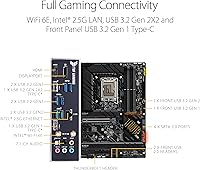
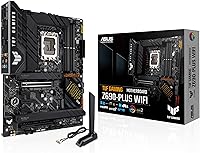
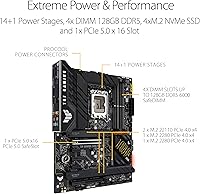
The power delivery setup — 14+2 DrMOS stages with ProCool sockets — handles Alder Lake chips confidently, managing Core i7 and i9 loads without thermal stress under normal conditions. Don't expect it to push extreme overclocking headroom, but for most users it performs adequately. The integrated WiFi 6 and 2.5Gb wired LAN eliminate the need for add-in network cards, a genuine convenience. Four M.2 slots, each with its own heatsink, make this board unusually storage-generous at this price point. The Thunderbolt 4 header and front-panel USB 3.2 Gen 2 Type-C add connectivity most boards in this range omit entirely. Fan Xpert 4 rounds things out with flexible thermal management for air and liquid cooling alike.

Best For

This ASUS TUF motherboard makes most sense paired with a Core i5-12600K or i7-12700K — processors that benefit from solid power delivery without demanding a premium VRM. Gamers wanting built-in WiFi and audio without purchasing extra expansion cards will find it a practical fit. Content creators or streamers juggling large project files will appreciate the four NVMe slots. It's also notably beginner-friendly: Q-LED diagnostic lights, the tool-free M.2 Q-Latch, and a pre-installed I/O shield reduce common build frustrations. That said, extreme overclockers, workstation users needing ECC memory support, or anyone already eyeing newer Intel platforms should look elsewhere — this board's appeal is rooted in practicality, not peak performance.

User Feedback

With 762 ratings and a 4.5-star average, the TUF Z690-Plus WiFi earns its score without controversy. Builders frequently praise the UEFI BIOS experience, calling it one of the cleaner interfaces at this tier. Build quality draws consistent positive remarks — the board feels well-constructed, with thoughtful component layout. On the downside, some early adopters ran into DDR5 memory compatibility issues, particularly around XMP profiles, which required BIOS updates to resolve. A handful reported initial NVMe drive detection problems. First-time builders generally rate the setup experience positively, though DDR5's higher latency and elevated cost relative to DDR4 was a recurring frustration during the platform's early availability — something worth factoring into a build budget.

Pros

  • Four M.2 NVMe slots with individual heatsinks provide serious storage expansion without extra hardware.
  • Integrated WiFi 6 and 2.5Gb LAN eliminate the need for separate networking add-in cards.
  • Thunderbolt 4 header inclusion is rare at this price tier and adds meaningful long-term connectivity.
  • The TUF Z690-Plus WiFi BIOS is widely praised for being intuitive and well-organized.
  • Q-LED diagnostics and a pre-installed I/O shield make the build process noticeably less frustrating.
  • PCIe 5.0 support ensures the platform stays relevant as next-generation GPUs and SSDs arrive.
  • Fan Xpert 4 offers genuinely granular thermal control for both air and liquid cooling configurations.
  • ASUS TUF build quality feels solid — components are well-placed and the board handles daily use reliably.
  • Aura Sync ARGB support works across a wide range of compatible gear without needing expensive RGB ecosystems.
  • The Realtek S1200A audio codec delivers clean sound output that holds up well for gaming and media.

Cons

  • DDR5 memory kits still carry a cost premium over DDR4, increasing total build cost noticeably.
  • Early DDR5 XMP profile compatibility required BIOS updates that some users found inconvenient post-launch.
  • The VRM is adequate for most Alder Lake CPUs but not ideal for sustained Core i9 overclocking sessions.
  • No ECC memory support limits appeal for professional workstation or scientific computing use cases.
  • Some users reported intermittent M.2 drive detection issues that required troubleshooting after initial assembly.
  • DDR5 at launch brought higher latency compared to mature DDR4 kits, which affects memory-sensitive workloads.
  • Full ATX size means this board is not an option for compact or small form factor builds.
  • WiFi antenna placement and rear I/O layout have drawn minor complaints regarding cable routing in tighter cases.

Ratings

Our AI rating engine analyzed verified global user reviews for the ASUS TUF Gaming Z690-Plus WiFi Motherboard, actively filtering out incentivized, bot-generated, and duplicate submissions to surface what real builders actually experienced. Scores reflect a balanced synthesis of both consistent praise and recurring frustrations — nothing is glossed over. Where this Z690 board earns strong marks, you will see why; where it falls short for certain buyers, that is reflected honestly too.

Build Quality
88%
Users consistently describe the TUF Z690-Plus WiFi as feeling substantial and well-constructed right out of the box — heatsinks are firmly seated, PCIe slots have reinforced retention, and the overall component layout is tidy. Builders moving up from budget boards noticed the difference immediately.
A minority of users reported minor cosmetic inconsistencies such as slightly uneven heatsink surface finishes, which do not affect performance but matter to buyers assembling showcase builds with tempered glass panels.
BIOS & Firmware
84%
The UEFI BIOS is one of the most frequently praised aspects across reviews — EZ Mode gives newcomers a clean overview, while Advanced Mode provides enough control for seasoned builders to dial in fan curves, power limits, and XMP without needing third-party tools.
Several early adopters encountered BIOS versions that did not properly recognize certain DDR5 kits at rated XMP speeds, requiring updates before the system posted stably. BIOS update procedures also confused a segment of first-time builders who were not expecting that step.
DDR5 Memory Compatibility
67%
33%
Once BIOS updates were applied, the majority of users achieved stable operation with popular DDR5 kits from Corsair, G.Skill, and Kingston. Builders who did their research on compatible memory lists before purchasing generally had smooth experiences.
DDR5 compatibility was a genuine pain point at launch and remains a moderate concern — some kits required manual timing adjustments to post reliably, and early DDR5 modules carried higher latency and cost compared to mature DDR4 alternatives, which frustrated budget-focused builders.
Power Delivery & VRM
79%
21%
The 14+2 DrMOS stage setup handles Core i5 and i7 Alder Lake chips with confidence, keeping power delivery stable during extended gaming sessions and multi-threaded workloads without thermal throttling or voltage instability reports from the majority of users.
Builders pairing this board with a Core i9-12900K and pushing aggressive overclocks reported VRM temperatures that became a limiting factor under sustained all-core loads. It is a capable but not headroom-rich solution for the most demanding CPU configurations.
Networking & Connectivity
91%
The combination of WiFi 6 and 2.5Gb wired LAN is one of the standout value propositions for this board — users switching from older boards with basic Gigabit LAN and no onboard wireless appreciated having both without purchasing add-in cards. Online gaming latency scores were consistently positive.
A small number of users noted that the WiFi antenna placement on the rear I/O made cable routing slightly awkward in compact cases, and a handful experienced WiFi driver conflicts on fresh Windows installations that required manual resolution.
NVMe Storage Options
89%
Four M.2 slots with individual heatsinks is generous at this price point, and content creators running multiple NVMe drives for video editing scratch disks and project storage found the board handled simultaneous drive activity without thermal issues on the heatsink-covered slots.
Users who filled all four M.2 slots while also running multiple PCIe expansion cards discovered bandwidth-sharing limitations through the chipset lanes — a real-world constraint that is easy to overlook without reading the manual carefully before configuring a complex storage setup.
Thunderbolt 4 Support
76%
24%
The inclusion of a Thunderbolt 4 header at this price tier is uncommon and appreciated by users who connect high-speed external storage arrays or Thunderbolt-equipped monitors, avoiding the need for a costly Thunderbolt add-in card that would typically consume a PCIe slot.
The header requires a compatible Thunderbolt 4 panel or bracket that is not included in the box, meaning additional cost and sourcing effort. Some users also noted that Thunderbolt device recognition occasionally required a driver reinstall after Windows updates.
USB Connectivity
77%
23%
The front-panel USB 3.2 Gen 2 Type-C header is a practical inclusion for case builders who want high-speed USB-C access at the front of their rig — a feature that streamers and content creators moving files to external drives particularly appreciated in daily use.
The rear I/O USB port count is adequate but not abundant for power users running multiple peripherals, external drives, and capture cards simultaneously. A few users wished for additional USB-A ports on the rear panel without needing a USB hub.
Thermal Management
82%
18%
Fan Xpert 4 provides genuine flexibility for managing both air and liquid cooling setups — users running custom loop configurations appreciated the granular control over pump headers and fan curves from within the software without needing to rely solely on BIOS settings.
A subset of users running dense airflow configurations found the VRM heatsink position slightly awkward when routing large CPU cooler fans, and a few noted that Fan Xpert 4 software installation occasionally conflicted with third-party fan control utilities.
Audio Performance
74%
26%
The Realtek S1200A codec delivers noticeably cleaner audio output than the basic codecs found on entry-level boards, and gamers using headsets directly from the rear audio jacks reported low background noise and adequate channel separation for positional audio in competitive titles.
Audiophiles or streamers using studio-grade headphones found the onboard audio merely acceptable rather than impressive — signal-to-noise performance is good for a motherboard codec but still falls short of even a budget dedicated sound card for critical listening.
Beginner Friendliness
83%
Q-LED diagnostics were consistently called out as a genuine time-saver by first-time builders who would otherwise have no idea where to start troubleshooting a failed POST. The pre-installed I/O shield and M.2 Q-Latch also removed two of the most commonly fumbled steps in a first build.
Despite the helpful hardware features, navigating DDR5 XMP compatibility and BIOS update requirements added friction for beginners who expected the system to work immediately out of the box — a reasonable expectation that the DDR5 platform did not always meet at launch.
RGB & Aesthetics
71%
29%
Aura Sync integration works reliably with a wide range of ASUS-compatible fans, strips, and coolers, and users building themed setups found the onboard ARGB headers sufficient for coordinating lighting without buying an external controller.
The board's own onboard lighting is relatively subdued compared to ROG alternatives, which disappointed builders expecting a more dramatic visual impact. Non-ASUS RGB ecosystems sometimes required workarounds to sync properly with Aura Sync software.
Value for Money
81%
19%
For the feature set on offer — four M.2 slots, integrated WiFi 6, 2.5Gb LAN, Thunderbolt 4, and PCIe 5.0 — the TUF Z690-Plus WiFi represents a competitive proposition in the mid-range Z690 segment. Buyers who compared it against similarly priced MSI and Gigabyte options frequently concluded it offered more included functionality.
The total build cost climbs quickly when factoring in the mandatory DDR5 memory investment, which was significantly more expensive than DDR4 at platform launch. For strictly budget-conscious builders, the all-in cost of a DDR5 Z690 system undercut the perceived value of the board itself.
Software Ecosystem
69%
31%
ASUS Armoury Crate, Fan Xpert 4, and Aura Sync cover the main software touchpoints reasonably well, and users who committed to the ASUS ecosystem found cross-device management relatively consolidated compared to juggling multiple brand utilities.
Armoury Crate in particular drew repeated criticism for being bloated and occasionally causing system slowdowns at startup — a recurring complaint across ASUS boards that this Z690 model did not escape. Several users recommended uninstalling it and managing settings through BIOS alone.

Suitable for:

The ASUS TUF Gaming Z690-Plus WiFi Motherboard is a strong fit for builders who want a capable, feature-rich Intel 12th Gen platform without climbing into premium pricing territory. It particularly suits those pairing it with a Core i5-12600K or i7-12700K, where the 14+2 power delivery is well-matched to the CPU's demands. Gamers who want integrated WiFi 6 and 2.5Gb wired networking out of the box — without purchasing add-in cards — will find real value in what this board includes by default. Content creators and streamers who juggle large media files across multiple drives will appreciate having four M.2 NVMe slots available from day one. First-time builders also have a lot to like here: the Q-LED diagnostic system, pre-installed I/O shield, and tool-free M.2 Q-Latch reduce friction during assembly significantly. Anyone committed to building on DDR5 now, with an eye toward longevity as the platform matures, will find the TUF Z690-Plus WiFi a sensible starting point.
Not suitable for:

The ASUS TUF Gaming Z690-Plus WiFi Motherboard is not the right pick for every type of builder, and it is worth being honest about where it falls short. Hardcore overclockers pushing a Core i9-12900K to its thermal and power limits will likely want a board with a more robust VRM — the 14+2 stage setup is competent but not designed for sustained extreme loads. Workstation users who need ECC memory support for professional or scientific workloads should look elsewhere entirely, as this board does not support it. Buyers who have no use for WiFi and prefer investing savings into a stronger wired-only solution may feel they are paying for hardware they will never enable. DDR5 memory, while supported, still carries a price premium over DDR4 and historically brought higher latency in early kits — budget-conscious builders who prioritize raw memory performance per dollar may prefer a DDR4-based Z690 alternative. Those eyeing a compact build in a Micro-ATX or Mini-ITX case will also need to look elsewhere, as this is a full ATX board.

Specifications

  • CPU Socket: Uses the LGA 1700 socket, compatible with Intel 12th Gen Alder Lake processors including the Core i5, i7, and i9 product lines.
  • Chipset: Built on the Intel Z690 chipset, which enables PCIe 5.0 support, DDR5 memory, and full overclocking capabilities for unlocked Intel CPUs.
  • Form Factor: Standard ATX form factor measuring 12 x 9.6 inches, fitting full-size ATX and larger mid-tower or full-tower cases.
  • Memory Type: Supports DDR5 RAM across four DIMM slots with a maximum total capacity of 128GB.
  • Memory Speed: Native memory speed starts at 2133 MHz with XMP profile support for higher-rated DDR5 kits when properly configured in BIOS.
  • PCIe Version: Features PCIe 5.0 on the primary x16 slot, enabling compatibility with current and next-generation discrete graphics cards and storage devices.
  • M.2 Storage: Provides four M.2 NVMe slots, each covered by an individual heatsink to manage thermal output during sustained drive operation.
  • Wireless: Integrated WiFi 6 via Intel AX201 module supports 802.11ax on both 2.4GHz and 5GHz bands for high-throughput wireless connectivity.
  • Wired LAN: Includes an Intel I225-V 2.5 Gigabit Ethernet controller for wired network connections at speeds up to 2.5Gb/s.
  • Power Delivery: Equipped with a 14+2 DrMOS power stage design paired with ProCool sockets for stable CPU power delivery under sustained workloads.
  • USB Connectivity: Offers a front-panel USB 3.2 Gen 2 Type-C header, a rear USB Gen 2x2 Type-C port, and multiple USB 2.0 and Type-A ports across the rear I/O.
  • Thunderbolt: Includes a Thunderbolt 4 header, allowing compatible Thunderbolt 4 front-panel or add-in accessories to be connected without a dedicated expansion card.
  • Audio: Onboard audio is handled by a Realtek S1200A codec, which delivers clean signal separation and low noise output for gaming and media listening.
  • RGB & Lighting: Supports Aura Sync with onboard ARGB and RGB headers for synchronizing lighting across compatible fans, strips, and accessories.
  • Fan Headers: Multiple hybrid fan headers are present across the board, compatible with both PWM and DC fan types and controllable via Fan Xpert 4 software.
  • Diagnostics: Q-LED indicators on the board light up during POST to identify whether a CPU, DRAM, GPU, or boot device issue is preventing startup.

Related Reviews
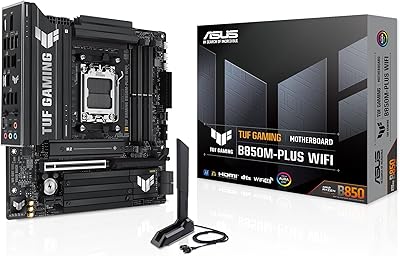
ASUS TUF Gaming B850M-PLUS WiFi mATX Motherboard
82%
88%
Value for Money
86%
Build Quality & Durability
84%
Power Delivery
83%
BIOS Experience
71%
DDR5 Memory Compatibility
More
ASUS TUF Gaming A520M-PLUS WiFi Motherboard
77%
88%
Value for Money
83%
Build Quality
91%
CPU Compatibility
76%
Wireless Connectivity
89%
BIOS & Setup Experience
More
ASUS TUF Gaming A620M-PLUS WiFi Motherboard
77%
91%
Value for Money
84%
Build Quality
88%
Ease of Installation
86%
BIOS Experience
89%
Networking Performance
More
ASUS TUF Gaming Z790-Plus WiFi
89%
93%
Build Quality
91%
VRM Thermal Performance
88%
Installation Experience
94%
BIOS User Interface
86%
Storage Expandability
More
ASUS TUF Gaming B550-PLUS WiFi II ATX Motherboard
86%
88%
Overall Performance
91%
Gaming Performance
90%
WiFi & LAN Connectivity
86%
Thermal Management
89%
Build Quality & Durability
More
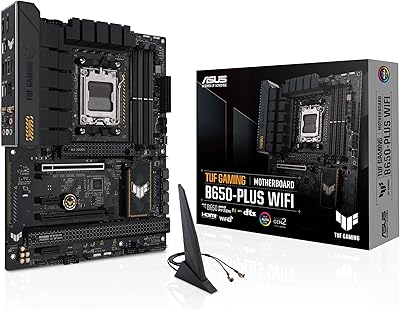
ASUS TUF Gaming B650-Plus WiFi ATX Motherboard
81%
91%
Out-of-Box Stability
88%
BIOS Experience
89%
Power Delivery
71%
DDR5 Memory Compatibility
86%
Networking Performance
More
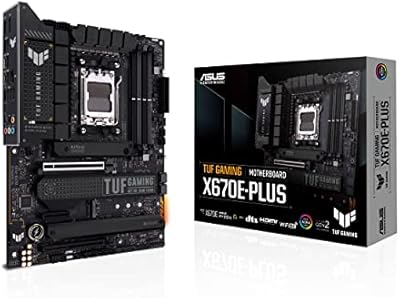
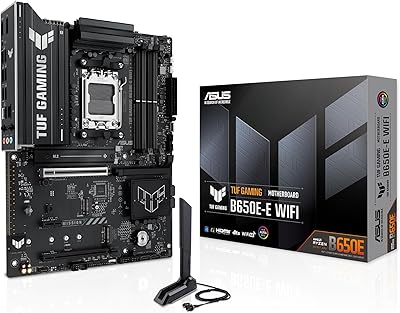
ASUS TUF Gaming X670E-PLUS ATX Motherboard
81%
91%
Build Quality
88%
BIOS & Software Experience
83%
VRM Performance
67%
DDR5 Compatibility
93%
Storage Expandability
More
ASUS TUF Gaming Z890-PRO WiFi Motherboard
82%
91%
Build Quality
93%
Power Delivery
84%
BIOS Experience
87%
Memory Compatibility
82%
Thermal Management
More
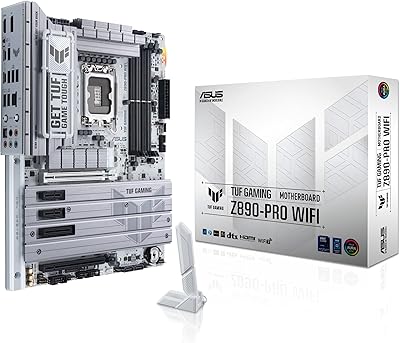
ASUS TUF Gaming B650E-E WIFI Motherboard
84%
88%
Value for Money
91%
Build Quality
89%
Power Delivery
86%
BIOS Experience
74%
DDR5 Memory Compatibility
More
ASUS TUF Gaming B760M-BTF WiFi Motherboard
80%
93%
BTF Design Execution
61%
BTF Case Compatibility
88%
VRM & Power Delivery
84%
DDR5 Memory Compatibility
86%
BIOS Experience
More

FAQ

Officially, the TUF Z690-Plus WiFi is designed for Intel 12th Gen Alder Lake. Some users have reported limited compatibility with 13th Gen Raptor Lake chips via BIOS updates, but ASUS does not officially guarantee full support. If you are planning a 13th Gen build from the start, a Z790 board is the safer and more supported choice.

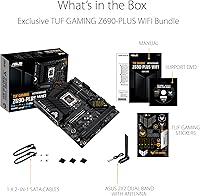
Yes, ASUS includes a set of external WiFi antennas in the box that attach to the rear I/O panel connectors. You do not need to purchase them separately.

No. This board is DDR5 only — the memory slots are physically incompatible with DDR4 modules. If you want to reuse DDR4 RAM from a previous build, you would need a different Z690 variant that supports DDR4, as ASUS offers both DDR4 and DDR5 versions of the Z690-Plus lineup.

Generally, yes. The ASUS UEFI BIOS has both an EZ Mode for quick overviews and an Advanced Mode for more granular control. Most first-time builders find the EZ Mode approachable, and ASUS provides adequate documentation. That said, getting XMP memory profiles enabled does require a BIOS visit, which can trip up complete beginners if they are not expecting it.

The board has four M.2 slots, all of which support NVMe drives. Keep in mind that using certain combinations of M.2 slots alongside PCIe expansion cards may share bandwidth depending on chipset lane allocation — it is worth checking the manual to confirm your specific configuration does not cause lane conflicts.

It can run the i9-12900K, but it is not the ideal pairing for heavy overclocking on that chip. The 14+2 DrMOS power stages are capable, but the i9-12900K is a power-hungry CPU that benefits from more robust VRM solutions under sustained loads. For light to moderate use, it will work fine — but if you plan to push that chip hard, a higher-end board would serve you better.

It supports Intel integrated graphics present in non-F suffix 12th Gen CPUs, so you can boot and display video without a discrete GPU as long as your CPU has integrated graphics. If you are using a Core i9-12900KF or similar F-series CPU, you will need a dedicated GPU installed to get any display output.

This is a full ATX board, so you need a case that explicitly supports ATX motherboards. Most mid-tower and full-tower cases do, but compact or Micro-ATX cases will not accommodate it. Double-check your case specifications before purchasing.

Not all four M.2 slots operate at the same speed. The primary slot connected directly to the CPU runs at PCIe 4.0 x4, offering the fastest throughput. The remaining slots run through the Z690 chipset at PCIe 4.0 or PCIe 3.0 speeds depending on configuration. For a single high-speed boot drive, the CPU-connected slot is the one to use.

ASUS Aura Sync software is the companion app for controlling lighting on this board. It lets you synchronize effects across compatible ASUS and Aura Sync-certified components. It is optional — the board will still function fully without it — but if you want coordinated lighting across multiple components, installing Aura Sync is the straightforward way to manage it.

Where to Buy