Overview

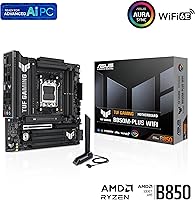
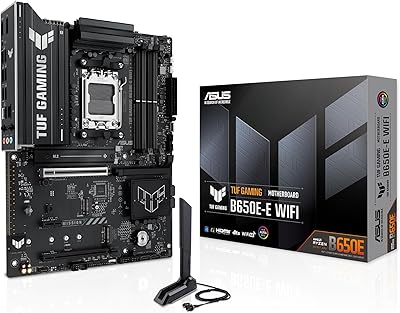
The ASUS TUF Gaming B850M-PLUS WiFi mATX Motherboard arrived in early 2025 as a genuinely current-generation option for builders who want capable AMD AM5 platform support without climbing to X870 pricing. It fits the mATX footprint, which means a smaller chassis is on the table, and it covers Ryzen 7000, 8000, and 9000 series processors — giving your build real longevity without needing a socket swap down the road. The BIOS Flashback feature is a quiet but meaningful inclusion, letting you update firmware before a CPU is even installed, which removes one of the more stressful variables for anyone building for the first time.
Features & Benefits

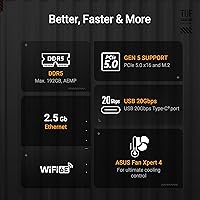
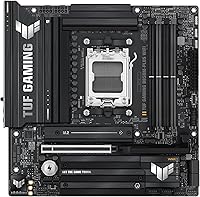
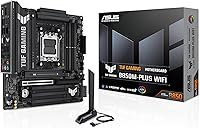
The B850M-PLUS WiFi carries a 14+2+1 power stage design rated at 80A per stage, which is enough headroom to run upper-mid Ryzen chips without stressing the VRMs under sustained load. Storage flexibility is genuinely strong here — three M.2 slots, one running PCIe 5.0 and two on PCIe 4.0, mean most builders will never touch a SATA cable. The primary x16 slot is also PCIe 5.0, keeping next-gen GPU options open. Networking covers both sides well: Wi-Fi 6E and 2.5Gb Ethernet are both onboard. USB connectivity is practical too, with a 20Gbps Type-C on the rear and a 10Gbps Type-C front header for fast external drives or modern peripherals.

Best For

This mATX gaming motherboard makes the most sense for builders pairing it with a Ryzen 7 or Ryzen 9 processor who want solid, reliable power delivery without paying the premium that X870 boards command. It is a particularly good fit if you are working with a compact mATX case but still want three M.2 slots — that combination is harder to find than it should be. Gamers who prefer built-in Wi-Fi 6E rather than hunting for a compatible adapter will appreciate not having to think about it. Be aware, though: the mATX layout means fewer expansion slots than a full ATX board, so anyone running multiple PCIe cards should plan accordingly.

User Feedback

Across nearly 2,000 ratings, the B850M-PLUS WiFi sits at 4.4 out of 5 and ranks among the top motherboards on Amazon, which is a meaningful signal for a board launched just months ago. Buyers frequently call out the straightforward BIOS experience and the quality of the physical build. That said, a few users have reported needing to tweak settings before DDR5 XMP or EXPO profiles stabilize — not unusual for the platform, but worth noting if you are pairing it with aggressive memory kits. Long-term reliability data is still limited given the recent launch, so treat the early reception as encouraging rather than conclusive.

Pros

  • Three M.2 slots on a compact mATX board is a rare combination that most competing boards at this price do not offer.
  • BIOS Flashback lets you update firmware before installing a CPU, a genuine time-saver for new builds.
  • Wi-Fi 6E is built in — no adapter, no PCIe slot consumed, no extra cost.
  • The 14+2+1 power stage design handles Ryzen 7 and Ryzen 9 chips comfortably without stressing the VRMs under normal gaming loads.
  • PCIe 5.0 support on both the primary x16 slot and one M.2 slot keeps the board relevant for next-gen hardware.
  • AM5 socket compatibility covering Ryzen 7000 through 9000 series gives the platform meaningful upgrade longevity.
  • The B850M-PLUS WiFi ranked among the top three motherboards on a major retail platform with nearly 2,000 ratings — real-world social proof that counts.
  • Rear 20Gbps Type-C and front-panel 10Gbps Type-C headers cover fast peripheral and external storage needs without a hub.
  • Out-of-box BIOS navigation is approachable enough for first-timers while still offering the depth experienced builders expect.

Cons

  • XMP and EXPO memory profiles occasionally fail to engage cleanly on first boot, catching inexperienced builders off guard.
  • High-speed DDR5 kits above 7200 MHz can require manual tuning to stabilize, undermining the appeal of premium memory purchases.
  • The rear USB Type-A port count feels lean for power users managing multiple high-speed peripherals simultaneously.
  • VRM temperatures climb noticeably under sustained all-core loads in cases with restricted airflow — adequate ventilation is not optional here.
  • No SATA ports means legacy 2.5-inch drives are not usable without an adapter, which complicates build migrations.
  • The B850 chipset limits CPU and memory overclocking flexibility compared to X870 boards, a ceiling that ambitious tuners will hit.
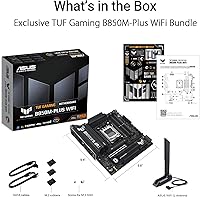
  • The included accessory bundle is minimal, and printed documentation gives little guidance on EXPO activation or front-panel headers.
  • Long-term reliability data is limited — the board launched in early 2025, so multi-year durability remains unproven at this stage.
  • Only one PCIe slot means any builder needing a secondary expansion card alongside a GPU has no realistic path forward on this form factor.

Ratings

The ASUS TUF Gaming B850M-PLUS WiFi mATX Motherboard earns its strong reputation across nearly 2,000 verified global ratings, and our AI-driven analysis has filtered out incentivized and bot-flagged submissions to surface what real builders actually experienced. The scores below reflect both the genuine strengths and the honest friction points that surfaced repeatedly across enthusiast forums, retail reviews, and regional buyer feedback. Nothing has been smoothed over — if a category showed consistent complaints, the score and commentary reflect that.

Value for Money
88%
Buyers consistently noted that this TUF B850M board punches above its price bracket, delivering PCIe 5.0 support, three M.2 slots, and Wi-Fi 6E at a price point where competing boards often cut corners on at least one of those fronts. For mid-range Ryzen builds, it removes the pressure to step up to an X870 board unnecessarily.
A small segment of buyers who compared it directly against budget X870 entry boards found the gap narrower than expected, questioning whether the B850 chipset limitation on overclocking flexibility justifies the price over aggressively discounted alternatives.
Build Quality & Durability
86%
The 8-layer PCB and alloy chokes give the board a reassuringly solid feel during installation — something builders noticed when handling it compared to thinner competing mATX options. The M.2 heatsink coverage is substantial, and the ProCool power connectors seat firmly without wobble.
A handful of users raised concerns about the longevity of the board under sustained all-core loads over many months, though these reports are limited by the product's relatively recent launch date. Long-term durability remains an open question for now.
Power Delivery
84%
The 14+2+1 stage configuration with 80A DrMOS handles Ryzen 7 and Ryzen 9 chips comfortably under extended gaming sessions and multi-threaded workloads. Builders running a Ryzen 9 9900X reported stable power delivery without needing aftermarket VRM cooling in well-ventilated cases.
Enthusiasts pushing a Ryzen 9 9950X at full sustained load in warmer cases noted that VRM temperatures climbed more than expected, suggesting the board is best paired with adequate airflow rather than treated as a workstation-class power solution.
BIOS Experience
83%
First-time and experienced builders alike praised how approachable the UEFI BIOS feels, with a well-organized layout and the BIOS Flashback feature that lets you update firmware before any CPU is seated. That alone saved several users from compatibility headaches when pairing with newer Ryzen 9000 chips.
A recurring complaint involved XMP and EXPO memory profiles not engaging cleanly on the first boot, requiring a manual re-enable after an initial reset. It is a minor friction point but one that catches new builders off guard if they are not expecting it.
DDR5 Memory Compatibility
71%
29%
The board officially supports DDR5 up to 8000 MHz and handles most major kit brands reliably at their rated speeds once profiles are correctly applied. Builders using mainstream 6000 MHz CL30 kits reported clean, stable operation with no intervention required.
Higher-speed kits, particularly those above 7200 MHz from less common manufacturers, showed inconsistent EXPO behavior across multiple user reports. Some builders had to settle for manual frequency entry or lower speeds to achieve stability, which undermines the appeal of premium DDR5 kits.
Storage Configuration
91%
Three M.2 slots on an mATX board is genuinely uncommon, and buyers building NVMe-only rigs appreciated not having to compromise. The single PCIe 5.0 M.2 slot is ready for the fastest current-generation SSDs, while the two PCIe 4.0 slots handle secondary drives without bottlenecking.
There are no SATA ports beyond what M.2 covers, which is a non-issue for most modern builds but does strand anyone migrating a build that still relies on 2.5-inch SSDs or optical drives without an adapter.
Wireless Connectivity
87%
The onboard Wi-Fi 6E module performed reliably in real-world testing conditions, with users in crowded apartment environments noting noticeably cleaner connections compared to older Wi-Fi 5 boards. Not having to budget for or physically install a separate wireless card was a frequently appreciated convenience.
A small number of users in larger homes or with routers placed across walls reported that signal strength was adequate but not exceptional, suggesting the integrated antenna solution is optimized for typical desktop distances rather than long-range setups.
USB Connectivity
82%
18%
The rear 20Gbps Type-C port is a practical inclusion that handles fast external SSDs and modern peripherals without reaching for a hub. The front-panel 10Gbps Type-C header is equally useful for users with cases that expose a front USB-C port, keeping high-speed access right at the front of the desk.
A few power users noted that the total rear USB port count feels slightly lean compared to larger ATX boards, particularly when a busy desk setup involves multiple simultaneous high-speed peripherals. The Type-A port selection is functional but not generous.
Thermal Management
76%
24%
The large M.2 heatsink keeps NVMe drives from throttling under sequential read-write workloads, which matters during long file transfer sessions or game loading from a PCIe 5.0 drive. CPU area heatsink coverage is adequate for the target CPU range in most mid-tower cases.
In compact mATX enclosures with limited airflow, VRM and chipset temperatures ran warmer than some buyers expected, especially during sustained workloads. The board benefits from at least one dedicated intake fan directed toward the VRM area in tighter builds.
PCIe Expansion
67%
33%
The single PCIe 5.0 x16 slot covers the primary GPU without any compromise, and for the vast majority of gaming builds that is genuinely all that is needed. Paired with three M.2 slots, most users will not feel limited in practice.
The mATX layout means limited secondary expansion — users who need a PCIe capture card, dedicated audio card, or additional networking alongside their GPU will find themselves out of slots quickly. This is an inherent mATX trade-off, but it is worth flagging for anyone planning a more complex build.
Out-of-Box Setup Experience
85%
Multiple first-time builders highlighted how straightforward the initial installation was, with clear board labeling, accessible headers, and a BIOS that guided them through memory and boot configuration without needing to consult external guides. The overall first-boot experience was frequently described as smooth.
The included accessory bundle is minimal — documentation is lean, and a few buyers noted they would have appreciated more detailed printed guidance for EXPO profile activation and front-panel header orientation, particularly given the first-builder audience ASUS appears to be targeting.
RGB & Aesthetics
79%
21%
Aura Sync integration works reliably for those already invested in the ASUS ecosystem, allowing lighting coordination across compatible components without third-party software conflicts. The board itself has a clean, understated black aesthetic that works in both windowed and closed-panel cases.
Buyers outside the ASUS ecosystem found the RGB headers adequate but noted that Aura Sync software occasionally required manual updates to recognize non-ASUS addressable components correctly. It is not a dealbreaker, but cross-brand RGB management remains inconsistent.
Platform Longevity
89%
AM5 socket compatibility spanning Ryzen 7000 through 9000 series means this board can absorb a CPU upgrade without requiring a platform change, which is a meaningful consideration for builders who upgrade incrementally. The PCIe 5.0 readiness extends that runway further on the storage and GPU side.
The B850 chipset does cap overclocking flexibility compared to X870, meaning builders who plan to push memory or CPU clocks aggressively will eventually feel the ceiling. For those users, the platform longevity argument weakens somewhat over a multi-year horizon.
Video Output Options
74%
26%
Having both DisplayPort and HDMI on the rear panel means integrated graphics users and those building a secondary monitor setup for AMD Ryzen APUs have flexibility without needing an adapter. It is a practical inclusion that budget-tier boards sometimes omit entirely.
The display output options are sufficient for basic use but feel limited for multi-monitor productivity builds relying solely on integrated graphics. Users expecting USB-C video output on the rear panel will not find it here, which may matter for certain compact monitor configurations.

Suitable for:

The ASUS TUF Gaming B850M-PLUS WiFi mATX Motherboard is a strong fit for builders who want a capable, future-ready AM5 platform without committing to the higher cost of an X870 board. If you are pairing a Ryzen 7 or Ryzen 9 processor with a mid-range GPU and want everything handled in one board — wireless networking, fast storage, and solid power delivery — this covers all of it without requiring add-in cards or adapters. It is particularly well-suited to compact builds where mATX is a requirement but three M.2 slots are still needed, a combination that is harder to find than it should be at this price tier. First-time builders will appreciate BIOS Flashback, which allows firmware updates before a CPU is installed and removes one of the more stressful variables from the initial setup process. Anyone building a gaming rig today with an eye toward adopting PCIe 5.0 storage or a next-generation GPU down the road will find the connectivity headroom already in place.
Not suitable for:

The ASUS TUF Gaming B850M-PLUS WiFi mATX Motherboard is not the right choice for enthusiasts who plan to push memory clocks aggressively or manually overclock their CPU, since the B850 chipset imposes real limitations compared to X870 in that regard. Builders who need multiple PCIe expansion slots — for a capture card, dedicated sound card, or additional NIC alongside a full-size GPU — will run out of room quickly on this mATX layout, and no amount of planning changes that constraint. Anyone migrating a legacy build that still relies on 2.5-inch SATA SSDs or optical drives will also find the lack of SATA connectivity a genuine obstacle. If your use case involves sustained all-core workloads in a cramped or poorly ventilated case, the VRM thermals under heavy load may become a concern over time. Finally, buyers who are deeply invested in non-ASUS RGB ecosystems may find the Aura Sync software integration adds friction rather than convenience when managing cross-brand lighting setups.

Specifications

  • Form Factor: Micro-ATX (mATX) layout measuring 10.83 x 10.83 x 1.97 inches, compatible with standard mATX and full ATX enclosures.
  • Chipset: AMD B850 chipset, a mid-range platform offering PCIe 5.0 support and solid feature density without the premium cost of X870.
  • CPU Socket: AM5 socket supporting AMD Ryzen 7000, 8000, and 9000 series desktop processors.
  • Power Stages: 14+2+1 power stage design rated at 80A per stage using DrMOS technology, delivered through dual 8-pin ProCool connectors.
  • PCB Layers: 8-layer printed circuit board construction for improved signal integrity and thermal distribution across the board.
  • Memory Support: Dual-channel DDR5 memory up to 8000 MHz with a maximum supported capacity of 192 GB across two DIMM slots.
  • Primary PCIe Slot: One PCIe 5.0 x16 slot for discrete graphics cards, providing full bandwidth for current and next-generation GPUs.
  • M.2 Storage: Three M.2 slots in total: one PCIe 5.0 (Gen5) and two PCIe 4.0 (Gen4), all covered by an onboard heatsink.
  • Wireless: Wi-Fi 6E (802.11ax) module with support for the 6 GHz band, providing high-throughput wireless connectivity out of the box.
  • Wired Network: Realtek 2.5 Gigabit Ethernet controller for wired LAN connections at speeds up to 2.5 Gb/s.
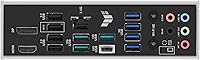
  • Rear USB-C: One USB 3.2 Gen 2x2 Type-C port on the rear I/O panel delivering up to 20 Gbps transfer speeds.
  • Front USB-C: One USB 3.2 Gen 2 Type-C front-panel header supporting up to 10 Gbps for compatible case front ports.
  • Video Outputs: Rear panel includes one DisplayPort and one HDMI output for use with integrated graphics on compatible Ryzen APUs.
  • RGB Lighting: Aura Sync-compatible RGB headers allow synchronized lighting control with other ASUS Aura Sync-enabled components and peripherals.
  • BIOS Flashback: Dedicated BIOS Flashback button on the rear I/O allows firmware updates using a USB drive without a CPU or RAM installed.
  • Dimensions: Board dimensions are 10.83 x 10.83 inches (LxW) with a component height of 1.97 inches.
  • Weight: The board weighs 2.6 pounds, typical for a fully featured mATX motherboard with integrated heatsinks.
  • SATA Support: Native SATA connectivity is not present on this board; storage is handled entirely through the three onboard M.2 slots.

Related Reviews
ASUS TUF Gaming A520M-PLUS (WiFi) Motherboard
85%
86%
Overall Performance
89%
Gaming Performance
88%
Build Quality
82%
Wi-Fi Stability
85%
Cooling Efficiency
More
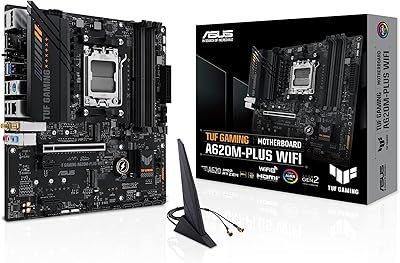
ASUS TUF Gaming A620M-PLUS WiFi Motherboard
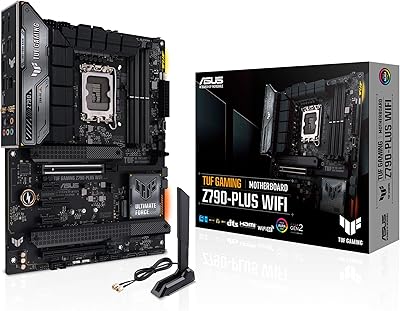
77%
91%
Value for Money
84%
Build Quality
88%
Ease of Installation
86%
BIOS Experience
89%
Networking Performance
More
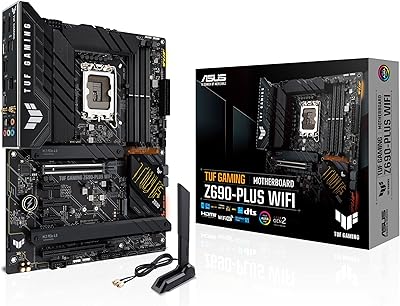
ASUS TUF Gaming Z690-Plus WiFi ATX Motherboard
86%
88%
Overall Performance
92%
Value for Money
90%
Build Quality
78%
Ease of Setup
91%
Networking Performance
More
ASUS TUF Gaming Z790-Plus WiFi
89%
93%
Build Quality
91%
VRM Thermal Performance
88%
Installation Experience
94%
BIOS User Interface
86%
Storage Expandability
More
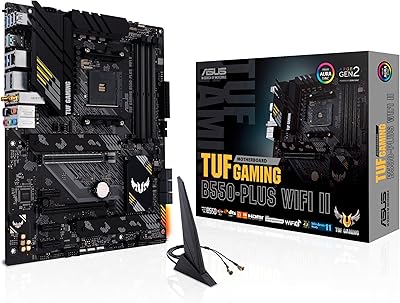
ASUS TUF Gaming B550-PLUS WiFi II ATX Motherboard
86%
88%
Overall Performance
91%
Gaming Performance
90%
WiFi & LAN Connectivity
86%
Thermal Management
89%
Build Quality & Durability
More
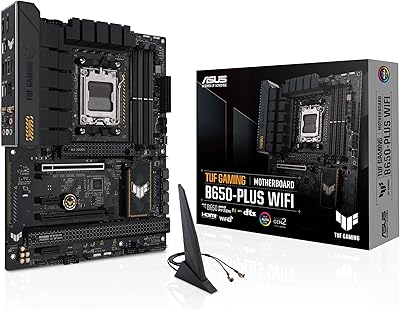
ASUS TUF Gaming B650-Plus WiFi ATX Motherboard
81%
91%
Out-of-Box Stability
88%
BIOS Experience
89%
Power Delivery
71%
DDR5 Memory Compatibility
86%
Networking Performance
More
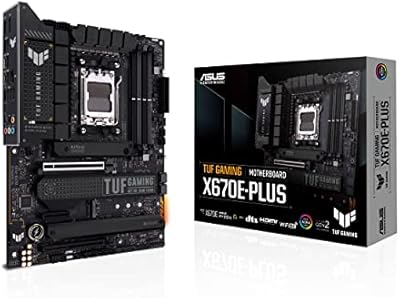
ASUS TUF Gaming X670E-PLUS ATX Motherboard
81%
91%
Build Quality
88%
BIOS & Software Experience
83%
VRM Performance
67%
DDR5 Compatibility
93%
Storage Expandability
More
ASUS TUF Gaming B760M-BTF WiFi Motherboard
85%
89%
Performance
92%
Build Quality
87%
Cooling Efficiency
90%
Compatibility with Intel CPUs
85%
Ease of Setup
More
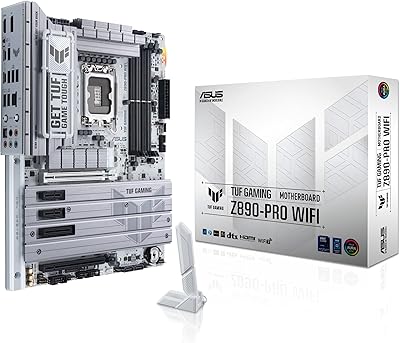
ASUS TUF Gaming Z890-PRO WiFi Motherboard
88%
94%
Performance
91%
Stability & Reliability
89%
Connectivity Options
90%
Thermal Management
72%
Ease of Setup
More
ASUS TUF GAMING B650E-E WIFI Motherboard
87%
88%
Performance with High-End CPUs
91%
Stability during Intensive Use
94%
Ease of Installation
90%
Power Delivery and Stability
85%
Cooling Efficiency
More

FAQ

It will work fine with a Ryzen 5 7600X — AM5 compatibility covers the full Ryzen 7000 lineup. That said, the robust 14+2+1 power delivery is genuinely oversized for a 6-core chip, so you are paying for headroom you will not fully use. If you plan to upgrade to a Ryzen 7 or Ryzen 9 down the road, that overhead becomes a genuine advantage.

No — the AM5 platform is DDR5-only, and the B850M-PLUS WiFi is no exception. There are no DDR4 slots on this board. If you are upgrading from an older AM4 build, budget for new DDR5 memory as part of the transition.

It can be, particularly with high-speed kits above 7200 MHz or kits from less common manufacturers. Most mainstream DDR5 kits at 6000 to 6400 MHz with XMP or EXPO profiles enable cleanly after the first BIOS reset. If your kit does not post at its rated speed initially, re-enabling the profile manually in BIOS typically resolves it — just be aware it may not be fully automatic on the first boot.

BIOS Flashback lets you update the board firmware before a CPU is installed, using just a USB drive and the board's standby power. You do not need it for every build, but it is genuinely useful if you are pairing the board with a brand-new Ryzen 9000 chip that may require a firmware update for full compatibility. For first-time builders especially, it removes one potential obstacle from the initial setup.

Realistically, no. The mATX layout provides one primary PCIe 5.0 x16 slot, and there is no secondary full-length slot available for a capture card. If a dedicated capture card is part of your setup, you would need to look at a full ATX board with additional PCIe slots.

No — mATX is a larger form factor than Mini-ITX. The board measures 10.83 x 10.83 inches, which requires at minimum a Micro-ATX case or a full ATX tower. Mini-ITX cases are designed for 6.7 x 6.7 inch boards and will not physically accommodate this one.

Yes, that is one of the practical advantages of the B850M-PLUS WiFi. All three M.2 slots are independent, so you can populate the PCIe 5.0 slot with a fast primary drive, add a secondary PCIe 4.0 drive, and still leave the third slot open for a future expansion. No SATA drives are needed in a typical all-NVMe setup.

ASUS includes external Wi-Fi antennas in the box that attach to the rear I/O connectors — you do not need to purchase anything extra. The antennas are adequate for typical desktop placement, though users with routers more than two rooms away sometimes report that signal strength is acceptable but not exceptional.

The main practical differences are overclocking flexibility and chipset features. X870 boards unlock more aggressive memory and CPU tuning, and typically offer more USB and PCIe connectivity options. For users who do not plan to manually overclock and just want a reliable gaming build, the B850 chipset covers all the essentials at a lower cost. If you are not pushing memory past 6400 MHz or tuning CPU voltages, the extra spend on X870 is hard to justify.

Under typical gaming loads with a Ryzen 7 chip, VRM temperatures are manageable. Where it can become a concern is sustained all-core workloads — rendering, compiling, or heavy multi-threaded tasks — in enclosures with poor front-to-back airflow. Adding at least one intake fan directed toward the VRM area is a worthwhile precaution if your case is on the tighter side.

Where to Buy