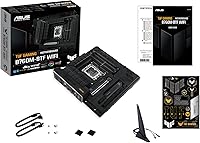
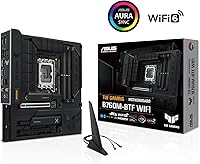
ASUS TUF Gaming B760M-BTF WiFi Motherboard

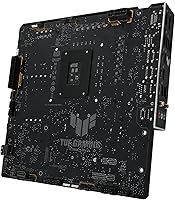
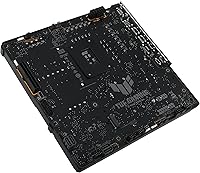
Overview
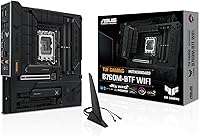
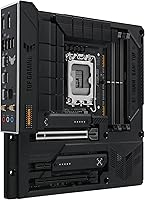
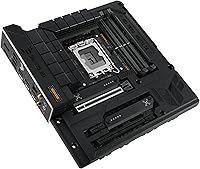
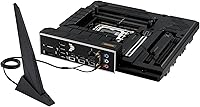
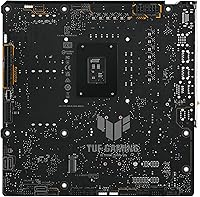
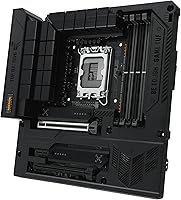
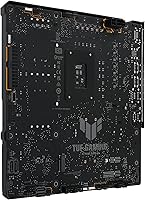
The ASUS TUF Gaming B760M-BTF WiFi Motherboard launched in mid-2024 as a compelling option for builders who want a visually clean build without the cost of a flagship chipset. Its standout feature is the BTF hidden connector design — a Back-To-Front routing system that pushes power and data cables behind the PCB, leaving the front of the board remarkably uncluttered. One critical caveat up front: your case must specifically support BTF connectors, so verify compatibility before committing. The B760 chipset means CPU overclocking is not on the menu, but DDR5 memory tuning up to 7200 MHz gives you real performance headroom, and the board supports Intel 12th and 13th Gen LGA 1700 processors across a wide range of build budgets.
Features & Benefits
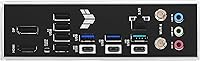
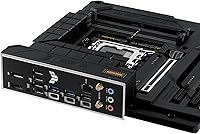
The BTF connector system is what sets this hidden-connector motherboard apart visually, but the hardware underneath is equally serious. The 12+1 DrMOS power stages with ProCool sockets keep delivery stable even under the sustained loads of a power-hungry i9-13900K. The primary PCIe 5.0 x16 slot keeps your GPU options open for current and next-generation cards, while three PCIe 4.0 M.2 slots mean you won't be trading bandwidth between NVMe drives. Networking is covered by Intel Wi-Fi 6 and 2.5Gb Ethernet — a combination that noticeably reduces ping spikes compared to standard gigabit setups. A rear USB 3.2 Gen 2x2 Type-C port and Thunderbolt 4 header round out a genuinely well-stocked I/O panel.
Best For
This TUF B760M board makes the most sense for builders who care deeply about cable management and want a photo-worthy interior, not just a tidy one. If you're running an Intel 12th or 13th Gen CPU and find Z790 pricing hard to justify, this is where the value proposition holds up well. The compact mATX footprint suits smaller mid-tower builds, provided the case supports BTF rear-routing. DDR5 enthusiasts chasing memory speeds without a top-tier chipset will appreciate the 7200 MHz ceiling. Streamers and casual content creators also benefit from the built-in AI noise cancellation, which works reliably for voice chat and light recording without requiring a separate audio interface.
User Feedback
Across 841 ratings, the BTF WiFi build platform holds a 4.5-star average — solid, though not yet a massive sample. Buyers consistently praise the straightforward BIOS experience, with DDR5 XMP profiles loading correctly on first boot for most users. The visual impact of the hidden connector layout also draws genuine enthusiasm in reviews. On the downside, the most repeated complaint involves BTF case compatibility: buyers who skipped the fine print on case requirements ran into real installation headaches. ASUS software gets divided opinions — Fan Xpert 2+ earns decent marks for usability, while Armoury Crate is frequently called bloated and intrusive by users who prefer a leaner software footprint.
Pros
- The BTF hidden connector system produces one of the cleanest mid-range builds you can achieve without custom cables.
- Robust 12+1 DrMOS power stages handle even power-hungry 13th Gen CPUs without thermal stress.
- Three PCIe 4.0 M.2 slots let you run multiple fast NVMe drives without bandwidth compromises.
- Intel Wi-Fi 6 and 2.5Gb Ethernet together offer noticeably better online gaming stability than entry-level networking.
- PCIe 5.0 x16 primary slot keeps GPU upgrades viable well into the next hardware generation.
- DDR5 memory support up to 7200 MHz gives real tuning headroom for performance-focused builders.
- Thunderbolt 4 header and a rear USB 3.2 Gen 2x2 Type-C port cover demanding peripheral and external device needs.
- BIOS setup is widely reported as intuitive, with DDR5 XMP profiles loading reliably on first boot.
- AI noise cancellation on audio I/O works well for voice chat and light streaming without extra hardware.
- Strong build quality typical of the TUF lineup, with military-grade component ratings adding durability confidence.
Cons
- BTF case compatibility is a hard requirement — skipping this check before buying is an expensive mistake.
- B760 chipset offers zero CPU overclocking support, which is a real ceiling for performance chasers.
- Armoury Crate software is frequently criticized as bloated and difficult to fully remove from the system.
- The mATX size limits expansion slots, making it a poor fit for multi-GPU or heavy add-in card setups.
- Only two USB 2.0 ports on the rear I/O, which can frustrate users with older peripherals or dongles.
- No support for DDR4 memory, so existing RAM kits from a previous build cannot be carried over.
- BTF-compatible cases tend to cost more, which raises the true total build cost beyond the board price alone.
- Fan Xpert 2+ offers solid control, but the overall ASUS software stack feels heavier than competing brands.
- The board does not officially support Intel 14th Gen CPUs, limiting its longevity on the LGA 1700 platform.
- At its price point, some competing B760 boards offer ATX size with more headers and headers for the same cost.
Ratings
The scores below reflect our AI analysis of verified global buyer reviews for the ASUS TUF Gaming B760M-BTF WiFi Motherboard, with spam, incentivized submissions, and bot activity actively filtered out before scoring. Each category is weighted against real-world usage patterns drawn from builders, gamers, and content creators who have lived with this board beyond the unboxing experience. Both the standout strengths and the recurring frustrations are reflected honestly in these numbers.
BTF Design Execution
BTF Case Compatibility
VRM & Power Delivery
DDR5 Memory Compatibility
BIOS Experience
Networking Performance
Storage Expandability
USB & I/O Connectivity
Thermal Management
Software & Utilities
Build Quality & Durability
Value for Money
Audio Quality
Installation Experience
Future Upgrade Path
Suitable for:
The ASUS TUF Gaming B760M-BTF WiFi Motherboard is built for a specific kind of builder: someone who takes cable management personally and wants the interior of their PC to look as intentional as the exterior. If you are pairing an Intel 12th or 13th Gen CPU with a BTF-compatible case and want a compact mATX platform that does not cut corners on VRM quality, networking, or storage bandwidth, this board checks every box. Gamers who rely on wired and wireless connectivity simultaneously will appreciate the 2.5Gb Ethernet and Wi-Fi 6 combination, which delivers meaningfully lower latency than standard gigabit setups. DDR5 enthusiasts who want to push memory speeds without paying for a Z790 chipset will find the 7200 MHz ceiling and tuning flexibility genuinely useful. Streamers and voice-chat-heavy gamers also get real value from the built-in AI noise cancellation, which reduces the need for a separate audio solution.
Not suitable for:
If CPU overclocking is a priority, this hidden-connector motherboard is simply the wrong tool — the B760 chipset locks the CPU multiplier, and no amount of BIOS tinkering will change that; a Z690 or Z790 board is the right path for unlocked performance. Builders with existing cases that do not support BTF rear-connector routing will face a frustrating installation experience or be unable to use the BTF connectors at all, which defeats much of the board's core appeal. Anyone on a DDR4 platform or planning to reuse existing DDR4 memory kits will need to look elsewhere, since this board is DDR5-only with no backward compatibility. Buyers who dislike ASUS software ecosystems should also factor in that Armoury Crate is part of the package, and while it can be uninstalled, the process is not always clean. Finally, those building in larger ATX cases for maximum expandability — more PCIe slots, more fan headers, more room — will find the mATX footprint a genuine constraint rather than a design preference.
Specifications
- Form Factor: mATX (Micro-ATX) board measuring 9.6 x 9.6 inches, suited for compact mid-tower and smaller cases.
- CPU Socket: LGA 1700 socket supports Intel 12th and 13th Gen processors, including the full Alder Lake and Raptor Lake lineups.
- Chipset: Intel B760 chipset provides a solid mid-range feature set but does not support CPU multiplier overclocking.
- Memory Support: DDR5 only, with two DIMM slots supporting up to 128 GB total capacity and speeds up to 7200 MHz via XMP or manual tuning.
- Primary PCIe Slot: One PCIe 5.0 x16 slot for the primary GPU, delivering full bandwidth for current and next-generation graphics cards.
- Storage Slots: Three M.2 slots, all running at PCIe 4.0 speeds, allow installation of multiple high-speed NVMe drives without shared bandwidth penalties.
- Wireless: Intel Wi-Fi 6 (802.11ax) module supports dual-band wireless connectivity with typical throughput improvements over older Wi-Fi 5 adapters.
- Wired LAN: Realtek 2.5 Gigabit Ethernet provides wired network speeds up to 2.5 Gbps, roughly two and a half times faster than a standard gigabit port.
- Rear USB: Rear I/O includes a USB 3.2 Gen 2x2 Type-C port running at up to 20 Gbps, alongside USB 3.2 Gen 2 Type-A and USB 2.0 ports.
- Front Panel USB: An onboard USB 3.2 Gen 2 Type-C header supports high-speed front-panel Type-C connections on compatible cases.
- Thunderbolt Header: A Thunderbolt 4 (USB4) header is included for add-in card support, enabling up to 40 Gbps external device connectivity.
- VRM Design: 12+1 DrMOS power stages paired with 8+4 ProCool II sockets and Digi+ VRM digital control ensure stable power delivery under sustained CPU loads.
- Video Outputs: Rear I/O includes both DisplayPort and HDMI outputs for use with integrated Intel graphics, supporting dual-display setups without a discrete GPU.
- Audio: Onboard audio features two-way AI noise cancellation that processes both microphone input and speaker output in real time for cleaner voice communication.
- Connector Design: BTF (Back-To-Front) hidden connector system relocates power and data cable connections to the back of the PCB for a cleaner front-facing build aesthetic.
- Cooling Headers: Multiple hybrid fan headers are controlled via the Fan Xpert 2+ utility, supporting both PWM and DC fans across CPU, chassis, and pump configurations.
- Weight: The board weighs 2.4 pounds, which is typical for a well-built mATX motherboard with full heatsink coverage.
- Heatsink Coverage: Enlarged VRM heatsinks, individual M.2 heatsinks, and a PCH heatsink are all included to manage thermals across the board without requiring additional cooling.
- Release Date: The board became available in June 2024, positioning it as a current-generation product designed around the mature LGA 1700 platform.
- Manufacturer: Made by ASUS under the TUF Gaming line, which is positioned as a durability-focused mid-range gaming series using military-grade certified components.
Related Reviews
ASUS TUF Gaming Z890-PRO WiFi Motherboard
ASUS TUF Gaming B650E-E WIFI Motherboard
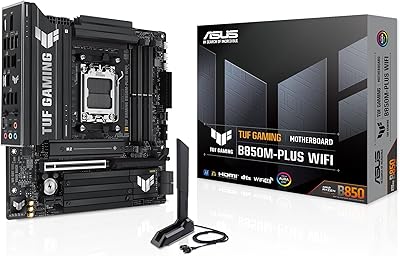
ASUS TUF Gaming B850M-PLUS WiFi mATX Motherboard
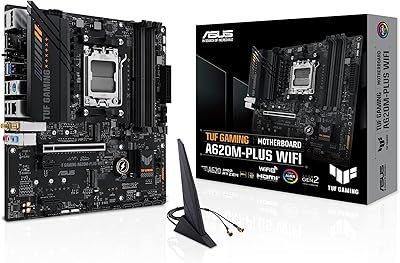
ASUS TUF Gaming A620M-PLUS WiFi Motherboard
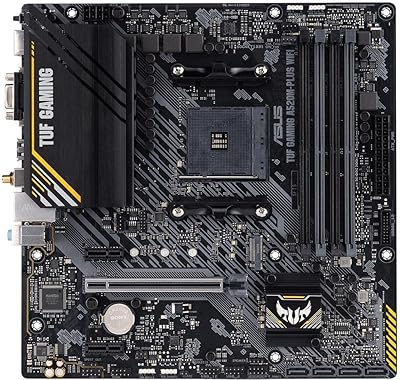
ASUS TUF Gaming A520M-PLUS WiFi Motherboard
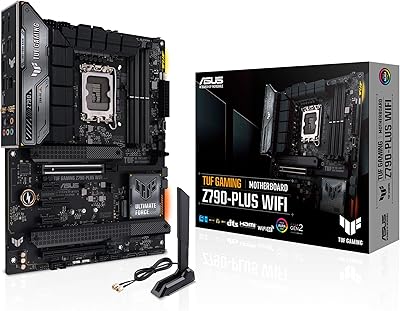
ASUS TUF Gaming Z790-Plus WiFi
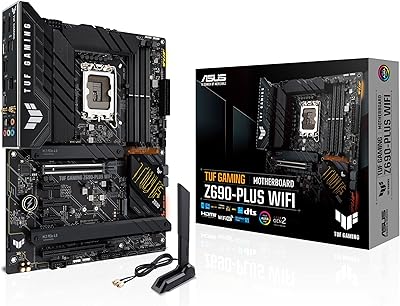
ASUS TUF Gaming Z690-Plus WiFi Motherboard
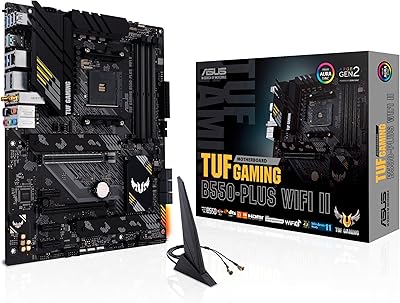
ASUS TUF Gaming B550-PLUS WiFi II ATX Motherboard
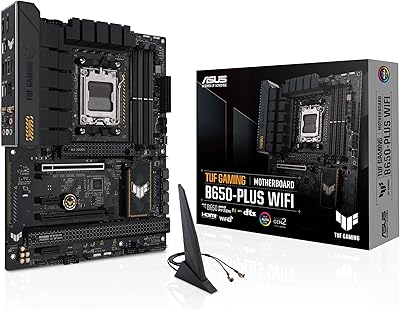
ASUS TUF Gaming B650-Plus WiFi ATX Motherboard