Overview

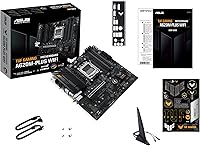
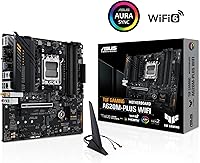
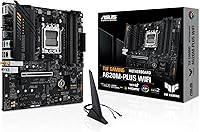
The ASUS TUF Gaming A620M-PLUS WiFi Motherboard makes a compelling case for builders who want a genuine AM5 platform without stretching their budget to B650 territory. Built around AMD's A620 chipset in a compact microATX form factor, it fits comfortably in most mid-tower and smaller cases. The A620 chipset is worth understanding upfront — it supports Ryzen 7000 processors and DDR5 memory, but it does not allow CPU overclocking, so this is not the board for manually pushing clock speeds. What it does offer, though, is a solid daily-driver foundation with surprisingly capable networking — Wi-Fi 6 and 2.5Gb Ethernet at this price tier is genuinely good value.
Features & Benefits

The TUF A620M-PLUS WiFi covers the essentials well. DDR5 support on the AM5 socket means your memory is already aligned with where the platform is heading, and dual M.2 PCIe 4.0 slots let you run fast NVMe drives without adapters or riser cards. The six-layer PCB and military-grade component spec speak to long-term build reliability — this board is built to run cleanly for years under normal workloads. BIOS Flashback is a genuinely practical inclusion, letting you update firmware before dropping in a CPU, which removes a lot of compatibility stress. Aura Sync RGB headers and a front-panel USB 3.2 Gen 1 Type-C port round things out for modern case support.

Best For

This entry-level AM5 motherboard is a natural fit for first-time Ryzen 7000 builders who want a reliable starting point without overpaying for chipset headroom they likely won't use. Its compact footprint works well in mATX cases, and the dual DisplayPort plus HDMI outputs make it equally capable for a hybrid work-and-gaming desk setup. Builders migrating from AM4 will appreciate landing on a DDR5 and PCIe 4.0 platform that still has room to grow. Casual online gamers benefit most from the built-in Wi-Fi 6 and Ethernet combination, covering both wireless and wired connectivity without needing additional expansion cards.

User Feedback

With over 1,400 ratings and a 4.5-star average, this mATX gaming board has earned clear real-world trust. Buyers consistently highlight the straightforward BIOS experience and how reliably the board posts on first boot — a small thing that matters a lot during a stressful build. Packaging quality and included accessories also get favorable mentions. On the critical side, some users note that RAM compatibility can require a BIOS update before higher-speed kits cooperate fully, and a handful of enthusiast builders found the VRM underwhelming for high-TDP Ryzen chips pushed near their limits. For typical Ryzen 5 or Ryzen 7 workloads, though, the consensus is consistent: it simply works, and works well.

Pros

  • Lands on the AM5 platform with DDR5 and PCIe 4.0 support at one of the lowest entry prices available.
  • Wi-Fi 6 and 2.5Gb Ethernet included out of the box — no separate networking card required.
  • BIOS Flashback lets you update firmware before installing a CPU, removing a common first-build headache.
  • Dual M.2 PCIe 4.0 slots handle fast NVMe storage cleanly without needing adapters.
  • Military-grade TUF components and a six-layer PCB inspire confidence for long daily-driver use.
  • Compact microATX size fits a wide range of case choices without sacrificing critical I/O.
  • BIOS navigation consistently praised by real buyers as approachable, even for first-time builders.
  • Fan Xpert 2+ offers more cooling control than you would typically expect at this price tier.
  • Strong community trust backed by well over a thousand verified ratings and a top-100 category rank.
  • Front-panel USB 3.2 Gen 1 Type-C keeps the build compatible with modern cases and peripherals.

Cons

  • A620 chipset blocks CPU overclocking entirely — a hard ceiling for performance enthusiasts.
  • Only two DIMM slots limits maximum RAM capacity and dual-channel flexibility compared to larger boards.
  • Some buyers report needing a BIOS update before faster DDR5 memory kits run at their rated speeds.
  • VRM is adequate for mainstream Ryzen CPUs but is not designed to sustain high-TDP processors under load.
  • A620 platform offers fewer PCIe lanes than B650, which can restrict multi-card or high-bandwidth expansion builds.
  • No Thunderbolt support, which may matter for content creators who rely on fast external storage or displays.
  • Rear I/O USB port count is modest — heavy peripheral users may need a hub.
  • The TUF A620M-PLUS WiFi carries the TUF brand name but lacks some premium finishing details found on higher-tier TUF models.

Ratings

The scores below reflect an AI-driven analysis of verified global buyer reviews for the ASUS TUF Gaming A620M-PLUS WiFi Motherboard, with spam, incentivized, and bot-flagged submissions actively filtered out before scoring. Each category is weighted against real-world usage patterns reported by builders across skill levels, from first-time AM5 adopters to experienced upgraders. Both the genuine strengths and the recurring frustrations are represented transparently so you can make a fully informed decision.

Value for Money
91%
Buyers consistently cite this as one of the best-equipped boards available at its price tier, particularly praising the inclusion of Wi-Fi 6 and 2.5Gb Ethernet without an added cost. For builders trying to land on AM5 without blowing their entire budget on the motherboard, the feature-to-price ratio stands out clearly across hundreds of reviews.
A small segment of reviewers feel the value proposition weakens if you eventually want to upgrade to a high-end Ryzen processor, since the A620 chipset's limitations may force a board replacement sooner than expected. Those who compare it directly to entry B650 options sometimes feel the price gap is narrow enough to reconsider.
Build Quality
84%
The TUF branding carries real weight here — the military-grade capacitors and six-layer PCB construction give builders genuine confidence that the board will hold up through years of daily use. Several reviewers specifically mentioned that the board feels more solid and premium than other options in its price bracket.
Some buyers noted that the heatsink coverage feels modest compared to mid-range boards, and a handful found the plastic retention clips on connectors less robust than expected. The overall aesthetic, while clean, lacks the finishing polish of higher-tier TUF models.
Ease of Installation
88%
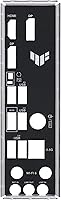
First-time builders repeatedly praised how straightforward the physical installation process was, with clear labeling, well-positioned headers, and a rear I/O shield that seated cleanly. The M.2 Q-Latch mechanism for screwless M.2 drive installation was specifically highlighted as a time-saver during builds.
A few users found the DIMM slot placement tight when working around larger CPU cooler mounting hardware, making RAM installation slightly awkward after the cooler is seated. The manual, while functional, was described by some as sparse on troubleshooting guidance for edge-case scenarios.
BIOS Experience
86%
The ASUS UEFI BIOS consistently earns praise for being intuitive and accessible, even from builders who had never configured a system before. Navigation between EZ Mode and Advanced Mode is smooth, and the Fan Xpert 2+ integration within the BIOS gives more granular cooling control than most competing boards at this price point.
Several buyers reported that out-of-box BIOS versions required an update before high-speed DDR5 kits would run at their EXPO-rated speeds, which added an unexpected early step. A small number of users also encountered BIOS update failures that required a second attempt using the Flashback method to recover.
Networking Performance
89%
The combination of Wi-Fi 6 and Realtek 2.5Gb Ethernet genuinely impressed buyers who expected to compromise on networking at this price level. Online gamers running both wired and wireless setups reported stable, low-latency connections with no notable dropout issues during extended sessions.
A small number of users found the included Wi-Fi antenna positioning limiting in certain case layouts, with signal strength dropping when antennas were oriented in confined spaces. The Realtek 2.5Gb NIC, while solid, was occasionally noted as a step behind Intel-based NICs in latency consistency under heavy network load.
Memory Compatibility
71%
29%
When paired with kits on ASUS's official QVL list, DDR5 memory runs reliably and EXPO profiles activate without issue. Buyers using mainstream 32GB DDR5 kits from major brands reported stable operation with no configuration headaches.
This is one of the more frequently mentioned pain points — faster or less common DDR5 kits sometimes defaulted to base 2133 MHz speeds until a BIOS update was applied, requiring extra troubleshooting steps. Builders using high-frequency kits above 6000 MHz occasionally reported instability that took several BIOS revisions to resolve.
CPU Power Delivery
67%
33%
For mainstream Ryzen 5 and Ryzen 7 processors operating within their stock power envelopes, the DIGI+ VRM handles workloads cleanly and thermal performance remains stable under typical gaming and productivity loads. Most everyday builders will never stress this board's power delivery in normal use.
Users running Ryzen 9 processors or workloads with sustained high CPU utilization reported noticeable VRM temperatures under extended stress tests, raising durability questions for demanding use cases. The entry-level VRM configuration is simply not designed for high-TDP chips, and pushing it beyond its comfort zone is a real risk.
Storage Options
83%
Having two PCIe 4.0 M.2 slots on a board at this price is a genuine highlight — builders can run a fast boot drive and a secondary NVMe storage drive without any adapters or bandwidth compromises. This setup covers the storage needs of most gaming and productivity builds cleanly.
The board offers fewer SATA ports than some competitors, which limits legacy drive configurations for builders migrating older HDDs or SATA SSDs from previous systems. There is also no PCIe 5.0 M.2 support, which matters to buyers planning ahead for next-generation storage drives.
Thermal Management
74%
26%
Under normal workloads the VRM and PCH heatsinks do their job quietly, and Fan Xpert 2+ gives users real control over system cooling curves without needing third-party software. Builders running moderate Ryzen configurations reported stable thermals even in cases with average airflow.
The VRM heatsink coverage is minimal by modern standards, and in cases with poor airflow the VRM temperature climbs more than buyers anticipated. A handful of reviewers specifically recommended ensuring positive case airflow as a precaution rather than relying on passive cooling alone.
Connectivity & I/O
78%
22%
The rear I/O covers the essentials confidently — dual DisplayPort, HDMI, USB 3.2 ports, and the 2.5Gb LAN all in a clean layout. The front-panel USB 3.2 Gen 1 Type-C header is a thoughtful inclusion that keeps the board compatible with current mid-tower case designs.
Heavy peripheral users flagged the rear USB port count as limiting, with some needing a hub almost immediately after completing their build. There is no Thunderbolt support, which matters to video editors and content creators who rely on high-speed external storage or displays.
Software & Utilities
72%
28%
ASUS Armoury Crate provides a single hub for RGB control, fan tuning, and system monitoring, which simplifies post-build software setup for users who want a unified experience. The AI noise cancellation feature for audio was a pleasant surprise for buyers who use the board in a work-from-home context.
Armoury Crate remains a polarizing application — several reviewers described it as bloated and slow to load, and some preferred to manage fan curves and RGB settings directly through the BIOS rather than deal with the software layer. Installation occasionally prompted unnecessary additional ASUS utilities that users had to manually decline.
Overclocking Capability
38%
62%
EXPO memory profiles work reliably for getting DDR5 kits running at their rated speeds, which is a meaningful performance gain over base 2133 MHz operation and requires no manual tuning. This is the one area of legitimate tuning headroom the A620 chipset does allow.
CPU overclocking is simply not supported — this is a hard chipset-level restriction with no workaround. Enthusiast builders who want manual voltage and multiplier control will find this board entirely unsuitable, and the limitation is non-negotiable regardless of BIOS version or configuration.
RGB & Aesthetics
76%
24%
The onboard Addressable Gen 2 and standard Aura RGB headers give builders solid flexibility for lighting their system, and Aura Sync integration keeps everything coordinated across compatible components without much effort. The board's black aesthetic fits cleanly into most case color schemes.
The board itself has minimal onboard RGB lighting compared to more visually oriented competitors, which can look underwhelming in glass-panel builds where the motherboard is the focal point. Buyers expecting a visually striking board at stock will likely need external RGB strips or components to achieve the look they want.
Out-of-Box Experience
82%
18%
Most buyers reported a clean first boot experience, with the system posting reliably on the first attempt when paired with compatible hardware. The inclusion of BIOS Flashback removes a significant stress point for new builders who are unsure about firmware compatibility before installation.
Accessory contents were described by some reviewers as sparse — the included documentation covers the basics but leaves gap for builders who run into non-standard scenarios. A few users also found that default BIOS settings were not fully optimized out of the box, requiring manual tuning to unlock the board's best performance.

Suitable for:

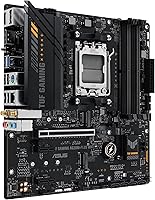
The ASUS TUF Gaming A620M-PLUS WiFi Motherboard is a strong match for builders who want a dependable, modern platform without paying for features they will never use. First-time AM5 builders pairing it with a mid-range Ryzen 5 or Ryzen 7 processor will find it performs exactly as expected — stable, clean, and easy to configure out of the box. Its compact microATX footprint makes it equally practical for space-conscious builds in smaller cases, and the onboard Wi-Fi 6 plus 2.5Gb Ethernet means you are not forced to budget separately for networking. AM4 upgraders who want to land on a DDR5 and PCIe 4.0 platform without overspending will appreciate how much ground this board covers at its price point. Hybrid users who game in the evenings and work from the same machine during the day will also find the dual DisplayPort and HDMI outputs genuinely useful.
Not suitable for:

Builders with serious overclocking ambitions should look elsewhere — the A620 chipset does not support CPU overclocking, full stop, and no amount of BIOS tweaking will change that fundamental limitation. If you are planning to run a high-TDP processor like a Ryzen 9 7950X under sustained heavy workloads, the VRM configuration on this entry-level AM5 motherboard is not designed for that kind of thermal stress over the long term. Power users who need more than two memory slots will also hit a wall here, since the board is limited to two DDR5 DIMMs. Enthusiasts who want multiple full-speed PCIe expansion slots for GPU plus capture card or networking upgrades will find the A620 chipset restrictive compared to B650 options. If your build roadmap involves a future high-end Ryzen processor with aggressive performance tuning, spending more on a B650 board now is the smarter long-term decision.

Specifications

  • Form Factor: MicroATX (mATX) at 9.6 x 9.6 inches, fitting standard mATX and full mid-tower cases.
  • CPU Socket: AMD AM5 socket, compatible with all AMD Ryzen 7000 series desktop processors.
  • Chipset: AMD A620 chipset, supporting PCIe 4.0 and DDR5 memory but without CPU overclocking capability.
  • Memory Support: Two DDR5 DIMM slots with a base clock of 2133 MHz and EXPO profile support for higher-speed kits.
  • Storage Slots: Two M.2 slots both running at PCIe 4.0 speeds for high-throughput NVMe solid-state drives.
  • Wireless: Wi-Fi 6 (802.11a/b/g/n/ac/ax) with Bluetooth included for cable-free connectivity.
  • Wired Networking: Realtek 2.5Gb Ethernet port with TUF LANGuard surge protection for stable wired connections.
  • Display Output: Rear panel includes two DisplayPort outputs and one HDMI port for multi-monitor or display flexibility.
  • Front Panel USB: One USB 3.2 Gen 1 Type-C header for direct front-panel connectivity on compatible modern cases.
  • Rear USB: Multiple USB 3.2 Gen 1 Type-A ports on the rear I/O panel alongside USB 2.0 ports for legacy peripherals.
  • RGB Headers: One Addressable Gen 2 (ARGB) header and one standard Aura RGB header for LED strip and component lighting.
  • PCB Construction: Six-layer PCB with alloy chokes, military-grade TUF capacitors, and DIGI+ VRM for stable power delivery.
  • Cooling Headers: Multiple hybrid fan headers managed via Fan Xpert 2+ software for precise CPU and chassis fan control.
  • BIOS Flashback: Dedicated BIOS Flashback button allows firmware updates using a USB drive without needing a CPU or RAM installed.
  • Audio: Onboard audio with two-way AI noise cancellation to reduce background noise during gaming or video calls.
  • Dimensions: Measures 9.6 x 9.6 x 1.39 inches (L x W x H), conforming to the standard microATX specification.
  • Weight: Weighs approximately 1.6 pounds without packaging, typical for a populated mATX board.
  • OS Support: Officially supported on Windows 10 and Windows 11 with full driver and utility compatibility.

Related Reviews
ASUS TUF Gaming B850M-PLUS WiFi mATX Motherboard
82%
88%
Value for Money
86%
Build Quality & Durability
84%
Power Delivery
83%
BIOS Experience
71%
DDR5 Memory Compatibility
More
ASUS TUF Gaming A520M-PLUS (WiFi) Motherboard
85%
86%
Overall Performance
89%
Gaming Performance
88%
Build Quality
82%
Wi-Fi Stability
85%
Cooling Efficiency
More
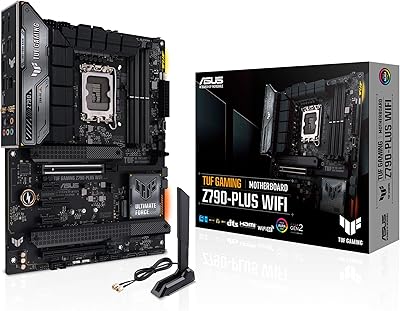
ASUS TUF Gaming Z790-Plus WiFi
89%
93%
Build Quality
91%
VRM Thermal Performance
88%
Installation Experience
94%
BIOS User Interface
86%
Storage Expandability
More
ASUS TUF Gaming Z690-Plus WiFi ATX Motherboard
86%
88%
Overall Performance
92%
Value for Money
90%
Build Quality
78%
Ease of Setup
91%
Networking Performance
More
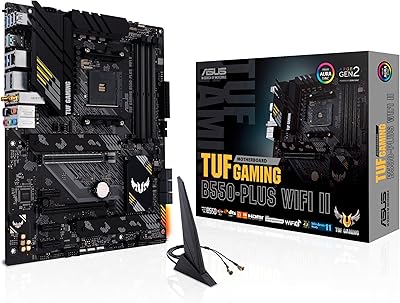
ASUS TUF Gaming B550-PLUS WiFi II ATX Motherboard
86%
88%
Overall Performance
91%
Gaming Performance
90%
WiFi & LAN Connectivity
86%
Thermal Management
89%
Build Quality & Durability
More
ASUS TUF Gaming B650-Plus WiFi ATX Motherboard
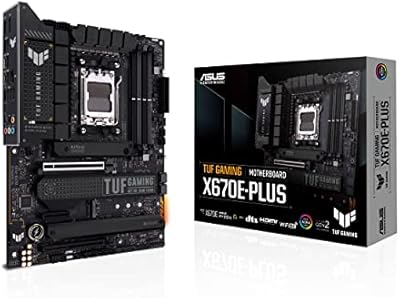
81%
91%
Out-of-Box Stability
88%
BIOS Experience
89%
Power Delivery
71%
DDR5 Memory Compatibility
86%
Networking Performance
More
ASUS TUF Gaming X670E-PLUS ATX Motherboard
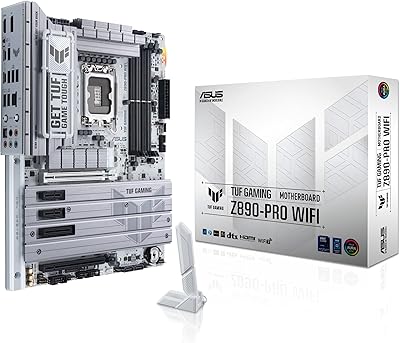
81%
91%
Build Quality
88%
BIOS & Software Experience
83%
VRM Performance
67%
DDR5 Compatibility
93%
Storage Expandability
More
ASUS TUF Gaming B760M-BTF WiFi Motherboard
85%
89%
Performance
92%
Build Quality
87%
Cooling Efficiency
90%
Compatibility with Intel CPUs
85%
Ease of Setup
More
ASUS TUF Gaming Z890-PRO WiFi Motherboard
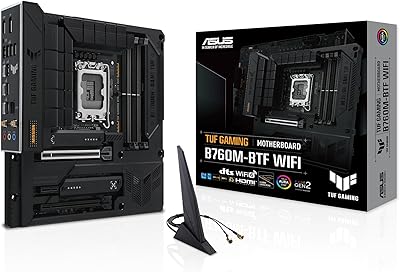
88%
94%
Performance
91%
Stability & Reliability
89%
Connectivity Options
90%
Thermal Management
72%
Ease of Setup
More
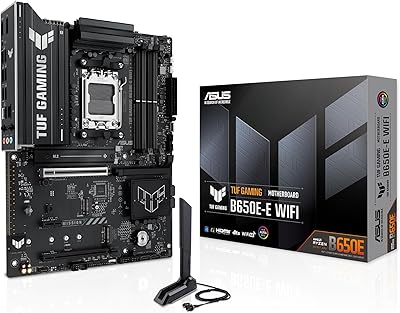
ASUS TUF GAMING B650E-E WIFI Motherboard
87%
88%
Performance with High-End CPUs
91%
Stability during Intensive Use
94%
Ease of Installation
90%
Power Delivery and Stability
85%
Cooling Efficiency
More

FAQ

No — the A620 chipset does not support CPU overclocking, and that is a chipset-level restriction, not something a BIOS update can fix. You can still enable EXPO profiles to run your DDR5 memory at its rated speed, but manually pushing your processor beyond stock clocks is off the table. If overclocking is important to your build, a B650 board is the minimum you should be looking at.

Yes, the TUF A620M-PLUS WiFi ships with Wi-Fi antennas included. You screw them into the rear I/O panel connectors, and you are up and running on Wi-Fi 6 without needing any extra accessories.

Most retail units ship with a BIOS version that already supports Ryzen 7000 processors, but it is worth checking. If your board does need a BIOS update before your CPU will post, the BIOS Flashback feature lets you do that update using only a USB drive — no CPU or RAM required. It is one of the most genuinely useful features on this board for first-time builders.

The board has two DDR5 DIMM slots, so the maximum is two sticks. In practical terms, a 2x16GB or 2x32GB kit is the sweet spot. There is no support for four-slot configurations on this mATX form factor, so plan your memory kit accordingly from the start.

No, it is not. The AM5 socket is physically and electrically incompatible with Ryzen 5000 and earlier AM4 processors. This board is exclusively for Ryzen 7000 series CPUs. If you have an existing AM4 chip, you will need to upgrade your processor as well.

Yes. The two onboard M.2 slots both support PCIe 4.0 NVMe drives, so you can run a boot drive and a secondary storage drive entirely through M.2 without touching SATA cables. The board does include SATA ports as well if you need them for older drives or a SATA SSD.

Yes — for Ryzen 7000 processors with integrated Radeon graphics (the non-X3D mainstream models), the onboard HDMI and DisplayPort outputs on the rear I/O panel are fully functional. This makes it viable as a basic desktop without a discrete graphics card, though gaming performance will depend heavily on which CPU you choose.

It should, but you may need to enable the EXPO profile in the BIOS to get the kit running at its rated speed rather than defaulting to 2133 MHz base. Some users report needing a BIOS update before high-speed kits are fully stable. Starting with a kit on ASUS's official memory QVL list is the safest approach if you want to avoid trial and error.

The board itself does not restrict cooler height — that is determined by your case. What matters more here is that the board supports standard AM5 mounting, so most AM5-compatible coolers, including tower air coolers and 240mm or 360mm AIOs, will mount fine. Just confirm your case has clearance for your chosen cooler height.

Yes, there is a full-length PCIe x16 slot for a discrete GPU. It runs at PCIe 4.0 speeds, which is more than sufficient for current-generation graphics cards. There is also an additional PCIe slot for expansion cards like a capture card or sound card, though the number of available lanes is more limited compared to B650 boards.

Where to Buy