Overview

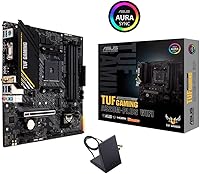
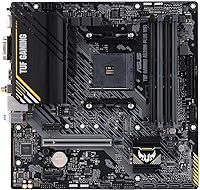
The ASUS TUF Gaming A520M-PLUS WiFi Motherboard arrived in mid-2021 as a practical answer to a common builder dilemma: how do you land a capable AMD platform without overspending? Built around the AM4 socket in a microATX form factor, it supports Ryzen 3000, 4000 G-Series, and 5000 Series processors — that kind of broad CPU compatibility matters when you're thinking about future upgrades. The inclusion of built-in 802.11ac Wi-Fi is a genuine value-add at this price tier; most competing boards at a similar cost make you pay extra for wireless. Compact without feeling cramped, this is a reliable entry-level foundation for a Ryzen gaming build.
Features & Benefits

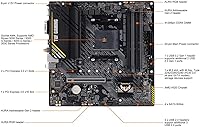
The A520 chipset is upfront about its limits: no CPU overclocking, full stop. If you're expecting to push clock speeds beyond spec, this is the wrong board — and that's worth knowing before you buy. What it does deliver is a clean, stable platform with a 32 Gb/s M.2 slot for fast NVMe drives, TUF LANGuard-protected Ethernet, and triple display outputs covering DisplayPort, HDMI, and D-Sub. Thermal management comes from a larger-than-expected VRM heatsink and a dedicated PCH heatsink, keeping things calm during long sessions. The Aura Sync RGB system, with a Gen 2 addressable header, gives enough lighting control to tie the board into a themed build without overcomplicating things.

Best For

This TUF Gaming board hits a sweet spot for first-time builders pairing a Ryzen 5 or Ryzen 7 CPU with a tight budget. If you're in a dorm or apartment where pulling Ethernet to your desk isn't practical, the onboard Wi-Fi 5 handles the job without a separate card or adapter. The microATX form factor slots comfortably into mid-tower and compact cases alike. One trade-off to understand upfront: the A520 chipset gives up overclocking in exchange for simplicity and cost savings. Anyone who wants to push CPU multipliers or tune memory aggressively should budget up to a B550 board instead — the A520 simply isn't built for that.

User Feedback

Across more than 1,400 ratings, the A520M motherboard holds a 4.5-star average, which is strong for this segment. Buyers regularly highlight how approachable the BIOS setup is — a reassuring detail for anyone tackling their first build. Wi-Fi performance earns solid marks too, particularly from users in multi-floor homes. On the downside, a recurring complaint involves the limited rear USB ports, which becomes a real inconvenience when juggling multiple peripherals. The A520 chipset's lack of overclocking also catches some buyers off guard, suggesting they didn't dig into chipset differences beforehand. Overall, satisfaction holds up well when expectations match what this board was actually designed to do.

Pros

  • Broad CPU compatibility covers Ryzen 3000, 4000 G-Series, and 5000 Series — useful for phased upgrades.
  • Built-in Wi-Fi 5 removes the cost and hassle of a separate wireless card entirely.
  • BIOS FlashBack lets you update firmware without a compatible CPU installed — a real time-saver on first builds.
  • VRM and PCH heatsinks are noticeably robust for this price tier, keeping thermals in check during long sessions.
  • Triple display outputs (DisplayPort, HDMI, D-Sub) cover virtually any monitor combination without adapters.
  • The 32 Gb/s M.2 slot supports fast NVMe drives, so storage performance won't bottleneck a modern build.
  • Aura Sync RGB with a Gen 2 addressable header gives solid lighting customization without requiring extra controllers.
  • TUF LANGuard protection on the Ethernet port adds a layer of durability most budget boards skip.
  • BIOS setup is consistently rated beginner-friendly, making the installation experience less intimidating for new builders.
  • Holds a 4.5-star average across more than 1,400 reviews — hard to argue with that level of real-world satisfaction.

Cons

  • No CPU overclocking support whatsoever — the A520 chipset simply does not allow it, period.
  • Rear USB port count is limited, making peripheral management awkward without an external hub.
  • Wi-Fi 5 (802.11ac) is functional but falls short of the Wi-Fi 6 speeds that modern routers can deliver.
  • DDR4 base speed starts at 2133 MHz, which is on the slower end and may require manual XMP profile enabling.
  • Only two USB 2.0 ports on the rear panel — older peripherals requiring USB connections compete for limited space.
  • No PCIe 4.0 support, which caps bandwidth for the latest-generation NVMe drives and GPUs.
  • Memory overclocking headroom is restricted compared to B550 boards, limiting performance tuning options.
  • Limited chipset upgrade path — AM4 is the end of the road here, with no forward compatibility to AM5.

Ratings

The ASUS TUF Gaming A520M-PLUS WiFi Motherboard has been scored by our AI rating engine after analyzing verified global buyer reviews, with spam, bot-generated, and incentivized feedback actively filtered out. Scores reflect real-world performance across first-time builds, gaming rigs, and home office setups — strengths and genuine pain points are weighted equally and transparently represented.
Value for Money
88%
For builders on a tight budget, the combination of integrated Wi-Fi, NVMe M.2 support, and solid VRM cooling in a single package is hard to beat at this price tier. Most buyers feel they got significantly more board than the cost implied, particularly given the TUF branding and build quality.
A handful of reviewers feel the lack of overclocking support and the limited USB rear-panel count slightly undercut the value proposition, especially when B550 boards occasionally dip close to the same price during sales.
Build Quality
83%
The heatsink coverage — both VRM and PCH — earns consistent praise from builders who expected corners to be cut at this price level. The board feels physically substantial, and the component layout is clean enough that cable management during installation is not a frustration.
While the board holds up well under typical use, a small number of buyers have noted that the rear I/O shield and port finishing feel slightly less refined than what you'd find on mid-range B550 alternatives.
CPU Compatibility
91%
Supporting Ryzen 3000, 4000 G-Series, and 5000 Series processors on a single AM4 socket gives builders a genuine upgrade runway without swapping boards. This breadth of compatibility is one of the most frequently cited reasons buyers chose this specific model.
BIOS FlashBack is essential for Ryzen 5000 compatibility on early-shipped units, and a minority of buyers were caught off guard by needing to flash firmware before their new CPU was recognized — a step that is easy but easy to miss.
Wireless Connectivity
76%
24%
The built-in 802.11ac adapter handles everyday gaming and streaming without dropped connections, and buyers in apartments or multi-floor homes specifically mention the Wi-Fi holding up reliably without the need for a separate wireless card.
The 802.11ac standard is Wi-Fi 5, not Wi-Fi 6, which means users with newer routers are not extracting full potential from their network hardware. Buyers expecting cutting-edge wireless speeds based on the price point may find the performance adequate but not impressive.
BIOS & Setup Experience
89%
First-time builders consistently call out how approachable the BIOS is — intuitive layout, clear labeling, and the BIOS FlashBack feature give newcomers a confidence boost during what can otherwise be a nerve-wracking process. Setup times are reportedly fast even for complete beginners.
A few experienced builders have noted the BIOS lacks depth in advanced tuning menus compared to B550 counterparts, particularly when it comes to memory subtiming controls and voltage adjustment granularity.
Thermal Performance
81%
19%
The VRM heatsink is noticeably larger than what is typical at this chipset tier, and buyers running Ryzen 7 processors under sustained gaming loads report stable temperatures without throttling. The PCH heatsink adds a layer of protection that budget boards often omit entirely.
Under prolonged heavy workloads — particularly with higher-TDP Ryzen 5000 chips — some users have observed that VRM temps climb more than expected, suggesting the thermal solution is capable but not over-engineered for worst-case scenarios.
Storage Options
79%
21%
The 32 Gb/s M.2 NVMe slot handles fast modern SSDs without bottlenecking, and the four SATA ports provide enough connections for a practical multi-drive setup. Builders migrating from older systems appreciated being able to reuse existing SATA drives alongside a new NVMe boot drive.
There is only one M.2 slot, which limits future storage expansion for users who want to run multiple NVMe drives. Power users building a content creation or media storage rig will hit that ceiling faster than they might expect.
USB & I/O Ports
58%
42%
The USB 3.2 Gen 1 Type-A ports on the rear panel are fast enough for external drives and modern peripherals, and the front-panel USB headers give builders some flexibility in expanding connectivity through their case.
The total rear USB port count is genuinely limited, and this is one of the most consistent criticisms from real buyers. Anyone connecting a keyboard, mouse, headset, and external drive simultaneously will find themselves reaching for a hub almost immediately.
Display Output Options
77%
23%
Three distinct video outputs — DisplayPort, HDMI, and D-Sub — cover a surprisingly wide range of monitor types, which is particularly useful for builders using Ryzen G-Series APUs or setting up a budget home office with mixed monitor generations.
These outputs are only relevant when using a Ryzen processor with integrated graphics; discrete GPU users will rely entirely on their graphics card's outputs instead, making this feature largely irrelevant for dedicated gaming builds.
RGB & Aesthetics
72%
28%
Aura Sync support alongside a Gen 2 addressable RGB header gives builders a solid foundation for a themed build without needing separate RGB controllers. The software integration works reliably and covers most popular RGB peripheral brands.
The onboard RGB illumination itself is subtle rather than dramatic, and builders expecting a visually striking board straight out of the box may be underwhelmed. The real value is in the headers for connected components rather than the board's own lighting.
LAN & Wired Networking
82%
18%
The TUF LANGuard-protected Gigabit Ethernet port adds surge protection and electrostatic discharge resistance that most budget boards skip entirely. Wired gaming performance is stable and consistent, with no latency complaints surfacing in user feedback.
The LAN is Gigabit only — there is no 2.5 Gb/s Ethernet, which is increasingly becoming a standard offering even on mid-range boards. For users with multi-gigabit internet connections or fast local network transfers, this is a tangible limitation.
Memory Performance
63%
37%
DDR4 support is reliable and stable across a wide range of kit configurations, and most mainstream 3200 MHz kits run without issues once XMP is enabled in BIOS. For typical gaming workloads, the effective memory performance is entirely adequate.
The A520 chipset's memory overclocking headroom is noticeably restricted compared to B550, and buyers trying to push high-frequency kits above 3600 MHz will likely encounter instability. Memory enthusiasts will find this a frustrating ceiling.
PCIe & Expansion
67%
33%
The PCIe 3.0 x16 slot handles all current-generation discrete GPUs without practical performance loss in gaming scenarios, and the additional x1 slot leaves room for a capture card or sound card without sacrificing the primary GPU slot.
PCIe 4.0 is absent entirely, meaning the latest NVMe drives and newer GPU bandwidth capabilities are capped at PCIe 3.0 speeds. This is an architectural limitation of the A520 chipset and will matter increasingly as PCIe 4.0 hardware becomes the norm.
Software & Ecosystem
74%
26%
ASUS Armoury Crate handles RGB control, fan curve customization, and system monitoring in one place, and Fan Xpert 2+ gives builders meaningful control over cooling behavior without requiring manual BIOS adjustments for every scenario.
Armoury Crate has a reputation for being a resource-heavy application that some users prefer to uninstall, and occasional update issues have been flagged in user feedback. The software experience is functional but not without friction.

Suitable for:

The ASUS TUF Gaming A520M-PLUS WiFi Motherboard is a strong pick for first-time PC builders who want a dependable AMD platform without stretching their budget thin. If you're pairing it with a Ryzen 5 or Ryzen 7 processor and have no plans to overclock, the A520 chipset covers everything you actually need for stable, everyday gaming. The built-in Wi-Fi 5 makes it especially practical for dorm rooms, apartments, or any setup where pulling a dedicated Ethernet run to your desk isn't realistic. Its microATX size fits neatly into a wide range of cases, so builders working with compact or mid-tower enclosures won't need to compromise on space. The BIOS FlashBack feature is a quiet but meaningful bonus — it lets you update firmware without needing a compatible CPU already installed, which can save real headaches during a fresh build.
Not suitable for:

The ASUS TUF Gaming A520M-PLUS WiFi Motherboard is the wrong choice if overclocking is anywhere on your roadmap. The A520 chipset has no CPU multiplier or robust memory frequency tuning support, so enthusiasts who want to push their Ryzen processor beyond stock speeds will hit a hard wall immediately — a B550 or X570 board is the honest recommendation for that crowd. Connectivity-hungry users may also find the rear I/O frustrating; the USB port count is on the lean side, and if you regularly connect multiple peripherals, you'll likely need a hub. The onboard wireless runs 802.11ac, which is Wi-Fi 5 — perfectly functional for gaming, but not the Wi-Fi 6 standard that newer routers and devices are optimized for. Power users planning multi-GPU setups or heavy workstation workloads will find the feature ceiling too low, and anyone running an older AM3 or AM4 chipset above B450 tier will likely feel they've stepped backward.

Specifications

  • CPU Socket: Uses the AMD AM4 socket, compatible with Ryzen 3000 Series, 4000 G-Series, and 5000 Series desktop processors.
  • Chipset: Powered by the AMD A520 (785E) chipset, which prioritizes stability over overclocking headroom.
  • Form Factor: MicroATX form factor measuring 10.75 x 11 inches, compatible with microATX and full ATX cases.
  • RAM Support: Supports DDR4 memory with a base clock of 2133 MHz across two DIMM slots.
  • M.2 Storage: Includes one M.2 slot supporting NVMe drives at up to 32 Gb/s for fast solid-state storage.
  • SATA Ports: Provides four SATA 6 Gb/s ports for connecting traditional hard drives or SATA-based SSDs.
  • Wireless: Integrated 802.11a/b/g/n/ac (Wi-Fi 5) adapter enables wireless connectivity without a separate PCIe card.
  • Wired LAN: Equipped with a TUF LANGuard-protected Gigabit Ethernet port for stable, surge-resistant wired networking.
  • USB Ports: Rear I/O includes USB 3.2 Gen 1 Type-A ports alongside two USB 2.0 ports for legacy peripherals.
  • Display Outputs: Offers three video outputs — DisplayPort, HDMI, and D-Sub — for use with integrated Ryzen G-Series graphics.
  • RGB Lighting: Features Aura Sync RGB support with one standard RGB header and one Gen 2 addressable RGB header.
  • VRM Cooling: A large VRM heatsink paired with a dedicated PCH heatsink manages thermal output during sustained workloads.
  • BIOS FlashBack: Includes a BIOS FlashBack button that allows firmware updates without a CPU or RAM installed in the board.
  • PCIe Slots: Provides one PCIe 3.0 x16 slot for a discrete GPU and one PCIe 3.0 x1 slot for expansion cards.
  • Audio: Onboard Realtek audio codec delivers multi-channel sound through rear audio jacks on the I/O panel.
  • Weight: The board weighs 1.27 pounds, consistent with standard microATX motherboard construction.
  • Power Delivery: Operates at 12 volts with a standard 24-pin ATX main power connector and an 8-pin CPU power connector.
  • Fan Headers: Includes multiple 4-pin PWM fan headers compatible with Fan Xpert 2+ software for automated fan curve control.

Related Reviews
ASUS TUF Gaming B850M-PLUS WiFi mATX Motherboard
82%
88%
Value for Money
86%
Build Quality & Durability
84%
Power Delivery
83%
BIOS Experience
71%
DDR5 Memory Compatibility
More
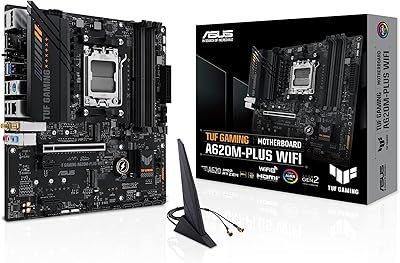
ASUS TUF Gaming A620M-PLUS WiFi Motherboard
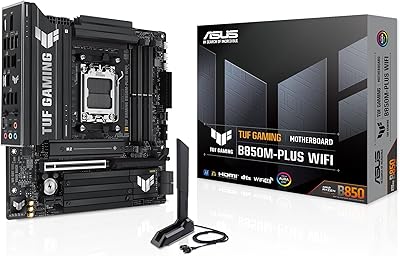
77%
91%
Value for Money
84%
Build Quality
88%
Ease of Installation
86%
BIOS Experience
89%
Networking Performance
More
ASUS TUF Gaming Z690-Plus WiFi Motherboard
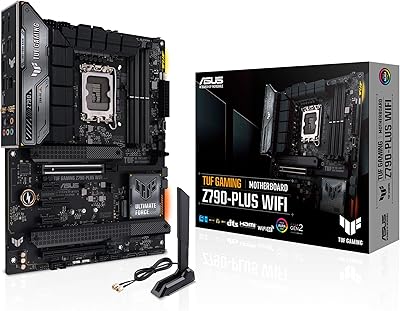
79%
88%
Build Quality
84%
BIOS & Firmware
67%
DDR5 Memory Compatibility
79%
Power Delivery & VRM
91%
Networking & Connectivity
More
ASUS TUF Gaming Z790-Plus WiFi
89%
93%
Build Quality
91%
VRM Thermal Performance
88%
Installation Experience
94%
BIOS User Interface
86%
Storage Expandability
More
ASUS TUF Gaming B550-PLUS WiFi II ATX Motherboard
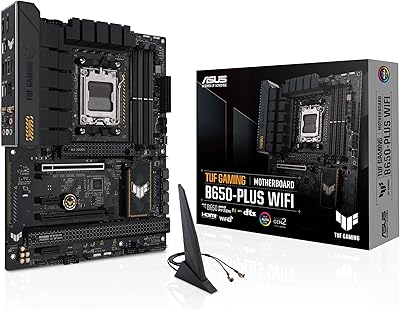
86%
88%
Overall Performance
91%
Gaming Performance
90%
WiFi & LAN Connectivity
86%
Thermal Management
89%
Build Quality & Durability
More
ASUS TUF Gaming B650-Plus WiFi ATX Motherboard
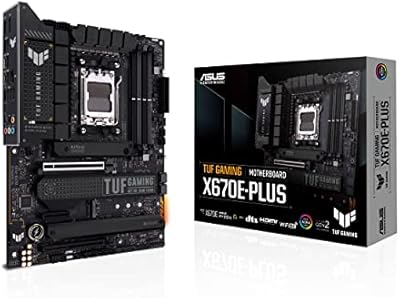
81%
91%
Out-of-Box Stability
88%
BIOS Experience
89%
Power Delivery
71%
DDR5 Memory Compatibility
86%
Networking Performance
More
ASUS TUF Gaming X670E-PLUS ATX Motherboard
81%
91%
Build Quality
88%
BIOS & Software Experience
83%
VRM Performance
67%
DDR5 Compatibility
93%
Storage Expandability
More
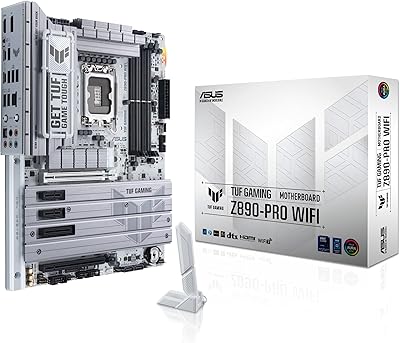
ASUS TUF Gaming Z890-PRO WiFi Motherboard
82%
91%
Build Quality
93%
Power Delivery
84%
BIOS Experience
87%
Memory Compatibility
82%
Thermal Management
More
ASUS TUF Gaming B760M-BTF WiFi Motherboard
80%
93%
BTF Design Execution
61%
BTF Case Compatibility
88%
VRM & Power Delivery
84%
DDR5 Memory Compatibility
86%
BIOS Experience
More
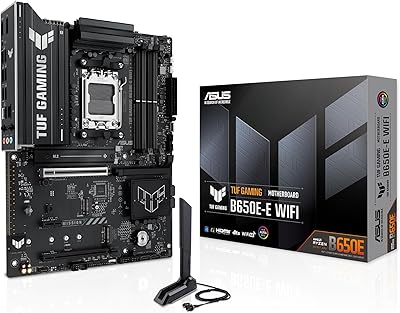
ASUS TUF Gaming B650E-E WIFI Motherboard
84%
88%
Value for Money
91%
Build Quality
89%
Power Delivery
86%
BIOS Experience
74%
DDR5 Memory Compatibility
More

FAQ

Not necessarily out of the box — it depends on which BIOS version is installed on your specific unit. The good news is the BIOS FlashBack feature lets you update firmware using just a USB drive, no CPU required, so you can get it ready before dropping a Ryzen 5000 chip in.

No, and this is probably the most important thing to know before buying. The A520 chipset does not support CPU overclocking at all. If pushing clock speeds or tweaking CPU multipliers is part of your plan, you'll want to look at a B550 or X570 board instead.

For most gaming scenarios, yes. The 802.11ac (Wi-Fi 5) adapter handles online gaming without noticeable issues, and real-world user feedback backs that up. Just be aware it is not Wi-Fi 6, so if you have a Wi-Fi 6 router and are hoping to take full advantage of it, you won't get there with this board.

There are two DIMM slots, so you can run either one or two sticks of DDR4. The base speed is 2133 MHz, though you may be able to enable an XMP profile in the BIOS to run faster kits — just keep in mind the A520 chipset has limited memory overclocking headroom compared to B550 boards.

Yes, microATX boards are compatible with both microATX and full ATX mid-tower cases, so you have plenty of case options. Just double-check that the case you're considering lists microATX support, which virtually all mid-towers do.

It is genuinely one of the better options in this price range for a first build. The BIOS is straightforward to navigate, the installation process is well-documented, and the broad Ryzen compatibility gives you flexibility. Plenty of first-time builders have reported smooth experiences with this board, and the 4.5-star average across a large number of reviews reinforces that.

The rear panel is on the leaner side — you get a mix of USB 3.2 Gen 1 Type-A and USB 2.0 ports, but the total count is limited. If you regularly connect several peripherals at once, a USB hub is worth budgeting for.

Yes, it has Aura Sync RGB built in, and it also includes both a standard RGB header and a Gen 2 addressable RGB header for connecting compatible strips or fans. You can control everything through ASUS Armoury Crate software, which gives you decent customization without needing third-party tools.

Yes, if you're using a Ryzen G-Series processor with integrated graphics. The A520M-PLUS WiFi has three display outputs — DisplayPort, HDMI, and D-Sub — so you can run up to three monitors simultaneously through the board alone. If you're using a discrete GPU, you'll use that card's outputs instead.

Yes, the Ryzen 3600 is a third-generation Ryzen 3000 Series chip, which is directly supported. You may still want to verify your BIOS version before installing it, but compatibility is confirmed for Ryzen 3000, 4000 G-Series, and 5000 Series desktop processors on this board.

Where to Buy