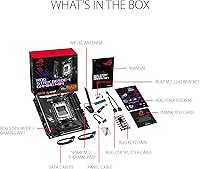
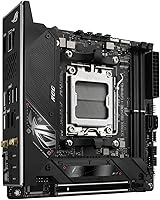
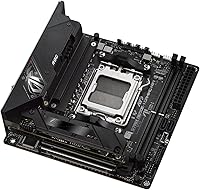
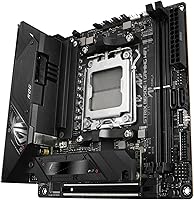
Overview

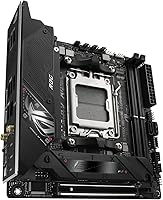
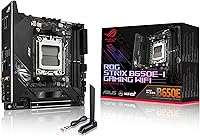
The ASUS ROG Strix B650E-I Mini-ITX Motherboard occupies a rare and compelling niche — it's one of the few boards that brings full B650E chipset capabilities to a 6.69-inch square footprint without obvious compromises. In the AM5 mini-ITX landscape, competition is thin, which partly explains the premium price over full-size alternatives. You're essentially paying for engineering density: cramming PCIe 5.0, a robust VRM, and a rich I/O stack into a form factor where most brands quietly cut corners. The AM5 platform has matured considerably since launch, and BIOS support has improved meaningfully — though if you're running a Ryzen 9000 series chip, a BIOS update before first boot is non-negotiable.
Features & Benefits

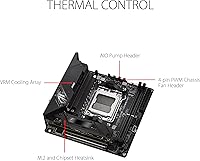
The 10+2 power stage VRM is where this compact AM5 motherboard immediately earns attention. In a small chassis with limited airflow, that level of power delivery actually matters — it means you can run a Ryzen 7 or Ryzen 9 processor under sustained load without throttling concerns. The primary M.2 slot runs at PCIe 5.0 speeds, so you won't be bottlenecked when faster NVMe drives become standard. Add in WiFi 6E and 2.5G LAN, and wired-versus-wireless becomes a genuine choice rather than a fallback. The USB 3.2 Gen 2x2 Type-C front-panel header is genuinely rare at this size — most mini-ITX boards quietly drop it. Thunderbolt 4 and HDMI 2.1 round out an I/O suite that punches well above the form factor's typical ceiling.

Best For

The ROG Strix B650E-I is purpose-built for a specific kind of builder: someone who wants a compact, high-performance system and refuses to give up connectivity to get there. That means SFF enthusiasts pairing a Ryzen 7000 or 9000 CPU with a capable GPU in a small case, or content creators who need a workstation that doesn't dominate a desk. The two M.2 slots will satisfy most people, but if your build demands three or more storage drives, this isn't the board. Budget builders should also look elsewhere — you're paying a significant premium for the miniaturization. For everyone else fitting this profile, no other B650E mini-ITX option currently offers this combination of features at any price.

User Feedback

Across roughly 350 real-world ratings, this mini-ITX board holds a 4.2-star average — respectable, but not without nuance. Builders consistently praise the VRM thermal performance and the reliability of the WiFi connection under sustained load. The ROG UEFI also gets credit for being well-organized compared to competing brands at this tier. On the downside, a recurring frustration is the Ryzen 9000 series compatibility requirement — you must flash a BIOS update before installing a new chip, which catches unprepared first-time AM5 builders off guard. DDR5 at higher speeds occasionally needs manual profile tuning too. The BIOS Flashback button helps here, but it adds a step most buyers don't anticipate. Aura Sync RGB is appreciated cosmetically, though no one's buying this board for the lighting.

Pros

  • The 10+2 power stage VRM handles high-core-count Ryzen processors confidently even inside thermally constrained cases.
  • PCIe 5.0 on the primary M.2 slot means next-gen NVMe storage will not require a board swap.
  • WiFi 6E delivers fast, stable wireless that genuinely competes with a wired connection for most gaming workloads.
  • The front-panel USB 3.2 Gen 2x2 Type-C header is exceptionally rare at this form factor and a real differentiator.
  • BIOS Flashback lets you update firmware without a compatible CPU installed, which is a lifesaver for 9000 series upgrades.
  • Thunderbolt 4 rear support opens up fast external storage and display chaining in a compact chassis.
  • The ROG UEFI is well-organized and approachable, with strong XMP and EXPO memory profile support out of the box.
  • 2.5G Intel LAN provides headroom well above what most home networks currently saturate.
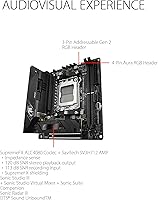
  • Aura Sync RGB integration works reliably for builders who care about cohesive system lighting across ASUS components.
  • At a 4.2-star average across hundreds of real-world ratings, this mini-ITX board has earned broad community trust.

Cons

  • Only two M.2 slots is a firm limit that will frustrate any builder needing serious local storage expansion.
  • Ryzen 9000 series CPUs require a BIOS update before first boot, which can strand builders without a compatible older chip.
  • DDR5 at high speeds occasionally needs manual tuning to run stably, even with EXPO profiles enabled.
  • The price premium over full-size B650E boards is steep and only justifiable if mini-ITX is a genuine requirement.
  • Mini-ITX cable routing is inherently cramped, and initial setup complexity is a common pain point for less experienced builders.
  • Only two DIMM slots means future memory upgrades require replacing sticks entirely rather than adding more.
  • Aura Sync RGB, while functional, adds software overhead that some builders find unnecessary and prefer to disable.
  • Thermal headroom in very small cases depends heavily on case airflow quality — the board alone cannot compensate for a poorly ventilated chassis.

Ratings

The scores below for the ASUS ROG Strix B650E-I Mini-ITX Motherboard were generated by our AI system after analyzing verified purchase reviews from buyers worldwide, with spam, bot activity, and incentivized feedback actively filtered out. We weighted recurring themes across hundreds of real build logs, community discussions, and post-purchase reviews to surface an honest picture of where this board excels and where it genuinely frustrates. Both the standout strengths and the friction points that real builders encountered are reflected transparently in each category score.
VRM & Power Delivery
91%
Builders running power-hungry chips like the Ryzen 9 7950X in compact cases consistently report stable performance without thermal throttling during long gaming sessions or multi-hour rendering workloads. The 10+2 stage design gives this mini-ITX board headroom that most of its size-class rivals simply do not offer.
In extremely tight cases with poor airflow, the VRM heatsink can get noticeably warm under sustained all-core loads. A small number of users noted that active case ventilation is effectively mandatory to keep things comfortable at the top end of the CPU stack.
Feature Set for Form Factor
94%
The sheer density of connectivity packed onto a 6.69-inch board is what separates the ROG Strix B650E-I from most competitors — PCIe 5.0 storage, Thunderbolt 4, WiFi 6E, a front-panel USB-C Gen 2x2 header, and 2.5G LAN in one package is genuinely rare. Builders consistently describe it as the board they wished existed for years.
The two M.2 slot limit is a real ceiling for anyone who needs more than two fast drives, and there is no practical workaround within this form factor. A handful of users felt that one additional SATA port would have made storage configuration more flexible for multi-drive setups.
BIOS & Software Experience
83%
The ROG UEFI is widely regarded as one of the more polished BIOS interfaces in the AM5 space, with well-organized menus and a reliable auto-overclock pathway through EXPO and XMP profiles. Experienced builders praise its consistency, and the BIOS Flashback feature earns high marks for simplifying firmware updates without needing a compatible CPU installed.
New owners installing a Ryzen 9000 series chip without reading documentation first frequently hit a no-post situation that requires the Flashback procedure, which trips up first-time AM5 builders. BIOS update cadence has also been inconsistent at times, leaving some early buyers waiting longer than expected for stability patches.
DDR5 Memory Compatibility
74%
26%
Most mainstream DDR5 kits from major brands like G.Skill Trident Z5 and Corsair Dominator Platinum run reliably at rated speeds when EXPO or XMP profiles are applied. Builders using kits at 6000MHz and below report smooth, trouble-free memory initialization the majority of the time.
Kits pushed above 6400MHz show a meaningful uptick in compatibility friction, sometimes requiring manual sub-timing adjustments to stabilize. With only two DIMM slots available, there is no room to experiment with mixed kits, so getting memory selection right the first time matters considerably more than on a larger board.
Wireless Connectivity
88%
WiFi 6E on the 6GHz band delivers noticeably cleaner performance in dense residential environments where the 5GHz band is congested — gamers in apartments report a measurable drop in packet loss compared to older Intel WiFi 6 cards. Bluetooth 5.2 pairing is reliable and holds steady across peripherals during extended use.
The gains from WiFi 6E are only realized with a compatible router, which many buyers do not yet own, making the spec feel forward-looking rather than immediately impactful. A small cluster of users reported that antenna placement inside very dense small form factor cases occasionally compromised wireless signal strength.
Value for Money
62%
38%
For the specific buyer who genuinely needs this combination of B650E features in a mini-ITX footprint, the price premium is defensible — there is simply no direct competitor offering the same I/O suite at a lower cost. The feature-per-dollar argument holds up when compared to other premium mini-ITX options rather than to full-size boards.
Against a standard ATX or mATX B650E board, the price gap is hard to rationalize for anyone without a firm form-factor requirement. Buyers who expected mid-range pricing based on it being a B650E rather than X670E are consistently surprised, and several reviews explicitly flag the cost as their main hesitation.
Thermal Management
86%
Dedicated heatsinks over the VRM, chipset, and both M.2 slots keep component temperatures under control during extended sessions, with M.2 drives in particular staying well within safe operating ranges under sequential read workloads. Users running AIO liquid coolers in compatible cases report impressively stable thermals across the board.
In passive or near-passive small form factor cases, chipset temperatures under heavy sustained load have been flagged as running warmer than some builders are comfortable with. The board performs best when paired with a case that has at least some deliberate chassis airflow rather than purely convective cooling.
Build & Installation Experience
69%
31%
The board layout is sensible given its size constraints, with headers positioned to minimize cable routing conflicts in most standard mini-ITX cases. Experienced SFF builders who have assembled compact systems before generally describe the installation as straightforward once they account for the density of the board.
First-time mini-ITX builders report a noticeably steeper learning curve compared to standard ATX platforms, with tight cable management being the most common friction point. The BIOS update requirement for Ryzen 9000 CPUs adds an extra step to initial setup that catches unprepared buyers off guard and can be confusing without prior research.
Storage Performance
89%
The PCIe 5.0 primary M.2 slot is one of the standout features for future-oriented builders — early adopters of Gen5 NVMe drives report seeing the full bandwidth those drives are rated for without any platform-side bottleneck. The secondary PCIe 4.0 slot handles current-generation drives at full speed as well.
The hard limit of two M.2 slots with no additional SATA ports on the board itself will frustrate anyone building a NAS-adjacent workstation or a system that relies on three or more drives. Builders needing additional storage must either use PCIe adapter cards — consuming the only GPU slot — or rely entirely on external drives.
Rear I/O Breadth
87%
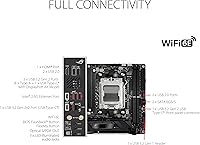
Thunderbolt 4, HDMI 2.1, DisplayPort, USB 3.2 Gen 2x2 Type-C, and 2.5G LAN on a mini-ITX rear panel is a lineup that rivals some full-size boards. Content creators especially appreciate the Thunderbolt 4 port for docking stations and fast external NVMe enclosures that simplify a compact desk setup.
The total USB-A port count on the rear panel is modest compared to full-size ATX alternatives, which can be an issue for users with multiple wired peripherals. Builders who rely on several simultaneous USB-A connections may find themselves reaching for a hub more often than expected.
Aesthetics & RGB
78%
22%
Aura Sync RGB is cleanly implemented and integrates reliably with the broader ASUS ecosystem, making it easy to achieve consistent lighting across a ROG-themed build without manual calibration. The board's visual design is understated compared to some competitors, which many builders in the small form factor space actually prefer.
The RGB coverage is limited given the board size, so users expecting dramatic lighting impact inside a windowed case may find it underwhelming. Armoury Crate, the software used to control Aura Sync, continues to receive mixed feedback for being heavier on system resources than builders prefer for a lighting management tool.
Long-term Platform Longevity
82%
18%
AM5 is AMD's committed platform through at least the next several CPU generations, which means this board should remain relevant for future Ryzen upgrades without a socket change. PCIe 5.0 across both the GPU slot and primary M.2 provides genuine headroom that will matter as storage and GPU technology advances.
The B650E chipset sits below X670E in the hierarchy, so buyers planning aggressive multi-device PCIe lane configurations may find the platform ceiling lower than anticipated over a long ownership window. DDR5 pricing volatility also means the cost to maximize the 64GB memory ceiling remains higher than equivalent DDR4 builds on older platforms.
Documentation & Support
71%
29%
ASUS provides a comprehensive online BIOS repository and reasonably detailed product documentation, and the ROG community forums are active enough that most common setup questions have established answers from experienced builders. The Flashback BIOS feature itself effectively acts as a safety net that reduces support escalations for firmware-related issues.
The included quick-start guide does not adequately warn buyers about the Ryzen 9000 BIOS update requirement, which is the single most common source of initial frustration reported across user reviews. ASUS customer support response times have drawn criticism from a subset of buyers who encountered hardware issues post-build.

Suitable for:

The ASUS ROG Strix B650E-I Mini-ITX Motherboard was built for a very specific type of builder, and if you fit the profile, it is difficult to beat. This is the board for small form factor enthusiasts who want a genuinely powerful AM5 system — Ryzen 7000 or 9000 series — without sacrificing the connectivity features that full-size ATX boards take for granted. Compact PC builders who work in tight cases but still want WiFi 6E, a front-panel USB-C header, Thunderbolt 4, and PCIe 5.0 storage will find this mini-ITX board checks boxes that most rivals in this size class simply cannot. It also serves content creators and streamers well, particularly those running a space-constrained desk setup who still need reliable, fast wireless and versatile rear I/O for monitors and peripherals. If you are the kind of person who has already decided on a small chassis and refuses to compromise on platform features, this compact AM5 motherboard is exactly the hardware that makes that build possible.
Not suitable for:

The ASUS ROG Strix B650E-I Mini-ITX Motherboard is a hard sell for anyone who is price-sensitive or building their first PC on a tighter budget, because you are paying a significant premium over full-size B650E alternatives purely for the compact engineering. Builders who rely on three or more M.2 drives will hit a wall immediately — this board offers only two slots, and that is a firm ceiling with no workaround. First-time AM5 builders pairing this board with a Ryzen 9000 series processor should know upfront that a BIOS update is required before the system will even post, which can be a confusing hurdle without a compatible CPU on hand to flash it first. Those who prioritize pure overclocking headroom and prefer X670E-class chipsets for maximum PCIe lane flexibility will also find this ROG Strix B650E-I limiting by design. Finally, buyers who do not specifically need the mini-ITX form factor have no strong reason to pay the size premium when larger B650E boards offer more slots and easier cable management at a lower price.
Specifications

  • Form Factor: Mini-ITX footprint measuring 6.69 x 6.69 inches, designed for compact small form factor PC cases.
  • Chipset: AMD B650E chipset, offering enhanced PCIe 5.0 lane allocation beyond the standard B650 specification.
  • CPU Socket: AMD AM5 (LGA1718) socket, compatible with Ryzen 7000 series processors and Ryzen 9000 series after BIOS update.
  • VRM Design: 10+2 power stage configuration provides stable power delivery for high-core-count Ryzen processors under sustained load.
  • Memory Support: Two DDR5 DIMM slots supporting up to 64GB of RAM with speeds from 4800MHz up to 4133MHz+ via XMP and EXPO profiles.
  • Storage Slots: Two M.2 slots — the primary runs PCIe 5.0 x4, and the secondary runs PCIe 4.0 x4, both supporting 2280 form factor drives.
  • Primary PCIe Slot: One PCIe 5.0 x16 slot for discrete graphics cards, delivering the full bandwidth of the AM5 platform.
  • Wireless: Intel Wi-Fi 6E (802.11ax) with Bluetooth 5.2 support, operating across 2.4GHz, 5GHz, and 6GHz frequency bands.
  • Ethernet: Intel 2.5 Gigabit LAN provides wired network speeds up to 2.5Gbps for low-latency gaming and large file transfers.
  • Thunderbolt: Thunderbolt 4 port on the rear I/O supports 40Gbps data transfer, daisy-chained displays, and fast external storage.
  • Rear USB: Rear panel includes a USB 3.2 Gen 2x2 Type-C port delivering 20Gbps transfer speeds for compatible devices.
  • Front Panel USB: Onboard header supports a front-panel USB 3.2 Gen 2x2 Type-C connector, a feature rarely found on mini-ITX boards.
  • Display Output: Rear I/O includes HDMI 2.1 and DisplayPort for direct display output when using a Ryzen processor with integrated graphics.
  • BIOS Flashback: Dedicated BIOS FlashBack button allows firmware updates using only a USB drive and power, with no CPU or RAM installed.
  • RGB Lighting: Onboard Aura Sync RGB lighting is compatible with the ASUS Armoury Crate software ecosystem for system-wide lighting control.
  • Weight: The board weighs approximately 2.2 pounds, which is typical for a fully featured mini-ITX motherboard with integrated heatsinks.
  • Thermal Design: Dedicated heatsinks cover the VRM, chipset, and both M.2 slots to manage heat during extended gaming or workload sessions.
  • Platform: Designed for Windows environments and supports AMD StoreMI, RAID configurations, and standard UEFI BIOS controls.

Related Reviews
ASUS ROG Strix B650E-F Gaming WiFi Motherboard
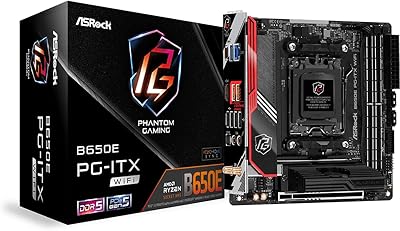
85%
88%
Performance Under Load
91%
Ease of Setup
92%
WiFi and Networking
85%
Power Delivery Stability
78%
Cooling Requirements
More
ASRock B650E PG-ITX WiFi Mini-ITX Motherboard
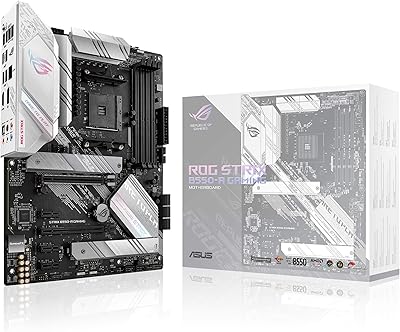
70%
91%
Platform Capability
83%
Power Delivery
61%
DDR5 Compatibility
58%
BIOS Maturity
88%
Form Factor & Design
More
ASUS ROG Strix Z390-E Gaming Motherboard
81%
93%
Build Quality
91%
BIOS Maturity
87%
Overclocking Performance
88%
Connectivity & I/O
82%
Wi-Fi Reliability
More
ASUS ROG Strix B550-A Gaming ATX Motherboard
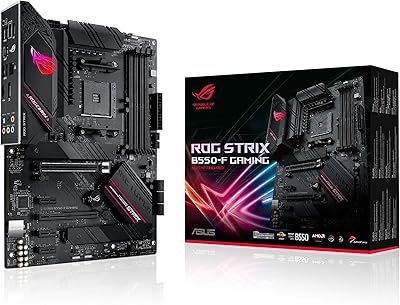
82%
91%
Build Quality
93%
Power Delivery & Stability
88%
BIOS Experience
89%
PCIe 4.0 & NVMe Performance
86%
Onboard Audio Quality
More
ASUS ROG Strix B550-F AMD AM4 Motherboard
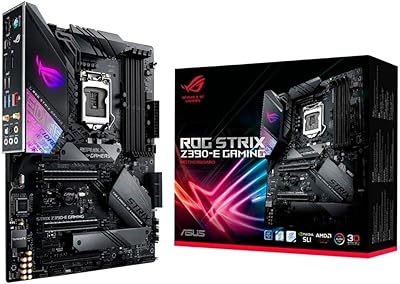
81%
91%
VRM & Power Delivery
88%
Build Quality
89%
BIOS Usability
84%
Ryzen Compatibility
86%
PCIe 4.0 & M.2 Performance
More
ASUS ROG Strix B850-I Mini-ITX Motherboard
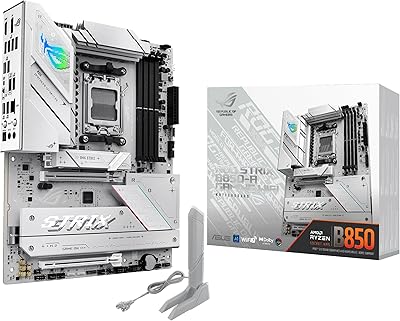
82%
91%
Build Quality
88%
BIOS Usability
93%
Power Delivery
74%
Thermal Management
89%
Connectivity & I/O
More
ASUS ROG Strix B850-A ATX Motherboard
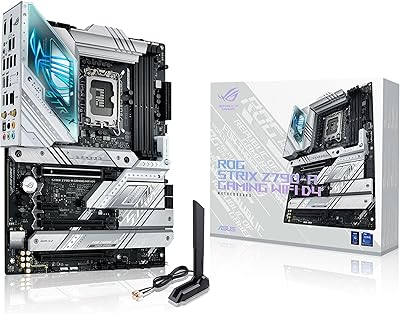
83%
93%
Power Delivery
88%
BIOS Experience
86%
Storage Throughput
91%
Wireless Connectivity
89%
Build & Aesthetics
More
ASUS ROG STRIX X670E-F ATX Motherboard
82%
92%
VRM & Power Delivery
88%
BIOS Experience
86%
M.2 Storage Performance
71%
CPU Compatibility & Setup
89%
Thermal Design
More
ASUS ROG Strix X670E-A Motherboard
82%
91%
Build Quality
88%
Power Delivery
74%
DDR5 Compatibility
86%
BIOS & Firmware
83%
Thermal Performance
More
ASUS ROG Strix Z790-A DDR4 Motherboard
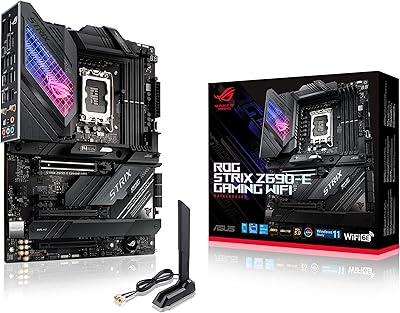
81%
92%
VRM & Overclocking Capability
89%
Build Quality & Materials
88%
Thermal Management
71%
Memory Compatibility
78%
BIOS Experience
More

FAQ

Yes, this is critical and catches a lot of people off guard. The board ships with a BIOS version that does not support AMD Ryzen 9000 series processors out of the box. You will need to flash an updated BIOS first, which you can do using the BIOS FlashBack feature — just load the correct firmware file onto a USB drive, plug it into the designated rear port, and hold the button. You do not need a CPU or RAM installed to do this, which makes the process far less painful than it sounds.

Yes, the board follows the standard mini-ITX specification at 6.69 x 6.69 inches, so it will fit any case designed for that form factor. That said, the heatsinks add some vertical height, so double-check clearance specs for your specific case, especially if you are using a low-profile CPU cooler or a particularly tight chassis.

Yes, the board supports up to 64GB across its two DIMM slots, meaning you can install two 32GB DDR5 modules. Just make sure to check the official ASUS QVL memory compatibility list before buying, as DDR5 at higher speeds can be picky about which kits it accepts without manual profile adjustment.

It works with both current-generation PCIe 4.0 drives and next-gen PCIe 5.0 NVMe SSDs. If you install a PCIe 4.0 drive today, it will run at its native speed with no issues. The PCIe 5.0 capability simply means you will not need to buy a new board when faster drives become mainstream.

Yes, the AM5 socket and B650E chipset fully support AMD 3D V-Cache processors including the Ryzen 7 7800X3D. The strong VRM implementation on this board is actually well-suited to X3D chips, which can have specific power delivery sensitivity.

The ROG Strix B650E-I provides multiple fan headers including CPU fan, CPU optional, and chassis fan connectors. Given the mini-ITX layout, the total header count is fewer than a full-size board, so if you are running a case with many fans, you may want a fan hub or splitter to cover everything.

Yes, as long as your Ryzen processor has integrated graphics, which most non-X suffix Ryzen 7000 series chips include. Dedicated gaming CPUs like the Ryzen 7 7700X do not include integrated graphics, so you would need a discrete GPU to get any display output with those chips.

In practice, the biggest advantage of WiFi 6E is access to the uncongested 6GHz band, which matters most in apartments or dense environments where the 5GHz band is saturated with neighboring networks. For a clean home setup with a compatible router, latency and throughput can improve meaningfully. If your router does not support WiFi 6E yet, the board will still connect at WiFi 6 speeds on your existing 5GHz network.

It is more challenging — there is less physical space to work in, cable management is tighter, and the order in which you install components matters more than it does in a mid-tower. That said, it is absolutely doable for a careful first-timer. The real additional hurdle specific to this board is the BIOS update situation for newer CPUs. Go in with a checklist, watch a build video specific to your case, and budget extra time for the first build.

AMD AM5 Ryzen processors do support ECC unbuffered memory in principle, but actual ECC functionality depends on both the CPU and the motherboard implementation. This compact AM5 motherboard is primarily designed and marketed for gaming and enthusiast use, so ECC support is not officially highlighted as a feature. If ECC reliability is a hard requirement for your workstation, verify current community testing results before committing.

Where to Buy